If your Toyota Camry key fob is not working, first confirm the exact coin battery, install it in the same orientation as the old cell, and test a spare fob. One failed fob usually points to the fob’s battery, contacts, buttons, case assembly, or circuit board. If both programmed fobs fail, check the Camry’s 12-volt battery and the model-specific fuses before suspecting an antenna, receiver, wiring fault, or body-control problem. For a dead Smart Key, use the hidden mechanical key for entry and Toyota’s backup start method.
Last updated: July 31, 2026
Evidence basis: This guide separates owner-level checks from service-level diagnosis using Toyota owner guidance, Toyota Technical Information System resources, and CPSC coin-battery safety advice. It does not identify a failed receiver, antenna, or control module without model-specific testing.
Quick Answer
Replace the fob battery with the exact number printed on the old cell, install it in the same orientation, and test every button beside the car. If the fob has an indicator LED, confirm that it lights when a button is pressed. Then test a spare fob and move the vehicle away from strong radio interference. If neither fob works, check the vehicle’s 12-volt battery and the fuses listed in the owner’s manual. Do not use a generic programming sequence or remove trim panels until you confirm the Camry’s model year, key type, and service procedure.
Key Takeaways
- Confirm the battery number and orientation from the old cell or your exact owner’s manual.
- Test a spare fob early. One failed fob points toward the fob; two failed fobs point toward the vehicle.
- Use the hidden mechanical key for emergency entry when the Smart Key battery is dead.
- Treat programming, immobilizer registration, and ordinary battery replacement as different tasks.
- Get professional diagnosis if both fobs fail, the vehicle will not recognize the key, or wiring damage is visible.
What’s in This Article
- Toyota Camry Key Fob Symptom-to-Fix Guide
- Toyota Camry Key Fob Not Working? Start Here
- How to Replace the Key Fob Battery in Your Camry
- Toyota Camry Key Fob Troubleshooting After a New Battery
- Why the Keyless Entry Receiver Matters
- Signs of a Possible Vehicle-Side Keyless Entry Fault
- How Should the Keyless Entry Receiver Be Checked?
- Programming Your Camry Key Fob: What to Know First
- What If Both Key Fobs Fail?
- When to Get Expert Help for Key Fob Issues
- Preventative Tips to Avoid Future Key Fob Issues
- Frequently Asked Questions
Toyota Camry Key Fob Symptom-to-Fix Guide
Use the symptom pattern before buying parts. It helps separate a fob problem from a vehicle-side electrical or Smart Key problem.
| Symptom | Most useful first check | Next step if it persists |
|---|---|---|
| One fob fails, but the spare works | Confirm the exact coin battery, orientation, contacts, and button condition. | Have the failed fob’s signal and internal board tested. |
| Both fobs fail at the same time | Check the Camry’s 12-volt battery and model-specific fuses. | Scan the body and Smart Key systems before replacing either fob. |
| Fob works only beside the car | Install a fresh, exact-size battery and test away from radio interference. | Inspect the fob contacts and have its output tested. |
| The fob’s indicator LED does not light | Recheck the battery number, orientation, seating, and metal contacts. | Try a second known-good battery, then inspect the button pad and circuit board. |
| The fob LED lights, but the Camry does not respond | Test the spare fob and try a second location away from radio interference. | Have the fob signal and vehicle-side keyless-entry system tested. |
| Remote buttons work, but passive entry does not | Check Smart Key settings and test another door and location. | Diagnose the relevant antenna, wiring, or body-control system. |
| Doors will not unlock and the car will not start | Try the mechanical key, backup Smart Key start, and vehicle-battery checks. | Arrange roadside, locksmith, or Toyota service if the vehicle remains unresponsive. |
[Products Worth Considering]

KEY FOB BATTERY INSTALLATION: This kit includes [qty 2] CR2016 batteries for an easy and secure replacement of your key fob battery for Toyota vehicles.

COMPATIBLE WITH AIRTAG & KEY FOBS: Works with Apple AirTag, all major car key fobs (Toyota, Honda, BMW, Ford, Chevrolet, Lexus), fitness trackers, glucose monitors, tire pressure sensors, and any CR2032 / 3V lithium coin battery device.

NOTE: Your Key Fob must take CR2032 Battery for compatibility.
Toyota Camry Key Fob Not Working? Start Here
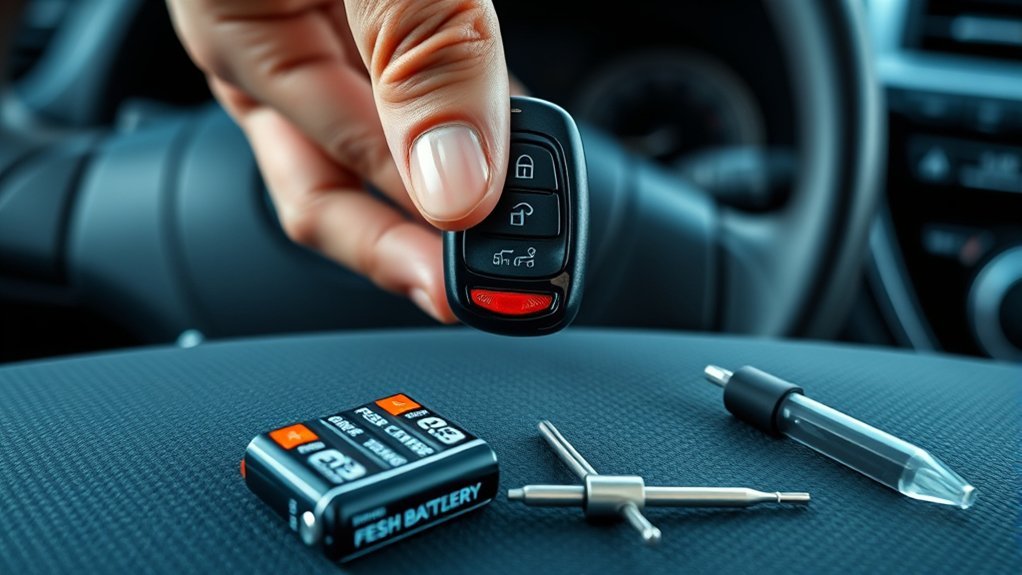
- Identify the key type: Note the Camry model year and whether you have a remote key, separate remote, or push-button Smart Key.
- Confirm the battery: Read the number on the old coin cell or check the exact owner’s manual. Toyota advises owners to verify the battery from the manual or inside the Smart Key rather than assume one size fits every vehicle.
- Install it correctly: Match the old battery’s orientation and make sure the contacts touch the cell.
- Check the fob LED: If your fob has an indicator light, press a button and confirm that the LED illuminates. A dark LED keeps the battery, contacts, and internal fob parts high on the suspect list.
- Test every function: Try lock, unlock, trunk, panic, passive entry, and starting, as equipped.
- Compare the spare: A working spare isolates the problem to the first fob. Two failed fobs make a vehicle-side check more important.
- Change locations: Test away from wireless chargers, strong radio sources, and other electronics that may reduce range.
Use the Mechanical Key and Backup Start Method
If a dead Smart Key leaves you outside the car, slide the release on the fob and remove the hidden mechanical key. Use the driver-door lock as shown in your Camry owner’s manual. Some model years conceal the key cylinder behind a handle cover, so do not pry at trim without the correct instructions.
After you enter, place the shift selector in Park and depress the brake pedal. Touch the Toyota-emblem side of the Smart Key to the engine switch, then press the switch as directed in your model-year manual. Toyota describes this as a temporary backup method when the electronic-key battery is depleted or communication is interrupted. If the dashboard shows “Key Not Detected,” use the focused Camry Smart Key not detected guide. If the power locks, dashboard, horn, and engine remain unresponsive, the vehicle’s 12-volt battery may be the real problem. See Toyota’s dead Smart Key guidance for the general procedure, then follow your exact manual.
How to Replace the Key Fob Battery in Your Camry
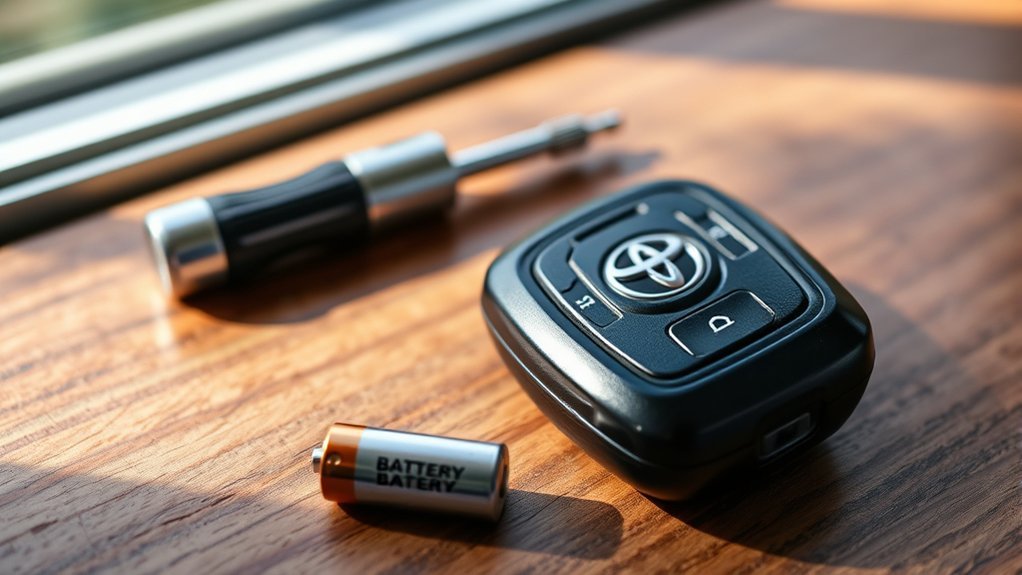
Replacing the Toyota Camry key fob battery often takes only a few minutes, but the battery number and case design vary. Before opening the fob, read the old battery or use the owner’s manual. Toyota’s own support page tells owners to confirm the cell rather than rely on a universal battery claim.
[Products Worth Considering]

COMPATIBLE WITH AIRTAG & KEY FOBS: Works with Apple AirTag, all major car key fobs (Toyota, Honda, BMW, Ford, Chevrolet, Lexus), fitness trackers, glucose monitors, tire pressure sensors, and any CR2032 / 3V lithium coin battery device.
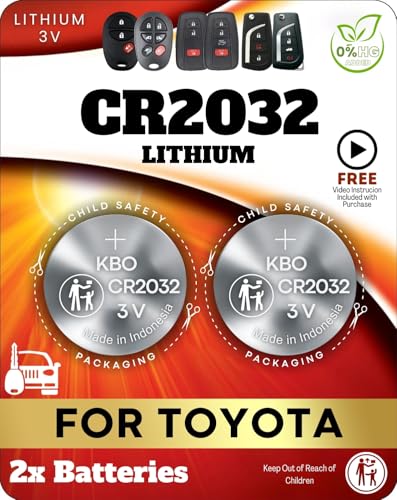
Reliable Power Solution – Includes two premium CR2032 lithium batteries, ensuring long-lasting and dependable power for your Toyota key fob.

**Please confirm fitment with our listing images and make sure the CR2032 battery will fit your key's battery**- Batteries included are the same as provided by the manufacturer ensuring perfect fit and great reliability.
Toyota Camry Key Fob Battery by Year and Key Type
The table below shows verified examples from Camry owner-manual information. It is not a substitute for reading the battery already inside your fob because markets, production changes, and replacement fob designs can differ.
| Camry example | Key system | Battery listed |
|---|---|---|
| 2007 Camry | Key-cylinder remote | CR2016 |
| 2012–2017 Camry | Without Smart Key | CR2016 |
| 2012–2017 Camry | With Smart Key | CR2032 |
| 2018–2024 Camry | With or without Smart Key | CR2032 |
For any other model year, market, or replacement fob, use the number on the old cell or select the exact vehicle in the Toyota Owners manual library.
- Remove the mechanical key if your fob has one.
- Use the case notch and a coin, plastic pry tool, or small flat screwdriver to separate the halves gently.
- Photograph or note the old battery’s number and orientation before removal.
- Insert a fresh battery with the same number and orientation.
- Make sure the battery sits flat and the metal contacts are not bent.
- Close the case fully, reinstall the mechanical key, and test every function beside the car.
If the fob remains dead, reopen it and check for a protective sticker on the new cell, poor contact, corrosion, a displaced rubber button pad, or a cracked circuit board. A battery can also be new but defective, so a second known-good battery is a reasonable confirmation step.
Warning: Keep new and used coin batteries away from children and pets. The U.S. Consumer Product Safety Commission warns that a swallowed button or coin battery can cause devastating internal injury in as little as two hours. If anyone may have swallowed a battery, seek emergency medical help and contact your local poison center immediately. After removing a used cell, place non-conductive tape over its terminals and store it out of reach until it can be recycled or discarded according to local rules. See the CPSC coin-battery safety guidance.
Toyota Camry Key Fob Troubleshooting After a New Battery
If a correct new battery does not restore the fob, do not jump straight to programming or receiver replacement. Work through the checks below in order.
[Products Worth Considering]

**Please confirm compatibility using the fitment guide located in the product images**


" - Please check product image to confirm compatibility. (Opening/Pry Tool + Installation Video Included) "
Recheck the Battery and Contacts
Confirm the battery number again, remove any protective film, and compare its orientation with the old cell. The battery should sit flat without forcing the terminals. Look for fingerprints, dirt, corrosion, or a metal contact that no longer presses firmly against the cell.
Do not use a voltage reading alone as proof that the battery is healthy. A weak coin cell may show a near-normal reading without supplying enough current under load. Testing with a fresh, correctly sized battery is usually the clearer check.
Does a Battery Change Require Key Fob Programming?
Do not assume that removing the coin battery erased the key’s registration. First confirm the battery number, polarity, contacts, case assembly, and transmitter LED. Programming becomes a separate question only after the fob is assembled correctly and the vehicle still does not respond. Remote-button programming, transponder registration, and push-button Smart Key registration are different procedures, so use instructions for the exact Camry year and key system.
Separate Button, Passive-Entry, and Starting Symptoms
Test each function separately. If lock and unlock work but the trunk button does not, the problem may be one button or contact rather than the whole fob. If the buttons work but touch-entry does not, check the Smart Key settings and test another door. If the car starts only when the fob touches the START button, the coin battery, fob transmission, interference, or vehicle-side antenna system needs attention.
Inspect the case for cracks, water marks, sticky buttons, or loose pieces. Stop using the fob if the board is wet, badly corroded, or physically damaged. A locksmith or electronics technician can test whether the fob transmits before you buy a replacement.
Check the Vehicle Before Opening Trim
If both fobs fail, check the 12-volt battery condition and the fuses identified in the exact owner’s manual. Also note whether the interior lights, power locks, horn, dashboard, and START button behave normally. These clues help distinguish a keyless-entry problem from a wider loss of vehicle power.
Do not remove dashboard, pillar, console, or trunk trim based on a generic diagram. Camry receiver, antenna, fuse, and control-module locations vary by generation, trim, and Smart Key equipment. Use model-specific service information or a qualified technician.
Why the Keyless Entry Receiver Matters
Your Camry must receive and validate the fob’s signal before it can carry out a remote or Smart Key command. Depending on the year and equipment, the system may use more than one antenna or control component for remote buttons, passive entry, and starting. That is why one function can fail while another still works.
A failed spare-fob test is a reason to diagnose the vehicle side, not proof that one specific receiver module has failed.
- Remote-button path: The vehicle receives lock, unlock, trunk, or panic commands from the fob.
- Passive-entry path: Equipped models detect an authorized Smart Key near a door or trunk area.
- Starting authorization: The immobilizer and Smart Key system must recognize a registered key before starting.
- Power and communication: Weak vehicle voltage, a fuse fault, damaged wiring, or a module problem can interrupt one or more paths.
This distinction prevents an expensive guess. Test the fob, spare key, vehicle battery, and model-specific fuses before replacing a receiver, antenna, or control module.
Signs of a Possible Vehicle-Side Keyless Entry Fault
No single symptom proves that the receiver has failed. Suspect the vehicle side when several of these conditions occur together:
- Both programmed fobs stop working after their batteries and orientation are confirmed.
- The fobs transmit when tested, but the Camry does not respond.
- Remote buttons, passive entry, or starting fail in a repeatable pattern.
- The problem began after water intrusion, collision work, dashboard work, alarm installation, or other electrical repairs.
- Related body-system faults appear during a professional scan.
Interference can imitate a receiver fault, so test the vehicle in a second location before replacing parts. A technician can use model-specific wiring information and body-system diagnostics to see whether the car detects the key and whether related control units communicate.
How Should the Keyless Entry Receiver Be Checked?
For most owners, receiver diagnosis should stop before trim removal. The safe first-level inspection is a power, fuse, symptom, and scan check. Internal antenna or receiver access requires the exact repair manual because component locations and disassembly steps vary.
- Confirm both fobs: Use fresh, correct batteries and test each fob in more than one location.
- Confirm vehicle power: Check whether the 12-volt battery can operate the locks, lights, dashboard, and starting system normally.
- Check model-specific fuses: Use the fuse chart for the exact Camry year and equipment. Do not rely on a label copied from another generation.
- Scan the body systems: Read diagnostic trouble codes and live data with equipment that supports the Camry’s body and Smart Key systems.
- Inspect only with service information: Check connectors, antennas, grounds, and wiring at the locations shown for that vehicle.
If you see corrosion, melted wiring, water damage, or an aftermarket device spliced into the circuit, stop and arrange professional repair. Probing the wrong connector can damage a module or create a second fault.
Note: A generic online receiver diagram is not enough. Confirm the model year, trim, key type, market, and production information before opening the vehicle.
Programming Your Camry Key Fob: What to Know First
Battery replacement, remote programming, and immobilizer or Smart Key registration are different jobs. A generic door-and-ignition sequence may apply to some older remote-only systems, but it should not be presented as universal Camry guidance. Many Smart Key and immobilizer procedures require compatible diagnostic equipment and authorized security access. For the older remote-only workflow and its limits, see the dedicated Toyota Camry key fob programming guide.
Before any registration attempt, confirm the vehicle identification details, key type, fob part number, market, and whether the key is new, used, or already registered elsewhere. Toyota’s Technical Information System provides model-specific repair information, Techstream diagnostics, and controlled access to key-code and immobilizer or Smart Key reset functions.
Which Programming Method Applies?
- Older remote-only fob: A model-specific manual procedure may exist for the remote lock functions.
- Transponder key: The remote buttons and the immobilizer chip may require separate procedures.
- Push-button Smart Key: Registration commonly requires professional diagnostic and security access.
- Used or incompatible fob: Registration may fail even when the battery and buttons work.
Use only instructions written for the exact Camry year, market, and key system. Do not repeat random sequences because the vehicle does not enter programming mode.
Why Does Key Fob Programming Fail?
Common causes include a wrong or incompatible fob, weak vehicle voltage, a weak fob battery, missed timing, an already full key-registration list, a used key that cannot be added through the chosen procedure, or a vehicle-side Smart Key fault. A scan should come before buying another fob when the car cannot recognize any registered key.
A qualified automotive locksmith may handle compatibility checks, signal tests, cutting, and registration. A Toyota dealer or trained technician may be the better route when the system has immobilizer faults, communication errors, lost-all-keys conditions, or damaged body electronics.
What If Both Key Fobs Fail?
Two fobs can have weak batteries, but simultaneous failure makes the vehicle side more likely than two unrelated internal fob failures. Start with the vehicle’s power supply and basic operation.
- Check the 12-volt battery: Look for weak lights, slow or absent power-lock operation, warning messages, or a dashboard that does not wake normally.
- Use the mechanical key: Confirm that you can enter the vehicle without relying on the remote system.
- Try the backup start: Use Toyota’s Smart Key-to-START-button method if your Camry has push-button start.
- Check the correct fuses: Follow the exact owner’s manual instead of assuming a fuse name or rating.
- Scan before replacing parts: Check body, immobilizer, and Smart Key faults with compatible equipment.
If the power locks and engine are both inoperable, Toyota advises considering a weak vehicle battery rather than assuming the Smart Key battery is the only problem. If the 12-volt battery repeatedly goes flat, use the Camry battery drain troubleshooting guide. If the 12-volt system is healthy, a technician can test the antennas, wiring, receiver functions, and control modules.
When to Get Expert Help for Key Fob Issues
Get professional help when a correct new battery, clean contacts, a spare-fob test, a second test location, and basic vehicle-power checks do not restore normal operation. Arrange service sooner if the Camry cannot recognize either registered key, the mechanical key will not operate the lock, or you find water, melted wiring, corrosion, or damaged connectors.
An automotive locksmith can often test fob output, verify compatibility, cut a key, and perform supported registration. A Toyota dealer or technician with model-specific service information can diagnose body ECU, immobilizer, Smart Key, antenna, and communication faults. Ask for diagnosis before authorizing multiple fobs or modules.
Tell the technician which functions fail: remote buttons, passive door entry, trunk access, push-button starting, or all functions. Also report whether the spare works and whether the problem changes by location. Those details shorten the diagnostic path.
Preventative Tips to Avoid Future Key Fob Issues
A few habits reduce avoidable key fob failures and make an emergency easier to handle.
- Replace a weak battery early: Act when range drops, response slows, or the Camry shows a key-battery warning.
- Record the battery number: Keep the exact cell type in your phone or maintenance notes.
- Keep the fob dry: Protect it from rain, laundry cycles, drinks, and wet storage areas.
- Protect the buttons: Do not carry the fob where heavy objects press its buttons continuously.
- Test the spare: Check it several times a year and replace its battery when symptoms appear.
- Learn emergency entry: Practice removing the mechanical key and locate the model-specific door-lock instructions before a lockout.
Store spare keys securely and away from extreme heat. If your owner’s manual includes a Smart Key battery-saving mode, follow that model-specific procedure for a fob stored for long periods.
Frequently Asked Questions
How Long Does a Toyota Camry Key Fob Battery Last?
Battery life varies with key type, use, storage, temperature, and how close the fob stays to the vehicle. Replace it when range drops, response slows, or the Camry displays a key-battery warning rather than relying on a fixed interval.
What Battery Does a Toyota Camry Key Fob Use?
The battery depends on the model year and key design. For example, Toyota manual information lists CR2016 for some older non-Smart-Key remotes and CR2032 for many Smart Keys and newer Camry remotes. Confirm the number printed on the old cell or in the exact owner’s manual before buying a replacement.
Can a Dead Key Fob Battery Stop a Camry From Starting?
It can prevent normal Smart Key detection. On push-button models, place the vehicle in Park, depress the brake pedal, touch the Toyota-emblem side of the Smart Key to the engine switch, and press the switch as directed by Toyota. If the locks and engine remain unresponsive, check the vehicle’s 12-volt battery.
Does Changing a Camry Key Fob Battery Require Reprogramming?
Do not treat a battery change as proof that the key lost registration. First recheck the battery number, orientation, contacts, case assembly, and indicator LED. If the fob is assembled correctly but the Camry still does not respond, use the model-specific procedure to determine whether remote programming, transponder registration, or Smart Key diagnosis is needed.
Why Does My Camry Key Fob Work Only Up Close?
Short range commonly points to a weak or incorrect battery, poor battery contact, worn buttons, fob damage, or radio interference. Test a fresh exact-size battery in a second location. If range stays poor, have the fob output and vehicle-side system tested.
Do I Need a Dealer to Program a Toyota Camry Key Fob?
Not always. Some older remote-only systems may support a model-specific manual procedure, while many push-button Smart Keys require compatible diagnostic equipment and security access. A qualified automotive locksmith may also provide supported programming.
Why Is My Camry Key Fob Not Working After a Battery Change?
Recheck the battery number, orientation, protective film, and metal contacts. Then test a second known-good battery and inspect the case for displaced buttons, corrosion, or board damage. If the spare also fails, move to vehicle-battery, fuse, and system diagnosis.
Why Do Both Toyota Camry Key Fobs Not Work?
Both coin batteries may be weak, but two confirmed fobs failing together often shifts attention to the vehicle’s 12-volt battery, fuses, Smart Key settings, antennas, wiring, receiver functions, or body-control system. Scan the vehicle before replacing both keys.
Safety Disclaimer: This article provides general troubleshooting information, not a model-specific repair procedure. Follow the owner’s manual and repair information for your exact Camry. Stop and contact a qualified professional if a key, lock, starting, battery, wiring, or immobilizer problem prevents safe vehicle use.
Conclusion
When a Toyota Camry key fob stops working, confirm the exact battery and test the spare before replacing parts. Use the mechanical key and Toyota’s backup Smart Key starting method if the battery is dead. If both fobs fail, check the 12-volt battery and model-specific fuses, then scan the body and Smart Key systems. That order separates a simple fob problem from a vehicle-side fault without unnecessary programming or module replacement.
References
- Toyota Manuals and Warranties — Toyota Owners
- What type of battery does the Smart Key use? — Toyota Support
- If the battery in the Smart Key dies, is there an alternate way to enter the vehicle and start the engine? — Toyota Support
- How do I operate the Smart Key locking and unlocking functions? — Toyota Support
- Toyota Technical Information System — Toyota Motor Sales, U.S.A.
- Button Cell and Coin Batteries — U.S. Consumer Product Safety Commission