
By: Daxon Steele · Published: March 22, 2026 · Last updated: July 31, 2026
What’s in This Article
- Quick Checklist: Fix a Dying Camry Battery Now
- Why Does My Toyota Camry Battery Keep Dying?
- Quick Checks: Lights, Accessories, and Surprise Drains
- How to Test a Camry for Parasitic Draw
- Which Camrys Have a Toyota DCM Battery-Drain Bulletin?
- Prevent Repeat Camry Battery Drain
- When to Get Professional Electrical Help
- Camry Emergency Gear
- Frequently Asked Questions
- Keep Your Camry Starting Reliably
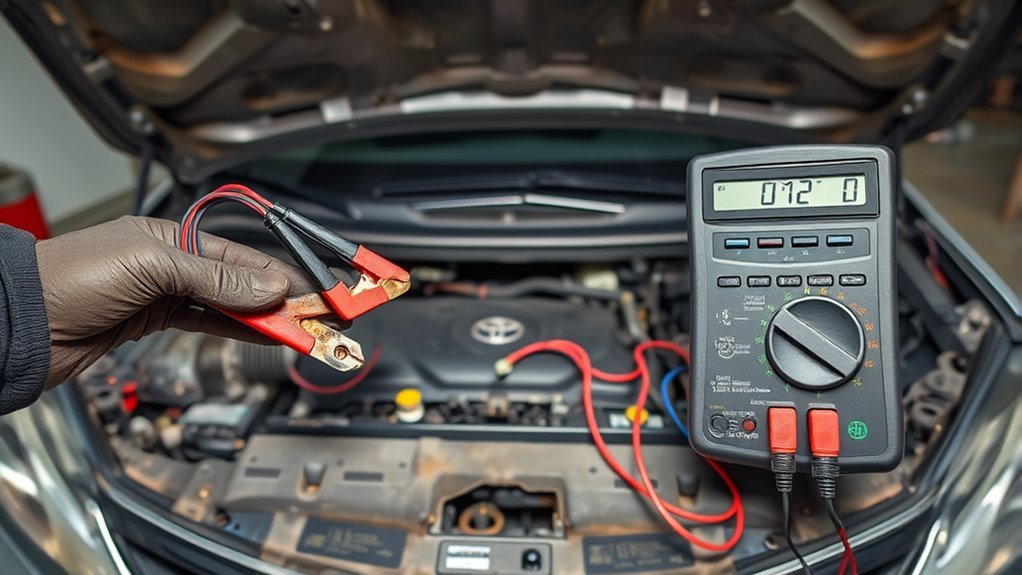
If your Toyota Camry battery keeps dying, the fault usually falls into one of three categories: the 12-volt battery cannot store enough energy, the charging system is not restoring the energy used, or an electrical load remains active after the car is turned off. Fully charge and test the battery first, inspect the terminals and grounds, then determine whether the Camry dies while driving or only after it has been parked.
The charging-system test depends on the powertrain. A gasoline-only Camry uses a conventional alternator-based charging system. A Camry Hybrid, including every U.S.-market 2025-and-newer Camry, uses its hybrid electrical system to support the 12-volt battery, so it needs hybrid charging-system and DC-DC converter diagnosis rather than an alternator-only test.
Quick Answer
Charge and test the 12-volt battery, tighten and clean the terminals, check for lights or accessories staying on, and verify that the correct gas or hybrid charging system is working. Test for parasitic draw only after the battery and charging system pass. A fully sleeping vehicle commonly draws less than about 50 milliamps in general automotive guidance, but Toyota’s specification for your exact model is the final standard. Certain 2020–2021 Camry and Camry Hybrid vehicles may also qualify for Toyota bulletin T-SB-0089-21 if a DCM fault is depleting the battery while the ignition is off.
Key Takeaways
- Prove the battery is fully charged and healthy before testing for a hidden drain.
- A Camry that dies while driving needs charging-system and connection tests before an overnight-draw test.
- Do not apply conventional alternator advice to a Camry Hybrid without accounting for its hybrid 12-volt charging system.
- Start a current test on the meter’s fused 10-amp input and never start the vehicle while the meter is connected in series.
- Toyota’s EL1934 designation is a repair operation code in a DCM bulletin, not a firmware-version number.
Quick Checklist: Fix a Dying Camry Battery Now
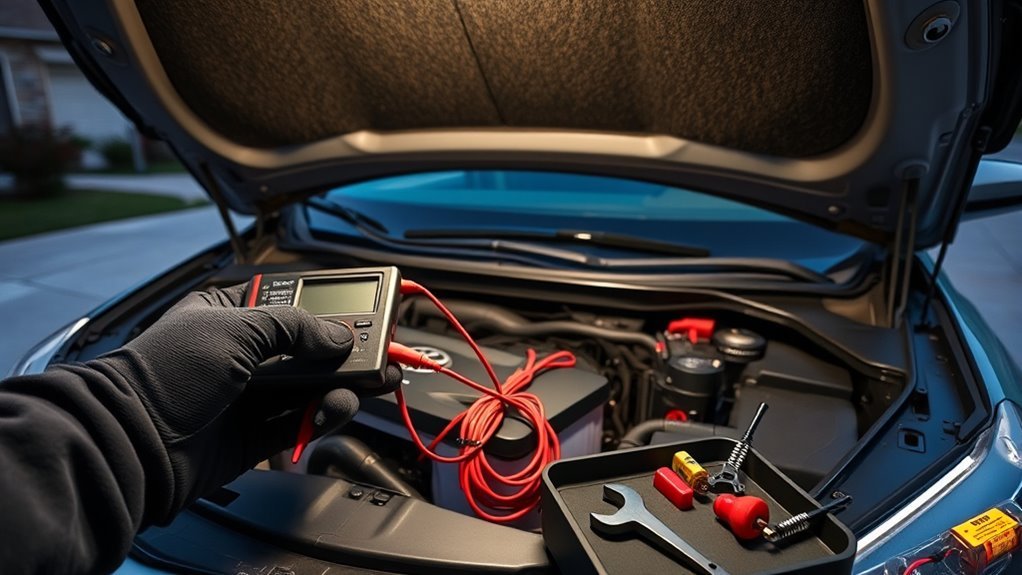
Start by writing down when the failure happens. A battery that is dead after one night points toward a different test path than a Camry that loses power while driving.
| When the Camry dies | First suspects | Best first test |
|---|---|---|
| After sitting overnight | Weak reserve capacity or excessive key-off draw | Full charge and battery test, then a sleep-current test |
| While driving | Charging-system fault, loose connection, belt problem on a gas model, or hybrid charging fault | Charging-system warning, cable, ground and output tests |
| Soon after a new battery was installed | Loose terminal, discharged replacement, incorrect battery, charging fault or hidden drain | Installation inspection, battery test and charging-system test |
| Only after several weeks | Low use, natural discharge, weak battery or abnormal standby load | Battery health, storage pattern and key-off draw review |
| 2020–2021 model with SOS or Toyota App problems | Possible DCM condition | VIN-specific check for Toyota T-SB-0089-21 |
Inspect both battery terminals for corrosion, damaged cable ends and loose clamps. A properly secured clamp should not rotate on the battery post by hand. Also inspect the battery hold-down and the main ground connections you can reach safely.
Turn off the headlights, map lights, trunk light, glove-box light, phone chargers, dash camera, wireless adapter and other aftermarket accessories before parking. A phone placed in video mode can help confirm whether a trunk or glove-box light stays on after the compartment is closed.
Have the battery charged and tested before buying another one. Ask for the measured battery condition, state of charge and test result in writing. A weak battery and an electrical drain can exist at the same time.
If your gasoline-only Camry shows a charging warning or repeatedly loses charge after driving, review these Toyota Camry alternator warning signs. Hybrid owners should ask for a test of the hybrid 12-volt charging system rather than assuming the vehicle has a conventional alternator.
Why Does My Toyota Camry Battery Keep Dying?
A repeat dead battery means the vehicle is losing more usable energy than the battery and charging system can replace. The correct diagnosis separates battery capacity, charging performance, connections and key-off electrical draw.
- Weak or damaged 12-volt battery: The battery may accept a surface charge but have too little reserve capacity to survive overnight.
- Loose, corroded or damaged connections: High resistance at a terminal, cable or ground can reduce charging and starter current.
- Gas-model charging fault: A worn belt, alternator fault, wiring problem or poor ground can leave a conventional Camry undercharged.
- Hybrid charging fault: A Camry Hybrid uses its hybrid electrical system and DC-DC conversion to support the 12-volt system. It requires the correct hybrid diagnostic procedure.
- Parasitic draw: A light, relay, module, tracker, dash camera, alarm or other accessory may remain active after shutdown.
- Repeated short trips: Brief operation with heavy accessory use may not restore the energy used between starts.
- Long storage or extreme temperature: Heat, cold and prolonged low charge can expose a battery that has lost capacity.
- Incorrect replacement battery: The wrong chemistry, capacity, terminal layout, hold-down fit or venting can cause reliability and safety problems.
Use this order: charge and test the battery, inspect the terminals and grounds, verify the correct charging system, review recent driving and storage, then measure key-off current. Replacing parts before completing that sequence often leaves the real fault in place.
Quick Checks: Lights, Accessories, and Surprise Drains
Do not blame battery age until you check obvious loads. Headlights, dome lights, vanity lights, trunk lights, glove-box lights and aftermarket electronics can discharge a healthy battery if they remain powered.
| Item | What to do | What it reveals |
|---|---|---|
| Battery and terminals | Inspect, charge and test | Weak capacity, poor contact or loose hold-down |
| Exterior lights | Inspect after parking | Overnight drain risk |
| Interior and compartment lights | Close or latch openings and test switches | Switch, latch or alignment fault |
| Aftermarket gear | Unplug during diagnosis | Accessory or installation-related draw |
| Charging system | Use the gas or hybrid procedure that matches the car | Failure to restore battery charge |
Check for frayed wires, loose clamps and devices plugged into a 12-volt outlet, USB outlet or on-board diagnostics port (OBD-II). Unplug dash cameras, trackers, wireless phone adapters and scan tools during testing. An always-connected OBD-II device can communicate with the car or keep drawing power after shutdown.
If the Camry has recently had an alarm, remote starter, stereo, amplifier, tracking device or dash camera installed, tell the technician exactly when the battery problem began. The timing can be more useful than guessing which component failed.
[Products Worth Considering]

This steering clock spring is designed to restore reliable steering wheel controls across a wide range of Toyota models. It supports audio, cruise control, and other multifunction commands while matching OEM part numbers for confident replacement fitment. Built for dependable signal transfer and straightforward installation, it is an effective solution for repairing steering column control issues.

This portable jumper cable adapter is designed for seamless compatibility with Milwaukee M18 batteries, helping you jump-start a dead or weak vehicle battery quickly and conveniently. Built with 8 AWG cables and simple clamp connections, it supports a range of vehicles including cars, SUVs, and trucks. It offers a practical, tool-battery-powered solution for emergency starting, with clear usage steps and safety guidance for dependable operation.
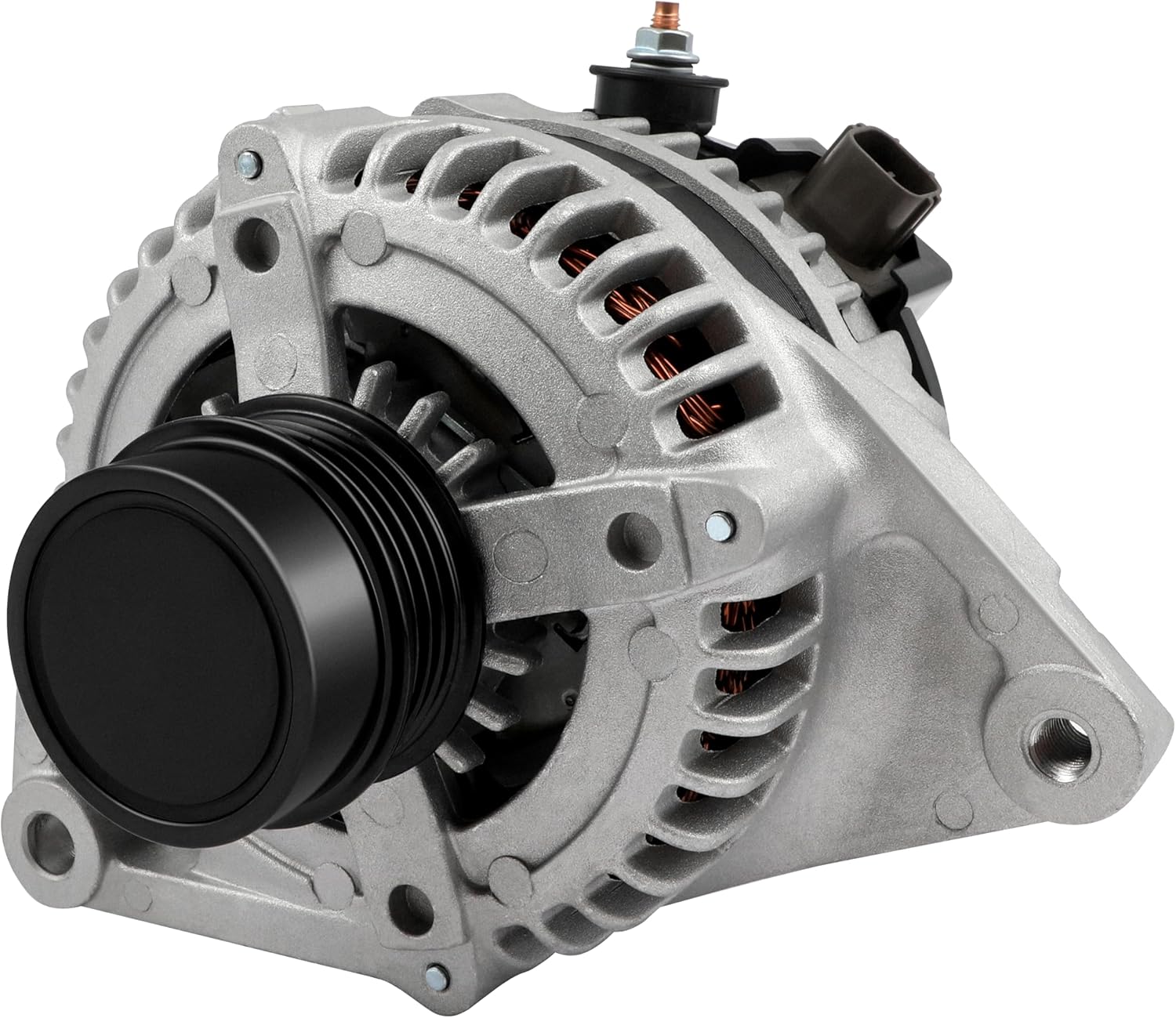
This high output alternator is designed to fit select Toyota, Scion, and RAV4 2.5L applications, delivering reliable charging performance for everyday driving. Built with a 12-volt, 100-amp design and precision-engineered components, it helps support battery recharge, stable electrical output, and consistent operation when your vehicle shows signs of charging issues.
How to Test a Camry for Parasitic Draw
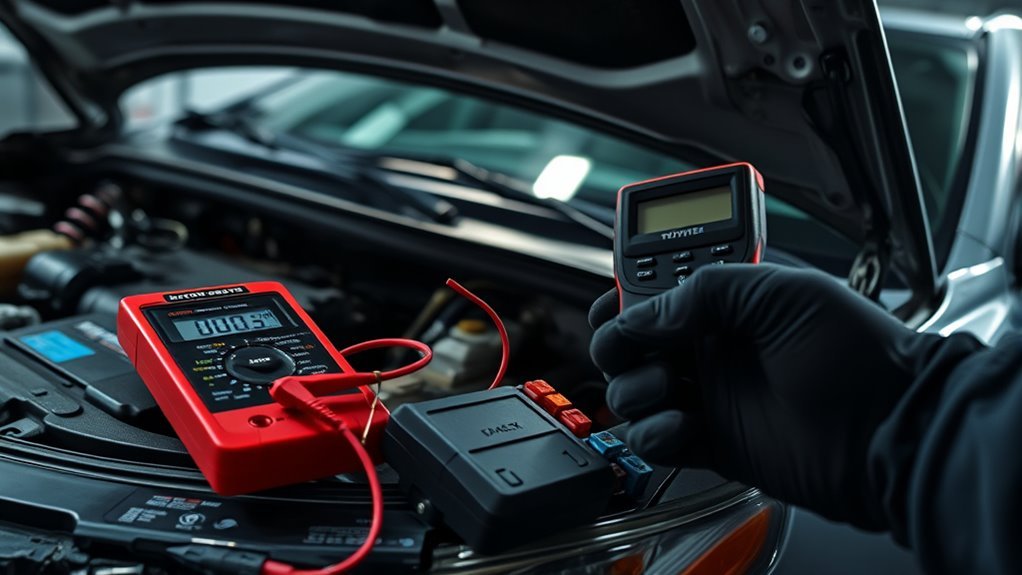
A parasitic-draw test measures the current leaving the battery after the vehicle’s modules have entered sleep mode. Do not perform this test on a discharged or untested battery.
Warning: A 12-volt battery can produce flammable gas and contains corrosive acid. Wear eye protection, remove metal jewelry, keep sparks and flames away, and never place a tool across the battery terminals. Stop if the battery is swollen, leaking, hot or producing a strong sulfur-like odor.
- Charge and test the battery. Begin with a fully charged battery that has passed a proper battery-health test. Record the result.
- Check the owner’s manual. Battery disconnection can clear stored information or require system initialization. On a hybrid Camry or any model whose manual discourages terminal removal, use a suitable low-current DC clamp meter or professional test instead.
- Prepare the vehicle. Turn off all accessories. Remove devices from the OBD-II, USB and 12-volt outlets. Keep the Smart Key away from the car.
- Prevent lights from switching on. Close the doors, hood and trunk, or carefully latch their switches by hand while leaving access for testing. Do not lock a person inside the trunk or vehicle.
- Let the modules sleep. Do not touch a handle, press a remote button or open a door. Many vehicles need several minutes to sleep. Waiting about 30–45 minutes is a practical screening period, but Toyota repair information for the exact model is the final standard.
- Configure the meter correctly. Put the black lead in COM and the red lead in the fused 10-amp input. Select DC amps and begin on the highest current range.
- Connect the meter in series only if you know the procedure. With the vehicle off, connect the meter between the negative battery post and the disconnected negative cable so all key-off current flows through the meter.
- Do not start the car or operate high-current equipment. Never crank the engine, switch on the headlights, run the blower or operate power windows while the meter is connected in series. Doing so can blow the meter fuse or damage the meter.
- Read the fully sleeping current. General automotive guidance often treats a stable reading below about 50 mA as a common screening range. Your Camry’s service specification and required sleep time take priority.
- Isolate an excessive draw carefully. Remove one fuse at a time and watch for a meaningful drop. Record every fuse and reinstall it in the correct location.
Pulling a fuse, opening a door, unlocking the vehicle or bringing a Smart Key close may wake modules. After each disturbance, wait for the current to settle before deciding whether the circuit caused the draw.
A technician may use a low-current clamp, scan-tool sleep data or voltage-drop measurements across installed fuses. Measuring across the fuses can avoid repeatedly waking modules, but it requires the correct fuse information and test method.
Pro tip: Photograph the fuse panels before testing and keep a written log of the time, current reading, fuse removed and result. Intermittent drains are much easier to diagnose with a clear record.
Once a circuit is identified, inspect the devices on that circuit rather than replacing the fuse. Possible causes include compartment lights, latch switches, relays, aftermarket devices, damaged wiring and control modules that fail to enter sleep mode.
[Products Worth Considering]

The ANCEL BA101 helps diagnose 12V batteries quickly with clear readings for battery health, charge level, voltage, CCA, cranking, and charging system performance. Designed for a wide range of vehicles and battery types, it offers easy-to-read results, reliable clamp connections, and built-in protection to make testing safer and more convenient.

The OXILAM jump starter delivers powerful emergency starting performance for gas engines and up to 12L diesel engines, helping revive dead batteries in seconds. It also doubles as a portable power bank and LED flashlight, with USB and Type-C ports for convenient device charging. Built with multiple safety protections, a clear LED display, and a rugged portable design, it is a reliable roadside companion for cars, trucks, motorcycles, and more.

These Energizer jumper cables are built to help start dead or weak batteries quickly and safely for a wide range of vehicles, including cars, SUVs, and trucks. The 16-foot length and flexible cable design make it easier to reach battery connections, while the protective coating and sturdy handles support secure placement. A carrying bag is included for convenient transport and storage.
Which Camrys Have a Toyota DCM Battery-Drain Bulletin?
Toyota technical service bulletin T-SB-0089-21 applies to certain 2020–2021 Camry and Camry Hybrid vehicles, along with several other Toyota models. The bulletin includes a depleted 12-volt battery while the ignition is off among the possible conditions addressed by a Data Communication Module reset and firmware update.
The bulletin also lists related signs such as diagnostic code B15A804, a red SOS indicator that remains on, an inoperative Toyota App, connected-services trouble or an inability to activate Wi-Fi. The bulletin superseded the older T-SB-0095-20.
This does not mean every 2020 or 2021 Camry with a dead battery has a DCM fault. A dealer must confirm that the vehicle, symptoms and current DCM firmware meet the bulletin’s conditions. If the firmware is already current, Toyota’s procedure directs the technician to continue normal diagnosis.
T-SB-0089-21 and Operation Code EL1934
EL1934 is not the firmware-version number. It is the warranty operation code shown in the bulletin for the DCM reset and firmware-update procedure. Ask the service advisor to check the current Toyota service information by VIN rather than requesting “firmware EL1934.”
A clear dealer request is:
“Please test the 12-volt battery and charging system, verify key-off current and module sleep, and check whether T-SB-0089-21 or a newer Toyota instruction applies to this VIN and these symptoms.”
Ask the advisor to record the battery-test result, diagnostic codes, current DCM software information, bulletin applicability and work performed on the repair order.
When to Escalate
Escalate when the battery continues to die after a documented battery test, charging-system test, key-off-current test and one or more unsuccessful repairs. Keep dates, voltage or current readings, battery replacement records and repair orders.
Ask the dealer or electrical specialist to verify:
- Battery state of charge and usable capacity.
- Voltage drop at the battery cables and grounds.
- Gas-model alternator output or hybrid-model 12-volt charging operation.
- Module sleep behavior and intermittent wake-up events.
- DCM faults and bulletin applicability on qualifying model years.
- The exact circuit responsible for any excessive draw.
Prevent Repeat Camry Battery Drain
Once the fault is repaired, avoid repeated deep discharge. A starting battery can lose usable capacity when it is repeatedly run flat, even if it can be recharged afterward.
- Unplug unnecessary dash cameras, phone adapters, trackers and OBD-II devices when the Camry is parked.
- Confirm that headlights, map lights, dome lights, vanity lights and compartment lights switch off.
- Keep the battery terminals clean, dry and tight, and keep the battery hold-down secure.
- Match the replacement battery’s group size, chemistry, capacity, terminal layout, restraint fit and venting.
- Have the battery tested before extreme weather or long storage.
- Use a compatible smart maintainer when the Camry will sit for a prolonged period and the owner’s manual permits it.
Toyota UK’s battery-care guidance recommends aiming for a 30-minute journey at least once a week when possible. This can help maintain a healthy battery, but it is not a substitute for charging and testing a battery that has already gone flat.
A healthy Camry should not normally require a maintainer merely because it sits for a few days. If the battery repeatedly dies after a short parking period, continue diagnosing the battery, charging system and key-off draw.
Before buying a replacement, verify the correct Toyota Camry battery size by year. Do not rely on a universal group-size or CCA recommendation.
When to Get Professional Electrical Help
Stop home testing if the battery case is swollen, cracked, leaking, unusually hot or producing a strong rotten-egg or sulfur-like odor. Keep sparks and flames away and have the vehicle handled by a trained technician.
Get professional help when:
- The meter fuse blows or you are unsure how to connect the meter in series.
- The draw is unstable or appears only at certain times.
- Removing fuses repeatedly wakes the vehicle and prevents a stable result.
- The problem circuit contains the DCM, body control module, Smart Key system or hybrid components.
- The Camry shows a charging-system warning or loses electrical power while driving.
- The owner’s manual advises against battery-terminal removal.
Ask the shop to print or record the battery test, charging-system test and final key-off-current result. “Battery and alternator checked” is less useful than the actual measured results and the test conditions.
Camry Emergency Gear
Keep a compatible jump starter or a set of properly rated jumper cables, a flashlight, safety glasses, gloves and the owner’s manual in the vehicle. A jump starter provides temporary starting power; it does not repair a weak battery, charging fault or hidden drain.
Follow the model-year-specific jump-start procedure. Battery and jump-point locations vary, and a hybrid Camry may use designated under-hood connection and ground points even when the 12-volt battery is installed elsewhere. Never guess the clamp locations.
Review the difference between a jump starter and a battery charger before an emergency. A charger restores energy over time, while a jump starter is intended to help start or place the vehicle in READY mode.
Use a terminal brush and an approved cleaning method to remove corrosion. After the terminals are clean, dry and tight, a light protective coating may help slow future corrosion. Do not place grease between a dirty or loose battery post and clamp.
Keep a note with the correct battery group size, chemistry, venting requirements and recent service dates. Confirm these details by VIN, the existing battery label and Toyota documentation before buying a replacement.
[Products Worth Considering]

TOPDC heavy duty jumper cables are designed to help drivers get a dependable boost when a battery runs down. The 20-foot length offers added reach for cars, SUVs, and trucks, while insulated serrated clamps provide a secure connection to top-post and side-terminal batteries. A flexible PVC jacket, carry bag, and included guide make these cables practical for everyday emergency use.

The S ZEVZO ET03 is a powerful 12V jump starter designed to revive gas and diesel vehicles quickly, including cars, trucks, motorcycles, lawnmowers, and boats. It also doubles as a portable power bank with USB charging ports, a bright LED flashlight, and an LCD display for added convenience during roadside emergencies. Built with multiple safety protections and included carrying case, it offers dependable backup power whenever you need it.

This AstroAI clamp meter delivers accurate electrical testing for AC/DC voltage, AC current, resistance, capacitance, continuity, diode checks, and live wire detection in one compact tool. Its auto-ranging design, backlit LCD, flashlight, data hold, and audible/visual alerts make it practical for both home and industrial troubleshooting. Built with enhanced safety standards and non-contact voltage detection, it helps users diagnose electrical issues with greater confidence and convenience.
Frequently Asked Questions
Why does my Toyota Camry battery keep dying?
A repeat dead Camry battery usually means the 12-volt battery has lost capacity, the charging system is not restoring charge, a terminal or ground has excessive resistance, or an electrical load remains active after shutdown. Charge and test the battery first, then test the correct gas or hybrid charging system before measuring parasitic draw.
Why does the battery die overnight even though it tests good?
A battery can pass a quick test and still be discharged by a hidden load after parking. Confirm that it was fully charged for the test, then let the Camry enter sleep mode and measure key-off current. Common causes include lights, relays, aftermarket equipment and modules that remain awake.
Why does my Toyota Camry keep dying after I replace the battery?
A new battery can die again if it was not fully charged, a clamp or ground is loose, the replacement is incorrect, the charging system is faulty or a parasitic draw remains. Replacing the battery does not correct the fault that discharged the old one.
How long should I drive my Camry to help maintain the battery?
Toyota UK’s battery-care guidance recommends aiming for a 30-minute journey at least once a week when possible. That advice helps maintain a healthy battery. It is not a guaranteed way to recharge a battery that is deeply discharged or failing.
Is a 50 mA parasitic draw normal on a Camry?
Less than about 50 mA is a common general screening benchmark after a vehicle is fully asleep, but it is not a universal Toyota specification. Your Camry’s model year, equipment, module sleep time and Toyota repair information determine the acceptable final reading.
Does Toyota T-SB-0089-21 apply to my Camry?
The bulletin covers certain 2020–2021 Camry and Camry Hybrid vehicles with listed DCM-related conditions, including a depleted 12-volt battery while the ignition is off. A dealer must check the VIN, symptoms and current DCM firmware before deciding that the bulletin applies.
Is EL1934 a Toyota firmware version?
No. EL1934 is the warranty operation code listed in T-SB-0089-21 for the DCM reset and firmware-update procedure. It is not the name or version of the firmware.
Is battery diagnosis different on a Camry Hybrid?
Yes. The same battery-capacity, terminal and key-off-draw checks still matter, but the 12-volt charging system is part of the hybrid electrical system. A hybrid Camry needs the appropriate DC-DC converter and hybrid charging diagnosis rather than a conventional alternator-only test.
Safety Disclaimer: This article is for informational purposes only and does not replace the Toyota owner’s manual, Toyota repair information or professional automotive advice. A 12-volt battery can release flammable gas and contains corrosive acid. Do not perform electrical testing that exceeds your training or equipment.
Keep Your Camry Starting Reliably
Charge and test the battery first. Next, inspect the terminals and grounds and verify the correct charging system for your gasoline or hybrid Camry. Test key-off current only after those checks pass and the vehicle has entered sleep mode.
For a qualifying 2020–2021 Camry with DCM, SOS or Toyota App symptoms, ask the dealer to check T-SB-0089-21 by VIN. Written battery, charging and parasitic-draw results will help prevent repeated guesses and unnecessary parts replacement.
References
- How to care for your car’s 12V battery — Toyota UK, 2026
- 2025 Camry Hybrid: If the hybrid system will not start — Toyota Owners
- T-SB-0089-21: DCM Reset and Firmware Update — Toyota Motor Sales, hosted by NHTSA, 2021
- How to Find Parasitic Battery Drain with a Multimeter — Fluke
- Toyota Camry Goes Exclusively Hybrid — Toyota USA Newsroom, 2024
- DC-DC Converters — Toyota Industries Corporation





[…] cause may be a weak 12-volt battery, loose terminals, a failing alternator on a non-hybrid gasoline model, a belt or fuse problem, […]