
Setting your home address in a Hyundai Sonata navigation system usually takes only a few minutes, but the exact buttons can vary by model year, infotainment generation, region, and software version. Some systems use a dedicated Home option, while others manage Home through Saved Places, Favorites, or Save Location. The steps below cover the common Hyundai navigation layouts so you can use the path that matches your screen.
Quick Answer
Open your Sonata’s navigation or Map screen, search for your home address, select the correct map result, and save it as Home or a favorite location. Depending on the infotainment system, the option may appear under Home, Saved Places, Favorites, or Save Location. Confirm the map pin before saving.
Key Takeaways
- Hyundai Sonata navigation menus vary by model year and infotainment generation, so there is not one universal button sequence.
- Newer systems commonly use Search, Saved Places, Favorites, or Save Location, while some older systems provide a direct Home option.
- Always verify the map pin before saving, especially when several streets or cities have similar names.
- You normally do not need to erase your previous destinations before changing your Home location.
- If your menus do not match these steps, check your Sonata’s infotainment manual or current navigation software version.
At a Glance
| Time Required | About 2–5 minutes |
| Difficulty | Easy |
| Tools Needed | None |
| Cost | $0 |
Warning: Enter or edit addresses while the vehicle is safely parked. Avoid typing into the navigation system while driving.
How to Access the Sonata Navigation System

Start from the Sonata’s Home or Map screen. Depending on the system, you may open navigation by tapping Map, pressing a physical MAP or NAV button, or using the Search control.
Once the map is open, you can search for a destination, change the map view, adjust the scale, review route guidance, or save a location. Hyundai uses several infotainment generations, so the location of these controls can differ even between Sonata model years.
Note: If your Sonata does not show the exact menu names described below, that does not necessarily indicate a problem. Hyundai states that available icons, screen layouts, and features can vary by vehicle model and specification.
Common Hyundai Navigation Menu Layouts
| System Style | What You May See | Typical Method |
|---|---|---|
| Newer ccNC-style system | Map, Search, Saved Places, Save Location | Search for the address, open the result, then save the location or manage it in Saved Places. |
| Standard Gen5W-style system | Saved Places and favorite shortcut buttons | Select an empty Home/favorite shortcut, search for the address, verify it, and save it. |
| Older/Premium navigation | Menu, Destination, Saved Places, Favorites, Home | Open the Favorites/Home area, search for the address, and confirm it. |
You can also save your current vehicle position on supported systems. From the map, open the menu and choose Save Location or Save, then assign or store the location in the appropriate Favorites or Saved Places group.
Enter Your Home Address Step-by-Step
Use the version below that most closely matches your Sonata’s navigation screen.
Method 1: Sonata With Saved Places or Favorite Shortcuts
- Park the vehicle and open the Navigation or Map screen.
- Open Saved Places, or select the empty Home/favorite shortcut shown near the bottom of the navigation menu.
- Select Search.
- Enter your street address, place name, or another supported search term.
- Select the correct result and inspect its position on the map.
- Press OK, Save, or the equivalent confirmation button shown by your system.
- Return to the navigation menu and confirm that your Home or favorite shortcut now displays the saved location.
Method 2: Sonata With Menu > Destination > Home
- Open the map screen.
- Select Menu and then Destination.
- If your system provides a dedicated Home option, select it. On some versions, Home is found under Saved Places > Favorites.
- Choose the search option and enter your complete address.
- Select the correct result and check the map location carefully.
- Press OK or Save to store it.
Method 3: Newer Search/Save Location Interface
- From the Home screen, open Map, or use the system’s Search control.
- Enter your home address and select the correct search result.
- When the location appears on the map, select Save Location.
- Save the location in the available Saved Places or Favorites area.
- Open Saved Places afterward to make sure the entry was stored correctly.
Pro Tip: Before saving, zoom in on the map and confirm that the pin is on your actual street or driveway area. This prevents problems when an address search returns a similarly named road, building, or nearby city.
Fix Common Problems When Setting Your Home Address
If your Sonata will not save the home address, start with the simplest checks rather than deleting your entire destination history or resetting every navigation setting.
[Products Worth Considering]

**2026 Latest Version** MicroSD Navigation Map Card for Toyota Factory Navigation System (Part Number: 86271-0E077)Compatible only with Toyota vehicles equipped with the original factory MicroSD navigation platform.Map data covers all 50 U.S. states and hundreds of cities, counties, and metropolitan areas in Canada.

Latest Edition Toyota Navigation SD Card (Model 86271-0E077),Designed exclusively for Toyota vehicles with the factory navigation system (MicroSD platform). This Map SD Card provides extensive coverage of hundreds of cities, counties, and metropolitan areas in the U.S. and Canada, featuring the latest updated data.

The Address Does Not Appear in Search
Check the spelling, house number, street name, city, and state. If the full address is not recognized, search for the street first, try a nearby point of interest, or select the location directly on the map when your system provides that option.
New developments and recently changed roads may not appear correctly if the navigation map or software is outdated. Check Hyundai’s current navigation update service for software available for your vehicle.
Home Still Shows the Old Address
Open Saved Places, Favorites, or the Home shortcut and use the available Edit or Delete command for that specific entry. Then search for the new address and save it again.
You normally do not need to clear every item in Previous Destinations. Previous Destinations and your saved Home/Favorites are separate navigation functions on supported Hyundai systems.
The Save Button Does Not Appear
Make sure you have selected an actual search result or map location rather than leaving the system on the search-results list. Some interfaces show Save Location only after the destination’s map screen is open.
Your Menus Look Completely Different
Your Sonata may use a different infotainment generation or software version. Check Setup > General > Software Info/Update when that menu is available, and compare the system with the infotainment documentation for your vehicle.
A full reset should be a later troubleshooting step, not the first one, because resetting user settings may erase saved preferences or locations. If basic editing and software checks do not solve the problem, consult the infotainment manual for your exact Sonata or Hyundai support.
Best Practices for Updating Your Home Address in Sonata
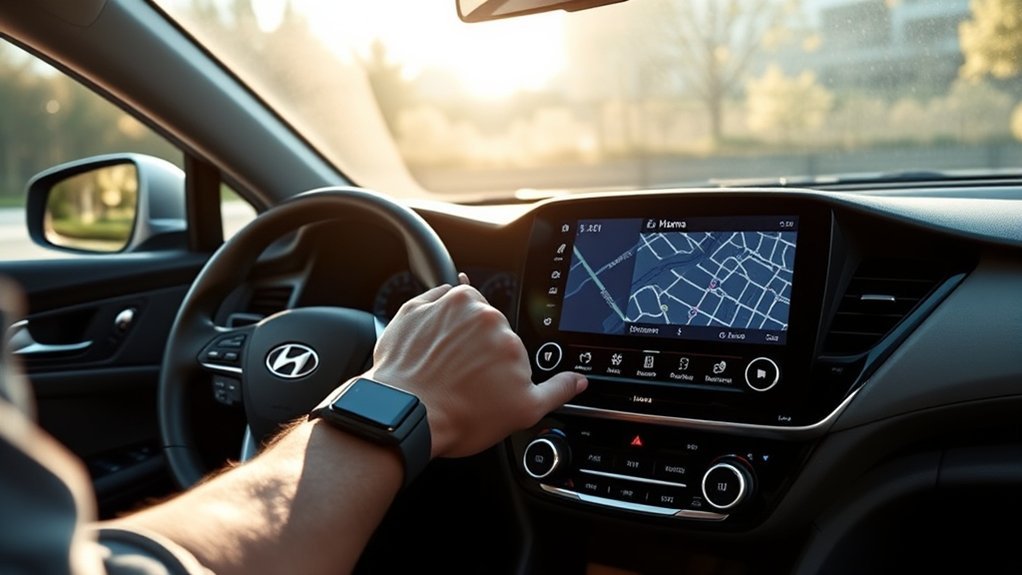
Updating your Home location is straightforward when you verify each step instead of assuming the first search result is correct.
- Open the correct navigation area: Look for Home, Favorites, Saved Places, or Save Location depending on your system.
- Search for the new address: Include enough address detail to distinguish it from similarly named streets.
- Check the map pin: Confirm the location visually before accepting it.
- Edit or replace the old Home entry: If Home is already assigned, use Edit or Delete for that specific saved location.
- Save the new location: Press OK or Save as required by your system.
- Test it: Return to the navigation menu and select Home to confirm that the route points to the new location.
If you regularly move between multiple important locations, keep one location assigned as Home and store additional addresses as Favorites or Saved Places instead of repeatedly changing Home.
Quick Tips for Managing Saved Locations
Home, Favorites, Saved Places, and Previous Destinations perform related but different jobs. Keeping them organized makes destination selection faster.
| Action | What to Do |
|---|---|
| Save Home | Use the Home/favorite shortcut or Saved Places area available on your system. |
| Save frequently visited places | Add them to Favorites or Saved Places instead of changing Home. |
| Use a previous destination | Open Previous Destinations and select a recently used route destination. |
| Edit a saved location | Open Saved Places/Favorites, select Edit for the location, make the change, and save it. |
| Delete a saved location | Use Delete within the appropriate Saved Places or Favorites group. |
Optional USB Import and Export
Some Hyundai navigation systems can import or export Favorites, Saved Places, and previous destinations with a USB drive. On systems that support this feature, Hyundai documentation lists FAT16, FAT32, exFAT, and NTFS among supported USB formats. The feature and exact menu path are system-dependent, and USB storage is not required simply to set your Home address.
Note: Importing saved-location data can replace or alter existing saved information on some systems. Verify your existing locations before using an import function.
Frequently Asked Questions
Can I Set Multiple Home Addresses in Sonata Navigation?
A Hyundai navigation system normally provides one location designated as Home. However, you can save other frequently visited addresses as Favorites or Saved Places, which gives you quick access to several important destinations without changing your primary Home entry.
How Do I Delete a Saved Home Address?
Open the navigation menu and look under Home, Favorites, or Saved Places. On supported systems, select the saved location and choose Edit or Delete. Some versions let you press and hold a favorite shortcut to edit or remove it. Menu wording varies by infotainment generation.
Is There a Limit to Saved Locations in Sonata?
Yes. Hyundai navigation systems have a finite capacity for saved-location data, but the exact number can vary by infotainment system and software version. If you maintain a large address list, remove locations you no longer use and check the manual for your exact system rather than relying on one universal limit.
Can I Voice Command My Home Address in Sonata?
On supported Sonata navigation systems, voice recognition can be used to navigate to a Home location after it has been saved. Some Hyundai software versions also support setting or changing Home through voice commands. Because voice features vary by model year, region, and infotainment software, follow the commands shown by your vehicle’s voice-help screen.
Will My Home Address Sync Across Devices?
Do not assume that a Home address saved in the Sonata’s built-in navigation will automatically appear on other devices. Hyundai’s saved-place instructions describe locations stored and managed through the vehicle navigation system. Connected-service and user-profile behavior can vary by vehicle, region, account, and software version.
Why Can’t I Find the Home Button Shown in Other Sonata Instructions?
Different Sonata model years can use different Hyundai infotainment systems. Your system may label the function Home, Favorites, Saved Places, Address Book, or Save Location. If the screen does not match older instructions, use the equivalent saved-location feature shown on your navigation system.
Do I Need to Delete Previous Destinations Before Changing Home?
Usually, no. Previous Destinations are normally managed separately from Home and saved Favorites. If you are replacing Home, edit or delete the existing Home/Favorite entry instead of erasing your entire destination history.
Conclusion
Once the correct address is stored, your Sonata’s Home or favorite shortcut gives you fast access to route guidance without entering the destination each time. The key is to use the menu path designed for your infotainment generation and verify the map pin before saving. If your screen differs from older instructions, look for the equivalent Home, Favorites, Saved Places, or Save Location function rather than assuming the feature is missing.
Sources
- Hyundai Standard Gen5W Infotainment User’s Manual — Using Saved Favorite Places. Supports saving, editing, deleting, and navigating to Home and other frequently visited locations.
- Hyundai ccNC Infotainment User’s Manual — Using Saved Favorite Places. Supports the newer Search, Saved Places, Save Location, edit, and delete workflow.
- Hyundai Premium Gen5 Navigation Manual. Supports Home, Work, Favorites, Saved Places, editing, deletion, and optional USB location-data management.
- Hyundai Sonata Getting Started Guide. Supports voice navigation commands such as navigating to a previously stored Home or Work location on compatible systems.
- Hyundai Navigation Update Service. Provides current infotainment software and navigation-map update information by VIN or vehicle type.