When a Toyota RAV4 dashboard light appears, the safest response is to read the color first, then match the symbol to the owner’s manual. Red lights usually need immediate attention, amber or yellow lights need diagnosis soon, and green or blue lights are normally status indicators. Some warnings, such as oil pressure, brake, charging, high temperature, SRS airbag, or flashing check engine lights, can become safety risks quickly.
Quick Answer
For RAV4 dashboard colors, red means stop when safe and check the problem right away, yellow or amber means inspect or schedule service soon, and green or blue means a system is active. If the brake, oil pressure, charging, overheating, airbag, or flashing check engine light appears, avoid continuing to drive until you know it is safe.
Key Takeaways
- Red warning lights are urgent. Pull over safely for oil pressure, brake, charging, high temperature, or other critical red alerts.
- Amber lights still matter. Check engine, ABS, TPMS, and maintenance messages should be checked soon, even if the RAV4 seems to drive normally.
- Do not reset a light before fixing the cause. A reset may hide the alert for a short time, but it will not repair low oil pressure, low tire pressure, brake faults, or sensor problems.
- Model year matters. Always confirm the exact icon in your RAV4 owner’s manual because symbols and messages can vary by year, trim, gas, Hybrid, and Prime models.
At a Glance
| Time Required | 2–10 minutes for basic checks; longer if a scan or tow is needed |
| Difficulty | Easy for tire pressure, gas cap, washer fluid, and door warnings; professional help for brake, oil, airbag, ABS, hybrid, or charging faults |
| Tools Needed | Owner’s manual, tire pressure gauge, flashlight, clean rag, OBD-II scanner if checking a check engine light |
| Cost | Usually $0–$30 for simple checks; diagnostic and repair costs vary by fault |
Quick Guide: Find the RAV4 Warning Light and Act Fast

When a warning light appears on your RAV4’s dash, follow a simple order: identify the icon, verify the color, reduce risk, document what happened, and then decide whether to keep driving, check it yourself, or call for service.
- Identify the symbol. Compare it with your RAV4 owner’s manual or Toyota’s official warning light guide. Toyota notes that red icons require immediate attention, while yellow icons mark important items that may not always be emergency warnings.
- Read the color. Red is the highest priority. Amber or yellow means caution and diagnosis. Green and blue usually show that a feature is on.
- Watch the behavior. A flashing light is usually more urgent than a steady light. A flashing check engine light can mean a serious misfire and should be treated as urgent.
- Check for symptoms. Loss of power, smoke, burning smell, poor braking, overheating, strange noises, or steering changes mean you should stop safely.
- Record details. Note the mileage, speed, weather, road conditions, recent fuel fill-up, recent repair, and whether the light stayed on or flashed.
Warning: If the oil pressure, brake system, charging system, high coolant temperature, or airbag warning light appears with drivability changes, stop in a safe place and arrange professional help. Continuing to drive can increase repair costs or create a safety risk.
Dashboard Colors & Symbol Categories: What Amber vs. Red Means
RAV4 dashboard colors are a first-pass safety guide. The color tells you how quickly to act, while the symbol tells you which system needs attention. Use both before making a decision.
| Color | Common Meaning | Typical Icons | What To Do |
|---|---|---|---|
| Red | Immediate attention | Brake, oil pressure, charging system, seat belt, door open, high temperature | Stop safely for critical mechanical warnings; fix simple alerts such as an open door or seat belt before driving |
| Amber / Yellow | Caution, inspection, or service needed | Check engine, ABS, TPMS, maintenance, traction control, low fuel | Check the simple cause first, scan if needed, and schedule service soon |
| Green / Blue | System status or feature active | Turn signals, headlights, high beam, cruise control indicators | Informational unless the system behaves unexpectedly |
| Flashing | Higher urgency or active condition | Check engine, TPMS, security, traction indicators | Check the manual; treat flashing red or flashing check engine as urgent |
Do not rely on color alone. A red seat belt icon is different from a red oil pressure icon. One means buckle up; the other can mean the engine is not getting enough oil pressure.
Top RAV4 Warning Lights and What To Do Immediately
Dashboard lights vary by model year, but these are the RAV4 alerts drivers most often need to understand first.
| Warning Light | Color | What It Usually Means | Immediate Action |
|---|---|---|---|
| Check Engine | Amber / Yellow | Engine, emissions, ignition, fuel, or sensor fault | Tighten the gas cap if recently refueled. If flashing or the engine runs rough, reduce speed, stop safely, and get service. |
| Brake System | Red | Parking brake on, low brake fluid, or brake system fault | Confirm the parking brake is released. If the light stays on, stop safely and do not keep driving. |
| Oil Pressure | Red | Engine oil pressure may be dangerously low | Stop safely, turn the engine off, check oil level only when safe, and call for service or towing if the light remains on. |
| Charging System / Battery | Red | The 12-volt charging system may not be working | Turn off nonessential electrical loads and get to a safe place. The vehicle may stall once battery power drops. |
| High Coolant Temperature | Red | The engine or hybrid system may be overheating | Pull over safely, let the vehicle cool, and do not open a hot coolant cap. |
| TPMS | Amber / Yellow | One or more tires may be low, or the tire pressure monitoring system may have a fault | Check all tires cold, including for visible damage. Inflate to the door-jamb label pressure, not the tire sidewall maximum. |
| ABS | Amber / Yellow | Anti-lock brake system may be unavailable | Drive cautiously only if braking feels normal. Schedule inspection because anti-lock braking may not assist in a hard stop. |
| SRS Airbag | Red or Amber, depending on model | Airbag or seat belt pretensioner system fault | Have the vehicle inspected promptly. Toyota warns that safety systems may not protect occupants properly if faults are present. |
Note: If multiple warning lights appear at the same time, do not assume every system failed separately. A weak 12-volt battery, charging problem, wheel-speed sensor fault, or communication issue can trigger several alerts together.
Non-Urgent Lights You Can Check at Home: TPMS, Maintenance, and Info Lights

Some RAV4 dashboard indicators can be checked at home before you call a dealer. These are not the same as critical red warning lights, but they still deserve attention.
| Indicator | What It Means | Quick Action |
|---|---|---|
| TPMS | Low tire pressure or TPMS malfunction | Check pressures when tires are cold, inflate to the door-jamb label, inspect for nails or leaks, and drive a short distance to see whether the light clears. |
| Maintenance Required | Scheduled service reminder | Check your maintenance schedule, perform the required service, record the mileage, then reset the reminder only after service is complete. |
| Low Fuel | Fuel level is low | Refuel soon. Do not repeatedly run the tank very low. |
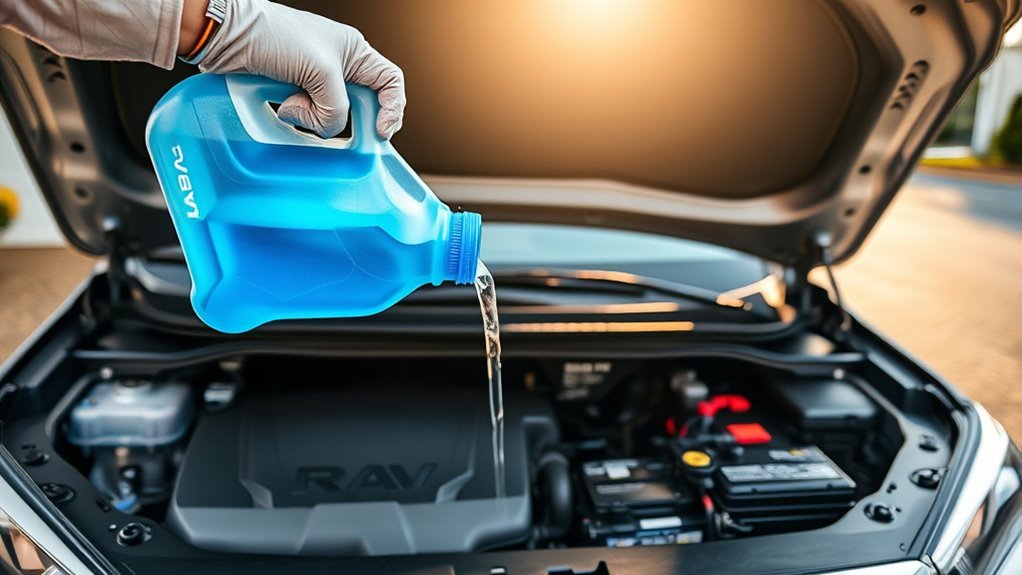
| Washer Fluid | Washer fluid is low, if equipped with this warning | Top off with washer fluid rated for your climate. |
| Door / Liftgate / Hood Open | A panel is not fully closed | Stop safely and close the open door, liftgate, or hood before driving. |
Pro Tip: Tire pressure changes with temperature. Check tire pressure when the tires are cold, and use the pressure label on the driver-side door jamb. The number molded on the tire sidewall is a maximum tire rating, not your RAV4’s normal recommended pressure.
[Products Worth Considering]

This replacement fuel gas cap is designed to fit a wide range of Toyota and Lexus vehicles, making it a practical solution for a lost, worn, or damaged original cap. It helps restore a secure fuel tank seal and supports proper vehicle operation while offering broad compatibility across many popular model years. The package includes one gas cap, and buyers should confirm fitment before ordering.
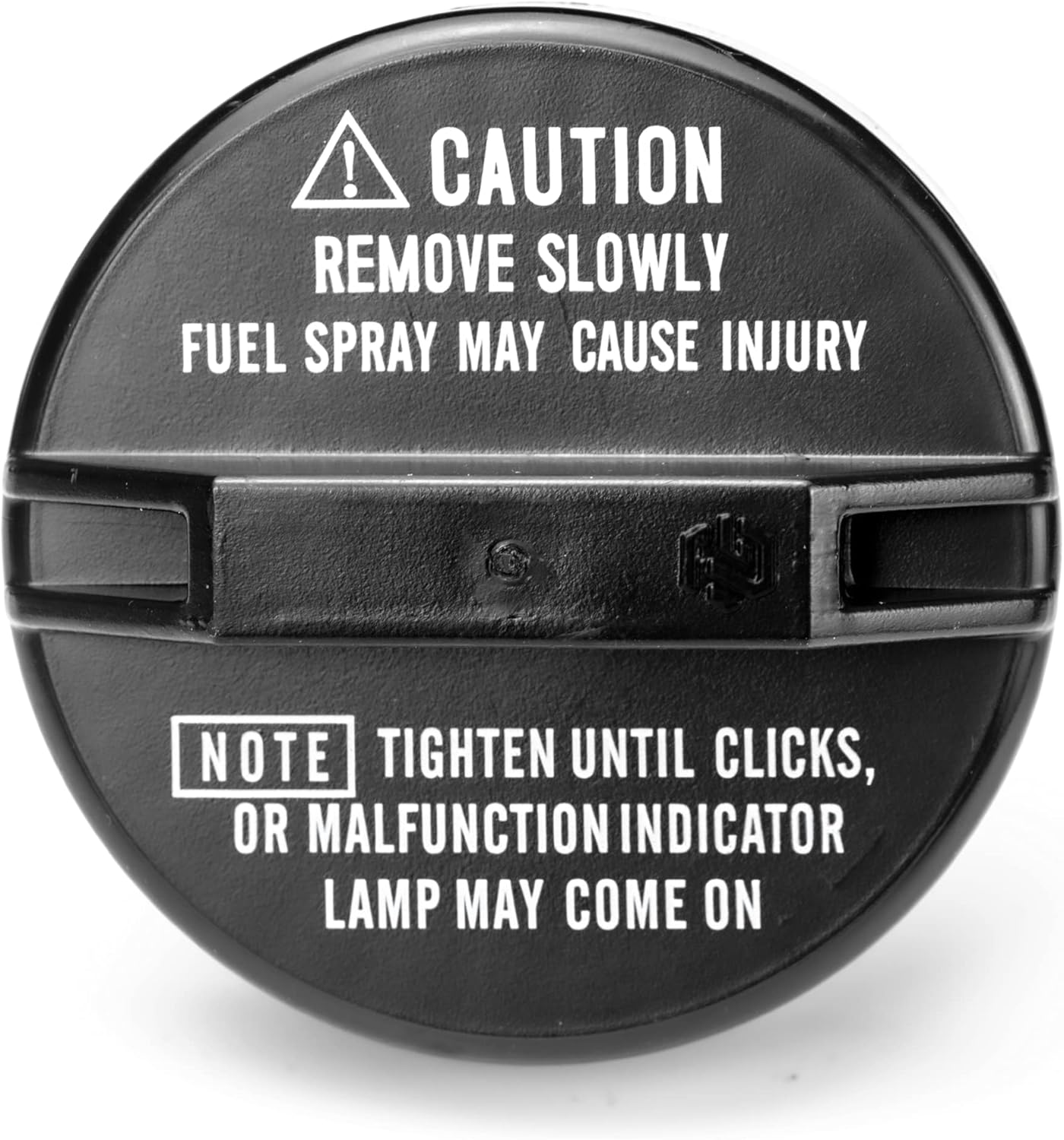
This replacement fuel cap is designed to restore a secure seal for a wide range of Toyota and Lexus vehicles. Built for direct fit compatibility, it helps maintain proper fuel system function while offering easy installation and dependable everyday performance. It is a practical solution for replacing a worn or missing gas cap with confidence.

This A-Premium windshield washer pump is designed to restore reliable windshield cleaning performance across a wide range of compatible vehicles. It supports numerous Toyota, Honda, Lexus, Mazda, Ford, Lincoln, and other models, making it a versatile replacement choice for maintaining clear visibility in all driving conditions. Built for straightforward fitment, it helps ensure consistent washer fluid delivery when you need it most.
Check Engine, TPMS, ABS, and SRS: Causes & Diagnostic Steps
Once you have handled simple alerts, move to system-level warnings that need a more careful check. Do not replace parts based only on a dashboard light. Read the code, confirm the symptom, then repair the cause.
[Products Worth Considering]

This wheel lock key set is designed to help remove and replace compatible Toyota and Lexus wheel locks with confidence. It includes four wheel lock nuts and one key, offering a practical replacement solution for many popular models while supporting secure wheel protection and reliable fitment. Built for durability and corrosion resistance, it is a useful choice when matching OE reference numbers and vehicle compatibility is important.

This JADODE combo includes engine and cabin air filters designed to help keep passenger air cleaner while supporting efficient HVAC performance. The activated carbon layer helps absorb odors, exhaust fumes, and pollution, while filtration captures dirt, dust, and pollen for OE-comparable protection. It is compatible with a wide range of Toyota, Scion, Lexus, and Pontiac applications for convenient replacement maintenance.

CEL Doctor: The ANCEL AD310 is one of the best-selling OBD II scanners on the market and is recommended by Scotty Kilmer, a YouTuber and auto mechanic. It can easily determine the cause of the check engine light coming on. After repairing the vehicle's problems, it can quickly read and clear diagnostic trouble codes of emission system, read live data & hard memory data, view freeze frame, I/M monitor readiness and collect vehicle information.
Check Engine Light Diagnostics
The check engine light can be triggered by a loose fuel cap, evaporative emissions leak, misfire, oxygen sensor fault, mass airflow sensor issue, catalytic converter fault, or many other engine and emissions problems.
- Check whether it is steady or flashing. A steady light usually means the vehicle needs diagnosis soon. A flashing light is more urgent, especially if the engine shakes or loses power.
- Check the fuel cap. If the light came on after refueling, tighten the cap until it clicks. It may take several trips for the light to clear if that was the only issue.
- Scan the OBD-II code. Write down the exact code, such as P0301 or P0455, before clearing anything.
- Do not clear codes too early. Clearing codes can erase freeze-frame data that helps a technician diagnose the issue.
TPMS Troubleshooting
The tire pressure monitoring system is designed to warn when tire pressure is significantly low. Under U.S. FMVSS No. 138, TPMS must warn the driver when one or more tires are 25 percent or more below the vehicle manufacturer’s recommended cold inflation pressure, or below the standard’s minimum activation pressure, whichever is higher.
- Check all four tires with a gauge when cold.
- Inflate each tire to the pressure shown on the RAV4’s driver-side door-jamb label.
- Inspect for nails, cuts, bulges, or a slow leak.
- If the light flashes for about a minute and then stays on, suspect a TPMS malfunction or sensor issue.
- After tire rotation, tire replacement, or wheel replacement, follow the relearn or reset procedure for your model year.
ABS and Brake System Checks
An ABS light means the anti-lock brake system may not help during a hard stop, even if normal braking still feels available. A red brake warning is more urgent because it may involve brake fluid level, parking brake status, or a hydraulic brake fault.
- If the red brake warning remains on after releasing the parking brake, stop safely.
- Do not drive if the brake pedal feels soft, sinks, vibrates abnormally, or braking distance changes.
- For ABS warnings, a technician may inspect wheel-speed sensors, wiring, tone rings, brake control modules, and related hydraulic components.
SRS Airbag Warning
An SRS or airbag warning should not be ignored. Toyota warns that if safety system lights such as ABS or SRS airbag warnings do not behave normally at startup, those systems may not be available to help protect occupants in a crash. A dealer or qualified technician should inspect the system.
RAV4 Hybrid and Prime Warning Lights
RAV4 Hybrid and RAV4 Prime models can show additional hybrid system, EV system, inverter, battery, and charging-related messages. Treat these as model-specific warnings. Do not probe high-voltage components yourself. Use the owner’s manual and have hybrid system faults checked by a qualified Toyota technician.
Warning: Hybrid and Prime models contain high-voltage parts. Do not open orange high-voltage cables, battery cases, inverter parts, or hybrid system covers. Leave high-voltage diagnosis to trained professionals.
When To Call Your Dealer: What Info To Give Them
Call your Toyota dealer or a qualified repair shop when a warning light stays on, flashes, returns after a reset, appears with performance changes, or involves brakes, steering, airbags, oil pressure, overheating, charging, or hybrid system faults.
When To Call
Contact your dealer promptly if any of these happen:
- A red warning light stays on after a simple correction, such as releasing the parking brake or closing a door.
- The check engine light flashes or the engine runs rough.
- The brake pedal, steering, acceleration, or vehicle handling feels different.
- You smell fuel, burning oil, coolant, or electrical heat.
- The vehicle overheats, loses power, stalls, or displays a hybrid system warning.
- The SRS airbag warning light remains on.
What Information To Provide
Give the service team a short, factual summary. This helps them triage the warning faster and avoid guesswork.
- VIN and model year: This identifies the exact RAV4 configuration.
- Odometer reading: Mileage helps match the issue to maintenance intervals.
- Exact warning: Name the color, symbol, message text, and whether it was steady or flashing.
- Driving conditions: Speed, weather, road type, fuel level, towing, heavy load, or recent off-road use.
- Symptoms: Noise, vibration, smoke, smell, power loss, poor braking, overheating, or rough idle.
- Recent work: Battery replacement, tire rotation, new tires, oil change, brake work, fuel fill-up, or accessory installation.
- Codes: If you scanned the vehicle, provide the exact OBD-II codes and freeze-frame data.
Preparing Vehicle Details
Before the appointment, take a photo of the dashboard warning and write down when it happened. If the light is intermittent, note what triggers it. This can help a technician reproduce the fault.
| Detail To Record | Why It Helps |
|---|---|
| VIN, model year, trim, gas/Hybrid/Prime | Confirms the correct manual, service data, and parts |
| Mileage and date | Connects the warning to service intervals and history |
| Warning color, icon, and message | Guides the first diagnostic path |
| Recent repairs or maintenance | Flags possible loose connectors, reset issues, or installation problems |
| Driving symptoms | Helps separate a minor alert from a safety issue |
Routine Maintenance Reminders & How To Reset the Service Light
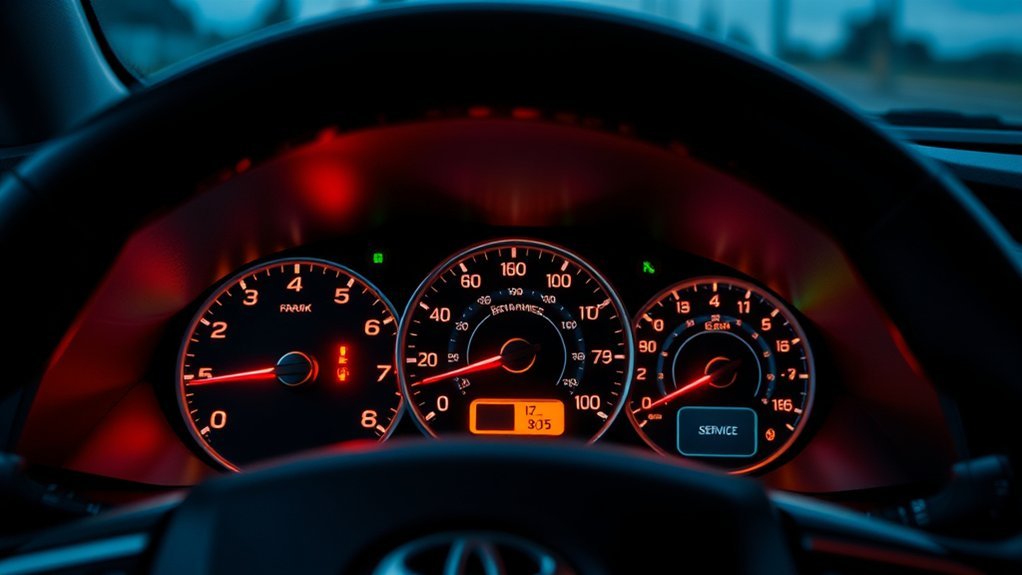
The Maintenance Required message is different from the check engine light. It is a scheduled maintenance reminder, not proof of an engine failure. Toyota’s maintenance information says to reset the reminder after the required maintenance has been performed according to the maintenance schedule.
| Action | Purpose |
|---|---|
| Check the maintenance schedule | Confirms which service is due for your mileage and time interval |
| Log mileage and date | Tracks service history and recurring alerts |
| Perform required service | Protects reliability, warranty records, and resale value |
| Reset after service | Clears the reminder for the next interval |
| Save receipts | Documents maintenance for future diagnosis or warranty questions |
[Products Worth Considering]

64mm 14-Flute Oil Filter Fit: Designed for oil filters with a 64mm diameter and 14-flute pattern, this 3/8" drive cap wrench provides a secure fit for proper engagement. The 4 bottom slots align with compatible catridge oil filter cap tabs to help maintain grip and reduce slipping during removal

COMPATIBLE WITH ALL TOYOTA CARTRIDGE STYLE OIL FILTERS - The Motivx Tools 64.3mm 14 flute oil filter wrench is compatible with all Toyota and Lexus cartridge style oil filter caps from 1.8L - 5.7L engines. This includes popular models like Camry, Tundra, Tacoma, 4Runner, RAV4, Corolla, Highlander, Prius and more that use a cartridge style filter where you remove a plastic cap to expose the paper filter element inside.
How To Reset the Maintenance Reminder
Exact menu names vary by model year and display type, so use your owner’s manual for the final procedure. On many newer RAV4 models, the reset is done through the multi-information display.
- Park safely and turn the ignition or power mode on without driving.
- Use the steering wheel controls to open the settings menu on the multi-information display.
- Go to Vehicle Settings or a similar maintenance menu.
- Select Scheduled Maintenance or Maintenance Reset.
- Choose Yes to confirm after the service is complete.
- Verify that the reset confirmation message appears.
Note: Resetting the maintenance reminder does not change oil, rotate tires, inspect brakes, or complete scheduled service. Reset it only after the required maintenance is done.
Frequently Asked Questions
Do aftermarket scanners read Toyota-specific trouble codes correctly?
Many aftermarket OBD-II scanners can read common engine and emissions codes, especially generic powertrain codes. However, Toyota-specific body, ABS, SRS, hybrid, and live-data functions may require a more advanced scan tool or Toyota-level diagnostic equipment.
Can bad fuel trigger the check engine light?
Yes, poor-quality or contaminated fuel can contribute to rough running, misfires, or sensor readings that trigger a check engine light. Do not assume fuel is the cause without scanning the code and checking ignition, air, fuel, and emissions systems.
Will disconnecting the battery reset all dashboard warnings?
Disconnecting the 12-volt battery may clear some temporary warnings or stored settings, but it does not fix the cause of a fault. The light can return once the system retests itself. It can also erase helpful diagnostic data.
Are warning light behaviors different for Hybrid and Prime RAV4 models?
Yes. RAV4 Hybrid and RAV4 Prime models can show extra hybrid battery, EV system, inverter, charging, and regenerative braking messages. Always confirm the exact symbol in the hybrid owner’s manual and do not service high-voltage parts yourself.
How long can I drive with an intermittent red warning light?
You should not keep driving with an intermittent red warning light until you know what it means. Stop safely, check the manual, and arrange service if it involves oil pressure, brakes, charging, overheating, steering, airbags, or hybrid system warnings.
Why did several RAV4 warning lights come on at once?
Several lights can appear together when one system affects another. Common causes include a weak 12-volt battery, charging fault, wheel-speed sensor issue, ABS fault, low voltage during startup, or a communication problem between control modules.
Conclusion
Your RAV4 dashboard is a warning system, not a guessing game. Use the color to judge urgency, use the symbol to find the system, and use the owner’s manual to confirm the exact meaning. Red mechanical warnings deserve immediate action. Amber warnings deserve timely checks. Green and blue indicators usually tell you a feature is active. When in doubt, document the light, avoid clearing codes too early, and get a qualified diagnosis before a small warning becomes a costly repair.
Sources
- Toyota Owners: Dashboard Warning Lights Explained — supports color meanings and safety-system warning guidance.
- Toyota 2024 RAV4 Owner’s Manual: Warning Lights and Indicators — supports model-specific warning light confirmation.
- Toyota 2025 RAV4 Owner’s Manual: Maintenance Requirements — supports scheduled maintenance reminder reset guidance.
- Toyota 2025 RAV4 Warranty & Maintenance Guide — supports maintenance schedule and service-record guidance.
- NHTSA FMVSS No. 138 TPMS Final Rule — supports TPMS warning threshold and tire-pressure safety information.