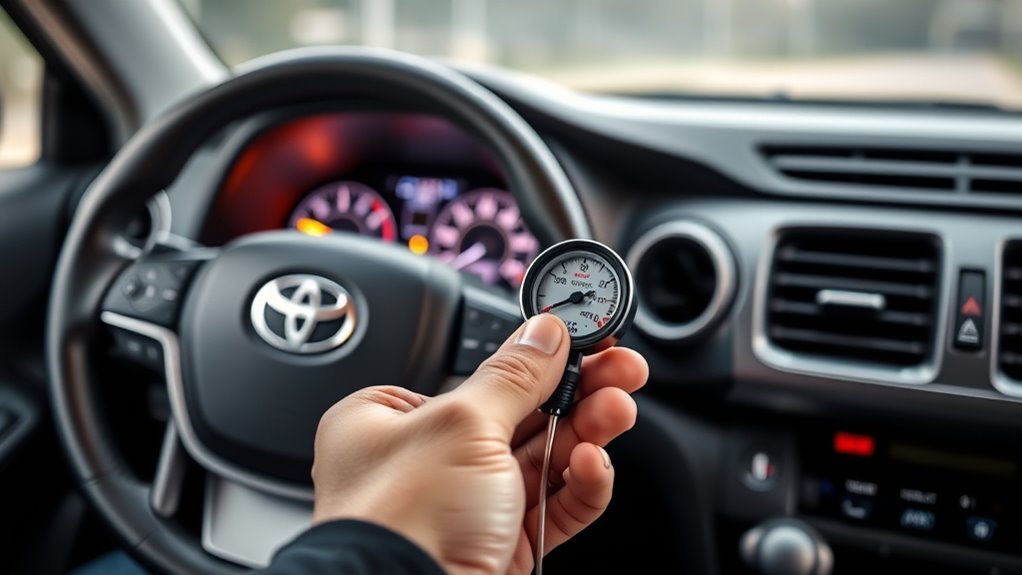
If your Toyota RAV4 shows a Radar Cruise Control, Dynamic Radar Cruise Control, or Toyota Safety Sense warning, start with the simple causes first: dirt, ice, fog, water film, a weak 12-volt battery, or an obstructed windshield camera area. Stop in a safe place, clean only the approved exterior surfaces with a soft cloth, restart the vehicle, and do not rely on radar cruise control again until the warning clears and the system operates normally.
Quick Answer
A RAV4 radar cruise control malfunction is usually caused by a blocked radar sensor cover, dirty windshield camera area, fog, ice, low 12-volt battery voltage, or a sensor fault. Clean the exterior radar cover and windshield, check the battery and terminals, restart the car, then scan ADAS codes if the warning stays on.
Key Takeaways
- Clean the radar sensor cover and the windshield area in front of the camera before assuming a sensor has failed.
- Do not spray cleaner into the camera housing or touch the camera lens; Toyota says a dirty or damaged lens should be handled by a dealer.
- A weak or loose 12-volt battery can cause strange driver-assist warnings, so check terminal tightness and battery health.
- A basic OBD-II scanner may miss Toyota Safety Sense or ADAS codes; persistent warnings often need a Toyota-capable scan tool.
- Radar or camera calibration is usually required after bumper, grille, radar sensor, or windshield replacement.
At a Glance
| Time Required | 10–30 minutes for basic checks; longer if diagnostics or calibration are needed |
| Difficulty | Easy for cleaning and battery checks; advanced for wiring, ADAS codes, and calibration |
| Tools Needed | Microfiber cloth, mild automotive glass cleaner, flashlight, gloves, digital multimeter, OBD-II or Toyota-capable scan tool |
| Cost | Usually free for cleaning; low cost for basic supplies; professional ADAS diagnosis/calibration varies by shop |
Warning: Radar cruise control, Pre-Collision System, Lane Tracing Assist, and other driver-assist features are support systems, not replacements for safe driving. If the warning is active, drive manually and keep extra following distance until the fault is fixed.
What the RAV4 Radar Cruise Control Warning Usually Means
On newer RAV4 models, Toyota Safety Sense uses a front radar sensor and a front camera to support features such as Dynamic Radar Cruise Control, Pre-Collision System, Lane Tracing Assist, Road Sign Assist, and Automatic High Beams. Toyota describes Dynamic Radar Cruise Control as a highway-focused adaptive cruise system that helps maintain a preset distance from the vehicle ahead when conditions allow it to operate. You can review Toyota’s system overview on the official Toyota Safety Sense page.
When the RAV4 says radar cruise control is unavailable or malfunctioning, the cause may be temporary or mechanical. Temporary causes include mud, bugs, road salt, heavy rain, snow, ice, windshield fog, extreme cabin heat around the camera, or a sticker blocking the camera view. Mechanical or service-related causes include bumper impact, misaligned radar, cracked windshield, poor 12-volt battery condition, damaged wiring, or a stored Toyota Safety Sense fault code.
Toyota’s driving support systems manual says the radar sensor and radar sensor cover should be kept clean, cleaned with a soft cloth, and not covered with stickers or accessories. It also warns that the radar sensor may need recalibration after radar sensor, front grille, or front bumper work, and that the front camera may need recalibration after windshield replacement. See the official 2025 RAV4 Driving Support Systems manual excerpt for those precautions.
How to Tell If the Radar Cruise Control Warning Is Dirt or a Real Fault
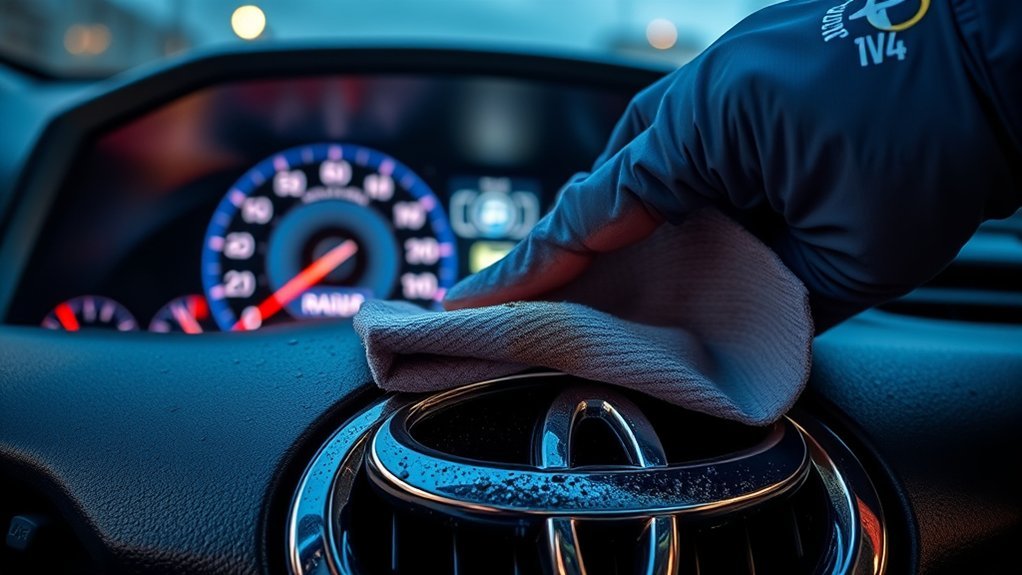
If your RAV4 displays a radar cruise control warning, treat obstruction as the first likely cause. Park safely, shift to Park, set the parking brake, and inspect the front Toyota emblem, grille or bumper radar cover area, windshield camera area near the rearview mirror, and the outside windshield glass in front of the camera.
Use this quick pattern check before replacing anything:
| What You Notice | Most Likely Cause | Next Step |
|---|---|---|
| Warning appears after snow, freezing rain, car wash, mud, bugs, or road salt | Blocked radar cover or windshield camera view | Clean exterior surfaces and use defogger or wipers as needed |
| Warning clears after cleaning and does not return | Temporary obstruction | Resume normal driving only after confirming the system works |
| Warning returns on clear roads and clean glass | Low voltage, stored ADAS code, sensor alignment, or wiring fault | Check battery, inspect visible wiring, and scan codes |
| Warning appears after bumper, grille, windshield, or collision repair | Calibration or mounting issue | Schedule ADAS inspection and calibration |
Also check whether other warnings appear at the same time. If you see messages for Pre-Collision System, Lane Tracing Assist, ABS, brake system, charging system, or check engine, the issue may not be limited to cruise control. Record the exact wording on the multi-information display before clearing anything.
Clean the Front Radar and Windshield Camera (Step-by-Step)
Cleaning is the safest first fix because Toyota specifically calls out dirt, water droplets, snow, ice, and foreign matter as conditions that can make the system temporarily unavailable. The key is to clean the correct surfaces without disturbing the sensors.
- Park safely and let the vehicle sit. Choose a safe, level area away from traffic. Turn the vehicle off before cleaning around the grille or bumper.
- Find the radar cover area. Depending on model year and trim, the radar sensor is behind the front grille, emblem, or bumper cover area. Do not remove the sensor or grille to clean it.
- Wipe the radar cover gently. Use a clean microfiber cloth and light pressure. Remove mud, bugs, salt film, snow, ice, and water spots. Avoid abrasive pads, wax buildup, pressure washers held close, or harsh chemicals.
- Clean the outside windshield in front of the camera. The front camera looks through the windshield near the rearview mirror. Clean the outside glass with automotive glass cleaner sprayed onto a cloth, not directly into the camera housing.
- Use the defogger and wipers when needed. If the windshield is fogged, frosted, or wet in front of the camera, use the A/C, defogger, and wipers to clear it. Replace worn wiper blades if they leave streaks in the camera’s view.
- Do not touch the camera lens. Toyota warns not to let glass cleaner contact the front camera lens and not to touch the lens. If the inner windshield area around the camera is dirty, or the camera lens looks dirty or damaged, contact a Toyota dealer.
- Restart and recheck. Start the RAV4 and drive normally for several minutes in clear conditions. If normal operating conditions are detected, the warning may disappear and the system may become available again.
Pro Tip: Clean the radar cover and camera-view windshield area whenever you clean the windshield. A thin film of road salt, bug residue, or wax can be enough to confuse the system even when the vehicle looks mostly clean.
[Products Worth Considering]

The MaxxHaul Solid Rubber Wheel Chock 2-Pack provides dependable vehicle stabilization for cars, trucks, trailers, and RVs in garages, driveways, job sites, and campgrounds. Its solid rubber construction, non-slip traction surface, and built-in handle make placement easy while delivering long-lasting grip and all-weather durability for safer parking and storage.

This POWOXI solar battery maintainer helps keep 12V batteries charged and protected with intelligent charging and built-in safety features. Its durable tempered glass construction, scratch-resistant frame, and easy installation make it a practical solution for cars, motorcycles, boats, tractors, ATVs, and other battery-powered equipment. An LED indicator helps show charging status at a glance, while the waterproof design supports low-maintenance use.

The AstroAI M4K0R Digital Multimeter delivers accurate TRMS measurements for AC/DC voltage, current, resistance, continuity, diode testing, and battery checks, making it a versatile tool for home and automotive troubleshooting. Its non-contact voltage detection, backlit LCD, flashlight, data hold, and auto-ranging design help simplify everyday electrical diagnostics while supporting safer use with audible and visual alarms. Built with double ceramic fuses and a protective silicone cover, it is designed for reliable performance and added protection during demanding tasks.
Check the Battery and Restart the ADAS
Low or unstable 12-volt power can trigger odd electronic warnings, especially during startup. Even hybrid and plug-in hybrid RAV4 models use a low-voltage battery for many control modules and onboard electronics. Battery Council International notes that modern vehicles rely on a low-voltage battery to power many safety, security, comfort, and entertainment functions; you can read its overview of automotive low-voltage battery applications.
Check the simple power items before assuming the radar sensor is bad:
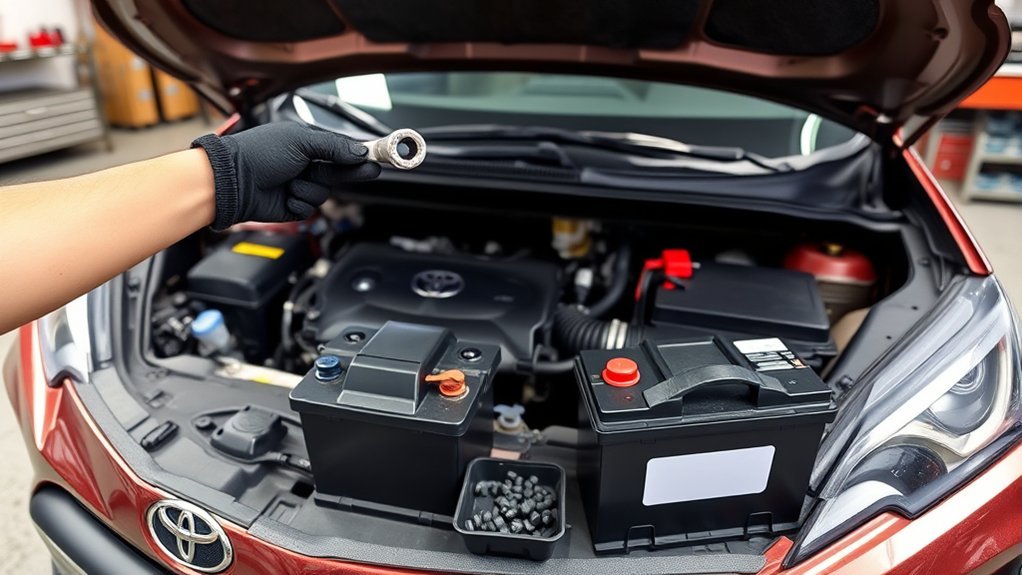
- Inspect the battery terminals. Look for loose clamps, white or green corrosion, cracked terminals, or a weak hold-down bracket.
- Clean and tighten only if you know how to do it safely. Wear gloves and eye protection. If the battery area is wet, damaged, swollen, or leaking, stop and get professional help.
- Measure resting voltage. After the vehicle has been off for a while, test the 12-volt battery with a digital multimeter. A low reading does not prove the battery is bad, but it means it should be charged and load-tested.
- Restart the vehicle cleanly. Turn the vehicle off, exit with the key, let the electronics power down for 5–10 minutes, then restart and check whether the message returns.
- Use battery disconnect only as a last basic reset. Disconnecting the 12-volt negative terminal can erase learned settings and may create new warning lights until systems relearn. Never touch orange high-voltage hybrid cables. If you are unsure, skip this step and use a professional scan tool instead.
| Action | Time | Purpose |
|---|---|---|
| Visual terminal check | 2–5 min | Detect corrosion, looseness, or poor battery hold-down |
| Timed shutdown | 5–10 min | Let control modules power down and restart cleanly |
| Drive post-restart | 5–10 min | Confirm whether normal sensor operation returns |
Note: Clearing power or disconnecting the battery may temporarily remove a warning, but it does not fix a dirty sensor, damaged wiring, bad battery, impact damage, or a calibration problem.
[Products Worth Considering]
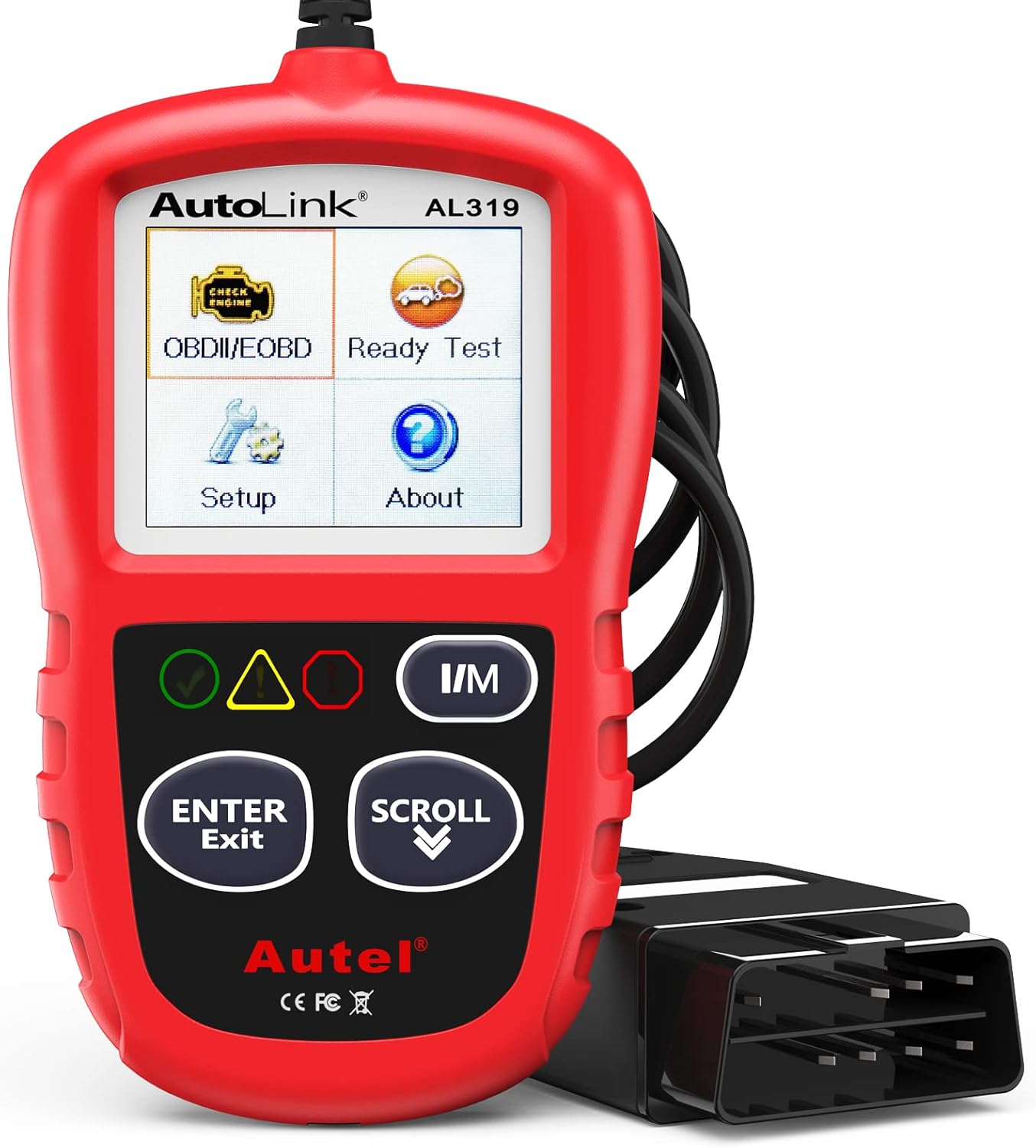
The Autel AL319 is a user-friendly OBD2 scan tool designed to help drivers quickly diagnose check engine light issues and understand vehicle fault codes. It supports reading and clearing DTCs, live data, freeze frame, I/M readiness, and vehicle information, making it a practical choice for DIYers and everyday car owners. With plug-and-play operation, a color display, built-in speaker, and broad vehicle compatibility, it delivers fast, reliable diagnostics without complicated setup.

This wireless CarPlay adapter upgrades compatible factory wired CarPlay or Android Auto systems with wireless connectivity and built-in entertainment apps. Enjoy navigation, calls, music, and hands-free control through Apple CarPlay, plus streaming from popular video platforms when connected to a hotspot. It also supports USB media playback and an HD media port for rear-seat entertainment on road trips and daily drives.
Check Radar/Camera Connectors and Visible Wiring (What to Look For)
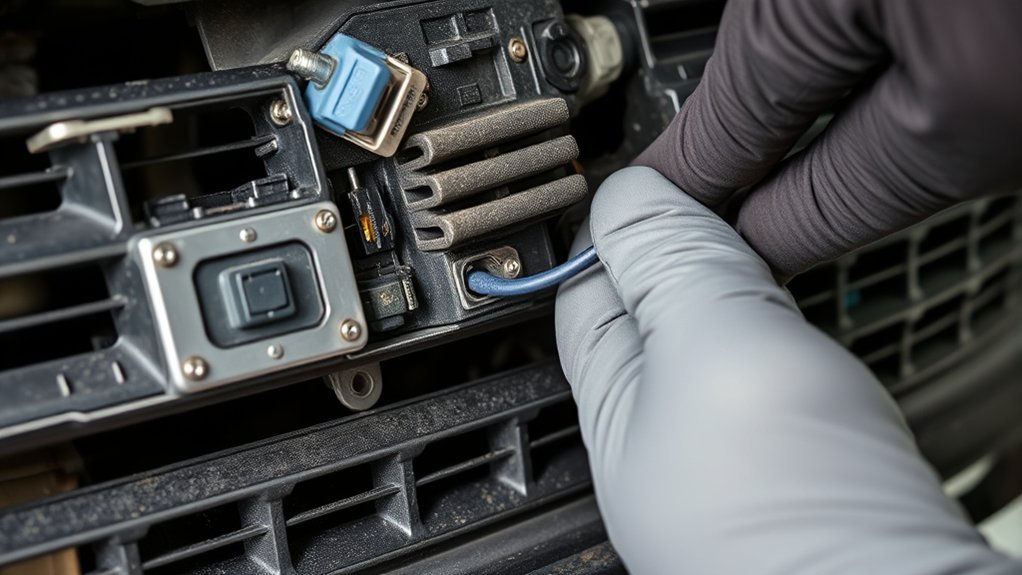
Inspect only what is safely visible. Do not remove, loosen, adjust, paint, or reposition the radar sensor, front camera, or their brackets. ADAS sensors are alignment-sensitive, and moving them can create a calibration issue.
With the RAV4 parked safely and powered off, use a flashlight to look for:
- Loose connectors at the radar module area or any harness exposed after bumper work.
- Corrosion on connector faces, terminals, or nearby brackets, especially after water intrusion or winter road salt.
- Pinched or chafed wiring near the bumper, grille, radiator support, or windshield camera trim.
- Signs of impact such as cracked bumper covers, bent brackets, broken grille clips, or a radar cover that no longer sits flush.
- Aftermarket accessories such as bull bars, LED light bars, license plate brackets, stickers, tint, dash camera mounts, or hood accessories that could block the radar or camera view.
If a connector is simply loose and easily accessible, re-seat it firmly. If you see exposed copper, broken insulation, bent pins, water inside a connector, or collision damage, stop and book professional diagnosis. A wiring repair done poorly can create intermittent faults that are harder to trace than the original warning.
Scan Trouble Codes and When to See a Mechanic
Scanning trouble codes gives you a targeted starting point. The U.S. EPA explains that on-board diagnostics can monitor vehicle systems, identify malfunctions, store diagnostic trouble codes, and illuminate a warning light in some cases. For background, see the EPA’s On-Board Diagnostics information.
For a RAV4 radar cruise control warning, however, a basic parts-store OBD-II scan may not be enough. Many inexpensive scanners read engine and emissions codes, but Toyota Safety Sense, body, network, camera, radar, and calibration codes may require an enhanced Toyota-capable scan tool.
- Record the exact warning message first. Take a photo of the dash message and note weather, speed, and road conditions.
- Scan all available modules. Look beyond engine codes. Check ADAS, cruise control, pre-collision, camera, radar, ABS, body control, and network modules if your tool supports them.
- Save freeze-frame and pending-code data. This helps identify whether the problem happens at startup, after rain, at highway speed, or after voltage drops.
- Do not clear codes before documenting them. Clearing codes can erase the clues a technician needs.
- Clear and retest only after a fix. If the same codes return, the issue is still present.
See a mechanic or Toyota dealer if the warning persists after cleaning, if multiple safety systems report errors, if the vehicle had bumper or windshield work, if the radar cover or camera area was hit, if the 12-volt battery fails testing, or if the vehicle brakes, accelerates, steers, or warns abnormally.
When Radar or Camera Calibration Is Required
Some radar cruise control faults cannot be fixed with cleaning or a reset. Toyota’s RAV4 driving support systems manual says the radar sensor must be recalibrated when the radar sensor or front grille is removed and installed or replaced, and when the front bumper is replaced. It also says the front camera must be recalibrated after windshield replacement.
Book ADAS calibration or dealer-level service if any of these apply:
- The front bumper, grille, emblem, radar sensor, radar bracket, or radar cover was removed or replaced.
- The RAV4 was in a front-end collision, even a light one.
- The windshield was replaced, cracked, tinted, or modified near the camera view area.
- The warning started immediately after bodywork, glass work, suspension work, or wheel alignment.
- The radar cruise warning returns even in clear weather with clean sensors.
- ADAS codes point to calibration, aiming, communication, or sensor mounting faults.
If the warning started after a bumper hit, windshield replacement, grille removal, or radar sensor replacement, cleaning will not be enough. Treat it as an ADAS calibration issue until proven otherwise.
Can You Drive With a RAV4 Radar Cruise Control Warning?
You can usually drive the RAV4 manually if the brakes, steering, throttle, and normal warning lights behave normally. But you should not use or depend on radar cruise control while the warning is active. Other connected features, such as Pre-Collision System or Lane Tracing Assist, may also be limited when the radar or camera is blocked.
Do not keep driving normally if you notice braking problems, steering issues, reduced power, a charging-system warning, multiple brake warnings, or a message telling you to stop. In those cases, pull over safely and call for assistance.
Warning: If the RAV4 was recently in a collision or the radar cruise warning appears with brake, ABS, charging, or hybrid-system warnings, do not treat it as a simple cruise-control problem. Have the vehicle inspected before relying on it for regular driving.
Prevent the Warning From Coming Back
Once the warning clears, a few habits can reduce repeat Toyota Safety Sense alerts:
- Keep the front emblem, grille, bumper cover, and windshield camera-view area clean.
- Remove snow and ice from the full front of the vehicle before driving, not just the windshield.
- Replace wiper blades when they streak over the camera viewing area.
- Avoid windshield tint, stickers, suction mounts, toll tags, or dash cameras in front of the camera’s field of view.
- Do not install front accessories that may block the radar sensor or camera view.
- After bumper or windshield work, ask the shop whether ADAS calibration was performed and request documentation.
- Check open safety recalls by VIN through NHTSA’s recall lookup or Toyota’s recall lookup.
Frequently Asked Questions
Why is my cruise control not working on my Toyota RAV4?
Your RAV4 cruise control may stop working because the radar sensor cover is dirty, the windshield camera view is blocked, the windshield is fogged or icy, the 12-volt battery is weak, a connector is loose, or an ADAS fault code is stored. Start by cleaning the radar cover and windshield camera area, then check the battery and scan codes if the warning remains.
What should I do if cruise control malfunctions while driving?
Take over manually, cancel cruise control, keep extra following distance, and continue only if the vehicle drives normally. When safe, stop and inspect the radar cover and windshield camera area for dirt, snow, ice, fog, or damage. If other warning lights appear or the vehicle behaves abnormally, pull over and get help.
Will cleaning the radar sensor reset radar cruise control?
Cleaning can restore radar cruise control if the warning was caused by dirt, water, ice, snow, bugs, or road film blocking the radar cover or camera view. Cleaning will not fix a damaged sensor, misaligned radar, cracked windshield, weak battery, wiring fault, or calibration problem.
Can a weak 12-volt battery cause Toyota Safety Sense warnings?
Yes, weak or unstable 12-volt power can cause electronic modules to behave unpredictably, especially during startup. Check for loose terminals, corrosion, low resting voltage, and poor battery condition. If the battery fails a load test, replace it before chasing radar or camera faults.
Do I need a Toyota dealer to scan radar cruise control codes?
Not always, but you need a scan tool that can read Toyota ADAS and body modules, not just generic engine codes. A good independent shop with Toyota-capable diagnostic equipment may be able to help. Dealer service is often the best choice when calibration, sensor aiming, warranty work, or Toyota service information is required.
When should I stop troubleshooting and see a professional?
See a professional if the warning remains after cleaning and a clean restart, if the vehicle had front-end or windshield work, if you see damaged wiring or impact damage, if multiple safety systems show warnings, or if a scan tool reports calibration, communication, radar, or camera faults.
Conclusion
When the radar cruise control warning lights up on a RAV4, treat it like a safety-system alert, not a minor convenience issue. Start with the basics: clean the radar cover and windshield camera-view area, clear fog or ice, check the 12-volt battery and terminals, and restart the vehicle. If the warning stays on, returns repeatedly, or follows bumper, grille, radar, or windshield work, scan the ADAS system and get a qualified technician to inspect and calibrate it. The goal is simple: restore the system correctly without guessing, forcing the feature, or overlooking a real safety fault.
Sources
- Toyota 2025 RAV4 Driving Support Systems Manual Excerpt — radar sensor, front camera, obstruction, cleaning, warning-message, and calibration precautions
- Toyota Safety Sense — official overview of Toyota driver-assist systems, including Dynamic Radar Cruise Control
- U.S. EPA On-Board Diagnostics Information — background on OBD systems, diagnostic monitoring, and stored trouble codes
- Battery Council International Automotive Battery Applications — low-voltage battery role in modern vehicle electronics
- NHTSA Recall Lookup — official VIN-based safety recall checking
- Toyota Recall Lookup — Toyota’s official VIN recall and service campaign lookup