
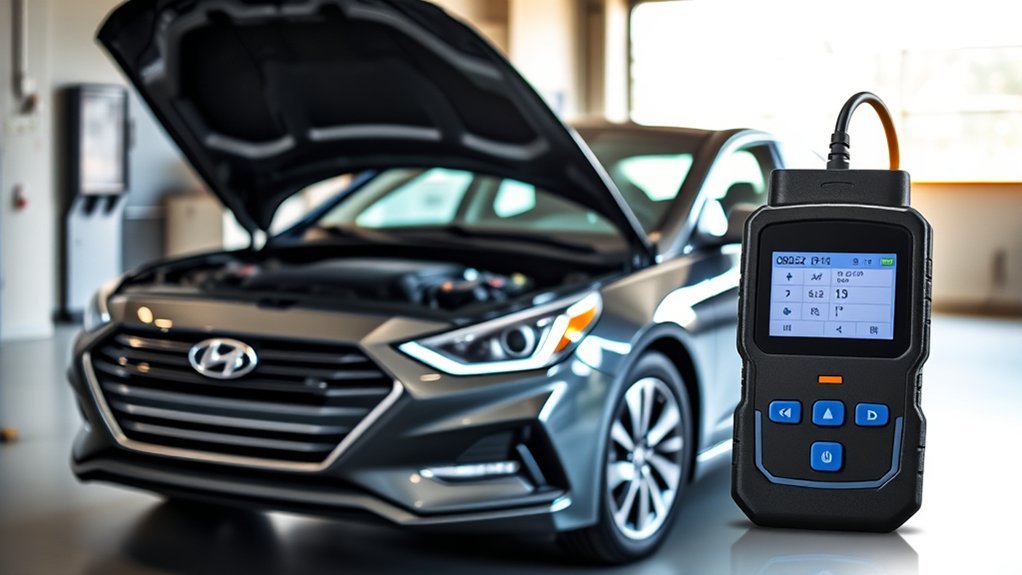
Using an OBD II scanner on your Hyundai Sonata is one of the fastest ways to understand why the check engine light is on, check emissions readiness, and catch small problems before they turn into expensive repairs. The connector is usually under the driver-side dashboard above the pedals, and most basic scanners can read generic powertrain codes on 1996-and-newer U.S. Sonatas. The key is to read the code, save the freeze-frame data, diagnose the cause, and avoid clearing codes until you know what triggered them.
By · Last updated: June 16, 2026
Quick Answer
To use an OBD II scanner on a Hyundai Sonata, plug it into the 16-pin port under the driver-side dash, turn the ignition to ON, select “Read Codes,” write down stored and pending codes, review freeze-frame data, then diagnose the cause before clearing anything.
Key Takeaways
- The Hyundai Sonata OBD II port is usually on the driver’s side, under the lower dashboard, above the brake pedal area.
- Read and record all stored, pending, and permanent codes before clearing them, because clearing codes can erase helpful diagnostic data.
- Generic P0 codes can be read by most scanners, but Hyundai-specific P1 codes may require an enhanced Hyundai-capable scan tool.
- A code points you to a system or condition; it does not automatically prove which part needs replacement.
- If you see fuel smell, no-start symptoms, a popping noise near the rear, or a fuel-system code on a 2020–2023 Sonata with the 1.6-liter turbo engine, check for open recalls by VIN.
- Many auto parts stores, including AutoZone, Advance Auto Parts, and O’Reilly, will read generic codes for free, though they typically can’t pull Hyundai-specific P1 codes.
At a Glance
| Time Required | 5–15 minutes to read codes; longer if you diagnose the fault |
| Difficulty | Easy for reading codes; moderate for troubleshooting |
| Tools Needed | OBD II scanner or Bluetooth OBD II adapter with a trusted app |
| Cost | Usually $20–$150 for DIY scanners; professional diagnostics vary by shop |
Understanding OBD II and Its Importance for Your Hyundai Sonata
OBD II, short for On-Board Diagnostics II, is the standardized diagnostic system used by modern vehicles to monitor emissions-related systems, engine performance, transmission operation, and related sensors. According to the U.S. Environmental Protection Agency, 1996-and-newer cars and light trucks sold in the United States use OBD II technology to monitor key powertrain and emissions components.
For a Hyundai Sonata owner, this system matters because it gives you a starting point when the check engine light, also called the malfunction indicator lamp, turns on. A scanner can retrieve diagnostic trouble codes, often called DTCs, such as misfire, oxygen sensor, catalytic converter, EVAP leak, or fuel-trim codes. These codes help narrow the problem, but they should not be treated as automatic parts-replacement instructions.
A trouble code tells you which system reported a problem. Proper diagnosis confirms why that system reported it.
For example, a code for “exhaust gas recirculation flow insufficient” or an EVAP leak may be caused by a failed part, a wiring issue, a loose connection, a vacuum leak, or even a loose fuel cap. Reading the code is step one. Confirming the cause is what prevents unnecessary repairs.
Finding the OBD II Port in Your Sonata
The OBD II port, also called the data link connector or DLC, is a trapezoid-shaped 16-pin connector. On most Hyundai Sonata model years, you will find it on the driver’s side under the dashboard, above the pedals and near the lower dash panel. You usually do not need tools to access it, although the exact position can vary slightly by model year and trim.
- Park the Sonata on a level surface and set the parking brake.
- Sit in the driver’s seat and look under the lower dashboard near the brake pedal.
- Find the 16-pin trapezoid-shaped connector facing downward or outward.
- If you cannot see it right away, use a flashlight and check the lower kick-panel area near the steering column.
- Confirm the connector shape before plugging in your scanner. Do not force the plug.
Note: If the port location in your Sonata looks different, use Hyundai’s official digital owner’s manual for your exact model year and region.
How to Use a Scanner for Effective Code Reading
To read codes accurately, connect the scanner before you start clearing anything. The goal is to capture the code, the freeze-frame snapshot, and the vehicle conditions that existed when the fault was stored.
[Products Worth Considering]

Veepeak OBDCheck BLE+ is a Bluetooth OBD-II scanner designed to help drivers read and clear check engine codes, view freeze frame data, check readiness monitors, and monitor live sensor data. It works with compatible third-party apps on iOS and Android, making it a versatile tool for standard vehicle diagnostics and routine car health checks. Advanced features may be available through supported apps on select vehicles, but special service functions are not supported.

The ANCEL AD410 helps drivers quickly read and clear engine-related fault codes, view live data, and understand why the check engine light is on before heading to a repair shop. With built-in code definitions, readiness checks, and support for common OBD2 functions, it makes basic diagnostics straightforward for beginners and DIY users. Powered directly from the vehicle and easy to use with no app required, it offers practical value for everyday vehicle troubleshooting.

The FOXWELL NT301 is a plug-and-play OBD2 code reader designed to help drivers and home mechanics diagnose check engine light issues with ease. It reads fault codes, clears emissions-related warnings, displays live sensor data in graph form, and shows I/M readiness so you can quickly check vehicle status before an emissions test. With broad compatibility across many OBD2 vehicles and a clear color screen, it offers a practical, user-friendly way to monitor and troubleshoot engine performance.
Step-by-Step OBD II Scanner Process
- Turn the vehicle off. Make sure the transmission is in Park and the parking brake is set.
- Plug in the scanner. Insert the scanner cable or Bluetooth adapter into the OBD II port under the driver-side dashboard.
- Turn the ignition to ON. For push-button Sonatas, this usually means pressing the Start/Stop button without pressing the brake pedal until the dash powers on. Follow your scanner’s instructions if it asks for the engine to be running.
- Select the correct function. Choose “Read Codes,” “Diagnostic Trouble Codes,” or a similar menu option.
- Record every code. Write down stored, pending, and permanent codes exactly as shown, including any letter-and-number format such as P0301 or P0456.
- Save freeze-frame data. Note engine temperature, RPM, vehicle speed, fuel trim, and load when the code was set.
- Check live data only when safe. If you need live data, keep the vehicle parked unless a trained person is helping and the scanner setup is secure.
- Diagnose before clearing. Clear the code only after recording the data and fixing or confirming the issue.
Warning: Do not route a scanner cable where it can interfere with the brake pedal, accelerator, steering column, or your feet. Unplug handheld scanners before driving unless the tool is designed for safe in-vehicle monitoring.
Pro Tip: Take a phone photo of the scanner screen before clearing codes. Freeze-frame data can disappear after clearing, and that information is often more useful than the code alone.
Using a Bluetooth OBD II Adapter and App
A Bluetooth OBD II adapter paired with a phone app follows the same basic process as a handheld scanner, but with a few extra considerations. Choose an app that clearly states whether it supports Hyundai-enhanced parameter IDs if you want more than generic P0 codes; a generic app will still read and clear basic codes but may show “manufacturer-specific” instead of a plain-English P1 description. Keep the adapter paired only while you’re actively diagnosing, and unplug it when you’re done, since a permanently connected adapter can occasionally cause a parasitic battery drain on some vehicles if left in for long stretches without driving.
Decoding Trouble Codes: Key Insights for Your Sonata

Hyundai Sonata trouble codes follow the standard OBD II format defined through industry diagnostic standards such as SAE J2012. The first letter tells you the system group, and the numbers narrow the fault.
| Code Part | What It Means | Example |
|---|---|---|
| P | Powertrain: engine, transmission, fuel, ignition, emissions | P0301 |
| B | Body systems | B-series codes |
| C | Chassis systems such as ABS or stability control | C-series codes |
| U | Network communication between control modules | U-series codes |
| P0 vs. P1 | P0 codes are generally generic; P1 codes are manufacturer-specific and need Hyundai-specific definitions on a Sonata | P0456 vs. P1xxx |
Most inexpensive scanners can read generic engine and emissions codes. However, they may not read every Hyundai-enhanced module, such as ABS, airbag, transmission, hybrid-system, or body-control codes. If your scanner shows a P1 code, “manufacturer-specific,” or “no definition found,” use a Hyundai-capable scanner or get a professional diagnostic check.
[Products Worth Considering]

Veepeak OBDCheck BLE is a Bluetooth LE OBD-II scanner designed to read and clear check engine codes, view live sensor data, and access freeze frame and readiness information through a compatible third-party app. It works with most 1996+ gas vehicles and many light trucks for standard diagnostics, with broader features depending on the app and vehicle support. This compact adapter is built for iOS and Android users who want a simple wireless way to monitor vehicle health without WiFi pairing.

Turn your iPhone, Android device, or Windows PC into a professional-grade diagnostic scan tool with this Bluetooth OBD2 adapter. It is designed for broad vehicle compatibility and supports popular apps for deeper diagnostics, live data, and code clearing. Built-in protections and firmware updates help keep your vehicle and scanner safe while delivering reliable performance.
Common OBD II Codes Hyundai Sonata Owners May See
| Code | Common Meaning | What to Check First |
|---|---|---|
| P0300–P0304 | Random or cylinder-specific misfire | Spark plugs, ignition coils, fuel delivery, vacuum leaks, compression |
| P0171 | System too lean | Intake leaks, dirty mass airflow sensor, low fuel pressure, exhaust leaks |
| P0420 | Catalyst efficiency below threshold | Exhaust leaks, oxygen sensor data, misfire history, catalytic converter condition |
| P0455 / P0456 | EVAP leak, large or small | Fuel cap seal, EVAP hoses, purge valve, vent valve, smoke test if needed |
| P0451 | Fuel tank pressure sensor range/performance | Fuel cap, EVAP system, wiring, pressure sensor data, open campaigns or recalls |
| P0130–P0167 | Oxygen sensor or air-fuel sensor circuit range | Sensor wiring, exhaust leaks, fuel trim, heater circuit, sensor response |
Use this table as a starting point, not a final diagnosis. For instance, replacing an oxygen sensor may not fix a lean code if the real issue is unmetered air entering through a cracked intake hose.
What to Check Before You Clear a Code
Clearing a Hyundai Sonata check engine code can turn off the light temporarily, but it can also reset emissions readiness monitors and erase freeze-frame data. If the underlying problem remains, the light will usually return after the vehicle completes another drive cycle.
- Stored codes: Confirmed faults that triggered or may trigger a warning light.
- Pending codes: Faults the computer has seen but may need another drive cycle to confirm.
- Permanent codes: Emissions-related codes that may remain until the vehicle confirms the repair through normal operation.
- Freeze-frame data: A snapshot of conditions when the fault was recorded.
- I/M readiness: Emissions monitor status used for inspection readiness.
Note: If your Sonata is due for an emissions inspection, do not clear codes right before the test. Readiness monitors may show “not ready,” which can cause an inspection failure even if the light is off.
Using Live Data for Better Troubleshooting
Live data helps you see what the vehicle’s sensors are reporting in real time. This can be more useful than the code itself, especially for fuel-trim, temperature, oxygen sensor, and misfire issues.
| Live Data Item | Typical Warm-Engine Range | Why It Matters |
|---|---|---|
| Coolant temperature | Often around 195°F–220°F after warm-up | Low readings may affect fuel mixture; high readings may show overheating |
| Idle RPM | Often around 600–800 RPM when warm, in Park | High or unstable idle can point to air, throttle, or fuel issues |
| Short-term fuel trim | Usually near 0%; within about ±10% is commonly acceptable | Positive trim can suggest lean operation; negative trim can suggest rich operation |
| Long-term fuel trim | Usually near 0%; trends matter more than one reading | Shows how the computer has adapted over time |
These ranges are general guidelines. Your exact Sonata engine, temperature, altitude, fuel quality, accessory load, and hybrid or non-hybrid setup can affect live readings. Compare data only when the engine is fully warmed up and operating under similar conditions.
[Products Worth Considering]

OBD2 SCANNER & BATTERY TESTER IN ONE – The INNOVA 5210 OBD2 scanner not only reads and clears check engine light and ABS codes (coverage may vary) but also functions as a...
Hyundai Sonata Recalls and Safety-Related Code Checks
Some check engine lights are routine. Others may relate to safety campaigns, emissions campaigns, or recalls. The safest habit is to check your VIN on the NHTSA recall lookup page whenever a warning light appears, especially if the vehicle also has fuel smell, no-start symptoms, rough running, or unusual noises.
For example, NHTSA Campaign 25V796 covers roughly 85,043 Hyundai Sonata vehicles from the 2020–2023 model years equipped with the 1.6-liter turbocharged engine, built between October 2019 and October 2023, for a fuel-system concern involving a purge control system check valve. The NHTSA recall report says fuel tank deformation can lead to fuel leakage over time, and leaked fuel near an ignition source can increase fire risk.
Warning: If your Sonata has a strong fuel odor, visible fuel leakage, a popping noise from the rear, or a no-start condition with a fuel-system warning, do not keep driving it. Park safely, avoid ignition sources, and contact Hyundai roadside assistance, a Hyundai dealer, or a qualified repair facility.
Knowing When to Consult a Professional for P1 Codes
On a Hyundai Sonata, P1 codes are manufacturer-specific powertrain codes. A basic scanner may show the code number without the correct Hyundai definition, or it may show a vague description that does not include the full diagnostic path. That is the point where professional help can save time and money.
Consider a professional diagnosis when:
- The scanner shows a P1xxx code or “manufacturer-specific code.”
- The check engine light is flashing, which can indicate an active misfire that may damage the catalytic converter.
- The same code returns after you clear it.
- Multiple unrelated codes appear at the same time.
- The issue involves ABS, airbag, hybrid-system, transmission, immobilizer, or advanced driver-assistance systems.
- You smell fuel, see fluid leakage, or suspect a recall-related problem.
Certified Hyundai technicians and well-equipped independent shops can use enhanced scan tools to read Hyundai-specific modules, run bidirectional tests, view manufacturer data, and follow factory diagnostic procedures. That matters because the code may point to a symptom, while the true fault may be wiring, software, a sensor, a vacuum leak, or a mechanical issue elsewhere.
Frequently Asked Questions
How do you interpret OBD2 codes on a Hyundai Sonata?
Start with the code format. P codes are powertrain codes, while B, C, and U codes relate to body, chassis, and network systems. P0 codes are usually generic, and P1 codes are manufacturer-specific. Look up the code, save freeze-frame data, compare symptoms, then test the likely causes before replacing parts.
What is the normal range for OBD2 live data readings?
Typical warm-engine readings may include coolant temperature around 195°F–220°F, idle speed around 600–800 RPM, and fuel trims near 0%, often within about ±10%. These are general ranges, not exact specifications for every Sonata engine or driving condition.
How do I read my OBD2 scanner?
Plug the scanner into the OBD II port under the driver-side dashboard, turn the ignition to ON, select “Read Codes,” and record all stored, pending, and permanent codes. Review freeze-frame data before clearing codes, because that information can help identify the real cause of the problem.
Can I clear a Hyundai Sonata check engine light with an OBD II scanner?
Yes, most scanners can clear generic check engine codes, but you should not clear them until you record the codes and freeze-frame data. Clearing codes does not fix the problem, and it may reset emissions readiness monitors until the vehicle completes enough drive cycles.
Will any OBD II scanner work on a Hyundai Sonata?
Most OBD II scanners can read basic engine and emissions codes on 1996-and-newer U.S. Sonatas. For Hyundai-specific P1 codes, ABS, airbag, transmission, hybrid, or body-control modules, you may need an enhanced scanner that supports Hyundai systems.
Why did my check engine light come back after I cleared the code?
The light usually comes back because the underlying fault is still present. The vehicle’s computer rechecks emissions and powertrain systems during normal driving. If the fault repeats, the code resets and the check engine light returns.
Will an auto parts store read my Sonata’s codes for free?
Many auto parts retailers offer free code-reading as a courtesy service, though this can vary by location and typically only covers generic P0 codes, not Hyundai-specific P1 codes or bidirectional tests. Call ahead to confirm availability at your local store.
Conclusion
Mastering OBD II code reading for your Hyundai Sonata can save time, reduce guesswork, and help you talk more confidently with a repair shop. Start by finding the port, reading the codes, saving freeze-frame data, and checking basic causes such as fuel cap fitment, wiring, hoses, and obvious leaks. Use live data when it helps, but remember that a scanner is a diagnostic tool, not a magic parts selector. If the code is Hyundai-specific, safety-related, recurring, or tied to fuel smell or drivability problems, get professional help before the issue becomes more serious.
Sources
- U.S. Environmental Protection Agency: OBD II fact sheet — supports OBD II use on 1996-and-newer U.S. cars and light trucks.
- Hyundai Digital Owner’s Manual — supports checking model-specific owner information and vehicle operation guidance.
- Hyundai USA Warning Lights — supports Hyundai dashboard warning-light context.
- SAE J2012 Diagnostic Trouble Code Definitions — supports standardized DTC structure and manufacturer-specific code ranges.
- NHTSA Recalls Lookup — supports checking open safety recalls by VIN.
- NHTSA Campaign 25V796 Recall Report — supports the 2020–2023 Hyundai Sonata fuel-system recall note.


[…] Toyota-specific module or control problems, use Toyota-compatible scan tools or ask a qualified technician. A basic code reader may not access body-control or lighting-module […]