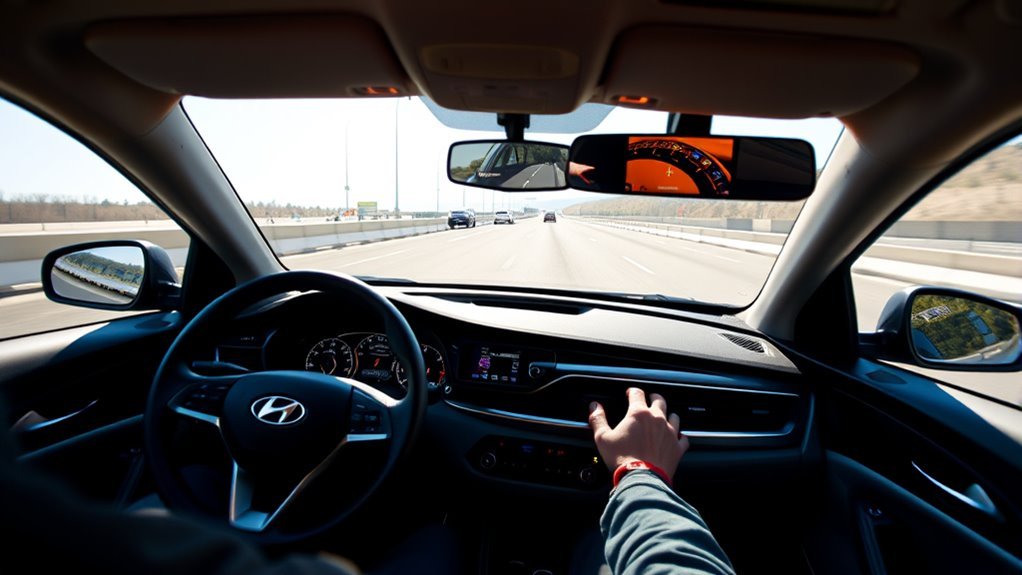
Hyundai Sonata Lane Following Assist (LFA) can help keep the car centered in its lane by using a front-view camera and applying steering assistance when operating conditions are met. It is a driver-assistance feature, not hands-free or autonomous driving. Controls and operating limits can vary by model year and market, so use your Sonata owner’s manual for the exact specifications.
Quick Answer
To use Hyundai Sonata Lane Following Assist, start the vehicle and briefly press the Lane Driving Assist button on the steering wheel on models that use this control. Watch the instrument cluster for the LFA steering-wheel indicator. Keep both hands on the wheel, watch the road, and be ready to steer at all times.
Key Takeaways
- LFA provides lane-centering steering assistance; it does not make the Sonata self-driving.
- A green LFA steering-wheel indicator generally means steering assistance is operating.
- Keep your hands on the steering wheel and remain responsible for steering even while LFA is active.
- Faded markings, blocked cameras, weather, curves, road conditions, and other factors can reduce or interrupt assistance.
- Exact operating speeds and controls can differ by Sonata model year and market, so do not rely on a universal speed cutoff.
At a Glance
| Time Required | Less than 1 minute |
| Difficulty | Easy |
| Tools Needed | None |
| Cost | No additional cost when LFA is equipped |
What Sonata Lane Following Assist Is
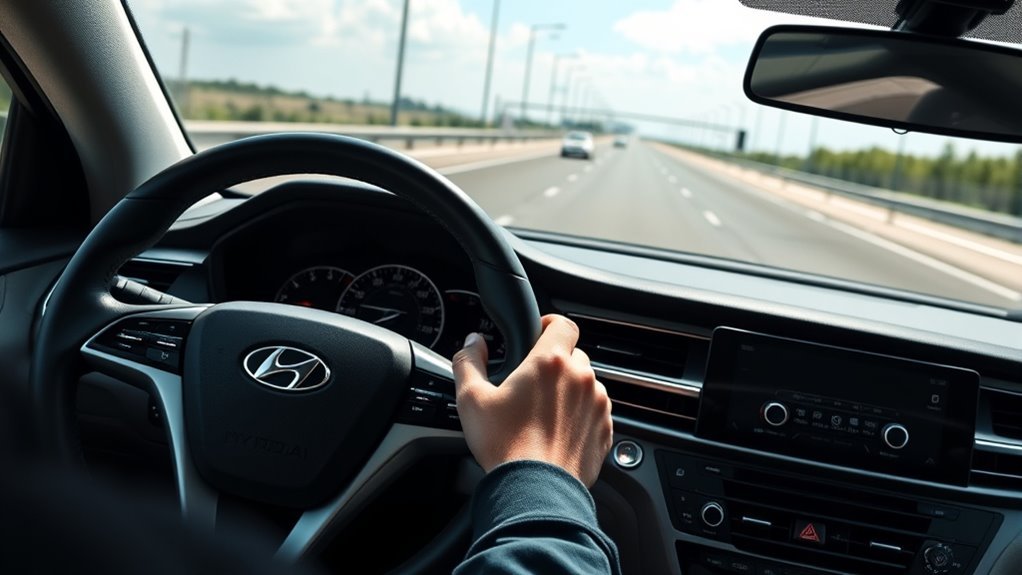
Lane Following Assist is Hyundai’s lane-centering driver-assistance feature. According to Hyundai’s current Sonata information, LFA uses the front-view camera to detect lane markings and assists the driver’s steering to help keep the vehicle centered in its lane.
For the 2026 U.S. Sonata lineup, Hyundai lists LFA as standard on all trims. Availability can differ on older model years and in other markets, so owners of earlier Sonatas should confirm equipment in the Hyundai Digital Owner’s Manual.
Warning: Lane Following Assist is not an autonomous or hands-free driving system. Hyundai states that it is supplemental assistance and does not replace driver attention or responsibility. Keep your hands on the steering wheel, watch traffic and road conditions, and be prepared to steer immediately.
Lane Following Assist vs. Lane Keeping Assist
Lane Following Assist and Lane Keeping Assist sound similar, but they serve different purposes.
| Feature | Primary job | What you may notice |
|---|---|---|
| Lane Following Assist (LFA) | Provides ongoing steering assistance to help keep the vehicle near the center of the detected lane. | Small steering corrections while the system is operating. |
| Lane Keeping Assist (LKA) | Helps when the vehicle begins to leave its lane without an intended lane change. | A warning and/or corrective steering assistance near a lane boundary. |
The distinction matches the broader definitions used by the National Highway Traffic Safety Administration: lane-centering assistance continuously helps maintain a centered position, while lane-keeping assistance is designed to help prevent an unintended lane departure.
[Products Worth Considering]

This ignition coil and spark plug set is designed to restore smooth starting, stronger acceleration, and more reliable engine performance for a wide range of Toyota, Scion, Lexus, and Pontiac models. Built with quality materials and engineered to match OE fitment, it helps address common misfire, shaking, and fuel economy issues when your ignition system is worn. It is an ideal replacement choice for drivers looking to refresh their tune-up with dependable components.

This set of ignition coil packs is designed for a range of compatible Toyota, Scion, and Lexus 2.4L vehicles, helping restore smooth starting and consistent engine performance. Built to meet or exceed OE specifications, these coils are intended to improve ignition reliability, reduce misfires, and support better fuel efficiency. The direct-fit design makes installation straightforward, and the package includes four coil packs with warranty support.

This Bosch OEM ignition coil is engineered to meet or exceed original equipment specifications for select BMW and Mini vehicles. It delivers reliable spark voltage for smoother engine performance, improved cold starts, and consistent operation, while corrosion-resistant connections and durable construction help ensure long service life under heat and vibration.
Activate Sonata LFA (Step-by-Step)
Controls can vary by model year, but recent Hyundai systems use the Lane Driving Assist button on the steering wheel to control Lane Following Assist. Check the steering-wheel diagram and LFA section in the owner’s manual for your exact Sonata before relying on these steps.
[Products Worth Considering]

AUXITO H11/H8/H16 LED fog light bulbs deliver bright cool white illumination to improve nighttime visibility and help you see farther in poor weather. Designed with CSP LED chips, a fanless aluminum body, and a safe 1:1 beam pattern, they offer easy plug-and-play installation, strong waterproofing, and broad vehicle compatibility for fog lights and DRL use.

The LIHAN Bluetooth 5.3 FM transmitter lets you stream music, podcasts, navigation, and hands-free calls through your car's FM radio without needing an AUX port. It features dual USB charging ports, a voltage display, and support for Bluetooth, USB drive, and TF card playback, making it a versatile upgrade for older vehicles. With CVC noise cancellation, auto reconnect, and broad compatibility for cars, SUVs, and trucks, it delivers convenient wireless audio and charging on every drive.
1. Start the Vehicle
Start the Sonata and make sure the instrument cluster is operating normally. If a driver-assistance malfunction warning is already displayed, address that warning before relying on LFA.
2. Turn On Lane Following Assist
On recent Hyundai implementations, briefly press or tap the Lane Driving Assist button on the steering wheel. The LFA steering-wheel symbol should appear in the instrument cluster.
Do not confuse a short press used for LFA with other button actions that may control Lane Keeping Assist on certain Hyundai models. Button behavior can vary, so follow the instructions for your model year.
3. Check the LFA Indicator
Hyundai’s current LFA documentation uses indicator colors to show whether the system is actually assisting:
- Green: LFA is operating and providing steering assistance.
- Gray: LFA is on or available, but operating conditions are not currently satisfied.
- White blinking before gray: steering assistance has been canceled or interrupted on Hyundai systems that use this display behavior.
The exact graphic can differ with the Sonata’s model year, instrument cluster, software, and market.
4. Keep Steering and Monitoring the Road
Leave your hands on the wheel and continue watching the road. You should be able to override LFA by steering whenever needed. Do not wait for an alert before taking control.
Pro Tip: Use the green LFA indicator—not simply the fact that you pressed the button—to confirm that the system is actively providing steering assistance.
How Sonata Lane Following Assist Works
The Sonata’s front-view camera monitors lane information ahead. When LFA can identify the information it needs and its other operating conditions are satisfied, the system calculates steering assistance intended to help keep the vehicle near the center of the lane.
The steering corrections are supplemental. You remain able—and required—to steer the vehicle yourself.
- Road information is detected: the camera observes visible lane markings and, depending on the specific Hyundai LFA implementation, other forward information may also contribute to operation.
- The system evaluates lane position: LFA determines whether steering assistance is available.
- Steering assistance is applied: small corrections help maintain a centered path.
- The driver remains in control: you continue steering, monitoring traffic, and deciding when intervention is needed.
LFA does not by itself control the Sonata’s acceleration or braking. Features such as Smart Cruise Control and Highway Driving Assist are separate systems, even though they may work alongside lane-centering assistance on equipped trims.
Benefits and Real-World Uses
The main benefit of Lane Following Assist is continuous lane-centering support. On a well-marked road, it can reduce the number of small steering corrections a driver makes to stay centered.
It can be especially noticeable during long highway drives where lane markings are clear and traffic conditions are predictable. That does not mean the system makes the trip hands-free or eliminates the need to watch the road.
Lane Following Assist should be treated as steering support, not as a substitute for the person behind the wheel.
Do not assume that LFA lowers your collision risk in every situation. Hyundai specifically warns that the feature does not operate under all circumstances and cannot prevent loss of control.
Limitations: When LFA Won’t Help and Driver Duties

Lane Following Assist depends on what its camera can detect and on the vehicle meeting its programmed operating conditions. Assistance may be weak, unavailable, or temporarily canceled even when the feature has been switched on.
Conditions that can interfere with LFA include:
- Faded, covered, damaged, confusing, or poorly visible lane markings.
- Snow, rain, dirt, condensation, glare, or another obstruction affecting the front-view camera area.
- Sharp curves or road geometry the system cannot reliably follow.
- Poor lighting or difficult contrast between the road surface and lane lines.
- Construction zones, merging or splitting lanes, unusual markings, or multiple overlapping lines.
- Driver steering input that overrides or interrupts assistance.
- Operating conditions outside those specified for the exact model year.
Note: There is no safe universal speed cutoff to quote for every Hyundai Sonata LFA system. Hyundai’s operating limits can vary by model year, market, and system version. Follow the Driver Assistance section of the owner’s manual for your exact vehicle.
[Products Worth Considering]

『Universal Compatibility』: Compatible with a wide range of car makes and models, this bumper parking sensor is an excellent choice for anyone looking to enhance their vehicle's safety features.⚠️Check left side picture of MEILICACY's compatibility list to ensure a perfect fit for your specific vehicle.

【Manufacturer Part Number】46510-39700,46510-39701,46510-39705,46517-39500,46517-39505,46512-39700,V52-72-0121,2VSS0087,V52720121

OE part number: 99310S1700 99310S1900 99310P2000 99310F6000
What Happens If You Take Your Hands Off the Wheel?
Hyundai LFA systems can issue a Keep hands on steering wheel warning after the system determines that sufficient driver steering-wheel interaction has not been detected for several seconds. Warning messages and sounds can escalate in stages.
If the warning continues to be ignored, LFA can cancel its steering assistance on applicable Hyundai systems.
Hyundai also notes that the warning may occasionally appear even when your hands are touching the wheel—for example, if the steering wheel is held too lightly. That is another reason to respond to the warning rather than assuming the system has made an error.
Troubleshoot Sonata LFA and Model Availability
If Sonata LFA is not working, first determine whether the system is simply waiting for suitable conditions or whether the car is reporting an actual malfunction.
| Symptom | What to Check | What to Do |
|---|---|---|
| LFA icon is gray | Lane visibility and current operating conditions | Continue steering manually and wait for suitable conditions. |
| LFA will not turn on | Correct Lane Driving Assist button procedure | Check the owner’s manual for the exact short-press/tap procedure for your Sonata. |
| Assist stops intermittently | Lane markings, curves, camera visibility, weather, driver input | Steer manually and use LFA only when conditions improve. |
| Camera-obscured message | Upper windshield/front-view camera area | Safely remove snow, dirt, moisture, or other obstruction when appropriate. |
| Persistent driver-assistance malfunction warning | Whether the warning remains after obvious obstruction is removed | Do not rely on LFA; have the vehicle inspected by an authorized Hyundai dealer or qualified service facility as directed by the owner’s manual. |
Check the Front-View Camera Area
The camera is located behind the upper windshield area on Hyundai vehicles using this system. Keep the windshield in front of the camera free from snow, heavy dirt, stickers, accessories, and other material that can block its view.
Do not attempt to repair or realign the camera yourself. Windshield replacement, collision repair, or camera-related work may require inspection or calibration using the proper Hyundai service procedure.
Check the Road Before Assuming Something Is Broken
If LFA works on one road but not another, the problem may simply be lane visibility. Fresh, high-contrast lane markings are easier for a camera-based system to interpret than faded lines, construction markings, or lanes covered by water or snow.
Pay Attention to the Exact Warning Message
A temporarily unavailable system is different from a malfunction. If the instrument cluster tells you the camera is obscured, safely clear the obstruction when possible. If the vehicle displays a persistent Check Driver Assistance system or comparable malfunction message, stop relying on LFA and follow the service guidance in your owner’s manual.
Frequently Asked Questions
How do I turn on Lane Following Assist in a Hyundai Sonata?
On recent Hyundai systems, briefly press or tap the Lane Driving Assist button on the steering wheel. Look for the LFA steering-wheel indicator in the instrument cluster. Because controls can vary by model year and market, confirm the procedure in your specific Sonata owner’s manual.
What does the green steering-wheel icon mean?
A green LFA steering-wheel indicator generally means Lane Following Assist is operating and providing steering assistance. A gray indicator means operating conditions are not currently satisfied. Display details can vary by instrument cluster and model year.
What is the difference between Lane Following Assist and Lane Keeping Assist?
Lane Following Assist provides ongoing steering support intended to keep the car near the center of a detected lane. Lane Keeping Assist is mainly designed to warn or intervene when the vehicle begins unintentionally leaving its lane.
Can Hyundai Sonata LFA drive the car hands-free?
No. Lane Following Assist is a driver-assistance system. Keep your hands on the steering wheel, watch the road, and remain ready to steer immediately. Ignoring hands-off warnings can cause steering assistance to be canceled.
Does Lane Following Assist work if the lane lines are faded?
Performance may be reduced or unavailable when lane markings are faded, covered, confusing, or difficult for the front-view camera to detect. Continue steering manually whenever LFA is unavailable or uncertain.
Why does Lane Following Assist suddenly stop steering?
LFA may interrupt steering assistance when lane information becomes difficult to detect, conditions move outside its operating range, you override the system with steering input, or the camera becomes obstructed. Check the instrument-cluster indicator and any displayed warning message.
How Does My Car Know if My Hands Are on the Wheel?
Hyundai’s system monitors for the steering-wheel interaction required for driver engagement and can display a hands-off warning when sufficient interaction is not recognized. Hyundai notes that very light contact can sometimes trigger the warning even when your hands are touching the wheel. Follow the warning and keep a normal, secure grip while driving.
Conclusion
Hyundai Sonata Lane Following Assist can make lane-centering easier by adding steering support when the system can clearly interpret the road and its operating conditions are satisfied. The green LFA indicator tells you when assistance is active, but it never transfers responsibility for driving to the vehicle.
Use LFA with your hands on the wheel and your attention on traffic. If lane markings disappear, the camera is blocked, conditions become difficult, or the system displays a warning, steer the Sonata yourself and follow the instructions for your exact model year. Treat LFA as an extra layer of steering assistance—not autopilot.
Sources
- Hyundai USA — Sonata — current Sonata LFA description and U.S. trim availability.
- Hyundai Digital Owner’s Manual — model-year-specific LFA controls, indicator behavior, warnings, and limitations.
- Hyundai Sonata DN8 Owner’s Manual — Sonata driver-assistance documentation and model-specific reference material.
- NHTSA — Driver Assistance Technologies — definitions of lane-centering and lane-keeping assistance.
- NHTSA — Automated Vehicle Safety — driver responsibility and levels of driving automation.