Resetting the trip mileage on a Hyundai Sonata is usually a one-minute job, but the exact controls depend on the model year and instrument cluster. Older Sonatas commonly use Trip A and Trip B, while newer models may show Drive Information, Since Refueling, or Accumulated Info. The important point is to reset the selected trip display—not the vehicle’s permanent odometer.
Quick Answer
On most newer Hyundai Sonatas, open the trip or Utility display with the steering-wheel controls, select Since Refueling or Accumulated Info/Since Last Reset, then press and hold OK. Older Sonatas may use Trip A/Trip B; display the trip you want to clear and hold RESET or OK. The permanent odometer does not reset.
Key Takeaways
- Newer Sonatas generally use steering-wheel controls and a digital trip-information screen rather than a separate dashboard TRIP button.
- Older Sonata generations may provide Trip A and Trip B, which can be reset independently.
- Resetting trip information does not erase the vehicle’s permanent odometer mileage.
- If the reset does not work, first confirm that the correct resettable screen is displayed before assuming there is an electrical fault.
At a Glance
| Time Required | About 1–2 minutes |
| Difficulty | Easy |
| Tools Needed | None |
| Cost | $0 |
Step-By-Step Guide to Resetting Trip Mileage
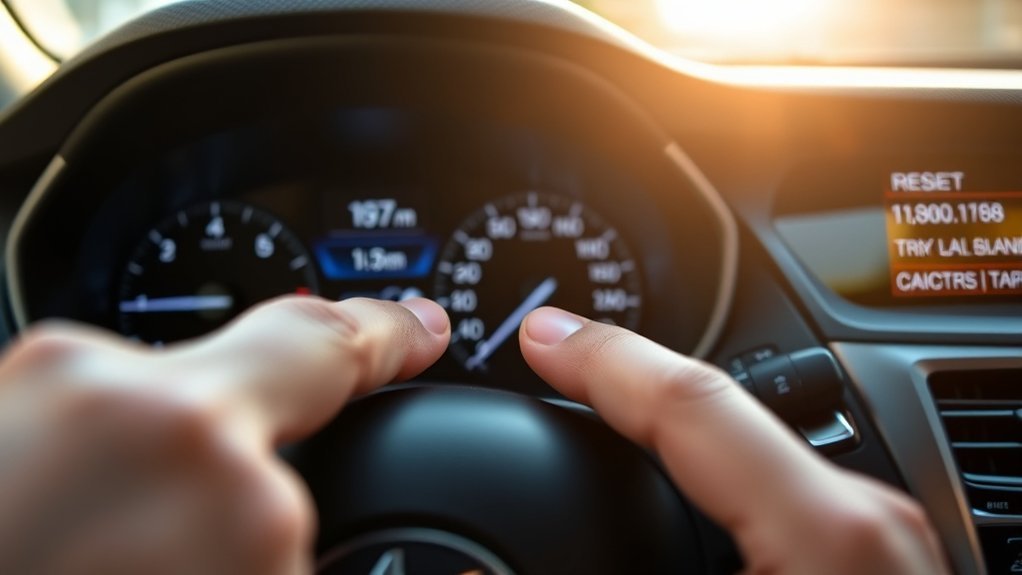
The correct reset method depends on which trip-computer system your Sonata has. Before changing the display, park in a safe location and turn the vehicle on so the instrument cluster is active.
[Products Worth Considering]

This foldable dog car ramp is designed to help pets enter and exit vehicles more safely and comfortably, reducing strain on joints and paws. Built with a sturdy aluminum frame, anti-slip walking surface, and a gentle longer incline, it supports everyday use for small to large dogs. Its four-fold design and built-in carry handle make it easy to store, transport, and use at home or on the go.

The ANCEL AD410 PRO combines engine diagnostics and 12V battery testing in one easy-to-use tool, helping you read and clear check engine codes while checking battery health, cranking, and charging performance. It also provides live data, freeze frame details, and I/M readiness checks to help you diagnose issues faster and prepare for emissions testing. With plug-and-play operation, a clear screen, and broad vehicle compatibility, it is a practical solution for home mechanics and everyday drivers.

This DEWALT portable tire inflator delivers versatile inflation for cars, bikes, sports gear, and larger inflatables with automatic shutoff for accurate pressure control. It offers three power options for flexible use at home, on the road, or on the jobsite, plus onboard accessory storage, a secure threaded chuck, and an LED light for added convenience. High-volume inflation and deflation modes help speed up setup and takedown for mattresses, rafts, and other inflatables.
Newer Hyundai Sonata Models With Steering-Wheel Controls
Newer Sonata instrument clusters commonly organize mileage information under a trip-computer or Utility view. Hyundai documentation for the DN8-generation Sonata shows screens such as Drive Information, Since Refuelling, and Accumulated Info.
- Turn the vehicle on so the instrument cluster is active.
- Use the steering-wheel cluster controls to open the trip-computer or Utility information.
- Scroll to the trip information you want to clear, such as Since Refueling or Accumulated Info.
- With that screen displayed, press and hold the OK button until the information resets.
- Confirm that the trip distance and the other linked values on that screen have returned to their starting values.
Hyundai’s newer Sonata documentation states that Since Refuelling and Accumulated Info can be manually reset by pressing and holding the OK button while the applicable screen is displayed. You can review Hyundai’s current digital owner-manual system at Hyundai Owner’s Manual.
Note: Screen names vary by model year, market, trim, and cluster design. You may see wording such as “Accumulated Info,” “Since Last Reset,” “Since Refueling,” or similar trip-information labels.
Older Sonata Models With Trip A and Trip B
Many older Sonatas provide separate Trip A and Trip B counters. Hyundai’s LF-generation Sonata manual, for example, shows both trip modes and instructs the driver to hold the steering-wheel OK button for more than one second while the tripmeter is displayed.
- Turn the ignition or vehicle on.
- Use the TRIP, MODE, arrow, or steering-wheel display control fitted to your vehicle to reach Trip A or Trip B.
- Select the trip counter you want to clear.
- Press and hold RESET or OK, depending on your Sonata’s controls.
- Release the control after the selected trip counter resets.
You can switch to the other trip counter and repeat the process if you want to reset both.
Warning: Adjust trip-computer menus while safely parked whenever possible. Do not take your attention away from traffic to search through instrument-cluster menus while driving.
Resetting Trip A, Trip B, Since Refueling, or Accumulated Info affects only that resettable trip information. It does not erase or roll back the Sonata’s permanent odometer.
Common Problems Users Face While Resetting Trip Mileage
If your Hyundai Sonata will not reset its trip mileage, the cause is often simpler than an electrical failure. Start with the display and control settings before considering repair work.
A trip reset usually works only when the specific resettable trip-information screen is visible and the correct reset control is held long enough.
- Wrong screen selected: Holding OK while viewing an unrelated cluster page may do nothing.
- Button tapped instead of held: A short press may select or change a menu, while a longer press performs the reset.
- Looking for Trip A/B on a newer Sonata: Your vehicle may instead use Since Refueling, Accumulated Info, or another digital trip-information screen.
- Expecting the permanent odometer to change: The total vehicle odometer is not the same as the resettable trip meter.
- Steering-wheel control problem: If several cluster-navigation buttons are unresponsive—not just the trip reset—there may be a switch, wiring, or related electrical issue that requires diagnosis.
- Automatic reset behavior: Some newer driving-information screens reset automatically after an ignition cycle or another defined condition, so a changed reading may be normal rather than a malfunction.
If several steering-wheel controls stop working at the same time, inspect the symptom more broadly rather than assuming the trip computer itself has failed. A technician can diagnose the switches and related wiring if necessary.
Pro Tip: If the purpose of the reset is fuel tracking, reset an accumulated trip counter immediately after filling the tank. At the next fill-up, divide miles driven by gallons added to calculate your own miles-per-gallon figure.
[Products Worth Considering]

Applicable for Hyundai Sonata 2.0L 2.4L 2011-2015 Package includes: 1 x Trunk and Fuel Door Opener Button
Why Trip Odometer Tracking Matters
A resettable trip meter is useful for fuel tracking, journey planning, and mileage reminders. It complements the permanent odometer rather than replacing it.
Fuel Efficiency Monitoring
One useful reason to reset the trip meter is to measure fuel consumption between fill-ups. Record the gallons added at your next complete fill-up and divide the trip miles by that amount to estimate MPG.
- Compare fuel economy between highway and city driving.
- See how driving style, traffic, weather, or vehicle load affects consumption.
- Estimate fuel costs for recurring routes.
- Notice meaningful changes in fuel economy over time.
Some newer Sonatas also provide a dedicated Since Refueling display, making this type of tracking easier.
Maintenance Scheduling Assistance
A trip counter can be used as a convenient reminder between specific services, but the permanent odometer and Hyundai’s maintenance schedule should remain the main references for mileage-based service.
For example, you might reset one trip counter after a tire rotation or another mileage-based task so you can see how far the vehicle has traveled since then. This is an optional tracking method, not a substitute for documented maintenance records.
When selling the vehicle, the permanent odometer reading and a clear maintenance history are more meaningful than a resettable trip counter.
Trip Planning Optimization
A trip meter is also useful when you want a clean distance measurement for a particular journey. Reset it at the beginning of the route, and you can monitor how far you have driven without subtracting permanent odometer readings.
- Track the distance of a road trip or daily commute.
- Compare alternate routes.
- Estimate fuel requirements for repeat journeys.
- Keep separate distance records when your Sonata offers more than one trip counter.
Tips for Maintaining Your Hyundai Sonata’s Odometer
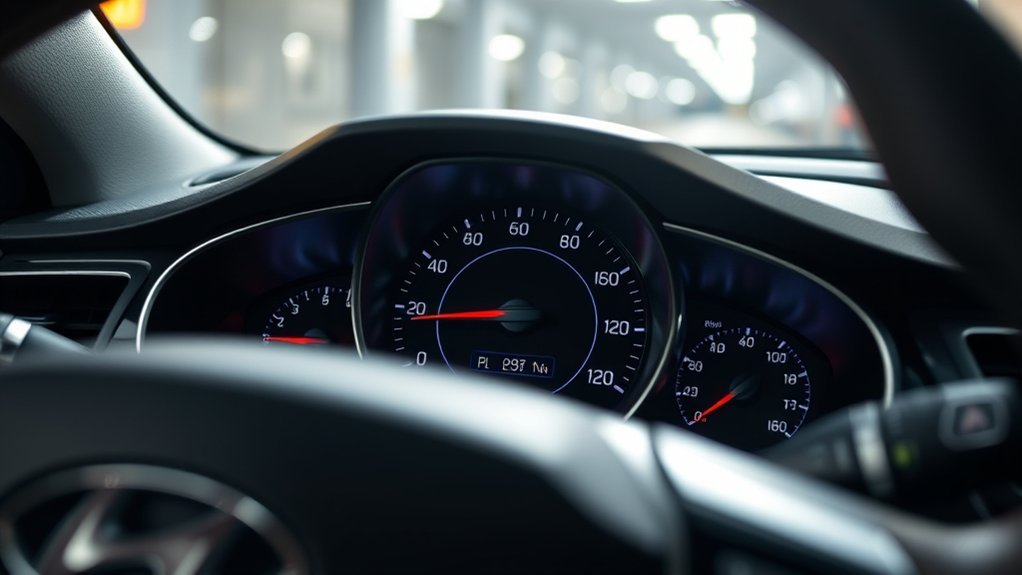
Your Sonata’s permanent odometer normally requires no routine reset or adjustment. What matters is recognizing the difference between permanent mileage and the resettable trip information shown elsewhere in the cluster.
Regular Maintenance Checks
- Check that the permanent odometer displays normally when the vehicle is on.
- Use the total odometer mileage when following scheduled maintenance intervals.
- Use Trip A/B or accumulated trip information only when you want a resettable mileage reference.
- Review the owner’s manual for your exact model year when cluster labels or controls differ from the examples in this guide.
If a trip display suddenly returns to zero, first determine whether that particular display is designed to reset automatically before treating it as a fault.
Diagnostic Tools Usage
You do not need an OBD-II scanner to perform an ordinary Hyundai Sonata trip reset. The normal procedure is handled through the instrument cluster and its controls.
A diagnostic scan becomes more relevant when the vehicle has warning lights, multiple electronic malfunctions, or another symptom suggesting a genuine control-module problem. Even then, a trouble code should be interpreted according to the system it actually identifies rather than assumed to be related to the odometer.
Steering Wheel Functionality
On Sonatas that use steering-wheel controls for the trip computer, those switches need to respond correctly so you can navigate and reset the display.
- Confirm that the arrow or toggle controls move through the cluster menus.
- Confirm that the OK button responds to normal selections.
- If only the reset fails, verify that you are viewing a resettable trip screen and are holding the button rather than tapping it.
- If several steering-wheel electrical controls fail together, have the switch circuit and related components professionally inspected.
A clockspring or another steering-wheel electrical component can cause broader control problems in some circumstances, but a failed trip reset by itself is not enough to diagnose a clockspring fault.
When to Seek Professional Help for Odometer Issues
Professional diagnosis is appropriate when the problem goes beyond selecting or resetting a trip screen. Consider having the vehicle inspected if:
- The permanent odometer disappears, freezes, or displays obviously abnormal information.
- Multiple instrument-cluster controls stop responding.
- Several steering-wheel buttons fail at the same time.
- An airbag/SRS or other warning light appears along with steering-wheel electrical problems.
- The instrument cluster repeatedly shuts off, flickers, or loses information unexpectedly.
- The trip computer still cannot be controlled after you confirm the procedure in the owner’s manual for your exact model year.
Do not disassemble steering-wheel or airbag-area components simply to troubleshoot a trip-counter problem. A Hyundai dealer or qualified automotive technician can test the relevant switches, circuits, and modules safely.
[Products Worth Considering]

【Wide Fit】This T5 instrument cluster bulbs kit is compatible with multiple models including 17, 27, 37, 57, 58, 86, 206, 207 and 2721, widely used as dash light bulbs, gauge cluster lights and dashboard lighting for most cars, trucks and SUVs. Please confirm bulb size before purchase.
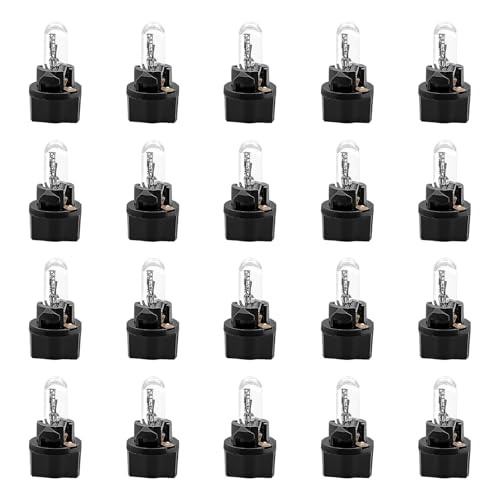
Precise Vehicle Fit: Engineered for 12V T5 sockets, this dashboard bulb is compatible with models requiring types 17, 18, 27, 37, 57, 58, 70, 73, 74, 79, 85, 86, 206, 207, 286, 306, and 2721. Always verify your vehicle's socket specifications before installation.

SUPER BRIGHT: T5 LED dash lights use 3030 SMD chips for 100 lumens of even light. Replaces dim factory bulbs on instrument clusters and dash indicators for clear night visibility.
How to Locate the Trip Odometer Button
There is no single trip-button location that applies to every Hyundai Sonata generation.
On newer Sonatas: look at the steering-wheel controls used to navigate the instrument-cluster display. Hyundai’s information for the redesigned 2020 Sonata explains that the multifunction center display is operated by controls on the right side of the steering wheel. See Hyundai’s 2020 Sonata technical-features guide.
On older Sonatas: you may find Trip A/Trip B through a TRIP control, RESET control, or steering-wheel trip-computer buttons. Hyundai’s LF-generation owner documentation shows Trip A and Trip B selected through the steering-wheel trip computer, with the OK button held to reset the displayed tripmeter.
- Look for TRIP, RESET, OK, arrow, or page/menu controls.
- Watch the instrument display while changing modes rather than relying only on the button label.
- Select the actual trip-distance screen before holding the reset control.
- If your layout does not match these examples, use Hyundai’s digital owner-manual selector for your exact year and market.
Frequently Asked Questions
What Is the Trip Reset Button For?
The trip reset control clears a selected resettable mileage record so you can measure a new journey, track miles between fuel stops, or monitor distance since a particular event. It does not reset the permanent vehicle odometer.
How Do I Reset Trip Mileage on a Newer Hyundai Sonata?
Use the steering-wheel controls to open the trip or Utility information, select a resettable screen such as Since Refueling or Accumulated Info, and press and hold OK. Exact wording can vary by year, trim, and market.
How Do I Reset Trip A or Trip B on an Older Sonata?
Display Trip A or Trip B using the vehicle’s trip-computer controls, then press and hold the applicable RESET or OK control until that trip counter clears. The exact button arrangement varies by model year.
Does Resetting the Trip Meter Reset the Odometer?
No. Trip mileage is a resettable counter. The odometer records the vehicle’s total accumulated mileage and is separate from Trip A, Trip B, Since Refueling, and accumulated trip-information displays.
Why Won’t My Hyundai Sonata Trip Mileage Reset?
First make sure a resettable trip screen is displayed and that you are holding the correct OK or RESET control long enough. If several cluster or steering-wheel buttons are also unresponsive, the vehicle may need electrical diagnosis.
Why Did My Trip Mileage Reset by Itself?
Some newer Sonata driving-information screens reset automatically based on the ignition cycle, door opening, refueling, or the particular display mode. Automatic behavior can therefore be normal. Check the owner’s manual for the exact screen your vehicle uses.
Can Disconnecting the Battery Affect Trip Information?
Some stored driving information can be cleared or recalculated after battery power is interrupted. This is different from changing the permanent odometer. If information behaves unusually after battery work, check the owner’s manual for your model year before assuming the cluster has failed.
Conclusion
Resetting the trip mileage on a Hyundai Sonata is straightforward once you identify which trip-computer system your model uses. Newer Sonatas generally rely on steering-wheel controls and screens such as Since Refueling or Accumulated Info, while older models may use Trip A and Trip B. Select the trip information you want to clear, hold the appropriate OK or RESET control, and confirm the reset. Remember that this affects only resettable trip data—the vehicle’s permanent odometer remains unchanged. If several cluster or steering-wheel controls are malfunctioning as well, professional diagnosis is the safer next step.
Sources
- Hyundai Sonata DN8 Owner’s Manual — View Modes — documents Drive Information, Since Refuelling, Accumulated Info, and manual reset behavior.
- Hyundai Sonata LF Owner’s Manual — documents Trip A/Trip B and the steering-wheel OK-button reset procedure on older Sonata models.
- Hyundai USA — 2020 Sonata Technical Features — confirms operation of the Sonata multifunction instrument display through steering-wheel controls.
- Hyundai Digital Owner’s Manual — official model and year selector for checking the exact controls and terminology fitted to a specific Sonata.