Quick Answer: When to Use Tow/Haul vs Tow+

On a 2024 Toyota Tundra equipped with Drive Mode Select, use Tow/Haul when the loaded trailer weighs less than 5,000 lbs and Tow+ when it weighs more than 5,000 lbs. To activate standard Tow/Haul, press the TOW HAUL switch on the center console once until the Tow/Haul indicator appears on the instrument cluster. To select Tow+, press the switch and then rotate the adjacent mode select switch dial until the Tow+ indicator illuminates. Press the TOW HAUL switch again to return to Normal drive mode.
Toyota’s 2024 owner’s manual does not assign either mode to a trailer weighing exactly 5,000 lbs. At that exact boundary, evaluate your cargo profile, route topography, and vehicle response, or consult an authorized Toyota dealer. Engaging Tow/Haul or Tow+ changes electronic calibration only; neither mode increases the truck’s Gross Combined Weight Rating (GCWR), Gross Vehicle Weight Rating (GVWR), Gross Axle Weight Rating (GAWR), payload capacity, hitch rating, or braking limits.
Written by: [VERIFY: add author name and automotive technical credentials] | Last updated: August 30, 2026 — mode-selection steps, weight thresholds, 10-speed transmission parameters, deactivation conditions, and tongue-weight guidance verified against the official 2024 Toyota Tundra Owner’s Manual.
| Loaded Trailer Weight or Use | Mode | What to Do |
|---|---|---|
| Less than 5,000 lbs | Tow/Haul | Press the TOW HAUL switch and confirm the Tow/Haul indicator |
| More than 5,000 lbs | Tow+ | Press the TOW HAUL switch, turn the mode selector dial, and confirm Tow+ |
| Exactly 5,000 lbs | Not specified by Toyota | Evaluate road grades/payload or check with a Toyota dealer |
| Heavy cargo in the bed | Tow/Haul or Tow+ | Use the mode providing suitable throttle/braking response within payload limits |
Key Takeaways
- Tow/Haul is engineered for trailers below 5,000 lbs; Tow+ is calibrated for trailers exceeding 5,000 lbs.
- Activation requires a two-step sequence for Tow+: press the center TOW HAUL button, then rotate the Drive Mode Select dial.
- Always confirm mode engagement via the dedicated instrument cluster indicator light before shifting into gear.
- Tow+ requires an equipped package with the Drive Mode Select dial (standard on higher trims, optional on select SR5/Limited configurations).
- Both towing modes automatically deactivate when shifting into 4WD Low (4L), selecting Multi-Terrain Select (MTS), or choosing an alternate drive mode.
- Towing modes modify throttle, steering, and transmission shift schedules but do not increase any structural or legal weight ratings.
What’s in This Article
- Quick Answer: When to Use Tow/Haul vs Tow+
- Find the Tow/Haul/Tow+ Button on a 2024 Tundra
- Confirm Trailer Weight and Hitch Rating
- When to Choose Tow/Haul vs Tow+
- Activate Tow/Haul: Step-by-Step for Light Towing
- Activate Tow+: Step-by-Step for Heavy Towing
- How Each Mode Affects Transmission, Throttle, and Brakes
- Troubleshooting Tow Modes and System Warnings
- Real Examples With Tundra: Trailers, RVs, and Loads
- Frequently Asked Questions
Find the Tow/Haul/Tow+ Button on a 2024 Tundra
On an equipped 2024 Tundra, the TOW HAUL switch and mode select switch are located on the center console immediately adjacent to the gear shifter. They operate in tandem: the physical push-button activates or cancels the overall towing software logic, while the rotary dial selects between standard Tow/Haul and heavy-duty Tow+ calibrations.
Where Are the Tow/Haul Controls?
Look beside the shifter for the push-button labeled TOW HAUL and the surrounding rotary Drive Mode Select knob. Toyota designates these controls as “if equipped.” Base models without an upgraded towing package feature a standalone Tow/Haul button, whereas trims with Drive Mode Select (standard on Platinum, 1794 Edition, TRD Pro, and Capstone, and optional on SR5 and Limited) provide the full dual-mode rotary interface.
- TOW HAUL switch: Press to toggle the towing subsystem on and off.
- Mode select switch: Rotate the dial to toggle between Tow/Haul and Tow+ once the system is engaged.
- Instrument cluster: Renders a green Tow/Haul or Tow+ graphic to confirm active status. Check your Tundra dashboard warning lights [VERIFY: confirm target URL] if an unprompted light appears.
How Do You Confirm Tow/Haul or Tow+ Is On?
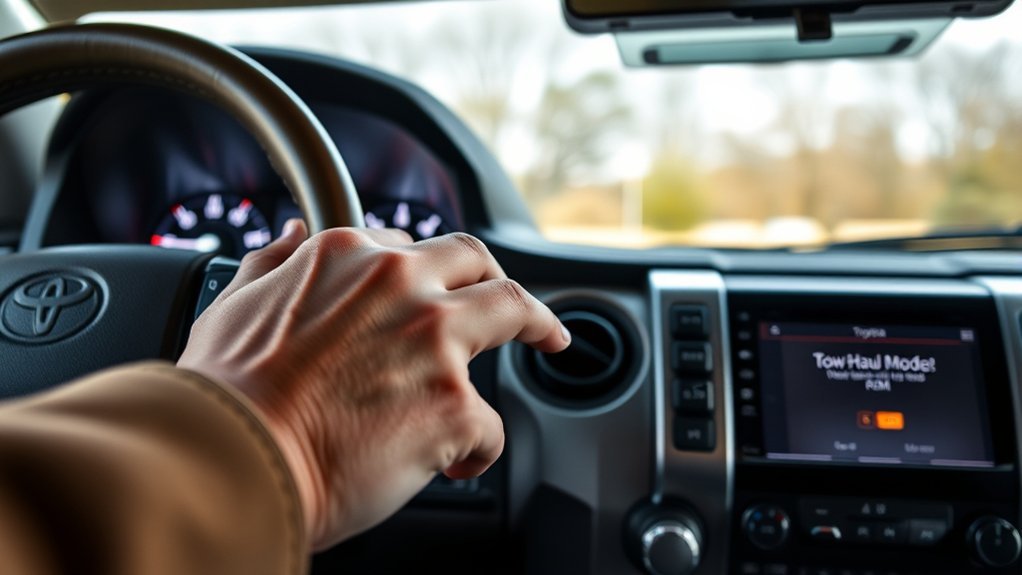
Always verify the multi-information display (MID) in the gauge cluster after operating the switches. A dedicated Tow/Haul indicator confirms light-duty calibration, while a Tow+ indicator confirms heavy-duty calibration. Never rely solely on exhaust sound, pedal firmness, or gear-shift points to determine the active mode.
If the indicator fails to illuminate, bring the truck to a complete stop in Park and repeat the sequence. Note that engaging 4WD Low (4L), changing primary driving modes (Sport/Eco/Normal), or activating Multi-Terrain Select (MTS) automatically overrides and deactivates Tow/Haul and Tow+.
What Is the Correct Mode-Selection Sequence?
- Park the truck safely with the engine running.
- Press the TOW HAUL button once on the center console.
- Confirm that the standard Tow/Haul indicator appears in the instrument cluster.
- Rotate the mode select switch dial clockwise if your load requires Tow+.
- Confirm that the Tow+ indicator illuminates before shifting into Drive.
- Press the TOW HAUL button again when towing is complete to return to Normal drive mode.
Confirm Trailer Weight and Hitch Rating
Base your mode selection entirely on the trailer’s actual loaded weight (Gross Trailer Weight), never its unloaded dry weight. Loaded weight includes freshwater tanks, fuel, onboard propane, deep-cycle batteries, luggage, recreational gear, and hitch accessories. Running the combination across a certified commercial scale (such as a CAT scale) is the safest method to determine exact axle and trailer weights.
Always cross-check your measured weight against the specific limits stamped on your truck’s door-jamb federal safety label and hitch receiver. Check the Tundra’s towing capacity, payload capacity, and GCWR, GVWR, and GAWR limits. In every towing setup, the lowest-rated component (receiver, ball mount, hitch ball, coupler, safety chains, or tire load index) establishes your maximum allowable limit.
For conventional bumper-pull towing, Toyota’s 2024 Tundra manual mandates that tongue weight must remain between 9% and 11% of gross trailer weight. Take the time to measure trailer tongue weight [VERIFY: confirm target URL] using a dedicated tongue weight scale rather than guessing, as improper tongue weight is the primary mechanical trigger of highway trailer sway.
Warning: Selecting Tow/Haul or Tow+ adjusts powertrain software only. It does not raise the Tundra’s Towing Weight Rating (TWR), payload, GCWR, GVWR, GAWR, hitch receiver class, tire load rating, or thermal braking limits.
[Products Worth Considering]

This proportional trailer brake controller provides smooth, responsive braking by automatically matching your tow vehicle’s stopping force for safer trailer control. The bright LED digital display makes it easy to monitor voltage output in real time, while adjustable braking and sync settings help tailor performance to different trailers and road conditions. Designed for quick installation and broad compatibility, it supports 1 to 4 axle trailers for dependable towing confidence.
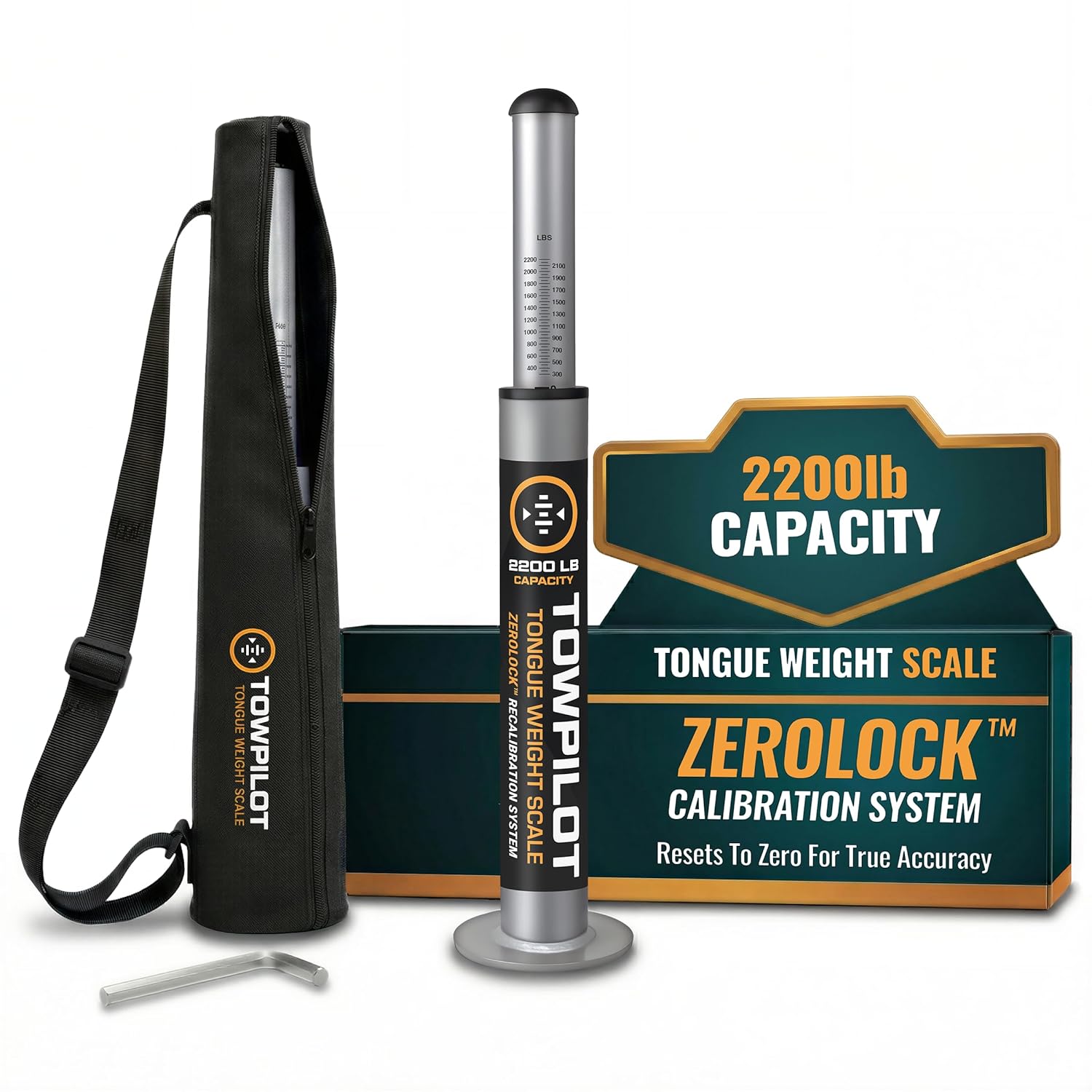
This trailer tongue weight scale helps you check hitch weight quickly and accurately before towing, reducing sway and improving overall safety. Built with durable steel and a spring mechanism, it works without batteries and includes a recalibration feature to maintain true-zero accuracy over time. It is designed for RVs, campers, and utility trailers, with a top plate that helps protect your coupler during use.

This Andersen Hitches weight distribution hitch kit is designed to improve towing stability with a grease-free friction cone and tension chain system that helps reduce sway and bounce. It features a universal setup with a 2-inch ball and 4-inch drop/rise to suit many bumper-pull trailer applications, while making hitching and unhitching faster and easier than traditional spring bar systems. Built in the USA, it offers dependable performance for travelers, workers, and outdoor enthusiasts who need confident towing control.
When to Choose Tow/Haul vs Tow+
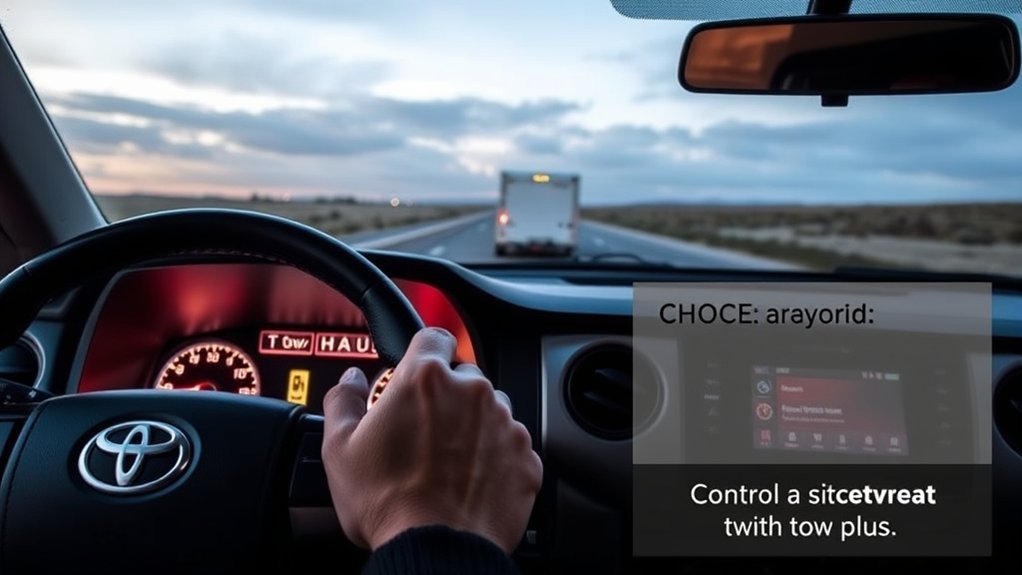
As a baseline, engage Tow/Haul below 5,000 lbs and Tow+ above 5,000 lbs. Toyota calibrates Tow+ for heavier loads where pulling resistance, aerodynamic drag, and trailer mass demand more aggressive torque delivery and heightened engine braking. Mode selection is an operational calibration tool, not an authorization to exceed factory ratings.
Weigh the loaded trailer first. Select Tow/Haul below 5,000 lbs or Tow+ above 5,000 lbs, then confirm the cluster indicator before driving.
- Under 5,000 lbs: Select standard Tow/Haul (ideal for small utility trailers, open boat trailers, pop-up campers, and single-axle cargo trailers).
- Over 5,000 lbs: Select Tow+ (engineered for large travel trailers, tandem-axle car haulers, boat cruisers, and heavy equipment trailers).
- Exactly 5,000 lbs: Toyota’s documentation does not designate a specific setting; evaluate road grades, wind resistance, and payload, or consult your Toyota dealer.
- Heavy Bed Payloads: Toyota allows the use of Tow/Haul or Tow+ when carrying heavy bed cargo without a trailer to prevent transmission gear-hunting and improve deceleration control.
Never choose a towing mode based strictly on trailer profile or body style. Two identically sized travel trailers can differ by thousands of pounds once freshwater, propane, and personal gear are packed inside.
Activate Tow/Haul: Step-by-Step for Light Towing
Before You Begin
- Confirm that the total loaded trailer weight is under 5,000 lbs.
- Verify that tongue weight, payload, and axle weights are within door-jamb placard limits.
- Secure the coupler, safety chains (crisscrossed), emergency breakaway cable, and 4-pin/7-pin electrical harness.
- Check tire inflation pressures across all truck and trailer tires when cold.
- Configure and test your trailer brake controller settings if the trailer is equipped with electric service brakes.
- Start the Tundra and remain parked with your foot on the brake.
- Locate the TOW HAUL button on the center console.
- Press the TOW HAUL button once.
- Confirm that the green Tow/Haul icon illuminates on the multi-information display.
- Shift into Drive and accelerate smoothly, maintaining a 4-to-6 second following buffer.
- Press the TOW HAUL button once more to cancel the mode after unhitching.
If the indicator extinguishes unexpectedly, check whether you shifted into 4L, switched primary drive modes, or engaged Multi-Terrain Select, all of which automatically disable the towing modes.
Activate Tow+: Step-by-Step for Heavy Towing
Use Tow+ exclusively after confirming that the trailer’s loaded weight exceeds 5,000 lbs and that the entire combination is fully compliant with all gross weight ratings. Tow+ significantly recalibrates throttle gain and transmission shift mapping for heavy pulling demands.
[Products Worth Considering]

This proportional electric brake controller automatically applies trailer brakes based on your vehicle's braking force and speed for smoother, more responsive stopping. It is compatible with a wide range of tow vehicles and trailer setups, and includes an LED display for easy setup, diagnostics, and manual braking control. The included mounting hardware and plug-and-play port help make installation simple and convenient.

The CURT 17200 Trailer Sway Control Kit helps limit lateral trailer movement to improve towing stability and control. It is designed to work with most weight distribution hitches or a sway tab mount, and includes a weld-on tab, spacer plate, and adjustable hardware for flexible installation. Built for smoother, straighter towing, it helps reduce sway and makes towing more confident on the road.

The CURT Venturer NEXT is a compact, time-delay electric trailer brake controller designed for dependable braking control from inside your vehicle. Its low-profile design, adjustable power and ramp time, and plug-and-play friendly setup make it a practical choice for towing with confidence. Built for 12-volt systems and compatible with electric over hydraulic brakes, it offers flexible installation without leveling or internal moving parts.
How Do You Select Tow+?
- Start the Tundra and remain stationary in Park.
- Press the center TOW HAUL button once (the standard Tow/Haul indicator will illuminate).
- Rotate the Drive Mode Select dial clockwise to transition the system to Tow+.
- Confirm that the Tow+ indicator illuminates on the instrument cluster.
- Conduct a final walkaround checking hitch latching, wiring, safety chains, tire condition, and brake light operation before pulling onto the road.
What If the Tow+ Indicator Does Not Appear?
If rotating the dial does not engage Tow+, verify that the system was initially activated via the push-button. Ensure the transfer case is in 2WD or 4WD High (4H), as 4WD Low (4L) inhibits Tow+. If your vehicle is equipped with a standalone button without a rotary dial, your truck features standard Tow/Haul only.
How Should You Drive With Tow+ Active?
- Roll into the throttle gradually from a standstill to avoid sudden driveline shock and wheel spin.
- Double your standard following distance to account for the extended braking distance required by heavy combinations.
- Downshift manually or brake early before descents, allowing the transmission’s aggressive Tow+ engine braking schedule to manage vehicle speed.
- Monitor gauge cluster readouts, particularly transmission fluid temperature and trailer brake connectivity.
- Inspect tie-downs, tire temperatures, and hitch hardware at every fuel or rest stop.
Once you disconnect the heavy trailer, press the TOW HAUL button to return the vehicle to standard fuel-efficient shift mapping.
How Each Mode Affects Transmission, Throttle, and Brakes
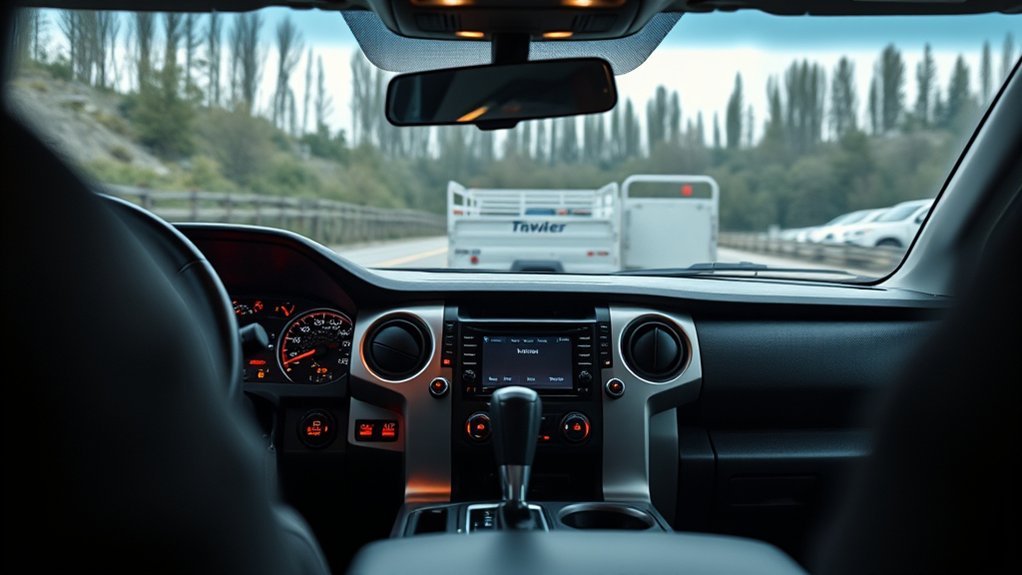
Toyota specifies that Tow/Haul and Tow+ modify the engine, transmission, and steering software to optimize towing control. While Toyota does not publish internal calibration maps, the mechanical and electronic adjustments in the Direct Shift 10-speed automatic transmission and electric power steering (EPS) serve distinct operational functions:
| System | Tow/Haul Calibration (< 5k lbs) | Tow+ Calibration (> 5k lbs) | What the Mode Does Not Do |
|---|---|---|---|
| Engine & Throttle | Smooths throttle response for steady trailering | Sharpens low-end torque delivery to overcome high static inertia | Does not increase peak horsepower or torque output |
| 10-Speed Transmission | Delays upshifts; reduces gear-hunting between 7th and 8th gears | Holds lower gears aggressively; locks out high overdrives (9th/10th) under load; executes sharp downshifts under braking | Does not bypass transmission thermal safety thresholds |
| Electric Power Steering | Provides standard on-center assistance | Increases steering resistance/weight to enhance straight-line stability and resist trailer-induced yaw | Does not mechanically eliminate trailer sway from poor tongue weight |
| Trailer Brakes (ITBC) | Operates under user-defined gain and brake type | Operates under user-defined gain and brake type | Does not automatically configure trailer brake gain |
Tow/Haul and Tow+ function independently from the integrated trailer brake controller. You must still adjust a trailer brake controller [VERIFY: confirm target URL] manually based on trailer weight and brake type (Electric vs. Electric-Over-Hydraulic). On steep mountain descents, Tow+ proactively downshifts through the 10-speed gearset to provide robust engine braking, but this complements—rather than replaces—proper trailer brake synchronization and controlled vehicle speeds.
Troubleshooting Tow Modes and System Warnings
If Tow/Haul or Tow+ unexpectedly disengages or fails to activate, systematically work through the control sequence and factory deactivation triggers before suspecting an electrical or fuse failure.
If the indicator disappears, press the TOW HAUL button first, verify the rotary selector setting, and confirm the truck is not in 4L, an alternate drive mode, or Multi-Terrain Select.
| Symptom | Likely Cause | Immediate Next Action |
|---|---|---|
| No Tow/Haul indicator | Switch not depressed or vehicle lacks tow package | Press button firmly while parked; verify equipment via window sticker/manual |
| Tow/Haul active, but Tow+ will not engage | Rotary dial not turned or vehicle lacks Drive Mode Select | Rotate Drive Mode Select dial after button activation; confirm trim level features Tow+ |
| Towing mode disengages automatically | 4L selected, Drive Mode changed, or MTS activated | Shift back to 2WD/4H and re-engage Tow/Haul when terrain allows |
| Transmission Temperature warning | Severe transmission fluid thermal load | Pull over safely, shift into Park, idle engine, and follow cluster instructions |
| Trailer Brake Disconnected warning | 7-pin connector loose, corroded, or wiring fault | Stop immediately, inspect 7-pin plug, clean terminals, and test trailer brake output |
If a transmission temperature warning light illuminates, do not shut the truck off immediately. Pull over safely, place the transmission in Park, keep the engine idling to allow the mechanical cooling fans and fluid pumps to circulate fluid through the auxiliary cooler, and monitor the cluster. If warnings persist, contact an authorized Toyota dealership service center.
Real Examples With Tundra: Trailers, RVs, and Loads
Determine the correct towing mode strictly by your verified scale weight rather than trailer classification alone. Use the application matrix below to guide your setup:
| Towing Scenario | Typical Loaded Weight | Recommended Mode | Key Operational Focus |
|---|---|---|---|
| Single-axle utility or landscape trailer | 1,500 – 3,500 lbs | Tow/Haul | Maintains responsive shift timing without excessive RPM hold |
| 18–22 ft bass boat or bowrider trailer | 3,000 – 4,800 lbs | Tow/Haul | Include fuel (6.3 lbs/gal), gear, and trailer weight in total sum |
| 24–30 ft dual-axle travel trailer (RV) | 5,500 – 8,500 lbs | Tow+ | Enables heavy engine braking and locks out 9th/10th overdrive hunting |
| Tandem-axle car hauler with vehicle | 6,000 – 9,500 lbs | Tow+ | Verify weight distribution hitch setup and 9%–11% tongue weight |
| Trailer at exactly 5,000 lbs | 5,000 lbs | Tow/Haul or Tow+ (Driver Discretion) | Use Tow/Haul on flat terrain; switch to Tow+ on hilly routes |
| Heavy payload in bed (gravel, lumber) | 1,000 – 1,600 lbs payload | Tow/Haul | Prevents transmission hunting; verify payload capacity is not exceeded |
Remember that a lightweight travel trailer can easily cross the 5,000-lb threshold once fresh water (8.34 lbs/gal), propane, camping gear, and accessories are loaded. Re-weigh your rig whenever your loading configuration changes significantly.
[Products Worth Considering]

These replacement support brackets are designed to secure the spring bars on a trailer frame for CURT TruTrack weight distribution hitches. Their adjustable mounting holes help achieve precise leveling while the rigid construction supports integrated sway control for a steadier towing experience. A durable powder coat finish adds long-lasting protection, and the package includes two replacement brackets.
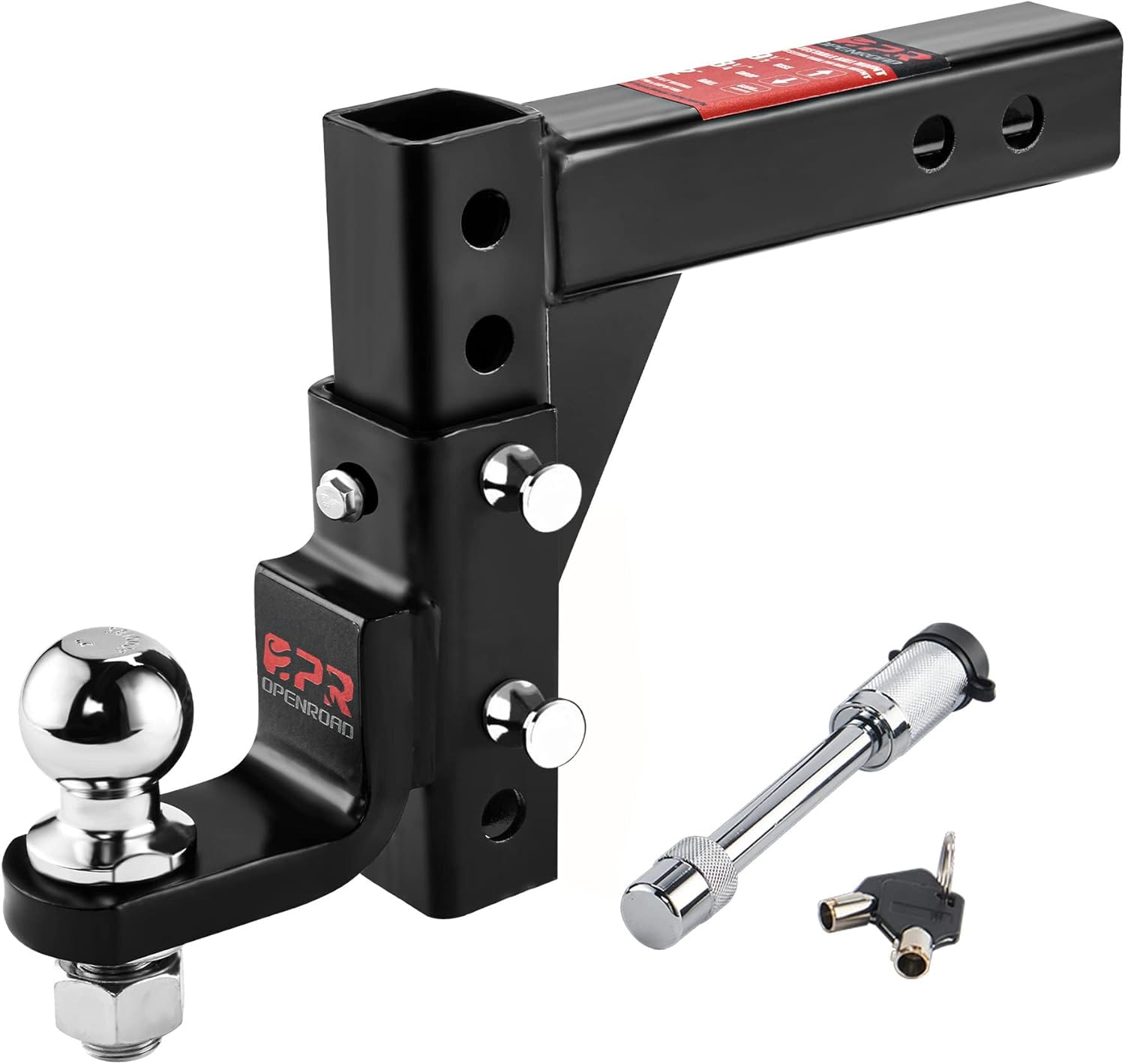
This adjustable trailer hitch ball mount is built for dependable towing with a strong steel construction and a versatile fit for 2-inch receivers. Its adjustable drop and rise settings help you dial in the right towing height, while the lock and keyed anti-theft design add security. A black powder-coated finish helps resist rust and wear for lasting performance on trucks and other towing setups.
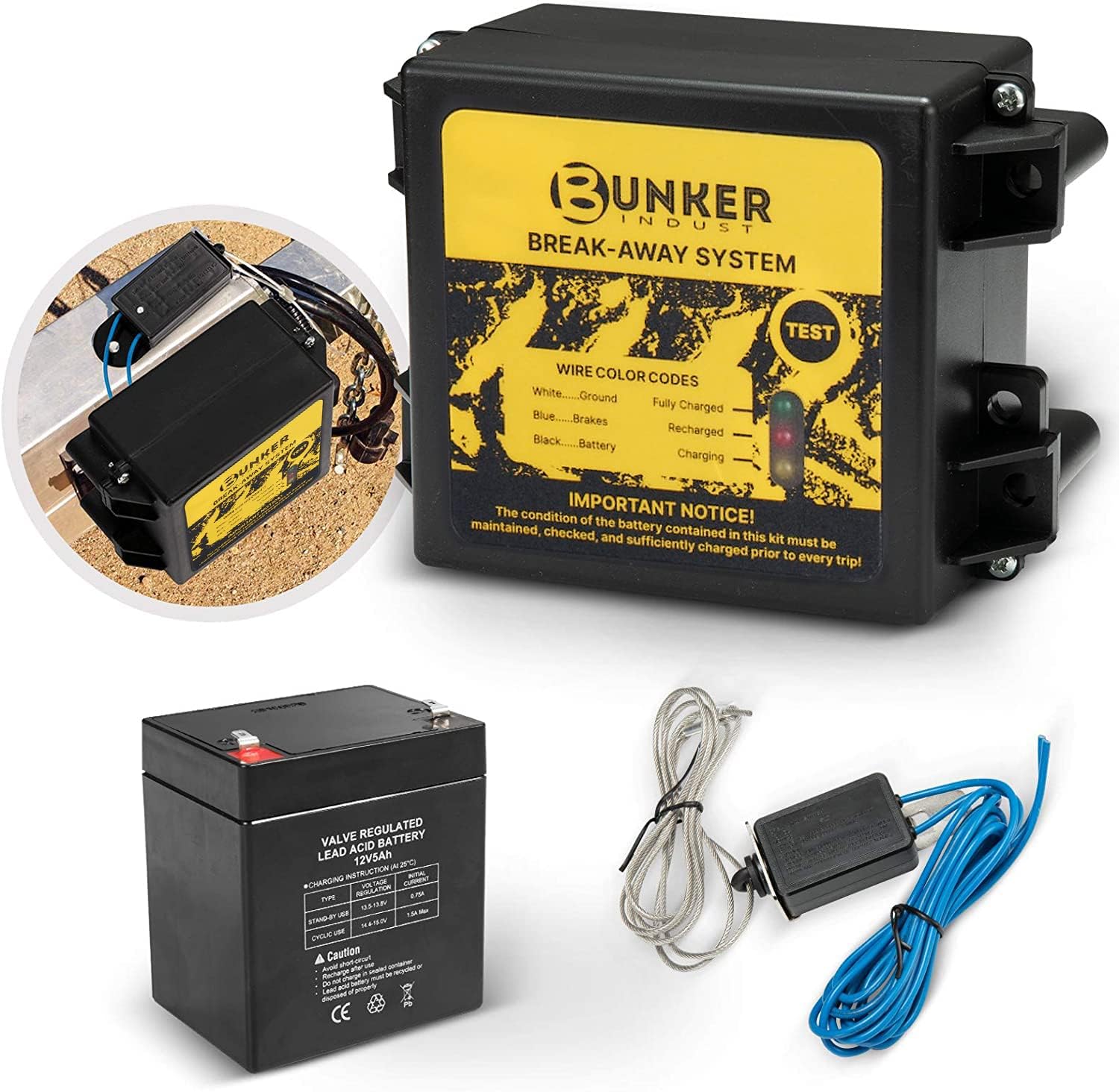
This trailer breakaway kit is designed for trailers with an existing electric brake system, helping activate the brakes if the trailer separates from the tow vehicle. It includes a battery, breakaway switch, and charger with an LED display for easy status checks, making it a practical safety upgrade for caravans and trailers. The side-mount design supports quick installation, while weather and corrosion resistance help it stand up to outdoor use.
Frequently Asked Questions
Which Mode Should I Use at Exactly 5,000 lbs?
Toyota’s 2024 Tundra manual specifies Tow/Haul for trailers under 5,000 lbs and Tow+ for trailers over 5,000 lbs, leaving the exact 5,000-lb mark unassigned. In practice, select Tow/Haul for flat highway towing and switch to Tow+ if navigating mountain grades, fighting heavy headwinds, or carrying a full payload in the truck bed.
Why Did Tow/Haul or Tow+ Turn Off?
The 2024 owner’s manual indicates that towing modes automatically deactivate when the four-wheel-drive system is shifted into 4L, or when an alternate drive mode (Sport, Eco, Comfort) or Multi-Terrain Select (MTS) is engaged. Return to 2WD or 4H to re-enable towing calibrations.
Does Tow+ Increase Towing Capacity?
No. Tow+ only adjusts engine throttle mapping, transmission shift schedules, and electric power steering resistance for heavy loads. It does not increase Towing Weight Rating, GCWR, GVWR, GAWR, payload capacity, hitch rating, or braking capacity.
Does Tow/Haul Set the Trailer Brake Controller?
No automatic gain-setting or brake-type configuration occurs when selecting Tow/Haul or Tow+. You must configure the Integrated Trailer Brake Controller manually in the multi-information display, setting the appropriate brake type and adjusting gain on a test stop.
Can I Use Tow/Haul With Cargo in the Bed?
Yes. Toyota confirms that Tow/Haul and Tow+ can be used when hauling heavy cargo in the truck bed without a trailer attached. It helps manage shift timing and deceleration while remaining within gross payload and rear axle limits.
How Do I Turn Off Tow/Haul or Tow+?
Press the center-console TOW HAUL button once more. The illuminated indicator on the instrument cluster will turn off, returning the powertrain to standard Normal drive mode mapping.
Safety Disclaimer: This technical guide provides general towing information and does not supersede the owner’s manual for your specific Toyota Tundra model, the trailer manufacturer’s guidelines, hitch placard limits, or certified technician instructions. Always adhere to the lowest applicable weight rating in your complete towing setup.
Conclusion
On an equipped 2024 Toyota Tundra, press the TOW HAUL button to engage standard Tow/Haul for trailers under 5,000 lbs, and rotate the Drive Mode Select dial to engage Tow+ for loads exceeding 5,000 lbs. Always verify mode engagement via the cluster indicator, keep gross and axle weights within factory door-jamb placard ratings, maintain tongue weight between 9% and 11%, and set your trailer brake controller manually before departing. If a warning light appears or a towing mode disengages, stop safely in Park to inspect your setup before continuing your trip.
References
- 2024 Toyota Tundra Owner’s Manual, Automatic Transmission — Toyota Motor Sales, U.S.A., Inc., 2024
- 2024 Toyota Tundra Owner’s Manual, Warning Lights and Indicators — Toyota Motor Sales, U.S.A., Inc., 2024
- 2024 Toyota Tundra Quick Reference Guide — Toyota Motor Sales, U.S.A., Inc., 2024
- 2024 Toyota Tundra eBrochure — Toyota Motor Sales, U.S.A., Inc., 2024