Resetting the TPMS on a modern Toyota GR Supra is not the same as resetting older Toyota models with a small under-dash button. For the 2020–2026 GR Supra, start with cold tire pressures, confirm the correct tire size setting, then use Toyota Supra Command on the Control Display to reset or relearn the Tire Pressure Monitor when the car asks for it. This guide covers the correct reset process, sensor compatibility checks, warning-light behavior, and what to do when the system will not register a wheel.
Quick Answer
To reset the TPMS on a 2020–2026 Toyota GR Supra, set all tires to the cold PSI shown on the driver-side tire placard, then go to Toyota Supra Command: My Vehicle > Vehicle Status > Tire/Tyre Pressure Monitor. Select the correct tire settings and start the reset if prompted, then drive until the pressures update.
Key Takeaways
- Most modern GR Supras do not use a hidden under-dash TPMS reset button; the reset is done through the Control Display.
- Always adjust tire pressure when the tires are cold, using the PSI on the vehicle placard or owner’s manual.
- A solid TPMS light usually means low pressure; a flashing light that stays on often points to a system or sensor fault.
- After tire, wheel, or sensor replacement, the system may need a short drive before all four pressures appear.
- If a new sensor will not register, verify the part by VIN, frequency, valve fitment, and programming status before replacing anything else.
At a Glance
| Time Required | 5–15 minutes, plus a short drive if the system needs to relearn sensors |
| Difficulty | Easy for pressure correction; moderate if sensors need programming |
| Tools Needed | Accurate tire pressure gauge, air compressor, Toyota Supra Command menu; TPMS scan/programming tool only for sensor replacement |
| Cost | Free for a basic reset; sensor replacement varies by shop, sensor type, and programming needs |
Before You Start: Check Pressures, Sensors, and Tire Settings
Before you reset anything, confirm the basics. Use an accurate gauge and set each tire to the recommended cold tire pressure shown on the driver-side tire placard or in the Toyota owner’s manual. A cold tire means the car has been parked for at least three hours or has been driven only a short distance at low speed, which matches the tire-pressure guidance from NHTSA.
Next, confirm the system is set for the tire and wheel package currently on the car. This matters if you changed wheel size, fitted winter wheels, installed aftermarket wheels, or swapped sensors. The GR Supra’s Control Display stores tire settings so the system can interpret the mounted tires correctly.
Warning: Do not reset TPMS just to turn off the light without checking the tires. If one tire is repeatedly low, has visible damage, or loses pressure quickly, repair the tire before driving normally.
If sensors were recently replaced, verify the replacement sensor by VIN or OEM part catalog instead of relying only on generic online fitment. The wrong frequency, an unprogrammed universal sensor, a damaged valve stem, or an incorrect sensor body can keep the Supra from displaying pressure even after a proper reset.
How to Reset the Supra TPMS Step by Step
Use this process for most 2020–2026 Toyota GR Supra models with the Toyota Supra Command display. The exact wording may appear as “Tire Pressure Monitor” or “Tyre Pressure Monitor” depending on market and manual language.
- Park safely on level ground and let the tires cool if possible.
- Check all four tires with a tire pressure gauge. Do not rely only on the dashboard reading.
- Inflate or deflate each tire to the cold PSI on the door placard or owner’s manual.
- Turn the vehicle on so the Control Display is active.
- Open Toyota Supra Command and go to My Vehicle > Vehicle Status > Tire/Tyre Pressure Monitor.
- Review the tire settings and choose the correct tire size or tire type if the menu offers that choice.
- Start the reset only if the menu prompts you or if the system does not recognize the tire pressure information after a tire, wheel, or sensor change.
- Drive the car at normal road speeds until the system updates the pressures and the warning clears.
In many cases, the updated tire pressures are applied automatically after you correct the inflation pressure. If a wheel is not found, the Toyota owner’s manual directs you to reset the Tire Pressure Monitor from the vehicle-status menu through Toyota Supra Command.
Pro Tip: Take a photo of the tire placard and your current tire sizes. It makes future seasonal wheel swaps, tire-shop visits, and TPMS troubleshooting much easier.
Find the TPMS Menu and Dashboard Controls
The important control is the Control Display menu, not a physical reset button under the dash. Use the controller or touchscreen, depending on your model year and equipment, to reach the Tire Pressure Monitor screen.
Locate the Tire Pressure Monitor Screen
From the main menu, select My Vehicle, then Vehicle Status, then Tire/Tyre Pressure Monitor. This screen can show pressure status, tire settings, and reset options when a manual reset is available. If your Supra has just been started, the pressure values may be blank until the car is driven and the sensors transmit.
Understand the Dashboard Indicator
The TPMS symbol looks like a tire cross-section with an exclamation point. A solid yellow TPMS light usually means at least one tire is below the stored threshold. A flashing TPMS light that later stays on often points to a system malfunction, such as a missing sensor, dead sensor battery, incompatible sensor, or registration problem.
Federal TPMS rules are designed to warn drivers about significant underinflation. Under FMVSS No. 138, passenger-vehicle TPMS systems must warn of significant low tire pressure, but TPMS is not a substitute for regular pressure checks.
Turn the Vehicle On and Perform the Reset Sequence
With the vehicle stationary and the Control Display active, open the TPMS menu and check whether the system offers a reset. Do not start a reset before correcting the tire pressure. The reset teaches the system the current setup, so storing low or mismatched pressure as the reference point can create more confusion later.
Set Cold Tire Pressure First
Set the tire pressures while the tires are cold whenever possible. NHTSA explains that the manufacturer’s recommended tire pressure is based on cold tires, and the correct pressure is listed on the vehicle placard or in the owner’s manual. The pressure number molded into the tire sidewall is a maximum tire rating, not the Supra’s recommended operating pressure.
Start the Reset from Toyota Supra Command
Once all four tires are set correctly, use Toyota Supra Command to start the reset if needed. If the system displays correct pressures and no warning remains, you may not need to force a reset. If the TPMS screen shows no tire found, a new wheel set, or a mismatch after a tire change, use the reset option in the Tire Pressure Monitor menu and follow the on-screen prompts.
Note: Some older Toyota vehicles use a physical TPMS reset button. The modern GR Supra is different. If you are driving a 2020–2026 GR Supra, look in the Control Display first instead of searching under the steering column.
Drive to Complete TPMS Registration
After a reset, drive the Supra normally so the wheel sensors can wake and transmit pressure data. A short drive is often enough, but the exact time varies with sensor state, road speed, signal quality, and whether new sensors were installed. Avoid aggressive driving while the system is relearning.
If the pressure readings appear and the warning light turns off, the reset succeeded. If the light remains on, stop and recheck tire pressures with a gauge. If pressures are correct but the screen still cannot find one or more tires, move to sensor troubleshooting instead of repeating the same reset over and over.
A TPMS reset is the final step after correcting tire pressure or changing wheel settings. It is not a repair for a leaking tire, broken valve stem, dead sensor battery, or wrong replacement sensor.
Why TPMS Sensors Won’t Wake: How Sensors Power Up
The GR Supra uses wheel-mounted tire pressure sensors. These sensors are battery powered and usually transmit when the vehicle is moving. If the car has been sitting, if new sensors were installed, or if a wheel has just been mounted, pressure readings may not appear immediately.
When sensors will not wake or register, check these items first:
- Sensor battery condition: TPMS sensor batteries are sealed inside the sensor. A weak or dead battery usually means the sensor must be replaced.
- Correct part by VIN: Match the sensor to your specific Supra year, market, and wheel setup.
- Universal sensor programming: Many aftermarket sensors must be programmed before installation.
- Valve stem and seal condition: A leaking seal can trigger the pressure warning even when the sensor works.
- Wheel compatibility: Some aftermarket wheels place the sensor where signal or physical clearance is poor.
If a tire shop installed new sensors and the Supra still cannot detect them, ask the shop to scan each sensor at the valve stem. A TPMS scan tool can confirm sensor ID, battery status, pressure reading, and frequency before the wheel is removed again.
Troubleshooting TPMS Registration Failures and Fixes
If the TPMS warning remains after a reset and a short drive, use a simple process of elimination. Start with tire pressure, then move to wheel settings, then sensor hardware.
| Symptom | Likely Cause | What to Do |
|---|---|---|
| Solid TPMS light | One or more tires are below the stored threshold | Check all four tires cold, inflate to placard PSI, then drive |
| Light comes back after a day | Slow leak, damaged valve stem, puncture, or temperature drop | Inspect tire and valve, check pressure again the next morning |
| Flashing light, then solid | TPMS malfunction or missing sensor signal | Scan sensors and verify IDs, battery status, and compatibility |
| One wheel shows no reading | Dead sensor, wrong sensor, unprogrammed sensor, or signal issue | Have that sensor scanned and replaced or programmed if needed |
| Warning after new wheels | Incorrect tire settings, incompatible sensors, or valve fitment issue | Set the correct tire size in the menu and confirm sensor fitment |
Temperature can also trigger a light without a puncture. The U.S. Tire Manufacturers Association notes that tire pressure can rise or fall by about 1–2 PSI for every 10°F temperature change. That means a cold morning can push a borderline tire below the warning threshold even if it was fine the previous afternoon.
[Products Worth Considering]

This GM TPMS relearn tool helps reset tire sensors, clear warning lights, and match tire positions after rotation quickly at home. Designed for Chevrolet, GMC, Cadillac, and Buick vehicles, it offers one-button operation, fast activation, and broad compatibility with many GM models. It is best suited for OE/OEM sensors and includes paper instructions plus video guidance for easier DIY use.
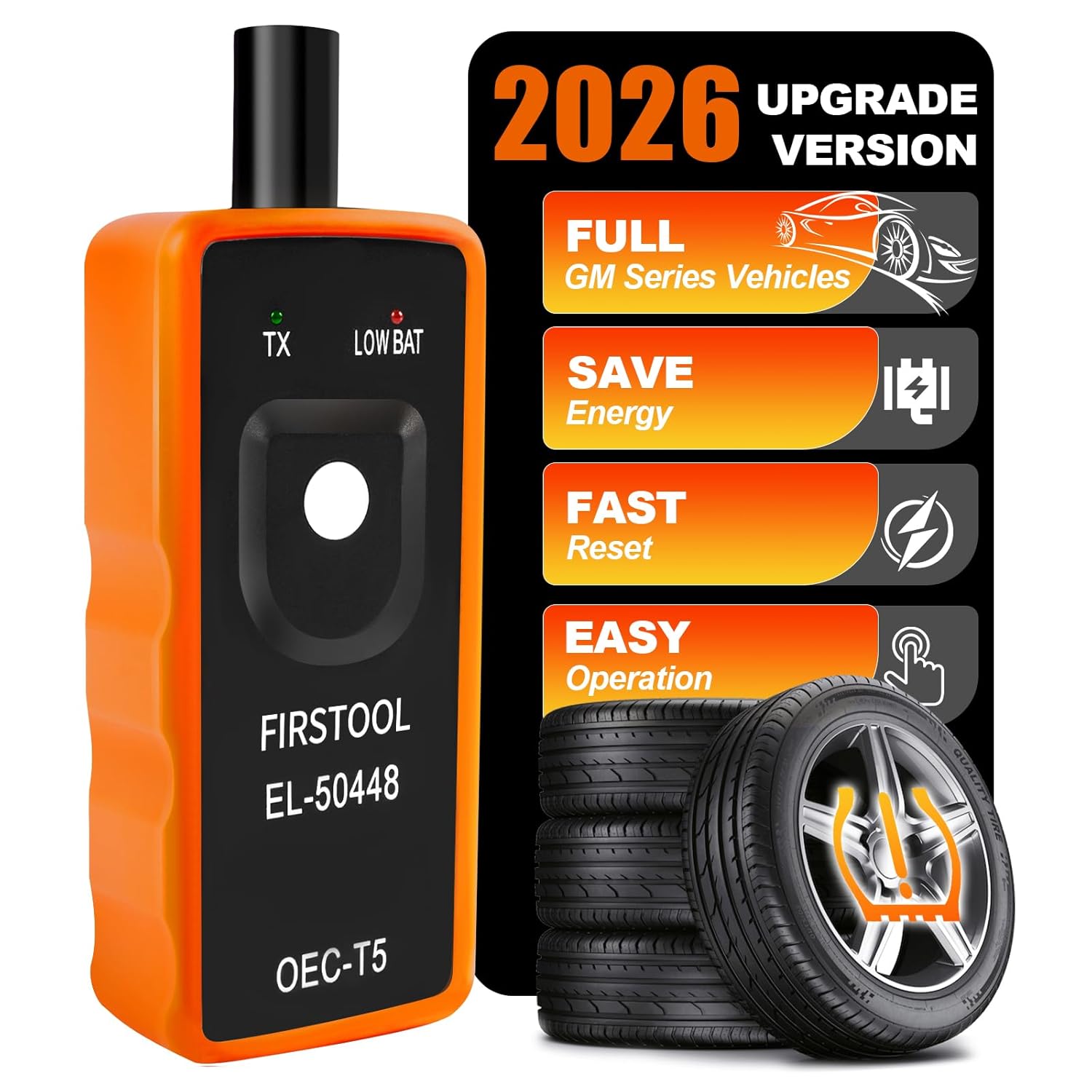
This EL-50448 TPMS relearn tool helps quickly activate and reset tire pressure sensors so your vehicle’s monitoring system stays accurate after tire rotations, sensor replacement, or seasonal tire changes. Designed for many GM-related vehicles and compatible with common 315 and 433 MHz TPMS systems, it offers simple one-button operation and reliable performance for clearing warning lights and relearning sensor positions.

This TPMS sensor training tool is designed for Ford, Lincoln, and Mercury vehicles with compatible tire pressure sensors, helping activate sensors after tire rotations or sensor replacement. It supports relearning and warning light reset workflows with a simple one-button operation, making tire pressure maintenance easier and faster. Built for reliable use and broad vehicle compatibility, it is a practical accessory for TPMS service and sensor activation.
TPMS Sensor Compatibility: Frequencies, Part Numbers, and Fitment
When replacing or programming Supra TPMS sensors, confirm frequency, part number, and physical fit before the tire is mounted. Many registration failures happen because the sensor was assumed to fit based only on a broad year range.
Use this checklist before installation:
- Match the sensor by VIN. The safest choice is an OEM sensor or a quality programmable sensor confirmed for your exact GR Supra.
- Confirm the operating frequency. TPMS frequencies vary by market and sensor family, so verify the exact specification before purchase.
- Program universal sensors first. A blank universal sensor may physically fit but still fail to communicate.
- Check valve type and stem length. The sensor must seal correctly and clear the wheel barrel and brake hardware.
- Use new seals when replacing sensors. Old grommets, nuts, and valve cores can leak after removal.
- Scan before and after mounting. A scan tool can catch a dead or wrong sensor before the tire has to come back off.
Note: Avoid mixing sensor families because two sensors can look similar and still use different protocols. If a listing mentions generic codes or broad compatibility, confirm with the seller, Toyota parts data, or a tire shop before installation.
[Products Worth Considering]

The VXDAS 2-in-1 TPMS relearn tool is designed to activate and reset tire pressure sensors on compatible GM and Ford vehicles with an easy model switch button for quick use. It helps complete TPMS relearning after tire rotation, sensor replacement, or warning light resets, making it a practical tool for drivers and technicians who want a fast, cost-effective solution.
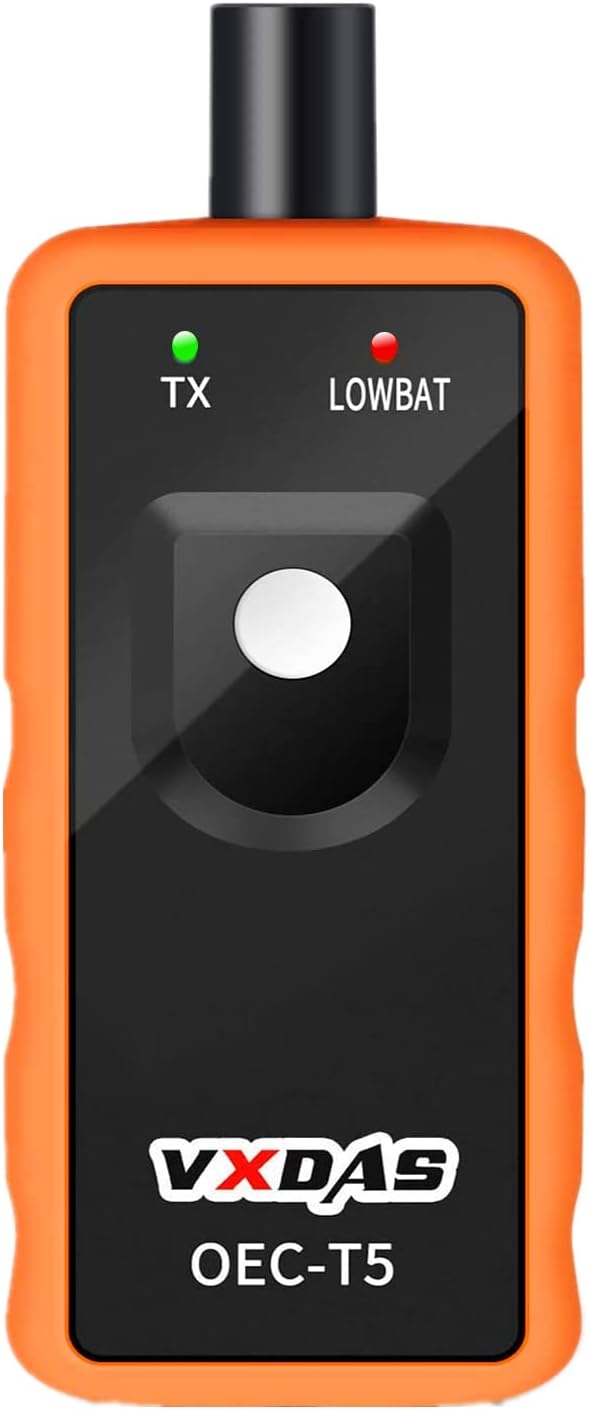
This TPMS relearn tool is designed for many GM vehicles with 315/433 MHz original sensors, helping you reset tire pressure monitoring systems quickly after sensor replacement or tire changes. It offers a simple one-button activation process that can save time and reduce trips to the dealer or tire shop. Built for easy handheld use, it supports safe, accurate TPMS relearn procedures for compatible Chevy, Buick, GMC, Opel, and Cadillac models.
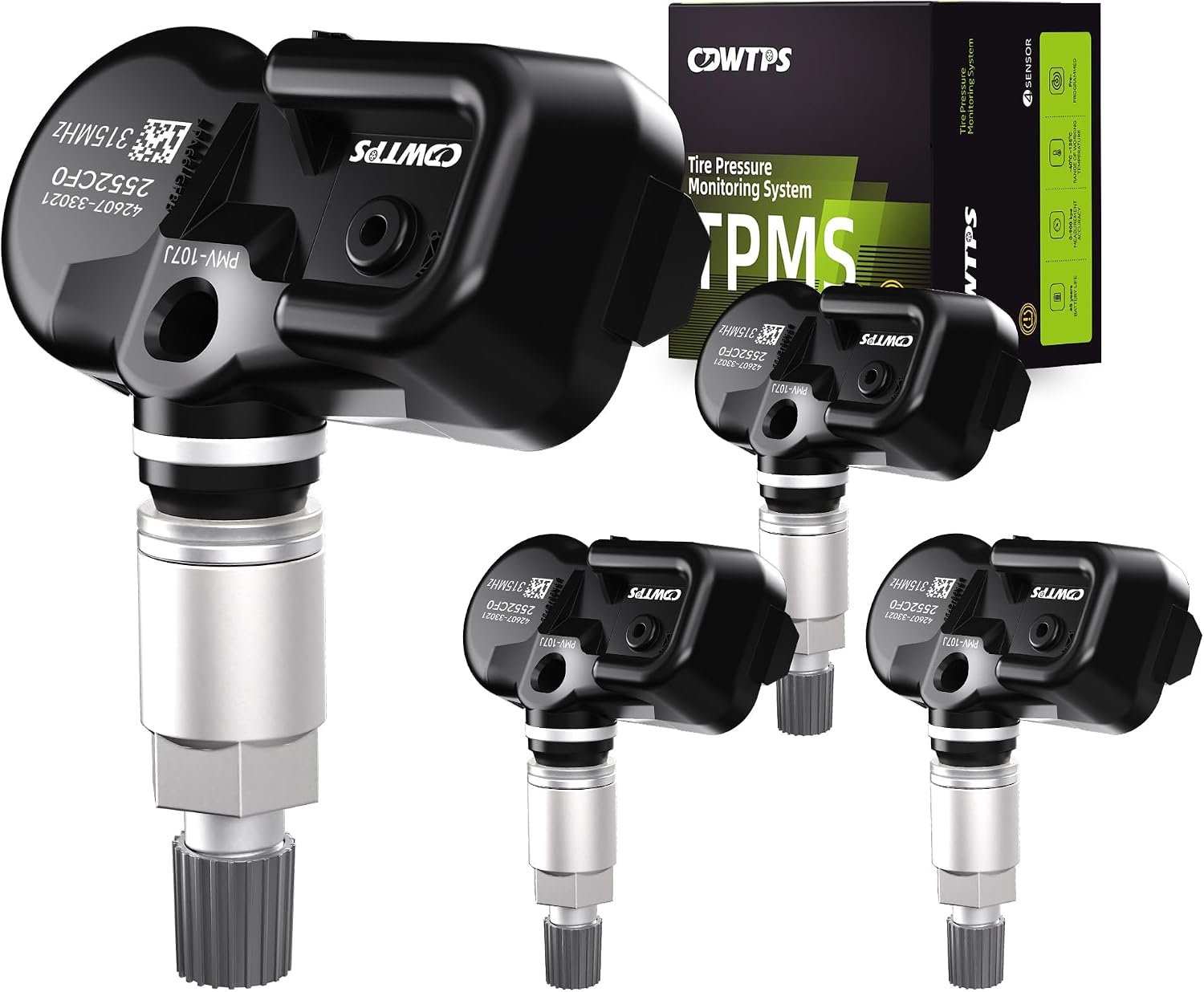
This set of four pre-programmed TPMS sensors is designed as a direct-fit replacement for compatible Toyota, Lexus, and Scion vehicles. It helps restore accurate tire pressure monitoring without sensor programming, and each unit is factory-tested for dependable performance. Built for long service life, these sensors offer a convenient solution for replacing worn or failed tire pressure monitors.
Replace Sensors Yourself or Get Dealer/Tire Shop Help
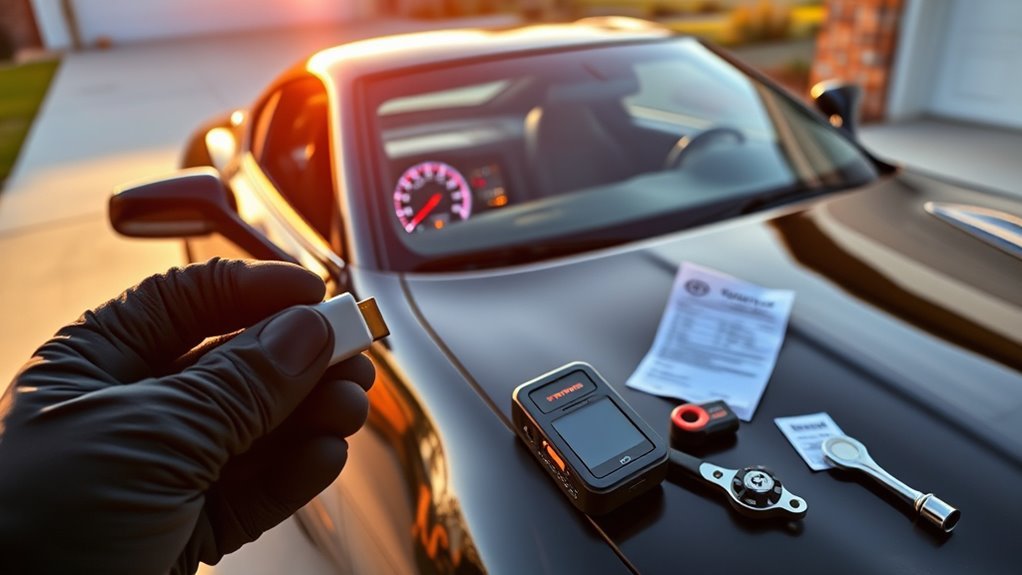
You can handle the basic reset yourself, but sensor replacement is different. Replacing a TPMS sensor usually requires breaking the tire bead, installing the correct valve hardware, torqueing the stem correctly, programming or cloning the sensor if needed, and relearning the system afterward.
DIY makes sense if you already have tire-changing equipment, the correct sensor, and a TPMS programming tool. For most owners, a qualified tire shop or Toyota dealer is the faster and safer option because they can scan the existing sensors, confirm compatibility, and test for leaks before the car leaves the shop.
Get professional help if:
- The TPMS light flashes before staying on.
- One wheel never displays pressure after driving.
- You installed aftermarket wheels or winter wheels.
- A tire loses pressure repeatedly after inflation.
- The Control Display cannot find the mounted tire set.
- You are unsure which sensor frequency or part number your Supra needs.
[Products Worth Considering]

The VXDAS TPA01 is a 2-in-1 TPMS relearn tool and digital tire pressure gauge designed for GM vehicles and other compatible cars. It helps quickly reset tire pressure sensors, check tire pressure accurately, and maintain proper inflation for safer driving. With simple operation, multiple pressure units, and automatic shutoff, it is a practical tool for DIY tire maintenance and sensor activation.

This CARORAV TPMS sensor set provides reliable tire pressure monitoring for a wide range of Toyota and Lexus vehicles with 315MHz compatibility. It is pre-programmed for easier setup, but still requires relearning or reset procedures after installation. Designed for accurate real-time pressure tracking, these sensors help support safer driving and long-lasting performance across many model years.

This TPMS relearn tool helps GM vehicle owners quickly activate and reset tire pressure monitoring sensors after tire changes, sensor replacements, or warning light issues. Designed for many Chevy, Buick, GMC, Cadillac, and Opel models, it works with common sensor frequencies and can save time compared with dealer visits. Its simple one-button operation makes tire sensor relearning fast and easy for everyday maintenance.
Frequently Asked Questions
Can low ambient temperature trigger the TPMS light without a leak?
Yes. Cold weather lowers tire pressure, and a tire that was barely above the threshold can trigger the TPMS light after a temperature drop. Check pressures when the tires are cold and inflate to the placard PSI. If the same tire keeps losing pressure, inspect it for a leak.
Will using a spare tire affect Supra TPMS alerts?
It can. Many GR Supras are equipped with a tire repair kit rather than a traditional spare, and an aftermarket spare may not have a matching TPMS sensor. If the installed spare or temporary wheel has no compatible sensor, the TPMS warning may stay on until the original wheel or a properly equipped replacement is installed.
Can aftermarket wheels prevent TPMS sensor communication?
Yes. Aftermarket wheels can create fitment, valve-stem, sensor-angle, or clearance problems. The sensor may also be the wrong frequency or may not be programmed. Before mounting aftermarket wheels, confirm the sensor part number, valve type, stem length, and whether the sensor needs programming.
Does a TPMS reset erase tire pressure history or fault codes?
A normal TPMS reset updates the tire pressure monitor’s current reference or tire settings. It does not repair a bad sensor, stop a leak, or necessarily erase diagnostic fault information stored in the vehicle. Persistent faults may require a scan tool and repair.
Are TPMS sensors covered under Toyota’s warranty?
They may be covered if the failure is due to a defect in materials or workmanship during the applicable warranty period. Damage from tire service, corrosion, impact, aftermarket parts, or normal battery end-of-life may not be covered. Check your Toyota warranty guide or ask a Toyota dealer to verify coverage for your VIN.
Why does my Supra show no tire pressure after I just started driving?
The wheel sensors may need motion before they transmit. Drive normally for several minutes and recheck the Tire Pressure Monitor screen. If one tire still shows no reading while the others update, scan that sensor for battery, ID, and signal status.
Should I reset TPMS after every tire rotation?
Not always. If the same sensors remain installed and the system displays pressures correctly, a reset may not be necessary. Reset or update tire settings after changing tire size, changing wheel sets, replacing sensors, or when the Control Display cannot identify the current tire setup.
Conclusion
To reset the TPMS on a modern Toyota GR Supra, start with the tires, not the menu. Set all four tires to the correct cold pressure, confirm the tire size setting, then use Toyota Supra Command under My Vehicle > Vehicle Status > Tire/Tyre Pressure Monitor if a reset is needed. After that, drive until the sensors update. If the light stays on, stop repeating the reset and troubleshoot the real cause: low pressure, a slow leak, wrong tire settings, sensor battery failure, or incompatible replacement sensors.
Sources
- Toyota Owners Manuals & Warranties — official source for model-specific owner’s manuals and warranty guides.
- Toyota 2026 Supra Interactive Manual — official Toyota Supra manual hub for vehicle operation and menu references.
- NHTSA Tire Safety — cold tire pressure guidance, tire placard guidance, and tire safety basics.
- 49 CFR § 571.138, Tire Pressure Monitoring Systems — U.S. federal TPMS performance requirements.
- U.S. Tire Manufacturers Association Tire Care Essentials — monthly pressure checks and temperature-related PSI changes.