Last reviewed: September 16, 2026
For a MkV Toyota GR Supra, reset the oil service reminder only after the engine oil and filter have been changed. With the engine off and your foot off the brake, press the Start/Stop button three times quickly to enter Diagnostic Mode. Then hold the trip/0.0 button until the service menu appears, short-press to Engine Oil, and long-press to select and confirm the reset. If the cluster says Reset impossible, do not keep forcing the sequence; use a compatible service-reset tool or qualified diagnostic equipment instead.
Quick Answer
To reset the Toyota Supra oil reminder on a MkV/A90-A91-generation car, leave the engine off and keep your foot off the brake. Press Start/Stop three times quickly to enter Diagnostic Mode, hold the trip/0.0 button until the service menu appears, short-press to Engine Oil, then press and hold to select and confirm the reset. Reset the reminder only after the oil and filter service is complete.
Key Takeaways
- Reset the oil reminder only after a real oil and filter change.
- On the MkV Supra, enter Diagnostic Mode before opening the cluster service-reset menu.
- Use short trip-button presses to move through service items and a long press to select or confirm.
- If the cluster shows “Reset impossible,” stop repeating the sequence and use a compatible service-reset tool or qualified technician.
- A maintenance reminder is not the same as an oil-pressure or engine-fault warning.
Reset Toyota Supra Oil Reminder: Step by Step

This procedure is intended for the modern MkV Toyota GR Supra. Toyota’s maintenance documentation says the maintenance reminder should be reset when the engine oil has been changed. The DIY cluster sequence below is also consistently documented in MkV owner walkthroughs.
- Finish the oil service first. Change the engine oil and filter according to the requirements for your exact model year, engine, market, and driving conditions. For interval details, see the Supra maintenance schedule.
- Leave the engine off. Park securely, apply the parking brake, and keep your foot off the brake pedal so the engine does not start.
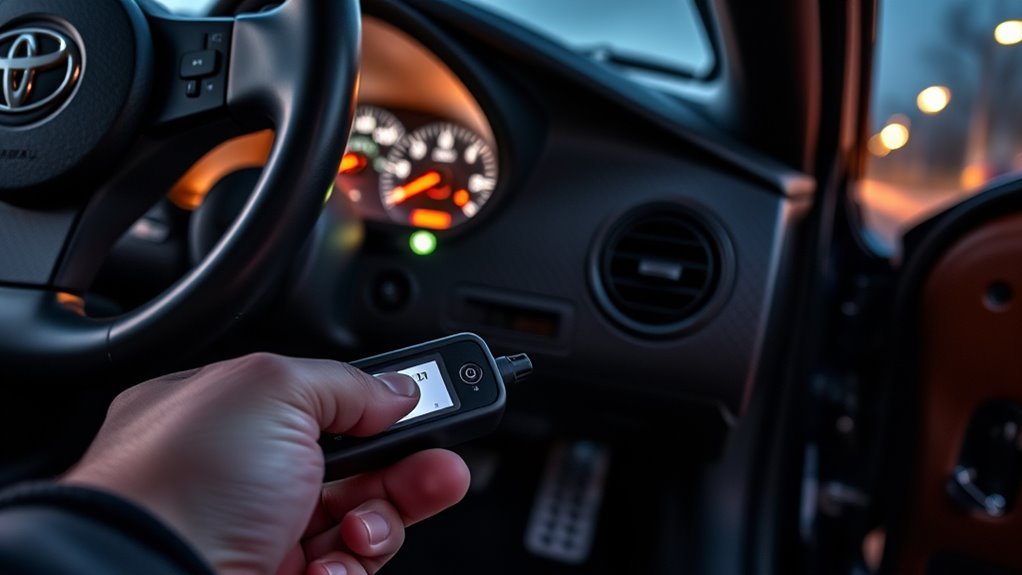
- Enter Diagnostic Mode. Press the Start/Stop button three times quickly. The instrument cluster should indicate that Diagnostic Mode is active.
- Open the service-reset menu. Press and hold the trip/0.0 reset button on the instrument cluster until the service menu appears.
- Select Engine Oil. Use short presses of the trip/0.0 button to move through the available service items until the engine-oil service item appears.
- Start the reset. When the display offers the oil reset and indicates that a reset is possible, press and hold the trip/0.0 button until the confirmation prompt appears. Release it, then press and hold again to confirm.
- Verify the result. Wait for the cluster to report that the reset was successful. Switch the vehicle off, turn it back on, and check the service information to confirm that the oil service is no longer shown as overdue.
Button labels and display wording can vary slightly by market or software revision, but the key sequence is Diagnostic Mode first, followed by the trip/0.0-button service menu.
Before You Begin: What You Need
You do not need a scan tool for a normal cluster reset when the vehicle allows the manual procedure. Before starting, have the following information available:
- Your Supra owner’s manual or model-year maintenance guide
- The current odometer reading and oil-change date
- A record of the oil and filter change
- A compatible OBD-II adapter and service-reset app only if the manual cluster reset is refused
The Toyota Supra Command vehicle-status screen can show service requirements, but viewing a service item is not the same as resetting it. Toyota’s owner documentation lists service information under My Vehicle > Vehicle status > Service required. The DIY reset itself is performed through the instrument-cluster diagnostic/service-reset mode described above.
[Products Worth Considering]

ECOGARD X5608 is a premium cartridge oil filter designed for a wide range of Toyota, Lexus, and Scion vehicles. It helps protect your engine by screening out harmful contaminants and is built for use with both synthetic and conventional oils. Included O-rings support a proper housing seal for dependable maintenance between oil changes.

FOCUSFILTER 04152-YZZA1 OEM grade oil filter is designed to help protect your engine with reliable filtration and 10K mile protection. It cross references multiple OE part numbers and fits a wide range of Toyota and Lexus applications, making it a practical replacement for routine maintenance. Built for compatible vehicles including Camry, Avalon, Highlander, Tacoma, RAV4, Sienna, ES 350, and RX 350.

This 12-pack oil filter and drain plug washer set is designed for a wide range of Toyota and Scion vehicles, helping support clean oil flow and dependable engine performance. It replaces several common OE part numbers and offers an easy-fit solution for routine maintenance. Built with corrosion-resistant materials and efficient filtration, it helps keep engine contaminants out and supports longer service life.
Which Toyota Supra Models and Years Use This Reset
This guide is focused on the modern MkV Toyota GR Supra that uses the instrument-cluster diagnostic/service-reset system. In the U.S., that covers the current GR Supra generation beginning with the 2020 model year.
Do not assume this procedure applies to A70/Mk3 or A80/Mk4 Supras. Those generations use different instruments and service systems, and this article does not provide an unverified reset sequence for them. Use the owner or service documentation for the exact older model and market instead.
Toyota also publishes more than one owner-manual revision for some recent model years, so checking the documentation associated with your exact car remains the safest reference if the display wording differs.
When to Reset the Oil Reminder: And When Not To
Reset the maintenance reminder after the oil and filter service is complete. Toyota’s Supra maintenance documentation specifically instructs owners to reset the maintenance reminder when the oil has been changed.
Do not reset the reminder merely to silence an overdue-service message. Doing that disconnects the displayed service interval from the maintenance actually performed.
Also stop the reset process if the vehicle is showing a separate engine warning, oil-pressure warning, or another fault message. A scheduled oil-service reminder is not a repair for an active mechanical or electrical warning.
Warning: Do not treat an oil-pressure or engine-fault warning as an oil-service reminder. If a genuine warning remains after the maintenance reset, follow the warning instructions in your owner’s manual and diagnose the underlying condition.
Alternative Reset: What If the Cluster Says “Reset Impossible”?

If the service menu opens but the oil item displays Reset impossible, repeating the same button presses usually does not solve the problem. The cluster is refusing the manual reset at that time.
First, confirm that the oil and filter service was actually completed and that you entered Diagnostic Mode with the engine off. Then cycle through the service items again and verify that you selected Engine Oil rather than another inspection item.
If the cluster still refuses the reset, do not manipulate the vehicle date, repeatedly cycle the ignition, or borrow reset sequences from unrelated Toyota or BMW models. Owner reports show that a compatible diagnostic application can reset service items when the instrument-cluster procedure will not. The exact circumstances that cause “Reset impossible” can vary, so this guide does not invent a universal mileage or time threshold.
Using Third-Party Apps and Tools: What Works for Supra
BimmerLink currently lists the Toyota Supra 2019+ among its supported vehicles, and the app includes service-reset functions. You need a supported OBD-II adapter and the current app version.
Before buying an adapter, confirm it appears on the vendor’s current compatibility information. App features and supported adapters can change, so use the current vendor documentation rather than an old forum shopping list.
A diagnostic app is most useful when the normal cluster method reports Reset impossible or when you also need to read genuine diagnostic faults. Do not clear unrelated fault codes simply because an oil-service reminder is present.
[Products Worth Considering]

This upgraded aluminum oil filter housing cap is designed as a direct replacement for compatible Toyota and Lexus models, helping restore a secure, reliable seal for the oil filter housing. Built from durable aluminum, it offers improved strength and heat resistance over factory plastic covers, while the included gasket and plug support straightforward installation and dependable leak-free performance.

NOTE: This device requires a compatible third-party app to operate and is primarily designed for standard OBD-II diagnostics (excluding ABS/SRS, oil light or service reset, etc.). Please check the product description for compatible apps and supported functions.
BimmerLink Reset Steps
Connect a BimmerLink-supported OBD-II adapter to the diagnostic port, pair it with your phone as directed by the adapter manufacturer, and open BimmerLink. Confirm that the app identifies the Supra before changing any service data.
Open the app’s service-reset function, select the engine-oil service item, review the displayed service information, and perform the reset only after the oil service has been completed. Menu names can change between app versions, so follow the current prompts shown in the app.
After the reset, switch the vehicle off and back on, then check the service information in the car to confirm that the new interval was stored.
Do You Need a Brake-Pedal Reset Trick?
For the MkV cluster procedure described in this guide, the important brake-pedal instruction is to keep your foot off the brake while pressing Start/Stop three times. That allows the ignition electronics to enter Diagnostic Mode without starting the engine.
This audit did not find a Toyota-published reason to use a separate accelerator- or brake-pedal oil-reset sequence on the MkV Supra. Avoid mixing procedures written for different Toyota models or older BMW platforms with the Supra procedure above.
When to Use a Dealer or Specialist Diagnostic Tool
A Toyota dealer or qualified independent specialist is the appropriate next step if the cluster refuses the reset, a compatible app cannot complete it, or the vehicle is displaying a separate fault or warning that requires diagnosis.
A routine engine-oil service reset does not require an ECU flash. Reprogramming vehicle software is a separate procedure and should not be used as a shortcut for clearing an ordinary maintenance interval.
If another warning remains after the oil-service reminder is reset, have that warning diagnosed on its own merits rather than repeatedly resetting the maintenance system.
[Products Worth Considering]

[Easy to Use—Work Out of the Box] + [FOXWELL 2026 New Version] FOXWELL NT604 Elite scan tool is the 2026 new version from FOXWELL, designed for car owners who want to figure out the cause of issues before fixing car problems by scanning common systems like ABS, SRS, engine, and transmission. The NT604 Elite obd2 scanner diagnostic tool comes with the latest software—no need to waste time downloading software first. Plug the scanner into the OBDII port with OBDII cable to start the diagnosis.

CEL Doctor: The ANCEL AD310 is one of the best-selling OBD II scanners on the market and is recommended by Scotty Kilmer, a YouTuber and auto mechanic. It can easily determine the cause of the check engine light coming on. After repairing the vehicle's problems, it can quickly read and clear diagnostic trouble codes of emission system, read live data & hard memory data, view freeze frame, I/M monitor readiness and collect vehicle information
Troubleshooting: Reminder Won’t Reset or Returns Quickly
Start by identifying exactly what the cluster is telling you. A service menu that never appears, a message that says “Reset impossible,” an overdue service item after an apparently successful reset, and a separate engine warning are four different problems.
| What You See | What to Check | Next Step |
|---|---|---|
| Diagnostic/service menu never appears | Engine should remain off; foot should be off the brake; use three quick Start/Stop presses before holding the trip/0.0 button | Repeat the entry sequence once carefully |
| Engine Oil item appears but says “Reset impossible” | Confirm the oil service is complete and that the correct service item is selected | Use a compatible service-reset app or qualified diagnostic tool if the cluster still refuses the reset |
| Display says reset successful but still shows an overdue oil service | Cycle the ignition and recheck the stored service information | Use a diagnostic tool or technician if the overdue state remains |
| A separate oil-pressure, check-engine, or other fault warning remains | Treat it as a separate warning, not a maintenance-reset problem | Follow the owner’s manual warning instructions and diagnose the underlying fault |
Check Reset Procedure
The ignition state and button sequence matter. Use this abbreviated check before moving to a scan tool:
| Step | Action | Expected Result |
|---|---|---|
| 1 | Engine off, foot off brake; press Start/Stop three times quickly | Diagnostic Mode becomes active |
| 2 | Hold trip/0.0 button | Service-reset menu appears |
| 3 | Short-press to Engine Oil | Oil service item appears |
| 4 | Long-press the trip/0.0 button | Reset confirmation appears when reset is allowed |
| 5 | Long-press again to confirm | Reset-successful message appears |
If the display says the reset is impossible, the correct next step is not endless button cycling. Move to a compatible service-reset tool or professional diagnostic equipment.
Verify Tool Compatibility
When a diagnostic app cannot complete the reset, confirm that the app, adapter, phone connection, and current software version all support the vehicle.
BimmerLink’s current supported-vehicle list includes Toyota Supra 2019+, but you should still use an adapter listed by the vendor and follow its current connection instructions.
If the tool communicates with the vehicle but cannot write the service reset, stop before changing unrelated settings. A qualified technician can determine whether the problem is the service state, the tool, or a separate vehicle issue.
Separate a Service Reminder From a Real Fault
A maintenance reminder by itself does not prove that the Supra has a failed oil sensor, wiring fault, ECU problem, or low oil pressure. It primarily tells you that a scheduled service item is due or overdue.
- Confirm that the engine oil and filter service was completed correctly.
- Check the service display and determine whether the problem is a refused reset or a separate warning message.
- If a genuine engine, oil-pressure, oil-level, or other fault warning is present, diagnose that warning before clearing fault codes.
Record diagnostic codes before clearing them. Clearing a code before diagnosing its cause can remove information that helps identify an actual fault.
Post-Reset Checklist and Oil Change Best Practices
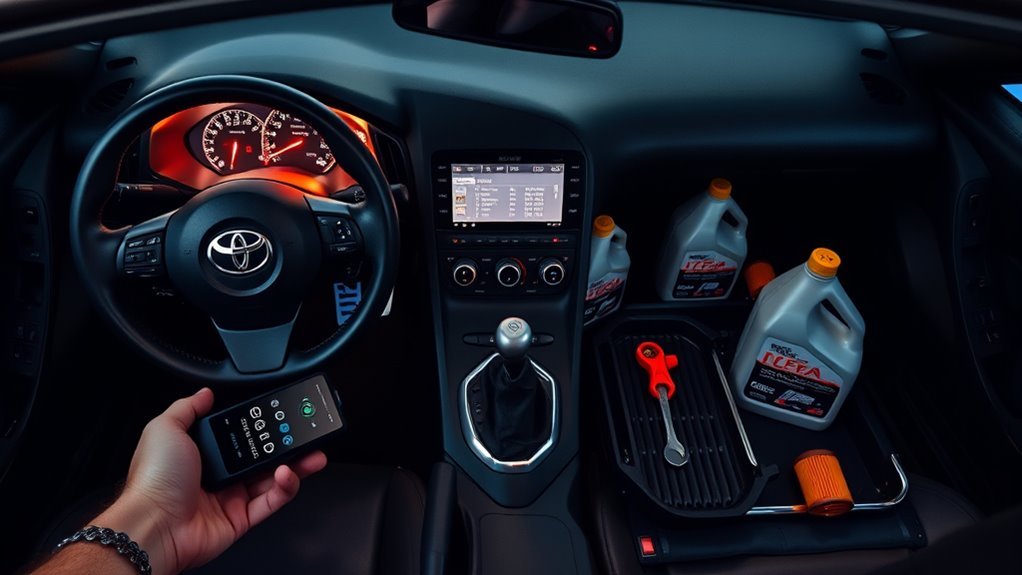
After the reset, confirm the service display shows a future oil-service interval rather than an overdue item. Then verify the engine-oil level using the vehicle’s electronic oil-level function under the conditions specified in the owner’s manual.
Inspect the oil-filter housing, drain area, and the ground under the car for signs of leakage. Record the date, odometer reading, oil specification, and filter used so the next service can be matched to a real maintenance record.
| Task | When | Target |
|---|---|---|
| Verify service display | Immediately after reset | Future service interval shown |
| Check engine-oil level | After service, using the owner-manual procedure | Electronic oil-level reading within the specified range |
| Inspect for leaks | After the oil change | No leakage around serviced components |
| Log service details | Each oil change | Date, mileage, oil specification, and filter |
For model-year-specific oil-change intervals and severe-use guidance, use the Toyota Supra maintenance schedule rather than applying a generic interval to every Supra.
Common Mistakes to Avoid
Most reset problems come from procedure or service-state issues rather than a major electronic failure. Avoid these common mistakes:
- Resetting the reminder before completing the oil and filter change
- Starting the engine instead of entering Diagnostic Mode with your foot off the brake
- Using a reset sequence intended for another Toyota, BMW, or older Supra generation
- Repeatedly forcing the sequence after the cluster displays “Reset impossible”
- Treating an oil-pressure or engine warning as if it were only a service reminder
- Clearing diagnostic codes before recording and diagnosing them
For broader preventive-service guidance, see Supra maintenance items that help prevent costly repairs.
Sources and Verification Notes
- Toyota 2026 Supra manuals and warranties — official model-year owner and maintenance documentation.
- Toyota Supra Warranty & Maintenance Guide — official maintenance guidance, including resetting the maintenance reminder after an oil change.
- BimmerLink — current supported-vehicle information and service-reset functionality.
- SupraMKV service-reset discussion — community source documenting the MkV diagnostic-mode and trip-button reset sequence.
Source note: Toyota’s official documentation is the authority for maintenance requirements and the vehicle’s displayed service information. The DIY instrument-cluster button sequence is corroborated by MkV owner and tutorial sources; if your exact vehicle does not respond as described, use its model-year documentation or qualified diagnostic equipment rather than forcing the sequence.
Frequently Asked Questions
How Do I Reset the Oil Service Reminder?
With the engine off and your foot off the brake, press Start/Stop three times quickly to enter Diagnostic Mode. Hold the trip/0.0 button until the service menu appears, short-press to Engine Oil, then press and hold to select and confirm the reset. Reset it only after the oil and filter have been changed.
How Do You Reset the Vehicle Check on a Supra?
Enter the same instrument-cluster Diagnostic Mode, hold the trip/0.0 button to open the service menu, and short-press through the available service items until Vehicle Check appears. Reset that item only after the required inspection or service has been completed.
Can I Reset a Supra Oil Reminder Without a Scan Tool?
Yes. MkV Supra models normally provide an instrument-cluster service-reset menu that can be entered through Diagnostic Mode. A compatible service-reset tool becomes useful when the cluster refuses the reset or displays “Reset impossible.”
Why Does My Supra Oil Reminder Come Back After Reset?
First confirm whether the display still shows the oil service as overdue or is merely showing a future service date or mileage. If the oil service remains overdue after a successful-reset message and an ignition cycle, use a compatible diagnostic tool or qualified technician to check the stored service state.
What Does “Reset Impossible” Mean on a Supra?
It means the instrument cluster is not accepting the manual service reset at that time. Do not invent a mileage threshold or manipulate the vehicle date to force it. Confirm the oil service is complete, then use a compatible service-reset app or qualified diagnostic equipment if the cluster continues to refuse the reset.
Can BimmerLink Reset a Supra Oil Service?
BimmerLink currently lists Toyota Supra 2019+ among its supported vehicles and includes service-reset functionality. Use a supported OBD-II adapter, verify the vehicle connection, and reset the engine-oil service only after the maintenance is complete.
Is an Oil Service Reminder the Same as an Oil-Pressure Warning?
No. An oil-service reminder tracks scheduled maintenance, while an oil-pressure or other engine warning can indicate a condition that requires diagnosis. Do not try to solve a genuine warning by repeatedly resetting the service interval.
Should I Reset the Reminder Before Changing the Oil?
No. Reset the reminder only after completing the oil and filter change. Resetting it early makes the displayed service interval no longer match the maintenance actually performed.
Conclusion
For a MkV Toyota GR Supra, the key is entering Diagnostic Mode before opening the instrument-cluster service menu: engine off, foot off the brake, three quick Start/Stop presses, then use the trip/0.0 button to reach and confirm the Engine Oil reset. If the cluster says “Reset impossible,” stop repeating the sequence and move to a compatible service-reset tool or qualified technician. Finally, verify the new service interval, check the electronic oil-level reading as directed by the owner’s manual, inspect for leaks, and record the service date and mileage.