If your Toyota Tundra tire pressure light is on, start with the tires—not the reset button. A TPMS reset only works correctly after every tire is set to the cold pressure listed on the driver’s door-jamb placard or in the owner’s manual. Once pressure and tire condition are confirmed, use the reset-button method on many 2007–2021 Tundras or the TPWS menu on 2022–2025 models.
Quick Answer
To reset a Toyota Tundra TPMS light, inflate all tires to the recommended cold PSI, inspect for damage, then initialize TPMS. Many 2007–2021 Tundras use the under-dash SET/reset button until the light blinks three times. For 2022–2025 models, use Gear > Vehicle Settings > TPWS > Set Pressure.
Key Takeaways
- Always set tire pressure cold using the driver’s door-jamb placard or owner’s manual, not the maximum PSI printed on the tire sidewall.
- A steady TPMS light usually points to low pressure or a pressure baseline issue; a blinking light at startup often points to a TPMS malfunction.
- A reset stores the current pressure baseline; it does not fix leaks, damaged tires, dead sensors, or unregistered replacement sensors.
- If new wheels or sensors were installed, you may need sensor registration with a TPMS scan tool or a Toyota dealer.
At a Glance
| Time Required | 10–30 minutes, depending on model year and whether the system needs a short drive |
| Difficulty | Easy DIY if the tires and sensors are healthy |
| Tools Needed | Accurate tire pressure gauge, air compressor or inflator, owner’s manual or door placard |
| Cost | $0 if you already have air and a gauge; shop cost applies if sensors need diagnosis or registration |
Quick Fix: Reset the TPMS Light on a Tundra
Use this fast sequence before choosing the model-year reset method:
- Park the Tundra on level ground and let the tires cool for at least three hours if possible.
- Find the correct cold tire pressure on the driver’s door-jamb placard or in the owner’s manual.
- Check all four tires with a reliable gauge. If your Tundra monitors the spare, check it too.
- Inflate or deflate each tire to the correct cold PSI.
- Inspect for nails, cuts, sidewall bulges, cracked valve stems, or obvious leaks.
- Run the reset procedure for your model year.
- Drive normally and recheck the dash. If the light returns, troubleshoot the cause instead of repeating the reset.
Warning: Do not reset TPMS just to turn off the light. If a tire is underinflated, leaking, or damaged, resetting the system can hide a real safety problem until the warning returns.
Check Tire Pressure Cold: Use the Correct PSI for Your Tundra
The correct Toyota Tundra tire pressure is the recommended pressure listed by Toyota for your vehicle, usually on the driver’s side door post or in the owner’s manual. Do not use a generic PSI range and do not use the maximum pressure molded into the tire sidewall.
For the most accurate reading, check pressure when the tires are cold. NHTSA tire safety guidance explains that cold pressure means the vehicle has not been driven for at least three hours, or you are compensating for the extra pressure in warm tires.
| What to Check | Why It Matters | What to Do |
|---|---|---|
| Cold PSI | TPMS baseline depends on accurate pressure. | Match the door-jamb placard. |
| Tire damage | Leaks can make the light return after reset. | Inspect tread, sidewalls, and valve stems. |
| Spare tire | Some systems monitor it or expect a registered sensor. | Check pressure and sensor fitment if applicable. |
Pro Tip: Record each tire’s PSI before and after inflation. If the same tire drops again within days, you likely have a slow leak rather than a reset problem.
[Products Worth Considering]

This EL-50448 TPMS relearn tool helps quickly activate and reset tire pressure sensors so your vehicle’s monitoring system stays accurate after tire rotations, sensor replacement, or seasonal tire changes. Designed for many GM-related vehicles and compatible with common 315 and 433 MHz TPMS systems, it offers simple one-button operation and reliable performance for clearing warning lights and relearning sensor positions.

This TPMS sensor training tool is designed for Ford, Lincoln, and Mercury vehicles with compatible tire pressure sensors, helping activate sensors after tire rotations or sensor replacement. It supports relearning and warning light reset workflows with a simple one-button operation, making tire pressure maintenance easier and faster. Built for reliable use and broad vehicle compatibility, it is a practical accessory for TPMS service and sensor activation.

This GM TPMS relearn tool helps reset tire sensors, clear warning lights, and match tire positions after rotation quickly at home. Designed for Chevrolet, GMC, Cadillac, and Buick vehicles, it offers one-button operation, fast activation, and broad compatibility with many GM models. It is best suited for OE/OEM sensors and includes paper instructions plus video guidance for easier DIY use.
Reset 2007–2021 Tundra TPMS: Button Method
Many 2007–2021 U.S.-market Tundras use a physical tire pressure reset switch. Some early 2006 or market-specific trucks may differ, so use the owner’s manual as the final authority for your exact vehicle.
- Set all tires to the recommended cold pressure.
- Park on level ground and apply the parking brake.
- Turn the ignition or engine switch to ON/RUN. Do not use ACC if your manual requires ON.
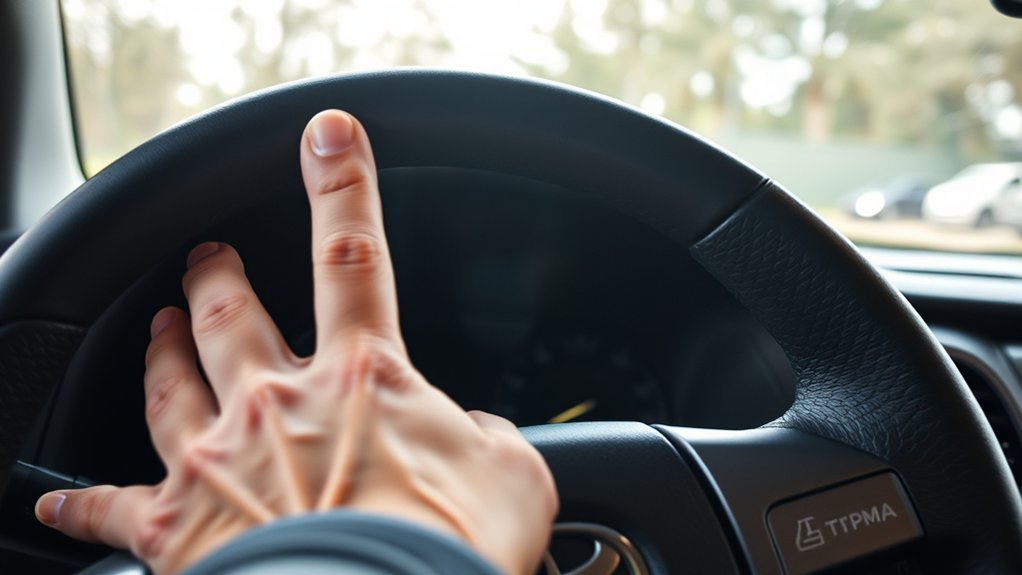
- Locate the tire pressure reset switch, commonly low on the instrument panel near the steering column.
- Press and hold the reset switch until the tire pressure warning light blinks slowly three times.
- Release the switch and wait several minutes while the system stores the pressure baseline.
- Turn the vehicle off, restart it, and confirm the light stays off after normal driving.
Toyota’s TPMS support guidance says to correct tire pressures first, then hold the reset button until the TPMS indicator blinks slowly three times. If the light blinks when you start the vehicle and then stays on, have the system inspected because a sensor or receiver fault may be present.
Note: A reset-button procedure sets the system’s pressure baseline. It does not register a new sensor ID after a wheel, sensor, or ECU-related repair.
Reset 2022–2025 Tundra TPMS: Menu Method

Third-generation Tundra models use the multi-information display settings instead of the older under-dash reset button. Toyota’s 2024 Tundra owner information describes the tire pressure warning system and its normal and emergency warning behavior, including warnings from natural air leakage or outside temperature changes.
Prepare Tire Pressures
Before using the menu, set all tires to the correct cold PSI. Let the pressure stabilize for a few minutes after adding air, then recheck. This avoids teaching the truck a bad pressure baseline.
Access Vehicle Settings
Use the steering wheel controls and multi-information display:
| Step | Menu Path | Action |
|---|---|---|
| 1 | Gear tab > Vehicle Settings | Open the settings menu |
| 2 | Vehicle Settings > TPWS | Select tire pressure warning settings |
| 3 | TPWS > Set Pressure | Highlight the pressure setting option |
| 4 | Set Pressure > OK | Press and hold OK until the system accepts the setting |
Hold TPWS Reset
Hold the OK button until the display confirms the pressure setting or the warning light behavior changes. Then drive normally so the system can confirm stable sensor readings. If the pressure display shows dashes or one wheel never reports, you may have a sensor communication or registration problem.
Set Pressure vs. Sensor Registration
Set Pressure tells the Tundra, “Use the current tire pressures as the normal baseline.” It is the right choice after routine inflation, seasonal pressure changes, and some tire rotations.
Sensor registration tells the truck, “Recognize these TPMS sensor IDs.” You may need registration when you install new TPMS sensors, aftermarket wheels with different sensors, a second wheel set, or a replacement TPMS ECU/receiver. In that case, a menu reset alone may not work.
Note: If the light started after new tires, new sensors, or aftermarket wheels, ask the tire shop whether the sensors were programmed and registered to the vehicle.
How Long TPMS Takes to Relearn and What the Light Will Do
After a normal reset, the Tundra may need several minutes to store the pressure baseline. Some trucks also need a short drive at steady neighborhood or highway speeds before the pressure readings stabilize.
Watch the warning light pattern:
- Light turns off after inflation: Pressure was likely low and the system is working normally.
- Light stays on solid: Recheck cold PSI, check for a leak, then repeat the proper reset procedure once.
- Light blinks at startup, then stays on: Treat it as a TPMS malfunction until proven otherwise. A sensor battery, sensor ID, receiver, or wheel/sensor compatibility issue may be involved.
- Pressure display shows dashes: The truck may not be receiving data from one or more sensors.
Do not use a fixed “20-minute rule” as a guarantee. If the warning persists after correct pressure and one proper reset, move to troubleshooting instead of repeatedly clearing the baseline.
Troubleshooting: TPMS Light Won’t Reset
If the TPMS light will not go out, work through the likely causes in order:
| Symptom | Likely Cause | Fix |
|---|---|---|
| Light stays solid after reset | One or more tires still not at cold PSI | Recheck all tires cold and adjust to the placard. |
| Light returns after a day or two | Slow leak, puncture, valve stem leak, bead leak | Inspect the tire and use a shop leak test if needed. |
| Light blinks, then stays on | TPMS malfunction | Have sensors and receiver communication scanned. |
| Light appeared after new wheels | Wrong, missing, damaged, or unregistered sensors | Confirm sensor compatibility and registration. |
| Light appears on cold mornings | Pressure dropped with temperature | Set tires to cold placard PSI in the morning. |
| Light appears after off-road airing down | Tires are below normal road pressure | Air back up before road driving, then reset only if needed. |
Battery disconnects are not a real TPMS repair. They may clear some temporary electronic states, but they will not fix low tire pressure, a leak, a dead sensor battery, or an unregistered sensor ID.
[Products Worth Considering]
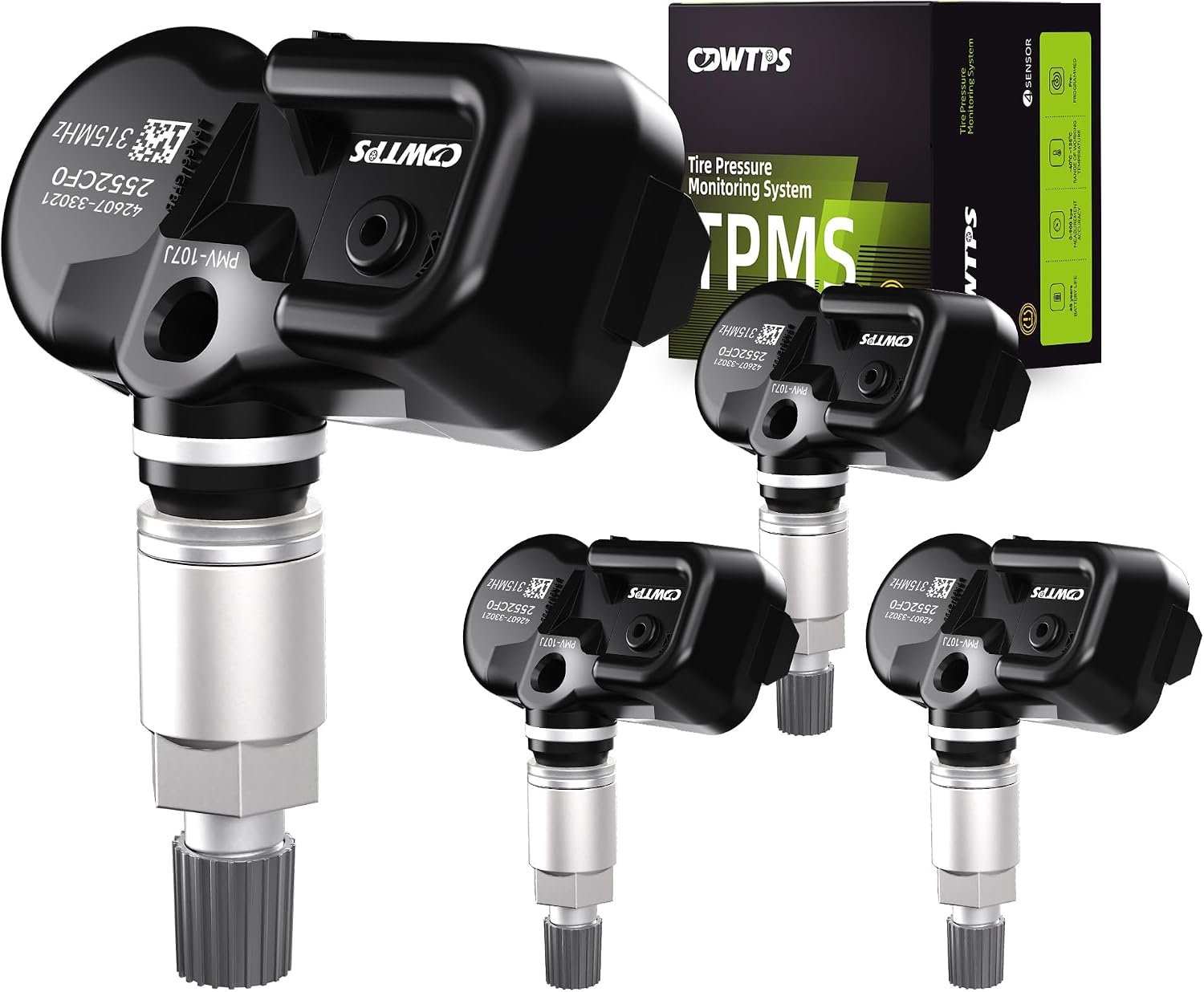
This set of four pre-programmed TPMS sensors is designed as a direct-fit replacement for compatible Toyota, Lexus, and Scion vehicles. It helps restore accurate tire pressure monitoring without sensor programming, and each unit is factory-tested for dependable performance. Built for long service life, these sensors offer a convenient solution for replacing worn or failed tire pressure monitors.

The VXDAS 2-in-1 TPMS relearn tool is designed to activate and reset tire pressure sensors on compatible GM and Ford vehicles with an easy model switch button for quick use. It helps complete TPMS relearning after tire rotation, sensor replacement, or warning light resets, making it a practical tool for drivers and technicians who want a fast, cost-effective solution.

The AICEL TPMS Relearn Tool helps quickly reset and relearn tire pressure sensors on compatible GM vehicles after tire rotation, sensor replacement, or warning light issues. Designed for easy handheld use, it works with most cars, SUVs, and pickup trucks and can save time by eliminating unnecessary trips to the auto store. Its durable ABS housing and simple activation process make it a practical tool for keeping the tire pressure monitoring system operating properly.
When to Replace Tundra TPMS Sensors or Visit a Shop
Visit a tire shop or Toyota dealer if the light blinks at startup, one wheel does not report pressure, the warning returns after correct inflation, or the problem began after sensor or wheel replacement.
Older direct TPMS sensors can fail as their sealed internal batteries age. If your Tundra still has original sensors and it is several years old, sensor age becomes a reasonable suspect. A shop can scan each sensor, confirm battery/signal status, check valve-stem seals, and register replacement sensors if needed.
Replace a sensor or get professional diagnostics when:
- The TPMS light blinks and then stays on.
- Only one tire position refuses to show pressure.
- A sensor was damaged during tire mounting.
- Aftermarket wheels were installed without compatible sensors.
- The spare or second wheel set is confusing the system.
- Correct pressure and a proper reset do not solve the warning.
[Products Worth Considering]

This CARORAV TPMS sensor set provides reliable tire pressure monitoring for a wide range of Toyota and Lexus vehicles with 315MHz compatibility. It is pre-programmed for easier setup, but still requires relearning or reset procedures after installation. Designed for accurate real-time pressure tracking, these sensors help support safer driving and long-lasting performance across many model years.

The VXDAS TPA01 is a 2-in-1 TPMS relearn tool and digital tire pressure gauge designed for GM vehicles and other compatible cars. It helps quickly reset tire pressure sensors, check tire pressure accurately, and maintain proper inflation for safer driving. With simple operation, multiple pressure units, and automatic shutoff, it is a practical tool for DIY tire maintenance and sensor activation.

Masoll’s TPMS sensor set includes four advanced sensors and a relearn tool to help GM vehicle owners replace factory tire pressure sensors at home. Designed for broad compatibility with GM vehicles after 2006, it supports dual-frequency operation for easier fitment across Chevy, GMC, Buick, Cadillac, Pontiac, and select trucks. With low power use, high accuracy, and DIY installation, it offers a convenient way to clear TPMS warnings and restore proper tire pressure monitoring.
Prevent TPMS Warnings: 6 Tire Maintenance Tips
TPMS works best when tire maintenance is consistent. Toyota’s current Tundra maintenance guide recommends scheduled maintenance every 5,000 miles or six months, and tire rotation appears in the 5,000-mile maintenance checklist.
Check Tire Pressure Regularly
Check tire pressure at least once a month and before long trips. Use a quality gauge and check cold. Proper inflation also helps fuel economy; FuelEconomy.gov notes that properly inflated tires are safer, last longer, and can improve gas mileage.
Inspect Tires for Damage
After pressure is correct, inspect each tire for cuts, punctures, bulges, cracks, embedded objects, uneven tread wear, and valve-stem damage. Include the spare if your truck uses a monitored spare or if you rely on it for emergencies.
| Check | Possible Cause | Action |
|---|---|---|
| Cuts or punctures | Road debris or embedded object | Repair only if safe and repairable |
| Bulges | Sidewall or internal tire damage | Replace the tire |
| Valve leak | Loose core, cracked stem, bad seal | Replace or service the valve/sensor seal |
Maintain Proper Tire Rotation
Rotate tires according to your maintenance guide and tire type. For many current Tundras, that means every 5,000 miles or six months. At each rotation, check pressure, inspect tread depth, look for uneven wear, and confirm wheel nuts are tightened to the proper specification.
Protect Valve Stems and Sensor Seals
Replace missing valve caps, avoid harsh tire sealants unless approved for TPMS, and have the valve hardware serviced when tires are replaced. Damaged valve stems and seals can cause slow leaks that look like TPMS problems.
Watch Temperature, Load, and Towing
Cold weather can lower tire pressure enough to trigger a warning. Heavy loads, towing, and off-road use also make pressure checks more important. Always follow the placard and owner’s manual for your tire size, load, and driving conditions.
Confirm Sensor Compatibility After Wheel Changes
Aftermarket wheels must have compatible TPMS sensors installed and registered. If a tire shop installs wheels without registering the sensors, the TPMS light may stay on even when every tire is perfectly inflated.
Safety Checklist Before and After Resetting TPMS
Use this checklist before and after the reset:
- Confirm the correct cold PSI on the driver’s door-jamb placard.
- Check all tires with a reliable gauge.
- Inspect tread and sidewalls for damage.
- Check valve stems and caps.
- Check the spare if your Tundra monitors it or if you may need to use it.
- Use the correct reset method for your model year.
- Drive normally and confirm the warning does not return.
- If the light blinks or returns, diagnose the system instead of repeatedly resetting it.
A TPMS reset is the final step after tire pressure is corrected—not the first step when the warning light comes on.
Frequently Asked Questions
Can I reset TPMS after rotating tires without a relearn procedure?
Usually, yes, if you only rotated the tires and kept the same TPMS sensors. Set all tires to the correct cold PSI first, then use the reset or Set Pressure procedure. If wheel positions or pressure readings do not update correctly, the truck may need a sensor relearn or registration procedure.
Will aftermarket wheels affect TPMS functionality?
Yes. Aftermarket wheels can cause TPMS issues if the sensors are missing, damaged, incompatible, or not registered to the Tundra. Confirm sensor frequency, fitment, valve-stem type, and registration before assuming the reset failed.
Does the TPMS light come on for spare tire issues?
It can, depending on the year, trim, and whether the spare has a monitored TPMS sensor. Check the spare pressure and confirm whether your truck expects a sensor in the spare wheel.
Can cold weather cause TPMS warnings?
Yes. Cold weather lowers tire pressure, and that pressure drop can trigger the warning light. Treat it as a real pressure check reminder, not a false alarm. Set the tires to the placard PSI when they are cold.
Is highway speed required for sensor relearn?
Not always. Many resets complete after several minutes and normal driving. A steady drive can help the truck confirm sensor data, but highway speed is not a substitute for correct tire pressure or sensor registration.
Why is my Tundra TPMS light blinking?
A blinking TPMS light at startup that later stays on usually points to a system malfunction, not just low pressure. Common causes include a dead sensor battery, damaged sensor, unregistered sensor ID, incompatible aftermarket sensor, or receiver communication issue.
Should I reset the TPMS light before inflating the tires?
No. Inflate or deflate the tires to the correct cold PSI first. Resetting before pressure is correct teaches the system the wrong baseline and can make the warning return.
Do I need a dealer after replacing a TPMS sensor?
You may need a Toyota dealer or tire shop with a TPMS scan tool. Replacement sensors usually need to be programmed and registered so the truck recognizes their IDs.
Conclusion
Resetting a Toyota Tundra TPMS light is simple once the tire pressure is correct. Set every tire to the cold PSI on the placard, inspect for damage, then use the reset button on many 2007–2021 trucks or the TPWS menu on 2022–2025 models. If the light blinks, returns, or appeared after new wheels or sensors, stop repeating the reset and diagnose the sensor system. Correct pressure, healthy tires, and registered sensors are what keep the warning light off for the right reason.
Sources
- Toyota Support — Tire Pressure Monitoring System — TPMS reset-button behavior, three-blink confirmation, and malfunction guidance.
- Toyota Support — Proper Way to Check Tire Pressure — cold-pressure checking, door-post/owner’s-manual PSI, and spare-tire reminder.
- Toyota 2024 Tundra Owner’s Manual — Tires — Tundra tire pressure warning system behavior and warning types.
- Toyota 2024 Tundra Warranty & Maintenance Guide — 5,000-mile/six-month maintenance cadence and tire rotation checklist.
- NHTSA Tire Safety — cold tire pressure, tire placards, tire inspections, and tire safety basics.
- FuelEconomy.gov — Keeping Your Vehicle in Shape — fuel-economy and tire-life benefits of proper inflation.