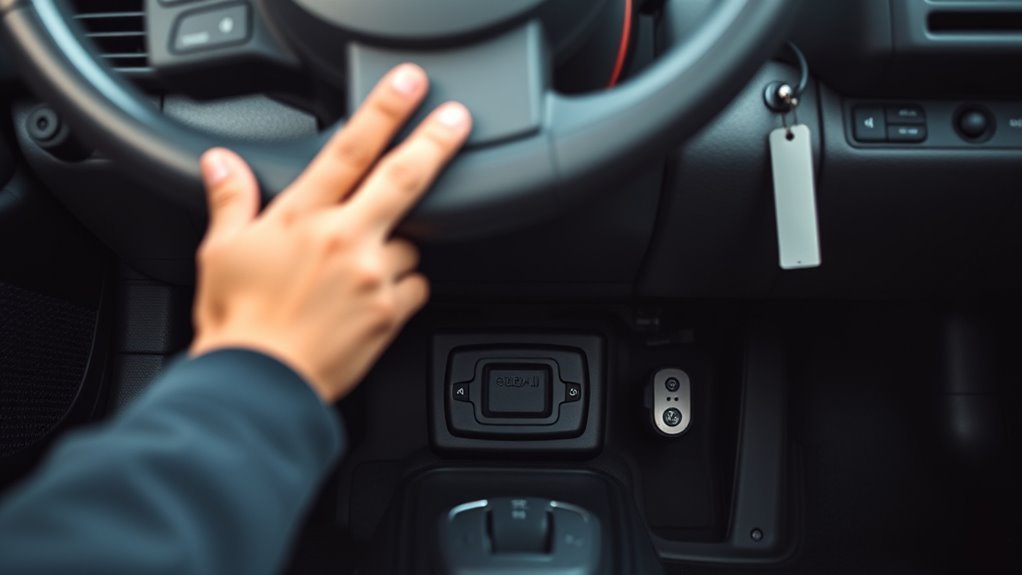
The Toyota Supra’s OBD-II port is the diagnostic socket you use to read check-engine codes, view live data, and connect compatible tools. On most OBD-II Supra models, the port is under the driver’s side dashboard near the steering column and pedal area. The exact access point can vary by generation, market, and left-hand-drive versus right-hand-drive layout, so use the year and connector shape to confirm you have the right port before plugging anything in.
Quick Answer
Look under the driver’s side dash near the steering column, above the pedal cluster, for a 16-pin trapezoid-shaped OBD-II connector. On left-hand-drive Supras, check the lower dash and left knee/hood-release area. On right-hand-drive cars, check the driver’s footwell on the right side.
Key Takeaways
- For U.S.-market 1996+ Supras, the diagnostic port is the standardized OBD-II data link connector.
- The main place to check is under the driver’s dash near the steering column, just above the pedals.
- The correct port has a 16-pin trapezoid shape, not a round or random service connector.
- Older pre-1996 Supras may use Toyota-specific OBD-I diagnostic connectors instead of a standard OBD-II port.
- If your scanner will not connect, check the ignition position, adapter compatibility, connector power, and bent pins before assuming the port is bad.
At a Glance
| Time Required | 2–5 minutes |
| Difficulty | Easy |
| Tools Needed | Flashlight or phone light; OBD-II scanner or compatible adapter |
| Cost | Free to locate; scanner or adapter cost varies |
Find the Supra OBD-II Port Fast
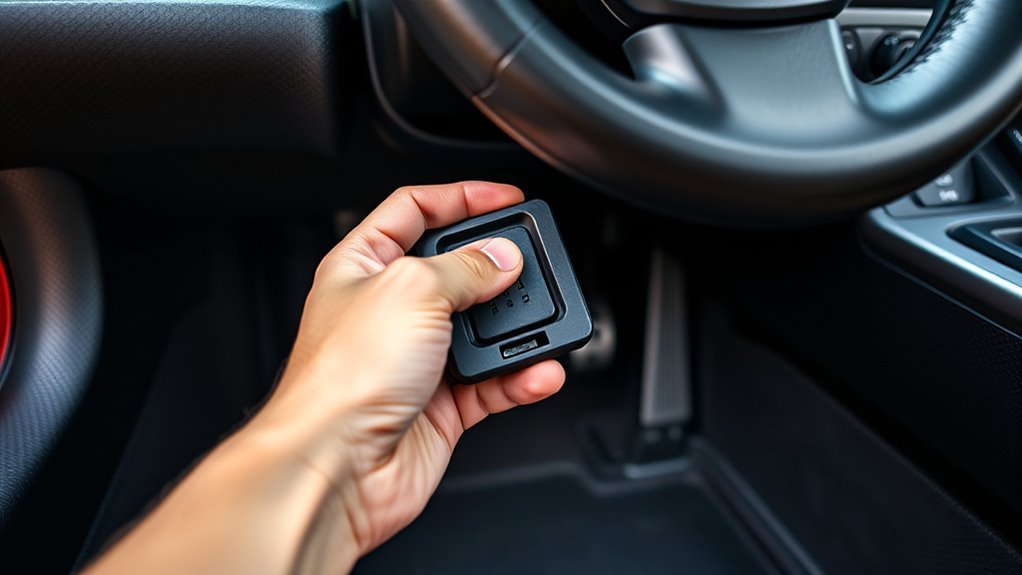
The fastest place to start is the driver’s side lower dashboard. Kneel beside the seat, shine a flashlight above the pedal cluster, and look near the steering column and lower knee panel. The OBD-II port is usually mounted low enough to reach without removing major trim.
On left-hand-drive Supras, look around the lower left dash, hood-release/kick-panel area, and the underside of the steering column cover. On right-hand-drive cars, use the same logic on the driver’s side, which will usually be the right side of the cabin.
Pro Tip: Before reaching blindly, get a clear line of sight. The correct connector has a wide, trapezoid shape with two rows of pin holes. If the connector is round, square, or hidden deep in a wire bundle, it may not be the main OBD-II data link connector.
Check Year and Diagnostic Protocol: OBD-II vs. Older Supras
Before plugging in a scanner, confirm the Supra’s model year. In the United States, 1996 and newer light-duty vehicles use standardized OBD-II requirements for emissions diagnostics. That means U.S.-market 1996–1998 Mk4 Supras and modern GR Supras have an OBD-II diagnostic connector for generic scan tools.
Pre-1996 Supras are different. A 1995 or older Supra may use Toyota-specific OBD-I diagnostic access, often with an under-hood diagnostic box or manufacturer-specific procedures rather than a standard 16-pin OBD-II scan port. For those cars, use the factory service manual or Toyota repair information instead of forcing a modern scanner into the wrong connector.
Modern GR Supra models, including the A90/J29 generation, use current networked diagnostics. Apps and adapters designed for BMW-based platforms, such as BimmerCode, list the Toyota Supra J29/A90 2019+ as a supported vehicle, but you should still verify the adapter in the app’s current compatibility list before buying or connecting it.
The key split is simple: 1996+ U.S.-market Supras use standardized OBD-II access; older Supras may need Toyota-specific OBD-I procedures.
Exact Spot: Under the Driver’s Dash Near the Steering Column
For most OBD-II Supra models, the connector is tucked under the driver’s side dash, close to the steering column and just above the pedal cluster. Crouch beside the open driver’s door and look upward under the lower dash. The port may be exposed, angled downward, or recessed slightly behind the knee bolster trim.
Once you find it, align the scanner plug with the port’s trapezoid shape. The wider side of the plug must match the wider side of the socket. Push straight in with firm, controlled pressure until the plug seats evenly. Do not twist the adapter or force it at an angle.
Warning: Do not force an OBD-II plug into a connector that does not match. Bent pins, cracked housings, and damaged wiring can turn a simple code read into an electrical repair.
How to Identify the Port Visually: 16-Pin Shape and CAN Pins
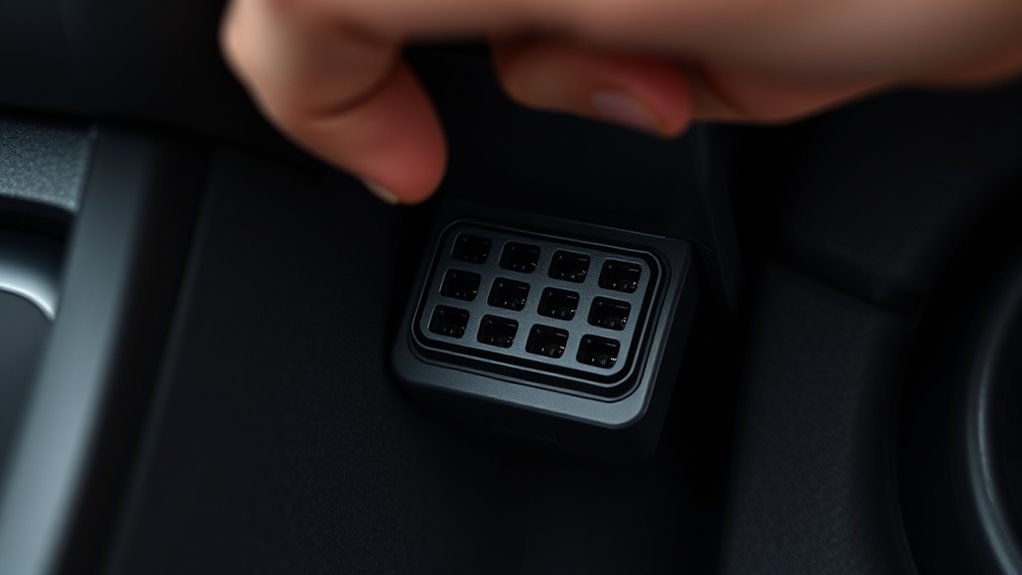
The OBD-II data link connector is easy to identify once you know the shape. It is a 16-pin trapezoid socket with two rows of eight holes. The housing is commonly black, white, gray, or purple, depending on trim and supplier.
16-Pin Trapezoid Outline
Look for a small port with a tapered outline: wider on one side, narrower on the other. This shape prevents the scanner plug from fitting upside down when used correctly. Match the shape before inserting the plug, then push straight in.
The standardized OBD connector design is covered by the SAE J1962 diagnostic connector standard, which is intended to satisfy U.S. OBD connector requirements. That is why a generic OBD-II scanner can physically plug into many 1996+ vehicles, including compatible Supra models.
Locate CAN Pins
On CAN-equipped OBD-II vehicles, pins 6 and 14 are the main CAN High and CAN Low lines used for ISO 15765-4 communication. Pin 16 supplies battery power, while pins 4 and/or 5 are grounds. You do not need to probe these pins for a normal code scan, but knowing them helps troubleshoot a scanner that will not power on or communicate.
Note: Do not stick test leads into the connector unless you know what you are measuring. If the scanner does not power up, start with simple checks: ignition mode, scanner cable, adapter compatibility, and the vehicle’s OBD/diagnostic fuse.
Alternative Supra OBD Port Locations: Hood Release, Lower Panels, Console, and Glove Box
If you do not see the OBD-II port immediately under the steering column, stay on the driver’s side and widen your search. On some cars, the connector is mounted slightly farther left or right than expected, hidden by the lower dash edge, or placed near the kick panel.
Hood Release and Kick-Panel Area
Check the area around the hood release, lower kick panel, and left side of the footwell on left-hand-drive models. Use a flashlight and look for a mounted 16-pin receptacle, sometimes with the opening facing down or toward the driver’s seat. If you feel a plastic cap, pull gently only if it appears designed to open.
Center Console or Glove Box
The main OBD-II diagnostic connector is usually not deep inside the center console or glove box, but these areas can contain other service, accessory, or multimedia connectors. If a previous owner installed gauges, tuning hardware, or an adapter harness, the OBD connector may have been relocated or extended toward the console. Confirm the 16-pin trapezoid shape before connecting any diagnostic tool.
If trim removal is needed, remove only small access panels that come off easily. Keep screws and clips organized, and stop if a panel resists. For a valuable or modified Supra, it is safer to check the factory manual or ask a Toyota specialist than to pry blindly.
Reach and Access the Port Safely: Tools and Posture
Good positioning makes the job easier and helps protect the connector. Open the driver’s door fully, slide the seat back, and kneel or sit beside the seat. Bend at the hips instead of twisting your back under the dash. Use a flashlight or phone light so you can see the port clearly before reaching in.
| Tool | Purpose | Notes |
|---|---|---|
| Flashlight | Lights the lower dash and pedal area | A phone light works if it is bright enough |
| OBD-II scanner | Reads codes and live data | Use a tool compatible with your Supra generation |
| OBD adapter | Connects apps such as BimmerCode or diagnostic software | Confirm adapter support before connecting |
| Trim tool | Helps open small access panels | Use plastic tools to reduce scratches |
[Products Worth Considering]

The ANCEL AD410 PRO combines engine diagnostics and 12V battery testing in one easy-to-use tool, helping you read and clear check engine codes while checking battery health, cranking, and charging performance. It also provides live data, freeze frame details, and I/M readiness checks to help you diagnose issues faster and prepare for emissions testing. With plug-and-play operation, a clear screen, and broad vehicle compatibility, it is a practical solution for home mechanics and everyday drivers.

Veepeak OBDCheck BLE+ is a Bluetooth OBD-II scanner designed to help drivers read and clear check engine codes, view freeze frame data, check readiness monitors, and monitor live sensor data. It works with compatible third-party apps on iOS and Android, making it a versatile tool for standard vehicle diagnostics and routine car health checks. Advanced features may be available through supported apps on select vehicles, but special service functions are not supported.

Turn your iPhone, Android device, or Windows PC into a professional-grade diagnostic scan tool with this Bluetooth OBD2 adapter. It is designed for broad vehicle compatibility and supports popular apps for deeper diagnostics, live data, and code clearing. Built-in protections and firmware updates help keep your vehicle and scanner safe while delivering reliable performance.
Connect a Scanner or BimmerCode Adapter Correctly
After you locate the port, line up your scanner or adapter with the trapezoid socket and push it in firmly until it seats flush. Most generic OBD-II scanners can read emissions-related diagnostic trouble codes on compatible 1996+ vehicles. For coding or vehicle-specific functions on the modern GR Supra, use an app and adapter listed as compatible with the Toyota Supra A90/J29 generation.
- Turn the vehicle off before plugging in the scanner unless your tool’s instructions say otherwise.
- Align the plug with the 16-pin port; do not force it upside down.
- Push straight in until the connector sits evenly.
- Turn the ignition to the required mode for your scanner or app.
- Wait for the scanner to power up and identify the vehicle or protocol.
- Read and record any diagnostic trouble codes before clearing them.
If the cable feels stuck during removal, inspect the plug for a small latch or push clip. Press the release and pull straight back. Wiggling lightly is fine, but avoid yanking the harness or pulling at an angle.
[Products Worth Considering]

The ANCEL AD410 helps drivers quickly read and clear engine-related fault codes, view live data, and understand why the check engine light is on before heading to a repair shop. With built-in code definitions, readiness checks, and support for common OBD2 functions, it makes basic diagnostics straightforward for beginners and DIY users. Powered directly from the vehicle and easy to use with no app required, it offers practical value for everyday vehicle troubleshooting.

The FOXWELL NT301 is a plug-and-play OBD2 code reader designed to help drivers and home mechanics diagnose check engine light issues with ease. It reads fault codes, clears emissions-related warnings, displays live sensor data in graph form, and shows I/M readiness so you can quickly check vehicle status before an emissions test. With broad compatibility across many OBD2 vehicles and a clear color screen, it offers a practical, user-friendly way to monitor and troubleshoot engine performance.

📢⚠️【Please Read Carefully before Purchasing】- ▶ This is just a 22Pin to 16Pin converter cable ONLY, not a diagnostic scanner. ▶Please comfirm that your cars support the OBD2 protocol, and your scanner being compatible with your cars with the functions you need – none of which is related to our cable. ▶ This 22pin OBD port does not provide a power supply. Any question, pls conta.ct us via 📩Autelchoice @ outlook . com📩.
If the Port Is Missing, Nonstandard, or Hard to Remove: Next Steps
If you cannot find a standard OBD-II connector, do not assume it is missing right away. Work through the likely causes in order:
- Wrong model year expectation: A pre-1996 Supra may not have a standard OBD-II port.
- Hidden by trim: The connector may sit behind the lower dash lip or knee panel.
- Relocated by a previous owner: Modified cars may have extension cables, piggyback devices, alarms, gauges, or tuning hardware near the port.
- Covered connector: Some ports have a protective cap or are mounted opening-down, making them hard to see.
- Right-hand-drive layout: Search the driver’s footwell on the correct side for your market.
If the connector is nonstandard, damaged, or buried in aftermarket wiring, pause and document what you see with photos. A Toyota service manual, Toyota Technical Information System access, or a Supra specialist can save time and reduce the risk of damaging rare trim or wiring.
[Products Worth Considering]

CUSTOM-DESIGNED FOR USE WITH FORSCAN: Works with all FORScan compatible vehicles and is recommended by the FORScan Team

【High-Quality Material】: This car OBD2 splitter is made of high-quality ABS material, which has excellent strength and flexibility, is sturdy and wear-resistant, can be used for a long time, and is not easy to be damaged. It has good insulation and corrosion resistance, which can effectively prevent short circuits and ensure accurate transmission of diagnostic data.

Use OBD extension cable can save the wear and tear on your scan tool's OBD connector
Troubleshooting: Reading Codes, Common Errors, and Forum Help
Once connected, a scanner should power on and communicate when the vehicle is in the correct ignition mode. If it does not, use this checklist before replacing parts:
| Problem | Likely Cause | What to Check |
|---|---|---|
| Scanner does not power on | No power at the connector, blown fuse, bad cable, or bad scanner | Try another scanner, check the diagnostic/OBD fuse, and verify the plug is fully seated |
| Scanner powers on but will not connect | Wrong ignition mode, incompatible tool, or protocol issue | Turn ignition on, select the correct vehicle/app profile, and confirm tool compatibility |
| Intermittent connection | Loose adapter, dirty port, bent pin, or strained cable | Inspect the connector with a light and reseat the plug without twisting it |
| Only generic codes appear | Basic scanner limitation | Use Toyota-capable, BMW-platform-capable, or professional diagnostic software for deeper modules |
| Adapter will not release | Retaining clip or tight fit | Look for a push tab, press it, and pull straight back gently |
When reading codes, write down the exact code, freeze-frame data, and current symptoms before clearing anything. Clearing codes too early can erase useful information and make intermittent faults harder to diagnose.
Note: Forum help is useful for Supra-specific connector photos, modified-car examples, and scanner recommendations. For electrical faults, emissions readiness, or inspection failures, rely on factory service information and qualified diagnostic testing.
Frequently Asked Questions
Does a Toyota Supra have an OBD port?
Yes, OBD-II Toyota Supra models have a diagnostic port. In the U.S., 1996+ Supras use a standardized 16-pin OBD-II connector. Older pre-1996 Supras may use Toyota-specific OBD-I diagnostic connectors and procedures instead.
Where is the OBD-II port on a Toyota Supra?
The usual location is under the driver’s side dashboard near the steering column, above the pedals. On left-hand-drive cars, also check near the lower left knee panel and hood-release area. On right-hand-drive cars, check the driver’s footwell on the right side.
What does the Supra OBD-II connector look like?
It is a 16-pin trapezoid-shaped socket with two rows of eight holes. The housing is often black, gray, white, or purple. If the connector is round or does not match a standard OBD-II plug, do not force your scanner into it.
Can I use BimmerCode on a Toyota Supra?
BimmerCode lists the Toyota Supra J29/A90 2019+ as a supported vehicle. For best results, check BimmerCode’s current supported-vehicle and adapter pages before buying an adapter or coding the car.
Why will my scanner not connect to the Supra?
Common causes include the wrong ignition mode, an incompatible scanner, a loose adapter, a blown OBD/diagnostic fuse, dirty or bent connector pins, or a modified harness. Try a known-good scanner, reseat the plug, and verify adapter compatibility before assuming the vehicle has a major fault.
Do older Mk3 or early Mk4 Supras use OBD-II?
Not always. Many pre-1996 Supras use Toyota-specific OBD-I diagnostics instead of a standard OBD-II port. U.S.-market 1996–1998 Mk4 Supras are the key OBD-II Mk4 years. For older cars, use the factory manual or a Toyota-specific diagnostic guide.
Conclusion
To find the Supra’s OBD-II port, start under the driver’s side dash near the steering column and pedal cluster. Confirm the 16-pin trapezoid connector, match your scanner plug carefully, and use the correct ignition mode for your tool. If the port is not where expected, check the hood-release/kick-panel area, lower dash trim, and any aftermarket wiring before removing panels. For pre-1996 Supras or heavily modified cars, Toyota-specific service information is the safest path.
Sources
- Toyota Owners — Supra Manuals and Warranties — official owner-manual access for GR Supra models.
- U.S. EPA — Federal On-Board Diagnostics Regulations — federal OBD rule background and emissions diagnostic requirements.
- SAE International — J1962 Diagnostic Connector Standard — standard behind the OBD diagnostic connector design.
- BimmerCode — Toyota Supra Supported Vehicles — compatibility reference for Toyota Supra J29/A90 2019+ coding support.
- Weber State University National OBD Clearinghouse — EPA-funded OBD technical information resource for inspection and maintenance programs.