To disable Auto Start-Stop on a Toyota GR Supra, use the factory Auto Start/Stop cancel button after the engine is running. On current U.S. GR Supra manuals, Toyota identifies this control in the center switch console near the Sport mode button, not as a permanent menu setting. The change is temporary, so the system is ready again after the next engine start.
Quick Answer
Start the Supra, then press the Auto Start/Stop cancel button on the switch console near the Sport mode button. This stops the engine from shutting off automatically during that drive. The setting resets after the car is restarted, so press it again each time you want Auto Start-Stop off.
Key Takeaways
- The official factory method is the Auto Start/Stop cancel button, not a hidden infotainment menu.
- The button disables automatic engine shutoff for the current drive only.
- Toyota’s manual says Auto Start/Stop is ready again after each engine start using the Start/Stop button.
- Sport mode and manual shift position can also deactivate the system while those modes are in use.
- Coding tools may offer a memory or disable option, but that is a third-party modification and should be treated as a warranty-risk decision.
At a Glance
| Time Required | About 5 seconds |
| Difficulty | Easy |
| Tools Needed | None for the factory button method |
| Cost | Free for temporary disabling |
How to Disable Auto Start-Stop on a Supra
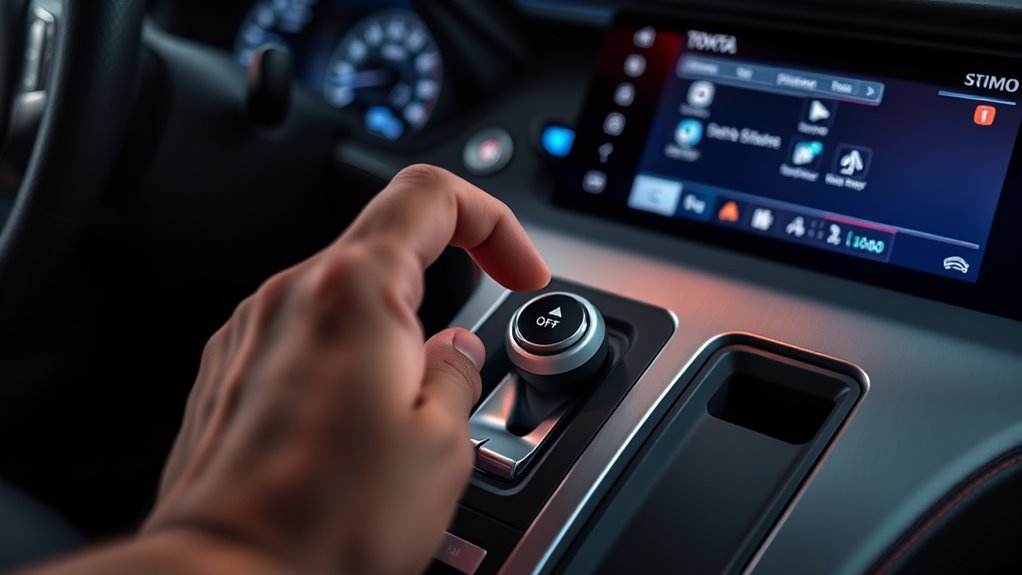
Press the Auto Start/Stop cancel button after the engine is running. Toyota lists the control in the switch console with the Sport mode, Park Assistant, VSC OFF, Toyota Supra Safety, and parking brake controls. The button cancels automatic engine shutoff for the current drive on both automatic- and manual-transmission GR Supra models.
The owner’s manual describes Auto Start/Stop as a fuel-saving feature that shuts the engine off during stops, such as traffic lights or traffic jams, while the vehicle remains in drive-ready state. It starts the engine automatically when you drive off. Toyota also notes that the function is ready again after each engine start using the Start/Stop button, so the cancel-button method should be treated as a per-drive setting.
You can verify the current vehicle-specific wording in Toyota’s 2026 Toyota Supra Owner’s Manual.
2026 manual note: Toyota currently lists three U.S./Canada 2026 Supra owner’s manuals for different production periods: OM9AE47U, OM9AE75U, and OM9AR02U. If your switch layout or wording differs, use Toyota’s 2026 Supra manual page to match the manual to your vehicle.
Where the Auto Start/Stop Cancel Button Is
Look for the button with the Auto Start/Stop symbol in the center switch console, near the Sport mode button. The original location can vary in wording across quick guides and model-year references, but Toyota’s current 2026 U.S. manual places the Auto Start/Stop cancel button in the switch console rather than on the left side of the dashboard.
Button Location Overview
From the driver’s seat, look down toward the row of switches around the center console. Toyota lists the switch console items as the selector lever, controller, Auto Start/Stop cancel button, Sport mode button, Park Assistant button, VSC OFF button, Toyota Supra Safety button, and parking brake. The button you want is the Auto Start/Stop cancel control, usually shown with an “A” style stop-start symbol.
Do Not Confuse It With the Start/Stop Engine Button
The engine Start/Stop button turns the vehicle’s drive-ready state on or off. The Auto Start/Stop cancel button controls automatic engine shutoff at stops. They sound similar, but they do different jobs. To disable auto stop-start, use the Auto Start/Stop cancel button, not the engine Start/Stop button.
Identifying the Symbol
Look for Toyota’s dedicated Auto Start/Stop cancel control in the switch console. Press it once after startup to cancel automatic engine shutoff. Depending on model year and cluster behavior, the instrument cluster may show a status indicator or message showing whether Auto Start/Stop is ready, unavailable, or canceled.
Note: If your Supra’s button layout does not match the 2026 manual, use your exact model-year owner’s manual or Toyota’s interactive manual to confirm the location before assuming the button is missing.
Disable Start-Stop: Step by Step
- Start the engine. Put the Supra in drive-ready state using the engine Start/Stop button.
- Find the Auto Start/Stop cancel button. Check the switch console near the Sport mode button.
- Press the cancel button once. This tells the car not to shut the engine off automatically during stops.
- Drive normally. The engine should stay running when you come to a stop, unless another vehicle state or fault requires different behavior.
- Repeat after the next restart. Toyota’s manual says Auto Start/Stop is ready again after each engine start, so press the button again on your next drive if you still want it off.
What About a Manual-Transmission Supra?
The cancel-button method also applies to a manual-transmission GR Supra. The difference is how the automatic stop is triggered: Toyota’s 2026 manual says the engine can switch off at a stop when Neutral is engaged and the clutch pedal is not pressed, provided the other system conditions are met. The selector-lever M position discussed below applies only to automatic-transmission cars.
Pro Tip: Build the button press into your startup routine: start the engine, buckle up, press Auto Start/Stop cancel, then select your preferred drive mode.
How Long It Stays Off and When It Resets

The factory button method is temporary. Once you press the Auto Start/Stop cancel button, automatic engine shutoff is canceled for that drive. After you shut the vehicle off and start it again, the Auto Start/Stop function is ready again.
| Situation | What Happens |
|---|---|
| You press the cancel button after startup | Auto Start/Stop is canceled for the current drive. |
| You shut the car off and restart it | Auto Start/Stop is ready again. |
| You select SPORT driving mode | Toyota’s manual states Auto Start/Stop is deactivated in SPORT driving mode. |
| Automatic transmission is in M position | Toyota’s manual states Auto Start/Stop is also deactivated in selector lever position M. |
That reset behavior is normal. It is not a defect, and there is no factory owner-menu setting in the 2026 manual that permanently stores “off” as the default.
Why Start-Stop Sometimes Won’t Engage
If the Supra does not shut the engine off at a stop, the system may be working normally. Toyota lists several functional limits that can prevent automatic engine stop. The system checks vehicle speed, temperature, battery state, climate demand, steering angle, hood status, transmission position, and other conditions before deciding to shut the engine off.
[Products Worth Considering]

1. Device works well on 2022 2023 2024 2025 2026 Toyota Tundra TDA3 and 2023 2024 2025 GR Corolla iMT;

1. Fits 2015, 2016, 2017, 2018, 2019, Highlander; If you have a 2020-2023 Highlander, not this one, please search and buy ASIN: B0C1BTJCSF

1. Compatiable with Highlander 2020 2021 2022 2023 2024 2025, which start stop button is on the center console.
Climate Control Limits
Auto Start/Stop may stay inactive when the cabin still needs heating or cooling, when the outside temperature is high and the automatic air conditioning is running, or when there is a risk of window condensation. Toyota also notes that airflow from the air conditioner is reduced while the engine is automatically switched off, so the system may keep the engine running to protect comfort and visibility.
Vehicle Operating Conditions
The engine may not shut off automatically if the vehicle is on a steep downhill grade, the brake is not pressed strongly enough, the wheels are turned sharply, the steering wheel is being turned, the hood is unlocked, parking assistance is active, the vehicle has just reversed, or traffic conditions suggest the stop will be very short.
Battery and Temperature
The Supra may also keep the engine running if the vehicle battery is heavily discharged, engine cooling is needed, the engine or other parts are not yet at operating temperature, or the system needs to protect restart reliability. In those cases, pressing the cancel button is not the issue; the car has simply decided the conditions are not right for an automatic engine stop.
Note: A message or display in the instrument cluster can show that Auto Start/Stop is ready or that the conditions for automatic engine stop have not been met.
How Sport Mode and Transmission Mode Affect Start-Stop
For the GR Supra, focus on SPORT mode and, on automatic-transmission cars, the selector’s M position. Toyota’s 2026 manual states that Auto Start/Stop is deactivated in SPORT driving mode and also deactivated when the automatic transmission selector is in M. Manual-transmission cars do not have that selector-lever M position, but the factory cancel button still works.
Do not assume every online reference to “Power mode,” “Snow mode,” or generic Toyota start-stop behavior applies to the GR Supra. The Supra uses its own BMW-derived control layout and Toyota’s Supra-specific manual should be the source you follow for button location, drive mode behavior, and system limits.
Troubleshooting When the Button Won’t Work
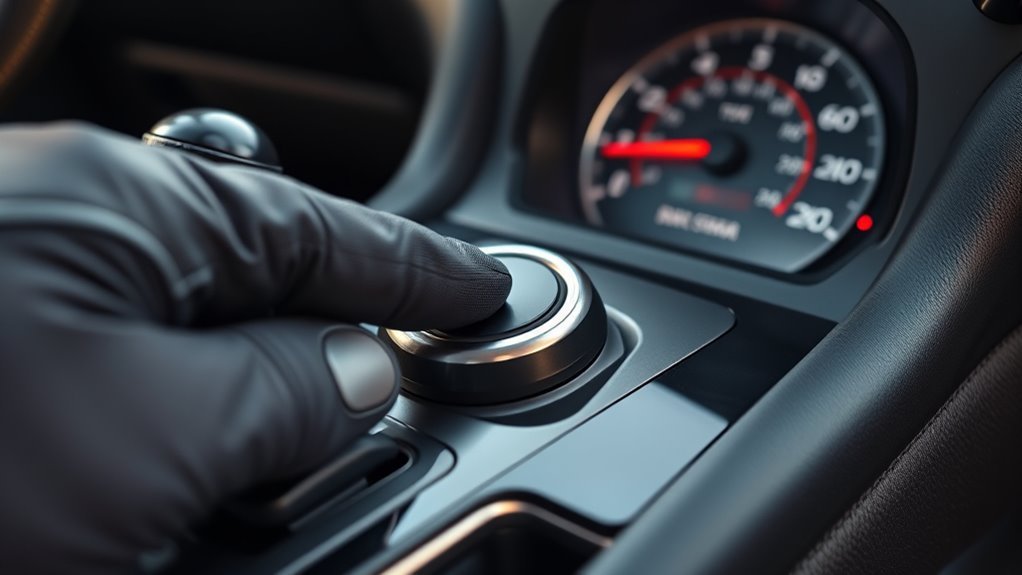
If pressing the Auto Start/Stop cancel button does not seem to change anything, work through the basics before assuming the switch has failed.
- Confirm the engine is actually running. The cancel button is for the Auto Start/Stop function during drive-ready state.
- Check that you are pressing the correct button. The engine Start/Stop button and Auto Start/Stop cancel button are different controls.
- Look for vehicle messages. If the system has a malfunction, Toyota says a vehicle message may appear and the system may no longer switch the engine off automatically.
- Check the drive mode. In SPORT mode or selector position M, Auto Start/Stop may already be deactivated.
- Consider normal system limits. Climate demand, steering angle, battery state, hood status, and other conditions may stop the system from engaging.
- See a Toyota dealer if the button is physically unresponsive. A stuck switch, warning message, or repeated fault should be diagnosed by a qualified technician.
If Auto Start/Stop never activates, the system may be unavailable because conditions are not met, not because the cancel button is broken.
[Products Worth Considering]

Compatible with 2020-up Toyota GR Supra A90/A91

Compatible with 2020-up Toyota GR Supra A90/A91

Compatible with 2020-up Toyota MKV Supra GR A90/A91, also compatible with BMW 2020-up Z4 (fits both automatic or manual trans)
When You Should Turn Start-Stop Off
There are good reasons to cancel Auto Start/Stop for certain drives. The best example is driving through water. Toyota’s 2026 Supra manual specifically says to deactivate Auto Start/Stop when driving through water. It also says to drive through calm water only, avoid water deeper than 9.8 inches/25 cm, and drive no faster than walking speed, up to 3 mph/5 km/h.
Warning: Do not let the Supra automatically shut the engine off while driving through standing water. Water entering the engine compartment, electrical system, or transmission can cause serious damage.
You may also prefer to cancel Auto Start/Stop in repeated stop-and-go situations where smoothness matters more than fuel savings, during very hot or cold weather when cabin comfort is the priority, or before performance-focused driving when you want the engine to remain running at stops.
Permanently Disabling Start-Stop: Coding, Memory, and Warranty Risks
The official owner’s-manual method is the cancel button, and it is temporary. For a more persistent solution, some Supra owners use third-party coding tools or modules. BimmerCode’s current Toyota Supra J29/A90 page lists both an Auto Start Stop function enable/disable option and an Auto Start Stop function memory option, with the Engine Control Unit (DME) listed as a requirement. That support-page listing does not guarantee the coding will work on every model year or software revision, so verify the exact vehicle and software before making changes.
Be careful with any claim that “dealer coding is required” or “coding is risk-free.” A Toyota dealer may not perform non-factory software changes, and a related failure can become a warranty dispute. Toyota’s warranty guidance says coverage is not dependent on using a particular brand of replacement part, while non-Genuine Toyota parts and damage or failures caused by them are not covered. The FTC also explains that a company generally cannot deny warranty coverage solely because you used a third-party part or independent service, although it may deny coverage for damage caused by that part or service.
| Method | Persistence | Best For | Risk Level |
|---|---|---|---|
| Factory cancel button | Current drive only | Daily temporary disabling | Lowest |
| SPORT mode or automatic-transmission M position | While that mode is active | Driving where those modes are already desired | Low when used normally |
| Third-party coding | May persist, depending on vehicle software and coding support | Owners who want memory or default-off behavior | Moderate; depends on coding, software, and related warranty claims |
| Aftermarket module | Hardware-dependent | Owners who want a hardware-based memory function | Moderate to high; installation and electrical effects matter |
Warning: Avoid emissions-related tampering and undocumented software changes. Before coding, save backups, read the tool’s supported-vehicle notes, and understand that a related failure may not be covered by warranty.
[Products Worth Considering]

Compatibility: Jamscar automatic start-stop eliminator compatible for GR Corolla IMT 2023-2025/ Toyota Tundra 2022-2025 2026/ Toyota Highlander 2020-2026 (Note: the start stop button for Highlander is on the center console)

Accurate: VEHICLE COMPATIBILITY: for Toyota RAV4 2020-2023.

1. This item works on/in 2020,2021,2022, 2023, 2024, 2025 RAV4. ( If your car is made before 2020, DO NOT buy!)
When You Should Leave Start-Stop Enabled
Leave Auto Start/Stop enabled when fuel savings and reduced idling matter more than absolute smoothness. The U.S. Department of Energy’s Alternative Fuels Data Center says U.S. passenger cars, light-duty trucks, and medium- and heavy-duty vehicles consume more than 6 billion gallons of fuel each year while idling, with roughly half attributed to passenger-vehicle idling. Stop-start systems reduce that wasted idling by shutting off the engine at stops and restarting it when the driver moves off.
Auto Start/Stop makes the most sense in city commuting, traffic lights, drive-through lines, and mild-weather stop-and-go driving. It is less useful when you need steady cabin cooling, when the battery is low, when you are in SPORT mode, or when the manual says to deactivate it, such as before driving through water.
Frequently Asked Questions
How do I turn off Auto Start-Stop on a Toyota GR Supra?
Start the engine, then press the Auto Start/Stop cancel button in the switch console near the Sport mode button. This cancels automatic engine shutoff for the current drive.
Does the Supra remember Auto Start-Stop off after restart?
The factory behavior is temporary. Toyota’s manual says the Auto Start/Stop function is ready after each engine start using the Start/Stop button, so you should expect to press the cancel button again on your next drive.
Where is the Supra Auto Start/Stop button?
In the 2026 U.S. GR Supra owner’s manual, Toyota lists the Auto Start/Stop cancel button in the switch console near the Sport mode button, not as a left-dash control.
Does Sport mode turn off Auto Start-Stop?
Yes. Toyota’s 2026 Supra manual states that Auto Start/Stop is deactivated in SPORT driving mode. It also states that the system is deactivated in automatic-transmission selector position M.
Does BimmerCode work on a Toyota Supra?
BimmerCode’s official supported-vehicles page lists the Toyota Supra J29/A90 2019+ as supported. However, supported coding options can vary by vehicle software, control unit, and OBD adapter, so check compatibility before making changes.
Can I permanently disable Auto Start-Stop on a Supra?
Toyota’s factory cancel button does not store a permanent off setting. BimmerCode currently lists disable and memory options for the J29/A90 Supra, but compatibility can depend on the vehicle’s software and control units. Treat coding or a hardware memory module as a third-party modification, not a factory setting.
Will disabling Auto Start-Stop hurt fuel economy?
It can. Auto Start/Stop exists to reduce idling, especially in city and stop-and-go driving. If you disable it, the engine keeps running at stops, which can use more fuel than letting the system operate when conditions are suitable.
Should I turn off Auto Start-Stop before driving through water?
Yes. Toyota’s 2026 Supra manual specifically says to deactivate Auto Start/Stop when driving through water. It also limits water depth to 9.8 inches/25 cm and speed to walking speed, up to 3 mph/5 km/h.
Conclusion
The safest and simplest way to disable the Toyota GR Supra’s Auto Start/Stop system is to press the factory Auto Start/Stop cancel button after starting the engine. It costs nothing, takes only a few seconds, and does not require tools or coding. Just remember that it resets after the next restart.
For daily driving, use the button when you want smoother stops, steady cabin comfort, or uninterrupted throttle response. Leave Auto Start/Stop enabled when you want reduced idling and better fuel efficiency in city traffic. Treat permanent coding as a modification, not a factory owner setting, and weigh the convenience against warranty and troubleshooting risks.
Sources
- 2026 Toyota Supra Owner’s Manual — official button location, Auto Start/Stop operation, limits, SPORT/M behavior, and driving-through-water warning.
- Toyota 2026 Supra Interactive Owner’s Manual — current Toyota owner-manual reference for U.S. Supra vehicles.
- Toyota Support: Aftermarket Accessories or Parts — Toyota warranty guidance on non-Genuine Toyota parts and related failures.
- Federal Trade Commission: Warranty Restrictions — consumer warranty guidance for third-party parts and service restrictions.
- Alternative Fuels Data Center: Idle Reduction Basics — fuel and emissions rationale for reducing unnecessary idling.
- BimmerCode Supported Coding Options: Toyota Supra J29/A90 — current third-party reference listing Auto Start Stop disable and memory options and their control-unit requirements.