
Last updated: July 31, 2026 · Applies to late-model Toyota Camry vehicles equipped with Dynamic Radar Cruise Control. Exact messages and procedures vary by model year, trim, market, and Toyota Safety Sense version.
Method: This guide was checked against Toyota’s 2025 Camry driving-support manual, Toyota’s current Camry Safety Sense information, and current battery-service guidance. Use the owner’s manual for your exact vehicle as the final authority.
If your Toyota Camry says Cruise Unavailable or Radar Cruise Control Unavailable, first read and record the exact message. An “Unavailable” message often indicates temporary sensor visibility, weather, temperature, voltage, operating-condition, or calibration trouble. A “Malfunction” or “Visit Your Dealer” message is more likely to require a Toyota-capable diagnostic scan and professional inspection.
Start with safe exterior checks. Park the car, inspect the front radar-cover area and the outside windshield in front of the camera, clear dirt or weather-related obstructions, and allow extreme heat or cold to normalize. If the warning remains in clear conditions, check for other dashboard warnings, review recent battery or repair work, and arrange a full-system scan.
Quick Answer
Record the exact warning before you restart or clear anything. Clean the exterior radar cover and outside windshield camera area, remove snow or ice, use the defogger for condensation, and wait for extreme temperatures or severe weather to pass. If the warning persists, especially after a jump start, windshield replacement, bumper or grille repair, front-end impact, or with other warning lights, have the 12-volt system and Toyota Safety Sense modules checked with a Toyota-capable scan tool.
| What You See or When It Started | Most Likely Category | First Safe Action |
|---|---|---|
| Warning during snow, heavy rain, fog, road spray, glare, or extreme heat or cold | Temporary visibility or temperature limitation | Drive manually, clean and defog the exterior viewing areas, and wait for conditions to improve |
| Warning remains in clear weather after cleaning | Voltage, alignment, wiring, sensor, or related-system fault | Record the exact message and other warnings, then arrange a full-system scan |
| Warning began after bumper, grille, radar, or front-end work | Radar damage, movement, misalignment, or incomplete calibration | Ask the repairer to verify radar inspection and the required alignment or calibration procedure |
| Warning began after windshield replacement or camera removal | Front-camera installation or calibration issue | Confirm that the model-specific camera calibration and final scan were completed |
| “Malfunction,” “Visit Your Dealer,” or several safety warnings appear | Stored system, communication, brake, steering, camera, radar, or power fault | Do not rely on cruise control; arrange prompt professional diagnosis |
Key Takeaways
- The exact message matters. “Unavailable” and “Malfunction” do not always require the same response.
- Clean only the exterior radar cover and outside windshield camera area. Do not touch the camera lens or move the sensors.
- Weather, glare, temperature, road spray, sensor blockage, voltage problems, and related-system faults can temporarily disable cruise control.
- A generic engine-code reader may miss camera, radar, brake, body, and network faults.
- Windshield work can require camera calibration, while radar, bumper, and grille work can require radar inspection or calibration.
- For normal operating instructions, see the Camry Dynamic Radar Cruise Control guide.
What’s in This Article
- Common Reasons for a Cruise Unavailable Warning
- How Weather and Obstructions Affect Sensor Performance
- How to Clean the Radar and Camera Areas Safely
- How to Check Battery Health for Low Voltage
- Should You Restart or Disconnect the Battery?
- Advanced Troubleshooting for Cruise Control Issues
- When to Get Professional Help
- Preventive Tips for Your Cruise Control System
- What Dynamic Radar Cruise Control Depends On
- Frequently Asked Questions
Common Reasons for a Cruise Unavailable Warning
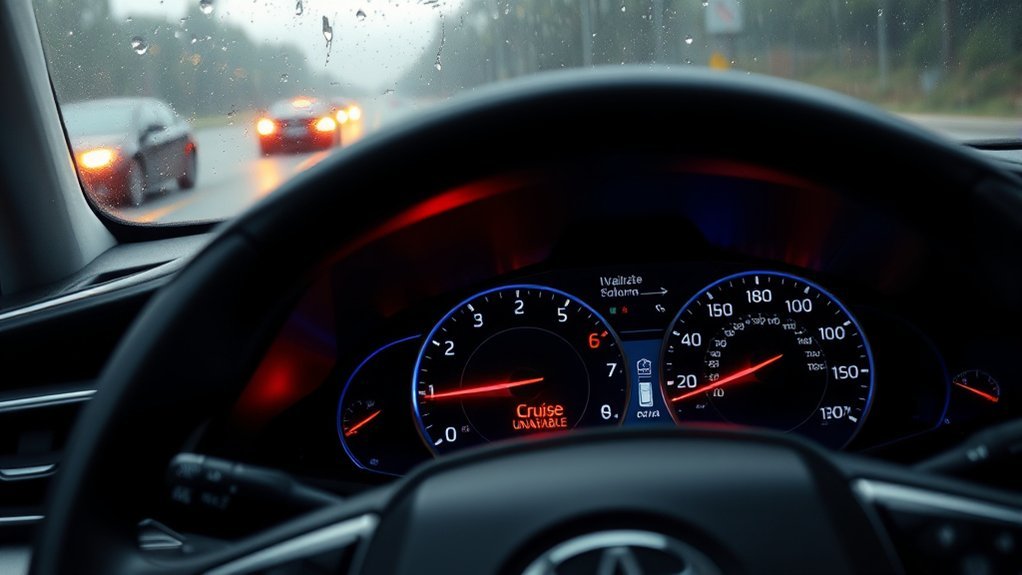
When your Camry shows a cruise-control warning, the system has stopped or limited cruise operation because an operating condition is not met or a fault may prevent safe use. Late-model Toyota Safety Sense systems rely on a front radar sensor, a front camera, and information from other vehicle systems.
The most common categories are:
- Blocked radar path: Dirt, bugs, snow, ice, road salt, mud, or water can cover the radar sensor or its cover.
- Blocked or unclear camera view: Windshield dirt, oily film, fog, condensation, ice, snow, stickers, tint, a damaged windshield, or a poorly clearing wiper can affect the front camera’s view.
- Weather or temperature limitation: Heavy rain, fog, snow, road spray, airborne dust, direct glare, or excessive sensor heat or cold can temporarily limit detection even when the sensor looks clean.
- Low or unstable 12-volt power: A discharged battery, recent jump start, loose terminal, corrosion, or another power problem can interfere with electronic modules.
- Repair or impact history: Windshield, bumper, grille, radar, camera, mirror-area, or front-end work can create damage, movement, or an incomplete calibration.
- Related-system operation or fault: Brake, stability-control, steering, pre-collision, camera, radar, or network conditions may disable cruise control as a protective response.
- Stored diagnostic fault: The system may store a DTC or Vehicle Control History entry that identifies a temporary suspension, voltage problem, misalignment, communication issue, or component fault.
Model-year note: Warning wording, sensor locations, control buttons, and diagnostic procedures vary. Check the owner’s manual for your exact Camry year, trim, market, and Toyota Safety Sense version.
Before restarting the car or clearing codes, photograph the exact warning. Note the weather, temperature, road type, vehicle speed, recent jump starts, other warning lights, and any recent windshield, bumper, grille, radar, or camera work. That information can help a technician diagnose an intermittent fault.
Warning: Do not rely on Dynamic Radar Cruise Control while an unavailable or malfunction warning is displayed. Control speed, following distance, braking, and steering manually.
How Weather and Obstructions Affect Sensor Performance
Your Camry’s Dynamic Radar Cruise Control (DRCC) needs an adequate forward view. The front radar is generally located near the center of the front grille, emblem, or bumper area, while the front camera looks through the upper windshield near the inside mirror. Confirm the exact locations in your owner’s manual.
Dirt, dead insects, water droplets, snow, ice, mud, and road salt can interfere with the radar path. Windshield film, condensation, ice, stickers, tint, glass damage, and a wiper blade that does not clear the camera area can interfere with camera recognition.
A clean surface does not guarantee immediate operation. Heavy rain, fog, snow, sand or dust, road spray, direct sunlight, reflected light, extreme sensor temperatures, rough or sharply changing roads, and temporary safety-system operation can also limit the system. Continue driving manually and retry only after the warning clears and conditions are appropriate.
How Do You Clean the Camry Radar and Camera Areas Safely?
Park the car in a safe location and turn it off before inspecting the sensor areas. Clean only accessible exterior surfaces. Do not remove trim, unplug sensors, loosen brackets, or touch the front-camera lens.
[Products Worth Considering]

This foldable dog car ramp is designed to help pets enter and exit vehicles more safely and comfortably, reducing strain on joints and paws. Built with a sturdy aluminum frame, anti-slip walking surface, and a gentle longer incline, it supports everyday use for small to large dogs. Its four-fold design and built-in carry handle make it easy to store, transport, and use at home or on the go.

This portable roadside emergency car kit helps drivers stay prepared with essential tools for common breakdowns and unexpected roadside situations. It includes jumper cables, a tow strap, a flashlight, a rain poncho, gloves, and a first aid kit, all stored in a durable zippered case for easy access and organization. With included roadside assistance coverage, it adds extra peace of mind for commuters, new drivers, and road trips.

The ANCEL AD410 PRO combines engine diagnostics and 12V battery testing in one easy-to-use tool, helping you read and clear check engine codes while checking battery health, cranking, and charging performance. It also provides live data, freeze frame details, and I/M readiness checks to help you diagnose issues faster and prepare for emissions testing. With plug-and-play operation, a clear screen, and broad vehicle compatibility, it is a practical solution for home mechanics and everyday drivers.
Clean the Exterior Radar Cover
- Locate the radar-cover area: Check the center-front grille, emblem, or bumper location shown in the manual for your Camry.
- Remove loose material: Clear snow, ice, leaves, insects, mud, or road salt without scraping the surface.
- Clean gently: Use water and a clean, soft cloth. Avoid abrasive pads, aggressive polishing, paint, tape, stickers, or accessories on or around the cover.
- Inspect without disassembly: Look for cracks, impact marks, loose surrounding trim, or an obviously shifted grille or emblem.
Clean and Defog the Windshield Camera Area
- Clean the outside glass: Remove dirt, bugs, oily film, snow, and ice from the windshield area in front of the camera.
- Use the defogger: Clear interior condensation or fog with the climate-control system.
- Check the wipers: Replace a worn insert or blade if it cannot clear water from the camera’s viewing area.
- Keep the view unobstructed: Do not place stickers, mounts, accessories, or tint in the camera’s detection area.
If the inside windshield at the camera installation area is dirty, or the camera lens itself appears dirty or damaged, do not touch the lens. Follow the owner’s manual or contact a Toyota dealer or qualified ADAS technician.
What Should You Avoid Touching or Modifying?
- Do not unplug or move the radar sensor.
- Do not loosen a radar bracket or remove the grille solely to clean the sensor.
- Do not touch, wipe, spray, or reposition the front-camera lens.
- Do not paint, wrap, polish aggressively, or attach tape or accessories over a radar cover.
- Do not assume a visually straight bumper or windshield means calibration is correct.
Moving a radar or camera can create a calibration requirement. If the warning began after a collision or repair, skip further disassembly and have the system checked.
How to Check Battery Health for Low Voltage
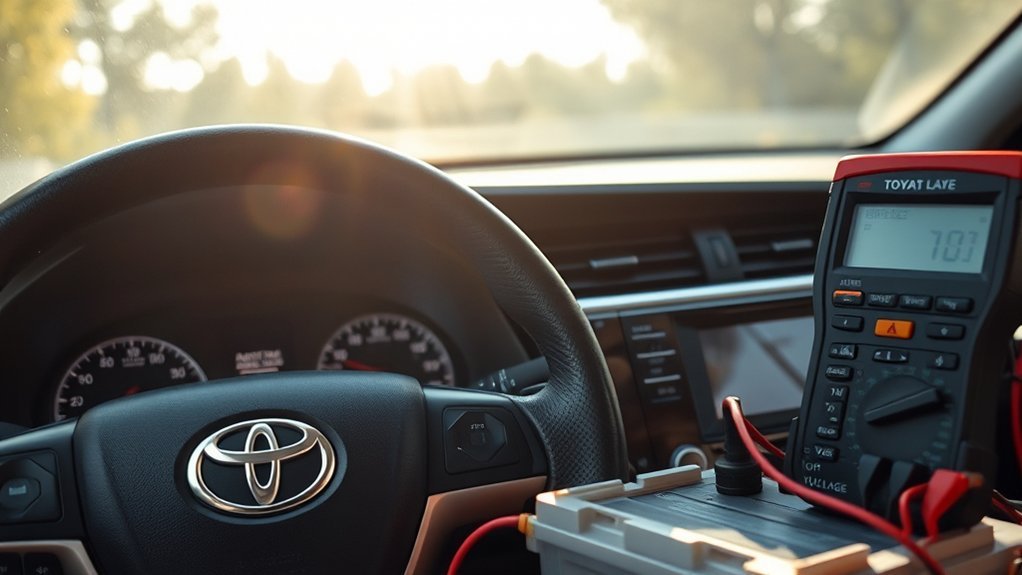
A weak or unstable 12-volt supply is a secondary diagnostic path, especially after a jump start, long storage period, repeated discharge, slow crank, dim lights, or several unrelated electronic warnings. Do not assume the battery is responsible when the warning appears only during snow, fog, heavy rain, or extreme temperatures.
[Products Worth Considering]

This EL-50448 TPMS relearn tool helps quickly activate and reset tire pressure sensors so your vehicle’s monitoring system stays accurate after tire rotations, sensor replacement, or seasonal tire changes. Designed for many GM-related vehicles and compatible with common 315 and 433 MHz TPMS systems, it offers simple one-button operation and reliable performance for clearing warning lights and relearning sensor positions.

Meguiar's PlastX Clear Plastic Cleaner & Polish restores clarity to uncoated plastic surfaces by reducing light scratches, haze, yellowing, and oxidation. Its versatile formula works on headlights, taillights, plexiglass, and other clear plastics while leaving a protective water-resistant finish for improved visibility and safer nighttime driving.
Inspect Battery Connections
Follow the owner’s manual for the 12-volt battery or approved test-point location. On a hybrid Camry, avoid orange high-voltage cables and components.
- Check for corrosion: White, blue, or green buildup can interfere with a battery connection.
- Check for looseness or damage: Look for a visibly loose clamp, damaged cable, cracked battery case, swelling, or leakage.
- Review recent history: Note recent jump starts, long storage, accessory drain, battery replacement, or terminal work.
- Consider battery age: Many automotive 12-volt batteries last about three to five years, but climate, driving habits, battery type, and maintenance can shorten or extend that period.
Do not work on a leaking, swollen, frozen, or badly damaged battery. Wear eye protection and obtain professional help when the battery condition or access procedure is uncertain.
Use a Multimeter as a Screening Check
With the vehicle fully off and the battery allowed to rest, set a suitable multimeter to DC volts. Connect the red lead to the positive test point and the black lead to the negative test point or approved ground.
About 12.6 volts is common for a fully charged conventional 12-volt battery after it has rested, but one reading is not a complete battery test. Temperature, battery chemistry, recent charging, surface charge, and active electrical loads can change the result. Do not treat 12.4 volts as an automatic pass or failure.
If the reading is lower than expected, charge the battery with equipment appropriate for its type and then retest it. Seek a battery and charging-system test if voltage is unstable, the vehicle cranks slowly, the battery repeatedly discharges, or the warning returns with other electronic symptoms.
Run the Correct Battery Test
A battery can show acceptable resting voltage and still have poor capacity. Use a conductance tester or load tester designed for the installed battery type and follow the tester’s cold-cranking-amp, load-duration, and temperature instructions.
- Identify the battery type and rating: Use the label and vehicle specifications.
- Save diagnostic information first: Do not disconnect the battery or clear codes before recording warning messages and stored faults.
- Test with the correct procedure: Avoid applying a generic load or fixed voltage threshold without temperature and rating compensation.
- Check the charging system: If the battery passes but voltage is unstable with the engine running or hybrid system in READY, have the charging system tested.
Replace a battery only after the correct test confirms failure or deterioration. A battery replacement will not repair a blocked, damaged, or misaligned radar or camera.
Should You Restart the Camry or Disconnect the Battery?
A normal power cycle may allow the system to recheck conditions after dirt, snow, ice, fog, or another temporary obstruction has been removed. Park safely, turn the vehicle fully off, wait briefly, and restart it once.
Do not repeatedly restart the car to suppress the message. If the warning clears, continue to watch for its return and note the conditions under which it reappears.
Do not disconnect the negative 12-volt terminal only to erase the warning. Battery disconnection can remove useful diagnostic information, reset vehicle settings, and create additional procedures without correcting the cause.
Diagnostic rule: Save the exact message, DTCs, freeze-frame information, and available Vehicle Control History before codes are cleared or power is disconnected.
Advanced Troubleshooting for Cruise Control Issues
If the warning remains in normal weather after the exterior sensor areas are clean, move to a structured diagnostic process. The next steps should determine whether the problem involves power, a related vehicle system, sensor visibility, wiring, damage, alignment, calibration, or a stored fault.
Inspect for Damage Without Disassembly
Perform only an exterior visual inspection unless you have the correct Toyota service information, tools, and ADAS training.
- Check the center-front area: Look for a cracked emblem or cover, collision marks, shifted trim, a loose grille, or obvious water intrusion.
- Check the windshield: Look for cracks, chips, replacement markings, a loose camera cover, or accessories near the camera area.
- Review repair history: Ask whether the windshield, bumper, grille, radar, camera, mirror, suspension, or wheel alignment was recently serviced.
- Do not move components: Do not unplug the radar, loosen its bracket, remove the camera, or reposition surrounding trim.
Scan the Correct Modules
An OBD-II scanner can help, but a basic engine-code reader may not access the modules responsible for the warning. Use a Toyota-capable full-system scanner when possible.
The scan should include relevant powertrain, radar cruise, front camera, pre-collision, brake, body, steering, and communication modules. Save all stored, pending, current, and history codes before clearing anything.
Do not replace a radar, camera, control module, or wiring harness based only on one code description. Confirm power, ground, connectors, damage, calibration status, related-system faults, and the model-specific diagnostic procedure first.
How to Use Diagnostic Tools Without Losing Evidence
- Connect the scan tool: Use the diagnostic connector under the driver-side dashboard area.
- Run a full-system health check: Do not limit the scan to check-engine-light codes.
- Save the results: Photograph, print, or export all DTCs, freeze-frame data, and available Vehicle Control History.
- Check related warnings: A brake, stability-control, steering, charging, hybrid, camera, radar, or communication fault may disable cruise control.
- Clear codes only after documentation: Recheck which codes return and under what conditions.
- Use model-specific service data: Code names alone do not prove which part has failed.
If a generic scanner reports no codes but the warning remains, that does not prove the system is fault-free. The relevant information may be stored in a module the scanner cannot access.
Check Whether Calibration Is Required
Camera and radar calibration are different procedures:
- Windshield or camera work: Ask whether front-camera calibration was required and completed.
- Radar removal or replacement: Ask whether radar alignment or calibration was completed.
- Front bumper or grille replacement: Ask whether Toyota procedures require radar calibration for your model year.
- Impact without replacement: Arrange an inspection because a sensor, bracket, grille, bumper, windshield, or camera can move or become damaged.
After repair, ask for the calibration report or repair-order entry showing which procedure was performed and whether the final system scan passed. For more detail, see the Camry ADAS camera calibration after windshield replacement guide.
When to Get Professional Help

Arrange professional diagnosis when the warning remains in clear weather after safe cleaning and one normal restart, or when it returns repeatedly without an obvious environmental cause.
Schedule prompt service in any of these situations:
- The display says Malfunction, Visit Your Dealer, or gives another service instruction.
- A brake, steering, pre-collision, charging, hybrid-system, overheating, or other safety warning appears.
- The vehicle does not brake, steer, accelerate, start, or drive normally.
- The front bumper, grille, radar cover, windshield, mirror area, or camera area was hit or damaged.
- The warning began after windshield, bumper, grille, radar, camera, alignment, or collision repair.
- The battery repeatedly discharges or voltage is unstable.
- A Toyota-capable scan finds current radar, camera, brake, communication, power, or calibration faults.
If Cruise Unavailable is the only warning and braking, steering, acceleration, and visibility are normal, you can generally continue with manual control while following the exact instructions on the display. Do not use cruise control again until the system becomes available and the road conditions are suitable.
Preventive Tips for Your Cruise Control System
- Keep the radar-cover area clean: Remove bugs, mud, road salt, snow, ice, and other buildup gently.
- Maintain a clear camera view: Keep the outside windshield clean and replace wipers that leave water over the camera area.
- Avoid sensor-area modifications: Do not place stickers, tint, tape, paint, wraps, mounts, or accessories where they can interfere with a radar or camera.
- Test an aging battery: Have the 12-volt battery checked if it is several years old or the vehicle shows slow starts, repeated discharge, or unrelated electronic warnings.
- Protect diagnostic evidence: Record exact warnings and save codes before clearing them.
- Confirm post-repair calibration: Obtain documentation after relevant glass, radar, bumper, grille, or camera work.
- Use the right guide for operation: See the Camry cruise-control controls guide when the system is working normally.
What Does Dynamic Radar Cruise Control Depend On?
Dynamic Radar Cruise Control helps maintain a selected speed and following distance from a detected vehicle ahead. Depending on the Camry model year and equipment, it uses front radar, a front camera, and information from braking, steering, stability-control, powertrain, and other vehicle systems.
That dependence explains why a cruise warning does not always mean the radar itself has failed. A visibility limitation, camera condition, voltage problem, stability-control event, communication fault, calibration issue, or related warning can also suspend the feature.
DRCC is driver assistance, not self-driving technology. You remain responsible for speed, braking, steering, following distance, traffic observation, and deciding when conditions are appropriate for cruise control.
Frequently Asked Questions
What Can Cause Adaptive Cruise Control Not to Work?
A blocked radar cover, unclear windshield camera view, heavy rain, fog, snow, road spray, glare, extreme sensor temperature, unstable 12-volt power, related-system faults, wiring damage, sensor movement, incomplete calibration, or stored diagnostic codes can stop Dynamic Radar Cruise Control. The exact warning and cause vary by Camry model year.
Can I Drive My Camry With the Cruise Unavailable Warning?
If Cruise Unavailable is the only warning and braking, steering, acceleration, and visibility are normal, you can generally continue with manual control while following the display instructions. Stop or arrange prompt service if a brake, steering, hybrid-system, pre-collision, charging-system, overheating, or other safety warning appears, or if the car does not drive normally.
Where Is the Camry Radar Cruise Sensor?
On late-model Camry vehicles, the front radar is generally near the center of the grille, emblem, or front-bumper area. The front camera looks through the upper windshield near the inside mirror. Exact locations vary, so confirm them in the owner’s manual for your model year.
Why Does Cruise Control Become Unavailable in Rain or Snow?
Heavy rain, snow, fog, road spray, ice, mud, and water droplets can reduce radar or camera recognition. The system may suspend operation until visibility improves, the sensor temperature returns to range, and the viewing areas are clear.
Will Cleaning the Front Sensor Fix Cruise Unavailable?
Cleaning can resolve the warning when dirt, insects, mud, snow, ice, salt, or water blocks the exterior radar cover or outside windshield camera area. If the warning returns in clear conditions, check for other warnings, recent repairs, battery symptoms, stored codes, damage, or a calibration problem.
Does a Weak Battery Affect Adaptive Cruise Control?
Low or unstable 12-volt power can interfere with electronic modules and may contribute to a cruise-control warning. Test the battery and charging system if the warning follows a jump start, long storage period, slow crank, repeated discharge, or several unrelated electronic alerts.
When Does a Camry Need Sensor Calibration?
Front-camera calibration may be required after windshield replacement or camera removal. Radar alignment or calibration may be required after radar removal or replacement and after relevant front-bumper or grille replacement. An impact can also require inspection even when no part was replaced.
Will Disconnecting the Battery Reset Cruise Unavailable?
Battery disconnection may erase a display message, codes, history, learned values, or settings, but it does not repair a blocked, damaged, misaligned, or failed sensor. Save diagnostic information first and do not disconnect the battery solely to clear the warning.
Safety Disclaimer: This article provides general information and does not replace the owner’s manual or model-specific Toyota service information. Do not move, unplug, disassemble, or attempt to calibrate ADAS sensors without the correct equipment and training. Follow every warning shown by the vehicle and seek qualified help when the cause or safe procedure is uncertain.
Conclusion
A Camry Cruise Unavailable warning is not a diagnosis by itself. Start by recording the exact message and the conditions in which it appeared. Clean the accessible exterior radar cover and outside windshield camera area, allow severe weather or extreme temperature to pass, and perform one normal restart.
If the warning persists, check for other dashboard alerts, recent battery trouble, and recent glass or front-end work. Preserve all codes and history before clearing anything, then use a Toyota-capable full-system scan. Windshield work may require camera calibration, while radar, bumper, or grille work may require radar inspection or calibration.
References
- Camry 2025 Owner’s Manual Excerpt for Driving Support Systems — Toyota, 2025
- Toyota Safety Sense Features for the Camry — Toyota
- Toyota Owner’s Manuals and Warranties — Toyota
- How Long Do Car Batteries Last? — AAA Automotive
- Guide to Understanding OBD-II Codes — Kelley Blue Book

[…] If radar cruise is also unavailable, compare the symptoms with the site’s Camry adaptive cruise unavailable guide. […]