Last updated: July 31, 2026. Reviewed against current Toyota Camry owner resources and Toyota Safety Sense guidance.
To use cruise control in a Toyota Camry, press the cruise main switch, reach a safe speed, then press -SET or move the cruise-control stalk down. Press +RES or move the stalk up to resume or increase the set speed. Press -SET or move the stalk down to reduce it. Tap the brake or press cancel to pause the system. Older Camry models commonly use a stalk, while newer models use steering-wheel buttons and may include Dynamic Radar Cruise Control, so confirm the symbols and operating limits in the owner’s manual for your exact model year.
Quick Answer
Turn the cruise system on, reach a safe speed, then press -SET or move the stalk down to store that speed. Use +RES or the stalk up to resume or increase speed, -SET or the stalk down to decrease speed, and tap the brake or press cancel to pause it. Button names and minimum operating speeds vary by model year.
Key Takeaways
- Use cruise control mainly on open highways or steady roads, not in city traffic, sharp curves, heavy rain, ice, snow, or low visibility.
- Standard cruise control holds a set speed; Dynamic Radar Cruise Control can adjust speed to help maintain a preset following distance from a vehicle ahead.
- Button names, set-speed limits, and resume behavior vary by model year, trim, and market. Match your controls to the correct owner’s manual.
- Cruise control is driver assistance only. Keep your hands on the wheel, watch traffic, and stay ready to brake.
At a Glance
| Time Required | A few minutes to identify the controls and review the display |
| Difficulty | Easy |
| Common Systems | Standard cruise control or Dynamic Radar Cruise Control |
| Reference | Owner’s manual for the exact model year and market |
Before You Start: Which Cruise Control Does Your Camry Have?
Toyota Camry controls vary by model year, trim, and market. Identify the layout before trying to set a speed:
| Common Layout | How to Recognize It | Set / Resume / Cancel |
|---|---|---|
| Cruise-control stalk | Small stalk behind the lower right side of the steering wheel | Move down to set, move up to resume, pull toward you to cancel |
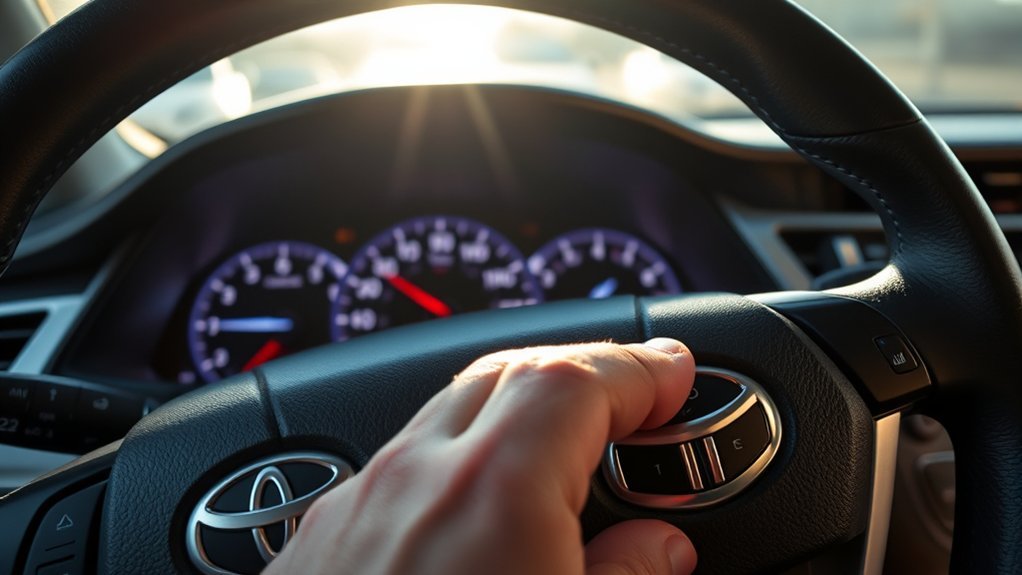
| Steering-wheel buttons | Buttons such as +RES, -SET, Cancel, and a cruise main switch | Use the labeled button for each function |
| Dynamic Radar Cruise Control | Cruise controls plus a vehicle-to-vehicle distance button and distance indicator | Sets speed and can help maintain a selected gap from a detected vehicle ahead |
For 2025–2026 U.S.-market Camry models, Toyota lists Full-Speed Range Dynamic Radar Cruise Control as part of Toyota Safety Sense 3.0. Toyota says the system is intended for highway use and is designed to be set at speeds above 20 mph. Other years and markets can use different controls and operating thresholds.
Check the official Toyota Camry manuals and warranties page, then select the manual for your exact model year. For a radar-only walkthrough, see the site’s Toyota Camry radar cruise control guide.
Note: A DRCC indicator, displayed set speed, and vehicle-to-vehicle distance icon indicate an adaptive cruise-control layout. The exact symbols and wording can differ, so the owner’s manual remains the final authority.
[Products Worth Considering]
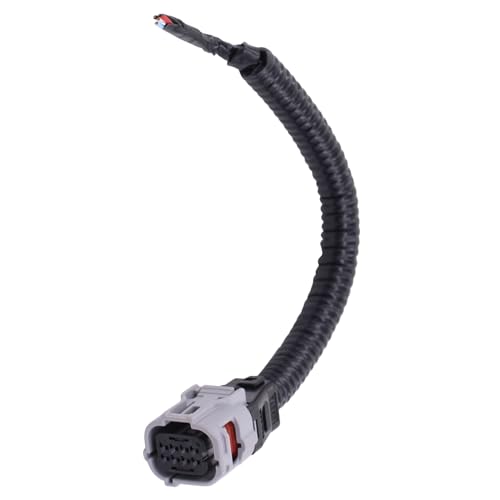
Compatible with Toyota Avalon 2013-2022; Camry 2018-2022; CHR 2017-2019;

OEM Number: 84632-34011. Manufacturer Part Number: 84632-34011/84632-08021/84632-34017
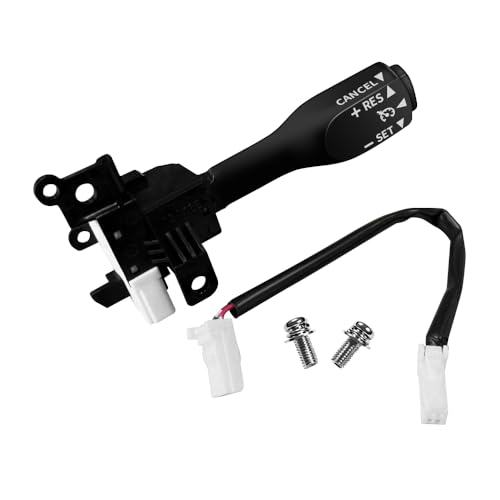
Note: This cruise control is for replacement only and Do Not fit 1.6L Toyota Corolla and Do Not fit all manual transmission cars!!!. Please make sure your original car has cruise control function and check your original part number, Reference Part Number: 84632-34017, 84632-08020, 84632-08021, 84632-0F010, 84632-34010, 84632-34011. If your original car is a hybrid, you need to use the original car wiring harness!!!
What Is Cruise Control and Why Use It?
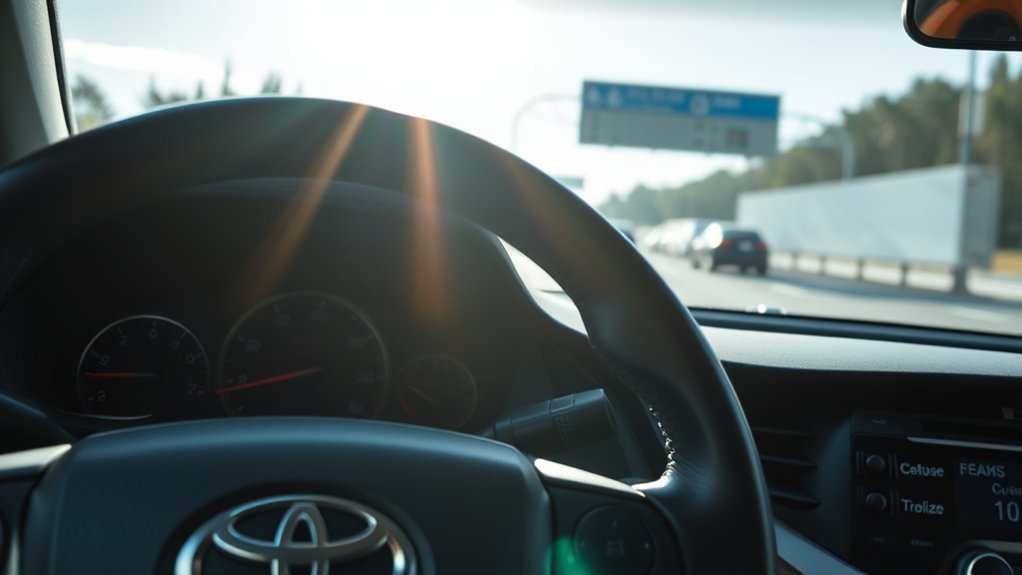
Cruise control lets your Toyota Camry maintain a selected speed without constant accelerator input. It is most useful on open highways where traffic is steady, visibility is clear, and frequent braking is unlikely.
The main benefit is reduced workload on long drives. Cruise control may also help maintain a steadier speed. The U.S. Department of Energy says cruise control can help maintain a constant highway speed and may limit fuel use in many cases, but the result depends on terrain, speed, wind, traffic, and driving style. Treat it as a comfort and consistency feature, not a guaranteed fuel-saving tool.
Adaptive cruise control can produce different fuel results from standard cruise control. A 2024 Nature Communications study using 40,356 trips from 157 vehicles found that adaptive cruise-control use was associated with a 0.26 L/100 km increase in fleet-level fuel consumption after controls, while some acceleration and vehicle-following situations showed benefits. The study used a GM fleet, not Toyota Camrys, so it supports a general caution rather than a Camry-specific fuel claim.
Standard Cruise Control vs. Dynamic Radar Cruise Control
| Feature | Standard Cruise Control | Dynamic Radar Cruise Control |
|---|---|---|
| Main job | Maintains the speed you set | Helps maintain set speed and a selected following distance |
| Slower vehicle ahead | Driver must brake, cancel, or reduce speed | Can reduce speed when it detects a slower vehicle ahead |
| Following-distance control | No | Yes, on equipped models |
| Driver responsibility | Full responsibility at all times | Full responsibility at all times |
Standard cruise control holds the selected speed until you brake, cancel, change the setting, turn the system off, or the vehicle cancels it automatically.
Dynamic Radar Cruise Control, or DRCC, is Toyota’s adaptive cruise-control system. It uses vehicle-to-vehicle distance control to help maintain a selected gap from a detected vehicle ahead. It can reduce driving workload, but it may not detect or respond correctly in every situation.
Warning: Cruise control and Dynamic Radar Cruise Control are not substitutes for safe, attentive driving. Watch the road, keep your hands on the wheel, and be ready to brake or steer at any time.
[Products Worth Considering]

[Vehicle Fitment]: Compatible with Toyota Yaris 2007-2009, Venza 2009 & 2014-2015, Tundra 2005-2010 & 2014-2021, Tacoma 2005-2009 & 2014-2023, Solara 2004-2008, Sienna 2004-2010 & 2013-2015, RAV4 2004-2009, Prius 2004-2022, Matrix 2009-2010, Land Cruiser 2003-2009 & 2014-2021, Highlander 2005-2009, FJ Cruiser 2007-2009, Corolla 2009-2010 & 2014-2016, Camry 2005-2010 & 2014-2017, Avalon 2005-2013, 4Runner 2003-2009 & 2014-2019 --- without Adaptive Cruise Control & Collision Mitigation Braking

Note: This cruise control is for replacement only and Do Not fit 1.6L Toyota Corolla and Do Not fit all manual transmission cars!!!. Please make sure your original car has cruise control function and check your original part number, Reference Part Number: 84632-34017, 84632-08020, 84632-08021, 84632-0F010, 84632-34010, 84632-34011. If your original car is a hybrid, you need to use the original car wiring harness!!!
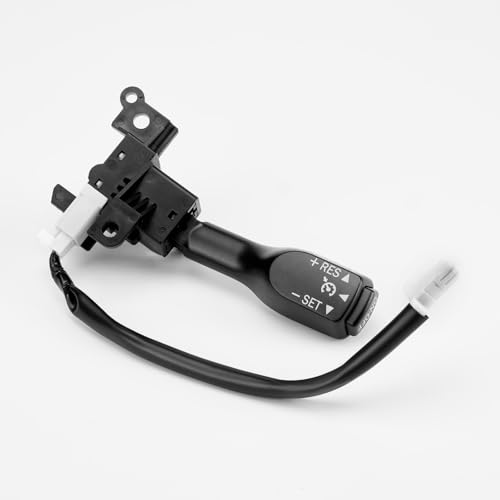
For Lexus: 2014-2017 Lexus CT200H; 2005-2006 ES330; 2007-2010 ES350 GS350 GS450H; 2006 GS300; 2005-2007 GS430; 2008-2010 GS460; 2003-2009 GX470; 2008-2009 IS F, LX570; 2006-2010 IS250 IS350; 2001-2007 LX470; 2004-2006 RX330; 2007-2015 RX350; 2006-2008 RX400H; 2010 RX450H
How Do You Turn Cruise Control On in a Toyota Camry?
Use these steps when traffic is light, the road is dry, and you are already driving at a safe highway speed:
- Find the cruise control switch. Look for the cruise icon, a stalk near the lower right side of the steering wheel, or steering-wheel buttons labeled +RES, -SET, or Cancel.
- Press the cruise main switch. The cruise indicator should appear on the instrument display.
- Keep driving normally. Turning the system on only makes it ready. It does not store a speed until you press -SET or move the stalk down.
- Confirm the road is appropriate. Avoid using cruise control where you need frequent speed changes.
[Products Worth Considering]

Applicable for Lexus CT200h (2011-2017), ES330 (2005-2006), ES350 (2007-2012), GS300 (2006), GS350 (2007-2011), GS430 (2005-2007), GS450h (2007-2011), GS460 (2008-2011), GX460 (2010-2019), GX470 (2003-2009), HS250h (2010-2012), IS F (2008-2014), IS250 (2006-2015), IS350 (2006-2015), LX470 (2001-2007), LX570 (2008-2021), RX330 (2004-2006), RX350 (2007-2015), RX400h (2006-2008), RX450h (2010-2015), iM (2016), tC (2005-2015), xB (2008-2015), xD (2008-2014)
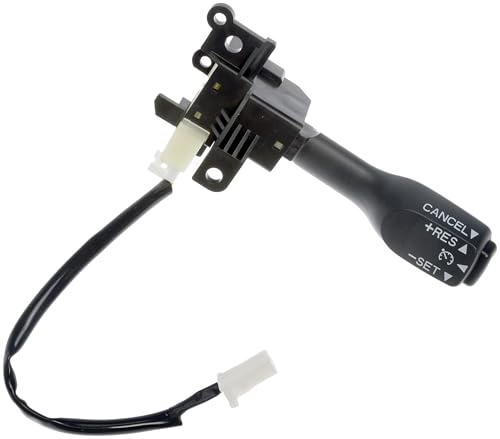
Direct replacement - this cruise control switch is made to match the fit and performance of the original switch on specific vehicle applications

Exact Fit for Specific Vehicles - Compatible for Toyota 4Runner 2003-2019; Avalon 2005-2015; Camry 2005-2017; Corolla 2009-2017; Corolla iM 2017-2018; FJ Cruiser 2007-2014; Highlander 2004-2013; Land Cruiser 2001-2021; Matrix 2008-2013; Prius 2004-2022; Prius AWD-e 2019-2022; Prius C 2012-2019; Prius Plug-In 2012-2015; Prius Prime 2017-2022; Prius V 2012-2017. Replaces OE: 84632-34011, 84632-08021, 84632-34017, 8463234011. Before purchasing check via Amazon's Fitment System or verify your vehicle's OE number to avoid "wrong purchase and return" hassles.
How Do You Set the Cruise Speed?
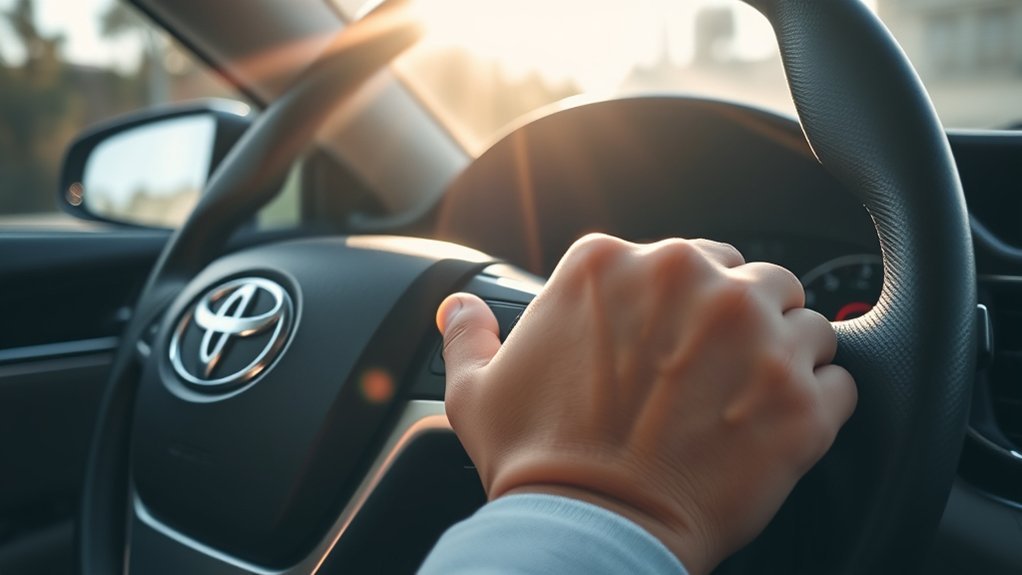
Once the cruise system is on and the cruise indicator is displayed, set your speed like this:
- Accelerate or slow down to the speed you want. Choose a legal, safe speed for traffic and weather.
- Press -SET or move the cruise stalk down. The Camry stores your current speed.
- Look for the SET indicator. The instrument display should confirm the set speed or show that cruise control is active.
- Ease your foot off the accelerator. The vehicle should maintain the stored speed until you brake, cancel, turn off the system, or the system cancels automatically.
Pro Tip: Set cruise control only after your speed is stable. Minimum set and resume speeds differ by system. Toyota says 2025–2026 U.S.-market Full-Speed Range DRCC is designed to be set above 20 mph; follow your exact manual for other years.
How Do You Adjust the Set Speed?
After cruise control is set, you can adjust the stored speed without turning the system off.
| What You Want to Do | Stalk Layout | Button Layout |
|---|---|---|
| Increase speed | Move or hold the stalk up | Press or hold +RES |
| Decrease speed | Move or hold the stalk down | Press or hold -SET |
| Set a new speed after accelerating | Accelerate, then move the stalk down | Accelerate, then press -SET |
| Return to the previous set speed | Move the stalk up | Press +RES |
Small taps usually make small speed changes, while holding the control changes speed more continuously. Your exact increments can vary by model year and display units.
How Do You Cancel Cruise Control Temporarily?
To pause cruise control without fully turning the system off, use one of these methods:
| Action | Result |
|---|---|
| Tap the brake pedal | Cancels speed holding temporarily |
| Pull the stalk toward you, if equipped | Cancels speed holding temporarily |
| Press the Cancel switch, if equipped | Cancels speed holding temporarily |
| Press the cruise main switch again | Turns the cruise system off |
When you cancel cruise control temporarily, the system may remember the last set speed. When you turn the cruise system off completely, you may need to turn it back on and set the speed again.
How Do You Resume the Previous Set Speed?
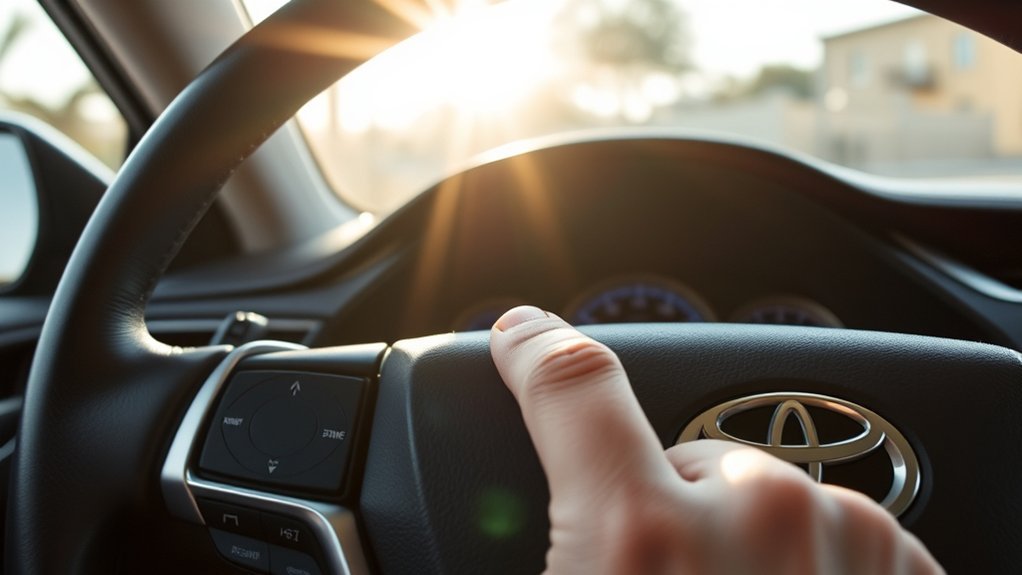
After tapping the brake or pressing cancel, press +RES or move the stalk up to return toward the previous set speed. Resume only when the road ahead is clear and the stored speed is still safe.
Resume may be unavailable below a model-specific speed or after certain automatic cancellations. If the cruise system was turned off completely, a warning remains, or the vehicle canceled the system because operating conditions were not met, turn the system back on and set a new speed only after the condition is resolved.
How Do You Adjust Following Distance With Dynamic Radar Cruise Control?
If your Camry has Dynamic Radar Cruise Control, press the vehicle-to-vehicle distance button, usually shown as a car with distance bars. Each press cycles through the available gap settings shown on the display.
More distance bars mean a longer target gap. The actual distance changes with vehicle speed, so the bars are settings rather than fixed measurements. Start with a longer setting while learning the system and use more space at higher speeds or whenever traffic becomes less predictable.
For the dedicated button sequence, mode selection, and newer Camry display behavior, use the Toyota Camry DRCC setup guide.
Note: DRCC may not respond as expected to cut-ins, sharply curved roads, poor visibility, dirty or blocked sensors, stopped objects, or unusual traffic. Brake or steer whenever the system’s response is not sufficient.
When You Should Not Use Cruise Control
Cruise control is best for steady highway driving. Avoid using it when conditions require frequent judgment or quick speed changes.
| Situation | Why to Avoid It |
|---|---|
| Heavy city traffic | Frequent braking and speed changes make cruise control impractical |
| Rain, snow, ice, or standing water | Reduced traction can make speed control unsafe |
| Fog, glare, or low visibility | Sensors and drivers may have less time to react |
| Sharp curves or winding roads | A set speed may be too fast for the curve |
| Steep downhill grades | The vehicle may gain speed and require manual braking |
| Construction zones | Lane shifts, workers, and unpredictable traffic require full manual control |
Why Will Toyota Camry Cruise Control Not Set or Stay Active?
If cruise control will not set, cancels immediately, or displays a warning, first confirm the operating conditions and the message shown on the multi-information display.
Common Error Messages and Quick Fixes
| Problem or Message | Likely Cause | What to Do |
|---|---|---|
| Cruise control will not set | System not switched on, vehicle below the model-specific set-speed threshold, brake input, or warning message | Confirm the indicator, release the brake, reach an eligible speed, then press -SET or move the stalk down |
| Cruise cancels immediately | Brake input, traction or stability-control intervention, operating limit, or possible malfunction | Retry only in suitable conditions; if it repeats, stop relying on the system and arrange inspection |
| “Radar Cruise Control Unavailable” | Temporary sensor, visibility, temperature, or system limitation | Follow the display message, clean approved sensor areas if blocked, and wait for the system to become available |
| Sensor blocked or radar unavailable | Snow, ice, mud, bugs, water film, or debris on the radar cover or camera viewing area | Stop safely and clean the approved exterior surfaces gently with a soft cloth |
| Warning remains after cleaning | Sensor misalignment, damage, stored fault, or another system problem | Do not rely on cruise control; have the vehicle inspected |
| DRCC gap feels too short or long | Selected distance does not suit the speed or traffic | Choose a longer or shorter gap and cancel the system if the response remains unsuitable |
Sensor Obstruction Solutions
Dynamic Radar Cruise Control depends on a forward radar sensor and camera. Keep the radar cover and the windshield area in front of the camera clean. Do not place stickers, paint, accessories, or other objects over sensor zones.
If the front bumper, grille, radar cover, windshield camera area, or related mounting points have been hit, repaired, removed, or replaced, professional inspection or calibration may be required. If the warning remains after the visible obstruction is removed, follow the owner’s manual and arrange service.
For a deeper warning-message checklist, see Cruise Unavailable in Toyota Camry: Causes and Fixes.
Best Practices for Safe Driving With Cruise Control
Use cruise control as speed assistance, not as autopilot. Choose suitable conditions, watch the display, and remain ready to take full control.
Keep Your Attention on Driving
Keep both hands available for steering, watch traffic ahead, check mirrors, and keep your foot ready to brake. If traffic changes, weather worsens, or the road becomes more complex, cancel cruise control and drive manually.
Use the Right Mode for Traffic Conditions
Use standard cruise control only when traffic is steady and there is plenty of space. If your Camry has Dynamic Radar Cruise Control, it can help maintain a preset following distance from a vehicle ahead, but you still need to monitor the system and intervene whenever needed.
Turn It Off When You Are Done
When you exit the highway or no longer need the feature, press the cruise main switch to turn it off. Confirm that the cruise indicator is no longer active.
Frequently Asked Questions
Can I use cruise control in heavy traffic?
Standard cruise control should not be used in heavy traffic because it cannot react to changing traffic by itself. Dynamic Radar Cruise Control may help in some steady highway traffic, but you must stay alert, watch the road, and be ready to brake.
Is cruise control safe in rainy conditions?
Avoid cruise control in heavy rain, standing water, snow, ice, or any slippery condition. Reduced traction can make it harder to respond quickly, and sensor-based systems may also be limited by poor visibility or blocked sensors.
Does cruise control work on steep hills?
It may work on mild hills, but steep grades can cause speed changes, downshifts, or the need for braking. Use manual control on steep downhill roads, winding mountain roads, or any grade where you need precise speed control.
Can I use cruise control on city roads?
It is not recommended for typical city driving because of stoplights, pedestrians, turns, parked cars, and frequent speed changes. Cruise control is most useful on open highways and expressways with steady traffic.
Will cruise control improve fuel economy?
It can help in many steady highway situations because it maintains a constant speed. However, fuel savings are not guaranteed. Hills, traffic, high speeds, wind, and adaptive cruise behavior can all change the result.
Why will my Toyota Camry cruise control not set?
Common reasons include driving too slowly, the cruise system not being turned on, pressing the brake, slippery road conditions, a blocked radar sensor, or a system warning. Try again on a safe open road. If the warning remains, have the vehicle checked.
How do I turn cruise control off completely?
Tap the brake or press cancel to pause speed control. To turn the system off completely, press the cruise main switch again. The cruise indicator should disappear from the instrument display.
What do +RES and -SET mean on a Toyota Camry?
+RES resumes a stored speed after canceling and usually increases the set speed. -SET stores the current speed and usually lowers the set speed after cruise control is active. Exact tap and hold behavior can vary by model year.
Does Toyota Camry cruise control brake automatically?
Standard cruise control does not maintain distance from traffic ahead. Dynamic Radar Cruise Control can reduce speed for a detected vehicle, and Full-Speed Range versions can operate at low speeds under certain conditions. Neither system guarantees that it will stop for every hazard, so the driver must remain ready to brake.
Can I switch Dynamic Radar Cruise Control to constant-speed mode?
Some Camry model years provide a constant-speed mode, but the activation method and intended use vary. Do not assume one button sequence works for every Camry. Follow the cruise-control section of the owner’s manual for your exact year and market.
Conclusion
To use Toyota Camry cruise control, turn the system on, reach a safe speed, press -SET or move the stalk down, and confirm the set-speed indicator. Use +RES, -SET, cancel, or the brake pedal to adjust, resume, or pause it. If your Camry has Dynamic Radar Cruise Control, choose an appropriate following-distance setting and remain ready to brake or steer. Before your next highway drive, match these steps to the cruise-control diagram and operating limits in your exact owner’s manual.
Sources
- Toyota Support: How do I operate the cruise control in my vehicle? — basic Toyota cruise-control activation and stalk operation.
- Toyota 2025 Camry Hybrid Digital Owner’s Manual: Dynamic Radar Cruise Control — vehicle-to-vehicle distance control and DRCC operation.
- Toyota Camry Manuals and Warranties — model-year-specific owner resources.
- Toyota Safety Sense: 2026 Camry — current Full-Speed Range DRCC positioning and set-speed guidance.
- U.S. Department of Energy: Tips for Your Tank — cruise control and steady highway-speed fuel guidance.
- Nature Communications: Effect of adaptive cruise control on fuel consumption in real-world driving conditions — real-world ACC fuel-consumption findings and limitations.