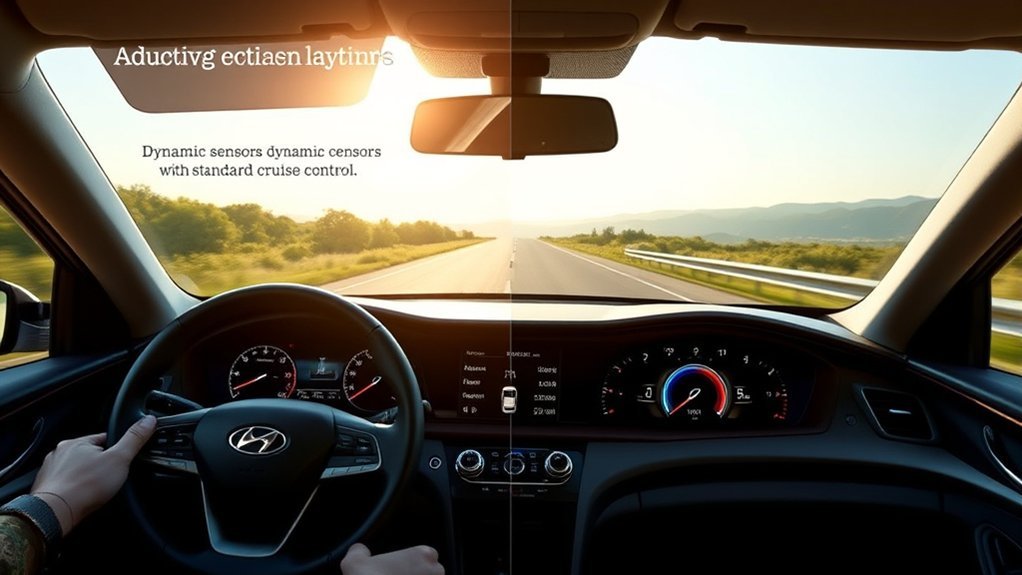
When comparing adaptive cruise control and standard cruise control in a Hyundai Sonata, the biggest difference is how much the system responds to traffic. Standard cruise control holds the speed you set until you brake, cancel, or adjust it. Hyundai’s adaptive system, usually called Smart Cruise Control, can detect a vehicle ahead and help maintain both your set speed and a selected following distance.
Quick Answer
Adaptive cruise control in the Hyundai Sonata is better for changing highway traffic because it can slow down and speed back up with vehicles ahead. Standard cruise control is simpler and works best on open roads where traffic speed stays steady.
Key Takeaways
- Standard cruise control only holds a fixed speed; it does not react to traffic ahead.
- Hyundai Smart Cruise Control can help maintain a set distance from the vehicle in front and adjust speed as traffic changes.
- Stop-and-go capability can reduce fatigue in traffic, but the driver must still steer, watch the road, and brake when needed.
- Navigation-based Smart Cruise Control, when equipped, may adjust speed on certain controlled-access roads using navigation data.
- Neither system makes the Sonata self-driving. These are driver-assistance features, not replacements for an attentive driver.
At a Glance
| Best Use | Highway driving, steady traffic, and longer trips |
| Difficulty | Easy once you know the steering-wheel controls |
| Tools Needed | None; use the Sonata’s steering-wheel buttons and driver-assistance menu |
| Cost | No extra cost after purchase if the feature is equipped on your trim |
What Is Adaptive Cruise Control in the Hyundai Sonata?
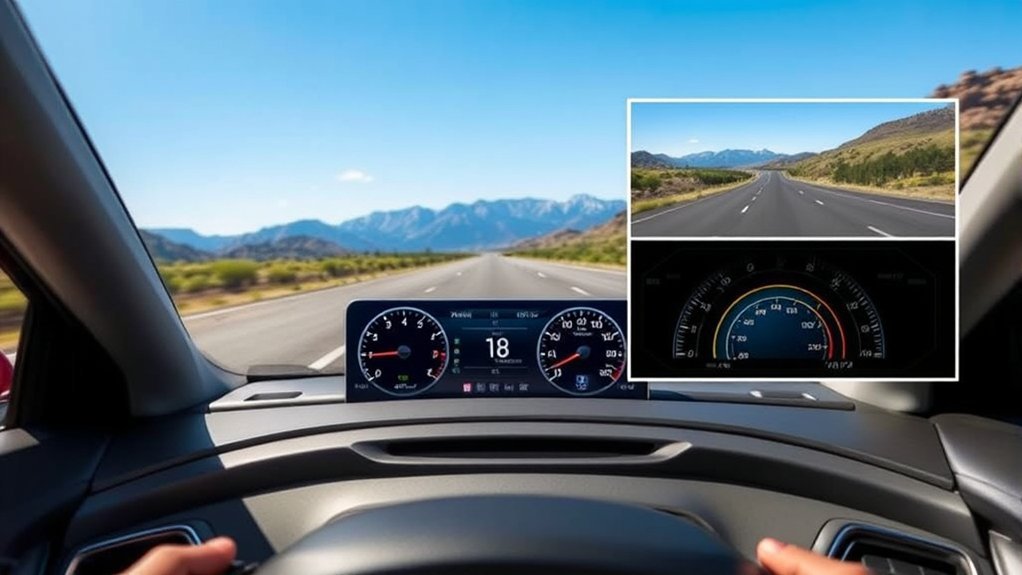
Adaptive Cruise Control is the general industry term for a cruise-control system that can adjust vehicle speed to help keep a preset gap from the car ahead. In Hyundai vehicles, this feature is commonly called Smart Cruise Control or Smart Cruise Control with Stop & Go, depending on model year and trim.
According to Hyundai’s owner information, Smart Cruise Control detects a vehicle ahead and helps maintain both the distance from that vehicle and the speed you set. The system uses front-facing sensors such as a camera and radar, so it can reduce speed when traffic slows and accelerate back toward your set speed when the road opens up. You can review Hyundai’s official description in the Hyundai Smart Cruise Control owner’s manual section.
In everyday driving, that means the Sonata’s adaptive system can feel more natural than standard cruise control on busy highways. Instead of constantly tapping the brake, pressing resume, and resetting speed, you select your cruising speed and following-distance level, then supervise the system while it helps manage speed changes.
Note: Feature names and button behavior can vary by Sonata model year, trim, market, and software version. Always use your vehicle’s owner’s manual as the final authority for your exact car.
[Products Worth Considering]

【Compatible With】: Compatible with Hyundai Sonata 2011 2012 2013 2014 2015.

[Vehicle Fitment]: Compatible with Toyota Yaris 2007-2009, Venza 2009 & 2014-2015, Tundra 2005-2010 & 2014-2021, Tacoma 2005-2009 & 2014-2023, Solara 2004-2008, Sienna 2004-2010 & 2013-2015, RAV4 2004-2009, Prius 2004-2022, Matrix 2009-2010, Land Cruiser 2003-2009 & 2014-2021, Highlander 2005-2009, FJ Cruiser 2007-2009, Corolla 2009-2010 & 2014-2016, Camry 2005-2010 & 2014-2017, Avalon 2005-2013, 4Runner 2003-2009 & 2014-2019 --- without Adaptive Cruise Control & Collision Mitigation Braking
Key Features of Hyundai’s Smart Cruise Control
Hyundai’s Smart Cruise Control is designed to reduce the amount of speed adjustment you make during highway driving. It is still a driver-assistance system, but it adds several abilities that standard cruise control does not have.
[Products Worth Considering]


[OEM REFERENCE] Replacement For Kia Sportage 2012-2015,For Kia ceed 2011,For Kia sid 2010 2011.Volume Control Number: 96700-3W502 96700-4T000,CRUISE Number: 96700-3W301 96700-4T300,
Speed and Distance Control
The core feature is automatic speed adjustment. If there is no vehicle ahead, the Sonata maintains your set speed. If a slower vehicle is detected, Smart Cruise Control may reduce speed to help maintain your chosen following distance. When the vehicle ahead accelerates or moves away, the Sonata can accelerate back toward the speed you selected.
Adjustable Following Distance
Hyundai’s system lets the driver cycle through distance settings. In the owner’s manual example, at 56 mph, the distance levels range from about 82 feet at the closest setting to about 172 feet at the farthest setting. These are approximate targets, and the actual gap may vary with speed and conditions.
Stop-and-Go Driving
In traffic, Smart Cruise Control can help bring the vehicle to a stop behind another vehicle. Hyundai’s manual explains that if the vehicle ahead starts moving again, the Sonata may start as well; after the vehicle has been stopped for a certain time, the driver may need to press the accelerator or use the cruise-control switch to resume driving.
Overtaking Acceleration Assist
Some Hyundai Smart Cruise Control systems include Overtaking Acceleration Assist. When the system judges that you are trying to pass a vehicle ahead and the turn signal is used, it may help the vehicle accelerate under certain conditions. Hyundai warns that drivers must still pay attention to road conditions at all times.
Navigation-Based Smart Cruise Control
Some Sonata models or trims may include Navigation-based Smart Cruise Control. This is not the same thing as basic adaptive cruise control. Hyundai says this available feature uses navigation information to help maintain an appropriate speed on certain controlled-access roads and may temporarily slow the vehicle for highway curves. It does not operate everywhere, and Hyundai notes that it may be limited to select highways and road types.
Overview of Standard Cruise Control
Standard cruise control is simpler. You set a speed, and the car attempts to hold that speed until you cancel it, brake, or change the setting. It can make long, open-road driving more comfortable because your foot does not have to stay on the accelerator.
The trade-off is that standard cruise control does not monitor the vehicle in front of you. If traffic slows, you must brake or cancel the system yourself. If traffic speeds up again, you must resume or reset cruise control manually. This makes standard cruise control most useful on open highways with light, steady traffic.
Basic Functionality Explained
With standard cruise control, the driver chooses a speed and the vehicle works to maintain it. The system does not choose a following distance, does not brake for slower traffic ahead, and does not handle stop-and-go traffic. It is a convenience feature, not a traffic-aware safety system.
Limitations in Traffic Adaptation
Standard cruise control can become inconvenient in heavy or changing traffic because it requires constant driver input. If another car cuts in, traffic slows, or the road becomes crowded, you need to brake, cancel, or adjust the set speed. That manual involvement is normal, but it can increase fatigue on a long drive.
Major Differences Between Adaptive and Standard Cruise Control
The clearest way to compare these systems is to look at what each one does when traffic changes.
| Feature | Standard Cruise Control | Hyundai Smart Cruise Control |
|---|---|---|
| Maintains set speed | Yes | Yes |
| Detects a vehicle ahead | No | Yes, using driver-assistance sensors |
| Adjusts speed for traffic | No | Yes, within system limits |
| Maintains selectable following distance | No | Yes |
| Can help in stop-and-go traffic | No | Yes, when equipped and conditions are met |
| Requires driver supervision | Yes | Yes |
| Best environment | Open, steady-speed roads | Highways with moderate speed changes |
[Products Worth Considering]
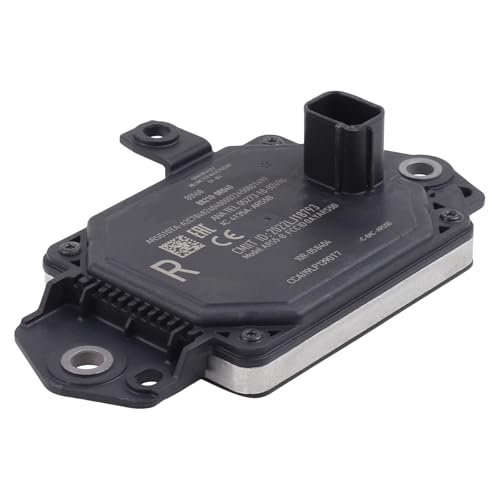
Compatible with Toyota RAV4 2019-2025
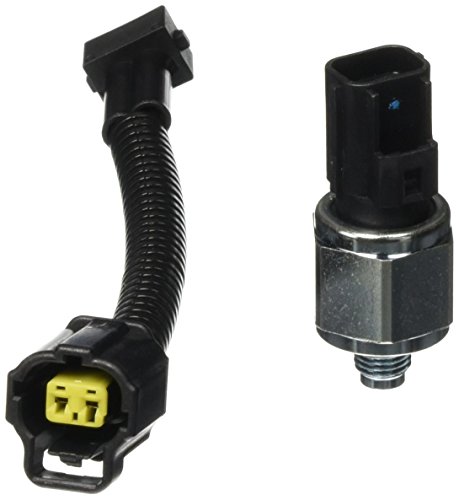
Package Dimension : 5.42 " L x 3.7 " W x 2.53 " H

Applicable for Lexus CT200h (2011-2017), ES330 (2005-2006), ES350 (2007-2012), GS300 (2006), GS350 (2007-2011), GS430 (2005-2007), GS450h (2007-2011), GS460 (2008-2011), GX460 (2010-2019), GX470 (2003-2009), HS250h (2010-2012), IS F (2008-2014), IS250 (2006-2015), IS350 (2006-2015), LX470 (2001-2007), LX570 (2008-2021), RX330 (2004-2006), RX350 (2007-2015), RX400h (2006-2008), RX450h (2010-2015), iM (2016), tC (2005-2015), xB (2008-2015), xD (2008-2014)
Key Functional Differences
The main functional difference is that standard cruise control only controls speed, while Smart Cruise Control controls speed in relation to traffic ahead. Standard cruise control is predictable and simple. Smart Cruise Control is more flexible because it can slow down and speed up with traffic, but it also depends on sensors, road conditions, and driver supervision.
Safety Enhancements Offered
Smart Cruise Control can support safer spacing by helping maintain a selected gap from a vehicle ahead. However, it should not be described as a guaranteed safety system. The National Highway Traffic Safety Administration explains that driver-assistance technologies can help drivers, but drivers remain responsible for steering, braking, accelerating, and monitoring the road.
Other Hyundai driver-assistance systems, such as Lane Following Assist, Lane Keeping Assist, Blind-Spot Collision Warning, or Highway Driving Assist, may work alongside cruise-control features on some Sonata trims. These systems are separate from cruise control, and their availability depends on the vehicle.
Driving Experience Variations
Standard cruise control feels more direct because the car does exactly what you set: it holds speed. Smart Cruise Control feels more relaxed in traffic because it changes speed for you, but it may also react differently than you expect if a vehicle cuts in, leaves the lane, slows sharply, or is not detected clearly.
Warning: Smart Cruise Control does not replace safe driving. Hyundai warns that the system may not recognize unexpected or complex situations, and the driver must always watch the road and control the vehicle when needed.
How Does Adaptive Cruise Control Perform on the Road?
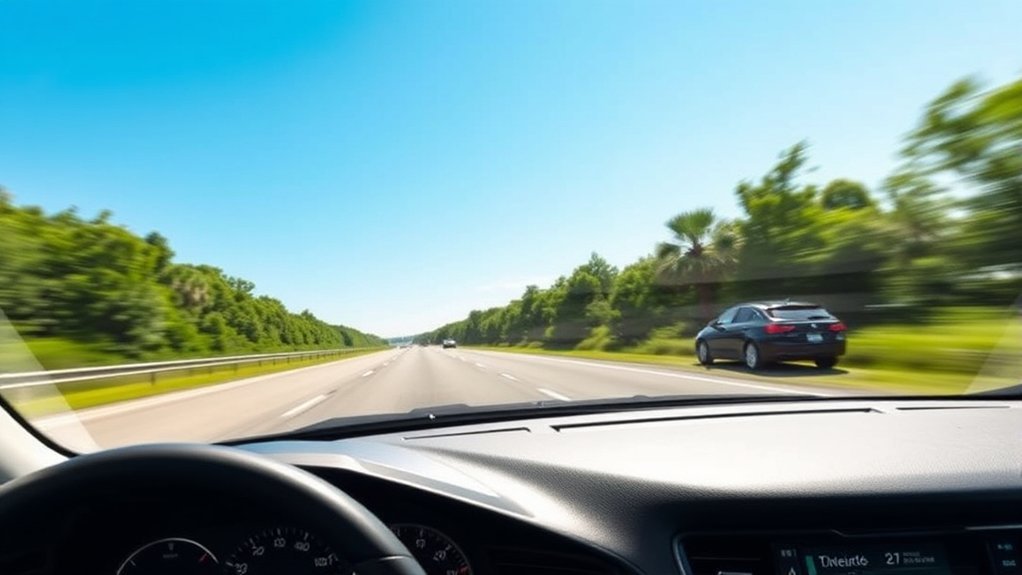
On a straight highway with clear lane markings and normal traffic flow, Hyundai Smart Cruise Control can make the Sonata feel easier to drive. It can help maintain speed, adjust to a slower vehicle ahead, and resume speed when traffic clears. This is where adaptive cruise control has the biggest advantage over a standard system.
In stop-and-go traffic, Smart Cruise Control can also reduce the constant back-and-forth between accelerator and brake. That does not mean the driver can stop paying attention. The system can ask for driver input after a stop, and it can cancel if operating conditions are not met.
Performance can be less smooth in situations where traffic changes suddenly. A vehicle cutting in close, a car leaving the lane ahead, a steep hill, a sharp curve, bad weather, dirty sensors, or glare affecting the front camera can all influence system behavior.
| Driving Condition | Smart Cruise Control Performance | What the Driver Should Do |
|---|---|---|
| Open highway | Maintains set speed well when conditions are clear | Keep watching traffic and posted limits |
| Moderate traffic | Can slow and accelerate with vehicles ahead | Choose a comfortable following distance |
| Stop-and-go traffic | May stop and restart when conditions are met | Be ready to accelerate or brake |
| Cut-ins and sudden braking | May react late or unexpectedly | Brake manually when needed |
| Curves, hills, poor weather | May be limited by sensor visibility and road shape | Reduce reliance on the system |
The Insurance Institute for Highway Safety notes that adaptive cruise control and lane-centering features are driver-assistance technologies; they do not make a vehicle driverless, and drivers must remain engaged.
Benefits of Using Adaptive Cruise Control on Highways
The main benefit of adaptive cruise control is reduced workload. On a long highway drive, constantly adjusting speed for mild traffic changes can become tiring. Smart Cruise Control helps by managing some of those speed changes while you continue to steer and supervise.
- Less speed-management fatigue: The system can reduce the number of times you manually brake, resume, or reset cruise control.
- More consistent following distance: The Sonata can help maintain your selected distance from a vehicle ahead.
- Better comfort in traffic: Stop-and-go capability can make slow highway traffic less stressful when the system is equipped and active.
- Helpful pairing with other driver aids: On some models, Smart Cruise Control can work with features such as Lane Following Assist or Highway Driving Assist for a smoother highway experience.
Pro Tip: Use a longer following-distance setting in rain, heavy traffic, or fast highway driving. A closer setting may feel responsive, but it gives you less space if traffic changes suddenly.
What to Know About Limitations of Adaptive Cruise Control
Adaptive cruise control is helpful, but it has real limits. Hyundai’s manual cautions that Smart Cruise Control may not recognize unexpected or complex driving situations. It may also fail to detect certain obstacles or react with a delay when vehicles ahead change lanes frequently.
Sensor condition matters. Hyundai says the front view camera and front radar should be kept in good condition for optimal Smart Cruise Control performance. Dirt, snow, ice, bumper damage, windshield issues, or sensor blockage can reduce performance.
Drivers should also remember that Smart Cruise Control is not a legal-speed guarantee. Navigation-based systems, when equipped, may use navigation data on certain controlled-access roads, but the driver is still responsible for obeying local speed limits, road signs, weather conditions, and traffic laws.
- Do not rely on it in poor weather. Heavy rain, snow, fog, or glare can affect sensors.
- Be careful on curves and hills. The system may not always respond the way a human driver would.
- Watch for cut-ins. A vehicle entering your lane suddenly can require immediate braking.
- Keep your foot ready. You may need to brake or accelerate at any moment.
- Turn it off when not using it. Hyundai recommends keeping Smart Cruise Control off when it is not in use to avoid setting a speed accidentally.
How to Switch Between Adaptive and Standard Cruise Control
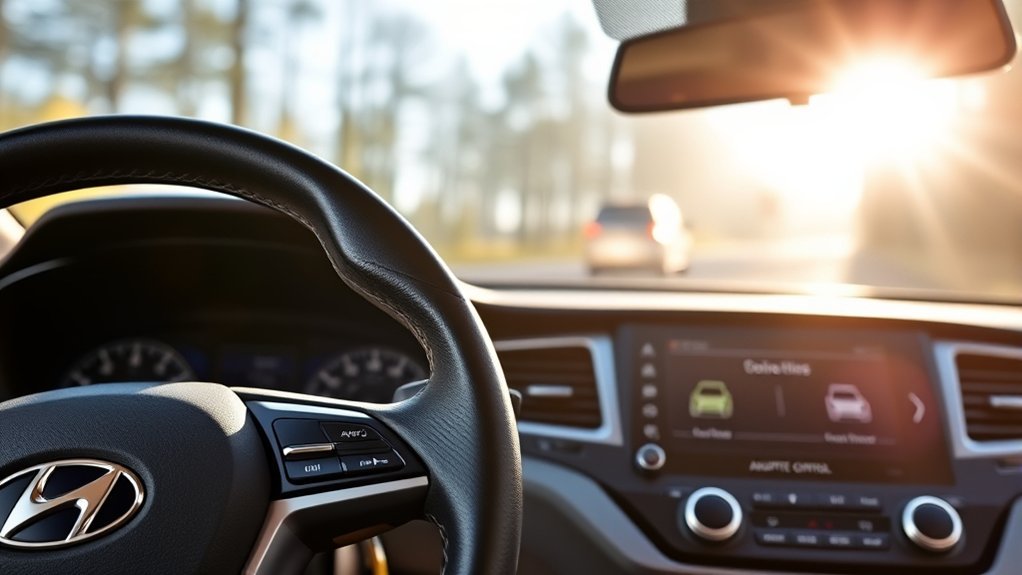
Some Hyundai vehicles allow the driver to use Smart Cruise Control or a conventional cruise-control mode, but the exact process depends on the model year and button layout. In many newer Hyundai manuals, a short press of the Driving Assist button turns on Smart Cruise Control, while a long press may activate a different speed-limit function rather than standard cruise control. That is why it is important to check the instructions for your exact Sonata.
For Smart Cruise Control operation on newer Sonata models, the basic process is usually:
- Press the Driving Assist button to turn on Smart Cruise Control.
- Set your speed using the cruise-control switch once you are driving at the speed you want.
- Choose your following distance by pressing the distance button repeatedly until the preferred level appears.
- Adjust speed using the plus or minus switch.
- Cancel the system by pressing the cancel switch or braking.
- Turn the system off with the Driving Assist button when you are done.
If your Sonata has a menu option for cruise-control mode, use the vehicle settings shown in the instrument cluster or infotainment system. If your car does not show a standard-cruise option, it may only support Smart Cruise Control behavior through the main cruise-control interface.
Note: The symbols on Hyundai steering-wheel buttons can be difficult to describe in text because they use icons. Match the button icons in your car to the owner’s manual diagrams before changing settings while driving.
When Standard Cruise Control May Be the Better Choice
Adaptive cruise control is not always the best fit. Some drivers prefer standard cruise control on empty roads because it feels more consistent. If there are no vehicles ahead, a standard system can hold speed without reacting to adjacent-lane traffic, sensor uncertainty, or vehicles that briefly enter the detection zone.
Standard cruise control may feel better when:
- Traffic is very light and steady.
- The road is dry, straight, and open.
- You want simple speed holding without automatic following-distance changes.
- Sensor conditions are poor, such as snow, mud, heavy rain, or blocked radar areas.
Smart Cruise Control is usually the better choice when:
- Highway traffic speed changes often.
- You want help maintaining distance from a vehicle ahead.
- You are driving a long distance and want to reduce speed-adjustment fatigue.
- You are in slow traffic where stop-and-go support is useful.
User Feedback: Pros and Cons of Hyundai’s Cruise Control
Drivers often like Hyundai Smart Cruise Control because it makes highway driving less tiring. The biggest praise usually goes to its ability to maintain distance in normal traffic and reduce constant pedal input. It can make a long commute or road trip feel calmer, especially when paired with clear displays in the instrument cluster.
The common complaints are about trust and timing. Some drivers feel the system responds too slowly when traffic ahead accelerates. Others dislike how it reacts when another vehicle cuts in or when a front vehicle leaves the lane and the Sonata accelerates back toward the set speed. These reactions are not necessarily malfunctions; they are reminders that the system has limits.
For drivers who want the simplest experience, standard cruise control still has value. It does not follow traffic, but it is easy to understand: set the speed, supervise the road, and cancel when conditions change.
Frequently Asked Questions
What are the disadvantages of adaptive cruise control?
Adaptive cruise control can react late to sudden cut-ins, may be limited by weather or dirty sensors, and can behave unexpectedly on curves, hills, or complex roads. It also may encourage overconfidence, so the driver must stay alert and ready to brake.
What is the difference between Hyundai cruise control and Smart Cruise Control?
Hyundai’s standard cruise control maintains a fixed speed selected by the driver. Hyundai Smart Cruise Control can help maintain a selected speed and following distance by detecting a vehicle ahead and adjusting speed within system limits.
Does Smart Cruise Control make the Hyundai Sonata self-driving?
No. Smart Cruise Control is a driver-assistance feature. It can help with speed and distance control, but the driver must continue steering, watching the road, obeying traffic laws, and braking when needed.
Can the Sonata’s Smart Cruise Control stop the car in traffic?
When equipped and operating conditions are met, Smart Cruise Control can help stop the vehicle behind traffic ahead. After the car has been stopped for a certain time, the driver may need to press the accelerator or use the cruise-control switch to start moving again.
Why does Smart Cruise Control sometimes accelerate unexpectedly?
If the vehicle ahead leaves your lane or is no longer detected, Smart Cruise Control may accelerate back toward the set speed. Hyundai warns drivers to watch for unexpected situations and brake when needed.
Should I use adaptive cruise control in rain or snow?
Use extra caution. Heavy rain, snow, fog, ice, and dirty sensors can reduce system performance. In poor conditions, it is usually safer to reduce reliance on cruise-control systems and drive manually.
Conclusion
Adaptive cruise control and standard cruise control both make highway driving easier, but they serve different needs. Standard cruise control is simple and predictable on open roads. Hyundai Smart Cruise Control is more useful in changing traffic because it can help maintain distance from a vehicle ahead and adjust speed automatically.
The best choice depends on the road. Use standard cruise control when traffic is light and steady. Use Smart Cruise Control when traffic speed changes often and you want help managing the gap ahead. Either way, stay engaged: the Sonata’s cruise-control systems can assist you, but they cannot replace your judgment, attention, or responsibility as the driver.
Sources
- Hyundai Owner’s Manual: Smart Cruise Control — supports how Hyundai Smart Cruise Control detects vehicles ahead and uses front camera/radar sensors.
- Hyundai Owner’s Manual: Smart Cruise Control Operation — supports operating conditions, distance settings, stop-and-go behavior, and driver warnings.
- Hyundai Owner’s Manual: Navigation-Based Smart Cruise Control — supports limitations and road-type restrictions for navigation-based speed assistance.
- NHTSA: Driver Assistance Technologies — supports driver-responsibility guidance and general adaptive-cruise-control definitions.
- IIHS-HLDI: Advanced Driver Assistance — supports the distinction between driver-assistance systems and fully automated driving.
- IIHS Study: Speeding Behavior While Using Adaptive Cruise Control — supports caution about driver behavior and overreliance when using adaptive cruise features.