If your Hyundai Sonata is equipped with Smart Cruise Control, the following distance is set with the Vehicle Distance button on the steering wheel, not the + or – speed switches. The + and – switches change the set speed. Use the distance button to cycle through the four headway levels, then choose the setting that gives you the safest, most comfortable space for traffic, speed, and weather.
Quick Answer
To set the Smart Cruise following distance in a Hyundai Sonata, turn on Smart Cruise Control with the Driving Assist button, then press the Vehicle Distance button repeatedly. The system cycles through Distance 4, 3, 2, 1, and back to 4. Use + or – only to adjust your set speed.
Key Takeaways
- Use the Vehicle Distance button to change following distance.
- Use the + and – switches to raise or lower the Smart Cruise set speed.
- Distance 4 gives the longest gap; Distance 1 gives the shortest gap.
- Smart Cruise Control is driver assistance only. You must still steer, brake, and watch traffic.
At a Glance
| Time Required | Less than 1 minute |
| Difficulty | Easy |
| Tools Needed | No tools; use the steering wheel controls |
| Cost | Free |
Before You Use Smart Cruise Control
Smart Cruise Control, often shortened to SCC, helps maintain a set speed and a selected gap from the vehicle ahead. On a Sonata, the feature may vary by model year, trim, market, and equipment package, so treat the owner’s manual for your exact vehicle as the final authority.
Before using SCC, make sure the vehicle is in Drive, the road is suitable, and the driver-assistance sensors are not blocked. Hyundai’s Smart Cruise Control guide notes that SCC uses the vehicle’s front detection systems and may not operate correctly if conditions are not met. You can review Hyundai’s official Smart Cruise Control operation information in the Hyundai owner’s manual.
Warning: Smart Cruise Control does not make the Sonata self-driving. Keep your hands on the wheel, watch traffic, and be ready to brake or steer at any time.
How to Activate Smart Cruise Control in the Sonata
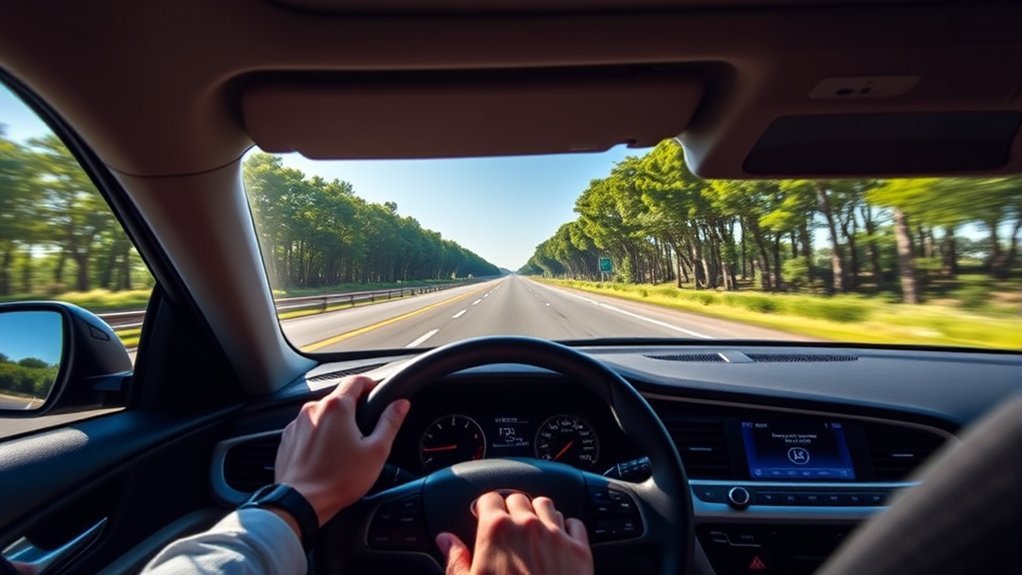
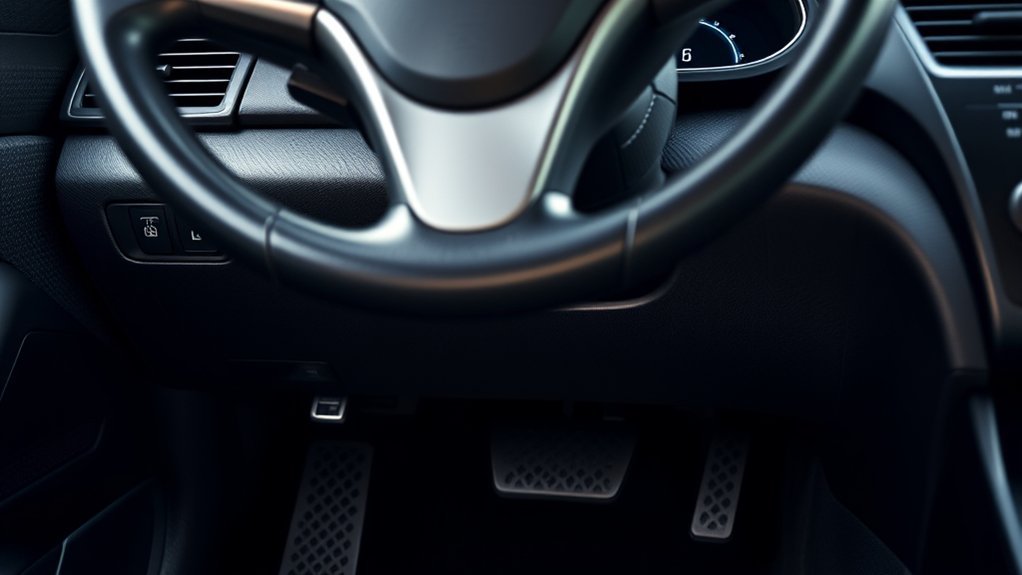
To activate Smart Cruise Control in your Sonata, find the Driving Assist button on the steering wheel. The exact icon and layout can differ slightly, but Hyundai’s steering wheel control guide identifies separate controls for the Driving Assist button and the Vehicle Distance button.
- Drive in a safe lane with clear road markings and predictable traffic.
- Press the Driving Assist button to turn on Smart Cruise Control.
- Check the instrument cluster to confirm the set speed and SCC status.
- If a vehicle is ahead, SCC may reduce speed to help maintain the selected headway.
- If there is no vehicle ahead, the Sonata attempts to maintain your set speed.
In many Hyundai manuals, if the vehicle speed is below 30 km/h when SCC is turned on, the set speed may be set to 30 km/h. Some models also support stop-and-go operation when a vehicle is detected ahead. Always confirm the behavior for your exact Sonata model year.
[Products Worth Considering]

[Vehicle Fitment]: Compatible with Hyundai Sonata 2002-2005 2.4L 2.7L; Compatible with Kia Optima 2002-2005 2.4L 2.7L --- For vehicles manufactured after January 3, 2002 only. Please verify your vehicle's manufactured date before purchasing to avoid buying an incompatible item

Part Number:93490-3Q120 , 934903Q120, 93490-3X040 , 934903X040
Setting Your Initial Speed for Smart Cruise Control
After Smart Cruise Control is active, your set speed appears in the instrument cluster. This is the speed the vehicle will try to maintain when traffic ahead allows it.
[Products Worth Considering]

[Vehicle Fitment]: Compatible with Toyota Yaris 2007-2009, Venza 2009 & 2014-2015, Tundra 2005-2010 & 2014-2021, Tacoma 2005-2009 & 2014-2023, Solara 2004-2008, Sienna 2004-2010 & 2013-2015, RAV4 2004-2009, Prius 2004-2022, Matrix 2009-2010, Land Cruiser 2003-2009 & 2014-2021, Highlander 2005-2009, FJ Cruiser 2007-2009, Corolla 2009-2010 & 2014-2016, Camry 2005-2010 & 2014-2017, Avalon 2005-2013, 4Runner 2003-2009 & 2014-2019 --- without Adaptive Cruise Control & Collision Mitigation Braking
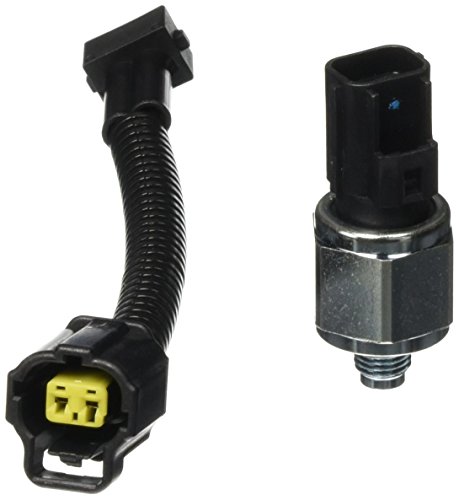
Package Dimension : 5.42 " L x 3.7 " W x 2.53 " H

Direct replacement - this cruise control switch is made to match the fit and performance of the original switch on specific vehicle applications
Using the + and – Speed Switches
The + and – switches are for speed adjustment, not following-distance adjustment. Push the + switch to raise the set speed. Push the – switch to lower it. Depending on your model and market, a quick push may change speed in small increments, while holding the switch may change speed faster.
Note: If you press + or – after SCC has been canceled, the Sonata may set the current vehicle speed as the new Smart Cruise speed. Use the resume control only when the road ahead is clear and the previous speed is still safe.
When the Set Speed May Change Automatically
Smart Cruise Control may slow the car when it detects a slower vehicle ahead, then return toward the set speed when the lane clears. On hills, the actual vehicle speed may vary slightly. The system may also cancel if its operating conditions are not met.
Adjust Your Following Distance
To adjust the following distance, press the Vehicle Distance button on the steering wheel. Each press cycles through the headway settings in this order:
Distance 4 → Distance 3 → Distance 2 → Distance 1 → Distance 4
Distance 4 is the longest following gap. Distance 1 is the shortest. For normal highway driving, start with Distance 4 or Distance 3 until you learn how your Sonata responds in traffic.
| Setting | Relative Gap | Approximate Gap at 90 km/h | Best Use |
|---|---|---|---|
| Distance 4 | Longest | About 52.5 m | Highway speeds, rain, heavy traffic, relaxed driving |
| Distance 3 | Long | About 40 m | Everyday cruising in moderate traffic |
| Distance 2 | Medium | About 32.5 m | Steady traffic when roads are dry and visibility is good |
| Distance 1 | Shortest | About 25 m | Low-speed traffic only when conditions are safe |
The actual target distance changes with vehicle speed, so the gap is usually shorter at lower speeds and longer at higher speeds. Hyundai also notes that the last selected distance may be remembered after the vehicle restarts or after SCC is temporarily canceled.
Pro Tip: If you are new to Smart Cruise Control, begin with Distance 4 on an open road. Once you understand how the Sonata slows, resumes, and reacts to traffic, choose a closer setting only when road conditions allow.
[Products Worth Considering]

【Material】The Car Steering Wheel Buttons Are Made Of Abs Material, Which Has A Stylish Appearance, Sturdy Material And Is Not Easy To Wear.

Fit for Vehicle: Compatible with Hyundai Sonata 2011 2012 2013 2014 2015

Easy installation: The steering wheel button structure is simple, easy to complete the installation
Why Following Distance Matters in Smart Cruise Control
Following distance matters because SCC needs time and space to respond when traffic ahead slows, stops, or changes lanes. A longer headway can feel smoother and gives you more time to react. A shorter headway may feel more natural in dense traffic, but it gives less room for sudden changes.
| Benefit | What It Does | Driver Reminder |
|---|---|---|
| More reaction time | Leaves more space if traffic slows | Still watch the road and brake if needed |
| Smoother cruising | Can reduce abrupt speed changes | Use longer settings in rain, fog, or heavy traffic |
| Less fatigue | Helps manage speed and gap on longer drives | Do not become dependent on the system |
The safest Smart Cruise distance is not always the closest one. Choose the gap that matches your speed, visibility, traffic, road surface, and comfort level.
How to Make Temporary Speed Adjustments
You can temporarily accelerate while Smart Cruise Control is active by pressing the accelerator pedal. This can help when passing or merging. When you release the pedal, SCC returns toward the previous set speed if the system is still active and traffic conditions allow.
Temporary Acceleration Without Changing Set Speed
Press the accelerator to speed up briefly. The set speed remains stored. Be careful: while your foot is on the accelerator, the system may not control speed and following distance the way it normally does.
Changing the Set Speed
To make a lasting speed change, use the + or – switch. Push + to increase the set speed and – to decrease it. Watch the instrument cluster so you know exactly what speed is set.
Returning to Your Set Speed
If Smart Cruise Control was temporarily canceled, use the resume control only when the previous speed is safe for current traffic. If you push + or -, the vehicle may set the current speed instead of the previously stored speed, depending on the control used and your model’s behavior.
Warning: Do not resume Smart Cruise Control into slow, stopped, merging, or unpredictable traffic unless you are ready to brake immediately.
Pausing and Resuming Smart Cruise Control
Smart Cruise Control can be paused or canceled by the driver or by the vehicle when operating conditions are not met.
- Pressing the brake pedal temporarily cancels SCC.
- Pressing the cancel control temporarily cancels SCC.
- SCC may cancel if the vehicle stops for a certain time.
- SCC may not operate if the driver’s door is open, the parking brake is applied, ESC or ABS is actively controlling the vehicle, or another safety system is braking.
- If SCC cancels, the Sonata no longer maintains the selected distance from the vehicle ahead.
In traffic, if the Sonata stops behind another vehicle and the vehicle ahead moves again, SCC may restart or may ask you to use a switch or the accelerator pedal to move. Follow the instrument cluster message and keep your foot ready for the brake.
Safety Precautions for Smart Cruise Control Use
Smart Cruise Control is helpful, but it has limits. It may not react the way you expect when another vehicle cuts in, when a vehicle ahead changes lanes, on steep hills, in poor weather, near stopped traffic, or when sensors are blocked.
- Stay responsible: SCC assists with speed and distance, but you are still driving.
- Use a safe distance: Choose a longer gap at higher speeds or when visibility is poor.
- Watch for cut-ins: A car entering your lane suddenly may not give SCC enough time to respond smoothly.
- Turn SCC off when inappropriate: Do not use it in conditions where steady speed control is unsafe.
- Keep sensors clean: Dirt, snow, heavy rain, or damage near the front camera or radar area can affect performance.
The National Highway Traffic Safety Administration explains that driver-assistance systems require the driver to remain fully engaged and attentive. Treat SCC as a convenience feature, not a replacement for judgment.
Practical Tips for Smart Cruise Control Use

The easiest way to get comfortable with SCC is to practice on a clear highway in good weather. Turn it on, check the set speed, then press the Vehicle Distance button a few times so you can see the distance indicator change in the cluster.
- Use Distance 4 when learning the system.
- Increase the distance in rain, fog, snow, construction zones, or heavy traffic.
- Use the + and – speed switches only after checking the road ahead.
- Do not press several cruise buttons at the same time.
- Cancel SCC before exits, sharp curves, confusing lane splits, or unpredictable traffic.
Some Sonata models also let you adjust Smart Cruise settings through the infotainment system. Depending on model year and market, look for a path similar to Setup or Settings > Vehicle > Driver Assistance > Driving Convenience > Smart Cruise Control. This menu may allow adjustments such as Distance, Acceleration, and Reaction Speed.
Common Issues and Solutions for Smart Cruise Control
If Smart Cruise Control does not behave as expected, check the simple causes first.
| Issue | Likely Cause | What to Do |
|---|---|---|
| Following distance is not changing | You may be pressing + or – instead of the Vehicle Distance button | Press the Vehicle Distance button repeatedly and watch the cluster indicator |
| Speed changes instead of distance | + or – switch was used | Use + or – only for set speed |
| “Conditions not met” message appears | SCC operating requirements are not satisfied | Check speed, gear, parking brake, door status, ESC/ABS activity, and traffic conditions |
| SCC cancels in traffic | The vehicle stopped for a certain time or another condition changed | Follow the cluster prompt and use the switch or accelerator only when safe |
| SCC reacts late or oddly | Vehicle cut-in, curve, hill, bad weather, or sensor obstruction | Brake manually, increase distance, or turn SCC off |
Frequently Asked Questions
How do I set the Smart Cruise following distance in a Hyundai Sonata?
Turn on Smart Cruise Control with the Driving Assist button, then press the Vehicle Distance button on the steering wheel. Each press cycles through Distance 4, Distance 3, Distance 2, Distance 1, and back to Distance 4.
Do the + and – buttons change the following distance?
No. The + and – switches change the Smart Cruise set speed. To change following distance, use the Vehicle Distance button.
Which Sonata Smart Cruise distance setting is safest?
There is no single safest setting for every situation. Distance 4 gives the longest gap and is usually best for learning the system, highway speeds, poor weather, or heavy traffic. Use a shorter setting only when conditions are clear and you can still stop safely.
Can Smart Cruise Control stop the Sonata in traffic?
On models equipped with stop-and-go capability, Smart Cruise Control may stop behind a vehicle ahead and may restart when traffic moves. If the vehicle has been stopped for a certain time, the cluster may ask you to use a switch or the accelerator pedal to move again.
Why does my Sonata say Smart Cruise Control conditions are not met?
The message can appear when SCC operating conditions are not satisfied. Common causes include unsuitable speed, the vehicle not being in Drive, the parking brake being applied, the driver’s door being open, ESC or ABS intervention, Forward Collision-Avoidance Assist braking, or sensor limitations.
Conclusion
Setting the Smart Cruise following distance in your Sonata is simple once you know which control to use. Press the Vehicle Distance button to cycle through the four headway levels, and use the + and – switches only for speed. Start with a longer distance, watch the instrument cluster, and stay ready to brake or steer because Smart Cruise Control is an assistive feature, not a substitute for safe driving.
Sources
- Hyundai Smart Cruise Control operation — activation, distance settings, speed adjustment, resume behavior, and precautions
- Hyundai steering wheel controls — Driving Assist button and Vehicle Distance button placement
- Hyundai Smart Cruise Control settings — infotainment settings for distance, acceleration, reaction speed, and warning methods
- NHTSA Driver Assistance Technologies — driver responsibility and driver-assistance safety context
- IIHS Advanced Driver Assistance — adaptive cruise control and driver-assistance background