How to Use the Hidden Emergency Key to Unlock and Start Your RAV4
What’s in This Article
- Quick Answer: Use the Hidden Emergency Key to Unlock and Start Your RAV4
- Before You Begin
- Where to Find the Emergency Key on Your RAV4 Key Fob
- Remove the Emergency Key Step by Step
- Unlock the Driver’s Door With the Emergency Key
- Alarm Behavior After Unlocking: What Happens and How to Stop It
- Start the RAV4 When the Key Fob Battery Is Dead
- Return the Emergency Key to the Fob Safely
- Replace the Key Fob Battery: Quick Checklist and Recommended Battery
- Troubleshooting: Key Won’t Turn or Alarm Won’t Stop
- Preventive Tips to Avoid Losing the Emergency Key or Getting Stranded
- Frequently Asked Questions
- Conclusion
A dead RAV4 key fob can feel like a lockout, but the fob has a mechanical backup built in. You can open the driver’s door with the hidden emergency key, then use the fob near the start/stop button to help the vehicle recognize it. This guide shows you how to find the key, unlock the door, stop the alarm, start the RAV4, and avoid the same problem later.
Estimated total time: 3 to 5 minutes for emergency entry and starting, plus a few more minutes to replace the fob battery.
Quick Answer: Use the Hidden Emergency Key to Unlock and Start Your RAV4
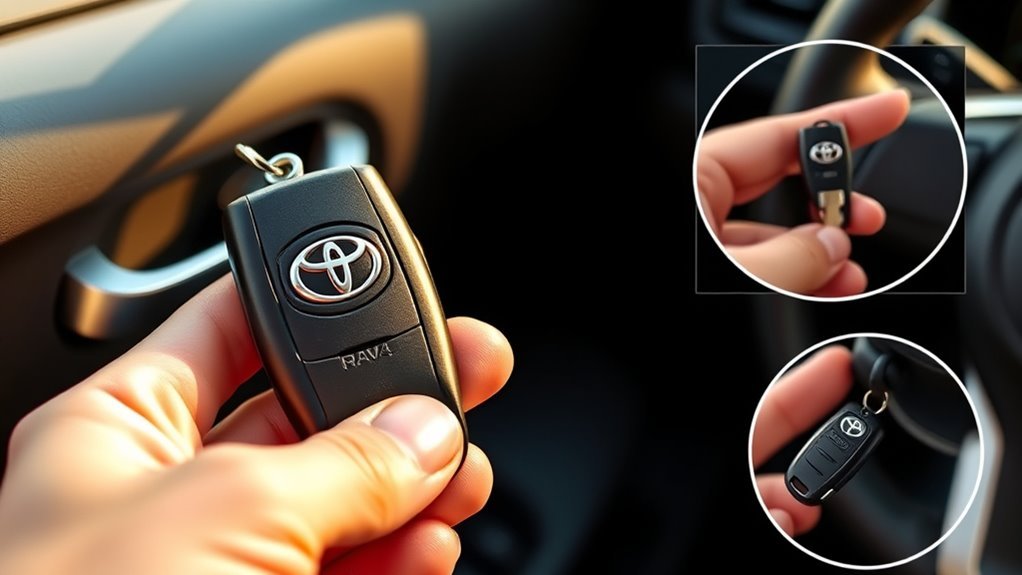
Press the release tab on the key fob and pull the metal emergency key straight out. Insert the key fully into the driver’s door lock and turn it clockwise to unlock the door. The alarm may sound, so hold the fob against the start/stop button, press the brake, and press the button to start the RAV4. Replace the fob battery soon so you don’t face another lockout.
Key Takeaways
- Press the fob release tab before pulling the emergency key straight out.
- Use the driver’s door lock because the hidden key only gives mechanical door access.
- Expect the alarm to sound after manual entry, then use the fob near the start/stop button.
- Replace the key fob battery as soon as you regain access.
- Store the emergency key back inside the fob after every use.
Before You Begin
You don’t need special tools to unlock the RAV4 with the emergency key. You only need the key fob, the hidden metal key, and safe access to the driver’s door.
- Have the fob with you: The vehicle still needs to detect the fob near the start/stop button.
- Work from the driver’s door: Use the exterior lock cylinder on the driver’s side.
- Prepare for the alarm: Manual entry may trigger the security system.
- Plan a battery replacement: Most RAV4 smart key fobs use a coin-cell battery, often CR2032.
Warning: Don’t force the fob case, emergency key, or door lock because you can bend the key or damage the lock.
Where to Find the Emergency Key on Your RAV4 Key Fob
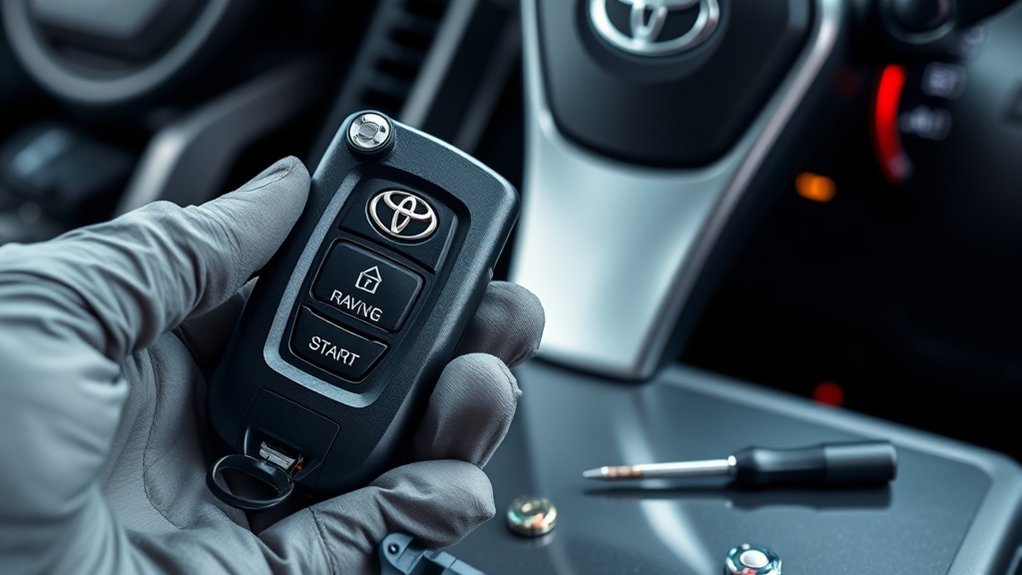
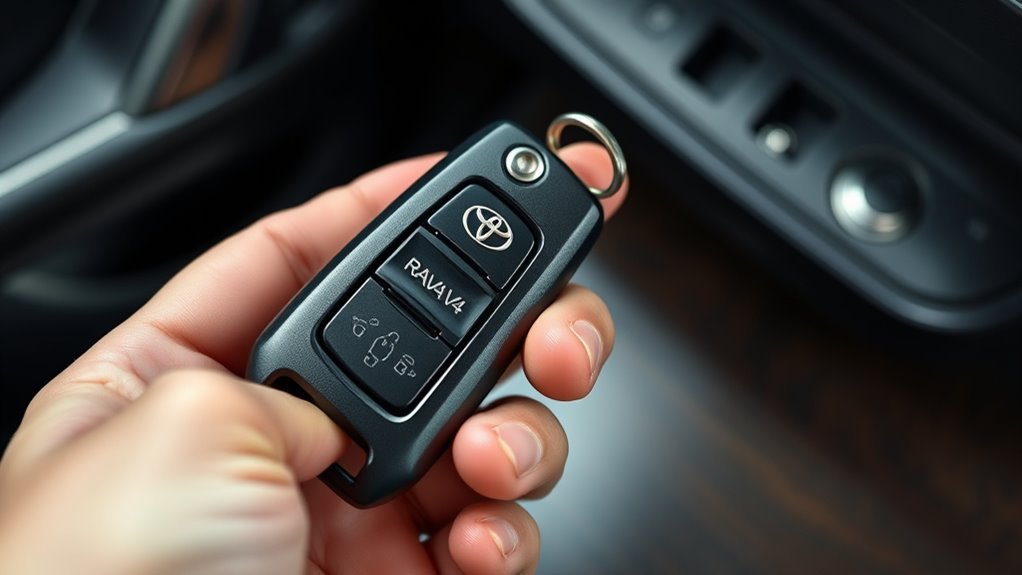
Look for the release tab near the bottom or back edge of the RAV4 key fob. Press or slide that tab while pulling the metal emergency key straight out of the fob.
The key sits inside the fob housing, so you may only see a small metal end at first. Once you remove it, you can use it in the driver’s door lock.
Locating the Release Tab
Turn the fob over so you can inspect the back and lower edge. Feel for a small recessed slider, latch, or release button near the seam.
- Hold the fob with the buttons facing down.
- Place your thumb on the release tab.
- Press or slide the tab until the metal key loosens.
Practice this at home so the movement feels familiar before you need it in a parking lot or driveway.
Retrieving the Emergency Key
Press the release tab and pull the metal key straight out along the fob’s axis. Don’t twist the key as you remove it.
- Press the release and slide the key out of the lower section.
- Check the key for dirt, bends, or visible damage.
- Keep the key in your hand until you unlock the driver’s door.
This simple backup gives you manual access when the remote buttons don’t respond.
Remove the Emergency Key Step by Step
- Locate the release mechanism on the side, back, or bottom edge of the fob.
- Hold the fob steady so you can press the release without twisting the casing.
- Press the release button or slider with firm, even pressure.
- Pull the emergency key straight out of the fob casing.
- Inspect the key and fob cavity for dirt, lint, or visible damage.
- Keep the removed key secure while you use it at the driver’s door.
- Slide the emergency key back into the fob after use until it clicks.
If the key sticks, stop and check the release tab again. A stuck key often means the latch has not fully disengaged.
Unlock the Driver’s Door With the Emergency Key
Insert the emergency key fully into the driver’s door lock. Turn it clockwise with steady pressure until the latch unlocks.
- Press the release on the fob and remove the metal key.
- Insert the key fully into the driver’s door lock.
- Turn the key clockwise to unlock the door.
- Open the door and keep the fob ready.
Mechanical entry can trigger the alarm because the vehicle did not receive a normal remote unlock signal. Move calmly and use the fob near the start/stop button next.
Alarm Behavior After Unlocking: What Happens and How to Stop It
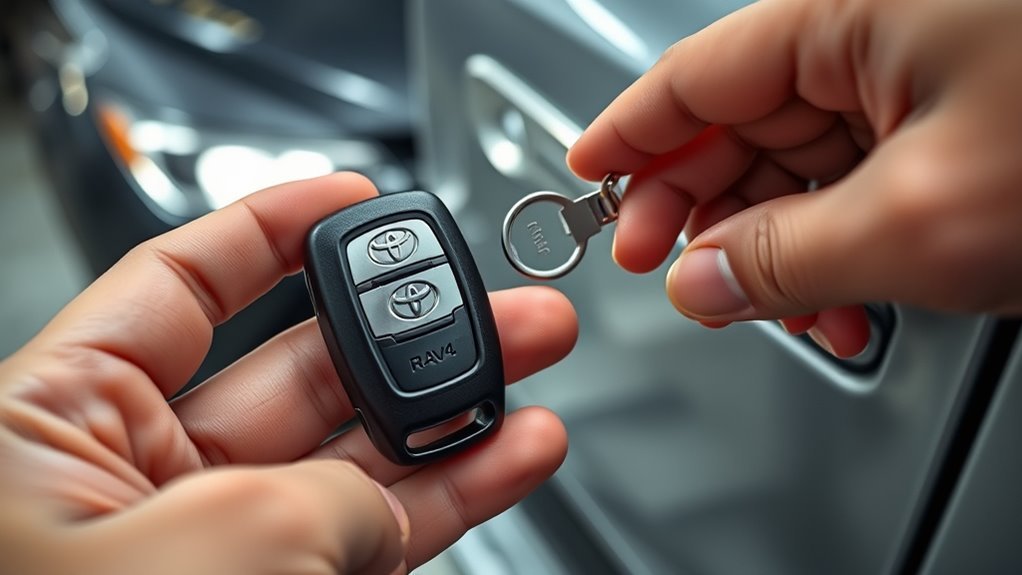
After you open the driver’s door with the emergency key, the RAV4’s alarm may sound. The alarm sounds because the security system sees the door open without a remote unlock signal.
- Bring the key fob into the vehicle.
- Hold the fob next to the start/stop button.
- Press the brake pedal.
- Press the start/stop button once.
- Confirm the alarm stops and the instrument cluster powers up.
If the alarm keeps sounding, keep the fob pressed close to the start/stop button and try again. Check your owner’s manual for model-specific alarm reset steps.
Note: Some RAV4 model years may use slightly different fob shapes, but the emergency key process stays similar.
Start the RAV4 When the Key Fob Battery Is Dead
First, use the hidden key to enter through the driver’s door. Then hold the fob close to the start/stop button so the vehicle can detect it at short range.
Press the brake and push the start/stop button while the fob touches or sits very close to the button. After the RAV4 starts, replace the fob battery as soon as you can.
Emergency Key Extraction
When the key fob’s battery dies, press the release tab and remove the slim emergency key. Insert it into the driver’s door lock and turn it clockwise to unlock the door.
- Press the release on the fob and remove the metal blade.
- Insert the key fully into the driver’s door lock.
- Turn the key clockwise and open the door.
- Hold the fob near the start/stop button to silence the alarm and start the vehicle.
Starting With a Dead Fob
If your RAV4 fob won’t respond, the fob battery may not have enough power for normal remote operation. You can still start the vehicle by placing the fob close to the start/stop button.
| Step | Action | Result |
|---|---|---|
| 1 | Remove the emergency key | You gain door access |
| 2 | Turn the key in the driver’s lock | The door opens and the alarm may sound |
| 3 | Hold the fob to the start/stop button | The vehicle can detect the fob |
| 4 | Press the brake and start/stop button | The RAV4 starts |
Replace the battery promptly after the vehicle starts. A weak fob battery can cause repeat unlock and start problems.
Return the Emergency Key to the Fob Safely
Slide the emergency key back into the fob until you hear or feel a click. That click tells you the release mechanism has engaged.
- Align the key with the slot in the fob.
- Push the key straight in until it clicks.
- Pull gently to confirm the latch holds the key in place.
- Store the fob in your normal key spot.
Check the fob housing if the key feels loose or the click feels weak. Clean the slot gently and reseat the key, or replace the fob shell if the latch fails.
Replace the Key Fob Battery: Quick Checklist and Recommended Battery
Many RAV4 smart key fobs use a CR2032 lithium coin battery, but you should check the old cell or your owner’s manual before you buy a replacement. Match the battery type and orientation exactly.
- Locate the emergency key release on the fob.
- Remove the emergency key and use it to gently open the casing along the seam.
- Remove the old cell and note which side faces up.
- Insert the new coin cell with the same orientation.
- Snap the fob halves together.
- Return the emergency key to its slot.
- Test the lock, unlock, and panic buttons before you rely on the fob.
Keep spare coin cells sealed and stored at room temperature. Recycle spent lithium coin batteries at a proper battery collection point when one is available.
Pro tip: Take a quick phone photo of the old battery before removing it so you can match the new cell’s orientation.
Troubleshooting: Key Won’t Turn or Alarm Won’t Stop
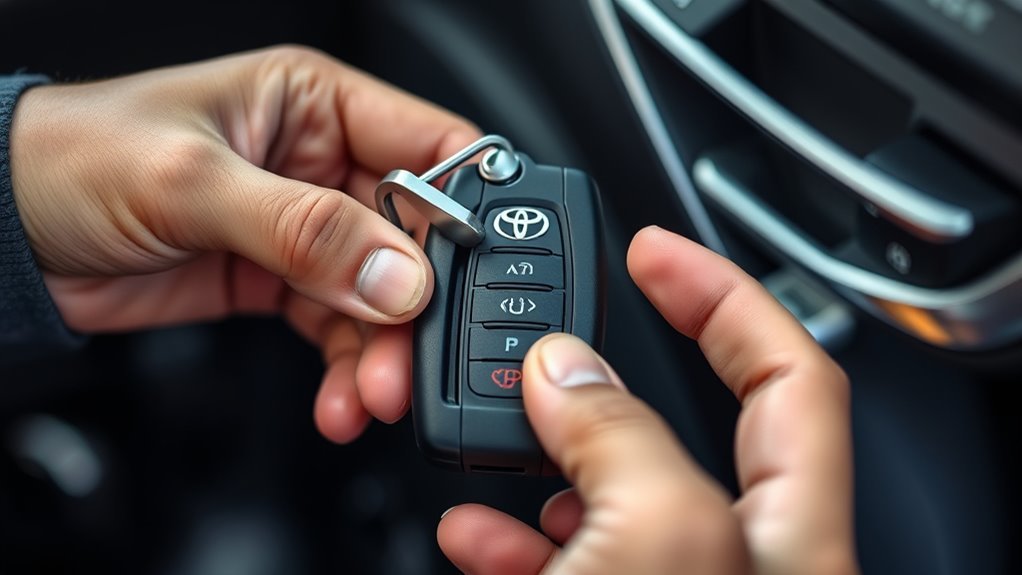
If the emergency key won’t turn, make sure it sits fully inside the driver’s door lock cylinder. If the alarm sounds after you open the door, bring the fob close to the start/stop button and start the vehicle.
Check the fob battery next. A weak or dead battery can cause remote entry failure and short-range start issues.
Key Won’t Turn
Start with the easiest checks before you assume the lock has failed. Dirt, ice, a partly inserted key, or the wrong angle can stop the key from turning.
- Push the key fully into the driver’s door lock.
- Wiggle the key gently while turning clockwise.
- Check the key blade for bends or dirt.
- Clear visible debris from the lock opening with care.
- Contact a qualified locksmith or Toyota dealer if the key still won’t turn.
Don’t force the key. Strong pressure can bend the blade or damage the lock cylinder.
Alarm Won’t Stop
If the alarm won’t stop, hold the smart key fob close to the start/stop button. Press the brake and press the button to help the vehicle recognize the fob.
- Confirm the fob sits next to the start/stop button.
- Press the brake pedal firmly.
- Press the start/stop button once.
- Replace the key fob battery if the vehicle does not detect the fob.
- Check the owner’s manual or contact a Toyota dealer if the alarm continues.
A dead fob battery often causes the problem, so battery replacement should come soon after emergency entry.
Preventive Tips to Avoid Losing the Emergency Key or Getting Stranded
Treat the emergency key and fob as one system. Store the emergency key back inside the fob after each use, and keep a tested spare fob or key in a safe place.
- Inspect monthly: Check that the emergency key seats firmly in the fob.
- Practice occasionally: Release and reinsert the key so you know how it works.
- Replace early: Change the fob battery at the first sign of weak range or slow response.
- Keep backup access: Store a spare fob or emergency key with someone you trust.
These small habits reduce the risk of a lockout. They also help you act faster when the fob battery fails.
Frequently Asked Questions
How Do You Use the Key Inside the Key Fob?
Press the release tab on the fob, pull out the hidden key, and insert it into the driver’s door lock. Turn the key clockwise to open the door, then hold the fob near the start/stop button to start the RAV4.
Will the RAV4 Alarm Go Off When You Use the Emergency Key?
The alarm may sound because the vehicle detects a manual door unlock instead of a remote unlock. Hold the fob near the start/stop button, press the brake, and press the button to help silence the alarm and start the vehicle.
Can You Drive a RAV4 With a Dead Key Fob Battery?
You can often start the RAV4 by holding the fob close to the start/stop button, even when the fob battery is weak. Replace the battery soon because normal remote range may not return until you install a fresh cell.
What Battery Does a RAV4 Key Fob Use?
Many RAV4 key fobs use a CR2032 lithium coin battery. Check the old battery, fob label, or owner’s manual to confirm the correct battery for your specific fob.
What Should You Do If the Emergency Key Is Missing?
Contact a Toyota dealer or qualified automotive locksmith for a replacement key blade. Keep proof of ownership ready because the provider may need it before cutting or programming any replacement parts.
Conclusion
The hidden emergency key gives you a simple way to open your RAV4 when the key fob stops responding. Practice removing the key, know where the driver’s door lock sits, and keep the fob close to the start/stop button after entry. Replace the fob battery soon after any emergency unlock. A few minutes of preparation can keep a dead fob from turning into a long delay.