Use Downhill Assist Control (DAC) on steep, slippery, or uneven descents to hold a controlled low speed without constant throttle or brake inputs. Set the Land Cruiser to 4LO with the center diff locked, confirm speed is below about 5–8 mph, engage Crawl Control if available, then press DAC and release the pedals while you steer. Monitor indicators and be ready to override for obstacles or higher control—continue for detailed steps, limits, and system interactions.
When Should You Use Downhill Assist Control (DAC)?
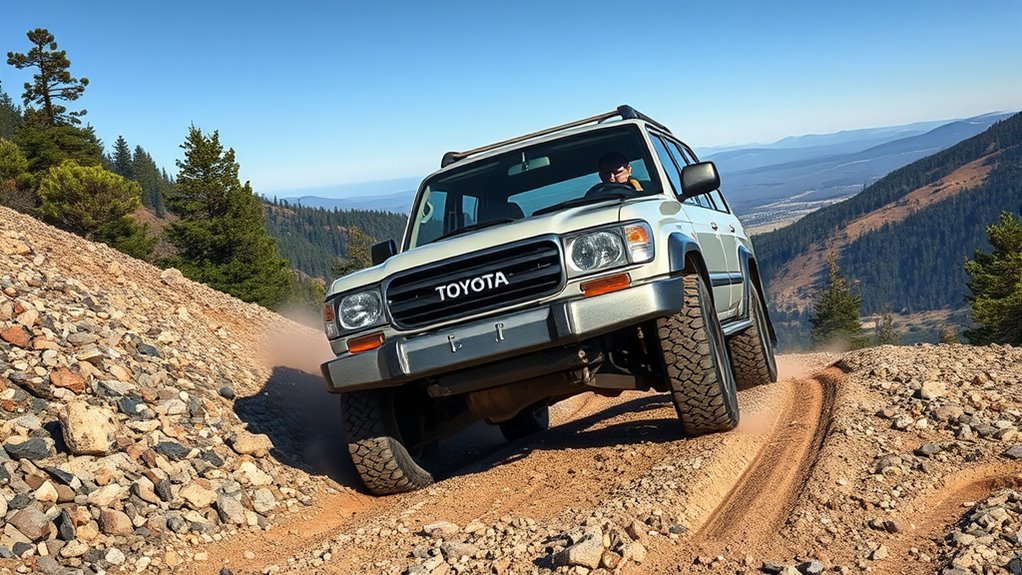
When should you engage Downhill Assist Control (DAC)? Use DAC when terrain evaluation shows steep descents, slippery surfaces, or uneven off-road trails where maintaining controlled low speed is critical. You’ll engage DAC to automate throttle and braking so you can focus on steering and route choice without constant brake modulation. In snow, mud, or loose rock, DAC prevents wheel spin and preserves traction, supporting stability while you pick a line that frees you from hesitation. Combine DAC with Crawl Control on technical tracks to synchronize low-speed propulsion and speed management across rutted or rocky sections. Don’t rely on DAC for routine pavement braking; it’s optimized for off-road descent control. You’ll activate it when losing traction or when manual braking risks wheel lock or drivetrain stress. The system lets you descend deliberately, maintaining liberation through precise vehicle control rather than aggressive inputs—maintain awareness, confirm suitable gear selection, and monitor brake temperature as part of disciplined descent technique.
Quick Start: Engage DAC in Under 60 Seconds
After you’ve evaluated the slope and decided DAC is appropriate, prepare the Land Cruiser for activation: set the transfer case to 4LO and engage Crawl Control, confirm vehicle speed is below 8 mph, then press the DAC button on the center console. You’ll see system confirmation on the instrument panel; once DAC features are active, the vehicle will automatically modulate throttle and brakes to maintain a low, steady descent speed. Keep both hands on the wheel and focus on steering—DAC relieves you of continuous pedal control so you can navigate line and obstacles with intent. The engagement sequence takes seconds when you follow the steps in order, delivering rapid control without sacrificing Safety benefits. If speed exceeds 8 mph or Crawl Control isn’t engaged, DAC won’t activate; stop, correct the setup, then reinitiate. This quick-start procedure gives you predictable, liberated descent performance while preserving vehicle stability on steep, uneven terrain.
Pre‑Drive Checks and Vehicle Setup for DAC
Because DAC depends on specific drivetrain settings, verify the Land Cruiser is in 4LO with the center differential locked and the rear differential disengaged before descent. Use a pre-drive checklist to confirm vehicle configuration: set the transfer case to 4LO, engage the center diff lock, and ascertain the rear diff lock is off. Place the gear selector in manual mode, range 2, to enable DAC control logic. Confirm cabin controls and instrument indications match the selected modes.
Perform a final systems check: seat belts, steering clearance, and line of sight down the planned route. Verify you understand DAC function—automatic modulation of throttle and braking—so you can concentrate on steering and path selection. Note that DAC requires low speed for engagement; be prepared to reduce speed below 7 mph prior to activation. This compact vehicle configuration and pre-drive checklist minimize mechanical surprises and maximize your control and freedom on steep descents.
Engaging DAC: Step‑by‑Step (Including Speed and Gear Limits)

Start by confirming the Land Cruiser is in 4LO with the center differential locked and the gear selector set to range 1 or range 2, then reduce speed to 5 mph or less before activating DAC. You’ll engage DAC to let the system control throttle and braking on a steep descent; this is about measured surrender to capability — liberation through controlled systems. Note DAC benefits in maintaining a constant low speed so you can concentrate on line choice.
Confirm 4LO, center lock, range 1/2 and ≤5 mph, then engage DAC—surrender control to steady descent and focus on line choice
- Verify 4LO, center diff locked, gear in range 1 or 2; confirm speed ≤5 mph.
- Press the DAC activation switch; indicator illuminates when ready.
- Release pedals; DAC will modulate brake and throttle to hold descent speed.
- Steer deliberately, monitor terrain, cancel DAC if conditions demand manual control.
Understand DAC limitations: it won’t steer, it won’t stop you instantly. Deactivate for obstacles or when you need higher control authority.
DAC Tips, Limits, and Interaction With A‑Trac, Crawl Control, and VSC
While DAC takes primary control of throttle and brakes to maintain a steady low speed on steep descents, you should understand how it interacts with A‑TRAC, Crawl Control, and VSC to guarantee predictable behavior and maximize safety. Use DAC features deliberately: confirm low range and proper engagement before descent, and monitor indicator lights for A‑TRAC and Crawl Control status. DAC modulates brake pressure and throttle; A‑TRAC intervenes when wheel slip threatens traction, so both systems will coordinate to prevent spin without driver input.
Combine DAC with Crawl Control for technical, low‑speed descents—Crawl handles pace across obstacles while DAC controls gradient speed—reducing workload and letting you steer with intent. VSC supplements both by correcting lateral instability, especially on slippery or uneven surfaces. Safety considerations: never substitute DAC for attentive control, avoid exceeding speed/gear limits, and disengage if system warnings appear. Trust the systems, but retain authority: steer, assess terrain, and be ready to override if conditions demand.
Frequently Asked Questions
When to Use Downhill Assist Control?
Use downhill assist control on steep, loose gravel, mud, snow, or uneven off-road terrain where traction’s limited; it automates braking/throttle for stability. You’ll maintain control, leverage safety features, and focus on precise steering without manual speed work.
Should Downhill Brake Control Be on or Off?
Like a steady hand on a rope, you should keep downhill brake control on for ideal brake performance and integrated safety features; it lets you focus on steering while maintaining controlled speed, empowering freer, safer driving decisions.
Conclusion
Use Downhill Assist Control when you need consistent, low‑speed descent control on steep, loose, or uneven terrain — it’s there to keep you steady so you can focus on line selection. Quickly engage DAC before you descend, confirm gears and brakes are set, and monitor wheel speed and steering; disengage if conditions demand manual control. Remember, DAC helps but doesn’t replace judgment — don’t bank on it for every situation, and keep safety front and center.