Use the Camry TPMS reset only after you have corrected tire pressure or completed tire service. The reset does not repair a leak, a flat tire, or a failed sensor; it tells the Toyota Tire Pressure Warning System to accept the current cold tire pressures as the new baseline. Start with the pressure listed on your driver-side door label, confirm it with a gauge, then choose the reset method that matches your Camry’s model year and display.
Quick Answer
Reset your Toyota Camry TPMS after setting all road tires to the cold pressure on the door-jamb label, changing tire pressure, replacing or rotating tires, or servicing TPMS parts. Newer Camrys usually use the dashboard TPWS “Set Pressure” menu; button-equipped models use the TPMS reset switch.
Key Takeaways
- Always set tire pressure from the Camry’s Tire and Loading Information label, not from a generic PSI range or the tire sidewall maximum.
- A steady TPMS light usually means low tire pressure; a light that flashes for about a minute and then stays on points to a TPMS malfunction.
- Newer Camrys commonly use the Multi-Information Display menu: Vehicle Settings → TPWS → Set Pressure.
- Check the spare tire for safety, but do not assume the spare is part of the TPMS warning unless your owner’s manual says it has a sensor.
At a Glance
| Time Required | 5–15 minutes after pressure check and inflation |
| Difficulty | Easy DIY if the tires and sensors are healthy |
| Tools Needed | Accurate tire pressure gauge, air source, and your owner’s manual or door-jamb label |
| Cost | Usually $0–$5 for air; diagnostic cost only if a sensor or TPMS fault remains |
Warning: Do not reset the TPMS to silence a warning before checking the tires. If a tire is flat, visibly damaged, or losing pressure, repair the tire first. If the TPMS light flashes for about one minute and then stays on, have the system diagnosed instead of repeating resets.
Quick Camry TPMS Reset Steps (Do This First)

Before you reset the Toyota Camry TPMS, set the tires correctly. The exact PSI is on the Tire and Loading Information label on the driver-side door jamb or in the owner’s manual. Many Camrys are near the 30–35 PSI range, but your label is the number that matters.
- Park safely and let the tires cool. Cold tire pressure means the car has been parked for at least a few hours or driven only a short distance at low speed.
- Check each road tire with a gauge. Do not rely only on the dashboard reading because TPMS readings can lag after inflation.
- Inflate or deflate to the placard pressure. If you recently drove, recheck later when the tires are cold.
- Check the spare tire for safety. Some spares are not monitored by TPMS, but a low spare can still leave you stranded.
- Choose the correct reset method. Newer Camrys often use the Multi-Information Display menu. Button-equipped Camrys use a TPMS reset switch.
- Confirm the light behavior. A steady light after low pressure may turn off after pressure is corrected and the system updates. A flashing light that later stays on needs diagnostics.
Pro Tip: Check tire pressure monthly and before long trips. AAA notes that tire pressure changes by about 1 PSI for every 10°F temperature change, so the first cold morning of the season can trigger a real low-pressure warning.
Which Camry TPMS Reset Method Applies to Your Model?
Toyota has used more than one TPMS reset layout across Camry years and trims. The safest shortcut is simple: look for a TPWS or Set Pressure menu in the gauge-cluster settings first. If your Camry does not have that menu, look for a physical TPMS reset switch as described in your owner’s manual.
| Camry setup | Where to reset | Best use |
|---|---|---|
| Newer Camry with Multi-Information Display settings | Vehicle Settings → TPWS → Set Pressure | After setting correct cold tire pressure or changing tire size/pressure specification |
| Button-equipped Toyota/Camry layout | TPMS reset button, often low on the instrument panel near the steering wheel | After correcting tire pressure on models with a physical reset switch |
| No obvious menu or button | Correct pressure, drive normally, and check the owner’s manual | Some systems update after driving; persistent faults need a scan tool or service |
Note: Toyota calls the system TPMS in common owner language and TPWS, or Tire Pressure Warning System, in many Toyota menus and manuals. In this guide, both refer to the tire pressure warning system.
When to Use the TPMS Reset: Quick Yes/No Checklist
Use the Camry TPMS reset when you are setting a correct pressure baseline. Do not use it as a shortcut around inspection or repair.
- Yes: After inflating all road tires to the cold pressure on the driver-side door label.
- Yes: After changing tire pressure because the tire size, load condition, or tire service procedure requires it.
- Yes: After tire replacement, wheel service, or TPMS work when the owner’s manual or technician calls for initialization.
- Maybe: After tire rotation. If tire pressures were changed or the display positions are wrong, initialization or sensor registration may be needed. If only the tires were rotated and pressure is unchanged, a reset may not be necessary on every Camry.
- No: If a tire is flat, punctured, visibly damaged, or repeatedly losing air.
- No: If the TPMS light flashes for about one minute and then stays on; that points to a system fault such as a dead sensor battery, unregistered sensor, receiver issue, or communication problem.
Federal TPMS rules require the warning telltale to illuminate when one or more monitored tires are significantly underinflated, including at 25% below the vehicle manufacturer’s recommended cold inflation pressure or the specified minimum threshold, whichever is higher.
How to Reset TPMS on a Toyota Camry: Step-by-Step
Once the tires are set to the correct cold pressure, use the method that matches your Camry.
[Products Worth Considering]

This enhanced OBD2 scanner helps drivers quickly diagnose check engine light issues, read and clear trouble codes, and check emissions readiness before a smog test. It also adds EVAP and O2 sensor testing, live data, freeze frame capture, and a one-click battery health check in a simple plug-and-play tool with a bright color screen.
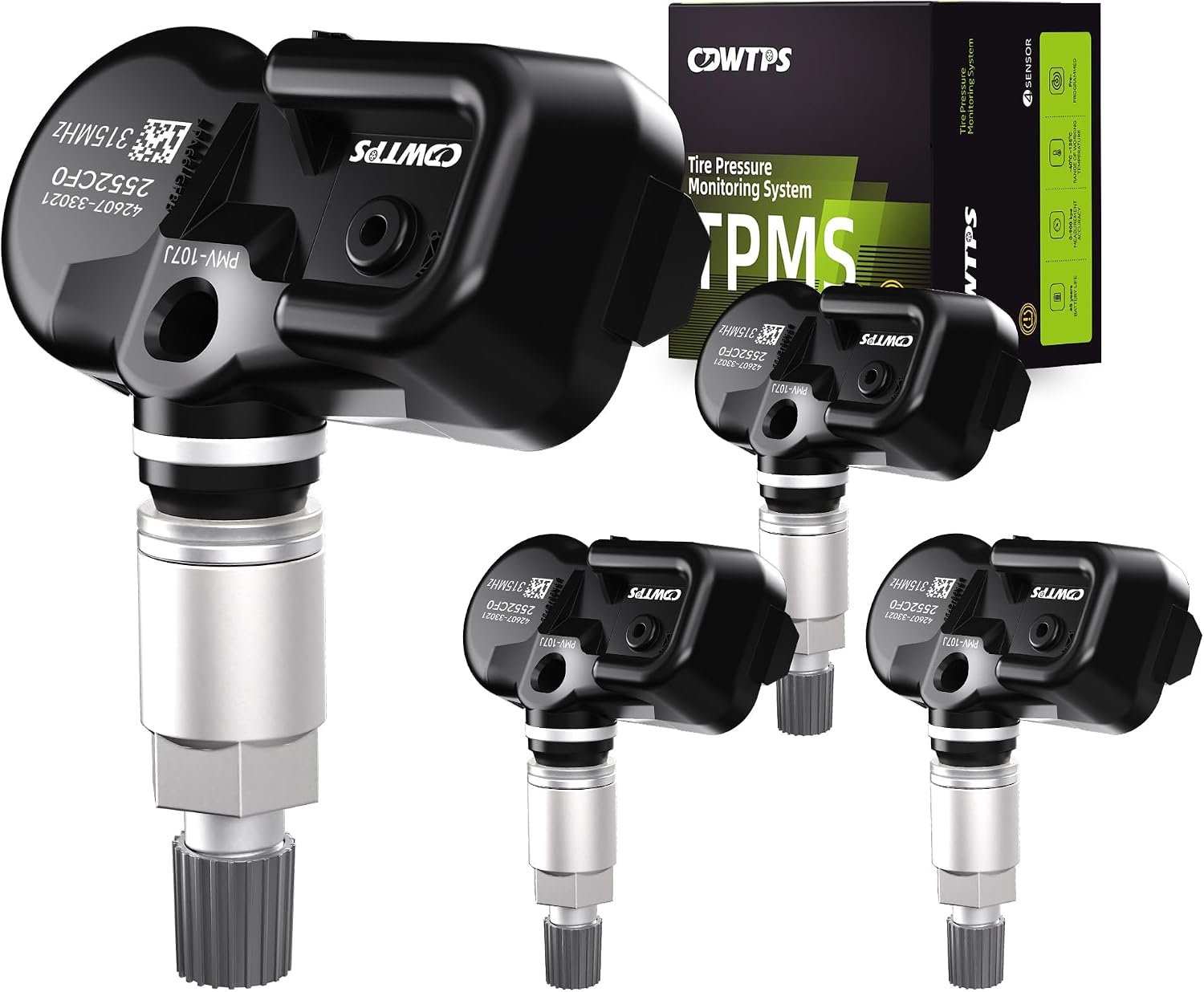
This set of four pre-programmed TPMS sensors is designed as a direct-fit replacement for compatible Toyota, Lexus, and Scion vehicles. It helps restore accurate tire pressure monitoring without sensor programming, and each unit is factory-tested for dependable performance. Built for long service life, these sensors offer a convenient solution for replacing worn or failed tire pressure monitors.

This CARORAV TPMS sensor set provides reliable tire pressure monitoring for a wide range of Toyota and Lexus vehicles with 315MHz compatibility. It is pre-programmed for easier setup, but still requires relearning or reset procedures after installation. Designed for accurate real-time pressure tracking, these sensors help support safer driving and long-lasting performance across many model years.
Method 1: Reset Through the TPWS Menu
This is the method shown in newer Toyota Camry quick reference guides, including Camrys with a Multi-Information Display.
- Park the Camry in a safe place.
- Set all road tires to the pressure on the driver-side door-jamb label.
- Turn the ignition to ON or READY, following your owner’s manual for your model.
- Use the steering-wheel controls to open the Multi-Information Display settings.
- Select Vehicle Settings.
- Select TPWS.
- Select Set Pressure.
- Press and hold OK until the tire pressure warning light blinks three times or the MID confirms the setting.
- Drive normally if the system needs time to update, then recheck the light and tire pressures.
Method 2: Reset With a Physical TPMS Button
Some Toyota vehicles and older Camry layouts use a physical reset button. Toyota’s general TPMS support guidance places this button low and to the right of the steering wheel on the instrument panel, but the exact position can vary by year and trim.
- Confirm all road tires are at the correct cold pressure.
- Start the vehicle or switch the ignition to ON as your owner’s manual instructs.
- Press and hold the TPMS reset button.
- Release it when the TPMS indicator blinks slowly three times.
- Wait a few minutes or drive normally so the system can update.
- If the light comes back, recheck pressure with a gauge before assuming a sensor fault.
If Your Camry Has No Reset Button
Do not keep searching under the dashboard forever. Many Camrys use the screen menu instead of a separate button. If you cannot find a button, check the steering-wheel settings menu for TPWS or Set Pressure. If there is no menu and no button, correct the tire pressure, drive normally for several minutes, and consult the owner’s manual. A service department can use a TPMS tool to read sensor IDs, pressures, and error codes.
Troubleshooting: TPMS Light Still On After Reset

If the TPMS light stays on after a reset, treat the light behavior as a clue. The pressure may still be wrong, the system may not have updated yet, or a sensor may not be communicating.
| What you see | Likely cause | What to do |
|---|---|---|
| Steady TPMS light | One or more tires may still be below the correct cold pressure. | Check every road tire with a gauge, inflate to the door-label pressure, and reset only after correcting pressure. |
| Light flashes for about one minute, then stays on | TPMS malfunction, such as failed sensor battery, missing sensor ID, or receiver/communication issue. | Have the system scanned with a TPMS diagnostic tool or visit a Toyota service center. |
| Light returns after a day or two | Slow leak, temperature drop, valve-stem leak, bead leak, or nail in tread. | Measure cold pressures again and inspect for leaks before resetting. |
| One tire pressure reading is missing or wrong | Sensor battery, damaged sensor, or sensor ID registration issue. | Use a TPMS scan tool to read the sensor ID, pressure, temperature, and battery status. |
| Light appears on cold mornings and goes away later | Pressure is borderline low and drops when air temperature falls. | Set cold pressure to the door-label value, not to the lower warm-tire reading. |
Note: The tire sidewall lists the tire’s maximum pressure, not the Camry’s recommended operating pressure. Use the vehicle placard on the driver-side door jamb.
[Products Worth Considering]

This set of four pre-programmed TPMS sensors is designed to restore accurate tire pressure monitoring for a wide range of Toyota, Lexus, and Scion vehicles. Built to OE-quality standards with long battery life and broad compatibility, these sensors help maintain proper tire pressure, improve safety, and eliminate TPMS warning lights when installed and activated correctly.

The XTOOL A30M V2.0 is a wireless OBD2 diagnostic scanner built for DIYers and home mechanics who want full-system coverage, active tests, and broad reset support in one portable tool. It offers lifetime free updates, bidirectional control, and up to 8 live data streams for faster troubleshooting, plus compatibility with many vehicles including newer FCA and GM models. With multilingual support and mobile app connectivity for Android and iOS, it helps simplify maintenance and diagnostics without subscription fees.

The TOPDON VeriDiag X800 BT is a wireless bidirectional automotive diagnostic scanner designed for full-system troubleshooting, active testing, and advanced service resets. It supports broad vehicle coverage, live data viewing, AutoVIN identification, and lifetime free updates to help DIYers and professionals diagnose issues faster and with greater confidence.
Preventing Recurring Camry TPMS Warnings (Tire Care & Sensor Tips)
Most recurring Camry TPMS warnings come from low pressure, seasonal temperature swings, slow leaks, or aging sensors. A simple routine prevents most false alarms and catches real tire problems early.
- Check tire pressure monthly. Measure when tires are cold and adjust to the door-label pressure.
- Recheck after large temperature changes. A sudden cold snap can drop pressure enough to trigger the light.
- Inspect valve stems and caps. A loose or damaged valve core can cause a slow leak.
- Look for uneven tread wear. Alignment, suspension, or tire damage can create handling issues even when TPMS is quiet.
- Reset only after correcting pressure. Resetting at the wrong pressure teaches the system the wrong baseline.
- Expect TPMS sensors to age. Direct TPMS sensors use sealed batteries; many last about 5–10 years depending on use and conditions. When the battery dies, the sensor is replaced rather than recharged.
- Use a TPMS tool after sensor replacement. New sensors may need ID registration or relearn before the Camry recognizes them correctly.
[Products Worth Considering]

This AC valve core removal and installer set is designed for efficient servicing of automotive and HVAC refrigerant systems. It includes high- and low-pressure quick connectors with ball valves to help reduce refrigerant leakage during valve core replacement. Built with durable brass, stainless steel, and aluminum components, it offers reliable grip, easy operation, and broad compatibility for air conditioning maintenance and repair.

The Autel MaxiCOM MK900BT is a professional bidirectional diagnostic scan tool built for modern vehicles with advanced system coverage and fast, accurate troubleshooting. It supports 3000+ active tests, 40+ service functions, all-system diagnostics, Auto VIN, pre/post scan reports, and newer vehicle protocols for broad compatibility. Designed for technicians and serious DIY users, it delivers efficient maintenance, smarter diagnostics, and expanded service capabilities across a wide range of makes and models.

This Yuirote universal car motor diagnostic tool helps drivers quickly detect engine fault codes and identify system issues for routine inspections and maintenance. It also supports electronic parking brake reset and emergency release functions, making it useful for handling EPB-related problems without a repair shop visit. Its compact, ergonomic design and broad vehicle compatibility make it a practical choice for car owners and DIY repair enthusiasts.
Frequently Asked Questions
When should I use the Camry TPMS reset?
Use it after setting all road tires to the correct cold pressure, changing the tire pressure specification, replacing tires, replacing TPMS sensors, or completing tire service that requires initialization. Do not use it before fixing a low, flat, leaking, or damaged tire.
How long should I drive after resetting TPMS?
Some Camry systems update after several minutes of normal driving, but there is no single official speed-and-time rule that applies to every Camry. If the tire pressures are correct and the light still flashes for about one minute before staying on, the system needs diagnosis.
Where is the Toyota Camry TPMS reset button?
It depends on the model year and trim. Button-equipped Toyotas may have the reset switch low on the instrument panel near the steering wheel. Newer Camrys often do not rely on a separate button; they use the dashboard settings menu under Vehicle Settings → TPWS → Set Pressure.
Why is my TPMS light blinking instead of staying solid?
A blinking TPMS light that flashes for about a minute and then remains on usually means a TPMS malfunction, not just low air pressure. Common causes include a dead sensor battery, damaged sensor, unregistered sensor ID, or receiver issue.
Does the spare tire affect the Camry TPMS light?
Check the spare tire for safety, especially before long trips, but do not assume it controls the TPMS light. Many systems monitor the four road tires only. Your owner’s manual will state whether your spare has a TPMS sensor.
Conclusion
The right Camry TPMS reset starts with tire pressure, not the reset button. Set the road tires to the cold PSI on the driver-side door label, check the spare for safety, then use either the TPWS menu or the physical reset switch your Camry provides. If the light flashes for about a minute, comes back after pressure correction, or shows missing sensor data, stop resetting and diagnose the TPMS fault. A small reset step works only when the tires and sensors are already doing their job.
Sources
- Toyota Support — Tire Pressure Monitoring System reset guidance — supports Toyota’s pressure-first reset advice and physical reset button sequence.
- Toyota 2024 Camry Quick Reference Guide — supports the TPWS “Set Pressure” menu procedure and blinking-light service warning.
- NHTSA TireWise — supports cold tire pressure, door-label pressure, checking spare tires, and TPMS warning basics.
- eCFR 49 CFR 571.138 — Tire Pressure Monitoring Systems — supports the federal TPMS performance threshold and warning requirements.
- REDI-Sensor — Understanding TPMS batteries — supports sealed TPMS battery lifespan and replacement guidance.