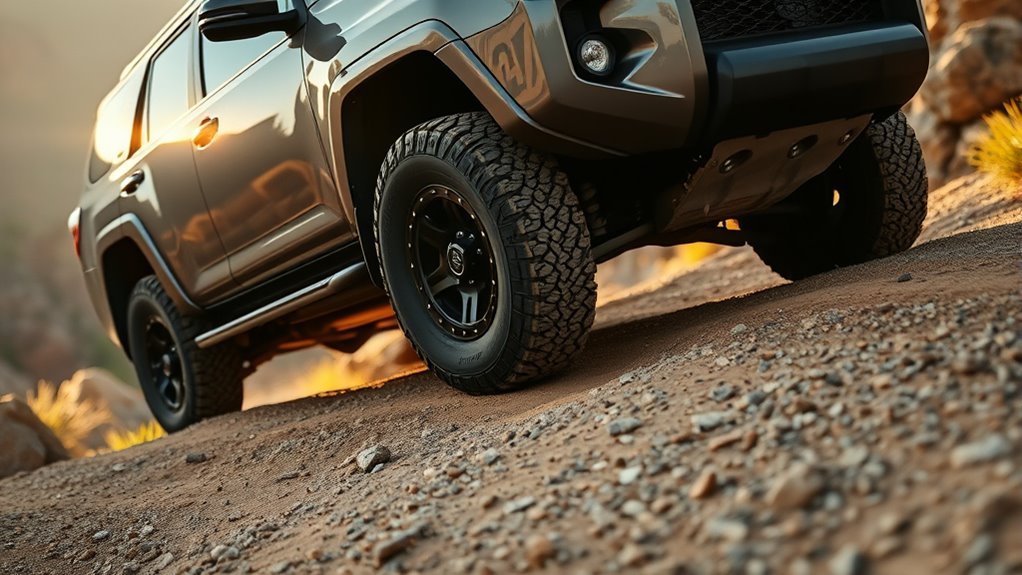
Use Crawl Control in 4LO/4L when you need slow, steady movement over rough off-road terrain and want the vehicle to manage throttle and braking while you steer. On equipped Toyota 4Runner models, it is best for steep climbs, controlled descents, rocks, ruts, mud, sand, gravel, moguls, and other technical sections where smooth inputs matter more than speed.
Quick Answer
Use Crawl Control in 4LO when the trail is steep, slippery, rocky, rutted, or uneven enough that smooth throttle and brake control are hard to maintain. Engage it only after the vehicle is in 4LO/4L, the engine is running, the driver’s door is closed, and the transmission is not in Park or Neutral.
Key Takeaways
- Crawl Control is for low-speed off-road control, not for normal road driving or high-speed recovery.
- Toyota owner information for 4Runner models lists 4LO/4L as an operating condition for Crawl Control on equipped vehicles.
- Use lower speed settings for rocks, downhill moguls, and very technical sections; use higher low-speed settings for sand, dirt, grass, mud, or uphill gravel when momentum helps.
- Do not over-rely on the system. Toyota warns that Crawl Control does not extend the vehicle’s performance limits.
- If the indicator flashes, the system may not be controlling the vehicle; slow down, check the settings, and follow the owner’s manual for your year and trim.
At a Glance
| Time Required | 1–2 minutes to set up once you are stopped safely |
| Difficulty | Easy, but only for off-road use where conditions allow |
| Tools Needed | No tools to activate; tire pressure gauge and air compressor recommended for trail prep |
| Cost | No added cost if your 4Runner is already equipped with Crawl Control |
When to Use 4LO and Engage Crawl Control

Engage 4LO before using Crawl Control when you are tackling steep inclines, slow descents, rocky ledges, deep ruts, loose climbs, or obstacle-strewn trails. Toyota describes Crawl Control as a system that allows travel over extremely rough off-road surfaces at a fixed low speed without pressing the accelerator or brake pedal, helping reduce loss of traction or vehicle slip on slippery surfaces.
On 2010–2024 4Runner models, Toyota owner information lists these operating conditions for Crawl Control: the engine is running, the shift lever is in any position other than P or N, the front-wheel-drive control lever or switch is in L4, and the driver’s door is closed. Newer 2025+ 4Runner information uses similar 4L language, but controls and on-screen messages can vary by year, trim, and hybrid/non-hybrid powertrain. Always follow the owner’s manual for your exact vehicle.
- Stop in a safe place before shifting into 4LO/4L.
- Shift the transmission to Neutral when your 4WD system requires it for the 4LO shift.
- Engage 4LO/4L and wait for the indicator to confirm the transfer case has shifted.
- Shift back into Drive, Reverse, or the needed gear range; Crawl Control will not operate in Park or Neutral.
- Press the Crawl Control switch and select the speed that matches the terrain.
Warning: Crawl Control is a driver-assist system, not an autopilot. Toyota cautions drivers not to over-rely on it because it does not extend the vehicle’s performance limits. Always walk or visually inspect technical terrain when practical, choose a safe line, and be ready to brake or stop.
How Crawl Control Works in 4LO
Crawl Control uses the vehicle’s throttle and braking systems to help maintain a steady low speed over rough ground. Instead of you constantly feathering the gas and brake, the system meters power and braking force so you can focus on steering, tire placement, and escape options.
Toyota’s 2010 4Runner product information describes Crawl Control as an adjustable electro-mechanical system with five low-speed settings. With the transfer case in low range, the system regulates engine speed, output, and braking force to move the vehicle forward or in reverse at one of those settings.
| Crawl Control setting | Best use | Why it helps |
|---|---|---|
| Low | Rocks, downhill moguls, downhill gravel | Gives the slowest, most controlled movement |
| Medium-low to medium | Uphill moguls, uneven trail steps, moderate ruts | Balances control with enough momentum to keep moving |
| Medium-high to high | Snow, mud, uphill gravel, sand, dirt, grass, uphill moguls | Helps maintain momentum where too little speed can cause bogging |
Note: The recommended speed modes are only starting points. Terrain type, slope angle, tire condition, surface moisture, and vehicle load can change which setting works best.
Crawl Control for Steep, Technical Climbs and Descents
Because Crawl Control manages throttle and braking in low range, it can reduce driver workload during slow, technical climbs and descents. That is useful when your main job is choosing a clean line, keeping the wheels pointed where you want them, and avoiding sudden pedal inputs that can cause wheelspin.
On steep climbs, use a low or medium-low setting when traction is limited and tire placement matters. Let the system feed in power smoothly while you steer around loose rocks, ledges, roots, or holes. If the vehicle starts to lose momentum in sand, mud, or uphill gravel, a slightly higher low-speed setting may work better than the slowest setting.
On descents, Crawl Control can help hold a steady pace without constant brake-pedal modulation. This is especially helpful on loose downhill gravel, stair-step rocks, or moguls where locked tires can slide. Keep your feet ready, but avoid fighting the system unless you need to stop or correct your line.
Pro Tip: Pick the slowest setting that still keeps the vehicle moving. Too slow can make you stall your momentum in mud or sand; too fast can reduce your time to place the tires accurately on rocks or ledges.
[Products Worth Considering]

The JACO ElitePro Digital Tire Pressure Gauge delivers shop-grade accuracy with a clear digital readout, making it easy to maintain proper tire pressure for safer driving and better performance. Built with rugged brass and steel components, a protective guard, and a flexible air hose, it is designed for reliable use across cars, trucks, motorcycles, bikes, RVs, and trailers. The lock-on display, built-in bleeder valve, and bright backlit screen add convenience in any lighting condition.

This portable tire inflator delivers fast, convenient inflation for cars, bikes, motorcycles, and balls with dual power options from a rechargeable battery or a 12V car cord. Its digital LCD pressure gauge and automatic shutoff help prevent over-inflation, while multiple preset modes and a custom setting make it easy to use for different inflation tasks. Built-in flashlight and USB power ports add extra emergency utility on the road.

This heavy-duty dual cylinder air compressor delivers fast, reliable inflation for off-road vehicles, trucks, RVs, and other outdoor gear. Built with a metal shell, aluminum cylinders, and thermal protection, it is designed to handle demanding inflating tasks while helping keep the motor cool and stable during use. The included hose, gauge, adapters, and carrying bag make it a practical portable solution for road trips, recovery kits, and recreational inflation needs.
Crawl Control on Loose Surfaces: Sand, Mud, Gravel, Scree
Loose surfaces move under the tires, so the goal is to avoid sudden throttle spikes and harsh braking. Crawl Control can help by smoothing those inputs while you focus on steering and momentum.
- Sand: Use Crawl Control only for slow, controlled sections such as tight dunes, short climbs, or recovery from a tricky line. Choose a higher low-speed setting if the vehicle needs momentum. Avoid burying the tires with sharp steering or sudden throttle.
- Mud: Use it for slow ruts, soft pockets, and controlled exits where steady wheel speed helps. If the vehicle starts to dig down instead of move forward, stop and reassess before you sink deeper.
- Gravel: Use lower settings on descents and medium settings on uphill gravel where the surface is sliding but not bottomless.
- Scree: Use it when you need careful, steady progress over shifting rock. Keep steering inputs small to avoid pushing the front tires sideways.
Do not expect Crawl Control to replace good recovery judgment. If the vehicle is high-centered, sliding sideways, or losing ground, stop before repeated throttle and brake cycling overheats components or digs the tires in deeper.
[Products Worth Considering]

This tire repair rubber nail kit offers a simple self-service solution for punctures in cars, motorcycles, trucks, and more. The spiral rubber design helps create a firm seal that supports quick repairs without removing the tire, while the two included sizes make it easier to match different puncture types. Built for broad vehicle compatibility, it is a practical emergency repair option for roadside and garage use.

This emergency tire repair kit helps you quickly fix tubeless punctures without removing the tire from the rim. It includes multiple screw sizes and sealant glue for a tight, reliable seal, making it a practical solution for roadside emergencies, travel, and everyday vehicle maintenance. Compact and easy to use, it is suitable for a wide range of vehicles, including cars, motorcycles, trucks, and ATVs.

Fitment: Direct replacement for Toyota Pickup 1984-1988 replacement for Toyota 4Runner 22R 1984
When to Use Crawl Control on Rocks, Ruts, and Sidehills
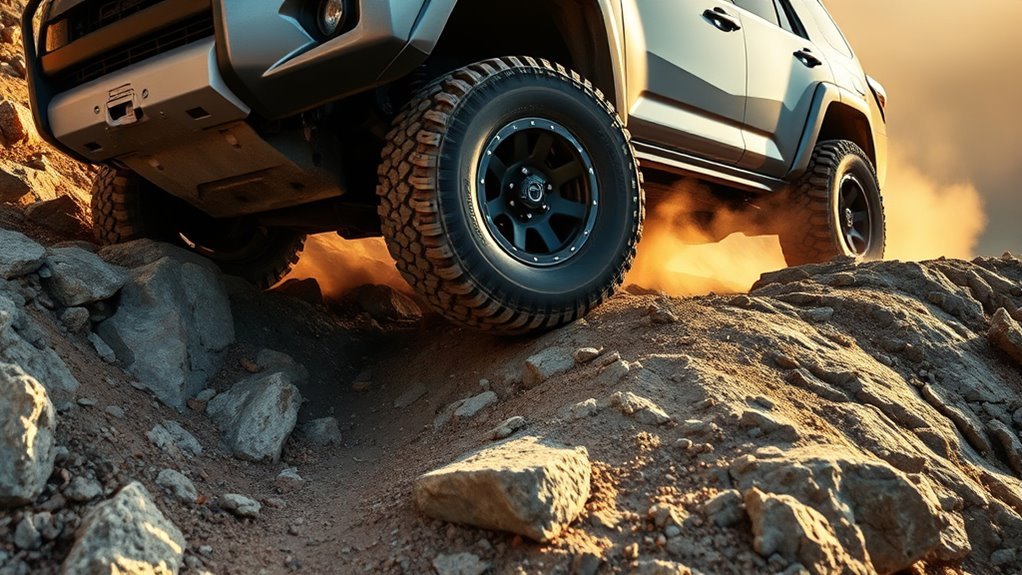
Rocks, deep ruts, and sidehills are where Crawl Control often feels most useful. These sections demand steady movement, careful wheel placement, and minimal pedal input. Engage the system in 4LO/4L, choose the lowest practical setting, and steer deliberately.
| Situation | Benefit |
|---|---|
| Rocks | Stable low-speed traction |
| Ruts | Helps limit wheelspin |
| Sidehills | Supports smoother inputs |
| 4LO/4L | Low-range torque and control |
| Low speed | Better tire placement |
On rocks, Crawl Control helps you avoid stabbing the throttle over ledges. In ruts, it can help keep the vehicle from surging and spinning one tire aggressively. On sidehills, smooth throttle and braking are valuable because abrupt inputs can unsettle the vehicle. Still, no system can overcome a poor line, unsafe side angle, or lack of traction.
Warning: Avoid using Crawl Control as a reason to attempt a sidehill, climb, or descent that feels beyond the vehicle’s limits. If the vehicle begins sliding sideways, feels unstable, or the line requires more clearance than you have, stop and choose a safer route.
When Not to Use Crawl Control
Crawl Control is helpful in the right situation, but it is not the best tool for every trail problem. Skip it when you need normal driving speed, when traffic is nearby, or when wheel speed and driver-controlled momentum are safer than fixed low-speed crawling.
- Do not use it on pavement or normal roads. It is built for rough off-road surfaces.
- Do not use it for high-speed sand or snow driving. It is a low-speed control system, not a stability fix.
- Do not use it when the vehicle is already stuck and digging. Stop, clear the tires, reduce tire pressure if appropriate, use recovery boards, or choose a different line.
- Do not use it if warning lights, overheating messages, or repeated cancellation occur. Let the system cool or have the vehicle inspected if a malfunction warning remains.
- Do not use it as a substitute for spotting. A spotter is still valuable around ledges, off-camber lines, deep ruts, and blind crests.
Prep & Troubleshoot: Tire Pressure, Settings, and Limits
Start by confirming tire pressures, terrain, and vehicle settings before you engage Crawl Control. Lower-than-highway tire pressure can improve the contact patch on sand, mud, gravel, and rocks, but there is no single safe PSI for every tire, wheel, vehicle load, and trail. Air down conservatively, avoid unseating a bead, and restore highway pressure before driving on pavement.
- Check tire pressure before the trail. Use a reliable gauge and know your street-pressure baseline from the tire placard or tire setup.
- Inspect the tires. Look for cuts, exposed cords, sidewall bubbles, low tread, missing valve caps, or lodged rocks.
- Carry the basics. Bring an air compressor, tire pressure gauge, tire repair kit, traction boards, shovel, gloves, and a rated recovery point setup if you travel off-road often.
- Select 4LO/4L correctly. Stop, shift as required by your 4WD system, and wait for the indicator to confirm engagement.
- Choose the Crawl Control range. Start low for rocks and descents; move up only when momentum is needed.
- Watch the indicator and messages. If the indicator flashes, the vehicle may not be under system control.
[Products Worth Considering]
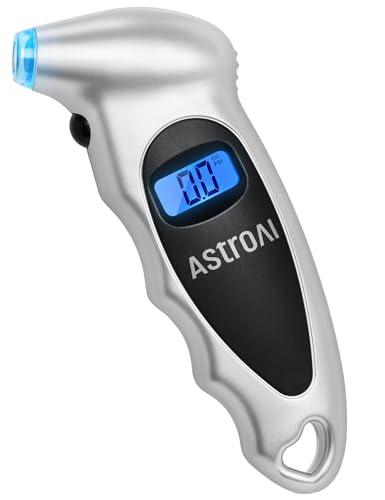
Accurate, Dependable Readings: Factory‑calibrated to ±1 PSI, so you can confidently match your vehicle’s recommended PSI (check the door jamb sticker). Ideal for monthly checks and road trips — consistent results every time, cold or warm.

PROCESS LEVEL ACCURACY: Each ETENWOLF’s digital tire pressure gauge is calibrated manually to ANSI B40.7 Grade 2A(plus-minus 1 PSI).Presta valve adapter not included, if used for bicycles, it must be purchased separately

Enhanced Visibility in Low Light: Features a green backlit LCD screen and integrated flashlight, allowing for clear reading of tire pressure even in dark or dimly light conditions.
Why Crawl Control Will Not Engage
If Crawl Control will not turn on, check the simple conditions first. On 2010–2024 4Runner owner information, the system requires the engine to be running, the transmission to be out of Park and Neutral, the front-wheel-drive control lever or switch to be in L4, and the driver’s door to be closed.
| Symptom | Likely cause | What to do |
|---|---|---|
| No activation | Vehicle not fully in 4LO/4L | Stop safely, shift correctly, and wait for the 4LO/4L indicator |
| Indicator flashes | Vehicle is not under Crawl Control or speed is too high | Slow down and confirm all operating conditions |
| System cancels | Shifted to P/N, switched out of 4LO/4L, opened door, or system limit reached | Correct the condition and reactivate only when safe |
| Buzzer or warning message | Brake system, transmission, or system temperature issue | Stop in a safe place and allow the system to cool; follow the owner’s manual |
| Noise or vibration | Normal actuator, brake, or control-system feedback may be felt | Continue cautiously if no warning remains, but stop if anything feels unsafe |
Crawl Control works best when you treat it as a precision tool: slow enough for tire placement, smooth enough to preserve traction, and controlled enough that you can focus on the trail instead of the pedals.
Frequently Asked Questions
When should I use Crawl Control?
Use Crawl Control when you need slow, controlled off-road progress over steep, rocky, muddy, sandy, rutted, or slippery terrain. It is most useful when smooth throttle and brake inputs are hard to maintain manually and steering accuracy matters.
Does Crawl Control only work in 4LO?
On equipped Toyota 4Runner models covered by Toyota owner information, Crawl Control operation requires the four-wheel-drive control lever or switch to be in L4/4L. Always confirm the exact requirement in the owner’s manual for your model year and trim.
When did the 4Runner get Crawl Control?
Toyota introduced Crawl Control on the all-new fifth-generation 2010 4Runner, with Toyota press materials listing the feature as standard on the 2010 Trail grade. Availability can vary by model year, market, and trim.
What speed setting should I choose?
Start low for rocks, ledges, downhill moguls, and downhill gravel. Move toward medium or high low-speed settings for uphill moguls, mud, sand, dirt, snow, grass, or uphill gravel when the vehicle needs more momentum.
Can Crawl Control overheat?
Yes. Toyota owner information notes that continuous use can overheat the brake system or automatic transmission. If a buzzer, warning message, or cancellation occurs, stop in a safe place and let the system cool as directed by the owner’s manual.
Is Crawl Control the same as Downhill Assist Control?
No. Downhill Assist Control is focused on helping control speed on steep descents. Crawl Control is broader: it can help manage low-speed throttle and braking over rough off-road terrain, depending on vehicle equipment and operating conditions.
Conclusion
Engage 4LO and Crawl Control when you need consistent, low-speed traction on steep climbs, technical descents, rock gardens, ruts, sidehills, loose sand, mud, gravel, or scree. Set the speed for the terrain, watch the indicators, and keep steering decisions in your hands. The system can reduce wheelspin and driver workload, but it cannot overcome unsafe terrain, poor tire placement, overheating, or the vehicle’s physical limits.
Sources
- Toyota 2026 4Runner Owner’s Manual: Crawl Control — current Toyota owner-manual reference for Crawl Control information.
- Toyota 2025 4Runner Hybrid Owner’s Manual: Crawl Control — operating conditions, cancellation, overheating, and system-limit guidance for newer 4Runner models.
- Toyota 2024 4Runner Quick Reference Guide — 4LO/L4 setup, Crawl Control speed-mode guidance, and reminders to review the owner’s manual for limitations.
- Toyota USA Newsroom: 2010 Toyota 4Runner Product Release — confirms Crawl Control on the 2010 Trail grade and describes five low-speed settings.
- NHTSA Tire Safety — supports tire-pressure awareness, tire inspection, and safe tire-maintenance practices before and after off-road driving.