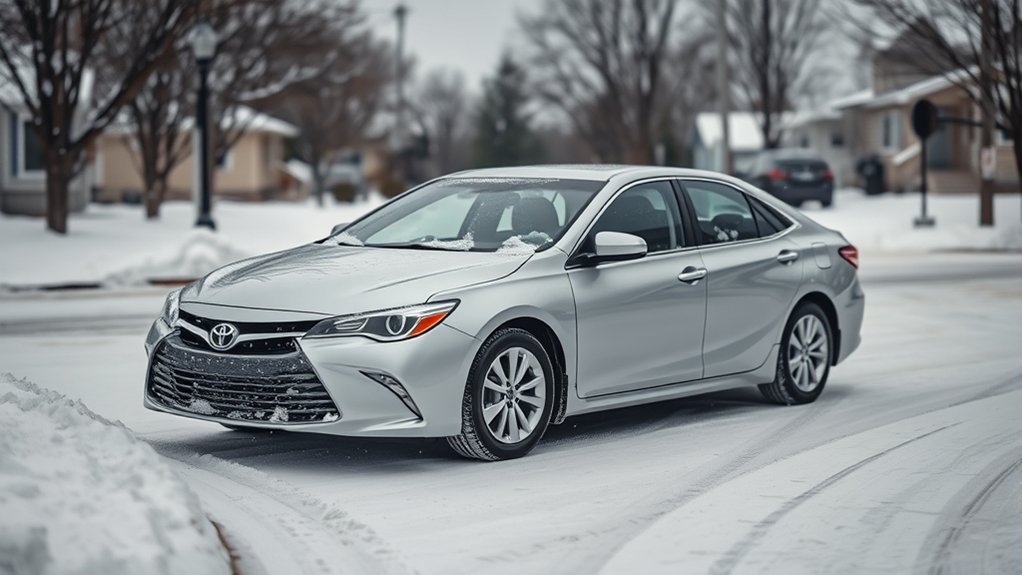
For current U.S.-market 2025 and 2026 Toyota Camry models, Toyota does not list a dedicated Snow Mode. Toyota’s documentation lists Normal, ECO, SPORT, and EV drive modes instead. For snowy or icy roads, use Normal mode as the simplest default, keep TRAC/VSC on during normal driving, use suitable tires, slow down, and leave extra stopping distance. If you own another model year or a Camry from another market, check that exact owner’s manual before assuming the controls are the same.
Last updated: September 16, 2026. This revision was checked against Toyota’s 2025 Camry Quick Reference Guide, Toyota’s 2026 Camry brochure and current AWD information, Toyota Safety Sense documentation, NHTSA winter-driving guidance, and National Weather Service winter-driving guidance.
Quick Answer
The 2025 and 2026 U.S. Toyota Camry do not list a dedicated Snow Mode in Toyota’s current documentation. Use Normal mode for most snow driving, keep TRAC and VSC on, make smooth accelerator, steering, and brake inputs, and use winter-ready tires. ECO mode may make accelerator response easier to meter, but it is not a traction mode. SPORT mode offers no snow-traction advantage. If you have AWD, it can help the Camry get moving by adding rear-wheel power when needed, but it does not replace tire grip or careful braking.
Key Takeaways
- Toyota’s 2025 U.S. Camry Quick Reference Guide and 2026 U.S. Camry brochure list Normal, ECO, SPORT, and EV modes, not a dedicated Snow Mode.
- For most snowy or slushy driving, Normal mode with TRAC/VSC left on is the simplest default.
- ECO and EV modes are not dedicated snow settings, and SPORT mode does not add traction.
- If the vehicle is stuck, your model-year manual may allow TRAC to be switched off briefly so controlled wheelspin can help free the car.
- AWD helps with acceleration and initial traction; tires, lower speed, and extra stopping distance still matter for braking and turning.
At a Glance
| Time Required | About 30 seconds to check the controls and select the correct mode |
| Difficulty | Easy |
| Tools Needed | Owner’s manual or Toyota Owners manual lookup |
| Best Default for Snow | Normal mode, TRAC/VSC on, smooth inputs |
Does the Toyota Camry Have Snow Mode?
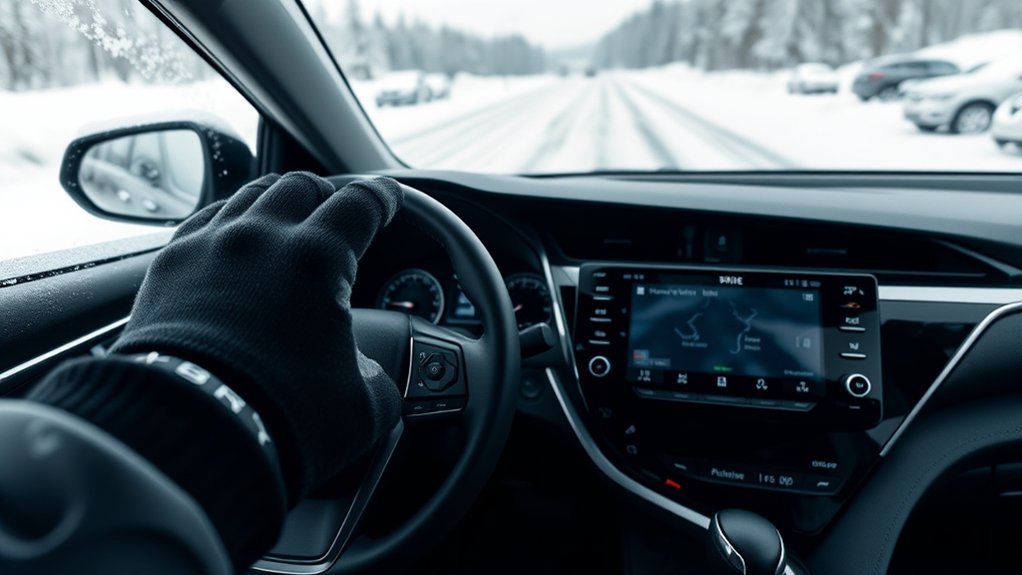
For the current U.S. Camry, the answer is straightforward. Toyota’s 2025 Camry Quick Reference Guide lists Normal, ECO, and SPORT on the driving-mode selector and a separate EV Mode. Toyota’s 2026 Camry brochure again describes a four-mode setup: Normal, Sport, Eco, and EV. Neither document lists a dedicated Snow Mode.
| Camry Document | Modes Toyota Lists | Dedicated Snow Mode Listed? |
|---|---|---|
| 2025 U.S. Camry Quick Reference Guide | Normal, ECO, SPORT, EV | No |
| 2026 U.S. Camry brochure | Normal, ECO, SPORT, EV | No |
| Other model years or markets | Check the exact vehicle manual | Do not assume |
If your controls do not match those documents, use your printed owner’s manual, Toyota’s manual lookup, or the Toyota app for your exact model year and market. Features and control layouts can change. For a deeper explanation of the modes themselves, see the Toyota Camry drive modes guide.
Warning: Do not search through drive-mode menus or look for unfamiliar buttons while the car is moving. Check the controls while parked.
How to Use Snow Mode If Your Camry Manual Actually Lists It
If your exact Camry owner’s manual explicitly lists a Snow Mode or similar low-traction setting, follow that manual rather than instructions written for another Toyota model. The switch location, indicator, operating conditions, and automatic-cancellation behavior can differ between vehicles.
- Verify the feature first. Find “Snow Mode,” “snow,” or “driving mode” in the manual for the exact vehicle.
- Select it before traction is already lost. Use the switch or menu exactly as the manual directs.
- Confirm the dashboard indication. Make sure the vehicle shows the mode as active if the manual says an indicator should appear.
- Keep your inputs smooth. Accelerate gently, steer progressively, and leave extra room for braking.
- Follow the manual when leaving the mode. Do not assume another Toyota’s cancellation procedure applies to your Camry.
Pro Tip: If the drive wheels begin spinning, ease off the accelerator. Adding more throttle on snow or ice can reduce available grip instead of helping the car move.
Which Camry Drive Mode Should You Use in Snow?
On a 2025 or 2026 U.S. Camry, Normal mode is the best default starting point for winter driving. The other selectable modes serve different purposes and do not replace traction control or suitable tires.
Normal Mode
Use Normal mode for most snow-covered or slushy roads. Toyota describes it as the normal-driving setting, and it gives you predictable accelerator response without the sharper response associated with SPORT mode.
ECO Mode
ECO mode is designed around efficiency rather than traction. Toyota describes it as adjusting vehicle response to help reduce fuel consumption. A gentler accelerator feel may make smooth starts easier for some drivers, but ECO is not a dedicated snow setting. If you prefer the response of Normal mode, use Normal.
SPORT Mode
SPORT mode is designed for a higher level of response. That does not create more tire grip on snow or ice. On slick roads, Normal mode is usually easier to meter smoothly.
EV Mode
EV Mode allows short, low-speed electric driving when vehicle conditions permit. It is useful for situations such as quiet low-speed driving, but Toyota does not describe it as a snow or traction setting. Do not rely on EV Mode to improve grip.
What the 2025–2026 Camry Uses Instead of Snow Mode
The current Camry manages slippery conditions through its normal drive controls, traction and stability systems, available AWD, tires, and driver inputs rather than a dedicated Snow Mode button.
TRAC and Vehicle Stability Control
Keep TRAC and Vehicle Stability Control (VSC) on during normal winter driving. These systems are designed to intervene when the tires begin slipping or the vehicle starts to lose stability.
Toyota’s 2025 U.S. Camry Quick Reference Guide gives a specific stuck-vehicle procedure: while the vehicle is stopped, pressing the VSC OFF switch disables TRAC; holding the switch for at least three seconds disables both VSC and TRAC. That procedure is intended to help free a vehicle stuck in conditions such as snow, mud, or dirt—not for routine road driving. Check your exact model-year manual before using it, and restore normal operation after you are free. See the separate Camry traction-control guide for the full explanation.
Electronic On-Demand AWD
AWD is different from Snow Mode. On the 2025–2026 Camry, Toyota’s Electronic On-Demand AWD system uses a dedicated rear electric motor. When conditions call for additional traction, the system can add rear-wheel drive automatically. That can help the car pull away or accelerate on slippery pavement, but it does not create extra tire grip when braking. See the Camry AWD winter-traction guide for more detail.
Toyota Safety Sense and Other Sensors
Snow and winter grime can interfere with driver-assistance hardware. Toyota instructs owners to keep radar sensors and their covers clean and notes that snow, water, dirt, fog, heavy rain, and other conditions can limit sensor operation. Keep the windshield camera area, grille/radar area, bumper sensors, lights, mirrors, and backup camera clear.
Note: If a driver-assistance warning appears after driving through snow or slush, safely stop and check for snow, ice, or grime blocking a camera or sensor. Follow the warning message and owner’s manual if the warning remains after the area is clean.
What Should You Do in Common Winter Conditions?
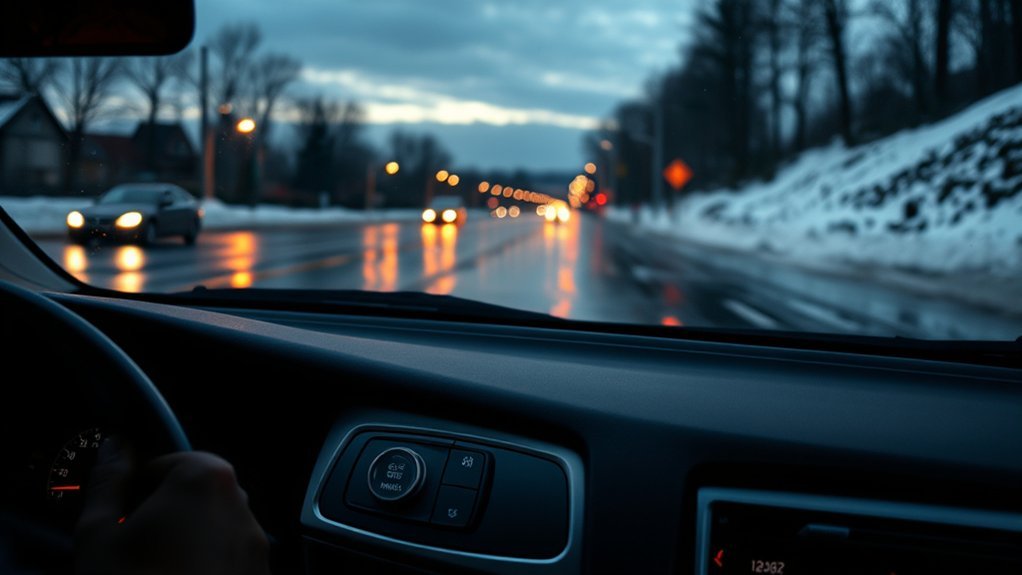
No dashboard mode can overcome inadequate grip. Match your speed and driving inputs to the road surface, and avoid treating AWD or electronic safety systems as substitutes for traction.
| Condition | What to Do |
|---|---|
| Dry pavement | Use Normal mode for normal everyday response. |
| Packed snow or slush | Use Normal mode, leave TRAC/VSC on, reduce speed, and use smooth steering, braking, and throttle inputs. |
| Black ice | Reduce speed sharply or postpone travel when practical; no drive mode can create grip where the tires have almost none. |
| Deep snow | Avoid forcing the car through snow deep enough to contact the underbody or leave the tires unable to maintain traction. |
| Vehicle stuck in snow | Clear snow around the tires and use the model-year manual’s stuck-vehicle procedure. TRAC may be switched off briefly while stopped if the manual directs it. |
| Sensors covered in snow or slush | Safely stop and clear the camera, radar, bumper-sensor, light, and camera areas before relying on driver-assistance functions. |
The most important winter-driving controls are still speed, following distance, visibility, and tire grip. A drive mode cannot replace any of them.
[Products Worth Considering]

The AICEL TPMS Relearn Tool helps quickly reset and relearn tire pressure sensors on compatible GM vehicles after tire rotation, sensor replacement, or warning light issues. Designed for easy handheld use, it works with most cars, SUVs, and pickup trucks and can save time by eliminating unnecessary trips to the auto store. Its durable ABS housing and simple activation process make it a practical tool for keeping the tire pressure monitoring system operating properly.

Superior Winter Traction: Crafted from abrasion-resistant synthetic fiber with a hollowed-out drainage structure, it effectively clears water and slush from tire surfaces. Significantly enhances friction to deliver reliable grip on snow and icy roads, ensuring driving safety.
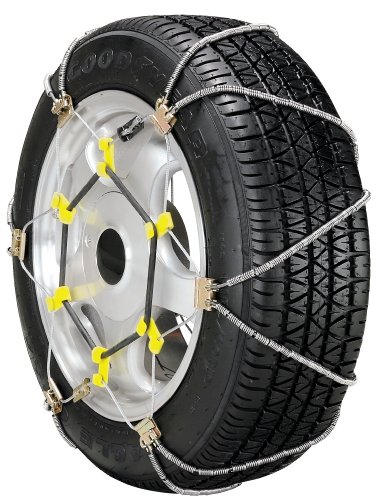
Shur Grip Z class S cable chains
Camry Winter Prep: Tires, Sensors, Cruise Control, and Alerts
The National Highway Traffic Safety Administration recommends preparing both the vehicle and the driver for winter conditions. Cold weather can reduce tire inflation pressure, and slick roads require lower speeds and more room to stop. For a full vehicle checklist, see the Camry winter-prep guide.
- Check tire pressure cold. Use the pressure listed on the vehicle’s tire-information placard, not the maximum number molded into the tire sidewall.
- Inspect tread and tire condition. Replace damaged or badly worn tires before severe winter weather.
- Use suitable winter tires when conditions justify them. Follow the tire-size and installation requirements in your exact Camry manual.
- Clear the whole vehicle. Remove snow and ice from the windows, roof, lights, mirrors, camera areas, radar areas, bumper sensors, and around the tires.
- Leave more stopping distance. Snow, sleet, and ice reduce available traction and increase the distance needed to slow safely.
- Avoid cruise control on slick roads. The National Weather Service advises drivers not to use cruise control in winter traction conditions.
- Carry basic winter supplies. NHTSA recommends items such as an ice scraper, shovel, abrasive traction material, flashlight, blankets, charger, water, and emergency supplies.
[Products Worth Considering]
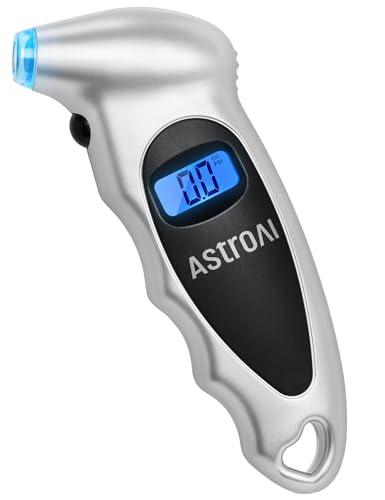
Accurate, Dependable Readings: Factory‑calibrated to ±1 PSI, so you can confidently match your vehicle’s recommended PSI (check the door jamb sticker). Ideal for monthly checks and road trips — consistent results every time, cold or warm.

PROCESS LEVEL ACCURACY: Each ETENWOLF’s digital tire pressure gauge is calibrated manually to ANSI B40.7 Grade 2A(plus-minus 1 PSI).Presta valve adapter not included, if used for bicycles, it must be purchased separately

HIGH ACCURACY: Every ETENWOLF's pencil tire gauge is calibrated to ANSI B40.1 Grade B, it is accurate to 2% of span in the middle 50% of range and 3% of span in the lower and upper 25% of range. Each ETENWOLF pencil tire pressure gauge is manually calibrated and has its unique calibration number printed on the pencil
Troubleshooting Common Camry Snow Problems
Why do the wheels spin when I start moving?
Ease off the accelerator, straighten the steering wheel if possible, and try again with lighter throttle. On a 2025 or 2026 U.S. Camry, use Normal mode as the default rather than looking for a Snow Mode button. If wheelspin happens easily despite very gentle inputs, inspect the tires for wear, improper pressure, damage, or unsuitable winter capability.
What does a flashing slip indicator mean?
A flashing slip indicator generally means a traction or stability system is actively intervening. Reduce speed if needed and keep accelerator, steering, and braking inputs smooth.
What should I do if the Camry is stuck in snow?
Stop spinning the tires aggressively. Clear loose snow from around the tires and under the car, straighten the wheels, and use traction material if available. Toyota’s 2025 U.S. guide allows TRAC to be switched off while stopped to help free a stuck vehicle. Use that procedure only as directed by your exact model-year manual, then restore the system after the car is moving.
Why do the parking or safety sensors stop working in snow?
Snow, ice, salt, water, or slush can block cameras and radar or ultrasonic sensor areas. Clean the affected areas carefully. If a warning remains after the obstruction is removed and operating conditions return to normal, follow the owner’s manual and arrange service if required.
Frequently Asked Questions
Does the 2025 or 2026 Toyota Camry have Snow Mode?
Toyota’s U.S. documentation for the 2025 and 2026 Camry lists Normal, ECO, SPORT, and EV drive modes, not a dedicated Snow Mode. If you own another model year or a Camry from another market, check that exact owner’s manual.
What mode should I use in a Toyota Camry in snow?
For a current U.S. Camry, Normal mode is the simplest default for snowy or slushy roads. Keep TRAC/VSC on during normal driving, slow down, leave extra stopping distance, and make smooth accelerator, steering, and braking inputs.
Should I use ECO mode in snow?
ECO mode is an efficiency setting, not a dedicated snow mode. Its response may make gentle accelerator inputs easier for some drivers, but you do not need ECO mode for traction. Normal mode is a straightforward default.
Should I turn traction control off in snow?
Keep traction control on during normal snow and ice driving. If the Camry is stuck, your model-year manual may direct you to switch TRAC off briefly while stopped so controlled wheelspin can help free the car. Turn the system back on after the vehicle is free.
Is Camry AWD the same as Snow Mode?
No. Current Camry Electronic On-Demand AWD can add rear-wheel power when conditions require more traction. Snow Mode would be a selectable vehicle-control setting. AWD can help the car accelerate on slippery surfaces, but it does not replace suitable tires or careful braking.
Can I drive a Toyota Camry in the snow?
Yes, when road conditions are reasonable and the vehicle is properly prepared. Use suitable tires, clear snow and ice from the vehicle and sensors, reduce speed, increase following distance, keep traction and stability control on, and avoid sudden steering, braking, or accelerator inputs.
Conclusion
If you have a 2025 or 2026 U.S. Toyota Camry, do not waste time looking for a dedicated Snow Mode button: Toyota’s current documentation lists Normal, ECO, SPORT, and EV modes instead. For most winter driving, use Normal mode, leave TRAC/VSC on, drive smoothly, and give yourself more room to stop. Available Electronic On-Demand AWD can help the Camry get moving when traction is limited, but tires and road speed still determine how much grip the car has when turning and braking. For any other model year or market, confirm the controls in that exact owner’s manual before following Snow Mode instructions found online.
Sources
- 2025 Toyota Camry Quick Reference Guide — current U.S. Camry drive modes and VSC/TRAC OFF operation.
- 2026 Toyota Camry Brochure — current four-mode drive switch: Normal, Sport, Eco, and EV.
- Toyota USA: 2026 Camry — Electronic On-Demand AWD and rear electric-motor operation.
- 2025 Camry Driving Support Systems Manual Excerpt — radar/camera cleaning requirements and weather-related sensor limitations.
- NHTSA Winter Weather Driving Tips — winter speed, following distance, tire-pressure, visibility, and emergency-supply guidance.
- National Weather Service: Getting Traction — winter-driving speed, spacing, steering, braking, and cruise-control guidance.