

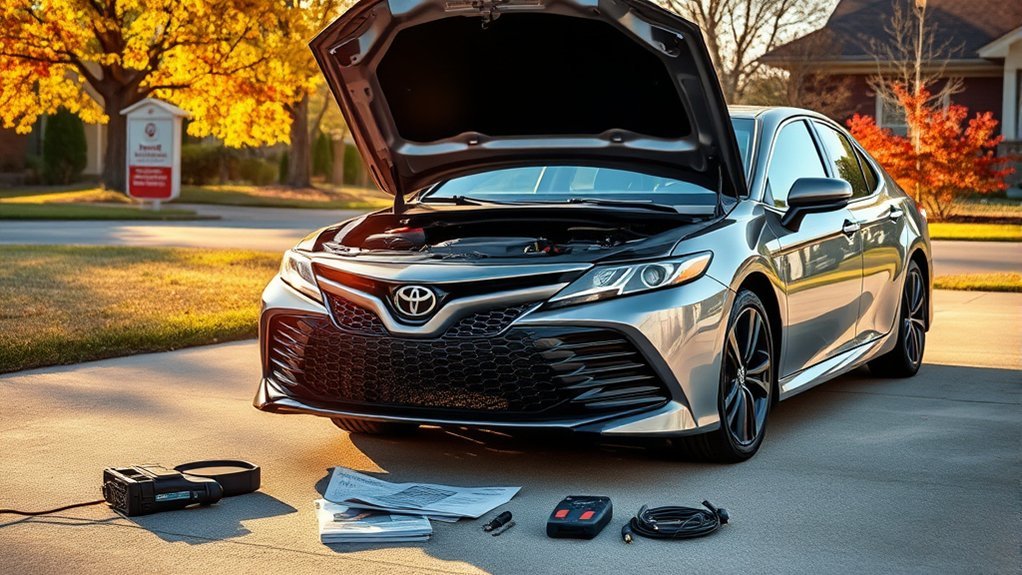
You should usually leave traction control on in a Toyota Camry. Turn it off only for a short, specific reason: when the drive wheels are stuck in snow, mud, sand, or loose material and the system is cutting engine power so much that the car cannot rock free. In that situation, temporarily disabling TRAC—or, in deeper stuck situations, both TRAC and VSC—can allow limited wheelspin so the tires can regain momentum.
Quick Answer
Turn off traction control in a Camry only when you are stuck and need controlled wheelspin to rock free from snow, mud, sand, or loose ground. Press and release the VSC OFF button to turn TRAC off. Hold it for about three seconds to turn off both TRAC and VSC, then turn the systems back on as soon as you are moving again.
Key Takeaways
- Keep TRAC and VSC on for normal driving, rain, light snow, icy roads, and highway speeds.
- Turn TRAC off briefly if the Camry is stuck and the system is preventing the wheels from spinning enough to move.
- Turn both TRAC and VSC off only for low-speed recovery when you need to rock the car free.
- Use gentle throttle. Long, high-rpm wheelspin can dig the tires deeper and overheat or stress components.
- Turn the systems back on immediately after the car is free.
At a Glance
| Time Required | Less than 1 minute to switch the system off or on |
| Difficulty | Easy, but use caution |
| Tools Needed | None; a shovel or traction material may help if the car is stuck |
| Cost | Free |
How to Turn Off TRAC or VSC in a Camry

On most modern Toyota Camry models, the VSC OFF button controls both traction control and vehicle stability control settings. The exact button location, dashboard wording, and indicator design can vary by model year, so use your Owner’s Manual if your switch or warning lights look different.
| What you do | What turns off | When to use it |
|---|---|---|
| Press and release VSC OFF | TRAC only | When you need a little wheelspin to move out of snow, mud, or loose ground |
| Press and hold VSC OFF for about 3 seconds while stopped | TRAC and VSC | When the car is stuck and TRAC/VSC intervention is preventing a rocking maneuver |
| Press VSC OFF again or restart the car | Systems turn back on | As soon as the Camry is free and you are returning to normal driving |
Toyota’s guidance is straightforward: if the front wheels are stuck in fresh snow or mud, you may need to turn off TRAC and VSC so you can rock the vehicle free. To turn TRAC off, push and release the VSC OFF button. To turn both TRAC and VSC off, hold the same button for about three seconds. You can read Toyota’s official VSC OFF guidance here: Toyota Support: When should I use the VSC Off button?
Warning: Do not drive normally with TRAC or VSC turned off. These systems help with traction and stability, especially on slippery roads. Disabling them reduces the electronic safety support available if the car starts to skid.
[Products Worth Considering]

These off-road traction boards are designed to help vehicles recover from mud, sand, and snow with reliable grip and easier ramp-up. Their double-sided diamond construction, cross-shaped teeth, and contoured ramps improve traction while the durable polypropylene build stays flexible in harsh conditions. Convenient mounting points, ergonomic handles, and a visible leash make them practical to carry, store, and retrieve when recovery is needed.

1 x 12V 4-pole add-on light push button switch with LED background indicator lights.

Dual Blue Led ON-OFF SPST(single pole single through) Push Button Switch, it comes with the wiring connector, convenient for you to install.
When Turning Off TRAC Helps You Get Unstuck
Traction control is designed to reduce wheelspin. That is helpful when you are accelerating on a slick road, but it can work against you when the tires are already buried. If the Camry is stuck and TRAC keeps cutting power, the wheels may never spin enough to clear snow or mud from the tread or build the small amount of momentum needed to move.
Good times to briefly turn TRAC off include:
- Both front wheels are stuck in deep snow, slush, mud, sand, or loose gravel.
- The engine responds, but the car barely moves because the system keeps reducing power.
- You are trying a controlled rocking maneuver at very low speed.
- You have already cleared material away from the tires and checked that the area is safe.
Bad times to turn TRAC off include:
- Normal winter driving on roads that are slippery but passable.
- Rainy highway driving.
- Fast cornering or “sporty” driving on public roads.
- Trying to correct a skid at speed.
- Driving with warning lights on because of a possible malfunction.
[Products Worth Considering]

Dimensions (Each): 55.9 cm (L) x 17.8 cm (W) x 1.1 cm (H). Pack of 2.

<b>Off-Road Rescue Companion: </b>The traction mat is a reliable off-road rescue tool, unsticking cars from tough terrains like snow, ice, mud, and sand.

Each block measures 39.3" (L) x 10.8" (W) ,Can be used as traction boards,tire chains, snow chains,go treads ,offroad accessories 4x4 ,Provides emergency traction for your tires in snow, ice, mud and sand.
Rocking the Vehicle
Rocking means shifting gently between Drive and Reverse to build small movements forward and backward until the tires climb out of the rut. TRAC can interrupt this process by cutting power as soon as wheelspin begins.
Use this method carefully:
- Stop and make sure no people, vehicles, walls, curbs, or objects are close to the car.
- Clear snow, mud, or sand from around the tires if you can.
- Place traction material, such as sand, gravel, cardboard, or a traction mat, in front of the drive tires if available.
- Press and release the VSC OFF button to turn TRAC off.
- Apply light, steady throttle for a second or two, then ease off.
- Shift between Drive and Reverse only after the car has stopped moving.
- Stop if the tires dig deeper, you smell burning, or the car does not improve after a few attempts.
Pro Tip: Small throttle inputs work better than flooring the accelerator. The goal is controlled wheelspin, not a long burnout. If the tires spin fast without the car moving, stop and add traction instead of digging deeper.
Wheel Spin Management
With TRAC off, the Camry will allow more wheelspin before the system intervenes. That can help the tires throw out packed snow or mud, but too much spin makes the situation worse. Use short throttle pulses and listen to the car. If the engine revs high and the vehicle does not move, ease off immediately.
Keep the steering wheel mostly straight unless you are trying to aim toward a clear path. Turned wheels can create extra resistance and make it harder for the tires to climb out.
Regain Momentum Techniques
Once the Camry starts moving, keep the momentum gentle and steady. Do not stop halfway out of the rut if you have a safe path ahead. After the car reaches firm ground, press the VSC OFF button again to restore TRAC/VSC, or restart the vehicle if needed.
The safest use of the VSC OFF button is temporary: use it to get unstuck, then turn the safety systems back on before normal driving.
When to Disable Both VSC and TRAC
Turning off both systems is a stronger step than turning off TRAC alone. Use it only when the Camry is stopped or moving very slowly and the car is stuck badly enough that stability control intervention is preventing recovery.
You might disable both TRAC and VSC if:
- The car is stuck in deep snow, mud, or loose ground.
- Pressing TRAC off alone does not allow enough movement to rock free.
- You are using very low speed and have a clear, safe escape path.
- You understand that stability assistance is reduced while the systems are off.
You should not disable both systems simply because the road is snowy. On normal winter roads, traction and stability control usually help more than they hurt. They can limit wheelspin during acceleration and help the car stay closer to the direction you are steering.
Note: Current Toyota Camry models may display different messages, such as “Traction Control Turned OFF,” depending on year and trim. Always use the dashboard indicators and the Owner’s Manual for your exact vehicle.
[Products Worth Considering]


This switch is momentary Automatic Reset action, Resetting returns to off when released.This polarity reversing switch replacement for most RV/trailer power tongue Jacks wheel.switch comes with jumper bars for polarity reversing,connect power and ground and two DC motor leads and the switch will reverse the motor direction.

Function: Momentary ON - OFF - Momentary ON DPDT 3 Position 4 Pin Reverse Polarity Switch.
How to Safely Turn Off TRAC or VSC in a Camry Step by Step

- Stop the vehicle or slow to a crawl. Do not press the button during aggressive driving or while trying to correct a skid.
- Check the area around the car. Make sure there are no people, vehicles, pets, or hard objects in the direction the car may move.
- Try TRAC off first. Press and release the VSC OFF button. The TRAC OFF indicator or a traction-control-off message should appear.
- Use light throttle. Try short, controlled movements forward and backward. Avoid continuous high-rpm wheelspin.
- If needed, turn off both TRAC and VSC. With the vehicle stopped, press and hold the VSC OFF button for about three seconds until the VSC OFF indicator appears along with the TRAC OFF indication.
- Rock the car gently. Shift between Drive and Reverse only after the car stops. Use small throttle inputs.
- Turn the systems back on. Once the Camry is free, press the VSC OFF button again or restart the vehicle.
Warning: On current Camry models, turning off both TRAC and VSC may also affect Toyota Safety Sense functions. Toyota’s 2025 Camry manual notes that when TRAC and VSC are turned off, PCS braking functions may be disabled and only pre-collision warning may remain available. Review your exact Owner’s Manual before relying on any driver-assist feature.
Dashboard Lights and Messages: What They Mean
The dashboard tells you whether the systems are off, operating, or possibly malfunctioning. The exact wording varies, but these are the common meanings:
| Light or message | Likely meaning | What to do |
|---|---|---|
| TRAC OFF | Traction control is turned off | Use only for low-speed recovery; turn it back on after moving |
| VSC OFF | Vehicle Stability Control is turned off | Avoid normal driving until it is turned back on |
| Slip indicator flashing | TRAC/VSC is actively working | Drive gently; the tires are near their grip limit |
| Warning light stays on unexpectedly | Possible system fault or a system left off | Press the VSC OFF button, restart the car, and seek service if the light remains |
Risks of Driving With VSC/TRAC Off
TRAC and VSC are safety systems, not convenience features. TRAC helps reduce drive-wheel spin during acceleration. VSC helps the driver maintain directional control by managing engine output and braking individual wheels when the vehicle begins to understeer or oversteer.
The federal electronic stability control standard, 49 CFR 571.126, describes ESC as a system intended to reduce deaths and injuries from crashes where a driver loses directional control, including rollovers. The Insurance Institute for Highway Safety also reports large reductions in fatal single-vehicle crash risk associated with ESC.
When you turn these systems off, you accept several tradeoffs:
- The car may allow more wheelspin than usual.
- Stability intervention may be reduced if the car begins to slide.
- The vehicle may be harder to control on ice, snow, wet pavement, or gravel.
- Long wheelspin can dig deeper holes and stress tires, brakes, and drivetrain components.
- Some driver-assist functions may be limited on newer models when VSC is off.
For that reason, disabling TRAC/VSC should be a short recovery tool, not a driving mode.
When and How TRAC/VSC Reactivates
You can manually reactivate the systems at any time by pressing the VSC OFF button again. The systems also return to their default on setting after the vehicle is turned off and restarted.
On current Toyota Camry models, there is an important distinction:
- If only TRAC is turned off, TRAC may turn back on automatically when vehicle speed increases.
- If both TRAC and VSC are turned off, they may not automatically re-enable just because speed increases.
- Restarting the vehicle returns the systems to their normal default setting.
Before driving normally, check that the TRAC OFF and VSC OFF indicators are no longer illuminated. If a warning light remains after you press the button again and restart the vehicle, treat it as a possible fault and have the vehicle inspected.
Camry Model Differences and Common Troubleshooting

Camry model years differ in button location, dashboard display wording, hybrid versus gas powertrain messages, and Toyota Safety Sense behavior. The general method is similar on many modern Camrys, but the Owner’s Manual for your year and trim is the final authority.
If the TRAC OFF or VSC OFF light will not go away:
- Press the VSC OFF button once to see if the system was simply left off.
- Turn the vehicle off, wait briefly, and restart it.
- Check whether other warning lights are on, such as ABS, brake, PCS, or check engine lights.
- Do not keep driving aggressively if stability or braking warnings remain illuminated.
- Have the vehicle scanned by a qualified technician or Toyota service department if the warning persists.
If the car is stuck and will not move after a few careful attempts, stop. Call roadside assistance or a tow service rather than overheating the drivetrain or damaging the tires.
Frequently Asked Questions
What is the traction control feature in a Camry?
Traction control, or TRAC, helps limit drive-wheel spin when you accelerate. If a wheel starts spinning faster than it should, the system can reduce power and work with the brake system to help the tire regain grip.
Is it better to drive with traction control on or off in winter?
Keep traction control on for normal winter driving. Turn it off only briefly if the Camry is stuck in deep snow or mud and the system is preventing the wheels from spinning enough to rock the car free.
What is the difference between TRAC OFF and VSC OFF?
TRAC OFF means traction control is disabled or reduced, allowing more drive-wheel spin. VSC OFF means vehicle stability control is also disabled or reduced, so the car has less electronic help correcting a skid. Use TRAC OFF first; use both off only for low-speed recovery when truly stuck.
Will traction control turn back on by itself?
It can, depending on what you turned off. On current Camry models, TRAC may turn back on when speed increases if only TRAC was disabled. If both TRAC and VSC were turned off, they may not re-enable from speed alone. Restarting the vehicle returns the systems to their normal default setting.
Can I damage my Camry by turning traction control off?
Pressing the button itself should not damage the car, but aggressive wheelspin can. Avoid flooring the accelerator, spinning the tires for long periods, or rocking the vehicle violently between Drive and Reverse. If the car does not move after a few careful attempts, stop and get help.
Conclusion
Turn off traction control in a Toyota Camry only when it solves a specific low-speed problem: getting unstuck. Press and release the VSC OFF button to disable TRAC when you need limited wheelspin. Hold the button for about three seconds to disable both TRAC and VSC only if the car is stuck badly enough that the normal traction and stability systems are blocking recovery.
Once the Camry is free, turn the systems back on. For normal driving—especially on wet, icy, snowy, or fast roads—TRAC and VSC should stay on because they are part of the car’s safety system.
Sources
- Toyota Support: When should I use the VSC Off button? — backs up when and how to use the VSC OFF button.
- Toyota 2025 Camry Hybrid Owner’s Manual: Driving Assist Systems — backs up current Camry TRAC/VSC behavior and PCS caveat.
- 49 CFR 571.126: Electronic Stability Control Systems — backs up the safety role and requirements of ESC systems.
- IIHS: Life-saving benefits of ESC continue to accrue — backs up safety context for electronic stability control.
- AAA: How to Get Unstuck From Snow — backs up practical stuck-vehicle recovery advice, including temporary traction-control disablement.

[…] Do not assume the button showing a car with squiggly lines is the PCS control. That button relates to traction control and VSC. […]
[…] According to Toyota Technical Support, you should re-engage TRAC as soon as the vehicle is on solid ground. For winter driving strategies, see when to turn off traction control in a Toyota Camry. […]