If your Toyota Tundra trailer brake controller is not working, stop towing until the trailer brakes respond normally. Inspect the 7-pin plug and the truck and trailer grounds, then connect a known-good trailer or a brake-load simulator made for integrated controllers. If that known-good load works, diagnose the original trailer. If it fails too, stay on the truck side, record the exact warning and DTCs, and check model-year wiring, protected circuits, calibration, and the trailer-brake ECU before replacing parts.
Last updated: August 19, 2026 — added a sourced real-world voltage-drop example, a TSB-effectiveness caveat, and a new FAQ for the “Trailer Brake Controller Error, See Dealer” message.
Editorial note: This source-based guide covers properly equipped 2016+ Tundras with a factory Integrated Trailer Brake Controller and earlier or unequipped Tundras fitted with an aftermarket controller. Toyota’s 2015 model-year information describes an under-dash pre-wire for an add-on controller, while Toyota introduced the integrated controller for the 2016 model year. This guide is scoped to diagnosing an active failure — a dead, weak, intermittent, or unexpectedly-applying trailer brake — rather than routine setup; for first-time gain and brake-type setup on a working system, see the Tundra trailer brake controller setup and gain guide instead. This article does not claim first-hand testing.
⚡ Quick Answer
If your Tundra trailer brake controller stops working, use this split: inspect the 7-pin plug and both grounds; test with a known-good trailer or brake-load simulator; move to trailer wiring, the breakaway circuit, adjustment, and magnets if the known-good load works; or check model-year fuses, relays, wiring, DTCs, and calibration with Toyota Techstream or a confirmed module-capable scan tool if it does not. Set brake type and gain only after the fault is repaired.
Key Takeaways
- Do not keep towing if the trailer brakes are dead, weak, intermittent, or applying unexpectedly.
- Toyota introduced the factory integrated controller for the 2016 Tundra; 2015 trucks were described as pre-wired for an add-on controller.
- Use a known-good trailer or a brake-load simulator rated for integrated controllers to separate a truck-side fault from a trailer-side fault.
- A basic OBD2 code reader may not access the trailer-brake ECU; Toyota Techstream or an enhanced scan tool may be required.
- Confirm the selected trailer brake type, then set gain with Toyota’s manual-override road test after electrical faults are ruled out.
- Check VIN applicability before assuming a Toyota software bulletin applies to your truck.
At a Glance
| Time Required | Varies: connector, ground, and known-good-load checks are brief; wheel-end disassembly, wiring repair, or ECU diagnosis takes longer |
| Difficulty | Beginner to intermediate — connector and ground checks are straightforward; drum removal, current testing, and ECU diagnosis require more experience |
| Tools Needed | Digital multimeter, known-good trailer or brake-load simulator rated for integrated controllers, jack and rated jack stands, wire brush, electrical contact cleaner, basic hand tools, and Toyota Techstream or a confirmed trailer-brake-module-capable scan tool for truck-side diagnosis |
| Cost | Diagnosis may cost nothing with tools on hand; repair cost depends on the failed connector, wiring, brake parts, controller, and local labor rate |
Why Your Tundra Trailer Brake Controller Is Not Working
A Tundra brake-controller complaint usually falls on one side of the 7-pin connection. Truck-side faults include an open power or ground circuit, a damaged brake-output wire, the wrong trailer-brake-type setting, a stored trailer-brake ECU fault, or a model-year-specific controller issue. Trailer-side faults include corroded connector terminals, a loose frame ground, a pulled or damaged breakaway switch, chafed axle wiring, loose splices, brakes that are out of adjustment, or worn magnets and linings.
The fastest way to divide the system is to connect a known-good trailer or a brake-load simulator whose manufacturer states that it simulates an electric trailer-brake circuit. If the Tundra recognizes that load and produces brake output, move to the trailer. If the truck still shows no connection or no output, stay on the truck side and check the correct brake type, protected circuits, wiring, stored diagnostic trouble codes, and applicable Toyota service information.
Trailer lights can work while the trailer brakes fail. The running-light, turn-signal, stop-lamp, and electric-brake paths are separate circuits in a 7-way system. Working lamps therefore do not prove that the brake-output wire or brake ground is intact. Dexter’s typical trailer wiring and electric-brake service guidance shows the electric-brake circuit separately from the lighting circuits.
What Each Test Result Means
| Test Result | Most Likely Side | Next Action |
|---|---|---|
| Known-good trailer or brake-load simulator works | Original trailer | Trace the trailer brake wire, grounds, breakaway circuit, adjustment, and wheel-end components |
| Same failure with multiple known-good loads | Tundra | Check the exact fuse and relay chart, truck harness, DTCs, calibration, and trailer-brake ECU |
| Lights work but trailer brakes do not | Brake-output or brake-ground circuit | Do not treat the lighting check as proof of brake output; test the brake circuit under load |
| Warning appears with only one trailer | That trailer or its compatibility | Inspect connector resistance, brake count, wiring, magnets or actuator, and breakaway wiring |
| Intermittent warning on an applicable 2018–2019 truck | Trailer fault or VIN/calibration-specific truck condition | Record DTCs first, diagnose trailer faults, then check T-SB-0036-19 applicability |
How the Tundra’s Integrated Brake Controller Works
Toyota’s 2015 Tundra product information says all models had an under-dash pre-wire for a consumer-installed trailer brake controller. For 2016, Toyota announced an integrated Trailer Brake Controller and described it as standard with the 5.7-liter V8. Properly equipped 2016–2021 trucks use physical gain controls and a manual output slider with status shown in the multi-information display. Properly equipped 2022+ trucks also send trailer-brake output through the 7-pin connector and display gain, brake type, manual output, and connection status in the driver information system. Exact availability, controls, and menu paths vary by model year, trim, market, and equipment.
The controller is designed for compatible electric or electric-over-hydraulic trailer brakes. It applies trailer braking through the 7-pin connector when you press the truck’s brake pedal, and the manual slider applies trailer brakes without applying the Tundra’s service brakes. Select the trailer’s actual brake type before adjusting gain. A wrong brake-type selection can cause poor or inconsistent response even when the wiring is healthy.
Model-Year Toyota Bulletins Worth Checking
| Model Year | Documented Condition | What Toyota’s Bulletin Says |
|---|---|---|
| 2016–2017 | Unsatisfactory integrated-controller braking feel | T-SB-0231-17 provides revised trailer-brake ECU software for listed vehicle identifiers when the condition and calibration match. |
| 2018–2019 | Intermittent “Trailer Disconnected” message while towing | T-SB-0036-19 tells technicians to check trailer-related DTCs and calibration before reprogramming applicable vehicles produced before listed VINs. |
| Other years | No universal update established by these bulletins | Use the owner’s manual, VIN-specific Toyota service information, and a full circuit diagnosis. Do not assume a software update applies solely because the warning message sounds similar. |
Note: Toyota’s published bulletins are condition-, model-year-, calibration-, and sometimes VIN-specific. A dealer should confirm applicability before reprogramming or replacing the trailer-brake controller ECU. Both bulletins state that the brake control relay with bracket should not be replaced as part of the bulletin repair procedure.
Step 1 — Quick Triage: Plug, Ground, Known-Good Load, and Wheel Check
Start with the connector and return path before opening the dashboard or a brake drum. A clean plug can still fail under load, so combine the visual inspection with a known-good trailer or a loaded tester.
[Products Worth Considering]

The REDARC Tow-Pro Liberty delivers smooth proportional braking for confident everyday towing on roads and highways. Its compact remote design helps preserve cabin space while supporting 1 to 2 axle trailers and integrating with compatible vehicle wiring harnesses for a factory-style fit. Built for demanding towing conditions, it offers reliable control for RVs, campers, trailers, and boats.

SYLVANIA H11 XtraVision halogen headlight bulbs are designed to improve down-road visibility without adding extra glare. Built with a robust filament and proprietary gas mixture, they deliver reliable performance and durable illumination for high beam, low beam, or compatible fog light applications. Replacing headlight bulbs in pairs helps maintain balanced lighting and optimal driving confidence.

This universal trailer coupler lock helps secure trailers, vehicles, and RVs by fitting a wide range of common hitch couplers. Its advanced locking mechanism is designed to resist picking and prying, while the zinc construction helps protect against rust and corrosion for dependable outdoor use.
Inspect the Trailer Plug
Disconnect the 7-pin trailer plug and inspect both halves. Check for:
- Green or white corrosion on the terminals
- Bent, spread, or pushed-back terminals
- Moisture, road salt, or debris inside the housing
- Melted or discolored plastic that suggests heat or resistance
Clean light corrosion with electrical contact cleaner and a small wire brush. Replace a cracked, heat-damaged, loose, or heavily corroded connector rather than trying to reshape badly damaged terminals.
Verify the Trailer Ground
A high-resistance ground can cause weak, intermittent, or missing trailer braking. Locate the trailer-frame ground, remove the fastener, clean the frame and ring terminal to bare metal, then reinstall it securely. Inspect the truck-side trailer wiring ground as well. Do not assume the hitch ball provides a dependable brake-circuit ground.
Check the Breakaway Switch
Confirm the breakaway pin is fully seated, the cable is not snagged, and the switch wiring is not damaged. A pulled pin can apply the trailer brakes independently of the truck. Follow the breakaway-system maker’s test and battery-maintenance instructions before towing.
Compare With a Known-Good Trailer or Loaded 7-Way Tester
- Connect a trailer known to have working electric brakes, or use a brake-load simulator whose manufacturer states that it simulates an electric trailer-brake circuit for integrated-controller diagnosis.
- Select the correct trailer brake type in the Tundra.
- Use the manual output slider and watch for a connection indication and brake response.
- If the known-good load works, continue on the original trailer. If it does not, stay on the truck side.
Pro tip: An open-circuit voltage check can be misleading because an integrated controller may need to detect a trailer-brake load. A basic LED 7-way light tester is not the same as a brake-load simulator. Use a known-good trailer or a tester specifically rated to simulate the electric-brake load.
Tire Spin Test
- Chock the trailer wheels, raise one wheel, and support the trailer with rated jack stands.
- Keep the trailer connected to the Tundra.
- Have an assistant apply the manual trailer-brake slider while you rotate the raised wheel by hand.
- Clear drag should develop. A wheel that continues to spin freely needs wiring, adjustment, magnet, or brake-hardware diagnosis at that wheel.
Warning: Always support the trailer on rated jack stands before spinning a raised wheel or reaching near brake components. Never rely on a floor jack alone.
Step 2 — Test Truck-Side Brake Output Under Load
After the plug and grounds pass inspection, verify that the Tundra can produce brake output into a real or simulated trailer load. Do not use one open-circuit voltage number as a universal pass/fail standard.
What You Need
- A known-good trailer or brake-load simulator rated for integrated trailer-brake controllers
- A digital multimeter and, when required by the test method, a suitable breakout adapter
- A helper to operate the manual output slider
Testing Procedure
- Confirm the Tundra recognizes the trailer or loaded tester and that the selected brake type matches the trailer.
- Follow the vehicle and tester instructions for ignition or engine-running conditions.
- Measure the brake-output circuit at a breakout point or at the trailer junction box while the manual slider is applied.
- Increase and decrease gain. The output should change smoothly with the manual command.
- Record the connection status, gain, measured output, warning message, and any DTCs before disconnecting or clearing anything.
Interpreting Results
- Stable output into a known-good load: The truck-side controller and output path are probably working. Continue with the original trailer.
- No output and no trailer recognition: Recheck the 7-pin terminals, truck ground, brake-type selection, protected circuits, and truck-side harness.
- Trailer recognized but output is weak or erratic: Look for resistance in the connector or wiring, then scan the trailer-brake ECU for model-specific faults.
- Warning appears only with one trailer: Suspect that trailer’s wiring, breakaway circuit, brake adjustment, or magnets before replacing a truck module.
- Same failure with multiple known-good loads: Move to model-year fuse, relay, wiring, DTC, calibration, and controller diagnosis.
Real-world data point: A 2017 Tundra owner posting to a towing forum measured roughly 10.3–10.8 volts at the controller output with the manual override fully applied, against about 12.4 volts at the trailer connector with the engine off and no load. That gap is consistent with a loaded voltage-drop fault rather than a fully open circuit — a static, no-load voltage check can look normal while the brake circuit still fails under an actual magnet load, which is exactly why this guide tests under load in Step 2 and Step 3 rather than relying on a single open-circuit reading. Source: Jayco Owners Forum, Tundra brake controller thread. “
Scan-tool note: Toyota’s published trailer-brake bulletins call for Techstream. A basic emissions-only OBD2 reader may not communicate with the trailer-brake controller ECU, so use Toyota Techstream or an enhanced scanner that lists the correct chassis or towing module.
Step 3 — Inspect Trailer Wiring, Brake Adjustment, and Magnets
Once the Tundra works with a known-good load, shift the diagnosis to the trailer. Work from the tongue toward each wheel so every voltage or continuity change narrows the fault.
[Products Worth Considering]

The TOPDON BT100 helps you quickly check the health and charge status of 12V lead-acid batteries with clear analytical results, including state of health, state of charge, voltage, and cranking performance. It supports a wide range of battery types and vehicles, making it a practical tool for diagnosing starting and charging issues at home or in the shop. Compact and easy to use, it provides fast, reliable testing without needing to charge the device first.
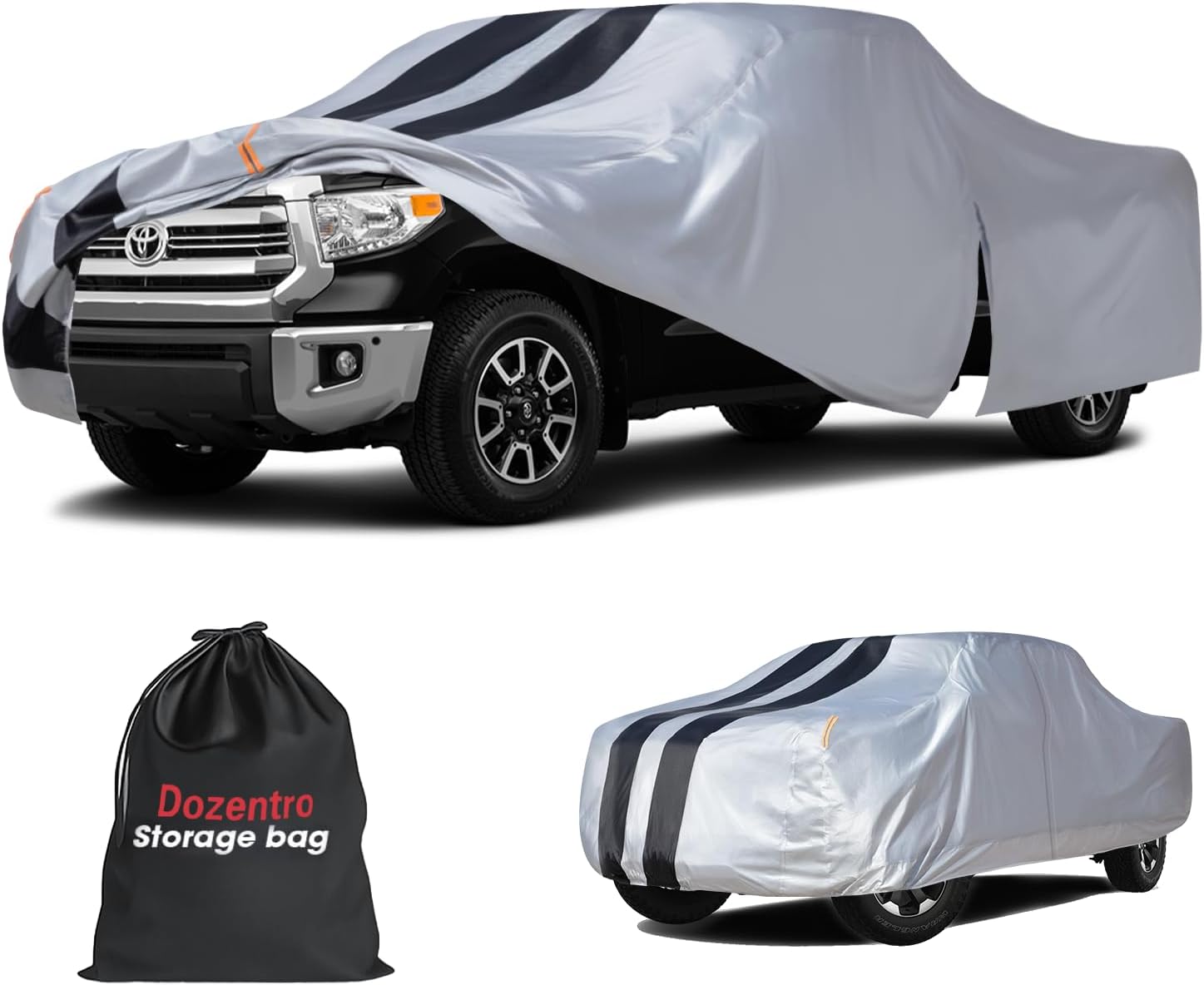
This custom-fit truck cover is designed for Tundra Double and CrewMax Cab short bed models, delivering year-round protection with a waterproof outer layer and all-weather coverage. A driver-side zipper allows easy cabin access, while the soft interior helps protect paint and reinforced wind straps improve stability in strong conditions. It also includes a storage bag and towel for convenient care and storage.
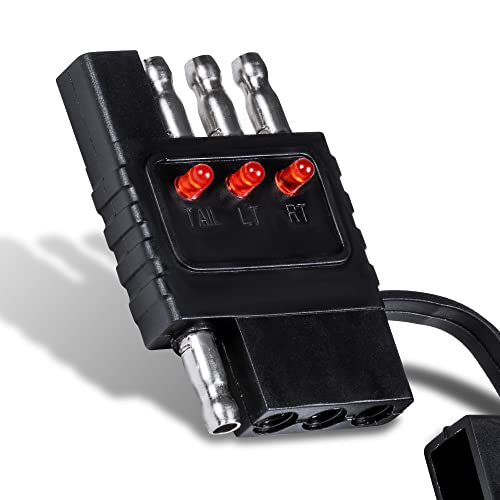
STRAIGHTFORWARD TRAILER LIGHT TESTING - Simply plug the tester inline between the tow vehicle and trailer, turn on the lights and check the easy to read LEDs.
Trace the Brake Wiring Harness
Follow the brake-output wire from the 7-pin plug to the junction box and then to each axle. Inspect frame pass-throughs, suspension movement points, axle crossings, butt splices, and areas near sharp or hot metal. Test at the junction box, each branch, and each wheel end. A change between two test points identifies the section that needs repair.
Check Trailer Grounds
Inspect the main tongue ground and any axle or wheel-end ground connections. With power removed, test continuity back to the trailer connector ground. Account for meter-lead resistance and compare readings between wheel circuits. A high or unstable reading points to corrosion, loose hardware, or a damaged conductor.
Use a Loaded Voltage-Drop Test for Weak or Intermittent Brakes
A continuity beep can miss resistance that appears only when the magnets draw current. With the trailer connected and the manual slider applied, compare voltage at the trailer junction box and at each wheel-end circuit using the trailer or brake manufacturer’s procedure. A larger drop between two test points narrows the fault to that wire, splice, connector, or ground path. Do not use one universal voltage-drop limit when the equipment maker provides a model-specific value.
Check Brake-Shoe Adjustment and Hardware
Electrical output cannot overcome brakes that are badly out of adjustment or mechanically damaged. Follow the axle or brake manufacturer’s procedure to check lining clearance, adjuster operation, springs, lever movement, drum condition, and contamination. Self-adjusting assemblies still require inspection when braking is weak or uneven.
Inspect and Test Brake Magnets
If wiring and adjustment are correct but one or more wheels still do not brake, remove the hub and drum according to the axle manufacturer’s service procedure. Inspect the magnet face, leads, arm, shoes, and drum for wear, damage, contamination, or scoring.
- Cracked, deeply worn, or damaged magnet: Replace it or the complete brake assembly as directed by the manufacturer.
- Broken or brittle leads: Repair the circuit with approved brake wiring and sealed connections.
- Resistance or current outside specification: Use the brake maker’s value for the exact brake size and number of magnets; do not rely on one universal ohm reading.
- Uneven braking across an axle: Compare current draw and mechanical adjustment at both wheels, then inspect the rest of the axle before replacing only one part.
Note: Dexter’s service guidance calls for voltmeter and ammeter testing and says the tow vehicle should be running with the trailer connected when checking the braking system. Follow the equipment maker’s procedure and meter-current limits.
Note: Trailer brake and breakaway-system rules vary by jurisdiction, trailer weight, and use. Federal commercial-vehicle rules are not a substitute for the state or provincial rules that apply to a private towing setup.
Step 4 — Confirm Brake Type and Gain After Repairs, Then Check Applicable Toyota Updates
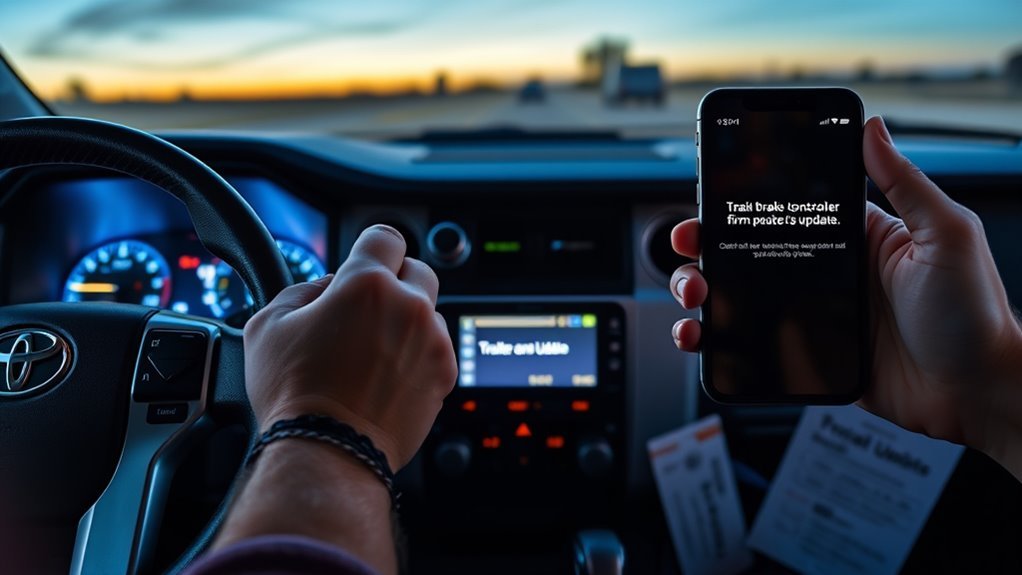
Adjust gain only after the connector, grounds, loaded output, trailer wiring, brake adjustment, and magnets pass inspection. A gain change cannot repair an open circuit or worn brake hardware.
Set the Correct Brake Type
Select electric or electric-over-hydraulic to match the trailer. The exact control path varies by model year, so use the Tundra owner’s manual and the trailer brake-system documentation.
Set Gain With Toyota’s Manual-Override Test
Toyota’s owner-manual procedure uses the manual trailer-brake control to establish gain on a safe test road.
- Load the trailer as it will be towed and start near a gain of 5.0.
- On a level, dry, traffic-free road, drive about 20–25 mph.
- Fully apply the manual trailer-brake slider without using the truck’s brake pedal.
- If the trailer wheels do not approach lock-up, increase gain one displayed step and repeat.
- If the trailer wheels lock, reduce gain until braking is strong but just below lock-up.
- If the trailer will not approach lock-up at maximum gain, do not exceed the controller’s range. Confirm the braking is still strong and smooth; if it remains weak, inspect adjustment, wiring, actuator compatibility, magnets, and friction parts.
- Make a normal brake-pedal stop and confirm the truck and trailer slow together without pushing or grabbing.
Repeat the test after a major load change, a different trailer, or a change in road conditions. For normal setup rather than fault diagnosis, see the Tundra trailer brake controller setup and gain guide and the manual override guide.
Check Only Applicable Software Bulletins
Toyota published a braking-feel recalibration bulletin for certain 2016–2017 Tundras and a separate intermittent “Trailer Disconnected” bulletin for certain 2018–2019 Tundras. These are not universal updates for every Tundra. Ask the dealer to check your VIN, DTCs, current calibration ID, and symptom against Toyota service information before authorizing reprogramming or module replacement.
Set realistic expectations: Reprogramming does not resolve every complaint. In at least one publicly logged case, a dealer performed the applicable bulletin on a 2017 Tundra with a weak-braking complaint and Toyota corporate reported the integrated brake controller was “working as designed,” per an NHTSA-hosted complaint record. Treat the bulletin as one diagnostic step, not a guaranteed fix — keep the known-good-load test, wiring inspection, and brake-hardware checks in the sequence even after a successful reflash.
When to Escalate
- Bring the known-good-load result, meter readings, warning text, and stored DTCs.
- Ask for a Techstream health check of the trailer-brake controller ECU and confirmation of the current calibration.
- Request the diagnosis and any calibration change in writing on the repair order.
- If the condition remains unresolved, contact Toyota Customer Care and reference the repair-order history.
Step 5 — Decide Whether an Aftermarket Controller Makes Sense
An aftermarket controller is reasonable when the truck did not come with a factory integrated controller or when a complete diagnosis confirms the factory system cannot be repaired economically. It is not a shortcut around a damaged 7-pin connector, trailer ground, output wire, or brake assembly.
[Products Worth Considering]
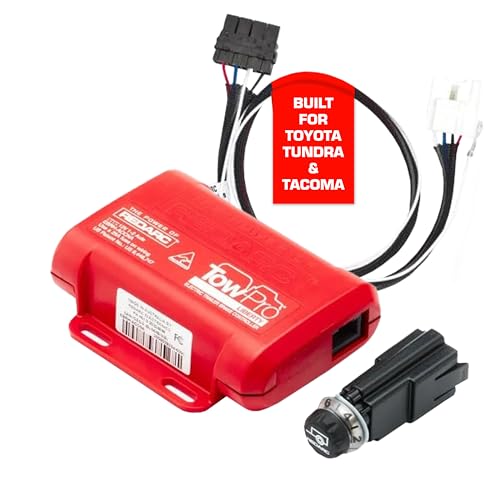
Proportional Mode Brake Kit for Everyday Towing: The Tow-Pro Liberty delivers Proportional Mode braking for smooth on-road control. Easy to install and use, the system reduces push and pull for ultimate towing confidence on roads and highways
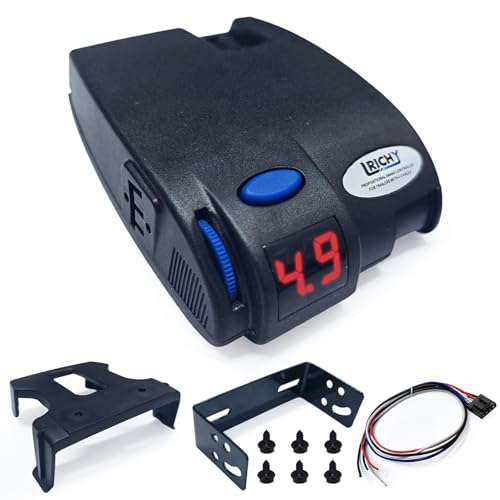
🏆【PROPORTIONAL ELECTRIC BRAKE CONTROLLER】Lrichy trailer brake controller utilizes internal inertia sensors to automatically apply trailer brakes based on your tow vehicle's braking intensity and speed, ensuring smooth and reliable stopping power in various conditions, including general and heavy-duty emergency braking.

Proportional Mode Brake Kit for Everyday Towing: The Tow-Pro Liberty delivers Proportional Mode braking for smooth on-road control. Easy to install and use, the system reduces push and pull for ultimate towing confidence on roads and highways
Manufacturer Options to Compare
- Tekonsha P3 — proportional controller with a display and built-in diagnostics.
- Tekonsha Prodigy P2 — proportional controller with a simpler display and control layout.
- REDARC Tow-Pro Elite — remote-head controller with proportional and user-controlled modes.
| Compatibility Check | Required Action | Why It Matters |
|---|---|---|
| Factory controller status | Confirm whether the Tundra has an integrated controller and whether it can be disabled or bypassed under approved instructions | Two controller outputs must not be tied to the same trailer-brake circuit |
| Vehicle harness | Use the controller maker’s exact Tundra fit guide and vehicle-specific adapter when available | Connector and wire assignments vary by model year and equipment |
| Trailer brake type | Confirm electric or electric-over-hydraulic compatibility | Not every controller supports every actuator type |
| Brake count and voltage | Match the controller’s rated application to the trailer | Prevents overload and weak output |
| Installation | Follow the manufacturer instructions or use a qualified installer | Mounting angle, power protection, grounding, and programming affect operation |
| Final test | Perform a loaded output check and gain road test before towing | Confirms the complete system works under a real brake load |
Warning: Do not splice an aftermarket controller into the factory trailer-brake output without an approved installation plan. Confirm compatibility with the controller manufacturer and the Tundra’s model-year wiring before purchase.
Common Symptoms and Likely Causes
Use the pattern you observe to choose the next test. Record warning messages and DTCs before disconnecting components or clearing codes.
| Symptom | Most Likely Cause | First Check |
|---|---|---|
| No trailer braking at all | No trailer recognition, open power or ground, damaged output circuit, or controller fault | Known-good loaded test, then connector and protected circuits |
| Trailer lights work but brakes do not | Separate brake-output or brake-ground fault even though lighting circuits still operate | Test the electric-brake circuit under load; do not stop at a lighting-only plug test |
| Weak braking on all wheels | Wrong brake type, low gain, high-resistance ground, poor adjustment, or worn friction parts | Brake type and gain, then loaded voltage/current and adjustment |
| One wheel not braking | Broken branch wire, wheel-end ground fault, poor adjustment, or failed magnet | Raised-wheel test and wheel-end circuit comparison |
| Braking feels grabby | Gain too high, wrong brake type, contaminated or misadjusted brakes | Confirm brake type, inspect brakes, then lower gain one step at a time |
| Braking cuts in and out | Loose connector terminal, corroded splice, chafed wire, or intermittent ground | Loaded wiggle test while monitoring output |
| “Trailer Disconnected” warning | Open or high-resistance trailer-brake circuit, trailer-specific fault, or applicable controller calibration issue | Known-good trailer, stored DTCs, then VIN/calibration check |
| Brakes apply without the pedal | Breakaway pin pulled, shorted brake-output wire, incorrect wiring, or controller fault | Breakaway switch and brake-output circuit |
Pro tip: Change one variable at a time and document the result. That prevents a gain change from hiding a wiring or mechanical fault.
Preventive Maintenance Tips
- Inspect the 7-pin connector before each towing trip. Keep the cap closed and repair loose or heat-damaged terminals promptly.
- Perform a low-speed brake check after hitching. Confirm the connection indicator, manual override, and normal pedal-linked braking before entering traffic.
- Maintain the breakaway system. Test it and its battery at the interval specified by the trailer or breakaway-system manufacturer.
- Follow the axle maker’s brake inspection interval. Check adjustment, linings, magnets, wiring, bearings, seals, and drums; do not substitute one generic mileage interval for the correct service manual.
- Inspect every brake on the axle when one wheel fails. Compare adjustment, current draw, wear, and wiring before deciding whether to replace one component or a matched set.
- Recheck brake type and gain after load changes. A setting that works for a loaded trailer may be too aggressive when the trailer is empty.
Frequently Asked Questions
Why did my trailer brake controller suddenly stop working?
A sudden failure can come from a loose or corroded 7-pin terminal, a failed ground, a pulled breakaway switch, an open brake-output wire, a protected-circuit fault, or a controller error. Start by testing the Tundra with a known-good trailer or a brake-load simulator rated for integrated controllers. If the known-good load works, diagnose the original trailer. If it does not, stay on the truck side and check model-year wiring, protected circuits, DTCs, and Toyota service information.
What does a brake controller error mean on a Toyota Tundra?
It means the truck detected a problem in the trailer-brake system, but the warning alone does not identify the failed part. Record the exact message and scan the trailer-brake ECU before clearing codes. Toyota’s published Tundra bulletins use Techstream, so a basic emissions-only OBD2 reader may not show the needed DTCs. Then compare the truck with a known-good trailer and inspect the connector, grounds, output circuit, and trailer brakes.
What does “Trailer Brake Controller Error, See Dealer” mean, as opposed to “Trailer Disconnected”?
“Trailer Brake Controller Error, See Dealer” indicates the controller found a circuit fault it cannot clear on its own — commonly a wiring or connector problem, a blown fuse, or occasionally a related sensor fault — and it is a different condition from an “n.c.” or “Trailer Disconnected” reading, which usually just means the truck does not currently detect a trailer plugged in. Reseat and inspect the 7-pin plug first either way; if the error-with-message persists, stay on the truck side and have the wiring, fuses, and trailer-brake ECU checked before towing.
Can a bad trailer ground cause the brakes to stop working?
Yes. Electric trailer brakes need a low-resistance return path. A corroded frame connection, damaged ground wire, or loose terminal can cause weak, intermittent, or missing braking. Clean the truck and trailer ground connections to bare metal, tighten them, and retest under load. Do not rely on the hitch ball as the brake-circuit ground.
How do you know if trailer brake magnets are bad?
Look for a damaged or deeply worn magnet face, broken leads, abnormal wear, no wheel drag during a manual-override test, or resistance and current draw outside the brake manufacturer’s specification. Use the exact brake size and magnet count when comparing readings. A simple metal-object pull test is not a substitute for current, resistance, wiring, and mechanical checks.
Should I replace the factory controller with an aftermarket unit?
Only after a loaded test confirms the failure is on the truck and a model-year diagnosis rules out the connector, grounds, protected circuits, wiring, DTCs, and applicable calibration. An aftermarket controller cannot repair a bad trailer circuit. If you install one, use the manufacturer’s exact Tundra fit guide and do not connect two controller outputs to the same brake wire.
How do I adjust brake controller gain on a Tundra?
Select the correct trailer brake type, load the trailer as it will be towed, and start near 5.0. On a level, dry, traffic-free road, drive about 20–25 mph and fully apply the manual trailer-brake slider. Increase gain until the trailer brakes approach wheel lock, then reduce it until braking is strong but just below lock-up. Make a normal brake-pedal stop and recheck gain after major load changes.
Is there a dedicated fuse for the trailer brake controller?
Tundra trailer-brake systems use protected power and control circuits, but the fuse, fusible-link, relay, location, label, and amperage vary by model year and equipment. Use the fuse chart for the exact truck and replace only with the specified rating. Do not identify the brake-output terminal by a universal pin number; verify the connector diagram for your model year.
Can I tow if my Tundra trailer brake controller is not working?
Do not continue towing a trailer that requires working brakes when the controller is dead, intermittent, applying unexpectedly, or showing an active brake-control warning. Stop in a safe place and confirm whether the trailer responds to the manual override. If it does not, arrange inspection or transport before returning to road speed.
Why do the trailer lights work while the Tundra says “Trailer Disconnected”?
Trailer lighting and electric-brake output use separate circuits in the 7-way connector. Running lights, turn signals, and brake lamps can still operate when the brake-output wire, brake ground, connector terminal, magnet circuit, or electric-over-hydraulic actuator circuit is open or has high resistance. Test the brake circuit with a known-good trailer or a brake-load simulator rather than treating working lights as proof that the controller path is healthy.
Can I test the Tundra brake controller with a basic 7-way light tester?
A basic LED or lighting-only 7-way tester can help check lamp and auxiliary circuits, but it may not simulate the electric-brake load that an integrated controller expects to detect. For the truck-versus-trailer split, use a known-good trailer or a tester whose manufacturer specifically states that it simulates an electric trailer-brake load and is suitable for integrated brake-controller diagnosis.
Sources
- Toyota USA Newsroom — 2015 Toyota Tundra — states that 2015 Tundras had an under-dash pre-wire for consumer installation of a trailer brake controller.
- Toyota USA Newsroom — 2016 Toyota Tundra — identifies the integrated Trailer Brake Controller as new for the 2016 model year.
- Toyota Owner’s Manual — Trailer Brake Controller — official operating reference for brake type, gain, manual output, and connection status on a current-generation Tundra.
- Toyota T-SB-0231-17 — Trailer Brake Controller Braking Feel — documents a condition-specific ECU calibration for listed 2016–2017 Tundras.
- Toyota T-SB-0036-19 — “Trailer Disconnected” Message — documents DTC and calibration checks for applicable 2018–2019 Tundras.
- Dexter Light-Duty Axle Service Manual — manufacturer troubleshooting guidance for electric brakes, including voltage, current, wiring, adjustment, and mechanical inspection.
- Tekonsha Prodigy P3 Instructions — official installation and operating reference for the P3 aftermarket controller.
- Tekonsha Prodigy P2 — official product reference for proportional operation, display, diagnostics, axle capacity, and installation features.
- REDARC Tow-Pro Range — official comparison of Tow-Pro Elite proportional and user-controlled modes, remote-head layout, and brake-system compatibility.
- FMCSA — 49 CFR §393.42 — federal commercial-motor-vehicle brake requirements; private towing rules still depend on the applicable state or province.
- Jayco Owners Forum — Tundra Brake Controller thread — owner-reported voltage readings illustrating a loaded voltage-drop fault pattern; treated as illustrative, not a specification.
- CarComplaints — 2017 Toyota Tundra Service Brakes Complaints (NHTSA-hosted) — documents a case where the applicable TSB did not resolve a weak-braking complaint.
Conclusion
When a Toyota Tundra trailer brake controller is not working, diagnose the system in a fixed order: 7-pin connector, truck and trailer grounds, breakaway switch, known-good trailer or brake-load-simulator test, truck-side protected circuits and DTCs, then trailer wiring, loaded voltage drop, brake adjustment, and magnets. Remember that working trailer lights do not prove the separate electric-brake circuit is healthy.
The known-good-load comparison is the key decision point. If the Tundra works with another trailer or a loaded tester, repair the original trailer. If it fails with multiple known-good loads, document the warning and readings, use Techstream or an enhanced scan tool, and check only the Toyota bulletins that match the truck’s model year, VIN, condition, and calibration — and don’t assume a completed bulletin closes the case if a real fault remains.
Do not try to tune around an electrical or mechanical fault with extra gain. Restore a complete brake circuit first, then select the correct brake type and perform Toyota’s 20–25 mph manual-override gain test before towing.
Safety Disclaimer: This article provides general diagnostic information only and does not replace the Toyota repair manual, trailer or axle manufacturer instructions, local towing laws, or professional mechanical advice. If trailer brakes behave unpredictably, stop towing and have the truck and trailer inspected before driving again.