

Last updated: July 15, 2026
Use a trailer brake controller’s manual override to apply the trailer brakes without pressing the tow vehicle’s brake pedal. Its main uses are testing brake response and gain before towing, correcting minor trailer sway with a smooth trailer-only brake input, and making a brief controlled speed reduction when your controller’s instructions permit it. Do not use the override as a parking brake, as a routine hitching aid, or as a substitute for correct gain, sound wiring, balanced cargo, and normal service-brake operation.
Quick Answer
Use the manual override for a pre-trip brake test, gain adjustment, minor sway correction, or a brief gradual slowdown using the trailer brakes alone. Apply it smoothly and release it as soon as the trailer is stable. Controller behavior varies: manual output may be limited by the gain setting or configured for full output, and brake-light or cruise-control behavior can differ by model.
Key Takeaways
- The manual override applies the trailer brakes independently on compatible electric and electric-over-hydraulic systems.
- Use it mainly for brake testing, gain setup, minor sway correction, and brief controlled slowing.
- For minor sway, hold the steering wheel steady, ease off the accelerator, and apply the trailer brakes smoothly instead of making sudden steering or braking inputs.
- Check whether your controller limits manual output to the gain setting, allows full output, activates brake lights, or changes cruise-control status.
- If the trailer brakes grab, lock, chatter, stay applied, or do not respond, stop towing until the controller, wiring, ground, connector, and brake hardware are checked.
At a Glance
| Primary Uses | Pre-trip brake testing, gain checks, minor sway correction, and brief gradual slowing |
| Do Not Use It For | Parking, holding a trailer during hitching, hiding a fault, or replacing normal braking technique |
| Safe Test Area | A dry, level, traffic-free area with the trailer fully coupled and connected |
| Verify First | Gain/output limit, brake-light behavior, fault indicators, and controller-specific instructions |
How Does a Trailer Brake Controller Manual Override Work?

The manual override, also called a manual control, lever, slide, squeeze control, knob, or button, lets you command trailer braking without pressing the tow vehicle’s brake pedal. On compatible electric and electric-over-hydraulic systems, the controller sends output through the trailer brake circuit. On pressure-sensitive or sliding controls, more pressure or travel usually produces more trailer braking.
The maximum manual output is controller-specific. Some models limit it to the gain or power setting. Others can be configured to deliver full output when the manual control is pressed. That difference matters because a control that reaches 100% output can lock the trailer wheels much faster than one capped by the selected gain.
Normal proportional braking and time-delayed braking work differently. A proportional controller responds to tow-vehicle deceleration, while a time-delayed controller ramps toward a preset output after receiving a brake signal. The manual control bypasses that normal pedal-linked sequence and gives you direct trailer-brake input.
Manufacturer instructions describe the manual control as a way to apply only the trailer brakes during setup or when a slow speed reduction is desirable. Brake-light activation may be automatic, optional, or unavailable, and some controllers may not disengage cruise control when the manual control is used. Confirm these behaviors in your controller and tow-vehicle manuals before towing.
Note: A manual override controls only trailer brakes connected through a compatible controller. It does not operate a standard hydraulic surge-brake system unless the trailer uses a compatible electric-over-hydraulic actuator and controller.
[Products Worth Considering]

This proportional electric brake controller automatically applies trailer brakes based on your vehicle's braking force and speed for smoother, more responsive stopping. It is compatible with a wide range of tow vehicles and trailer setups, and includes an LED display for easy setup, diagnostics, and manual braking control. The included mounting hardware and plug-and-play port help make installation simple and convenient.

This proportional trailer brake controller provides smooth, responsive braking by automatically matching your tow vehicle’s stopping force for safer trailer control. The bright LED digital display makes it easy to monitor voltage output in real time, while adjustable braking and sync settings help tailor performance to different trailers and road conditions. Designed for quick installation and broad compatibility, it supports 1 to 4 axle trailers for dependable towing confidence.

The CURT Venturer NEXT is a compact, time-delay electric trailer brake controller designed for dependable braking control from inside your vehicle. Its low-profile design, adjustable power and ramp time, and plug-and-play friendly setup make it a practical choice for towing with confidence. Built for 12-volt systems and compatible with electric over hydraulic brakes, it offers flexible installation without leveling or internal moving parts.
What Should You Check Before Using the Manual Override?
Before relying on the manual override, check the trailer connection, lights, breakaway system, controller settings, wiring, and brake response. The trailer brakes should engage smoothly, evenly, and predictably when you apply the control.
Check the Connector, Lights, and Controller Status
Connect the trailer on level ground and secure the coupler, safety chains, breakaway cable, and electrical plug. Have a helper stand safely behind and to the side of the trailer, then test the turn signals, hazards, running lights, and brake lights. Apply the manual override and note whether the trailer stop lamps illuminate. A lack of stop-lamp activation may be normal for some controller settings, but it must match the manufacturer’s instructions.
- Confirm the 7-way or other approved trailer connector is fully seated and locked.
- Check left turn, right turn, hazards, running lights, and normal brake lights.
- Apply the manual override lightly and confirm the controller shows brake output.
- Inspect the harness and connector for corrosion, loose pins, chafing, heat damage, and weak grounds.
- Do not tow if the lights, brake output, or trailer-connection status behaves intermittently.
Verify the Breakaway System and Set Gain
The breakaway system and manual override serve different purposes. The breakaway system applies the trailer brakes if the trailer separates from the tow vehicle. The manual override is a driver-controlled input used while the trailer remains connected.
Attach the breakaway cable exactly as the trailer manufacturer directs, using a secure tow-vehicle attachment point that will remain with the vehicle if separation occurs. Check that the breakaway battery is charged and route the cable so normal turns cannot pull the pin.
Set the controller gain for the trailer’s current loaded weight. Start with the value or procedure in the controller manual, then test on a dry, level, traffic-free surface. Increase output in small steps until the trailer brakes feel firm without jerking or wheel lockup. Recheck the setting after a major load change, brake service, road-condition change, or trailer swap. For a vehicle-specific example, see our Tacoma trailer brake controller guide.
Warning: Do not set gain high enough to lock the trailer wheels. Skidding tires reduce lateral grip and can make the trailer and tow vehicle harder to stabilize.
Should You Use the Manual Override for Trailer Sway?
Use the manual override only for minor sway when a smooth trailer-only brake input can help pull the trailer back in line. Keep the tow vehicle pointed straight, ease off the accelerator, and apply the manual control progressively. Avoid sharp steering, sudden acceleration, and hard tow-vehicle braking.
Sway response: Hold the steering wheel steady, ease off the accelerator, and apply the trailer brakes smoothly. Release the override once the trailer is stable, then slow gradually and stop in a safe place.
After any sway event, inspect the likely cause before continuing. Common contributors include excessive speed, crosswinds, poor cargo balance, inadequate tongue weight, incorrect tire pressure, worn suspension parts, and an unsuitable hitch setup. Repeated sway is a setup or operating problem, not something the manual override should repeatedly mask.
- Minor sway: Keep the wheel steady, ease off the accelerator, and add smooth trailer-only braking.
- Low-grip surfaces: Use less output than you would on dry pavement because locked trailer wheels can reduce stability.
- Severe or increasing sway: Avoid abrupt inputs, reduce speed as safely as possible, and stop to correct the cause.
- After the event: Check load placement, tongue weight, tires, hitch adjustment, and speed before resuming the trip.
[Products Worth Considering]

The REDARC Tow-Pro Liberty delivers smooth proportional braking for confident everyday towing on roads and highways. Its compact remote design helps preserve cabin space while supporting 1 to 2 axle trailers and integrating with compatible vehicle wiring harnesses for a factory-style fit. Built for demanding towing conditions, it offers reliable control for RVs, campers, trailers, and boats.
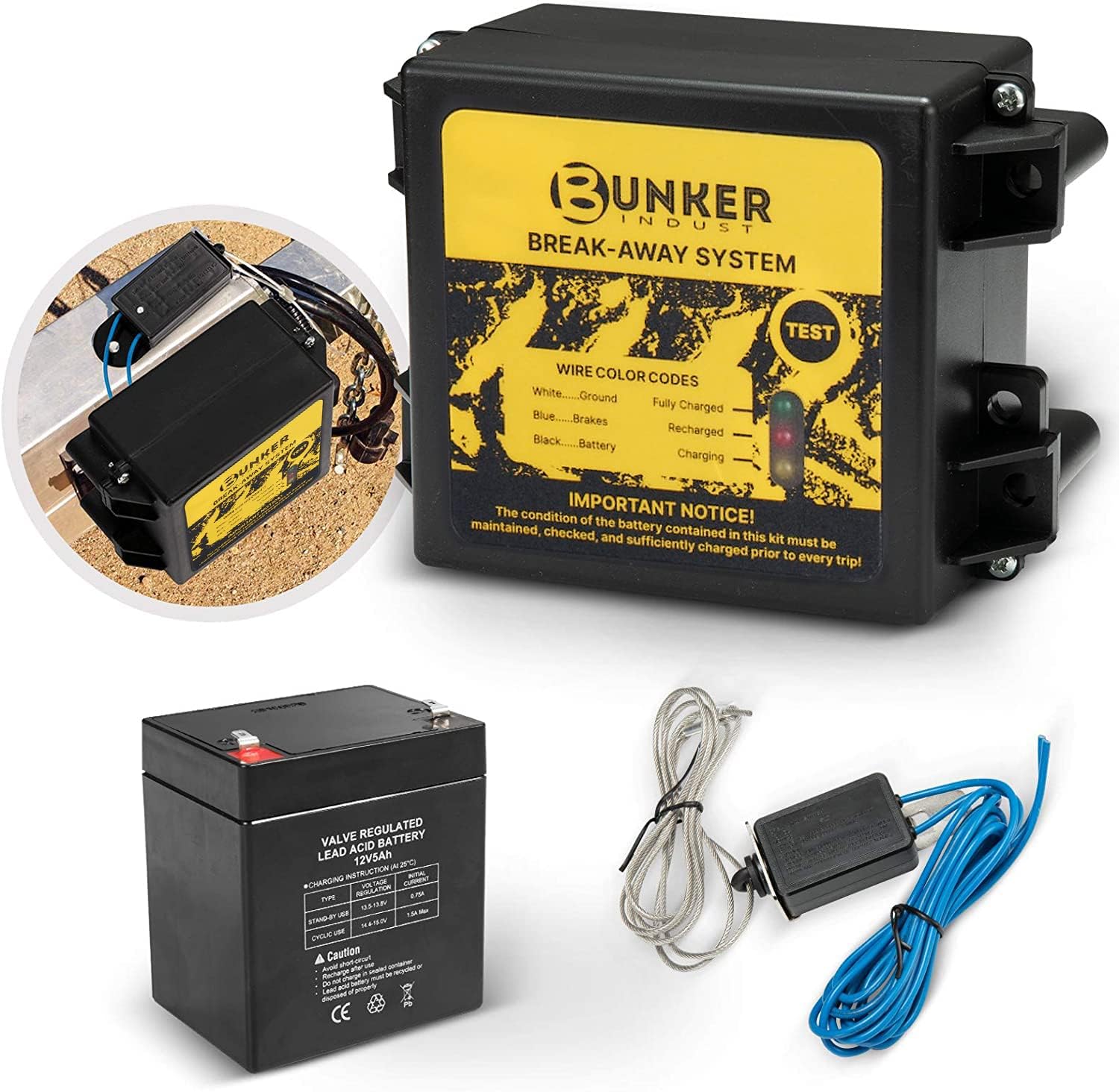
This trailer breakaway kit is designed for trailers with an existing electric brake system, helping activate the brakes if the trailer separates from the tow vehicle. It includes a battery, breakaway switch, and charger with an LED display for easy status checks, making it a practical safety upgrade for caravans and trailers. The side-mount design supports quick installation, while weather and corrosion resistance help it stand up to outdoor use.

The CURT 52010 Trailer Breakaway Switch helps keep towing safer by automatically engaging trailer brakes if the trailer disconnects from the tow vehicle. It features silver contact points for a dependable electrical connection, plus a nylon case and pull pin assembly designed to handle outdoor use and secure activation. The included metal mounting tab makes installation simple on trailers with electric brakes.
Can You Use the Manual Override at Low Speed?
Many controller manuals permit the manual control during setup or when a slow reduction in speed is desirable. Use it only with the trailer fully coupled and connected, in a clear area, and with short, smooth inputs. Follow the test direction and speed in your controller manual because procedures vary by model.
[Products Worth Considering]
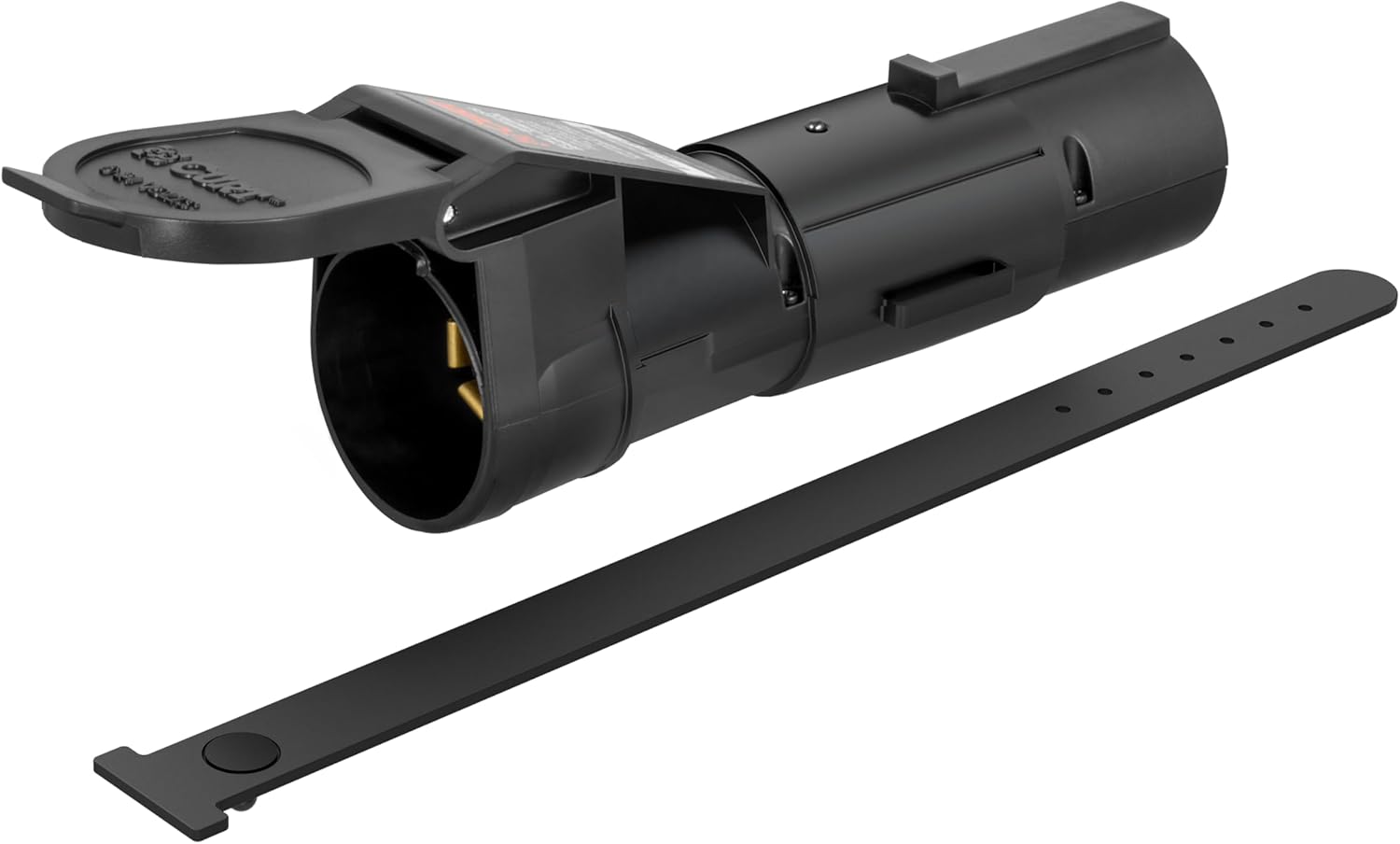
The CURT Echo mobile trailer brake controller offers smart, smartphone-based brake control with a simple plug-and-play design that connects between your vehicle and trailer 7-way plugs. Its portable construction makes it easy to transfer between compatible towing setups, while the durable potted enclosure helps protect against weather and vibration. With proportional braking support and app-based profile management, it delivers a modern, responsive towing experience.

This Yuirote universal car motor diagnostic tool helps drivers quickly detect engine fault codes and identify system issues for routine inspections and maintenance. It also supports electronic parking brake reset and emergency release functions, making it useful for handling EPB-related problems without a repair shop visit. Its compact, ergonomic design and broad vehicle compatibility make it a practical choice for car owners and DIY repair enthusiasts.
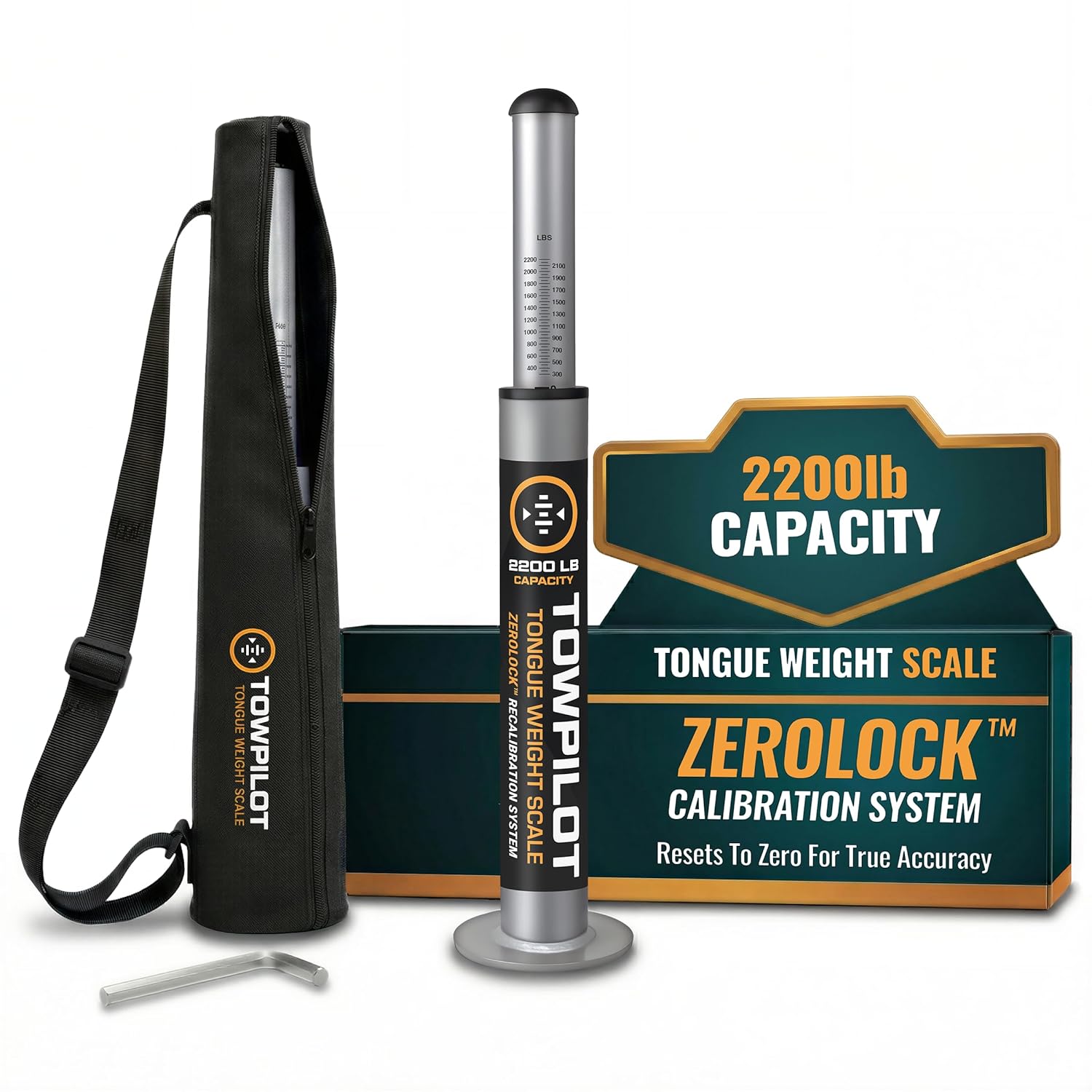
This trailer tongue weight scale helps you check hitch weight quickly and accurately before towing, reducing sway and improving overall safety. Built with durable steel and a spring mechanism, it works without batteries and includes a recalibration feature to maintain true-zero accuracy over time. It is designed for RVs, campers, and utility trailers, with a top plate that helps protect your coupler during use.
Use Low-Speed Manual Braking Conservatively
The override can help you feel whether the trailer brakes engage before road-speed towing. It should not be used to force a poorly adjusted trailer through a tight turn or to compensate for dragging, grabbing, or delayed brakes.
- Test in a dry, level, traffic-free area.
- Apply the control smoothly instead of stabbing it.
- Keep helpers away from the wheels, coupler, and path of travel while the rig moves.
- Stop immediately if the brakes chatter, grab, remain applied, or fail to release cleanly.
Why It Is Not a Hitching or Parking Brake
Do not use the manual override to hold a trailer while hitching, aligning a kingpin, parking, or working near the coupler. Electrical power, controller output, or the connection can fail without warning. Use wheel chocks, the tow vehicle’s parking brake, landing gear or jack procedures, and the trailer manufacturer’s hitching instructions.
This is different from a technique some drivers use while backing under a fifth-wheel or gooseneck coupler: applying a light touch of trailer-only braking as the truck slowly reverses can help keep the trailer from rolling and help the kingpin or ball settle into place. That technique only applies while the vehicle is attended and moving under control at a crawl — it is not the same as using the override to hold a trailer stationary or unattended. Follow your hitch and controller manufacturer’s guidance for this maneuver rather than treating the override as a substitute for chocks, a spotter, or correct landing-gear technique. [VERIFY: confirm this technique is endorsed in your specific controller/hitch manufacturer documentation before including it as guidance]
Pro Tip: Practice the manual override in an empty lot before you need it in traffic or on a grade. Learn how your controller shows light, medium, and firm output without intentionally locking the trailer wheels.
How Should You Use the Override on a Descent?
Choose a lower gear before a long or steep descent, reduce speed early, and use the tow vehicle and trailer service brakes as a coordinated system. The manual override is only a brief correction tool if the trailer begins to push or develop minor sway. It should not carry the full job of controlling downhill speed.
- Select a lower gear before the grade. Use engine braking where the tow-vehicle manufacturer permits it.
- Enter the descent slowly. Extra speed increases brake heat and leaves less room to correct instability.
- Use firm, controlled service-brake applications. Release the brakes between applications when conditions allow them to cool.
- Use the manual override only briefly. Apply smooth trailer-only braking if you need to settle trailer push or minor sway.
- Stop if braking changes. Pull over safely if you smell hot brakes, feel fade, see a warning, or notice weak or uneven response.
Do not drag the manual override continuously down a hill. Sustained trailer-brake application can overheat the brakes, reduce braking force, and accelerate wear. If the rig cannot descend at a conservative speed without continuous manual correction, stop and reassess the route, load, gain, brake condition, and tow-vehicle limits.
When Should You Not Use the Manual Override?

The manual override can apply immediate braking force to the trailer, so misuse can create instability or hide a mechanical or electrical problem. Treat it as a precise control, not a panic button.
- Do not stab the override at highway speed. Abrupt trailer braking can lock wheels or upset the trailer.
- Do not use it to hide poor gain adjustment. The tow vehicle and trailer should brake smoothly together during normal stops.
- Do not use it as a parking or hitching brake. Use wheel chocks and the correct parking and coupling procedure.
- Do not keep towing with wiring faults. Intermittent output, weak grounds, corrosion, or loose connectors can cause unpredictable braking.
- Do not rely on it with an overloaded or poorly loaded trailer. Correct ratings, cargo balance, tongue weight, tire pressure, and hitch setup come first.
- Do not use it aggressively in a sharp turn. Locked trailer wheels can increase tire scrub and loss of directional control.
- Do not assume it cancels cruise control. Some controller and vehicle combinations may leave cruise control engaged when the manual control is used.
Warning: If sway returns, stop and fix the cause. Excessive speed, poor load balance, inadequate tongue weight, tire problems, worn components, or an incorrect hitch setup can all contribute.
What Is the Difference Between the Manual Override and Breakaway Switch?
The manual override and breakaway switch can both apply trailer brakes, but they serve different jobs and use different power sources.
| Feature | Manual Override | Breakaway Switch |
|---|---|---|
| Purpose | Driver-controlled trailer braking | Emergency braking after trailer separation |
| When used | Testing, gain setup, minor sway correction, brief controlled slowing | Only during separation or a manufacturer-approved breakaway test |
| Power source | Tow vehicle and brake controller | Trailer breakaway battery |
| How released | Release the manual control | Reinstall the pin after testing or repair |
Test the breakaway system only by the procedure in the trailer, actuator, and controller instructions. Do not improvise a routine by pulling the pin while everything remains connected, because the correct test sequence varies by system.
Why Does Manual Override Behavior Vary by Controller?
Proportional, time-delayed, factory-integrated, and wireless controllers can respond differently to the same manual input. Read the controller manual and test the installed system instead of assuming every override has the same output limit, light behavior, or vehicle interaction. Some current-generation controllers have also started automating part of this job — for example, certain models offer a single-press sway-response feature that applies and holds trailer braking through a sway event so the driver doesn’t have to hold a lever while also steering. [VERIFY: confirm current feature names and availability with the specific controller manufacturer, as product lineups change]
| Controller Difference | What It Changes | What You Should Verify |
|---|---|---|
| Manual output limit | Output may stop at the gain setting or reach full controller output | Default setting and any rear switch, menu, or profile option |
| Brake-light activation | Trailer and tow-vehicle stop lamps may illuminate, or may remain off | Controller setting, stop-lamp circuit, and actual light response |
| Cruise-control interaction | Manual braking may not cancel cruise control on some combinations | Tow-vehicle and controller manuals; test only in a safe setting |
Common Manual Override Problems
| Problem | Likely Causes | What to Check |
|---|---|---|
| No trailer braking with override | Bad ground, disconnected trailer plug, blown fuse, controller fault, broken brake wire | 7-way connector, blue brake-output wire, controller power, trailer ground, brake magnets or actuator |
| Brakes lock immediately | Gain too high, empty trailer, worn or misadjusted brakes, slick surface | Lower gain, adjust brakes, retest loaded and unloaded |
| Weak braking | Gain too low, voltage drop, worn brake shoes, poor ground, undersized wiring | Output voltage, connector condition, brake adjustment, battery voltage, grounds |
| Braking is jerky or uneven | Contaminated brakes, uneven adjustment, suspension or tire issues, intermittent wiring | Brake hardware, drums/rotors, tire pressure, wiring strain points |
| Brake lights do not come on with override | Normal for some models or installations; possible wiring issue on others | Controller manual, stop-lamp circuit, trailer light wiring |
How Do You Test the Manual Override Safely?
- Couple the trailer fully and confirm the chains, breakaway cable, connector, and load are secure.
- Use the controller manufacturer’s recommended starting gain and setup procedure.
- Move to a dry, level, traffic-free area with enough room to stop.
- Drive in the direction and at the speed specified by the controller manual, then apply the override lightly. Many controller manuals specify a full test around 20–25 mph, with some recommending a slower initial pass around 10–15 mph first.
[VERIFY: confirm the exact speed range in your specific controller's manual] - Adjust output in small steps until braking feels firm and even without jerking or wheel lockup.
- Check the controller display, brake-light behavior, and full brake release after the test.
- Repeat the test after major load changes, brake service, controller changes, or trailer swaps.
If the controller displays a fault code, use the controller manual to identify it. Common fault categories include no trailer connection, low voltage, overload, short circuit, output-circuit faults, and poor ground. Do not keep towing until the cause is corrected.
Frequently Asked Questions
What does the manual override on a trailer brake controller do?
It applies the trailer brakes without requiring you to press the tow vehicle’s brake pedal. Depending on the controller, output may rise with lever travel or button pressure and may be limited by the gain setting or configured for full output.
When should I use a trailer brake controller manual override?
Use it to test trailer brake response, set gain, correct minor sway with smooth trailer-only braking, or make a brief gradual slowdown when the controller instructions permit it. Release the control once the test or correction is complete.
Should I use the manual override if my trailer starts swaying?
For minor sway, keep the steering wheel steady, ease off the accelerator, and apply the manual control smoothly. Avoid sudden steering or hard tow-vehicle braking. After the trailer stabilizes, slow down and stop safely to correct the cause of the sway.
Does the manual override turn on the trailer brake lights?
It depends on the controller and installation. Some controllers activate trailer or tow-vehicle stop lamps, some make the feature optional, and others may not illuminate them. Test your own setup and check the controller manual.
Can I use the manual override as a parking or hitching brake?
No. Do not rely on an electrical controller to hold a parked trailer or protect someone working near the coupler. Use wheel chocks, the tow vehicle parking brake, landing gear or jack procedures, and the trailer manufacturer’s hitching instructions.
Can I use the manual override to back under a fifth-wheel or gooseneck hitch?
Some drivers apply a light touch of trailer-only braking while slowly backing the tow vehicle under the coupler to help keep the trailer from rolling and help it settle onto the ball or kingpin. This only applies while the vehicle is attended and moving under control at a crawl — it is not the same as using the override to hold an unattended or fully parked trailer, which this guide advises against. Confirm the technique against your hitch and controller manufacturer’s instructions.
Why do my trailer brakes lock up when I touch the override?
The gain may be too high, the manual control may be configured for full output, the trailer may be lightly loaded, the road may be slick, or the brakes may need service. Lower the output and retest at low speed. Stop towing if lockup continues.
Does the manual override work with surge brakes?
Not with a standard hydraulic surge-brake system. A brake controller can operate compatible electric trailer brakes and some electric-over-hydraulic systems, but the controller and actuator must be approved to work together.
Safety Note: This guide provides general towing information. Your tow-vehicle, trailer, brake-controller, and actuator manuals take priority, and local brake requirements vary by jurisdiction.
Conclusion
A trailer brake controller manual override gives you direct control of compatible trailer brakes when normal pedal-linked braking is not the right input. Use it to test brake response and gain, correct minor sway smoothly, or make a brief controlled slowdown allowed by your controller manual. Before your next trip, verify the output limit, brake-light behavior, wiring, breakaway system, and brake release in a safe test area. Do not tow until the trailer brakes respond smoothly and predictably.
Sources
- Tekonsha Voyager iD Installation Manual — manual override output, setup, lockup warning, and troubleshooting.
- Tekonsha Brake Control Instructions — manual-control output, stoplight activation, setup, and cruise-control note.
- CURT Assure Brake Controller Installation Manual — pressure-sensitive control, selectable output limit, and optional brake-light activation.
- CURT Towing 101: How to Use a Trailer Brake Controller — gain adjustment, manual activation, minor-sway correction, and gradual slowing.
- REDARC Tow-Pro Trailer Brake Controllers — proportional and user-controlled trailer-braking modes.
- 49 CFR § 393.42 — federal commercial motor vehicle trailer-brake requirements.
- NHTSA-hosted Dexter Tow Assist Manual — trailer sway, wheel lock, braking stability, and controller interaction.

[…] Repeat the test after a major load change, a different trailer, or a change in road conditions. For normal setup rather than fault diagnosis, see the Tundra trailer brake controller setup and gain guide and the manual override guide. […]