You’ll keep TRAC and VSC on for normal driving to preserve traction and stability, but you’ll turn TRAC off in deep mud or snow to allow controlled wheel spin and disable VSC when you need unrestricted slip for off‑road maneuvers. A‑LSD engages in 4WD to shift torque to the loaded wheel (limit ~63 mph). Systems can auto‑reengage if sensors detect slip or steering loss; continue for mode details, tips, and troubleshooting.
Quick Answer: When to Leave TRAC, VSC, and A‑LSD On or Off

Keep TRAC and VSC on for normal driving to maintain traction and stability; only switch TRAC off when you need deliberate wheel spin for deep mud or snow, and disable VSC if you want unrestricted slip for recreational maneuvers like drifting. You’ll keep safety margins high by leaving these systems engaged: trac benefits include automatic intervention during slip and smoother cornering. Turn TRAC off when negotiating boggy terrain so wheels can clear mud or break compacted snow; that deliberate spin restores momentum. Use A‑LSD in 4WD when a wheel loses grip—engage it in Hi or Lo to transfer torque to the loaded wheel, remembering it enforces a 63 mph top speed. Disable VSC selectively, knowing its corrective inputs constrain aggressive slip—vsc limitations are intentional to preserve stability, not to limit freedom. You’ll choose modes based on objective conditions: preserve systems for public roads, disable selectively for off‑road recovery or sanctioned recreational use, and monitor speed and environment while A‑LSD is active.
Step‑by‑Step: Turn TRAC, VSC, and A‑LSD On/Off (Tundra)
Start from a stopped or low‑speed vehicle and press the VSC OFF button once to disable TRAC and engage the A‑LSD; hold that same button for about 3 seconds to also turn VSC off, and hold an additional 3 seconds for full manual control that disables all traction aids. You’ll feel control shift as the truck releases automated interventions; the system defaults to TRAC and VSC on for safety, so these steps intentionally liberate you when conditions demand it.
- Press once: TRAC off, A‑LSD active (limited to 63 mph; works in 4×4 Hi and Lo).
- Hold ~3s: VSC off added, expanded wheel freedom for controlled slip.
- Hold additional ~3s: All traction control systems disabled for full manual input.
- Return to default: Restart or press VSC OFF to re-enable systems for normal driving.
This method gives you deterministic control over traction control settings. Know the system benefits beforehand and use these steps deliberately to optimize performance off‑road or in tactical scenarios.
Understand the Tundra’s Drive Modes (Mode 0–3 + Manual)
Review the Tundra’s drive modes so you know exactly what each setting controls: Mode 0 engages TRAC and VSC for maximum stability, Mode 1 disables TRAC but enables A‑LSD for improved off‑road traction, Mode 2 turns off TRAC and VSC to allow controlled wheel slip, and Mode 3 fully disengages both systems for expert control. Use Mode 0 for daily driving and slippery pavement, Mode 1 for uneven terrain where torque transfer helps, Mode 2 for loose surfaces where controlled spin aids momentum, and Mode 3 or Manual when you need complete electronic freedom for advanced off‑road maneuvers. Switch modes deliberately based on surface and skill to balance safety and vehicle capability.
Mode Definitions Overview
While driving varied terrain, you’ll switch among four preset modes plus a manual option that control traction, stability, and the automatic limited-slip differential (A-LSD) to match grip needs and driver intent. Mode Comparisons show Mode 0 enforces TRAC and VSC with Auto LSD off for baseline safety; Mode 1 disables TRAC, enables A-LSD to permit controlled slip; Mode 2 removes TRAC and VSC while retaining A-LSD for flexible off-road control; Mode 3 drops all interventions, giving full wheel-spin authority. The manual option hands you torque and dynamics control for maximum performance.
- Control Dynamics: progressive intervention levels for precise input-response.
- Driver Preferences: choose stability or liberation per intent.
- Terrain Considerations & Driving Scenarios: match mode to surface and task.
- Performance Insights, System Limitations & Safety Implications clarified.
When To Use
Having outlined each mode’s function and limits, you can now pick the right setting for specific driving conditions and objectives. Use Mode 0 for daily commuting and mixed surfaces to maximize safety and traction benefits; it keeps TRAC and VSC active so you stay steady in rain, light snow, and pavement irregularities. Select Mode 1 when you need extra bite on loose gravel or mud—TRAC off with A-LSD engaged gives controlled slip without removing stability aids. Choose Mode 2 for deliberate off-road maneuvers or controlled performance driving where wheel spin aids progression; it disables TRAC, A-LSD, and VSC. Reserve Mode 3 and manual control for skilled handling in extreme terrain when you want full independence over throttle and braking to exploit vehicle dynamics.
Why TRAC or VSC Might Re‑Engage and How to Fix It
If TRAC or VSC re-engages, it’s usually because the system detects wheel slip or a loss of steering control and overrides manual settings to protect the vehicle. You can mitigate unintended activation by selecting the appropriate drive mode, smoothing throttle and steering inputs, and checking for electrical or sensor faults with a diagnostic scan. For persistent or errant reactivation, have the sensors, wiring, and ABS/VSC modules inspected and repaired by a qualified technician.
Why Systems Re-Engage
Because TRAC and VSC constantly monitor wheel speed, steering angle, yaw rate, and throttle input, they’ll automatically re-engage whenever their sensors detect slip or instability—even after you’ve turned them off. That system behavior is intentional: sensor activation preserves control by intervening when vehicle dynamics exceed programmed thresholds. Your user experiences may include unexpected re-engagement on uneven terrain, abrupt steering, or sudden throttle changes. These safety features prioritize traction over driver override to prevent loss of control.
- Uneven driving conditions can trigger TRAC/VSC despite manual disable.
- Sudden steering inputs or yaw spikes prompt immediate sensor activation.
- Wheel slip from loose surfaces restores intervention to stabilize vehicle dynamics.
- Consistent throttle and smooth inputs reduce re-engagement frequency and respect safety features.
Practical Disablement Fixes
When you want TRAC or VSC to stay off, know that sudden steering inputs, wheel slip, or yaw spikes will still trigger automatic re-engagement unless you use the proper disable sequence or hardware changes; pressing the VSC OFF switch, holding it for 3 seconds, then holding it another 3 seconds fully disables the systems in most Tundra models. Use that sequence first. If systems still re-engage, run diagnostics and check for software updates that may correct false sensors. For uncompromised off road performance, consider documented alternative disabling methods: removing specific fuses tied to TRAC/VSC or addressing A-LSD limits that cap speed near 63 mph. Be deliberate: fuse work is permanent until reversed and can affect safety features. Verify changes on private terrain and carry recovery gear.
Off‑Road Tips for Tundra: Tire Pressure, RPM, and Technique
Although the Tundra’s traction systems help, you still need to manage tire pressure, engine RPM, and drivetrain settings deliberately to keep momentum and maximize grip in deep mud, snow, or loose terrain. Drop tire pressure to ~15 psi to increase the tire footprint for mud handling and snow navigation. Stay in the 1800–2200 RPM range when climbing; steady throttle control prevents power braking and keeps traction management systems engaged. In loose terrain, use 4HI or 4LO with traction control off to allow controlled wheel spin for forward momentum. Engage Auto LSD in 2WD to mimic limited-slip braking on slipping wheels.
Manage tire pressure, keep 1800–2200 RPM, use 4HI/4LO with TC off, and engage Auto LSD for grip.
- Reduce psi to expand tire footprint for softer surfaces and better off road performance.
- Maintain RPM range 1800–2200 and smooth throttle control to avoid sudden loss of grip.
- Switch to 4HI/4LO with TC off to let managed wheel spin propel you through ruts.
- Use Auto LSD in 2WD for selective braking when differential traction fails.
Troubleshooting Lights, Fuses, and Permanent Disabling Risks
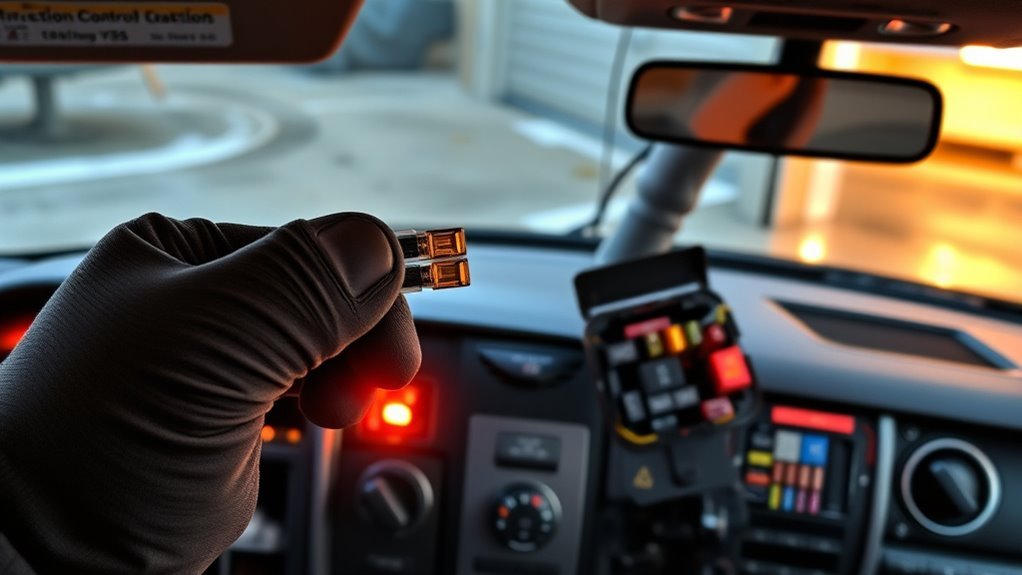
If a TRAC or VSC warning light comes on, you should treat it as an active fault that needs diagnostic assessment rather than a cosmetic nuisance. Start with warning light diagnostics: read stored fault codes with an OBD-II scanner that supports ABS/traction modules, note freeze-frame data, and perform targeted checks on wheel speed sensors, yaw sensor, and related wiring harnesses. Verify Auto LSD behavior—if its lamp stays lit, the system is actively intervening and you need traction-specific troubleshooting.
Follow fuse management tips: consult the owner’s manual for fuse locations, inspect relevant fuses for continuity, and only pull fuses temporarily for testing. Don’t disconnect fuses to permanently disable VSC or A-LSD; doing so risks warranty nullification and degrades stability control, especially in low-traction environments. Maintain regular service intervals and pre‑off‑road inspections so you stay free to go where you choose without compromising safety or control.
Safety Tradeoffs: When Disabling Systems Helps and When It’s Dangerous
Because you’re choosing to override systems designed to prevent loss of control, disabling traction control or VSC trades automated stability for increased wheel slip and driver authority—useful in deep mud, sand, or when you need sustained wheel spin, but hazardous on wet, icy, or paved surfaces where those systems modulate brake force and engine torque to prevent spin, oversteer, or fishtail. You’ll gain direct throttle and steering feedback, useful for extraction or deliberate drift, but you must perform a strict risk assessment and maintain situational awareness.
- Off-road liberation: improved wheel spin control for climbing, digging out, or floatation in sand.
- Controlled environments only: closed courses or slow-speed recoveries minimize collateral danger.
- On-road danger: slippery or high-speed surfaces amplify loss-of-control probability and disable automatic correction.
- Performance balance: weigh acceleration gains against stability loss; revert systems as soon as conditions normalize.
Disable deliberately, revert promptly, and prioritize safety protocols when pushing system limits.
Frequently Asked Questions
Why Is My VSC off and Traction Control Light On?
Your VSC functionality is disabled and traction control is on because the system detected a fault (often wheel speed sensor, tire pressure, or sensor communication); you’ll need a diagnostic scan to restore full control and reclaim driving confidence.
How Much Does It Cost to Fix the VSC on a Toyota?
Think of it as investing in freedom: you’ll pay roughly $100–$1,000 to fix the VSC system, with typical repair costs $50–$300 for sensors, $100–$200 for recalibration, and higher for ABS/module replacement.
Can I Drive My Toyota With the VSC Light On?
You can drive, but you shouldn’t push limits: VSC functionality may be compromised, increasing traction issues risk. You’ll want a technician to diagnose and repair promptly so you retain safety, control, and your freedom to drive confidently.
Should VSC Be on or Off?
You should keep VSC functionality and Traction control on for daily driving to maximize stability and safety; turn them off only deliberately for controlled off‑road, drifting, or low‑traction maneuvers where you want intentional wheel slip.
Conclusion
You now know when to leave TRAC, VSC, and A‑LSD active and when to shut them off for traction or maneuvering. Coincidentally, the same logic that keeps VSC from cutting power on a steep, loose descent applies when you lower tire pressure for sand: both choices trade automated intervention for direct driver control. Use mode selection and manual overrides deliberately, monitor lights and fuses, and remember that disabling safeguards improves mobility but raises risk—so re‑engage systems as soon as conditions normalize.