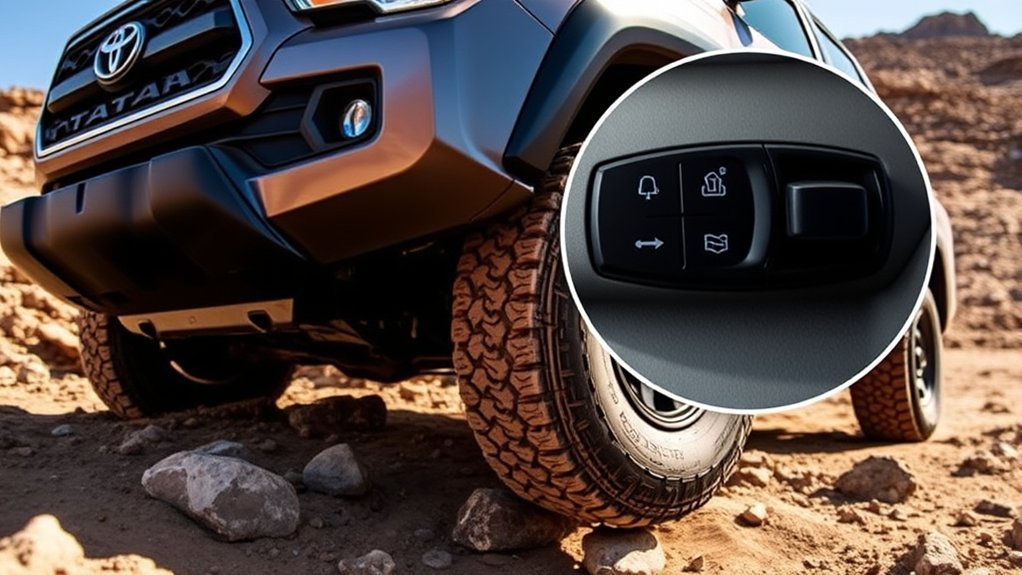
The Toyota Tacoma’s Multi-Terrain Select system helps take the guesswork out of low-speed off-road driving. Instead of using one traction setting for every surface, it lets you choose a terrain mode that changes how the truck manages drive force, braking, steering feel, throttle response, and wheel slip. The exact mode names vary by model year and trim, so always confirm the options shown in your Tacoma’s display and owner’s manual before using it on the trail.
Quick Answer
Toyota Tacoma Multi-Terrain Select helps improve traction off-road by matching the truck’s traction, brake, steering, and drive-force controls to the surface you are driving on. Use it on loose, uneven, slippery, or rocky terrain, not as a substitute for careful speed control, tire placement, and good trail judgment.
Key Takeaways
- Multi-Terrain Select is for off-road use and works best when you choose the mode that most closely matches the surface under the tires.
- Mode names can differ by Tacoma generation and equipment. Current Toyota materials describe modes for surfaces such as mud, sand, dirt, rock, and deep snow, while some earlier Tacomas list modes such as Mud & Sand, Loose Rock, Mogul, Rock, and Rock & Dirt.
- Newer Tacoma models can use Multi-Terrain Select in 4WD-High and 4WD-Low when equipped, but you should follow the instructions shown on your display and in the owner’s manual.
- It does not make the truck unstoppable. Tires, ground clearance, trail conditions, driver skill, and recovery gear still matter.
At a Glance
| Time Required | About 1 minute once the truck is in the correct 4WD range |
| Difficulty | Easy, but use caution on technical trails |
| Tools Needed | No tools; use the Tacoma’s drive-mode controls and multi-information display |
| Cost | No added cost if your Tacoma is already equipped with Multi-Terrain Select |
How the Toyota Tacoma Multi-Terrain Select System Enhances Off-Road Driving
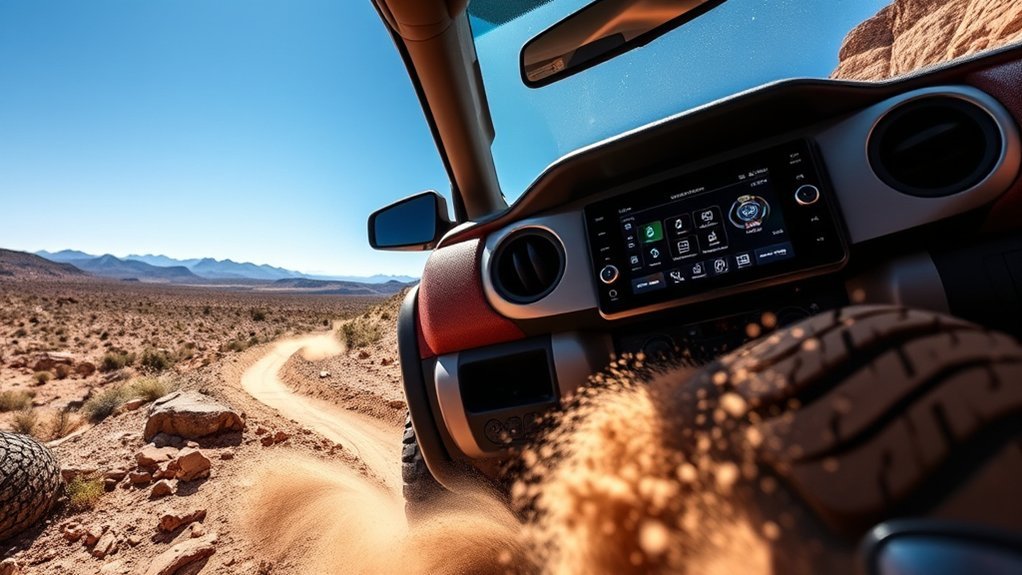
When you leave pavement, traction changes fast. Sand may need controlled wheel spin to keep momentum. Rock crawling usually needs slower throttle input and less wheel slip. Mud may need a different balance again. That is where Multi-Terrain Select can help.
According to Toyota’s owner information, Multi-Terrain Select is designed to improve drivability in off-road situations by letting the driver select the terrain mode that best matches the surface. Toyota notes that brake control, steering feel, and drive-force control can be optimized according to the selected mode.
In plain English, the system helps the Tacoma decide how aggressively to allow or limit wheel spin, how to apply braking support, and how to deliver power so the truck feels more controlled on rough ground. It is especially useful when you are moving slowly through uneven, loose, or slippery terrain and want the truck’s traction systems tuned for that surface.
Warning: Multi-Terrain Select is a driver-assist feature, not a safety shield. Toyota warns drivers to confirm the selected mode indicators are illuminated before driving because the system will not operate when the indicators are off. Always drive slowly enough to stop, keep your tires on stable ground, and avoid terrain that exceeds your truck’s limits.
[Products Worth Considering]

These off-road traction boards are designed to help vehicles recover from mud, sand, and snow with reliable grip and easier ramp-up. Their double-sided diamond construction, cross-shaped teeth, and contoured ramps improve traction while the durable polypropylene build stays flexible in harsh conditions. Convenient mounting points, ergonomic handles, and a visible leash make them practical to carry, store, and retrieve when recovery is needed.

These ZSDY car cup coasters add a clean, stylish touch to your vehicle while helping protect cup holders from spills, condensation, and everyday wear. Their non-slip design helps reduce rattling and sliding during drives, and the flexible PVC construction makes them easy to wash and reuse. With a universal size and versatile look, they also work well in home or office cup holders.

Rhino USA D Ring Shackles provide a dependable recovery connection for off-road and towing setups, with a high break strength designed for demanding use. They fit most aftermarket bumpers and universal shackle mounts, and the included rubber isolator kit helps reduce noise, vibration, and wear. Built from chromoly steel with an anti-rust powder-coated finish, these shackles are made for long-lasting performance in harsh conditions.
Multi-Terrain Select Modes and Best Uses
The original Tacoma Multi-Terrain Select system was commonly described with five terrain settings: Mud & Sand, Loose Rock, Mogul, Rock, and Rock & Dirt. Newer Tacoma information from Toyota describes adjustable settings for surfaces such as mud, dirt, and sand, and the 2026 Tacoma owner information also references modes such as Sand, Mud, and Deep Snow. Because the mode list can vary by year, drivetrain, trim, and market, use the names shown in your Tacoma’s display as the final guide.
| Terrain Mode | Best For | What It Helps With |
|---|---|---|
| Mud / Mud & Sand | Soft mud, wet dirt, beach sand, loose sandy trails | Allows more controlled wheel spin so the tires can keep momentum instead of bogging down. |
| Sand | Loose sand, dunes, sandy washes | Helps maintain forward motion while reducing abrupt power cuts from traction control. |
| Dirt / Rock & Dirt | Packed dirt, loose dirt, gravel, mixed trail surfaces | Balances traction and wheel slip for common trail driving where conditions change often. |
| Loose Rock | Gravel, shale, small loose rocks, rocky climbs | Helps reduce excessive spin so the tires can bite instead of scattering loose stones. |
| Mogul | Ruts, offset bumps, uneven trails, cross-axle sections | Helps manage traction when one or more wheels may unload over uneven ground. |
| Rock | Rock slabs, boulders, ledges, slow technical crawling | Limits unnecessary wheel spin and supports slow, controlled tire placement. |
| Deep Snow | Deep snow on unpaved roads or trails | Helps manage wheel spin on low-grip snowy surfaces when the truck is equipped with this mode. |
Note: Do not force one mode to fit every trail. If the terrain changes from sand to rock or from mud to packed dirt, slow down, reassess the surface, and switch to the closest matching mode when conditions allow.
[Products Worth Considering]

This universal trailer coupler lock helps secure trailers, vehicles, and RVs by fitting a wide range of common hitch couplers. Its advanced locking mechanism is designed to resist picking and prying, while the zinc construction helps protect against rust and corrosion for dependable outdoor use.

These foldable emergency tire traction pads help give your vehicle the grip it needs to get unstuck from snow, ice, mud, or sand. Each lightweight pad is easy to carry and designed with a honeycomb surface and adjustable angle to improve traction across different road conditions. Built to support heavy loads, they make a practical roadside recovery tool for unexpected driving emergencies.
How Multi-Terrain Select Makes Off-Roading Easier
Maneuvering off-road becomes easier when the truck’s traction behavior matches the ground under the tires. The Toyota Tacoma’s Multi-Terrain Select system can adjust key control settings so the truck feels less jumpy, less likely to cut power at the wrong moment, and more predictable on low-grip surfaces.
That does not mean you can ignore basic off-road technique. The system works best when you pair it with smooth throttle input, slow steering corrections, proper tire placement, and enough momentum for the surface. It is a support system, not an autopilot.
The best mode is not always the most aggressive one. Choose the setting that matches the surface, then drive smoothly enough that the system can help instead of fighting sudden throttle or steering inputs.
How to Activate Multi-Terrain Select
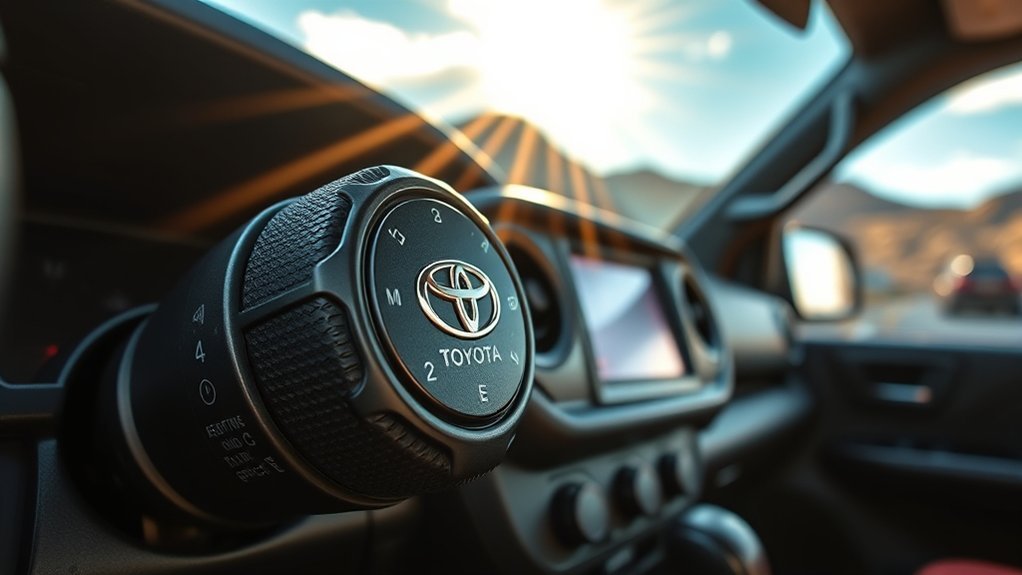
Activating Multi-Terrain Select is simple, but the correct steps can vary by model year and equipment. On newer Tacoma models, Toyota says available Multi-Terrain Select can function in both 4WD-High and 4WD-Low, while older Tacomas may limit certain modes to low-range four-wheel drive. Follow the prompts on the multi-information display if your truck gives transfer-range advice.
- Slow down before selecting a mode. Multi-Terrain Select is intended for controlled off-road driving, not high-speed correction.
- Select the proper 4WD range. Use 4WD-High for some loose or slippery trail surfaces when allowed; use 4WD-Low for slow, technical terrain that needs more torque and control.
- Press or select Multi-Terrain Select. Use the center controls, dial, or screen interface fitted to your Tacoma.
- Choose the terrain mode that best matches the surface. Match the mode to mud, sand, dirt, rock, snow, moguls, or loose rock depending on the options your truck shows.
- Confirm the indicator is on. Toyota warns that the system will not operate if the selected mode indicator is not illuminated.
- Drive smoothly and reassess often. Keep your speed low, avoid sudden throttle spikes, and switch modes if the surface changes.
Pro Tip: If you are new to off-roading, practice Multi-Terrain Select on an easy dirt road or open trail area before using it on rocks, deep mud, or steep climbs. You will quickly feel how each mode changes throttle response and wheel-slip behavior.
Multi-Terrain Select vs. Crawl Control vs. Multi-Terrain Monitor
Toyota uses similar names for several trail technologies, so it is easy to confuse them. They work together on some Tacoma trims, but they are not the same feature.
| Feature | What It Does | When to Use It |
|---|---|---|
| Multi-Terrain Select | Tunes traction, braking, steering feel, and drive-force control for a selected surface. | Use when you want the truck’s traction behavior matched to mud, sand, dirt, snow, or rocks. |
| Crawl Control | Acts like low-speed off-road cruise control by managing acceleration and braking while you steer. | Use for very slow technical sections, steep uneven terrain, or situations where steady crawl speed helps. |
| Multi-Terrain Monitor | Uses camera views to help you see obstacles around the truck and, on newer systems, the ground below. | Use when cresting rises, approaching rocks, placing tires, or checking blind spots near the vehicle. |
Toyota’s 2026 Tacoma feature information describes the available next-generation Multi-Terrain Monitor as a system that can toggle between front, rear, and side camera views to help check for obstacles. That makes it a visibility aid, while Multi-Terrain Select is a traction-control aid.
[Products Worth Considering]
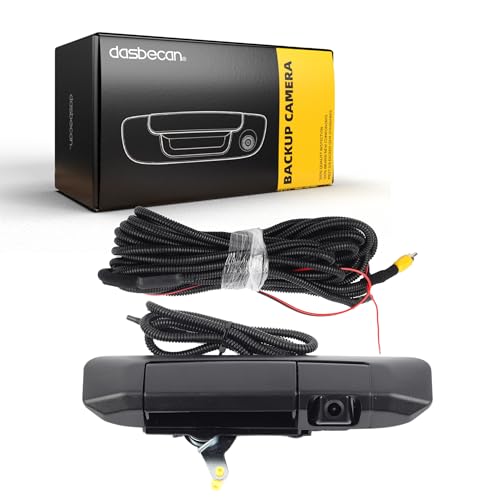
Compatible with: 2005 2006 2007 2008 2009 2010 2011 2012 2013 2014 2015 Toyota Tacoma
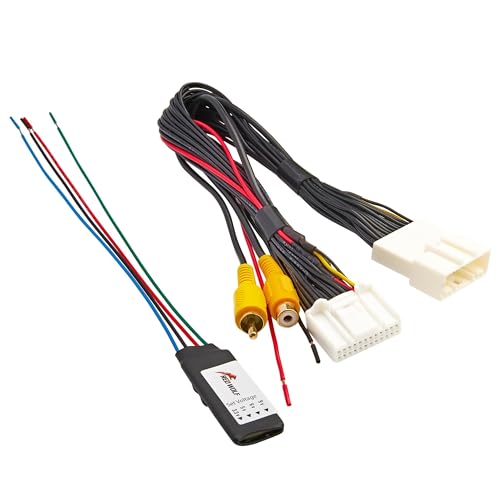
Note: This product features a 24-pin connector; Please be sure to check the compatibility of the connection plug on your vehicle before purchasing to avoid any mistakes; Note: Check reverse gear for 12V prior to installation. If no power, ensure the 24-PIN plug is fully seated and the reverse trigger wire is properly connected to the reverse light positive or matched trigger input

4K Screen & 4 1080P Backup Cameras: With the 10.36 inch 4K ultra HD 4-split touch screen & 4 pcs of 1080P Full HD camera, you can get sharper, cleaner and more vivid view on road to get the ultimate travel pleasure
When to Use Each Mode on the Trail
Use Multi-Terrain Select only when the surface actually calls for it. On normal pavement, dry hard-packed roads, or routine commuting, leave the truck in its normal drive mode. On trails, match the mode to the surface and keep your inputs smooth.
- Use Mud or Mud & Sand when the tires need some wheel speed to clear mud or stay on top of soft sand.
- Use Sand when you need steady momentum across loose sand and want to avoid abrupt traction-control cuts.
- Use Dirt or Rock & Dirt for mixed unpaved trails, dry fire roads, and compact surfaces with loose patches.
- Use Loose Rock when the trail is covered in small rocks or gravel and you need careful traction without excessive spin.
- Use Mogul for deep ruts, offset bumps, or uneven terrain where wheel contact changes from corner to corner.
- Use Rock for slow, technical rock crawling where controlled power and low wheel slip matter most.
- Use Deep Snow only when your Tacoma offers it and the surface matches that condition.
Common Mistakes to Avoid
Multi-Terrain Select is helpful, but many drivers expect too much from it. Avoid these common mistakes if you want the system to work as intended.
- Do not use it as a replacement for proper tires. Street tires can still struggle in mud, snow, and sharp rock even with the best mode selected.
- Do not keep the wrong mode active after the surface changes. Sand settings on rock or rock settings in deep mud can make the truck feel less natural.
- Do not ignore the display. If the indicator is off or a warning appears, the system may not be active.
- Do not carry too much speed. Multi-Terrain Select is meant to help with controlled off-road traction, not fast trail driving.
- Do not fight the system with harsh inputs. Smooth throttle and steering let the truck’s control systems respond more predictably.
What Users Are Saying About Multi-Terrain Select
Tacoma owners often like Multi-Terrain Select because it gives the truck a more confident feel on loose or uneven ground. The biggest praise is usually about convenience: instead of guessing how much traction control the truck will allow, the driver can choose a surface-specific mode and focus more on steering, line choice, and tire placement.
The more balanced view is that Multi-Terrain Select works best as part of a larger off-road setup. A Tacoma with the right tires, correct tire pressure for the trail, skid protection, recovery points, and a careful driver will benefit more than a stock truck driven too fast into difficult terrain. The system is useful, but it cannot overcome poor judgment or conditions beyond the vehicle’s physical limits.
Frequently Asked Questions
When should you use Multi-Terrain Select on a Toyota Tacoma?
Use Multi-Terrain Select when you are driving off-road on loose, slippery, soft, rocky, snowy, or uneven surfaces. Do not use it for normal dry pavement driving. Choose the mode that most closely matches the terrain and confirm the indicator is illuminated before relying on the system.
Does Toyota Tacoma Multi-Terrain Select work in 4WD-High or only 4WD-Low?
On newer Tacoma models, Toyota says available Multi-Terrain Select is functional in both 4WD-High and 4WD-Low. Some older Tacoma systems and some specific modes may require low-range four-wheel drive. Follow your owner’s manual and the instructions shown on your truck’s display.
Is Multi-Terrain Monitor worth it?
Multi-Terrain Monitor can be worth it if you drive tight trails, rocky routes, or areas where visibility around the front bumper and tires matters. It does not improve traction by itself; it helps you see obstacles so you can place the truck more carefully.
Is Multi-Terrain Select the same as Crawl Control?
No. Multi-Terrain Select changes the truck’s traction behavior for the selected surface. Crawl Control is a low-speed off-road cruise-control feature that manages acceleration and braking while the driver focuses on steering.
Can Multi-Terrain Select get a Tacoma unstuck?
It may help reduce wheel spin or improve momentum in some stuck situations, but it is not a guaranteed recovery tool. If the truck is high-centered, buried to the frame, or traction is too poor, you may still need recovery boards, a winch, a shovel, or outside assistance.
Conclusion
The Toyota Tacoma’s Multi-Terrain Select system is one of the truck’s most useful trail tools when you understand what it can and cannot do. It helps the Tacoma adapt to mud, sand, dirt, rocks, snow, and uneven surfaces by tuning the truck’s traction behavior for the terrain. The key is to choose the correct mode, confirm the system is active, drive smoothly, and remember that no electronic aid replaces good tires, careful line choice, and smart off-road judgment.
Sources
- Toyota Owners: 2026 Tacoma Multi-Terrain Select — backs up how Multi-Terrain Select works, driver warnings, and system behavior.
- Toyota Owners: 2025 Tacoma Multi-Terrain Select — backs up current owner-manual guidance for equipped Tacoma models.
- Toyota USA Newsroom: 2025 Toyota Tacoma — backs up Tacoma off-road features, available 4WD systems, Multi-Terrain Select functionality, and Crawl Control description.
- Toyota: 2026 Tacoma Features — backs up current Tacoma feature availability, off-road technology, and Multi-Terrain Monitor description.