How to Program a Toyota RAV4 Key Fob Safely
You can usually program an extra Toyota RAV4 key fob only when you already have one working key, a replacement fob that matches your exact vehicle, and an OBD-II add-a-key programmer that supports your RAV4 year, market, key system, FCC ID, frequency, and part number. This guide covers a safe owner-authorized spare-key workflow. It does not cover immobilizer bypass, all-keys-lost recovery, key-code retrieval, erase-all functions, or programming a vehicle you do not own or have permission to service.
Quick Answer
To program an extra RAV4 key fob safely, verify the replacement fob first, keep one working key available, connect a compatible OBD-II add-a-key programmer, authenticate with the working key, register the new fob only when prompted, then test lock, unlock, panic, hatch, proximity, and start functions. Stop and use a Toyota dealer or qualified automotive locksmith if all keys are lost, the tool shows an erase/reset warning, or the original key stops working.
Key Takeaways
- You usually need one working master key or smart key before a consumer add-a-key programmer can add another fob safely.
- Compatibility matters: match the year, trim, smart-key or non-smart-key system, FCC ID, frequency, button layout, and part number before buying.
- A remote fob that unlocks the doors is not always the same as a transponder key that starts the engine.
- Do not choose erase-all, immobilizer reset, reseed, or security-code functions unless a qualified professional has instructed you.
- All-lost-key and immobilizer reset jobs should be handled by a Toyota dealer or credentialed automotive locksmith.
At a Glance
| Time Required | 15–30 minutes once the correct fob and programmer are ready |
| Difficulty | Moderate DIY, because key security, exact compatibility, and timing matter |
| Tools Needed | Working key, matched replacement fob, compatible OBD-II key programmer, fresh fob battery, and stable vehicle battery |
| Cost | Varies by fob, programmer, dealer, and locksmith; verify total cost before buying parts |
| Best DIY Use Case | Adding one spare while your original working key is still available |
Before You Start: Add-Key Decision Check
| Your Situation | Safest Next Step |
|---|---|
| You have one working key and a new, matching fob | A DIY add-key tool may be reasonable if it lists your exact RAV4. |
| You have no working keys | Use a Toyota dealer or qualified locksmith. Do not try a consumer reset. |
| The fob is used, refurbished, or marked locked | Verify reuse with the seller or a locksmith before connecting a tool. |
| The tool mentions erase, reset, reseed, or security code | Stop. Those are security functions, not a normal spare-key pairing step. |
Editorial Review Note: This guide explains a safe owner-authorized add-a-key workflow. It intentionally avoids immobilizer bypass instructions, key-code retrieval, all-keys-lost resets, or methods that could be used to access a vehicle without authorization.
Who This Guide Is For

This guide is for a Toyota RAV4 owner who wants to add a spare key fob while at least one working key is still available. That detail is important. Toyota immobilizer and smart key systems are designed to prevent unauthorized key registration, so an all-keys-lost job is different from simply adding a spare.
Use this guide if you want to understand the parts, safety checks, programming flow, and troubleshooting steps before using an aftermarket key programmer or booking a professional. For official model-specific information, Toyota directs owners to the Toyota Owners manuals and warranties portal. For replacement-key work that goes beyond adding a spare, contact a local Toyota dealer or qualified automotive locksmith.
Warning: Program keys only for a vehicle you own or are authorized to service. Do not attempt immobilizer resets, security-code retrieval, or all-keys-lost procedures with consumer tools. Those jobs may require proof of ownership and dealer or credentialed locksmith access.
RAV4 Models and Key Types That Support Programming
Some aftermarket add-a-key tools advertise support across parts of the 2009–2018 Toyota RAV4 range, but that is only a compatibility starting point [VERIFY: confirm the exact vehicle year, VIN-market, key system, FCC ID, frequency, and part number against the chosen programmer before publishing]. No single universal procedure applies safely to every trim, market, and key style.
[Products Worth Considering]
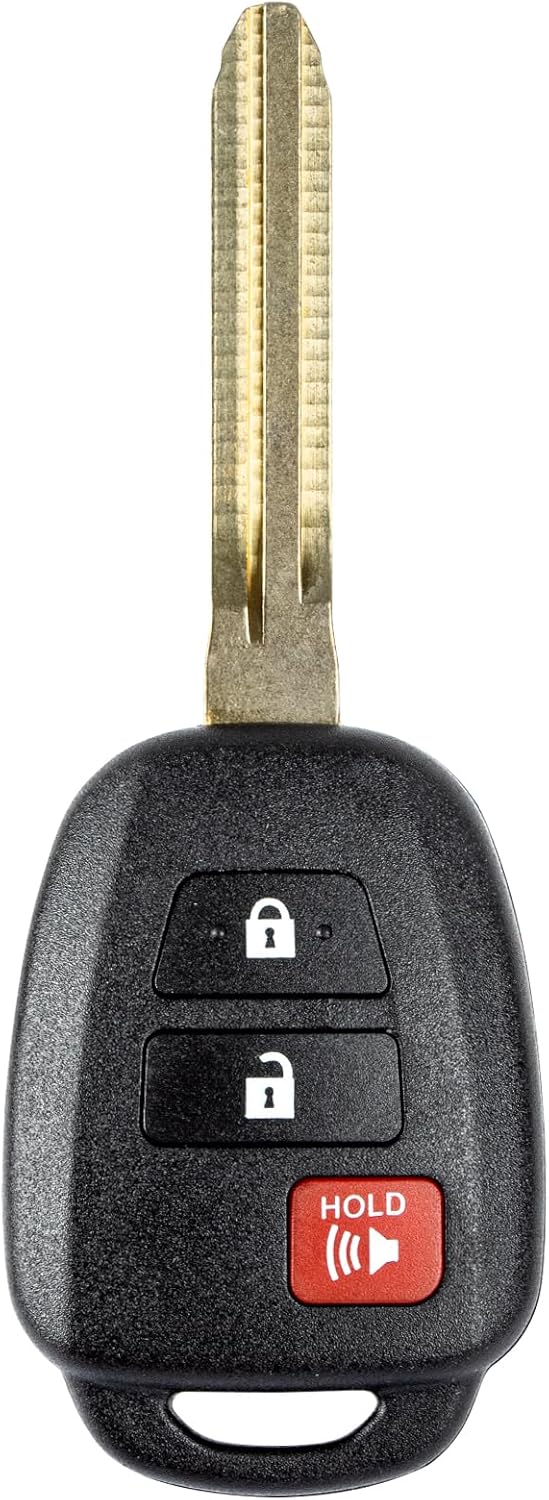
This replacement key fob is designed for select Toyota models and provides reliable keyless entry functionality with a factory-like fit and operation. It comes pre-tested with electronics and battery installed, making it a convenient solution when your original remote is lost, damaged, or worn out. Professional programming and cutting are required, and compatibility should be confirmed against the original remote and vehicle fitment details.

This keyless entry remote replacement is designed for a wide range of Toyota, Scion, and Lexus-compatible vehicles, offering a convenient way to restore remote locking and unlocking functions. Each fob is pre-tested, comes with the battery and electronics already installed, and is ready to be programmed for supported standard-key vehicles. It is a practical replacement choice for drivers who need a reliable, compatible remote for everyday use.

This keyless entry remote replacement is designed for select Toyota models and comes pre-tested with battery and electronics installed for ready-to-program convenience. It supports compatible part numbers and FCC IDs, making it a practical solution for replacing a lost or damaged fob. Programming and cutting by a qualified locksmith or dealership are required, and it is intended for regular key vehicles rather than push-start systems.
Supported RAV4 Model Years
Most consumer add-a-key tools are sold by model-year range. Treat a model-year range as a screening filter, not a guarantee. A 2009–2012 RAV4 with a keyed ignition is not the same job as a 2013–2018 RAV4 with a smart key system, and regional vehicles can use different security rules or radio frequencies.
- 2009–2012 RAV4: Many models use a traditional blade key with a remote transmitter and immobilizer chip. Programming the remote buttons alone may not program the chip needed to start the vehicle.
- 2013–2018 RAV4: Many trims use either a conventional remote key or a smart key, depending on equipment. Push-button-start models require smart key registration.
- Hybrid models: 2016–2018 RAV4 Hybrid vehicles commonly use smart key systems, so fob compatibility and battery condition are especially important.
- Regional differences: U.S., Canadian, Japanese-market, and other regional vehicles may use different frequencies, part numbers, or immobilizer rules.
Compatible Key Fob Types
Use either an OEM Toyota fob or a high-quality aftermarket fob that is explicitly listed for your exact RAV4. Match more than the button count. You should verify the FCC ID, frequency, emergency key blade style, smart-key or non-smart-key system, and whether the fob is new, used, refurbished, locked, or reusable.
A used Toyota smart key may not always be reusable without reset work, and some aftermarket fobs have limited support for liftgate, panic, remote start, or proximity functions. Toyota’s official owner-manual portal is the right place to confirm model-specific Smart Key details, so verify the battery type in the owner’s manual or on the key case before programming.
Keyed Ignition Vs Smart Key Registration
A keyed-ignition RAV4 may involve a cut blade, a remote transmitter, and an immobilizer chip. A push-button-start RAV4 uses a smart key that must be recognized by the vehicle’s smart key system. Do not assume a fob that fits the case shape or has the same number of buttons will start the vehicle.
Note: If your original key starts the RAV4 with a metal blade, you may need both electronic programming and physical key cutting. A fob that locks and unlocks the doors is not useful as a spare if it cannot start the engine.
Tools and Parts Required
Gather everything before you connect a programmer. Interruptions, weak batteries, and mismatched fobs are the most common reasons DIY key programming fails.
[Products Worth Considering]
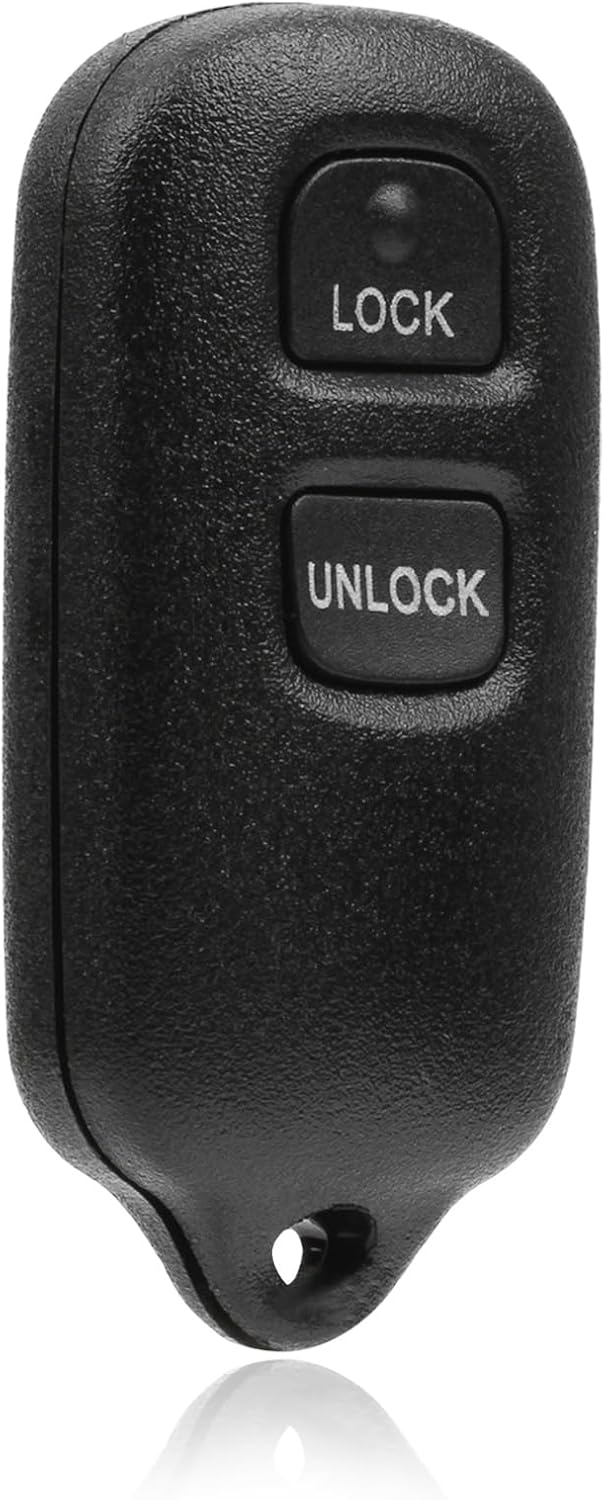
This USARemote key fob replacement provides convenient keyless entry for a wide range of Toyota and Scion vehicles. It is programmable, ready to use, and designed to help restore remote locking and unlocking functionality for compatible models. The compact black remote offers dependable everyday use for drivers needing a simple replacement solution.

This replacement key fob set is designed for select Toyota RAV4 and XB models with regular key systems, offering lock, unlock, and panic functions in a convenient two-pack. Each remote comes pre-tested with battery and electronics installed, and it must be cut and programmed by a qualified dealer or locksmith for proper use. Built from durable materials and backed by warranty support, it provides a reliable solution when replacing worn or missing remotes.
Required Programming Tools
- One working key or smart key: The existing key authenticates the add-a-key process on many tools.
- Matched replacement fob: Confirm year, part number, FCC ID, frequency, button layout, and smart-key compatibility.
- Compatible OBD-II key programmer: Use a tool that lists your exact RAV4 year and key type. Follow the tool manufacturer’s instructions exactly.
- Fresh fob battery: Replace questionable batteries before programming. Weak battery output can make a good fob look defective.
- Stable vehicle battery: If the 12-volt battery is weak, charge it first or use a maintainer approved for vehicle electronics.
- Cut emergency blade, if needed: Smart keys usually include a mechanical emergency key. Traditional keys require proper cutting before they are useful.
Compatibility Checklist Before Buying A RAV4 Key Fob
| What To Match | Why It Matters |
|---|---|
| Model year and market | A U.S.-market RAV4 may not use the same fob or frequency as another regional version. |
| Smart key or keyed ignition | Push-button-start models and blade-key models use different registration workflows. |
| FCC ID, part number, and frequency | A lookalike fob can fail if its electronics do not match the vehicle. |
| Button layout and features | Liftgate, panic, proximity, and remote-start support can vary by trim and fob. |
| New, used, refurbished, or locked status | Some used smart keys may need professional reset work before they can be reused. |
Safety And OBD Access
The OBD-II port is the diagnostic connector under the dashboard area. Key programmers use it to communicate with vehicle modules, so handle it carefully. Do not force the plug, do not use damaged adapters, and do not disconnect the tool while it is writing data unless the tool specifically tells you to.
Toyota’s Technical Information System lists security functions such as key codes and Immobilizer / Smart Reset under professional security access. It also states that vehicle security information is provided to security professionals registered with the NASTF Vehicle Security Professional Registry. Those systems exist because immobilizer access is theft-relevant, not just a convenience feature.
Pro Tip: Take photos of your original fob label, FCC ID, and replacement fob packaging before starting. If programming fails, those photos help the seller, locksmith, or dealer confirm whether you bought the right fob.
How Do You Add an Extra RAV4 Key Fob in 3 Steps?
This is the simplified flow for adding a spare when you already have a working key and your programmer supports your exact RAV4. Always follow your programmer’s on-screen prompts if they differ from this summary.
- Prepare the vehicle: Park safely, turn off accessories, keep the working key and new fob inside the vehicle, and plug the programmer into the OBD-II port.
- Start add-key mode: Select the add-key or smart-key registration function on the programmer. When prompted, present the working key to authenticate the session.
- Register and test the new fob: Present the new fob when prompted, wait for the confirmation signal, exit the procedure, unplug the tool, then test every function.
Warning: Do not keep cycling the same failed step over and over. If the programmer does not recognize the working key or new fob, stop and verify compatibility, fob battery condition, tool support, and vehicle battery voltage.
What Not To Do During RAV4 Key Fob Programming
Most expensive key-programming mistakes come from using the wrong menu, not from the new fob itself. Keep the job limited to add-key registration unless a credentialed professional tells you otherwise.
- Do not select erase-all keys when your goal is only to add a spare.
- Do not run immobilizer reset, reseed, or security-code functions with a consumer tool.
- Do not disconnect the programmer while it is writing data unless the tool tells you to do so.
- Do not keep retrying a failed registration before checking the fob battery, FCC ID, part number, and vehicle battery.
- Do not assume lock/unlock success means start authorization worked. Test the engine-start function separately.
What Is the Full Safe Programming Procedure?
The exact wording on your programmer may vary, but the safe add-a-key process follows the same basic order.
- Confirm ownership and authorization. Make sure you are programming your own vehicle or have clear authorization to service it.
- Verify the key type. Check whether your RAV4 uses a keyed ignition, remote-head key, or push-button-start smart key.
- Confirm the replacement fob. Compare FCC ID, part number, frequency, button layout, and seller compatibility notes.
- Replace the fob battery if uncertain. A low battery can reduce range and cause pairing failures.
- Stabilize the vehicle. Park in a safe, well-lit area, set the parking brake, close the doors, and keep phones, chargers, and strong RF devices away from the key area.
- Connect the OBD-II programmer. Plug it in gently and wait for the tool to power up. Select Toyota, RAV4, model year, and the correct key system if the tool asks.
- Select add key, not erase keys. Use add-key mode when you still have a working key. Avoid erase-all, reseed, security-code, or immobilizer reset functions unless a qualified professional has instructed you.
- Authenticate with the working key. For smart-key models, the tool may ask you to hold the working key near the push-start button or inside the cabin until the vehicle confirms recognition.
- Introduce the new fob. Hold the new fob where the tool instructs, often near the push-start button on smart-key models, until you hear a beep or see a success message.
- Finish the session. Let the programmer complete the write process, then exit the menu before unplugging it.
- Test the original key first. Confirm your original key still locks, unlocks, and starts the vehicle.
- Test the new key second. Check lock, unlock, panic, liftgate, proximity unlock, push-button start, remote start if equipped, and mechanical emergency-key access.
The safest DIY goal is simple: add one verified spare while your original key still works. Waiting until every key is lost can turn a quick add-key job into a dealer or locksmith immobilizer reset.
How Should You Test and Troubleshoot the New RAV4 Key?

Test both keys immediately before you pack up the tool. Stand near the vehicle first, then test from a normal walking distance. If the RAV4 has push-button start, place the fob in your pocket or bag and confirm the vehicle detects it normally.
What To Test After Programming
- Lock and unlock from close range
- Lock and unlock from normal range
- Panic button
- Power liftgate or hatch button, if equipped
- Proximity lock and unlock, if equipped
- Push-button start or keyed ignition start
- Mechanical emergency key in the driver door
- Remote start, if your vehicle and fob are equipped for it
Common Failures And Fixes
| Problem | Likely Cause | What To Do |
|---|---|---|
| Tool does not recognize the vehicle | Wrong tool menu, weak vehicle battery, poor OBD connection, or unsupported model | Recheck year and system selection, inspect the OBD plug, and stabilize the 12-volt battery |
| New fob will not register | Wrong fob, locked used fob, weak fob battery, or missed timing prompt | Verify FCC ID and part number, replace the battery, and retry once carefully |
| Buttons work but engine will not start | Remote portion programmed but immobilizer chip was not registered | Use the correct transponder or smart-key registration function, or call a locksmith |
| Short remote range | Weak fob battery, RF interference, or low-quality aftermarket fob | Install a fresh battery and retest away from chargers, computers, and other transmitters |
| Original key stops working | Wrong tool function, erased keys, or incomplete registration | Stop DIY attempts and contact a Toyota dealer or qualified automotive locksmith |
Should You Buy a Programmer or Call a Pro?
Buying a programmer can make sense when you already have a working key, your exact RAV4 is supported, and you expect to add more than one spare over time. It can also save time if you live far from a dealer or locksmith.
Call a professional if the fob is expensive, the vehicle has push-button start, you are not sure the replacement fob is correct, the tool offers erase/reset options you do not understand, or you have already lost all keys. Toyota’s Technical Information System describes security access for pre-approved locksmiths and technicians, which is why all-keys-lost and immobilizer reset jobs should not be treated like normal remote pairing.
[Products Worth Considering]

Fitment: Operation requires at least 1 working key fob, it does not support the all key fob lost. It is compatible with Toyota 4runnre 2010-2019/ Prius 2010-2015/ Prius C 2012-2014/ Prius v 2012-2016. For Scion TC 2011-2016 Remote control Key. This item only supports Push start Button vehicles, and it doesn't support regular key

Simple and Fast Programming Process: Download our APP,Connect device and work on programming by following on-screen step by step instruction. finish in a few minutes.
DIY Vs Professional RAV4 Key Programming
| Situation | Best Choice | Reason |
|---|---|---|
| You have one working key and a confirmed matching fob | DIY may be reasonable | This is the normal add-a-key scenario many consumer tools are designed for. |
| The tool asks to erase all keys or reset the immobilizer | Use a professional | A wrong selection can remove working keys or require security access. |
| All keys are lost | Use a Toyota dealer or qualified locksmith | The vehicle may need proof of ownership, key cutting, and security registration. |
| A lost or stolen fob must be removed from memory | Use a Toyota dealer or qualified locksmith | Lost-key removal is a security task, not just a spare-key pairing task. |
Use A DIY Programmer When
- You have at least one working key.
- The tool specifically lists your RAV4 year and key system.
- The new fob is confirmed by FCC ID and part number.
- You are adding a spare, not recovering an all-keys-lost vehicle.
- You are comfortable stopping if the tool shows an unexpected security or erase warning.
Use A Dealer Or Locksmith When
- All keys are lost.
- The immobilizer needs reset or reseed work.
- The replacement fob might be used, locked, or wrong for the vehicle.
- The vehicle has theft, receiver, smart-key, or body-control-module fault codes.
- You want the remaining lost key removed from vehicle memory for security.
Frequently Asked Questions
Can you program a Toyota RAV4 key fob yourself?
Sometimes, yes. DIY programming is most realistic when you have one working key, the replacement fob matches your exact RAV4, and the programmer supports your year, market, and key type. Use a dealer or qualified locksmith if you have no working keys or the tool asks for erase, reset, reseed, or security-code functions.
Can I program a RAV4 key fob without any working key?
Usually no. If every key is lost, the vehicle may need dealer-level or locksmith-level security access, proof of ownership, key cutting, and immobilizer registration. Do not try to bypass the immobilizer with consumer tools.
Will an aftermarket key fob affect remote start or smart-key features?
It can. An aftermarket fob may lock, unlock, and start the vehicle but still lack full support for remote start, hatch release, proximity unlock, or other trim-specific features. Match the fob by exact part number and feature set before buying.
Does the fob battery matter during programming?
Yes. A weak battery can reduce the fob’s signal strength and cause registration or range problems. Toyota advises owners to verify Smart Key battery type through the owner’s manual or by inspecting the key case, so replace the battery before programming if you are unsure.
Is there a mileage restriction for RAV4 key programming?
Mileage is usually not the deciding factor. Compatibility, vehicle security status, fob type, immobilizer condition, and tool support matter more. A high-mileage RAV4 can still accept a properly matched spare key if the system is working correctly.
Can I remove a lost programmed fob from the RAV4 myself?
Some advanced tools can erase and re-register keys, but that is riskier than adding a spare. If a key is lost or stolen, use a Toyota dealer or qualified locksmith so the missing key can be removed correctly without locking out your remaining keys.
Why do the buttons work but the RAV4 still will not start?
The remote-lock portion and the engine immobilizer portion are separate on many key systems. The fob may be paired for door locks while the transponder or smart-key chip is not registered to start the engine.
What should I do if the programmer asks to erase all keys?
Stop and do not continue unless a qualified professional has told you to use that function. Erase-all, reset, reseed, and immobilizer functions can remove working keys or require security access to recover the vehicle.
Can I program only the lock and unlock buttons?
On some key systems, remote-button pairing and engine-start authorization are separate. A fob that controls the door locks still may not start the RAV4 unless the transponder chip or smart key is also registered correctly.
Conclusion
Adding an extra RAV4 key fob can be a reasonable DIY job when you still have a working key, the fob is correctly matched, and your OBD-II programmer supports your exact vehicle. The safest next step is to confirm compatibility before buying parts, then add the spare before you lose the last working key.
Before you buy parts, verify the FCC ID, part number, key type, and programmer support. Do not force the process if the programmer shows unexpected warnings, the fob will not register, or the original key stops behaving normally. At that point, a Toyota dealer or credentialed automotive locksmith is the safer choice, especially for all-keys-lost, immobilizer reset, or lost-key removal work.
Sources
- Toyota Owners Manuals and Warranties — official owner manual lookup for Toyota model-specific features and procedures
- Toyota Support: Replacement Key — Toyota guidance to contact a local dealer for replacement key assistance [VERIFY: confirm page renders and wording in the CMS research log]
- Toyota Support: Lost Keys and Key Codes — Toyota guidance on key codes, proof of ownership, and immobilizer programming needs [VERIFY: confirm page renders and wording in the CMS research log]
- Toyota Support: Smart Key Battery Type — battery verification guidance for Toyota Smart Keys [VERIFY: confirm page renders and wording in the CMS research log]
- Toyota Technical Information System — official Toyota service information access for manuals, diagnostics, and security-related service resources
- NASTF Secure Data Release Model — professional vehicle security credentialing and access framework for locksmiths and repair specialists