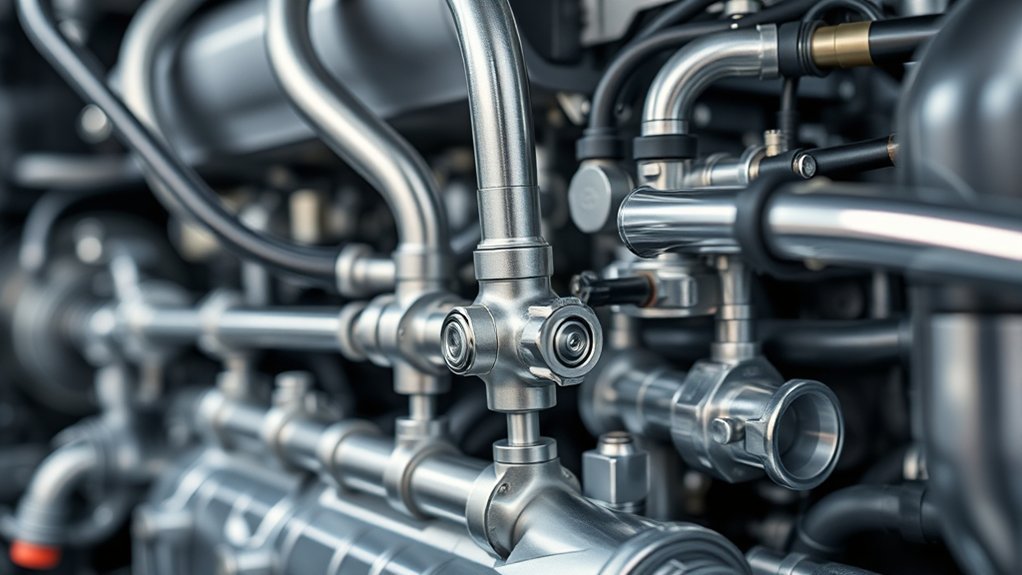
Toyota RAV4 Brake Hold keeps the service brakes applied after you come to a complete stop, so you can lift your foot from the brake pedal at a red light or in stop-and-go traffic. Press the HOLD switch, confirm the green standby indicator, stop firmly, and wait for the yellow or amber operated indicator before releasing the pedal. Press the accelerator in D or S to move again. Use Brake Hold only for temporary stops; it is not the parking brake and may not secure the vehicle on a steep or slippery surface.
Last updated: July 15, 2026 · Source basis: Toyota’s 2025 U.S.-market RAV4 and RAV4 Hybrid owner guidance
Quick Answer
Toyota RAV4 Brake Hold keeps the vehicle stopped after a full brake-pedal stop. Press HOLD and confirm the green standby indicator. When the yellow or amber operated indicator appears at a complete stop, you may lift your foot while remaining ready to brake. Press the accelerator in D or S to release the hold and move again.
Model-year scope: The operating details below are verified against Toyota’s 2025 U.S.-market RAV4 and RAV4 Hybrid guidance. Toyota announced a sixth-generation RAV4 for launch by March 2026, so confirm indicator wording and operating conditions in the manual for your exact year.
Key Takeaways
- Green Brake Hold light means the system is on standby and ready to hold the brakes.
- Yellow or amber Brake Hold light means the system is actively holding the vehicle at a stop.
- Brake Hold releases when you press the accelerator with the shift lever in D or S.
- The driver’s door must be closed and the driver’s seat belt fastened before the system can be turned on.
- Use Brake Hold only for temporary stops, and check your exact model-year manual if the indicators or messages differ.
Brake Hold Indicator and Action Guide
| Green standby indicator | The system is on and ready, but it is not yet holding the brakes. |
| Yellow or amber operated indicator | Brake Hold is actively holding the vehicle after a complete stop. |
| Accelerator pressed in D or S | Brake Hold releases and the vehicle can move. |
| Parking or leaving the vehicle | Shift to P and set the parking brake. Do not rely on Brake Hold. |
What Does Brake Hold Do in a Toyota RAV4?
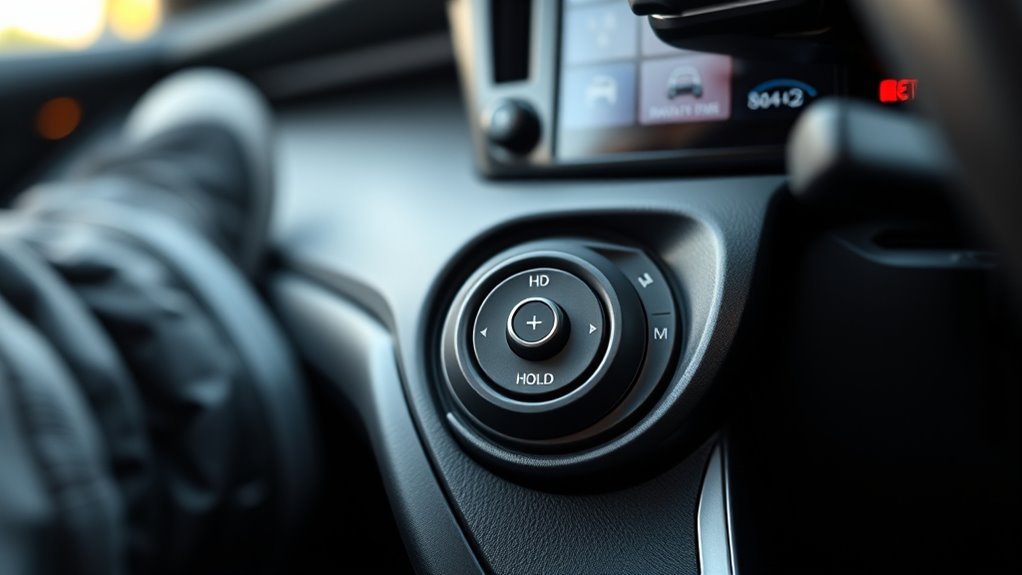
Toyota’s 2025 U.S.-market RAV4 Hybrid Brake Hold guidance states that the system can hold the brakes after the vehicle stops with the brake pedal and the shift lever is in D, S, or N. Automatic release by accelerator input is specified for D or S.
Brake Hold lets you stop the RAV4, remove your foot from the brake pedal after the operated indicator appears, and keep the vehicle stopped until you are ready to drive again. It is useful at traffic lights, drive-through lines, railroad crossings, school pickup lines, and in slow city traffic.
Brake Hold is not the same as the parking brake. It is a short-stop convenience feature. When you park, leave the vehicle, or shut the vehicle off, shift to Park and use the parking brake as instructed in your owner’s manual.
Note: Brake Hold availability, labels, and operating conditions can vary by model year, trim, and market. If your RAV4 has a HOLD switch near the electronic parking brake switch, it is equipped with the feature. Check your exact vehicle in Toyota’s official manuals and warranties library.
How Do You Use Brake Hold on a Toyota RAV4?
The indicator lights show two different states: green means the system is on standby, while yellow or amber means it is actively holding the brakes. Use this sequence:
- Start the RAV4 and fasten your seat belt. The system cannot be turned on while the driver’s seat belt is unfastened.
- Close the driver’s door. The system cannot be turned on if the driver’s door is open.
- Press the HOLD switch. The green Brake Hold standby indicator should appear on the dash.
- Drive normally and come to a complete stop. Press the brake pedal firmly enough to stop the vehicle.
- Wait for the yellow/amber hold indicator. When it appears, the system is holding the brakes and you can lift your foot from the pedal.
- Press the accelerator when ready to move. Brake Hold releases automatically and the RAV4 moves off normally.
Pro Tip: Press the HOLD switch once at the start of a city drive, then let the system work at each full stop. You do not need to press the button at every red light.
[Products Worth Considering]

The AICEL TPMS Relearn Tool helps quickly reset and relearn tire pressure sensors on compatible GM vehicles after tire rotation, sensor replacement, or warning light issues. Designed for easy handheld use, it works with most cars, SUVs, and pickup trucks and can save time by eliminating unnecessary trips to the auto store. Its durable ABS housing and simple activation process make it a practical tool for keeping the tire pressure monitoring system operating properly.
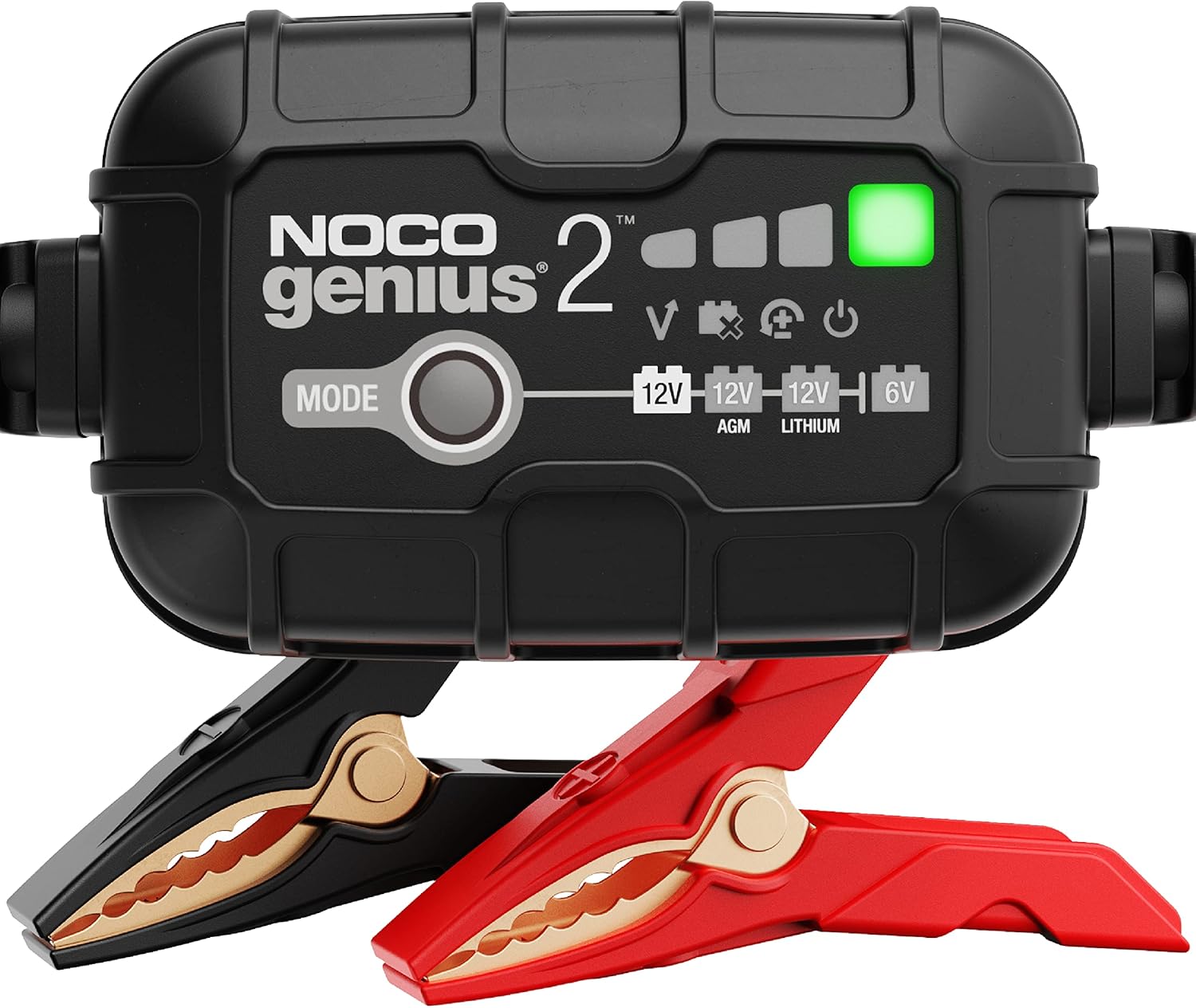
The NOCO GENIUS2 is a compact, all-in-one smart charger that automatically charges, maintains, and restores 6V and 12V lead-acid and lithium batteries. It features temperature compensation, overcharge protection, pulse desulfation, and Force Mode for reviving deeply discharged batteries, making it ideal for long-term battery care across many vehicle types. Designed for safe indefinite connection, it helps extend battery life and keep batteries ready to go.
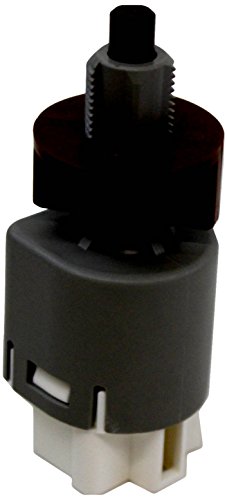
Fit type: Vehicle Specific
Activating Brake Hold
To activate Brake Hold, press the HOLD button while the operating conditions are met. The driver’s seat belt should be fastened, the driver’s door should be closed, and the vehicle should be ready to drive. When the green standby indicator appears, the system is turned on and ready.
Once Brake Hold is on, you do not need to change your normal braking style. Bring the RAV4 to a complete stop with the brake pedal. When the system begins holding the brakes, the yellow or amber operated indicator appears. At that point, you can remove your foot from the brake pedal while the vehicle stays stopped.
Releasing and Driving
When you are ready to go, press the accelerator pedal smoothly. Brake Hold releases automatically when the shift lever is in D or S, allowing the RAV4 to start moving without a separate button press.
You can also turn Brake Hold off while it is holding the vehicle by pressing the brake pedal firmly and pressing the HOLD switch again. Do this only when you are in control of the vehicle and ready to keep your foot on the brake pedal yourself.
Neutral note: In Toyota’s 2025 U.S.-market guidance, Brake Hold can operate in N, but accelerator release is specified for D or S. Keep the brake pedal pressed when selecting a drive position and follow the manual for your exact year.
Warning: Do not leave the driver’s seat, unbuckle your seat belt, open the driver’s door, or shut the vehicle off while relying on Brake Hold. The system can cancel or transfer control to the parking brake, and the vehicle may move if you are not using the proper parking procedure.
What Do the Green and Yellow/Amber Brake Hold Lights Mean?
The Brake Hold lights are the key to using the feature confidently. If you remember only one thing, remember this: green means the system is ready, and yellow/amber means it is holding.
What Does the Green Brake Hold Light Mean?
The green Brake Hold indicator is the standby light. It tells you the Brake Hold system is turned on and ready to operate when you come to a complete stop. The green light does not mean the brakes are currently being held; it means the feature is available.
If you press the HOLD switch and the green light does not come on even though the door is closed, your seat belt is fastened, and the vehicle is operating normally, Toyota recommends having the vehicle inspected because the system may be malfunctioning.
What Does the Yellow or Amber Brake Hold Light Mean?
The yellow or amber Brake Hold indicator means the system is actively holding the brakes at a stop. This is the light you should see after you stop firmly and the RAV4 is being held without your foot on the brake pedal.
If the yellow/amber indicator flashes, a buzzer sounds, or the multi-information display shows a warning message, read the message and follow the vehicle’s instructions. A flashing indicator is not the same as normal Brake Hold operation.
What Is the Normal Brake Hold Light Sequence?
The normal sequence is:
- Press HOLD: green standby light appears.
- Stop the vehicle: yellow/amber operated light appears when Brake Hold is holding the brakes.
- Press the accelerator: the hold releases, the yellow/amber operated light goes off, and the green standby light may remain on for the next stop.
- Turn the system off: the green standby light goes off.
When Should You Use Brake Hold?
Brake Hold is most helpful when you are making repeated short stops. It reduces the need to keep your foot pressed on the brake pedal, which can make daily driving feel calmer and less tiring.
- Traffic lights: Use it when waiting at long lights so your foot can relax.
- Stop-and-go traffic: Use it during slow commutes where the RAV4 repeatedly stops and starts.
- Drive-through lines: Use it when inching forward in short steps.
- School pickup or parking-lot queues: Use it to prevent creeping while you wait.
- Mild inclines: Use it to reduce rollback anxiety, but stay ready to brake manually.
Brake Hold is less useful on open highways, during normal cruising, or when you are parking for more than a short stop. It is also not a substitute for safe following distance, smooth braking, and driver attention.
[Products Worth Considering]

[Vehicle Fitment-1]: Compatible with Toyota 2006-2009 4Runner, 2009-2010 Corolla (Japan Built Only), 2009-2023 Tacoma (2016-2023 Fits L4 2.7L Only), 2006-2008 RAV4, 2006-2008 Yaris, 2007-2012 FJ Cruiser (Automatic Transmission Only)

[Vehicle Fitment-1]: Compatible with Toyota 2010-2011 Camry, 2009-2011 RAV4 (GAS Models), 2012-2012 RAV4 (GAS Models with 4 pin terminals), 2012-2012 Sienna (L4 2.7L), 2011-2013 Sienna (V6 3.5L), 2014-2015, 2017 Sienna (green; with 4 blade terminals), 2011-2011 Prius, 2010-2010 Prius (L4 1.8L), 2011, 2013-2021 Land Cruiser, 2008-2010 Land Cruiser (V8 5.7L), 2012-2013 Prius V, 2014-2015 Prius V (With 4 blade terminals), 2012-2013 Prius Plug-In

1 pcs of brake light switch fixes brake light, gear shift and dash light problems.
Brake Hold Safety: Limits, Auto-Releases, and Exceptions

Brake Hold is convenient, but Toyota includes several limits and warnings for a reason. The system assists the driver; it does not take over responsibility for keeping the vehicle stopped in every situation.
If the driver’s door opens, the driver’s seat belt is unfastened, or the system detects a condition that prevents normal operation, Brake Hold may turn off, sound a warning buzzer, show a message, and apply the parking brake automatically. Toyota’s 2025 U.S.-market guidance also states that the parking brake is set automatically after Brake Hold has kept the vehicle stopped for about three minutes.
Situations Where Brake Hold May Not Be Enough
- Very steep inclines: The system may not hold the vehicle securely, so be ready to press the brake pedal yourself.
- Slippery roads: Brake Hold cannot overcome a lack of tire grip on ice, snow, mud, or loose surfaces.
- Long parking stops: Brake Hold is not designed for parking the vehicle for a long period of time.
- System warnings: If a warning message appears, follow the multi-information display instructions and have the vehicle inspected if needed.
- Brake-system warnings: If a Brake Hold or brake-system warning appears, use the brake pedal and follow the multi-information display and owner’s manual.
Warning: Do not use Brake Hold as an emergency brake, parking brake, or hill-holding guarantee. Keep your foot ready to brake whenever the road is steep, slippery, crowded, or unpredictable.
Brake Hold vs. Parking Brake vs. Hill Start Assist
These systems can feel similar, but they serve different jobs.
| Feature | What It Does | When to Use It |
|---|---|---|
| Brake Hold | Keeps the service brakes applied after a full stop. | Short stops in traffic, at lights, or in queues. |
| Parking Brake | Secures the vehicle when parked. | Whenever you park or leave the vehicle. |
| Hill Start Assist | Momentarily helps reduce rollback when starting on a hill. | Briefly when moving from brake to accelerator on an incline. |
If you are stopped at a red light, Brake Hold is the convenient choice. If you are parking and getting out, use Park and the parking brake. If you are starting on a hill without Brake Hold engaged, hill-start assistance may briefly help, but you still need to control the vehicle.
[Products Worth Considering]

Corolla Highlander RAV4 C-HR Parking Brake Actuator
![Detroit Axle - 4pc Front Brake Pads for Toyota RAV4 [w/3rd Row Seating] | Matrix Mirai Corolla iM Pontiac Vibe Scion tC iM, Ceramic Brake Pads w/Hardware Replacement](https://m.media-amazon.com/images/I/41v0YuPfRzL._SL500_.jpg)
Kit Includes: (1) Set Front Ceramic Brake Pads w/Hardware + (1) 10 oz Brake Cleaner Spray + (1) 12 oz Brake Fluid Bottle
Why Is Toyota RAV4 Brake Hold Not Working?
If Brake Hold will not engage, start with the simple conditions first. Most “problems” happen because one required condition is not being met.
| Problem | Likely Cause | What to Try |
|---|---|---|
| Green standby light will not come on | Seat belt unfastened, driver’s door open, or system fault | Fasten the belt, close the door, press HOLD again, and check for warning messages. |
| Yellow/amber hold light will not appear | Vehicle has not reached a full stop or brake pressure is too light | Stop completely and press the brake pedal firmly. |
| Brake Hold releases unexpectedly | Accelerator pressed, door or seat belt condition changed, or automatic parking brake transfer | Keep control with the brake pedal and read any dash message. |
| Warning buzzer or message appears | An operating condition changed, a system limit was reached, or a malfunction occurred | Follow the multi-information display instructions and use the brake pedal manually. |
| Brake Hold still does not work after checks | Possible electrical, sensor, parking brake, or brake system issue | Schedule inspection with a Toyota dealer or qualified technician. |
If your RAV4 has a brake warning light, parking brake warning, repeated Brake Hold malfunction message, abnormal pedal feel, grinding noise, or visible brake fluid concern, do not rely on Brake Hold. Have the braking system inspected promptly.
Maintenance Tips and When to See a Dealer
Brake Hold depends on the RAV4’s braking and electronic parking brake systems, so routine brake maintenance matters. You do not need to service Brake Hold as a separate feature, but you should keep the brake system in good condition.
- Follow the model-year maintenance guidance. Use only the brake fluid specification and service instructions listed for your exact RAV4.
- Inspect brake pads and rotors at normal service visits. Worn pads, damaged rotors, or sticking calipers can affect braking feel and performance.
- Pay attention to warning lights. Brake system warnings should be taken seriously, especially if they appear repeatedly.
- Use Toyota’s recall tools if a safety issue is suspected. You can check open recalls through Toyota or the NHTSA recall lookup.
- Do not ignore odd sounds or vibration. Grinding, squealing, pulsing, pulling, or a soft brake pedal should be inspected.
See a dealer or qualified brake technician if the green Brake Hold standby light does not illuminate with all operating conditions met, the system repeatedly cancels, the yellow/amber indicator flashes, the parking brake warning appears, or the RAV4 moves when you believe Brake Hold is active.
What Are the Benefits and Limits of Brake Hold?

The main benefit is reduced foot fatigue. At a long red light or in bumper-to-bumper traffic, you can relax your right foot after the operated indicator confirms that Brake Hold is active.
Brake Hold can also reduce unintended creeping at intersections and make starts on mild inclines feel more controlled. It is not a proven shortcut to longer brake life. Pad and rotor wear still depends mainly on braking frequency and force, road conditions, vehicle load, and maintenance.
- Less foot fatigue: Helpful during long waits and repeated stops.
- Cleaner starts: The vehicle stays stopped until you press the accelerator.
- More confidence on mild inclines: Helpful, as long as you stay ready to brake.
- Clear feedback: Green and yellow/amber indicators show the system’s status.
Frequently Asked Questions
Should I drive with Brake Hold on?
Yes, you can drive with Brake Hold turned on as a standby feature. The green light means it is ready, not that it is braking while you drive. The system only holds the brakes after you come to a full stop and the yellow/amber hold indicator appears.
What does the green Brake Hold light mean on a RAV4?
The green Brake Hold light is the standby indicator. It means the Brake Hold system is turned on and ready to hold the brakes the next time you stop correctly.
What does the yellow or amber Brake Hold light mean?
The yellow or amber Brake Hold light means the system is actively holding the brakes at a stop. You can lift your foot from the brake pedal, but you should stay alert and ready to brake manually.
How long do I hold the Brake Hold button on a RAV4?
You normally do not need to hold it down. Press the HOLD switch once while the operating conditions are met, then look for the green standby indicator. If the light does not appear, check the seat belt, driver’s door, and dash messages.
Does Brake Hold work on hills?
Brake Hold can help on mild inclines, but Toyota warns that it may not hold the vehicle on steep inclines. Use the brake pedal yourself if the slope is steep or if the vehicle feels like it may move.
Is Brake Hold the same as the parking brake?
No. Brake Hold is for temporary stops while driving. The parking brake is for securing the vehicle when parked. Before leaving the vehicle, shift to P, set the parking brake, and make sure the RAV4 does not move.
Why did my parking brake turn on while using Brake Hold?
Toyota’s 2025 U.S.-market guidance states that the parking brake may set automatically after Brake Hold has kept the vehicle stopped for about three minutes. It may also set if an operating condition changes while Brake Hold is active.
Can Brake Hold operate in Neutral?
Toyota’s 2025 U.S.-market RAV4 guidance lists N as an operating position. However, automatic release by pressing the accelerator is specified for D or S. Keep the brake pedal applied when changing gear and check the manual for your exact model year.
Does Brake Hold work in Reverse on a RAV4?
Toyota’s 2025 U.S.-market guidance lists D, S, or N as operating positions, not R. Keep the brake pedal applied in Reverse and confirm the instructions for your exact model year.
Conclusion
Toyota RAV4 Brake Hold is useful for short stops, traffic lights, queues, and stop-and-go driving. Press the HOLD switch, confirm the green standby indicator, stop normally, and wait for the yellow or amber operated indicator before lifting your foot. When it is time to move, press the accelerator in D or S.
Use Brake Hold as an assist, not as a parking brake or a replacement for safe braking. Stay cautious on steep hills, slippery roads, and whenever a warning message appears. For parking, shift to P, set the parking brake, and confirm the vehicle is secure. If your indicators or messages differ from this guide, check Toyota’s manual for your exact model year before relying on the feature.
Sources
- Toyota Owners: 2025 RAV4 Hybrid Brake Hold — official Brake Hold operation, indicators, conditions, warnings, and automatic parking brake behavior.
- Toyota Owners: 2025 RAV4 Parking Brake — official parking brake use and parking safety guidance.
- Toyota Owners Manuals and Warranties — official source for model-year-specific Toyota owner’s manuals.
- National Highway Traffic Safety Administration: Recalls — official VIN recall lookup and vehicle safety recall information.
- Reuters: Toyota unveils the sixth-generation RAV4 — model-generation context for the 2026 RAV4.