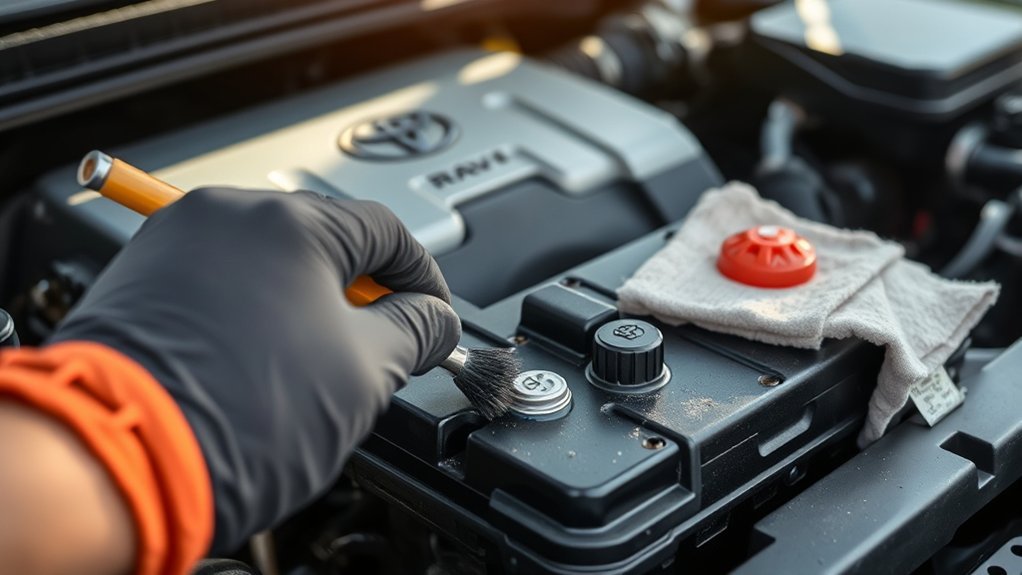
Cleaning the battery terminals on a Toyota RAV4 is a simple maintenance job, but it needs to be done carefully. Corrosion around the 12-volt battery terminals can weaken the connection, cause slow starts, trigger electrical glitches, and make the battery look worse than it really is. The safest approach is to inspect first, disconnect the cables in the correct order, neutralize corrosion with baking soda and water, dry everything fully, then reconnect the cables securely.
Quick Answer
To clean Toyota RAV4 battery terminals, turn the vehicle off, wear gloves and eye protection, disconnect the negative cable first, then the positive cable. Scrub corrosion with a baking soda and water solution, wipe or rinse lightly, dry completely, then reconnect the positive cable first and the negative cable last.
Key Takeaways
- Disconnect the negative cable first and reconnect it last to reduce the risk of sparks or short circuits.
- Use baking soda and water to neutralize corrosion; avoid pouring sugary soda into the engine bay unless it is a true roadside emergency.
- Dry the terminals completely before reconnecting the cables, because moisture can encourage future corrosion.
- Inspect the battery case, hold-down clamp, cables, and terminal covers while you are there.
- If the battery is cracked, leaking, swollen, loose, or repeatedly corroding, have it inspected or replaced by a qualified technician.
At a Glance
| Time Required | 15–30 minutes |
| Difficulty | Easy DIY, if the battery is not leaking or damaged |
| Tools Needed | Gloves, safety glasses, wrench or socket, baking soda, water, small brush, clean rags, and optional terminal protectant |
| Cost | Usually under $10 if you already have basic hand tools |
Why Clean Battery Terminals?
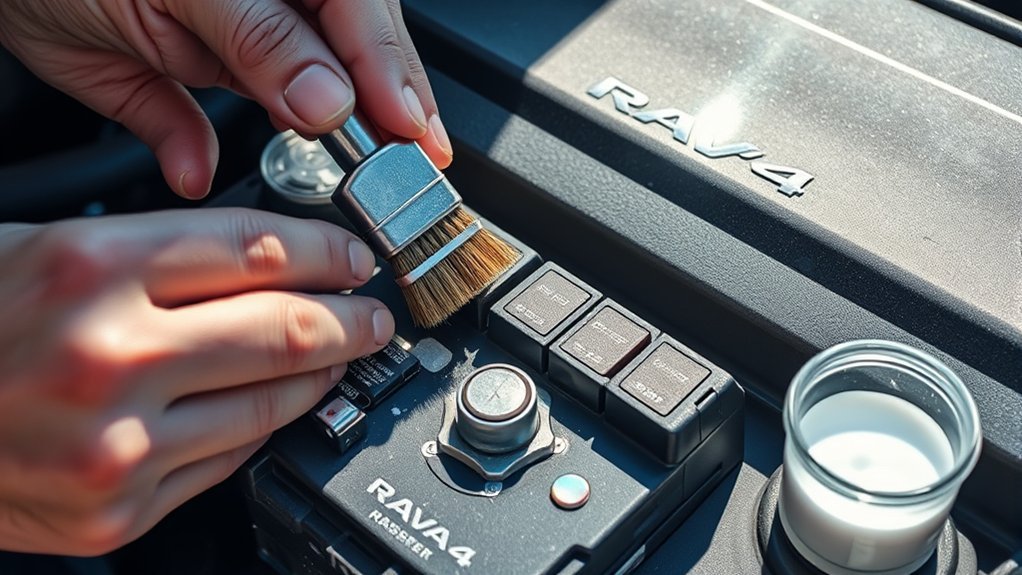
Clean battery terminals matter because your RAV4’s 12-volt battery must send steady power through the battery posts, cable clamps, and ground connection. When corrosion builds up between those contact points, it can increase resistance and make the starter, lights, sensors, and electronic modules work harder than they should.
Toyota’s owner information for RAV4 models tells owners to check that the 12-volt battery terminals are not corroded and that there are no loose connections, cracks, or loose clamps. That quick inspection is just as important as the cleaning itself because corrosion is sometimes a symptom of a deeper issue, such as a loose clamp, aging battery, acid seepage, or an incorrect replacement battery fit.
Cleaning the terminals can help with:
- Slow cranking or clicking when starting
- Dim or flickering lights
- Intermittent electrical issues
- Poor charging connection at the battery
- Premature battery replacement caused by dirty connections rather than a bad battery
Warning: A 12-volt automotive battery can contain corrosive sulfuric acid and may produce flammable hydrogen gas. Do not smoke, create sparks, lay tools across the terminals, or work near open flame. If the battery case is cracked, swollen, leaking, or hot, do not clean it yourself.
Essential Safety Gear for Battery Maintenance
Before touching the battery, gather the right safety gear. Battery corrosion may look like harmless white, blue, or green powder, but it can contain dried electrolyte residue and metal salts that can irritate your skin and eyes.
Use:
- Safety glasses or goggles to protect your eyes from splashes and debris
- Chemical-resistant gloves to protect your hands
- Old clothing or an apron in case residue gets on fabric
- A small container of clean water for damp wiping and emergency rinsing
- Baking soda to neutralize acidic residue
- A nylon brush, toothbrush, or battery terminal brush for scrubbing
- Clean rags or paper towels for drying
- A wrench or socket that fits the battery terminal nuts
Work in a well-ventilated area and keep children and pets away from the vehicle while the battery is exposed. Remove metal jewelry such as rings, bracelets, and watches before working near the terminals. Metal jewelry can bridge electrical contact points and cause burns or sparks.
Note: Many RAV4 gas models have the 12-volt battery under the hood. Some RAV4 Hybrid and RAV4 Prime models may place the 12-volt battery in the rear cargo area. Check your owner’s manual before starting so you know exactly where the battery and access covers are on your model year.
[Products Worth Considering]

【WHAT YOU GET】: Included in the package are 2 battery terminal cleaning brushes and 10 battery terminal corrosion-resistant fiber washers (5 green and 5 red). We have thoughtfully designed different colors to help you distinguish between positive and negative, red for + and green for -.
Inspect Before You Clean
Do a careful visual check before disconnecting anything. Cleaning is safe only when the battery and cables are in good condition.
Look for:
- White, blue, or green corrosion around the posts or clamps
- Loose terminal clamps that can move by hand
- Frayed, cracked, or swollen battery cables
- A missing or damaged positive terminal cover
- A loose battery hold-down clamp
- Cracks, bulges, wet spots, or acid stains on the battery case
- A sulfur or rotten-egg smell, which can point to a battery or charging problem
If the battery is leaking, cracked, swollen, or smells strongly of sulfur, stop and have the vehicle inspected. Do not try to neutralize a damaged battery in your driveway. Battery acid can damage paint, metal, skin, eyes, and nearby components.
Warning: Owners of 2013–2018 Toyota RAV4 models should also check for open safety recalls related to the 12-volt battery hold-down hardware. Toyota recall 23TA13/23TB13 addresses certain replacement batteries that may move if the hold-down clamp is not tightened correctly, increasing the risk of a short circuit.
Step-by-Step Guide to Disconnecting Battery Cables
Disconnecting the battery cables in the right order is the most important safety step. Toyota warns that when removing battery terminals, the negative terminal should be removed first. This helps reduce the risk of a short circuit if a tool touches nearby metal.
- Park safely. Put the RAV4 on a flat surface, shift to Park, set the parking brake, and turn the vehicle fully off.
- Let the vehicle settle. Remove the key or keep the smart key away from the vehicle so systems do not wake up while you work.
- Open the battery area. Open the hood or cargo-area cover, depending on your RAV4 model.
- Identify the terminals. The positive terminal is usually marked with a plus sign (+) and often has a red cover. The negative terminal is marked with a minus sign (-) and is usually connected to a black cable.
- Disconnect the negative cable first. Loosen the negative clamp nut, then lift the cable off the battery post. Move it aside so it cannot spring back onto the post.
- Disconnect the positive cable second. Loosen the positive clamp and remove it from the battery post. Do not let your wrench touch the positive terminal and nearby metal at the same time.
Once both cables are disconnected, inspect the clamps from the inside. Corrosion often hides between the clamp and battery post, where it can interfere with current flow.
Clean Battery Terminals With Baking Soda
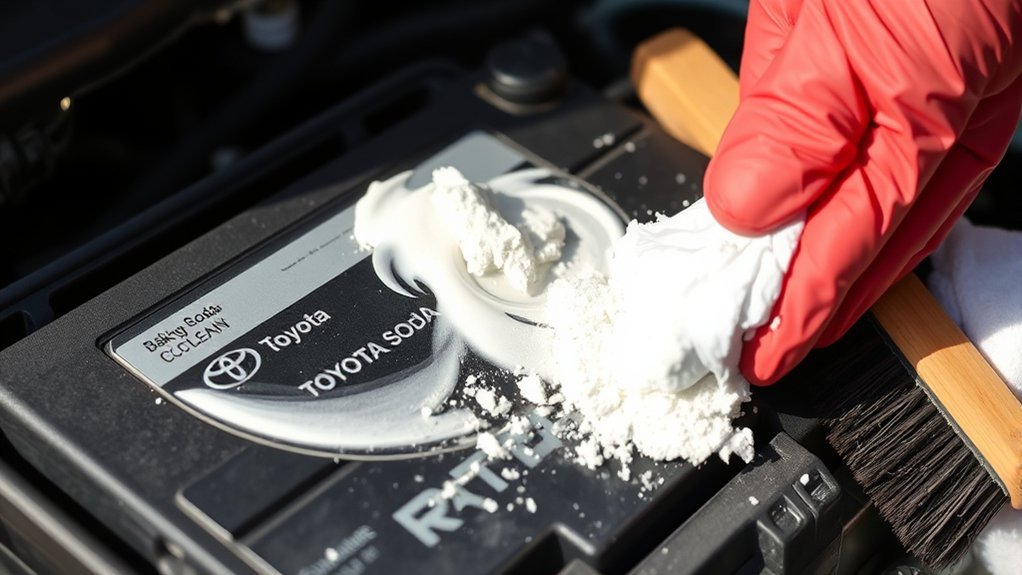
Baking soda is the best household cleaner for battery terminal corrosion because it helps neutralize acidic residue. It is cheap, easy to control, and does not leave sticky sugar behind.
Effective Baking Soda Solution
Mix:
- 1 tablespoon of baking soda
- 1 cup of water
Stir until the baking soda dissolves. For heavy corrosion, you can make a thicker paste by using less water. Keep the mixture away from battery vent openings and do not pour large amounts of liquid over the battery.
| Step | What to Do |
|---|---|
| Apply | Dip a toothbrush or nylon brush in the baking soda solution and apply it to the corroded posts and clamps. |
| Scrub | Scrub the battery posts, cable clamps, and clamp interiors until the buildup loosens. |
| Wipe | Use a damp rag to remove loosened residue. Use only light rinsing if needed. |
| Dry | Dry the posts and clamps completely before reconnecting the cables. |
Scrubbing Techniques Overview
Start with the battery posts. Brush around the full post, not just the front side you can see easily. Then clean the inside of each cable clamp because that is the contact surface that carries current.
If the corrosion is stubborn, let the baking soda solution sit for a minute or two, then scrub again. A dedicated battery terminal brush works well because it cleans both the battery post and the inside of the cable clamp. A small wire brush can also help, but use it carefully so you do not damage the clamp or scatter residue.
After scrubbing, wipe the area with a clean damp rag. Follow with a dry rag until the terminals, clamps, and top of the battery are completely dry.
Pro Tip: After the terminals are clean and dry, apply a thin layer of battery terminal protectant, dielectric grease, or petroleum jelly to the outside of the connected terminals. Use a light coating only; the metal-to-metal contact between the post and clamp should be tight and clean.
Safety Precautions Reminder
Do not lean over the battery while scrubbing, and do not brush corrosion toward your face. Keep used rags, gloves, and residue away from painted surfaces. If residue touches paint, wipe it away quickly with plenty of clean water.
| Precaution | Action | Purpose |
|---|---|---|
| Wear gloves | Avoid direct contact with battery residue | Protects skin |
| Use eye protection | Keep splashes and particles out of your eyes | Protects vision |
| Use light liquid only | Wipe with a damp rag instead of flooding the area | Protects electronics and battery vents |
| Dry fully | Remove moisture before reconnecting | Reduces future corrosion |
When to Use Coca-Cola for Battery Terminal Cleaning?
Coca-Cola is sometimes mentioned as a roadside trick for battery corrosion, but it is not the best choice for regular maintenance. Its acidity can loosen corrosion, but the sugar and sticky residue can attract dirt and create a mess around the battery tray, cables, and surrounding components.
Use baking soda and water whenever possible. It is safer, cleaner, and better suited to neutralizing acidic residue. If you are stranded and have no other option, a small amount of cola may help loosen corrosion temporarily, but you should clean the area properly with baking soda and water as soon as you can.
Note: If corrosion keeps coming back quickly after cleaning, do not keep masking the problem. Repeated corrosion can point to a loose terminal, overcharging, acid seepage, an aging battery, or a poor replacement battery fit.
Check Your Battery for Damage and Corrosion
Cleaning is only one part of battery maintenance. While the terminals are exposed, check the whole battery area so you can catch bigger problems early.
[Products Worth Considering]
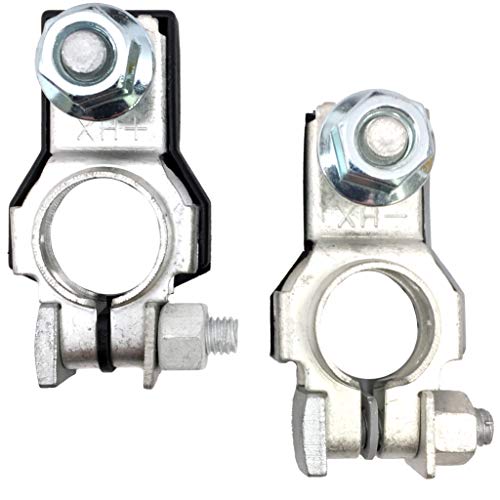
Positive and Negative Terminal Assemblies - 1 Each with M8 Nut

✅[Manufacturer Part Number]: 243407F000 & 243407F001.
Inspect for Cracks
Look closely at the battery case. Any visible crack, bulge, wet area, or stain can mean the battery is unsafe. Do not continue cleaning if you see battery fluid or case damage. A damaged battery should be handled by a professional because the electrolyte can be corrosive and hazardous.
Look for Acid Seepage
White powder around the posts can be normal terminal corrosion, but wet residue, a strong chemical smell, or liquid pooling near the battery is different. That may be acid seepage. If you see signs of leakage, avoid touching the liquid and arrange for inspection or replacement.
Check Terminal Corrosion
Light corrosion can usually be cleaned. Severe corrosion, cracked clamps, missing hardware, or cable ends that no longer tighten properly should be repaired or replaced. A clamp that cannot grip the battery post firmly may cause starting issues even after cleaning.
Check the Hold-Down Clamp
The battery should not slide, rock, or lift in its tray. A loose hold-down clamp can damage cables and create a short-circuit risk. This is especially important on RAV4 models affected by the 2013–2018 battery-related safety recall. If your RAV4 falls in that range, use Toyota’s recall lookup or the NHTSA recall database to check your VIN.
A clean terminal is only reliable if the battery is secure, the clamps are tight, and the positive terminal is properly covered.
How to Properly Reconnect Battery Cables

Reconnect the cables in the reverse order from removal. The positive cable goes on first, and the negative cable goes on last.
- Confirm everything is dry. Do not reconnect the battery while the terminals or clamps are wet.
- Attach the positive cable first. Place the positive clamp on the positive (+) battery post and tighten it until secure.
- Reinstall the positive cover. Make sure the red protective cover is seated correctly if your RAV4 has one.
- Attach the negative cable last. Place the negative clamp on the negative (-) post and tighten it.
- Check for movement. Try to wiggle each clamp gently by hand. It should not rotate or lift off the post.
- Check nearby clearance. Make sure cables are not rubbing against moving parts, sharp edges, or hot components.
- Start the RAV4. Confirm that the vehicle starts normally and that warning lights behave as expected.
Do not overtighten the terminal nuts. The clamps need to be snug, but too much force can damage the clamp, post, or battery case.
Note: After reconnecting a 12-volt battery, some RAV4 settings or systems may need time to relearn or may require simple resets, depending on the model year. Check your owner’s manual if window auto-up, clock settings, infotainment settings, or warning messages behave differently after reconnection.
Best Practices for Battery Maintenance
Regular battery checks help prevent roadside surprises. You do not need to deep-clean the terminals every week, but you should look at the battery area often enough to catch corrosion before it becomes heavy.
| Action | Recommended Frequency |
|---|---|
| Inspect terminals and cables | Monthly or during routine fluid checks |
| Clean light corrosion | As soon as you notice buildup |
| Do a deeper cleaning | About every 6 months, or as needed |
| Check hold-down clamp | Any time the battery is serviced |
| Replace damaged terminals or cables | Immediately when damage is found |
For the best results, keep the top of the battery clean and dry. Dirt and moisture can create a path for small electrical leakage across the battery top. Make sure the positive terminal cover is in place, the hold-down clamp is tight, and the cable insulation is not cracked.
Troubleshooting Common Battery Issues
If your RAV4 still has starting or electrical problems after cleaning the terminals, the issue may not be simple corrosion. Use the symptoms below to decide what to check next.
[Products Worth Considering]

【Reliable Car Battery Tester】: The alternator tester can accurately determine whether the car battery needs to be replaced or if there is a power outage, and at the same time evaluate the output status of the alternator, clearly presents real-time voltage data, battery health and charging status. It can effectively prevent the battery from being damaged due to overcharging or undercharging, and extend the battery's service life.
Symptoms of Battery Failure
- The engine cranks slowly or only clicks when you try to start it
- Headlights or interior lights are dim before starting
- The battery needs frequent jump-starts
- Electrical accessories act erratically
- The battery warning light appears while driving
- The battery is more than a few years old and fails a load test
These signs can point to a weak battery, but they can also be caused by loose cables, a failing alternator, a parasitic drain, or a bad ground connection. Cleaning the terminals is a good first step, but testing the battery and charging system is the next move if symptoms continue.
Causes of Corrosion
Battery terminal corrosion can happen for several reasons. Normal charging can release small amounts of gas around the battery posts. Moisture, road salt, loose connections, damaged seals, overcharging, and old batteries can make corrosion worse.
Corrosion on the positive terminal often suggests acid-related residue near the post. Corrosion on the negative terminal is often linked to undercharging or charging-system behavior. These patterns are not a final diagnosis, but they can help a technician decide what to test.
Connection Troubleshooting Tips
- Make sure both clamps are tight after cleaning.
- Check that the negative cable connection to the body or engine ground is clean and secure.
- Replace terminal clamps that are cracked, stretched, or badly pitted.
- Have the battery load-tested if starting remains weak.
- Have the charging system tested if corrosion returns quickly or the battery keeps going dead.
Tips for Keeping Battery Connections Clean
Once the terminals are clean, a few simple habits will help them stay that way longer.
- Keep the battery top dry and free from dirt.
- Make sure the terminal clamps are fully seated and snug.
- Use a thin protective coating after the cables are reconnected.
- Replace missing terminal covers, especially on the positive side.
- Do not install an undersized or incorrect replacement battery.
- Have recurring corrosion checked instead of cleaning it over and over.
If you live where roads are salted in winter, inspect the battery area more often. Road salt, moisture, and temperature swings can speed up corrosion around exposed metal parts.
When to Call a Professional
Cleaning battery terminals is usually a safe DIY job, but not every battery problem should be handled at home. Get professional help if:
- The battery case is cracked, swollen, leaking, or hot
- You smell sulfur or rotten eggs near the battery
- The positive terminal cover is missing or damaged
- The battery is loose in the tray
- The terminal clamp will not tighten
- The vehicle still will not start after cleaning
- You drive a hybrid or plug-in hybrid and are unsure which battery you are accessing
- Your RAV4 may be affected by an open battery-related recall
A repair shop or Toyota dealer can test the battery, check the alternator, inspect the ground cable, verify the correct battery size, and confirm whether any recall work is open for your VIN.
Frequently Asked Questions
How do you clean Toyota RAV4 battery terminals?
Turn the RAV4 off, wear gloves and eye protection, disconnect the negative cable first, then the positive cable. Scrub the terminals and cable clamps with baking soda and water, wipe away residue, dry everything completely, reconnect the positive cable first, then reconnect the negative cable.
Can I clean corrosion without removing the battery?
Yes. In most cases, you can clean terminal corrosion with the battery still installed as long as the battery is not cracked, leaking, swollen, or loose. Disconnect the cables first, use controlled amounts of baking soda solution, and dry the area fully before reconnecting.
Which battery cable should I disconnect first on a Toyota RAV4?
Disconnect the negative cable first. When reconnecting, attach the positive cable first and the negative cable last. This order reduces the chance of creating a spark or short circuit with a tool.
Is baking soda safe for cleaning car battery terminals?
Baking soda mixed with water is commonly used to neutralize acidic battery corrosion on terminals and cable clamps. Use it only on the outside of the battery, keep it away from battery openings, wipe away residue, and dry the terminals before reconnecting.
Should I use Coca-Cola to clean battery corrosion?
Use baking soda and water instead. Coca-Cola may loosen corrosion in an emergency, but it leaves sticky sugar behind and can make the battery area dirtier. If you use it as a temporary roadside fix, clean the terminals properly afterward.
Why does my RAV4 battery corrosion keep coming back?
Recurring corrosion can be caused by loose terminals, moisture, road salt, overcharging, acid seepage, an aging battery, or a poor battery fit. If corrosion returns soon after cleaning, have the battery and charging system tested.
Conclusion
Cleaning your Toyota RAV4’s battery terminals is a small job that can prevent frustrating starting and electrical problems. The key is to work safely: wear protection, disconnect the negative cable first, clean with baking soda and water, dry everything fully, and reconnect the positive cable first. While you are there, inspect the battery case, clamps, cables, terminal covers, and hold-down hardware. If anything looks damaged, loose, leaking, or unsafe, skip the DIY cleaning and have the battery checked by a professional.
Sources
- Toyota Owners — 2024 RAV4 battery terminal warning — supports disconnecting the negative terminal first and battery safety cautions.
- Toyota Owners — 2026 RAV4 Hybrid 12-volt battery information — supports checking for corrosion, loose connections, cracks, and loose clamps.
- OSHA 1926.441 — Batteries and battery charging — supports protective gear guidance when handling batteries and acids.
- NHTSA recall document — Toyota Safety Recall 23TA13 — supports the 2013–2018 RAV4 battery hold-down clamp recall note.
- Toyota Recall Lookup — supports checking a Toyota VIN for open safety recalls and service campaigns.
- U.S. EPA — Lead-acid battery collection — supports proper battery recycling and disposal awareness.