
The OBD-II system in your Toyota Camry is the built-in diagnostic network that watches emissions-related systems, stores trouble codes, and turns on the check engine light when the engine computer sees a fault. A scanner can point you toward problems such as misfires, lean fuel mixtures, EVAP faults, oxygen sensor issues, or catalytic converter efficiency codes, but the code is only the starting point—not a final diagnosis.
Last updated: June 18, 2026 · [VERIFY: add real author name and credentials]
Quick Answer
To check Toyota Camry OBD-II codes, plug an OBD-II scanner into the diagnostic port under the driver-side dashboard, turn the ignition to ON, read the stored and pending codes, review freeze-frame data, and diagnose the system before replacing parts or clearing the check engine light.
Key Takeaways
- Every U.S.-market Toyota Camry from 1996 onward is OBD-II equipped, but scanner features and communication protocols can vary by model year.
- A trouble code identifies the system that failed a test; it does not prove that one specific part is bad.
- Common Camry codes include P0420, P0171, P0300, P0441, and P0131, each requiring a different diagnostic path.
- Do not clear codes before saving the code list and freeze-frame data, especially if you need emissions testing or professional diagnosis.
- A flashing check engine light usually means an active misfire. Reduce driving and get the vehicle inspected quickly to help prevent catalytic converter damage.
At a Glance
| Time Required | 5–15 minutes to read codes; longer for diagnosis |
| Difficulty | Beginner for scanning; intermediate for testing parts |
| Tools Needed | OBD-II scanner or Bluetooth OBD-II adapter with a trusted app |
| Cost | Low for a basic code reader; professional diagnostic pricing varies by shop and fault type |
Understanding the OBD-II System in Your Toyota Camry
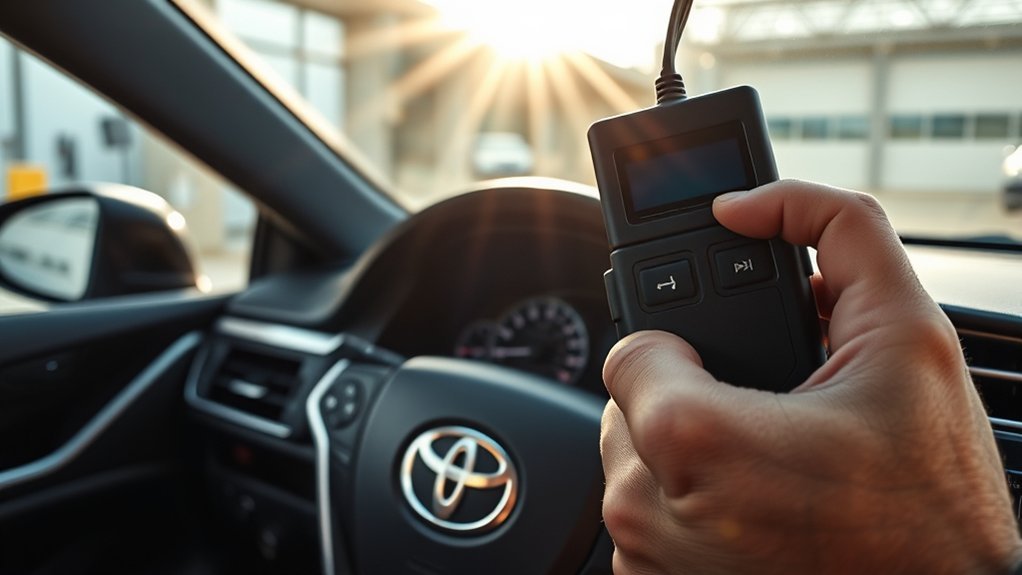
The OBD-II system monitors emissions-related engine and powertrain functions and stores diagnostic trouble codes when a fault is detected. Federal OBD rules require modern vehicles to detect malfunctions in the emission control system, store trouble codes, and alert the driver when needed through the malfunction indicator lamp, commonly called the check engine light. You can review the current federal OBD language in 40 CFR 86.1806-17.
On a Camry, the OBD-II connector is usually under the dashboard on the driver’s side, near the steering column or lower dash panel. Toyota service information often refers to this connector as the DLC3, or Data Link Connector 3. The physical connector design follows the standardized diagnostic connector format described by SAE J1962, which is why a standard OBD-II scanner can plug into many different vehicle brands.
For most owners, the biggest benefit is simple: the scanner gives you a code, freeze-frame data, and live data that help narrow the problem. For example, a P0300 code points toward random or multiple misfires, while a P0441 code points toward an EVAP purge-flow problem. Those codes save time, but they should be treated as clues. A misfire code might be caused by worn spark plugs, ignition coils, vacuum leaks, fuel delivery problems, or even engine mechanical issues.
Note: Generic OBD-II scanners usually read powertrain and emissions codes well. To read Toyota-specific ABS, airbag, body, immobilizer, hybrid, or advanced driver-assistance codes, you may need a Toyota-capable scan tool or access to Toyota service information through Toyota Technical Information System.
How to Use an OBD-II Scanner Effectively
Using an OBD-II scanner effectively is less about pressing buttons and more about saving the right information before you erase anything. Start with the car parked safely, the transmission in Park, and the parking brake set. Locate the Toyota Camry OBD2 port location guide for exact placement by model year, plug in the scanner, and turn the ignition to the ON position. On push-button models, press the start button without pressing the brake pedal if you only want accessory/ignition power; follow your owner’s manual for your exact model year.
- Connect the scanner. Insert the OBD-II plug firmly into the port. It only fits one way.
- Turn the ignition on. Most scanners power up from the vehicle. Some Bluetooth adapters also need to pair with your phone.
- Select read codes. Record stored, pending, and permanent codes. Pending codes can show problems that have not yet turned on the light.
- Save freeze-frame data. This shows conditions when the fault set, such as engine temperature, RPM, speed, load, and fuel trim.
- Check live data. Review fuel trims, oxygen or air-fuel sensor data, coolant temperature, misfire counters, and EVAP data if your scanner supports them.
- Diagnose before replacing parts. Use the code, symptoms, service history, and simple tests to confirm the fault.
- Clear codes only after repairs. Clearing too early erases useful information and resets readiness monitors.
Warning: If the check engine light is flashing, do not keep driving normally. A flashing light usually means an active misfire that can overheat and damage the catalytic converter. Slow down, avoid heavy acceleration, and arrange diagnosis as soon as possible.
Scanner menus vary, but most basic tools can read and clear codes. Better scanners and many smartphone apps can also show live data, readiness monitor status, freeze-frame data, oxygen sensor readings, and manufacturer-enhanced codes. If your Camry is due for an emissions inspection, check readiness monitor status before going to the test station. Most state emissions programs will fail a readiness check if more than one or two monitors show “not ready,” though the exact allowance depends on your state and the vehicle’s model year — check with your local inspection program before the test. Clearing codes may turn monitors to “not ready” until the car completes the required drive cycles.
Pro Tip: Take a photo of the scanner screen before clearing anything. A saved code list and freeze-frame screen can help you, a mechanic, or a Toyota service advisor avoid repeating the same diagnostic steps.
[Products Worth Considering]

The ANCEL AD410 PRO combines engine diagnostics and 12V battery testing in one easy-to-use tool, helping you read and clear check engine codes while checking battery health, cranking, and charging performance. It also provides live data, freeze frame details, and I/M readiness checks to help you diagnose issues faster and prepare for emissions testing. With plug-and-play operation, a clear screen, and broad vehicle compatibility, it is a practical solution for home mechanics and everyday drivers.

The FOXWELL NT301 is a plug-and-play OBD2 code reader designed to help drivers and home mechanics diagnose check engine light issues with ease. It reads fault codes, clears emissions-related warnings, displays live sensor data in graph form, and shows I/M readiness so you can quickly check vehicle status before an emissions test. With broad compatibility across many OBD2 vehicles and a clear color screen, it offers a practical, user-friendly way to monitor and troubleshoot engine performance.

The BLCKTEC 440 Bluetooth OBD2 scanner helps drivers and DIY mechanics quickly read and clear trouble codes, monitor live data, and check emissions readiness with confidence. Its color display, graphing capabilities, and battery and charging system testing make it a versatile diagnostic tool for OBD-compliant vehicles. Designed for plug-and-play convenience, it runs directly from your vehicle and includes support for report sharing and ongoing updates.
What Codes Should I Look For? Common Trouble Codes for Your Camry
Toyota Camry trouble codes can be generic, manufacturer-specific, stored, pending, or permanent. Generic powertrain codes often begin with “P0,” while manufacturer-specific powertrain codes often begin with “P1.” The standardized diagnostic trouble code format is defined by SAE J2012, but Toyota service information should be used for model-specific testing and repair procedures.
| Code | Common Meaning | Common Symptoms | Smart First Checks |
|---|---|---|---|
| P0420 | Catalyst system efficiency below threshold, Bank 1 | Check engine light, emissions test failure, sometimes normal driving | Check for exhaust leaks, misfires, fuel-trim issues, and oxygen/air-fuel sensor data before condemning the catalytic converter. |
| P0171 | System too lean, Bank 1 | Rough idle, hesitation, hard starting, higher positive fuel trims | Inspect for vacuum leaks, intake boot cracks, dirty MAF sensor, low fuel pressure, and exhaust leaks near sensors. |
| P0300 | Random or multiple cylinder misfire detected | Shaking, loss of power, flashing or solid check engine light | Check spark plugs, coils, vacuum leaks, fuel delivery, and misfire counters. Do not ignore a flashing light. |
| P0441 | EVAP system incorrect purge flow | Check engine light, fuel smell in some cases, possible emissions failure | Check fuel cap condition, purge valve operation, vacuum lines, vent valve, and EVAP hoses. |
| P0131 | Oxygen or air-fuel sensor circuit low voltage, Bank 1 Sensor 1 | Poor fuel economy, rough running, hesitation, check engine light | Inspect wiring, connector condition, exhaust leaks, sensor data, and fuel mixture before replacing the sensor. |
| P0455 / P0456 | EVAP leak detected, large or very small leak | Check engine light, fuel odor, failed emissions readiness | Confirm the gas cap seals correctly, then smoke-test the EVAP system if the code returns. |
| P0128 | Coolant temperature below thermostat regulating temperature | Slow warm-up, poor heater performance, reduced fuel economy | Check coolant level, thermostat operation, coolant temperature data, and sensor readings. |
Some codes appear together because one problem causes another. For example, an engine that is running lean may misfire, and repeated misfires can eventually trigger a catalyst-efficiency code. That is why a P0420 code should not automatically mean “replace the catalytic converter.” P0420 is set by comparing two sensors: the upstream oxygen or air-fuel sensor before the catalytic converter, and the downstream oxygen sensor after it. If both sensors report similar readings, the computer concludes the converter isn’t cleaning exhaust efficiently — but a lazy downstream sensor, an exhaust leak between the sensors, or an unresolved misfire can produce the identical pattern without a failed converter. That’s why checking sensor data and ruling out misfires comes before condemning the converter itself. Fix upstream causes first, then recheck the data.
[Products Worth Considering]

This enhanced OBD2 scanner helps drivers quickly diagnose check engine light issues, read and clear trouble codes, and check emissions readiness before a smog test. It also adds EVAP and O2 sensor testing, live data, freeze frame capture, and a one-click battery health check in a simple plug-and-play tool with a bright color screen.

FOXWELL NT201 is an easy-to-use OBD2 scanner designed to help drivers quickly read and clear check engine codes, view live engine data, and check emissions readiness. Its color screen, one-key I/M readiness test, and broad compatibility with most gasoline vehicles since 1996 make it a practical tool for everyday diagnostics and maintenance. With plug-and-play operation and lifetime free updates, it offers a simple way to understand vehicle issues without expensive shop visits.

The ANCEL AD310 is a compact, easy-to-use OBD II code reader designed to help drivers quickly identify check engine light causes, read and clear fault codes, and review key vehicle data. It supports major OBD2 protocols and works with many 1996-and-newer cars, light trucks, SUVs, and other OBD2 vehicles. Built for fast diagnostics at home or on the go, it runs directly from the vehicle and provides clear results on a large screen.
Why Thorough Diagnostics Matter for Your Toyota Camry
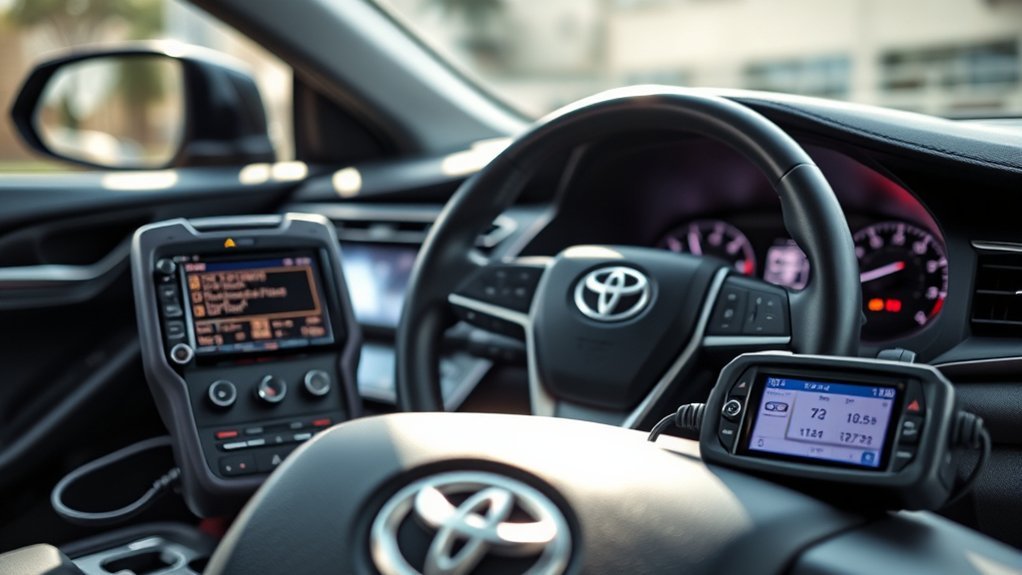
While you might think addressing warning lights is enough, complete diagnostics for your Toyota Camry are essential for accurately finding the root cause. A trouble code tells you which test failed, but it rarely tells you exactly which part to replace. Replacing parts based only on the code can waste money and leave the real problem untouched.
For example, a lean code such as P0171 can be caused by a vacuum leak, dirty mass airflow sensor, weak fuel pump, exhaust leak, or sensor issue. A misfire code may come from ignition, fuel, air, compression, timing, or wiring faults. A catalytic converter code can be caused by an aging converter, but it can also be triggered by unresolved misfires, exhaust leaks, or sensor problems.
A better diagnostic path is:
- Confirm the complaint. Note whether the engine runs rough, stalls, loses power, smells like fuel, or drives normally.
- Record all codes. Include stored, pending, and permanent codes, not just the first code on the screen.
- Review freeze-frame data. Look for speed, RPM, coolant temperature, engine load, and fuel trims when the fault set.
- Check basics first. Inspect the gas cap, battery voltage, intake hoses, loose connectors, fluid levels, and recent repair areas.
- Use live data. Fuel trims, misfire counters, sensor readings, and temperature data can reveal what the code alone cannot.
- Repair, clear, and verify. After fixing the cause, clear codes and complete a drive cycle to confirm the monitor runs and the code does not return.
A trouble code is a direction sign, not a parts-shopping list. The best repair starts with the code, then confirms the fault with data, inspection, and testing.
Troubleshooting With Smartphone Apps for Your Camry’s OBD-II Codes
Smartphone apps can be useful for troubleshooting Toyota Camry OBD-II codes, especially when paired with a reliable Bluetooth or Wi-Fi OBD-II adapter. A good app can show stored codes, pending codes, freeze-frame data, readiness monitors, and live data such as coolant temperature, RPM, throttle position, short-term fuel trim, and long-term fuel trim.
When choosing an adapter and app, check that it supports your phone, your Camry’s model year, and the data you actually need. A very basic adapter may read generic engine codes but miss enhanced Toyota data. For deep diagnostics, look for support for Toyota-specific modules or use a professional scan tool.
Use app data carefully. For example, high positive fuel trims can support a lean-condition diagnosis, while a coolant temperature reading that stays low after warm-up may support a thermostat or coolant temperature sensor check. Live oxygen or air-fuel sensor data can help evaluate mixture and catalyst operation, but interpreting that data correctly takes practice.
Warning: Do not use a phone app while driving. If live road data is needed, have a passenger operate the app or use a scanner that records data for later review.
[Products Worth Considering]

This plug-and-play OBD2 scanner helps drivers quickly read and clear engine error codes while providing live data, freeze frame information, I/M readiness, and MIL status for more confident troubleshooting. It adds a built-in voltage test and clear status indicators to support electrical checks and faster diagnostics, making it a practical choice for home users, car enthusiasts, and repair professionals. Compatible with most OBDII vehicles since 1996 and designed with an easy-to-use interface, it offers broad coverage and simple operation in one compact tool.

The ANCEL AD410 helps drivers quickly read and clear engine-related fault codes, view live data, and understand why the check engine light is on before heading to a repair shop. With built-in code definitions, readiness checks, and support for common OBD2 functions, it makes basic diagnostics straightforward for beginners and DIY users. Powered directly from the vehicle and easy to use with no app required, it offers practical value for everyday vehicle troubleshooting.

Turn your iPhone, Android device, or Windows PC into a professional-grade diagnostic scan tool with this Bluetooth OBD2 adapter. It is designed for broad vehicle compatibility and supports popular apps for deeper diagnostics, live data, and code clearing. Built-in protections and firmware updates help keep your vehicle and scanner safe while delivering reliable performance.
What Not to Do After Reading a Code
Many Camry owners make the same mistake: they read one code, search the code online, buy the most commonly mentioned part, and hope the light stays off. That approach can work by luck, but it often costs more than a proper diagnosis.
- Do not clear the code before saving data. Once erased, freeze-frame information may be gone.
- Do not replace oxygen sensors automatically. Oxygen and air-fuel sensor codes can also be caused by wiring, exhaust leaks, fuel mixture problems, or other faults.
- Do not ignore pending codes. Pending codes can reveal the early stage of a returning problem.
- Do not assume one code equals one bad part. Codes identify a failed test or system, not a guaranteed failed component.
- Do not drive far with a flashing check engine light. Misfires can damage the catalytic converter quickly.
When to Get Professional Help
A basic scanner is excellent for simple checks, but some problems need professional testing. Get help from a qualified technician if your Camry has a flashing check engine light, repeated misfire codes, stalling, overheating, fuel smell, transmission symptoms, hybrid system warnings, airbag lights, ABS lights, or codes that return immediately after clearing.
You should also seek professional diagnosis before replacing expensive parts such as catalytic converters, engine control modules, fuel pumps, hybrid components, or transmission parts. For model-specific repair procedures, torque specifications, wiring diagrams, and technical service bulletins, Toyota directs owners and technicians to official manuals and service publications through Toyota Manuals and Warranties and Toyota TIS.
Frequently Asked Questions
What OBD2 protocol does Toyota use?
Modern U.S.-market Toyota Camry models generally use CAN-based OBD-II communication, commonly associated with ISO 15765-4. Older OBD-II Camrys may use earlier protocols such as ISO 9141-2 or ISO 14230-4, depending on year and market. Most modern scanners handle this automatically with an “auto detect” setting.
How do I read a Toyota OBD-II fault code?
Plug an OBD-II scanner into the port under the driver-side dashboard, turn the ignition to ON, choose “read codes,” and record stored, pending, and permanent codes. Save freeze-frame data before clearing anything. Then use Toyota service information, live data, and basic inspections to diagnose the fault.
Can thieves bypass an OBD lock?
An OBD-port lock can reduce access to the diagnostic connector, but it is not a complete anti-theft system. The National Insurance Crime Bureau has reported theft methods involving OBD-port access and key programming devices. For better protection, combine an OBD lock with careful key-fob storage, secure parking, visible steering-wheel locks, and professional anti-theft advice for your specific vehicle.
Will clearing the check engine light fix the problem?
No. Clearing the code only turns off the light and erases stored diagnostic information. If the fault is still present, the code will return. Clearing codes can also reset readiness monitors, which may delay emissions testing until the car completes its required drive cycle.
Can a cheap OBD-II scanner read all Toyota Camry codes?
A cheap scanner can usually read generic powertrain and emissions codes, which is enough for many check engine light issues. It may not read Toyota-enhanced codes or modules such as ABS, airbag, immobilizer, body control, hybrid, or advanced safety systems. For those systems, use a Toyota-capable scanner or professional diagnostic equipment.
What should I do if my Camry has a P0420 code?
Start by checking for misfire codes, exhaust leaks, fuel-trim problems, and oxygen or air-fuel sensor data. P0420 often involves catalytic converter efficiency, but the converter should not be replaced until upstream problems are ruled out. If the vehicle recently had misfires or rich/lean running, fix those issues first.
Can I read Toyota Camry codes without a scanner?
Not reliably. Unlike some pre-OBD-II vehicles that could flash trouble codes through a blinking check engine light, a 1996-or-newer Camry’s OBD-II system requires a scan tool or code reader to retrieve stored codes — there is no dashboard blink-code method for the standard OBD-II diagnostic system.
How much does it cost to diagnose a check engine light on a Toyota Camry?
A basic OBD-II scan to read the code is often free at auto parts stores. A full diagnostic that includes live data review, freeze-frame analysis, and hands-on testing typically carries a shop labor charge that varies by region and shop — ask for a quote before authorizing testing beyond the initial code read.
Conclusion
Mastering your Toyota Camry’s OBD-II system helps you make smarter repair decisions and avoid unnecessary parts replacement. A scanner gives you the code, but good diagnostics give you the answer. Read the code, save freeze-frame data, check live data, inspect the basics, and confirm the cause before clearing the light or buying parts. With the right approach, your Camry’s diagnostic system becomes a practical tool for better reliability, cleaner emissions, and fewer repair surprises.
Sources
- eCFR — 40 CFR 86.1806-17 Onboard diagnostics — federal OBD requirements for detecting malfunctions, storing trouble codes, and alerting drivers.
- U.S. EPA — Federal onboard diagnostic regulations summary — background on federal OBD regulatory updates and emissions monitoring.
- SAE International — J1962 Diagnostic Connector — standardized OBD diagnostic connector requirements.
- SAE International — J2012 Diagnostic Trouble Code Definitions — standardized DTC format and definitions.
- Toyota Owners — Manuals and Warranties — official Toyota owner manual access and vehicle reference information.
- National Insurance Crime Bureau — OBD auto theft warning — OBD-port theft risk and layered vehicle-security recommendations.

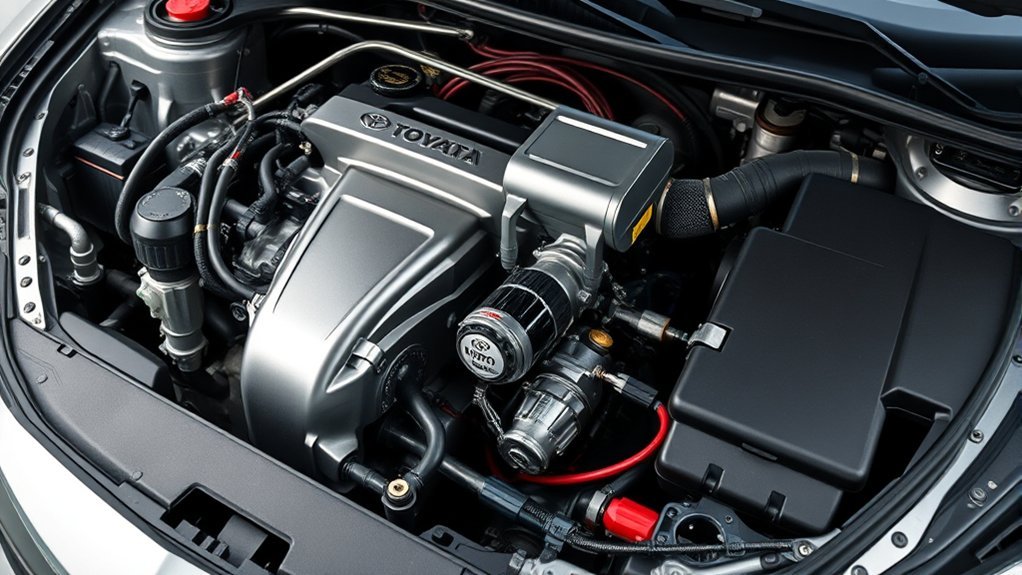

[…] For a broader explanation of scanner data and code status, see the Camry OBD-II scanner guide. […]
[…] air, and compare live MAF and fuel-trim data before replacing the sensor. See the site’s Camry OBD-II guide for code-reading […]