The OBD II system in your Toyota Camry monitors engine performance and emissions control, providing essential diagnostics for efficient operation. It includes a port under the dashboard where you can connect an OBD II scanner to retrieve trouble codes like P0420 for catalytic converter issues or P0300 for misfires. Understanding these codes helps you pinpoint problems and avoid unnecessary repairs. If you’re curious about how to troubleshoot effectively or utilize smartphone apps, there’s more to explore.
Understanding the OBD II System in Your Toyota Camry

The OBD II system in your Toyota Camry plays an essential role in monitoring engine performance and emissions control, and it’s been standard in models produced since 1996. This system provides a thorough OBD II overview, allowing for real-time diagnostics that enhance your vehicle’s efficiency. Located under the dashboard on the driver’s side, the OBD II port is easily accessible for quick checks.
Common trouble codes, like P0420 for catalytic converter efficiency, signal issues such as sensor malfunctions or emissions failures. Each code is standardized across brands, ensuring clarity in diagnostics. With the integration of smartphone apps, you can troubleshoot simple problems—like a loose gas cap that triggers the check engine light—right from your device. Understanding the OBD II system empowers you to maintain peak engine performance, enabling proactive measures that contribute to both vehicle longevity and environmental responsibility.
How to Use an OBD II Scanner Effectively
Using an OBD II scanner effectively starts with locating the OBD II port under your Toyota Camry’s dashboard, typically found near the driver’s side. Plug in the scanner and turn the ignition to the “on” position to power it up, allowing access to your vehicle’s computer data. Follow the on-screen instructions to initiate a diagnostic scan, which retrieves trouble codes and other essential information.
Pay close attention to the scanner features, as they can vary. Analyze the trouble codes carefully; these indicate specific issues that warrant further investigation rather than immediate part replacements. Use diagnostic tips to deepen your understanding of the codes you receive. For enhanced functionality, consider smartphone apps designed for OBD II diagnostics, which connect to your vehicle for real-time data and troubleshooting. This approach empowers you to take control of your vehicle’s health efficiently.
What Codes Should I Look For? Common Trouble Codes for Your Camry?
What codes should you pay attention to when diagnosing your Toyota Camry? Start with P0420, which indicates a catalytic converter efficiency issue. This can lead to poor emissions and performance. Next, look for P0171, signaling a lean fuel mixture, often resulting in rough idling or hesitation. The P0300 code denotes random/multiple cylinder misfires, negatively impacting engine performance. If you see P0441, it points to a problem with the evaporative emission control system—sometimes just a faulty gas cap. Finally, P0131 indicates an oxygen sensor circuit malfunction, which can affect both fuel economy and emissions. Regularly scanning for these common code symptoms helps you implement code resolution strategies early, ensuring your Camry runs smoothly and preventing costly repairs down the line. Stay proactive, and keep your vehicle in top condition!
Why Thorough Diagnostics Matter for Your Toyota Camry
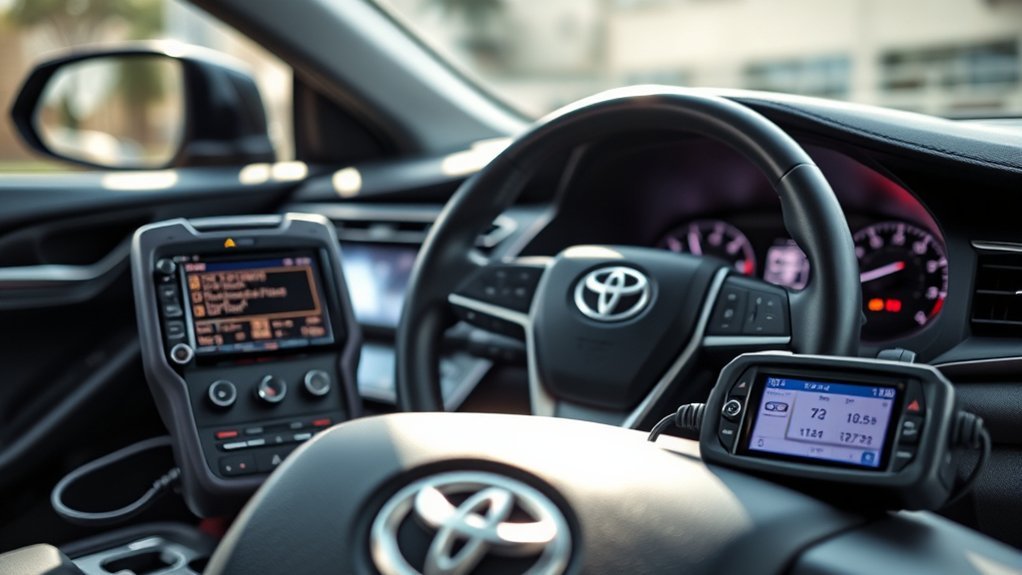
While you might think addressing warning lights is enough, extensive diagnostics for your Toyota Camry are essential for accurately identifying issues. Relying solely on trouble codes can lead to unnecessary part replacements, as they often indicate symptoms rather than root causes. The OBD II system provides standardized codes that help pinpoint problems, such as faulty sensors or emissions issues. Ignoring detailed diagnostics risks overlooking interconnected systems, allowing minor issues to escalate into significant problems.
Investing in affordable OBD II scanners, available at auto parts stores, enhances your diagnostic importance and supports effective preventive maintenance. These tools save you time and money by ensuring you address the actual source of any trouble. Additionally, smartphone apps that work with the OBD II system allow you to troubleshoot directly, clearing minor alerts like a loose gas cap and keeping your Camry running efficiently. Prioritize extensive diagnostics to maintain your vehicle’s health and performance.
Troubleshooting With Smartphone Apps for Your Camry’s OBD II Codes
As you navigate potential issues with your Toyota Camry, smartphone apps can serve as invaluable tools for troubleshooting OBD II codes. By selecting the right app and pairing it with an appropriate OBD II adapter, you can connect directly to your vehicle’s diagnostic system. This setup allows for real-time data monitoring and detailed code interpretation. Many apps feature extensive databases of trouble codes specific to Toyota, helping you quickly identify issues.
You can also clear diagnostic trouble codes (DTCs) using these apps, but be cautious—resetting codes without addressing the underlying problems can lead to further complications. Some applications even offer live data streaming, enabling you to monitor critical parameters like engine temperature and RPM while you troubleshoot. With affordable adapter options available, you have the freedom to empower your diagnostics and take control of your Camry’s health.
Frequently Asked Questions
What OBD2 Protocol Does Toyota Use?
Toyota primarily uses the ISO 15765-4 protocol for OBD2 diagnostics, aligning with OBD2 standards. Older models might utilize J1850 protocols. This system guarantees reliable communication and consistent diagnostic trouble codes across various Toyota vehicles.
How to Read Toyota OBD-II Fault Code?
So, you think fixing your car’s issues is a magic trick? Grab a diagnostic tool, plug it into the OBD-II port, and follow prompts to read those fault codes. Your vehicle’s secrets await liberation!
Can Thieves Bypass an OBD Lock?
Yes, thieves can bypass an OBD lock. They exploit vulnerabilities in OBD security, using tools for theft prevention. Securing or hiding your OBD port considerably reduces the risk of unauthorized access and theft.
Conclusion
In summary, mastering your Toyota Camry’s OBD II system is like having a trusty map on a road trip—essential for steering clear of potential issues and ensuring smooth travels. By using an OBD II scanner and understanding common trouble codes, you can address problems before they escalate. With the right tools and knowledge at your fingertips, you’re well-equipped to keep your Camry running like a finely-tuned instrument, ready for every journey ahead.