
Lane Tracing Assist in the Toyota Camry uses advanced camera technology and radar to help you stay centered in your lane, enhancing your driving experience. When paired with Full Speed Dynamic Radar Cruise Control, it provides seamless steering assistance, especially on curves. You’ll see visual indicators on the Multi-Information Display that show when the system is active. Understanding its features and limitations can greatly enhance your safety and comfort, so there’s more to explore about optimizing its use.
What Is Lane Tracing Assist in the Toyota Camry?

Lane Tracing Assist (LTA) in the Toyota Camry is designed to enhance your driving experience by helping you stay centered in your lane, especially on winding roads. This innovative driving technology activates when you engage Full Speed Dynamic Radar Cruise Control, utilizing a camera and millimeter-wave radar to recognize lane markings. You’ll notice blue lines on the Multi-Information Display (MID) indicating LTA’s active status, while white dots show when it’s tracking a vehicle ahead.
What sets LTA apart is its ability to function independently from Lane Departure Alert, requiring only the Steering Assist to be activated. However, it’s essential to keep your hands on the wheel; removing them will deactivate the system. This guarantees you remain engaged in the driving experience, empowering you while benefiting from lane tracing technology. Embrace this feature to enhance your confidence, especially on those curvy roads.
Understanding the Technology Behind Lane Tracing Assist
As you navigate the complexities of modern driving, understanding the technology behind Lane Tracing Assist (LTA) can greatly enhance your experience. This advanced system relies on innovative camera technology and radar integration to recognize lane markings and monitor your vehicle’s position within the lane. By providing steering assistance, especially on curved roads, LTA helps you maintain your trajectory effortlessly.
When you activate LTA alongside Full Speed Dynamic Radar Cruise Control, you gain an all-encompassing support system that boosts your confidence on the road. Visual indicators on the Multi-Information Display (MID) enhance your awareness, showing blue lines when LTA is engaged and white dots when tracking a preceding vehicle. For peak performance, verify that both Lane Centering and Steering Assist are enabled in your MID settings. With this understanding, you can truly appreciate how LTA transforms your driving experience, offering a liberating sense of control and safety.
How Does Lane Tracing Assist Work With Dynamic Radar Cruise Control?
How does the synergy between Lane Tracing Assist (LTA) and Dynamic Radar Cruise Control (DRCC) elevate your driving experience? Together, these advanced systems harness lane recognition technology to enhance both convenience and safety on the road. When you activate DRCC, LTA kicks in, using a camera and millimeter-wave radar to continuously recognize lane markings and track your vehicle’s position.
As you cruise, LTA provides subtle steering feedback to keep you centered in your lane, even on curves. You’ll notice blue lines on the Multi-Information Display (MID) indicating LTA’s active status, while white dots indicate a preceding vehicle is being tracked. However, it’s essential to keep your hands on the wheel—if you don’t, the system will deactivate. This design emphasizes the importance of attentive driving, allowing you to enjoy a seamless blend of technology and freedom on your journeys.
How to Activate and Control Lane Tracing Assist Features

To activate Lane Tracing Assist (LTA) in your Toyota Camry, make sure both Lane Centering and Steering Assist are enabled in the Multi-Information Display. You’ll know LTA is working when you see blue lines indicating the system’s assistance. Understanding how to control these features and their indicators will enhance your driving experience and safety.
Activating Lane Tracing Assist
Activating Lane Tracing Assist (LTA) in your Toyota Camry enhances your driving experience by providing additional support on the road. To get started, verify that both Lane Centering and Steering Assist are enabled in the Multi-Information Display (MID) settings. LTA activates when you engage Full Speed Dynamic Radar Cruise Control, indicated by blue lines on the MID. For added lane awareness, you can independently control Lane Departure Alert (LDA) using the steering wheel button, even with only Steering Assist on. Remember, the system issues audible and visual alerts while tracking a preceding vehicle. However, Lane Tracing Assist will deactivate if you remove your hands from the wheel, reminding you that safety is paramount in driver assistance.
Understanding Operational Indicators
Many drivers find it helpful to understand the operational indicators of Lane Tracing Assist (LTA) in their Toyota Camry. When you engage Full Speed Dynamic Radar Cruise Control, LTA activates, utilizing advanced driving technology for lane recognition. You’ll notice blue lines on the Multi-Information Display (MID), which signify that LTA is active. White dots indicate that your vehicle is tracking a preceding car. The LTA menu integrates both Lane Tracing Assist and Lane Departure Alert, allowing you to customize your lane assistance features. To activate Lane Departure Alert, simply turn on the Steering Assist and use the dedicated LDA button. Keeping an eye on these indicators empowers you to make the most of your Camry’s innovative capabilities.
Controlling Steering Assist Features
While driving, you can easily activate the Lane Tracing Assist (LTA) features in your Toyota Camry to enhance your safety and convenience on the road. To do so, make sure that both Lane Centering and Steering Assist settings are enabled in the Multi-Information Display (MID). The system uses a camera and radar for lane tracking, providing real-time steering feedback, which is indicated by blue lines when active. You can also activate Lane Departure Alert independently via the LDA button on the steering wheel. Keep in mind, if you remove your hands from the wheel, the system will deactivate, emphasizing the importance of driver engagement.
| Feature | Activation Method |
|---|---|
| Lane Centering | Enable in MID |
| Steering Assist | Enable in MID |
| Lane Departure Alert | Press LDA button |
| System Calibration | Active driving required |
What Do the Indicators on the Multi-Information Display Mean?
Understanding the indicators on the Multi-Information Display (MID) is essential for maximizing the benefits of Toyota’s Lane Tracing Assist features. When Lane Tracing Assist is actively helping you maintain your lane, you’ll see blue lines on the MID, signaling that the system is engaged. If white dots appear, it means the system is tracking a preceding vehicle, monitoring its path to enhance your driving experience.
Lane Tracing Assist: Safety and Comfort Benefits
With Lane Tracing Assist (LTA), your driving experience becomes more enjoyable and less taxing. This system not only helps keep you centered in your lane but also reduces fatigue on long trips by providing steering support, especially on curves. Plus, by enhancing road safety, LTA allows you to focus more on the journey ahead.
Enhanced Driving Experience
As you navigate winding roads or commence long trips, Lane Tracing Assist (LTA) transforms your driving experience by providing seamless steering assistance that keeps your vehicle centered in its lane. This innovation enhances driving dynamics and elevates your user experience, offering a smoother ride.
- Activates alongside Full Speed Dynamic Radar Cruise Control for relaxed driving.
- Utilizes advanced technology like cameras and millimeter-wave radar to track lane markings.
- Visual indicators on the Multi-Information Display (MID) enhance your awareness.
With LTA, you’ll notice fewer steering adjustments, creating a more enjoyable journey. It’s not just about convenience; it’s about liberating you from the constant strain of manual steering, allowing you to focus on the road ahead.
Reduced Driver Fatigue
While driving long distances or managing highways, you might find that Lane Tracing Assist (LTA) considerably reduces fatigue by taking on the task of steering. This system actively monitors the lane center through a camera and millimeter-wave radar, minimizing the need for constant adjustments. By automating lane corrections, LTA lightens your cognitive load, allowing you to concentrate on the road ahead instead of wrestling with the steering wheel. It’s especially helpful on curved roads, ensuring you stay properly positioned without intervention. With visual indicators on the Multi-Information Display (MID), you can easily track the system’s status, enhancing your driver comfort. Embracing this technology liberates you from the stresses of long drives, making each journey more enjoyable.
Improved Road Safety
Lane Tracing Assist (LTA) greatly enhances road safety by actively helping you maintain your vehicle’s position within its lane. This innovative system, a prime example of driver assistance technologies, utilizes advanced cameras and radar to monitor lane markings, markedly reducing the risk of unintentional lane departures.
- Visual indicators on the Multi-Information Display keep you informed about LTA’s status.
- The integration with Full Speed Dynamic Radar Cruise Control boosts comfort on long drives.
- It’s essential to remain attentive and keep your hands on the wheel for maximum safety.
With these road safety features, LTA not only makes your drive smoother but also empowers you to stay focused and secure behind the wheel.
Key Limitations of Lane Tracing Assist to Understand?
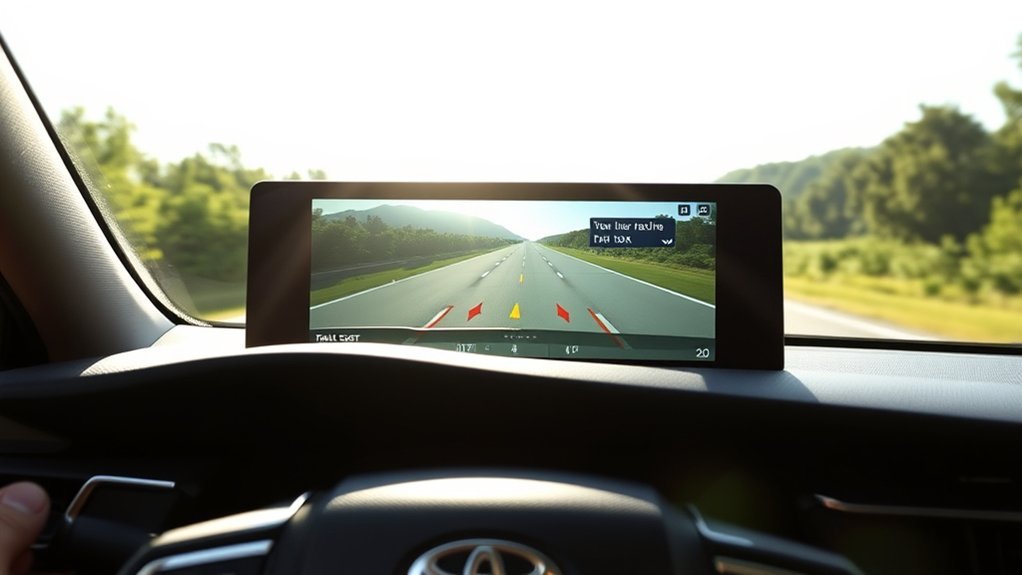
Understanding the key limitations of Toyota’s Lane Tracing Assist (LTA) is essential for any driver considering its use. First, LTA isn’t available on manual transmission models, which restricts access for some drivers. Furthermore, the system requires you to keep your hands on the steering wheel; letting go deactivates the feature, highlighting the necessity for your active engagement. It also relies on camera and radar technology, which can falter in poor weather conditions or when lane markings are unclear. While LTA offers steering assistance primarily on curved roads, its effectiveness varies with road conditions and vehicle speed. Remember, it’s designed to support, not replace, safe driving practices. You should always stay attentive and ready to regain control. Understanding these limitations guarantees you use LTA as a helpful tool, rather than a crutch, empowering you to drive safely and confidently.
Tips for Effectively Using Lane Tracing Assist
To make the most of Lane Tracing Assist, it’s essential to understand its limitations and maintain control of the steering wheel at all times. Regularly monitoring road conditions helps you stay aware of when the system might not perform at its best. By keeping these tips in mind, you can enhance your driving experience while ensuring safety.
Understand System Limitations
While Lane Tracing Assist (LTA) can enhance your driving experience, it’s crucial to recognize its limitations. Understanding these factors can help you use the system more effectively:
- System accuracy can waver on poorly marked roads or in adverse weather conditions.
- Always keep your hands on the wheel; the system requires your engagement to function properly.
- Regularly check the Multi-Information Display (MID) for indicators, like blue lines, to confirm LTA’s active status.
Maintain Steering Control
Mastering the use of Lane Tracing Assist (LTA) requires your active involvement and awareness. To get the most out of LTA, make sure both Lane Centering and Steering Assist are activated in the Multi-Information Display (MID). Look for those blue lines; they signal that LTA is engaged and providing steering feedback. Remember, this system pairs well with Full Speed Dynamic Radar Cruise Control, especially on highways and curved roads. However, the moment you take your hands off the wheel, LTA will deactivate, underscoring the importance of maintaining control. Familiarize yourself with the audible and visual alerts, and regularly check LTA functionality to enhance your driver awareness. This will empower you to use the system effectively and safely.
Regularly Monitor Road Conditions
Since Lane Tracing Assist (LTA) depends heavily on clear lane markings, regularly monitoring road conditions is essential for ideal performance. Poor road visibility can hinder LTA’s effectiveness, so stay vigilant. Here are some tips to guarantee you maximize this feature:
- Check lane markings frequently; they should be clear and visible.
- Use the Multi-Information Display to monitor LTA status—look for blue lines indicating it’s active.
- Be prepared to adjust as road curvature or lane shifts occur; this system assists, but you remain in control.
Lane Tracing Assist Maintenance Tips
To keep your Toyota Camry’s Lane Tracing Assist functioning at its best, regular maintenance is essential. Start by checking and cleaning the camera and radar sensors; dirt and debris can hinder lane recognition accuracy. Don’t forget to confirm your vehicle’s software is up-to-date, as manufacturers often release updates that enhance safety features like Lane Tracing Assist.
Next, verify that the MID settings have Lane Centering and Steering Assist activated. This guarantees you’re utilizing the system effectively. Monitor your tire alignment and pressure, too—improper alignment can greatly impact the system’s ability to track lane markings accurately. Finally, familiarize yourself with the system’s operational indicators on the MID. Recognizing blue lines for active assistance will help you understand when Lane Tracing Assist is actively supporting your drive. Stay proactive, and you’ll enjoy a safer, more liberated driving experience.
Importance of Staying Engaged While Using Lane Tracing Assist
While Lane Tracing Assist (LTA) enhances your driving experience by helping to keep your Camry centered in its lane, it’s vital to remain actively engaged at the wheel. Remember, LTA is designed to assist, not replace, your role as the driver. Staying alert guarantees your safety and that of others on the road.
- LTA will deactivate if your hands aren’t on the wheel, emphasizing constant driver input.
- The system provides alerts to remind you to stay focused, reinforcing driver alertness.
- Understanding LTA’s limitations is essential; it relies on both Lane Centering and Steering Assist settings.
Safe driving means being prepared to take control at any moment. So, keep your hands on the wheel, stay attentive, and enjoy the freedom that comes with responsible driving in your Toyota Camry.
Frequently Asked Questions
What Is the Difference Between Lane Keep Assist and Lane Tracing Assist?
Lane Keep Assist helps you avoid lane departures with minimal steering assistance, while Lane Tracing Assist actively tracks lane markings, offering continuous support. Both enhance safety, but Lane Tracing aims to reduce driver fatigue effectively.
Conclusion
Ultimately, Lane Tracing Assist in the Toyota Camry enhances your driving experience while promoting safety. Did you know that studies show lane-keeping technologies can reduce highway accidents by up to 25%? Staying engaged is vital, even with this advanced feature. By understanding how to effectively use and maintain Lane Tracing Assist, you not only secure your safety but also enjoy a smoother ride. Embrace the technology, but always keep your hands on the wheel and your eyes on the road!