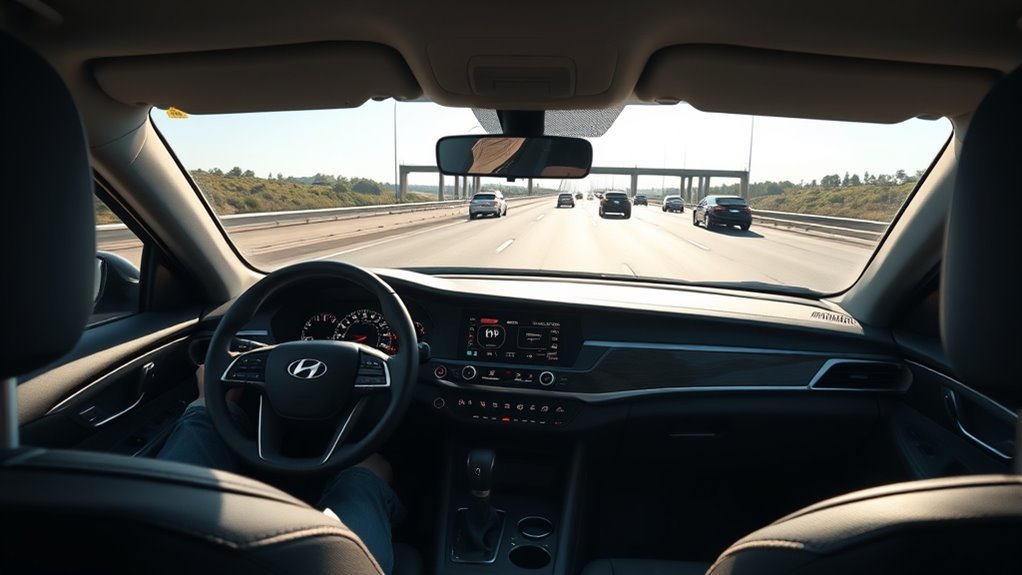
If your Hyundai Sonata says Lane Keeping Assist is unavailable, start with the exact warning in the instrument cluster. A camera-obscured message usually points to a temporary visibility problem; a persistent “Check Driver Assistance system” message under clear conditions points toward a fault that needs diagnosis. Before replacing parts, confirm Lane Safety/LKA is enabled, clean the upper-windshield camera viewing area, and check the road, weather, lane markings, and model-specific operating conditions.
Affiliate disclosure: AutoReviewNest earns commissions from qualifying purchases made through affiliate links that may appear on this page. This does not change the price you pay.
Verification note: This guide uses Hyundai owner information and service references and does not claim hands-on diagnosis of every Sonata generation. Menu wording, indicators, restart behavior, and operating limits can vary by model year, market, trim, and software version.
Quick Answer
If your Hyundai Sonata says Lane Keeping Assist is unavailable, first read the exact cluster message. For a camera-obscured warning, clear dirt, snow, moisture, stickers, film, or tint from the upper-windshield camera area. If there is no obstruction, confirm Lane Safety/LKA is enabled and retest only under clear, well-marked road conditions. If a “Check Driver Assistance system” warning or yellow LKA malfunction indicator persists, have a qualified Hyundai/ADAS technician scan the system and check the front camera, wiring, installation, and calibration.
Key Takeaways
- Use the exact instrument-cluster message to distinguish a blocked camera from a system malfunction.
- Keep the upper windshield area in front of the camera free of snow, dirt, moisture, stickers, film, tint, and residue.
- LKA operating speeds vary by model year and market; the 2026 U.S. Sonata is described by Hyundai as operating above 40 mph when lane markings are detectable.
- Hyundai’s published LKA troubleshooting does not present an infotainment reboot, fuse pull, or battery disconnect as a routine fix.
- Persistent warnings after windshield or camera work should prompt a check of camera installation, diagnostic trouble codes, and calibration.
| What You See | What It Usually Means | Best Next Step |
|---|---|---|
| “Driver Assistance system limited. Camera obscured.” | The front-view camera cannot see clearly enough to support LKA. | Park safely, clear the upper-windshield viewing area, and retest when visibility and lane markings are good. |
| “Check Driver Assistance system” with a yellow LKA warning | Hyundai documentation treats this as a system malfunction condition. | If it persists, request a diagnostic scan and inspection of the camera, wiring, installation, and calibration. |
| No malfunction message, but LKA does not assist | The system may be off, outside its operating conditions, or unable to detect usable lane markings. | Check Lane Safety/LKA status, speed, lane visibility, weather, road geometry, turn-signal use, and the owner’s manual for the exact vehicle. |
At a Glance
| Time Required | Basic visual and settings checks are brief; professional diagnostic time varies by fault and repair facility. |
| Difficulty | Easy for basic checks; camera alignment, wiring diagnosis, and calibration are professional procedures. |
| Tools Needed | Owner’s manual, clean microfiber cloth, and a mild non-abrasive automotive glass cleaner. |
| Cost | A removable obstruction may require no repair; diagnostic and calibration charges vary by vehicle, fault, and shop. |
Warning: Lane Keeping Assist is a supplemental driver-assistance feature, not an autonomous steering system. Keep your hands on the steering wheel and remain responsible for lane position at all times. Do not hold a phone, record video, or perform troubleshooting while driving.
Hyundai Sonata Lane Keeping Assist Unavailable: Quick Checks First
Start by checking whether Lane Keeping Assist or Lane Safety is enabled for your exact Sonata. Hyundai’s menu wording varies by model year, but newer vehicles commonly place the setting under Setup > Vehicle > Driver Assistance > Driving Safety > Lane Safety. Some models also use the Lane Driving Assist button on the steering wheel.
Do not assume that LKA always resets to Off or always resets to On after every drive. Hyundai documentation varies by vehicle and market: some manuals state that LKA turns on after a restart, while others say it retains the previous setting. Use the owner’s manual for your exact model year and market, or look up the vehicle through Hyundai’s Digital Owner’s Manual.
Next, read the exact warning message. Hyundai owner guidance distinguishes a camera-obscured condition from a malfunction: a message such as “Driver Assistance system limited. Camera obscured.” points to reduced camera visibility, while “Check Driver Assistance system” with a yellow LKA warning is a malfunction condition that should be inspected if it persists.
Pro Tip: Take a photo of the warning only after the vehicle is safely parked. The exact wording and indicator color can help a dealer distinguish a blocked camera, disabled setting, and true system malfunction.
What “LKA Unavailable,” “Camera Obscured,” and Malfunction Messages Mean
Hyundai separates temporary operating limitations from an actual driver-assistance malfunction. If rain, snow, dirt, moisture, or another obstruction blocks the windshield area in front of the front-view camera, the vehicle may display a message similar to “Driver Assistance system limited. Camera obscured.” LKA can return after the obstruction is removed and the camera can see the road again.
If the camera area is clear but a “Check Driver Assistance system” or equivalent warning remains, Hyundai recommends vehicle inspection. Do not keep clearing the warning by repeatedly restarting the car if it consistently returns.
Note: Warning wording and indicator behavior vary by Sonata generation, trim, country, and software version. Match the message to the owner’s manual for your VIN rather than relying only on a generic internet description.
Clean the Windshield Camera: Where to Look and What to Remove
The Sonata’s front-view camera looks through the upper windshield area, generally near the rearview mirror. Hyundai specifically warns that dirt, snow, stickers, tinting material, labels, and other obstructions can prevent LKA from seeing lane markings correctly.
Park safely and inspect both the outside and inside of the glass in the camera’s field of view. Remove:
- Dirt, road film, bugs, and oily residue
- Snow, frost, ice, and condensation
- Tape or adhesive residue
- Stickers, labels, dashcam mounts, or accessories that enter the camera’s viewing area
- Aftermarket film or tint around the camera area
Use a clean microfiber cloth and a mild, non-abrasive automotive glass cleaner on the windshield glass. Clean the camera’s viewing area rather than touching, disassembling, pushing, twisting, or trying to realign the camera itself. Camera removal, replacement, or alignment should be left to qualified service personnel using the correct procedure for the vehicle.
Also inspect the windshield for chips, cracks, delamination, distortion, or a poorly installed replacement windshield in the camera’s viewing area. Even when the glass looks clean, optical distortion or camera misalignment can interfere with driver-assistance functions.
[Products Worth Considering]

This cabin air filter replacement helps keep the air inside your vehicle cleaner and fresher for driver and passengers. Designed for broad fitment across Toyota, Lexus, Subaru, and Mazda models, it supports improved HVAC performance and includes soda and carbon filtration for odor reduction. It is a practical maintenance part with a recommended replacement interval for continued cabin comfort.

This versatile car phone holder offers windshield, dashboard, and air vent mounting options to keep your phone secure and accessible on the road. Its strong suction cup, adjustable telescopic arm, and 360-degree ball joint help you find the ideal viewing angle while maintaining a stable hold. Designed for easy one-handed use and broad compatibility, it supports most smartphones and cases for safer hands-free driving.

FH Group’s universal fit rubber floor mats are designed to help protect your vehicle’s interior from mud, rain, snow, and everyday messes. The trimmable design and flexible material allow for a semi-custom fit in most sedans, SUVs, and trucks, while deep ridge channels help trap debris and contain spills. Built from durable all-weather rubber, these mats are made for easy cleaning and long-lasting use.
Will Restarting, Pulling a Fuse, or Disconnecting the Battery Fix LKA?
A normal ignition-off restart is reasonable after you have parked safely, but it is not a repair for a blocked or malfunctioning camera. Hyundai owner guidance notes that if the camera remains obscured or has a fault, restarting the vehicle can leave the same condition in place. Remove any obstruction first, then restart normally and see whether the warning returns.
Allow the driver-assistance systems time to initialize before judging the result. If the warning disappears and LKA later works normally on a suitable, well-marked road, the event may have been temporary. If the same warning returns immediately or repeatedly under good conditions, move to proper diagnosis rather than cycling the ignition over and over.
Infotainment System Reboot
Rebooting the infotainment display can fix a frozen touchscreen or multimedia problem, but there is no good basis for treating it as a standard repair for Lane Keeping Assist. The public Hyundai software-update system primarily covers navigation and infotainment software, not every driver-assistance control module.
If your screen itself is malfunctioning and prevents you from accessing vehicle settings, restarting the display may help you regain menu access. However, if LKA has a camera, wiring, calibration, or ADAS-module fault, an infotainment reboot is unlikely to diagnose the cause.
Fuse and Screen Restart
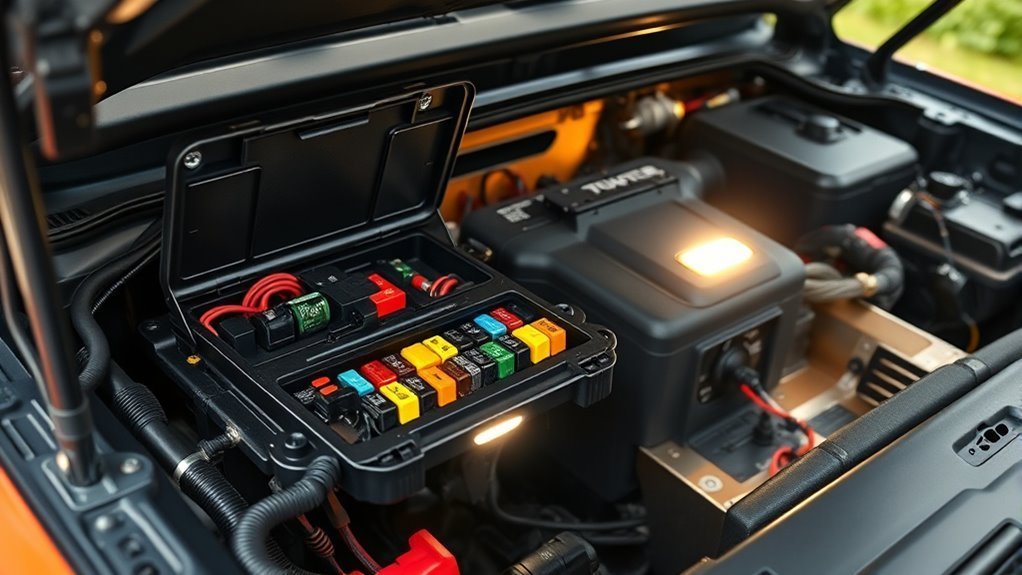
Do not remove an unspecified “LKA fuse” simply to reset the system. Fuse layouts and circuit assignments vary by Sonata model year, engine, trim, and market. If a related electrical function is completely dead, consult the exact fuse diagram in your owner’s manual and use only the specified fuse rating.
- Turn the vehicle off and check whether other driver-assistance functions are also unavailable.
- Consult the exact owner’s manual before inspecting any fuse.
- Never install a fuse with a higher amperage rating.
- If a replacement fuse blows again, stop replacing it and have the circuit diagnosed.
A repeatedly blown fuse indicates an electrical problem that needs diagnosis rather than repeated resets.
Battery Disconnect Procedure
Hyundai’s published LKA troubleshooting guidance does not present a 12-volt battery disconnect as a routine LKA reset. Disconnecting the battery can also cause other vehicle systems or learned settings to reinitialize, and the correct procedure varies by Sonata generation and powertrain.
If Hyundai documentation for your exact vehicle or a qualified technician specifically instructs a battery disconnect during a repair, follow that procedure. Otherwise, use the normal ignition-off restart described above and move to diagnosis if the LKA warning persists.
Caution: Do not disconnect the battery, pull random fuses, unplug the front camera, or disturb the camera mounting bracket solely to clear an LKA warning. Those actions can create additional faults or complicate diagnosis.
Can a Software Update Fix Hyundai Sonata LKA?
Software can matter, but distinguish infotainment software from software inside the vehicle’s driver-assistance modules. Hyundai’s public Navigation Update website is an infotainment update channel for navigation and display-audio systems. Do not assume that installing one of those updates will repair an LKA camera, wiring, or calibration fault.
For an LKA warning, a Hyundai dealer or properly equipped repair facility can:
- Scan the vehicle for diagnostic trouble codes.
- Check front-view-camera communication and power.
- Confirm the camera’s calibration status.
- Check for Hyundai technical service bulletins, service campaigns, or recalls applicable to the VIN.
- Determine whether an ADAS control-module software update actually applies to that vehicle.
If your infotainment system also needs an update, use Hyundai’s official updater and select the exact vehicle. Treat that as a separate maintenance task unless Hyundai documentation specifically connects an update to the driver-assistance fault.
[Products Worth Considering]

This smart automatic battery charger and maintainer helps keep automotive batteries charged and ready by delivering a full charge before switching to float mode for long-term maintenance. It supports 6V and 12V batteries with broad compatibility for lead-acid, AGM, gel, and lithium types, while built-in safety features like reverse polarity detection and spark-proof connection help ensure reliable use. Compact construction, included connection cables, and indicator lights make it a convenient choice for cars, SUVs, trucks, and storage maintenance.

This EL-50448 TPMS relearn tool helps quickly activate and reset tire pressure sensors so your vehicle’s monitoring system stays accurate after tire rotations, sensor replacement, or seasonal tire changes. Designed for many GM-related vehicles and compatible with common 315 and 433 MHz TPMS systems, it offers simple one-button operation and reliable performance for clearing warning lights and relearning sensor positions.

Compatible with: Hyundai Sonata 2015 2016 2017
Windshield, Camera Alignment, and Calibration Checks After Replacements
If the LKA warning appeared after a windshield replacement, front-camera removal, collision repair, roof or mirror-area repair, suspension work, or wheel-alignment work, tell the repair shop when the problem started. That timing is a useful diagnostic clue, although the need for recalibration depends on the exact vehicle and repair procedure.
Modern front-view cameras have to look at the road from a defined position. Hyundai service procedures for camera-equipped vehicles can use specialized diagnostic equipment and physical calibration targets. The exact process is model-specific.
Source scope: Hyundai TSB 20-BE-006H, cited below, applies to certain 2018–2020 Elantra and 2019–2020 Santa Fe vehicles—not the Sonata. It is included only as an official example showing that Hyundai front-camera service can require target-based calibration. Use Sonata-specific service information for the actual repair.
| Checkpoint | What to Check |
|---|---|
| Windshield | Correct glass, clean viewing area, no distortion or damage near camera |
| Camera mount | Secure and undamaged; do not adjust it yourself |
| Calibration | Ask whether calibration was required and successfully completed after repair |
| Diagnostic scan | Check stored and current driver-assistance trouble codes |
| Road verification | Confirm normal operation under valid lane, weather, and speed conditions |
If a windshield installer performed ADAS calibration, ask for the calibration report. If the camera or bracket has been physically disturbed, avoid attempting a DIY adjustment.
Environmental and Driving Conditions That Disable LKA (Rain, Markings, Speed)
An unavailable message does not always mean something is broken. Lane Keeping Assist depends on the camera being able to identify usable lane information and on the vehicle meeting the system’s operating conditions.
Wet Or Obscured Markings
LKA may operate poorly or temporarily become unavailable when lane markings or the camera’s view are affected by:
- Heavy rain, snow, fog, spray, or standing water
- Faded, damaged, dirty, or oil-covered lane lines
- Construction markings or several overlapping sets of lines
- Strong shadows from barriers, trees, bridges, or other vehicles
- Glare, very low light, or abrupt changes in lighting
- Snowbanks or road edges that resemble lane boundaries
- A fogged, frosted, wet, or contaminated windshield
If the camera-obscured warning appears, stop when safe and clear the windshield. If conditions are simply too poor for the camera to distinguish the road, continue driving manually and wait for conditions to improve.
Speed And Road Geometry
Do not use one speed threshold for every Sonata. Hyundai’s specifications differ by model year and market. For example, Hyundai’s current U.S. 2026 Sonata information states that Lane Keeping Assist operates above 40 mph and only when painted lane markings can be detected. Other Sonata manuals specify different operating ranges.
Check the manual for your VIN before deciding that the system is malfunctioning simply because it does not steer at a particular speed.
| Condition | Possible Effect |
|---|---|
| Outside model-specific operating speed | LKA may remain inactive |
| Sharp or complex curve | Lane detection or steering assistance may be reduced |
| Turn signal or hazard lights operating | Lane-departure intervention may be suppressed as intended |
| Poor or missing lane markings | Camera may not identify a usable lane |
| Very rough road or nearby wall/barrier | Performance may be limited |
| Following another vehicle too closely | Visible lane area may be reduced |
Hyundai’s current U.S. Sonata information also cautions that LKA may not function normally on rough roads, when walls, curbs, or concrete barriers are close to the vehicle, in poor weather or lighting, or when lane markings cannot be seen clearly.
A temporarily unavailable LKA system can be operating exactly as designed when the camera cannot confidently identify the lane.
Lane Keeping Assist vs. Lane Following Assist: Do Not Confuse the Two
Hyundai Sonatas may have both Lane Keeping Assist (LKA) and Lane Following Assist (LFA). They are related but not identical.
LKA is primarily designed to warn and provide steering assistance when the vehicle begins to leave a detected lane without the appropriate signal. LFA uses lane information to help keep the vehicle centered while its operating conditions are satisfied. For the controls and behavior of the centering feature, see our Hyundai Sonata Lane Following Assist guide.
A driver may therefore see one lane-assistance feature active while another is unavailable or waiting for its operating conditions. Check which icon and message are actually displayed before troubleshooting. For the broader distinction between lane-departure warning, lane-keeping assistance, and lane centering, see Lane-Keeping Assist Explained.
How to Test LKA After Basic Fixes and What to Record
After cleaning the windshield or correcting an obvious obstruction, test LKA only under safe, normal conditions. Choose a dry, well-marked road with good visibility, obey the speed limit, and make sure the vehicle is within the operating conditions listed in the owner’s manual.
- Start normally: Allow the vehicle and camera system time to initialize.
- Confirm LKA status: Make sure Lane Safety/LKA is enabled and check the cluster indicator.
- Use a suitable road: Choose clearly painted lane markings and avoid construction zones or severe weather.
- Keep full control: Keep both hands available for steering and never intentionally drift out of the lane to “force” the system to react.
- Document safely: After stopping, record the exact warning, date, approximate speed, road conditions, weather, and whether the warning was constant or intermittent.
If evidence is needed while the vehicle is moving, have a passenger record it or use an already-mounted recording system. The driver should never hold or operate a phone during the test.
Pro Tip: If the warning appears repeatedly at the same place, note whether that road has faded markings, construction lines, a sharp curve, strong shadows, or barriers. If the warning appears everywhere regardless of conditions, a vehicle-side fault becomes more likely.
When to Contact a Dealer: What to Document and Ask About
Contact a Hyundai dealer or qualified ADAS repair facility if the warning remains after the windshield is clean, visibility is good, the system is enabled, and the vehicle is being driven under valid operating conditions.
Escalate sooner if the problem began after a windshield replacement, collision repair, camera service, electrical work, or if several driver-assistance systems fail at the same time.
| Bring or Ask About | Why It Helps |
|---|---|
| Photo of exact cluster message | Identifies blocked/limited versus malfunction conditions |
| Weather and road notes | Shows whether failures correlate with environmental limits |
| Recent windshield/collision repair history | Helps identify possible installation or calibration issues |
| Diagnostic trouble-code scan | Identifies camera, communication, power, or related faults |
| Camera calibration status | Confirms whether alignment/calibration is valid |
| VIN-specific TSBs, campaigns, recalls, or updates | Rules out known service issues that apply to the exact vehicle |
Ask for the diagnostic findings in writing if repairs are performed. If the issue is intermittent and the technician cannot reproduce it, your photos and notes can help establish the conditions under which it occurs.
[Products Worth Considering]
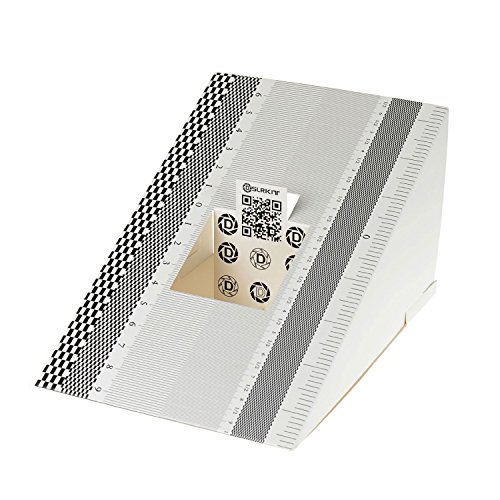
This compact ruler allows you to determine if your lens is auto-focusing accurately as it should. It is an essential tool that is particularly useful when shooting with a shallow depth of field, where focusing should ideally be "spot on".

Universal Compatibility: Fit for Honda, Toyota, Kia, and Ford vehicles,Whether you're a professional mechanic or a DIY enthusiast, this kit is designed to meet your ADAS calibration needs.Please confirm whether it meets your car model
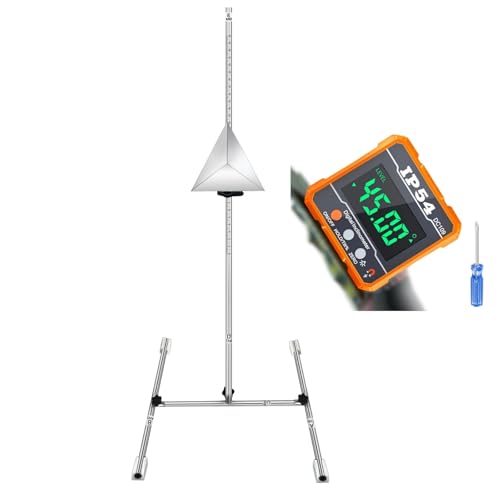
ADAS Calibration Tool :Maximize ADAS Efficiency: The height-adjustment bracket features a clear scale from 0-30cm, enabling fast and precise adjustments. Say goodbye to time consuming guesswork and other tools helper . This tool reducing calibration time and improving the overall ADAS calibration experience.
Frequently Asked Questions
Why has my Hyundai Sonata Lane Keeping Assist stopped working?
Common temporary causes include a dirty or blocked upper-windshield camera area, rain or snow, poor lane markings, unsuitable speed, sharp road geometry, lighting problems, or a disabled Lane Safety setting. If LKA remains unavailable on a clear, well-marked road, professional diagnosis may be needed.
What does the yellow Lane Keeping Assist warning light mean on a Hyundai?
Its meaning depends on the model and the accompanying warning message. It may indicate that Lane Safety is turned off, the camera is temporarily blocked, or a driver-assistance malfunction has been detected. Use the exact message and the owner’s manual for your model year to identify the condition.
Can cleaning the windshield fix Lane Keeping Assist unavailable?
Yes, when the problem is caused by dirt, snow, moisture, ice, stickers, residue, or another obstruction in the front-view camera’s windshield area. Cleaning will not fix a damaged camera, wiring fault, incorrect calibration, damaged windshield, or internal system malfunction.
Will disconnecting the battery reset Hyundai Lane Keeping Assist?
Do not use battery disconnection as a routine LKA reset. A normal vehicle restart is the safer first step. Disconnect the battery only when the procedure is specified for your exact Sonata or recommended by a qualified technician.
Does Lane Keeping Assist need calibration after a windshield replacement?
Camera-calibration requirements are model-specific, but windshield or front-camera work can affect ADAS alignment. If the LKA problem began after windshield replacement, ask the glass shop or Hyundai dealer whether the required camera calibration was performed and whether it passed successfully.
What is the difference between LKA and Lane Following Assist?
Lane Keeping Assist primarily helps prevent unintended lane departure, while Lane Following Assist helps keep the vehicle centered in a detected lane when its operating conditions are met. Because they are different functions, one feature’s status does not always tell you what the other feature is doing.
Why does Hyundai Sonata Lane Keeping Assist work on some roads but not others?
LKA depends on the camera detecting usable lane information. Faded or covered markings, construction lines, glare, shadows, sharp curves, rough roads, barriers, poor weather, and vehicle speed can all change whether the system is ready to assist. If it works normally on clear, well-marked roads but not in difficult conditions, that can be an operating limitation rather than a fault.
Can a Hyundai infotainment update fix Lane Keeping Assist unavailable?
Do not assume so. Hyundai’s public update website is for infotainment, navigation, and display-audio software. An LKA fault may involve the front camera, calibration, wiring, or a driver-assistance module. A dealer or properly equipped repair facility should determine whether a vehicle-specific ADAS software update actually applies.
Conclusion
When a Hyundai Sonata reports that Lane Keeping Assist is unavailable, use the cluster message to choose the next step. Clear a camera-obscured condition, confirm Lane Safety/LKA is enabled, and retest only when lane markings, weather, lighting, road geometry, and vehicle speed meet the operating conditions for your exact model year.
If a “Check Driver Assistance system” warning or yellow LKA malfunction indicator persists under good conditions—especially after windshield or camera work—schedule a diagnostic scan and ask the shop to verify front-camera communication, installation, and calibration. Avoid random fuse removal, battery disconnection, camera adjustment, or repeated infotainment resets as substitutes for diagnosis.
Sources
- Hyundai USA — 2026 Sonata — current U.S. Lane Keeping Assist operating description, camera location, lane-marking and environmental limitations.
- Hyundai Digital Owner’s Manual — model- and VIN-specific operating instructions, settings, warnings, and limitations.
- Hyundai 2025 Sonata Owner’s Manual — Sonata-specific LKA settings, operation, malfunction guidance, and limitations; use Hyundai’s current manual lookup for other model years.
- Official Hyundai Motors Navigation Update Website — current navigation and infotainment software-update channel.
- Hyundai TSB 20-BE-006H via NHTSA — official target-calibration example for certain 2018–2020 Elantra and 2019–2020 Santa Fe vehicles; not a Sonata-specific bulletin.