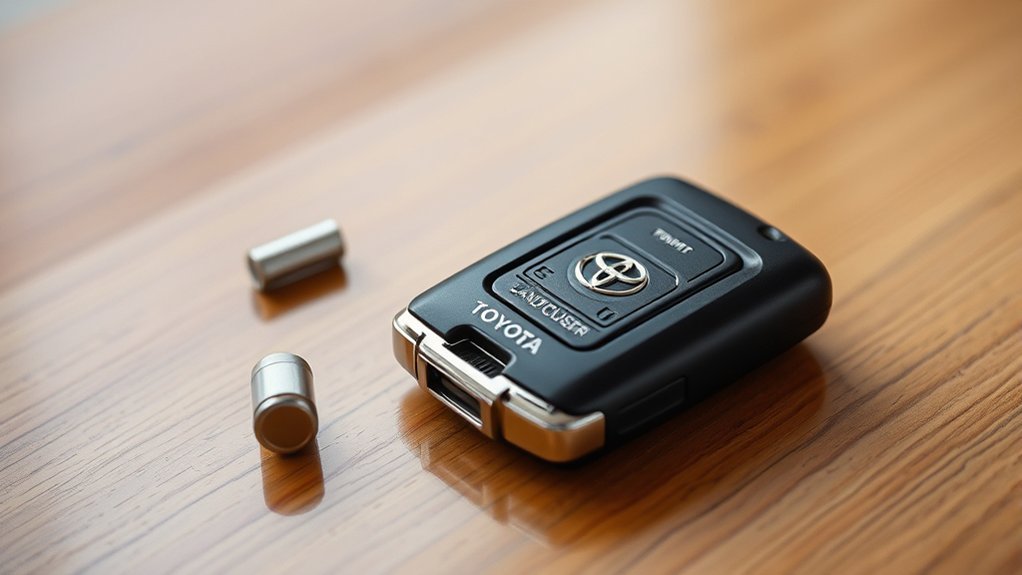
Replacing a Toyota Land Cruiser key fob battery is usually a simple DIY job, but the correct battery depends on your Land Cruiser generation. Older U.S.-market LC200 smart keys commonly use a CR2032, while 2024–2026 U.S.-market J250 smart keys use a CR2450. Confirm the battery number before opening the package, then replace it carefully and test the key.
Quick Answer
Toyota Land Cruiser key-fob battery type depends on model generation. U.S.-market 2016–2021 LC200 smart keys use a CR2032, while 2024–2026 J250 smart keys use a CR2450. Confirm the number on your old battery or in your model-year owner’s manual, then install the replacement with the same orientation and test the fob.
Key Takeaways
- Do not assume every Land Cruiser uses CR2032. Battery type changed with newer smart-key hardware.
- Older U.S. LC200 smart keys use CR2032; 2024–2026 U.S. J250 smart keys use CR2450.
- Reduced range, intermittent response, or an LED that no longer illuminates can indicate a weak battery.
- Use the exact battery type specified for your key and keep the positive/negative orientation the same as the original.
- If a new battery does not restore operation, check orientation and contacts, try the spare key, and then consider professional diagnosis.
At a Glance
| Time Required | About 5–10 minutes |
| Difficulty | Easy |
| Tools Needed | Small flat-head screwdriver and a soft cloth; some older LC200 procedures also use a small Phillips screwdriver |
| Cost | Usually a few dollars for one quality coin-cell battery; price varies by brand and retailer |
Which Toyota Land Cruiser Key Fob Battery Do You Need?
The most important step is identifying the battery used by your Land Cruiser key. Toyota has used different key designs across generations and markets, so a battery type that fits one Land Cruiser may not fit another.
| Land Cruiser | Common U.S. Smart-Key Battery | What to Know |
| 2016–2021 LC200 | CR2032 | Toyota LC200 owner documentation specifies a CR2032 lithium battery for the electronic key. |
| 2024–2026 J250 | CR2450 | The newer J250 smart key uses a larger CR2450 coin cell. Verify against the battery in your key and your model-year manual before purchase. |
| Earlier or non-U.S. models | Varies | Key designs differ by year and market. Read the number on the existing battery or check the correct Toyota owner’s manual. |
You can find current and older manuals through Toyota’s Manuals and Warranties portal. If your vehicle has an optional card-style key, do not assume it uses the same battery or opening procedure as the regular electronic key.
Warning: CR2032 and CR2450 batteries are lithium coin cells and can cause severe internal injury if swallowed. Keep new and used batteries away from children and pets. The U.S. Consumer Product Safety Commission advises securing loose coin batteries immediately and seeking emergency medical help if one is swallowed.
[Products Worth Considering]

This key fob case is a practical replacement for damaged or worn Hyundai flip key shells, helping restore your remote’s appearance and usability. It fits select Hyundai Sonata and Santa Fe models and includes an uncut blade, replacement button pad, and basic tools for easy shell transfer. No electronics are included, so you can reuse your existing internals and have the blade cut to match your vehicle.

This replacement flip folding key fob case is designed for compatible Hyundai models, giving your worn or broken remote a fresh outer shell without needing reprogramming. Made for easy transfer of your existing circuit board and chip, it includes a mini screwdriver and sticker for convenient assembly. It is an ideal solution for restoring the look and function of your key fob while keeping your original electronics intact.

Replace worn or damaged key fob buttons with this rubber keypad insert designed for compatible Hyundai remote key cases. It restores the look and feel of your car key, offering a simple installation and a snug fit for supported Santa Fe and Sonata models. The set includes two replacement pads and a mini screwdriver for convenience.
Step-by-Step Guide to Changing Your Key Fob Battery
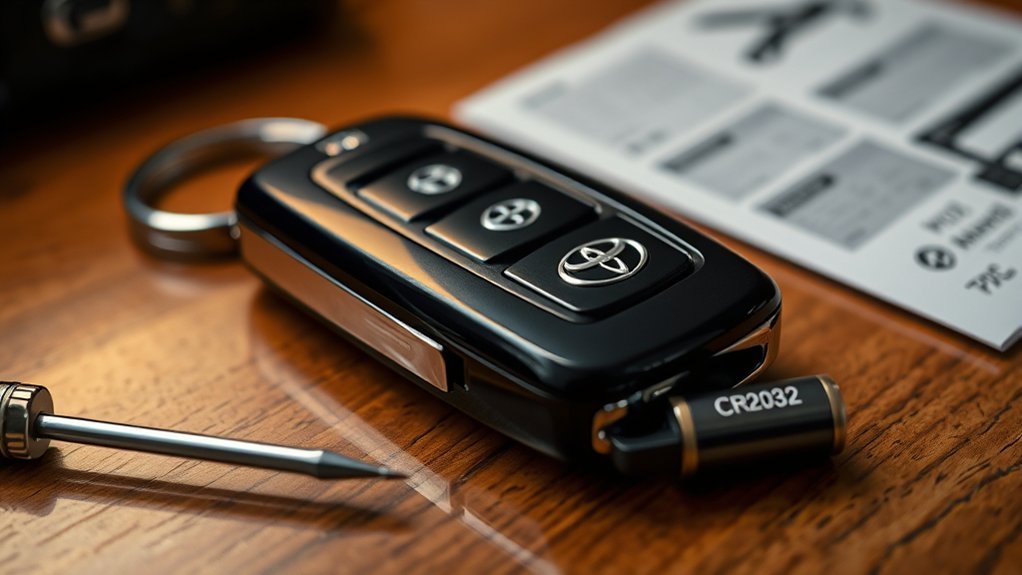
Changing the battery in your Toyota Land Cruiser key fob normally takes only a few minutes. Work on a clean, dry surface so the small battery and internal parts cannot be lost.
- Confirm the battery type first. Check the model-year owner’s manual or read the number printed on the old battery. Use CR2032 where specified on an older LC200 key and CR2450 where specified on a 2024–2026 J250 key.
- Remove the mechanical emergency key. Operate the release lever or button on the fob and slide the mechanical key out.
- Open the key case carefully. Insert a small flat-head screwdriver into the designated notch or slot. Wrap the screwdriver tip with a soft cloth to reduce the chance of scratching or gouging the plastic.
- Expose the battery. Depending on the key design, the electronic-key module may need to be lifted slightly to reach the coin cell. Handle the edges and avoid unnecessarily touching, bending, or moving electronic components and battery contacts.
- Remove the depleted battery. Note which side faces upward before lifting it out. On the U.S.-market LC200 and J250 procedures covered here, the positive (+) side faces upward when the replacement is installed.
- Install the exact replacement battery. Seat the new coin cell flat and securely in its holder. Do not force a battery that is the wrong diameter or thickness.
- Reassemble the fob. Align the case halves and press them together until they are fully seated, then reinstall the mechanical key.
- Test the key. Stand near the vehicle and test lock and unlock first. Then test the panic or power-back-door button if your particular key has those functions.
Pro Tip: Take a quick photo of the old battery before removing it. The photo gives you a record of both the battery number and its installed orientation.
[Products Worth Considering]
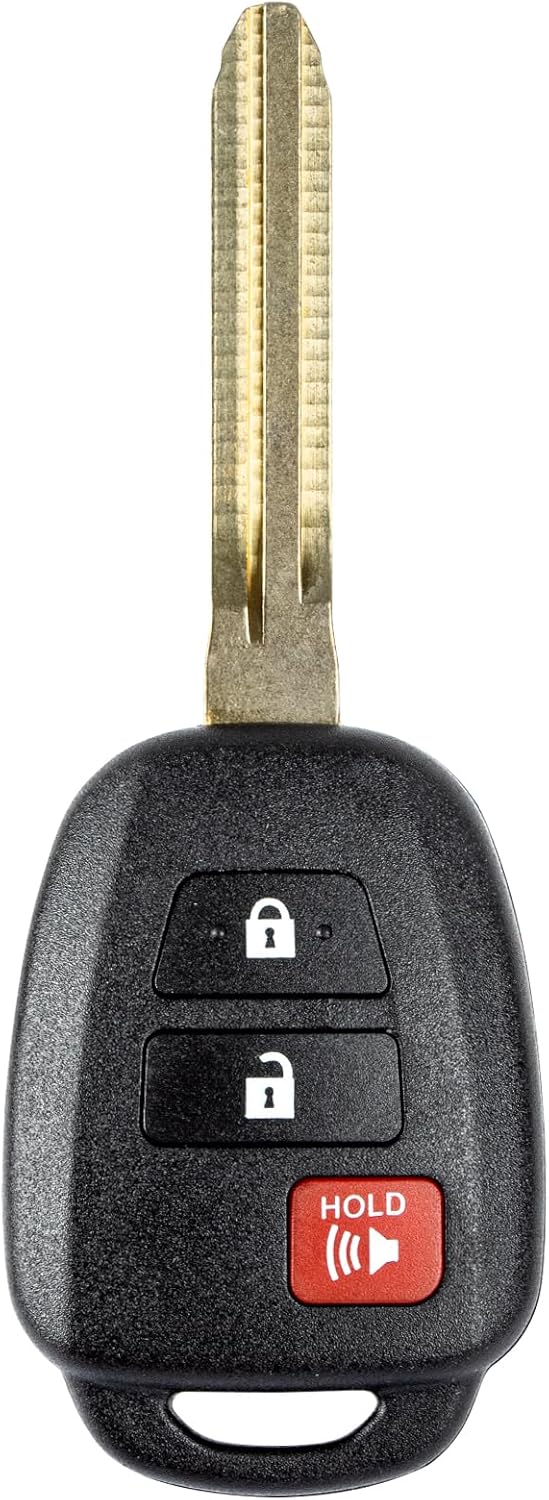
This replacement key fob is designed for select Toyota models and provides reliable keyless entry functionality with a factory-like fit and operation. It comes pre-tested with electronics and battery installed, making it a convenient solution when your original remote is lost, damaged, or worn out. Professional programming and cutting are required, and compatibility should be confirmed against the original remote and vehicle fitment details.

This keyless entry remote replacement is designed for select Toyota models and comes pre-tested with battery and electronics installed for ready-to-program convenience. It supports compatible part numbers and FCC IDs, making it a practical solution for replacing a lost or damaged fob. Programming and cutting by a qualified locksmith or dealership are required, and it is intended for regular key vehicles rather than push-start systems.

**Please confirm compatibility using the fitment guide located in the product images**
Signs of a Dying Key Fob Battery
Recognizing the signs of a dying key fob battery can help you replace it before remote operation becomes unreliable. Toyota documentation for older Land Cruiser electronic keys identifies reduced operating range and improper smart-key or wireless-remote operation as signs of depletion.
- Reduced operating range: You need to stand closer to the vehicle than you normally do.
- Intermittent lock or unlock response: A button sometimes works only after repeated presses.
- LED does not illuminate: If your key has an indicator LED and it normally lights when a button is pressed, failure to illuminate can accompany a depleted battery.
- Smart-key entry becomes inconsistent: Door-handle entry or start authorization may become less reliable.
- Vehicle warning: Depending on model year, the vehicle may display a message related to the electronic key or key battery.
Do not diagnose the battery by an arbitrary distance such as 50 feet. Radio interference, nearby electronics, buildings, vehicle position, and how the key is held can all affect wireless operation.
A noticeable reduction in your normal smart-key operating range is a more useful warning sign than testing the remote at one fixed distance.
How to Test Your Key Fob Functions
After replacing the battery, verify your Toyota Land Cruiser key fob systematically rather than relying on one long-distance test.
- Stand next to the vehicle and press lock. Confirm the doors lock.
- Press unlock and confirm the doors unlock normally.
- Test the panic button, if equipped, and stop the alarm immediately after confirming operation.
- If your key has a power back door button, test that function according to the instructions for your model.
- Walk to a normal distance at which the remote previously worked reliably and test lock/unlock again.
- Enter the vehicle and confirm that the smart-key system recognizes the key and allows normal startup.
If the key works consistently near the vehicle and again at your normal operating distance, the battery replacement was successful. If it remains unreliable, continue with the troubleshooting steps below.
[Products Worth Considering]

CONFIRM FIT **Please confirm compatibility using the fitment guide located in the product images** This battery will only fit your key fob if it exactly matches one of the examples in the compatibility guide.
Troubleshoot Your Key Fob Issues
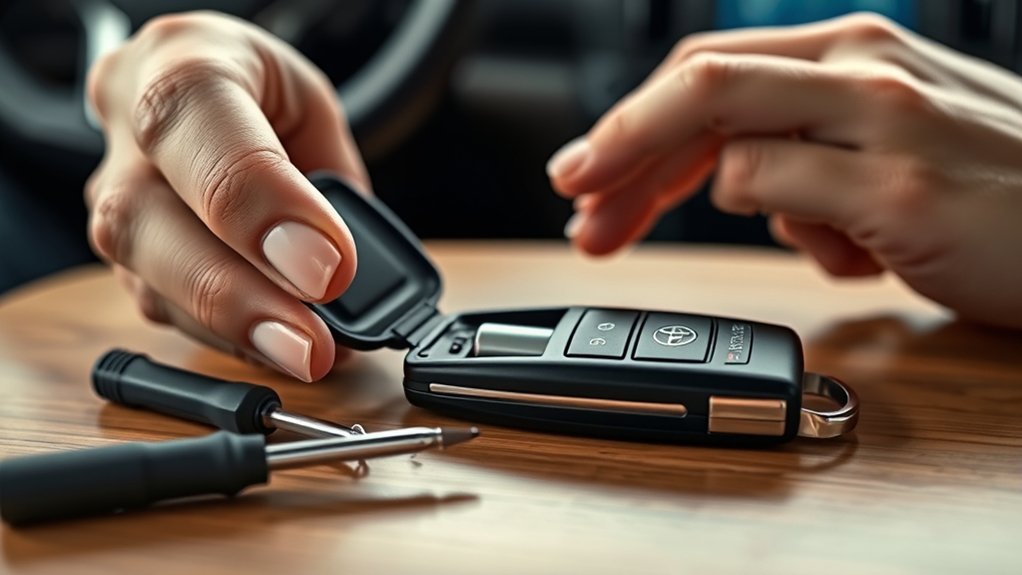
If your Toyota Land Cruiser key fob remains unresponsive after a battery change, do not immediately assume the key needs programming or replacement. Start with the simple checks below.
1. Recheck the Battery Number
Make sure the replacement matches the specification for your exact key. A CR2032 and CR2450 are both 3-volt lithium coin cells, but they are physically different and are not interchangeable simply because their voltage is the same.
2. Check Battery Orientation
Open the case again and confirm that the battery is installed in the same orientation as the original. On the LC200 and J250 procedures discussed here, the positive (+) side faces upward.
3. Reseat the Battery
Remove and reinstall the battery to make sure it is sitting flat against the contacts. Some owners have reported that removing and reseating a battery temporarily restored an apparently dead key, but this should be treated as a contact check rather than an official Toyota “reboot” procedure.
4. Inspect the Contacts
Look for a battery contact that is visibly bent, contaminated, or not touching the coin cell. Work with dry hands and do not bend the contacts deliberately. Toyota warns against moving internal components unnecessarily or bending battery terminals.
5. Try the Spare Key
If your spare electronic key works normally, the problem is likely limited to the first key, its battery, or its internal hardware. If neither key works, vehicle-side conditions or another smart-key-system issue become more likely.
6. Keep Radio Interference in Mind
Strong radio-frequency interference and certain electronic devices can interfere with smart-key operation. Test the key again in a different location before concluding that the new battery or key is defective.
Note: Carrying a spare battery can be useful on remote trips, but keep it secured in appropriate packaging rather than loose in a console or glove box. This helps prevent short-circuiting, loss, and accidental access by children.
What to Do if the Key Battery Dies Before You Can Start the Land Cruiser
A depleted electronic-key battery does not necessarily leave you stranded. Use the mechanical key when needed to enter the vehicle, then follow the emergency electronic-key procedure in your model-year Toyota owner’s manual. On current smart-key Toyotas, the procedure generally involves depressing the brake pedal and presenting the electronic key directly to the power/start switch so the vehicle can recognize its transponder.
This is an emergency starting procedure for a stopped vehicle. It is not something you should attempt while driving. If the key still cannot be recognized, contact a Toyota dealer or a qualified automotive locksmith.
Battery-Saving Mode on Newer Smart Keys
Newer Toyota smart keys can use a battery-saving mode to reduce power consumption when the key will not be used for a while. On the 2024+ Land Cruiser smart key, hold the lock button while pressing the unlock button twice; the indicator flashes to confirm battery-saving mode. Press any key-fob button to cancel the mode before normal use.
Why You Should Replace Your Key Fob Battery for Your Toyota Land Cruiser
A weak key fob battery can reduce wireless operating range and make smart-key entry or remote-button operation unreliable. Older LC200 Toyota documentation describes a standard electronic-key battery life of roughly one to two years, although real-world life varies with key design, usage, storage conditions, and how often the key communicates with the vehicle.
Replacing a weakening battery early is convenient, but a dead coin cell does not automatically mean the entire key has failed. The mechanical emergency key and Toyota’s emergency smart-key procedure provide backup options on compatible models.
For maintenance, avoid storing the electronic key continuously very close to devices that create strong electromagnetic fields. Newer Land Cruiser documentation also notes that keeping an electronic key near the vehicle for long periods can increase battery consumption.
Frequently Asked Questions
How Often Should I Replace My Key Fob Battery?
Toyota documentation for older LC200 electronic keys describes a standard battery life of about one to two years. Actual life can be shorter or longer. Replace the battery when range decreases, operation becomes intermittent, the key-battery warning appears, or the LED no longer behaves normally.
Can I Use a Different Battery Type?
Use the exact coin-cell type specified for your electronic key. A CR2032 and CR2450 may both provide 3 volts, but their physical dimensions and capacity differ. Installing the wrong size can cause poor contact or damage. Confirm the number on the original battery or in the correct Toyota owner’s manual.
What if My Key Fob Is Still Unresponsive?
Check the battery number, orientation, seating, and contacts first. Then try the spare electronic key and test in a different location to rule out interference. If one key remains dead with a verified new battery, the key itself may need professional inspection, repair, replacement, or programming.
Where Can I Purchase a Replacement Battery?
CR2032 and CR2450 lithium coin cells are commonly available from Toyota dealers, electronics stores, pharmacies, hardware retailers, camera stores, and reputable online sellers. Match the exact battery number before purchasing and choose packaging that meets applicable coin-battery safety requirements.
Will Replacing the Battery Reset My Key Fob Settings?
A normal coin-cell battery replacement should not require you to reprogram the electronic key to the vehicle. If the key stops working after replacement, first verify the battery type, orientation, seating, and contacts before assuming that programming has been lost.
Does a Toyota Land Cruiser Use a CR2032 or CR2450 Key Battery?
It depends on the generation. U.S.-market LC200 smart keys from the later 2016–2021 production period use CR2032 batteries, while the 2024–2026 U.S.-market J250 smart key uses CR2450. Earlier vehicles and non-U.S. configurations can differ, so verify the original battery or owner’s manual.
Can I Start the Land Cruiser if the Key Fob Battery Is Dead?
Usually, yes. The mechanical key provides backup entry, and smart-key-equipped Land Cruisers have an emergency recognition procedure for starting when the electronic-key battery is depleted. Follow the exact instructions in your model-year Toyota owner’s manual because the procedure can vary by generation.
Conclusion
Replacing a Toyota Land Cruiser key fob battery is straightforward once you identify the correct battery. The key point is that Land Cruisers do not all use the same coin cell: later U.S. LC200 smart keys use CR2032, while 2024–2026 U.S. J250 smart keys use CR2450. Verify the battery number, install it in the correct orientation, test the key near the vehicle, and troubleshoot the battery and contacts before assuming the fob needs replacement or programming.
Sources
- Toyota Manuals and Warranties — official model-year owner’s manuals and operating instructions.
- Toyota Land Cruiser Owner’s Manual, LC200 — electronic-key battery life, depletion symptoms, CR2032 specification, replacement procedure, and handling precautions.
- Toyota USA Newsroom: 2024 Land Cruiser — current-generation Smart Key, Digital Key, and Smart Card key information.
- U.S. Consumer Product Safety Commission: Button Cell and Coin Batteries — coin-battery ingestion hazards, storage, and disposal safety.