When your Toyota RAV4 shows “Maintenance Required” or “MAINT REQD,” do not panic. In most cases, this is a scheduled maintenance reminder, not the same thing as a check-engine light. The smart move is to confirm the exact message, check your mileage and service records, complete the maintenance due in your Toyota guide, and reset the reminder only after the work is done.
Quick Answer
When your RAV4 says “Maintenance Required,” it usually means scheduled maintenance is due. Check your Toyota Warranty & Maintenance Guide, complete the listed service, then reset the reminder. If the message says “Engine Maintenance Required,” or warning lights appear, scan the vehicle before driving farther.
Key Takeaways
- “Maintenance Required” is usually routine: it points you back to scheduled maintenance, not instant engine failure.
- Service comes before reset: resetting the reminder without doing the work only hides the reminder.
- Your exact guide controls: many late-model RAV4 schedules include service every 5,000 miles or 6 months, but oil-change timing depends on year, engine, market, and driving conditions.
- “Engine Maintenance Required” is different: treat it as a diagnostic warning, not a simple maintenance reminder.
At a Glance
| Time Required | 2–5 minutes to reset after maintenance; longer if service or diagnosis is still needed |
| Difficulty | Easy for a routine reminder; professional diagnosis may be needed for engine warnings |
| Tools Needed | Toyota owner’s manual or Warranty & Maintenance Guide; no scan tool for a routine reset |
| Cost | $0 to reset; maintenance or diagnostic cost depends on what your RAV4 needs |
What To Do If Your RAV4 Shows “Maintenance Required”

Start with the exact message on the dashboard. A routine maintenance reminder, an oil-maintenance reminder, a tire-pressure warning, and an engine-related warning do not all mean the same thing.
- Check the exact wording. “Maintenance Required,” “MAINT REQD,” or “Oil Maintenance Required” usually points to scheduled service. “Engine Maintenance Required” needs diagnosis.
- Check mileage and date. Toyota maintenance schedules use miles or months, whichever comes first.
- Open the correct guide. Use the printed booklet in your glove box or Toyota’s official Manuals and Warranties page for your exact year and model.
- Review your service record. Look for the last oil change, tire rotation, brake inspection, fluid check, and any special-condition service.
- Complete the service due. Do not reset the reminder just to make it disappear.
- Reset the reminder after service. Use the steering-wheel menu or trip/odometer button method that matches your RAV4 year and display.
Warning: If the message says “Engine Maintenance Required,” or you also see overheating, low oil pressure, a check-engine light, coolant loss, rough running, smoke, burning smells, or unusual noise, stop treating it as routine maintenance and get the vehicle scanned or inspected.
What “Maintenance Required” Actually Means
The regular RAV4 “Maintenance Required” message is a reminder to perform scheduled maintenance. It is different from a check-engine light. It does not automatically mean the engine has failed, and it does not identify a broken part by itself.
For many late-model U.S.-market RAV4 maintenance guides, scheduled maintenance appears at 5,000-mile or 6-month intervals. That visit commonly includes tire rotation, fluid checks, wiper-blade inspection, brake visual inspection, floor-mat checks, and other listed inspections. Oil and filter replacement depends on your model year, engine, oil used, and driving conditions, so verify the interval in your own Toyota Owner’s Manual and Warranty & Maintenance Guide.
Note: On many late-model RAV4 schedules, oil/filter replacement is listed at 10,000 miles under normal use and at shorter intervals under special operating conditions such as heavy loading, repeated short trips in cold weather, dusty roads, towing, or long idling. Always use the schedule for your exact year, engine, and market.
First, Confirm Your Exact RAV4 Year and Message
RAV4 reset steps and maintenance intervals can vary by model year, instrument cluster, gas or hybrid powertrain, and market. Before you follow a reset method from the internet, match the instructions to your own vehicle.
| What to confirm | Why it matters |
|---|---|
| Model year | Older RAV4s may use trip/odometer reset steps, while newer models often use steering-wheel controls and the multi-information display. |
| Gas or hybrid | Oil specifications, maintenance data, and some warning messages can differ by powertrain. |
| Exact dashboard wording | “Maintenance Required” and “Engine Maintenance Required” call for different next steps. |
| Driving conditions | Special operating conditions can shorten service intervals. |
“Maintenance Required” vs. “Engine Maintenance Required”
These two messages are easy to confuse, but you should handle them differently.
| Message | What it usually means | What to do |
|---|---|---|
| Maintenance Required / MAINT REQD | Routine scheduled maintenance reminder. | Check the maintenance guide, complete the due service, then reset the reminder. |
| Oil Maintenance Required | Oil-maintenance reminder on some displays. | Confirm oil/filter service is due and completed, then reset the oil-maintenance reminder. |
| Engine Maintenance Required | Possible engine-system issue or stored diagnostic fault. On some vehicles, engine-maintenance warnings can be related to cooling-system control faults or other engine-management issues. | Scan for diagnostic trouble codes and inspect the related system before resetting anything. |
If you see “Engine Maintenance Required,” read the codes with a professional scan tool or visit a qualified shop. The message alone does not prove one specific part has failed, but it is serious enough to diagnose before long trips or heavy driving.
Can You Drive With the Maintenance Required Message?
Often, yes for a short time if the vehicle drives normally and the message is only the routine maintenance reminder. Still, you should schedule service soon. Do not use “safe for a short time” as a reason to skip maintenance.
| Situation | Best next step |
|---|---|
| Only “Maintenance Required” appears, and the RAV4 drives normally. | Check your maintenance schedule and book service soon. |
| The reminder appeared right after an oil change or service visit. | Confirm the service was completed, then reset the reminder using the correct method. |
| The message says “Engine Maintenance Required.” | Scan the vehicle and inspect the related system before continuing long trips. |
| You see overheating, oil-pressure, hybrid-system, or check-engine warnings. | Stop when safe and get professional help. |
Which Services Are Usually Due?
The exact list depends on your model year, engine, drivetrain, region, and driving conditions. Use this as a practical guide, then confirm it in your own maintenance booklet.
| Interval type | Common RAV4 service items | Important note |
|---|---|---|
| 5,000 miles / 6 months | Tire rotation, fluid-level inspection, wiper-blade inspection, brake visual inspection, floor-mat check, and other listed checks. | This may be a scheduled maintenance visit even when an oil change is not due under normal conditions. |
| 10,000 miles / 12 months | Oil and filter replacement on many late-model normal-service schedules, plus tire rotation and inspections. | Your guide controls. Older models, different engines, and non-U.S. schedules may vary. |
| Special operating conditions | Earlier oil/filter replacement and extra inspections may apply for towing, heavy loading, dusty roads, repeated short cold trips, or long idling. | Do not guess. Use the special-conditions section of the Warranty & Maintenance Guide. |
The reminder tells you maintenance is due; the maintenance guide tells you exactly which service is due.
[Products Worth Considering]

ECOGARD X5608 is a premium cartridge oil filter designed for a wide range of Toyota, Lexus, and Scion vehicles. It helps protect your engine by screening out harmful contaminants and is built for use with both synthetic and conventional oils. Included O-rings support a proper housing seal for dependable maintenance between oil changes.

FOCUSFILTER 04152-YZZA1 OEM grade oil filter is designed to help protect your engine with reliable filtration and 10K mile protection. It cross references multiple OE part numbers and fits a wide range of Toyota and Lexus applications, making it a practical replacement for routine maintenance. Built for compatible vehicles including Camry, Avalon, Highlander, Tacoma, RAV4, Sienna, ES 350, and RX 350.

This 12-pack oil filter and drain plug washer set is designed for a wide range of Toyota and Scion vehicles, helping support clean oil flow and dependable engine performance. It replaces several common OE part numbers and offers an easy-fit solution for routine maintenance. Built with corrosion-resistant materials and efficient filtration, it helps keep engine contaminants out and supports longer service life.
Before You Reset the Maintenance Light
Resetting is easy, but it should be the last step, not the first. Run this quick checklist:
- Confirm whether the message is “Maintenance Required” or “Engine Maintenance Required.”
- Check the odometer and the date of the last service.
- Complete the listed service items for your mileage/month interval.
- Use the correct oil grade for your engine if an oil change is due.
- Save receipts and record mileage, date, oil grade, and shop name.
- Reset the reminder only after the work is complete.
Pro Tip: Take a photo of the receipt and odometer after each service. It helps with warranty questions, resale value, and your next maintenance decision.
Do Not Reset These Warnings as Routine Maintenance
A maintenance reminder reset is not a repair. Do not use the maintenance reset menu to hide warning signs that need inspection.
- Check-engine light: scan for codes before clearing anything.
- Low oil pressure warning: stop safely and check the oil level before driving farther.
- Coolant-temperature warning or overheating: stop safely and let the engine cool before inspection.
- Hybrid-system warning: get diagnosis from a qualified hybrid technician.
- Flashing TPMS light: check tire pressure and sensor status; do not confuse it with scheduled maintenance.
How to Reset the RAV4 Maintenance Light
Reset steps vary by model year and display. Late-model RAV4s often use the steering-wheel controls and multi-information display. Older models may use a trip/odometer button sequence. If your menu labels differ, use the reset instructions in your owner’s manual or Toyota’s RAV4 maintenance requirements manual page.
Method 1: Steering-Wheel Menu Method
Use this approach for many newer RAV4 models with a multi-information display:
- Park safely and turn the vehicle on without driving.
- Use the steering-wheel controls to open the settings or gear-icon menu on the multi-information display.
- Choose Vehicle Settings or the maintenance-related menu.
- Select Scheduled Maintenance, Maintenance Reset, or Oil Maintenance, depending on your display.
- Press and hold OK if prompted.
- Select Reset or Yes.
- Restart the vehicle and confirm the message is gone.
Method 2: Trip/Odometer Button Method for Older Models
Some older RAV4s use a trip/odometer reset-button sequence. The exact sequence varies, but the general pattern is:
- Set the display to the correct odometer or trip screen listed in your manual.
- Turn the ignition off.
- Press and hold the trip/odometer reset button.
- Turn the ignition to ON without starting the engine, or use the equivalent push-button start sequence for your model.
- Keep holding until the maintenance reminder resets or the countdown finishes.
- Release the button, start the vehicle, and confirm the reminder is off.
Note: If your RAV4 has a push-button start, “ignition on” usually means pressing the start button without pressing the brake pedal. Check your manual before repeating the procedure.
Confirming a Successful Reset
After resetting, turn the RAV4 off, restart it, and check the instrument cluster. If the routine maintenance reminder is gone, the reset worked. If it returns immediately, repeat the correct procedure once and make sure each button press registered.
If the light still will not reset, do not keep guessing. The issue may be a missed menu step, a different reminder type, a low battery/display issue, or a warning that needs diagnosis.
When the Warning Won’t Reset: Signs You Need Professional Help
Get professional help if any of these happen:
- The message says “Engine Maintenance Required.”
- The routine reminder returns immediately after a correct reset.
- You see a check-engine light, coolant-temperature warning, low-oil-pressure warning, or hybrid-system warning.
- The vehicle overheats, loses coolant, runs roughly, smells hot, leaks fluid, or makes new noises.
- You are unsure whether the correct service was completed.
A qualified technician can scan for diagnostic trouble codes, confirm whether the reminder is routine or fault-related, and inspect the cooling, lubrication, brake, tire, and electrical systems as needed.
[Products Worth Considering]

ECOGARD XA5786 is a premium engine air filter designed to help protect your engine by trapping dust, dirt, pollen, and road particles before they enter the intake system. It supports smooth airflow for consistent engine response and fuel efficiency, and it is intended for regular replacement to help maintain reliable performance and engine longevity.

This CF10285 cabin air filter is designed to help keep your vehicle's interior air cleaner by capturing dust, pollen, soot, and road grime. It is compatible with a wide range of Toyota, Lexus, Jaguar, Land Rover, Subaru, Scion, and Pontiac models, making it a versatile replacement choice. The activated carbon design and easy glove-box installation make it a practical upgrade for fresher driving comfort.

UNDERSTAND YOUR CHECK ENGINE LIGHT – The ANCEL AD410 OBD2 scanner helps everyday drivers quickly read and clear engine-related fault codes, view code definitions, and understand why the check engine light is on before visiting a repair shop. With 42,000+ built-in DTC lookups, this car code reader helps reduce guesswork and makes basic vehicle diagnostics easier for beginners and DIY users
Using Your Warranty & Maintenance Guide To Track Service
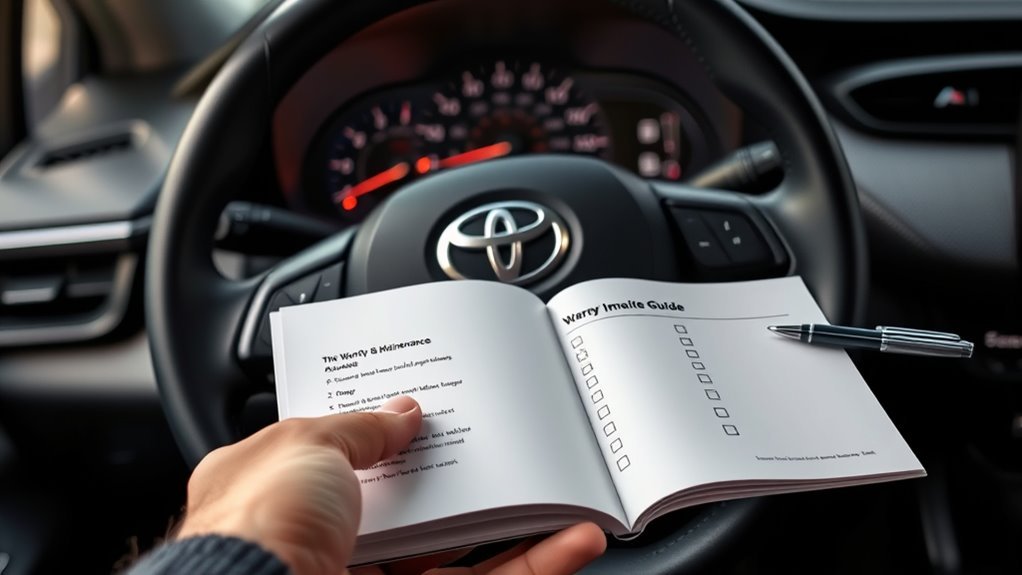
Your Toyota RAV4 Warranty & Maintenance Guide is the main checklist for scheduled service. It lists mileage/month intervals, normal service items, special operating condition items, and space to record dealer or shop verification.
For each service, record:
- Date and odometer reading.
- Services performed.
- Oil grade and quantity, if an oil change was done.
- Shop name or technician name.
- Receipt or invoice number.
- Any diagnostic codes found, if the vehicle was scanned.
Good records protect you in three ways: they help you avoid skipped maintenance, support warranty discussions, and make the vehicle easier to sell later.
RAV4 Owner Tips: Scheduling, Common Issues, and 0W-16 Oil
[Products Worth Considering]

Advanced protection against the four main causes of engine breakdown: wear friction heat and deposits

Optimum oil pressure under all operating conditions
Schedule Service by Miles or Months
Do not rely only on the dashboard reminder. Low-mileage drivers can reach the month interval before the mileage interval. High-mileage drivers can reach mileage intervals before the calendar date. Check both.
A simple routine works well:
- Check the odometer once a month.
- Keep a service note in your phone.
- Book maintenance before long trips.
- Ask the shop to list each completed service item on the invoice.
- Reset the reminder only after the invoice matches the maintenance guide.
Use the Correct Oil for Your RAV4
Many late-model RAV4 engines call for low-viscosity synthetic oil such as SAE 0W-16, but the correct oil depends on your exact year, engine, and market. For example, Toyota’s 2025 RAV4 Hybrid maintenance data page lists maintenance data for that model family. Verify your own vehicle in Toyota’s RAV4 Hybrid maintenance data or your printed owner’s manual.
Warning: Do not choose oil by internet comments alone. Use the viscosity and grade listed for your specific RAV4, especially if it is under warranty.
Do Aftermarket Tires Trigger the Maintenance Light?
Aftermarket tires, tire rotations, tire-pressure changes, or tire-size changes may trigger the tire pressure warning system, not the regular “Maintenance Required” reminder. Treat the TPMS warning as a tire-pressure or tire-sensor issue, not as scheduled maintenance.
If the tire-pressure light is on, check the door-jamb placard pressure, adjust all tires when cold, and follow the TPMS reset procedure for your model. If the TPMS warning flashes or will not clear, a sensor or registration issue may need a tire shop or dealer.
Frequently Asked Questions
Can third-party garages reset the maintenance light for my RAV4?
Yes. A qualified independent shop can perform the scheduled maintenance and reset the reminder. Many RAV4 owners can also reset the routine reminder themselves through the display menu or trip/odometer button sequence after the service is complete.
Does the maintenance message affect vehicle resale value?
The message itself is not the main issue. Resale value is affected more by whether maintenance was actually done and documented. Keep receipts, mileage records, oil-grade notes, and inspection reports so buyers can see the RAV4 was maintained on schedule.
Will a software update change maintenance reminder intervals?
Do not assume a software update changed your service schedule. Maintenance intervals vary by model year, engine, region, and operating conditions. After major service or software work, verify the current schedule in your owner’s manual or Toyota’s official manuals site.
Is the message stored in vehicle service records or only on the display?
The routine reminder is mainly a display reminder. Your service history depends on receipts, shop records, dealer records, and your own maintenance log. If a warning is diagnostic rather than routine, a scan tool may show related diagnostic trouble codes.
Can aftermarket tires or oil types trigger the maintenance alert?
Aftermarket tires are more likely to affect the TPMS light than the “Maintenance Required” reminder. Wrong oil usually does not trigger the mileage-based reminder by itself, but using the wrong oil can cause wear, warranty problems, or other warnings. Use the oil grade listed for your exact RAV4.
Is it safe to drive with “Maintenance Required” showing?
Usually, yes for a short time if the vehicle drives normally and the message is only the routine “Maintenance Required” reminder. Schedule service soon. Do not ignore “Engine Maintenance Required,” overheating, low oil pressure, check-engine lights, leaks, or unusual noises.
Why did the light stay on after my oil change?
The reminder may not have been reset, the wrong reset menu may have been used, or the message may not be the routine maintenance reminder. Confirm the oil change was completed, follow the correct reset steps for your model, and scan the vehicle if the message says “Engine Maintenance Required.”
Is “Maintenance Required” the same as the check-engine light?
No. “Maintenance Required” is usually a mileage or time-based service reminder. The check-engine light points to a possible fault stored in the vehicle’s diagnostic system. If both appear, diagnose the check-engine light instead of only resetting the maintenance reminder.
Conclusion
When your RAV4 displays “Maintenance Required,” treat it as a service reminder and work through the basics: check the exact message, review your mileage and service history, complete the maintenance listed in your Toyota guide, and then reset the reminder. Do not use the reset as a shortcut around actual service.
If the message says “Engine Maintenance Required,” or the reminder will not clear after a correct reset, step up to diagnosis. A scan and inspection can prevent a small issue from becoming an expensive repair.
Sources
- Toyota Manuals and Warranties — official owner manual and warranty guide lookup by vehicle.
- Toyota 2024 RAV4 Warranty & Maintenance Guide — scheduled maintenance intervals, service records, and special operating condition guidance.
- Toyota 2025 RAV4 Maintenance Requirements — official digital manual page for maintenance reminder requirements and reset reference.
- Toyota 2025 RAV4 Hybrid Maintenance Data — official maintenance data reference for RAV4 Hybrid models.
- NHTSA 2020 Toyota RAV4 Vehicle Page — official U.S. government vehicle safety and manufacturer communication reference.