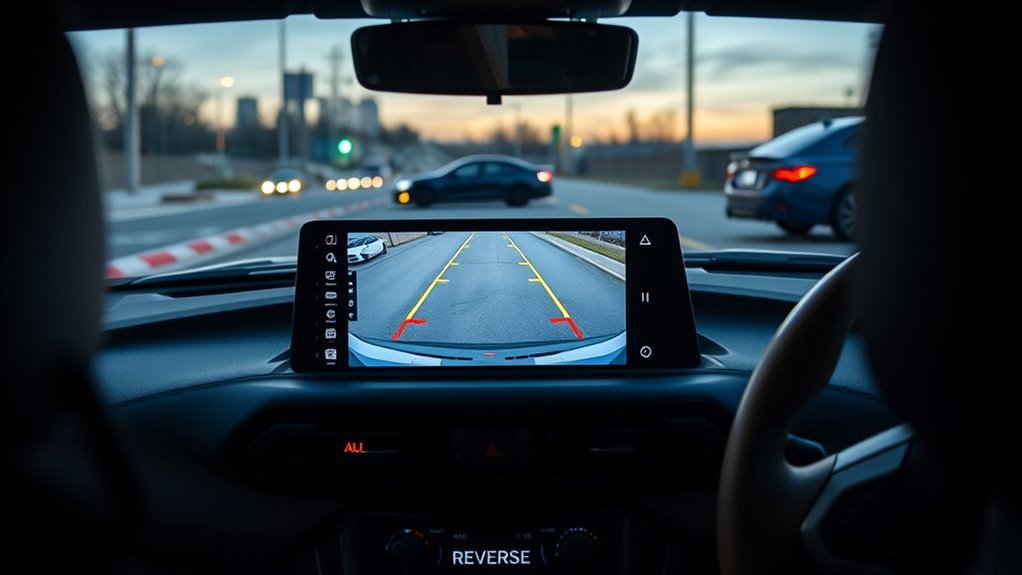
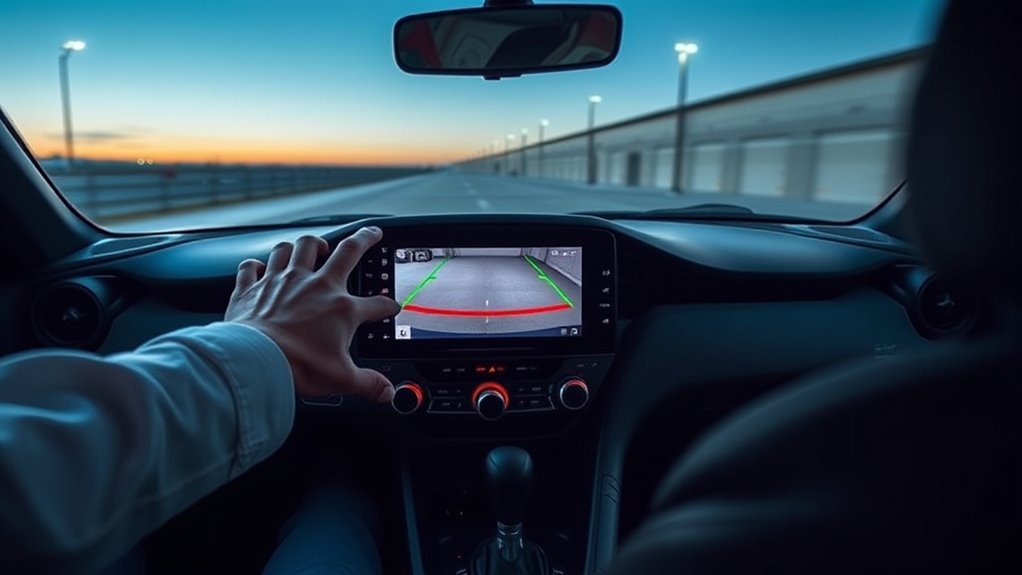
Toyota Supra backup camera guidelines use green pathway lines that move with the steering wheel and red turning-radius lines that show the tightest reverse arc on level ground. To use them, hold the brake, shift into reverse, position the red turning-radius line inside the parking space, and turn the wheel until the green pathway line covers the matching red line. Reverse slowly while checking the mirrors, looking around the car, and staying ready to stop. Do not use the camera image as an exact distance ruler because objects on the display may be closer than they appear.
Affiliate disclosure: This page may contain affiliate links. If you buy through them, Auto Review Nest may earn a commission at no extra cost to you.
Quick Answer
To use Toyota Supra backup camera guidelines, shift into reverse while holding the brake and make sure Parking aid lines are enabled. Place the red turning-radius line within the parking space, then turn the steering wheel until the green pathway line covers the corresponding red line. Reverse slowly and confirm clearance through the mirrors and direct visual checks. Stop whenever the path is unclear or a Parking Sensor warning becomes continuous.
Key Takeaways
- Green pathway lines move with the steering angle and show the Supra’s projected reversing path.
- Red turning-radius lines show the smallest possible turning arc on level ground. They are steering guides, not measured stopping lines.
- Green, yellow, and red shaded areas can be separate Parking Sensor obstacle markings, depending on the vehicle’s equipment.
- The Supra manual warns that objects on the Control Display may be closer than they appear, so always use mirrors and direct sight.
- With the camera active, move the controller to the right, choose Camera image, and select Parking aid lines to restore the overlay.
At a Glance
| Time Required | 5–10 minutes of practice in an open parking lot |
| Difficulty | Easy |
| Tools Needed | Clean microfiber cloth; optional cones or cardboard boxes for practice |
| Cost | Free unless the camera, wiring, software, or mounting needs service |
How Toyota Supra Backup Camera Guidelines Work
When you shift into reverse with the engine running, the Supra displays the rearview camera image on the Control Display. Depending on equipment, the screen can show parking aid lines, obstacle markings from the Parking Sensors, or both. If the rearview camera is active but the parking overlay is hidden, move the Toyota Supra Command controller to the right, select Camera image, and choose Parking aid lines.
The parking aid overlay has two Supra-specific parts. Green pathway lines estimate the space the car needs at the current steering angle and move as you turn the wheel. Red turning-radius lines show the smallest possible reverse turning arc on level ground. Only one red turning-radius line may appear after the steering wheel passes a certain angle.
Warning: The rearview camera cannot replace the driver’s judgment. Very low obstacles and high, protruding objects such as ledges may not be detected. Objects shown on the display may also be closer than they appear. Check the mirrors, look around the vehicle, and reverse slowly with your foot ready on the brake.
Pathway Lines Versus Turning-Radius Lines
Green pathway lines are the steering-responsive part of the display. They continuously adjust with steering-wheel movement and show the route the Supra is expected to follow if you keep the current steering angle.
Red turning-radius lines show the course of the smallest possible turning radius on level ground. They appear together with the pathway lines and help you set up the initial angle for a reverse-parking maneuver.
- Position the car so the red turning-radius line ends within the boundaries of the parking space.
- Turn the steering wheel until the green pathway line covers the corresponding red turning-radius line.
- Reverse slowly while checking that the green pathway remains inside the parking-space boundaries.
- Straighten the steering as the Supra becomes aligned with the space.
- Stop and check directly whenever side or rear clearance is uncertain.
Guideline Colors Versus Parking Sensor Colors
Do not treat every red, yellow, green, or blue display element as the same type of guide. On the Supra, the green pathway lines and red turning-radius lines help with steering. Separate green, yellow, and red shaded areas or markings can represent objects detected by the Parking Sensors, depending on equipment.
The red turning-radius line is not a measured “stop line.” Likewise, a green pathway line does not guarantee that the area is free of people, curbs, posts, or protruding objects. Use the camera overlay to plan the path, then use mirrors, direct sight, and sensor warnings to verify clearance.
Use the red line to set the turning arc, the green line to follow the steering path, and your mirrors and direct view to confirm that the path is actually clear.
What the Supra’s Lines and Obstacle Markings Mean
The camera guidelines and Parking Sensor warnings serve different purposes. The lines help you aim the car. The sensor markings and tones warn that an object has been detected within the sensor range. Neither system gives permission to reverse without checking the area yourself.
Common Screen Cues
| Screen or sound cue | Supra-specific meaning | What to do |
|---|---|---|
| Green pathway lines | Projected path based on the current steering angle | Keep the lines within the parking-space boundaries and make small steering corrections |
| Red turning-radius line | Smallest possible reverse turning arc on level ground | Place it within the space, then turn until the green pathway line covers it |
| Green, yellow, or red obstacle marking | An object has been detected within the Parking Sensor range, if equipped | Slow down, identify the object, and stop if clearance is uncertain |
| Continuous Parking Sensor tone | A detected object is approximately 10 inches or 25 cm away or closer | Stop immediately and confirm the object’s position visually |
| Gray or hatched camera image | The camera is deactivated, such as when the trunk lid is open | Close the trunk fully and recheck the camera display |
Action Thresholds
Use the green and red lines to plan the car’s path, not to measure bumper clearance. If a sensor marking changes toward red, reduce speed and identify the object. If the warning tone becomes continuous, stop and check the area directly. Stop sooner whenever the object is low, narrow, protruding, outside the camera view, or difficult to identify.
How to Use Pathway and Turning-Radius Lines When Parking
The same guideline system can help with several parking situations, but the final clearance check must still come from mirrors and direct sight.
- Reverse bay parking: Place the red turning-radius line inside the target space. Turn until the green pathway line covers it, then reverse while keeping the green path within the bay.
- Angled parking: Watch the green pathway lines sweep as you steer. Use small wheel movements so the projected path stays between the space markings.
- Parallel parking: Use the green pathway line to judge the initial angle, then straighten the wheel as the car becomes parallel with the curb. Check the front corner and curb through the mirrors.
- Tight garages: Use the camera for the area directly behind the car and both mirrors for side clearance. The camera may not show hazards near a bumper corner or above its viewing area.
Pro Tip: Practice with lightweight cones or cardboard boxes in an empty parking lot. Stop the vehicle, secure it, and have a spotter measure the actual clearance. Compare that measurement with the screen image so you learn how your own Supra looks at different distances without assuming that a camera line is a precise ruler.
Step-by-Step: Positioning, Steering, and Stopping With the Lines
Use this sequence for a controlled reverse-parking maneuver:
- Hold the brake and shift into reverse. Wait for the rearview image to appear, then scan the screen, mirrors, and surrounding area.
- Confirm that Parking aid lines are enabled. If they are missing, move the controller to the right, select Camera image, and choose Parking aid lines.
- Position the red turning-radius line. Set up the Supra so the red line leads inside the boundaries of the target parking space.
- Match the green and red lines. Turn the wheel until the green pathway line covers the corresponding red turning-radius line.
- Reverse slowly. Move at walking speed or slower and keep checking the full surroundings, not only the center display.
- Make small corrections. Keep the projected green path inside the space and begin straightening the steering as the car aligns.
- Stop and verify clearance. Stop if the path becomes unclear, an obstacle marking approaches the vehicle, or a sensor warning becomes continuous.
[Products Worth Considering]
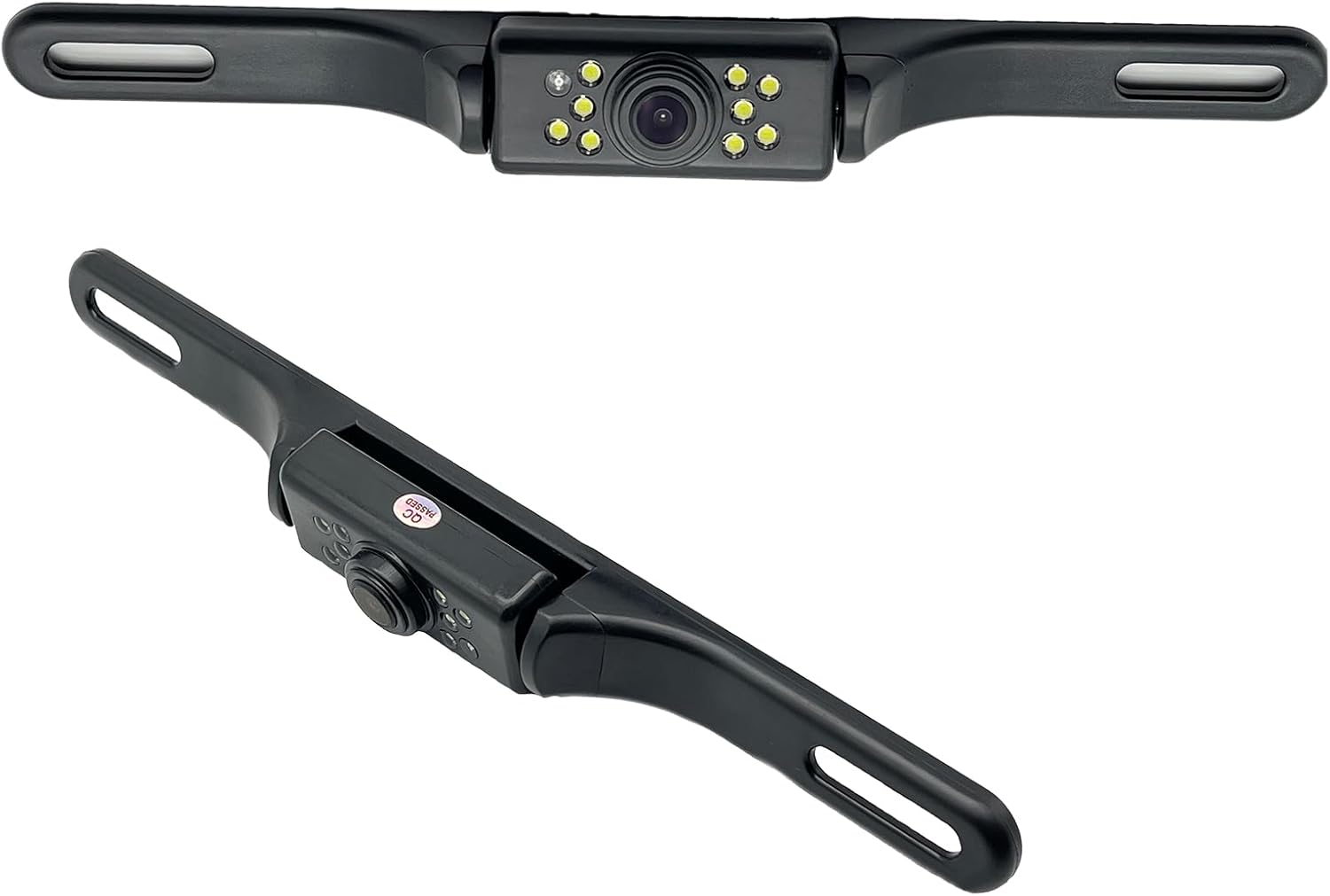
This YIMU license plate backup camera helps improve rear visibility with a wide 150° viewing angle, clear HD imaging, and full-color night vision powered by 7 LED lights. It supports CVBS and AHD switching for compatible screens, includes a long RCA video cable for flexible installation, and is built for reliable use in a variety of vehicles with waterproof and shockproof protection.

This wireless backup camera system offers quick magnetic installation, making it easy to mount without wiring for trucks, trailers, cars, and RVs. It delivers a clear 1080P image with enhanced night vision, stable digital signal transmission, and a wide 170° view to help reduce blind spots and improve reversing safety. Built for all-weather use, it also includes a long-lasting rechargeable battery, solar support, and parking assist lines for easier maneuvering.

This wired backup camera system makes reversing easier with a quick plug-and-play setup, stable real-time video, and a wide-angle HD view to help reduce blind spots. The adjustable parking lines, brightness, contrast, and image flip options let you customize the display for safer parking in cars, trucks, RVs, vans, SUVs, trailers, and campers.
Quick Fixes: Restore Missing Guidance Lines
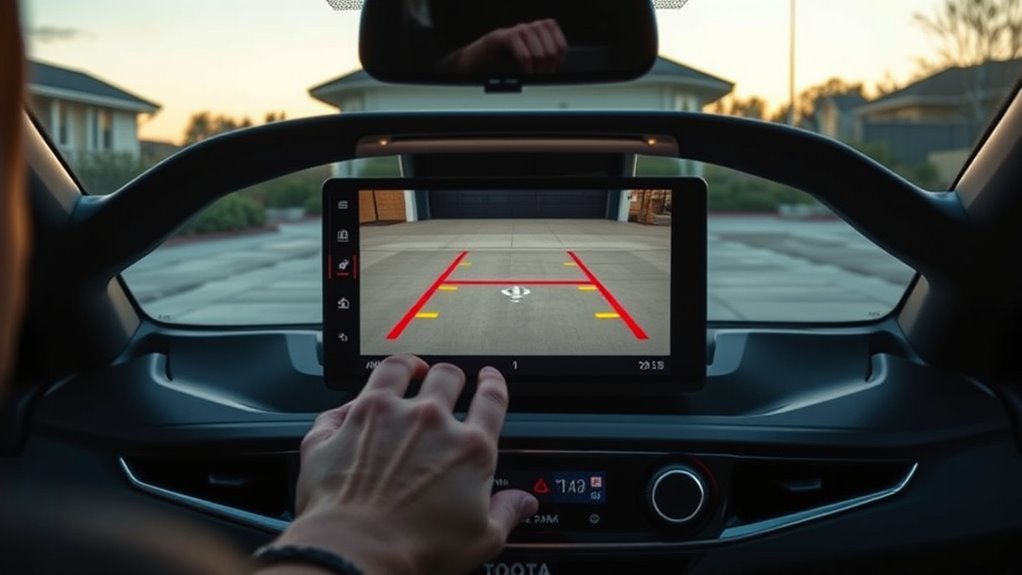
If the rearview image works but the Supra’s parking lines are missing, check the active camera view and parking-aid setting before assuming the camera has failed.
- Shift into reverse safely. Keep the brake applied and confirm that the rearview image appears.
- Select the rearview camera if needed. Tilt the controller to the side and choose Rear view camera if another parking display is shown.
- Open the assistance options. With the camera active, move the controller to the right if needed.
- Enable the lines. Select Camera image, then choose Parking aid lines.
- Close the trunk fully. An open trunk can deactivate the camera and produce a gray or hatched image.
- Clean the camera lens. The lens is near the license-plate-light area, where water spots, road film, mud, and snow can impair the image.
- Restart the vehicle normally. Park safely, switch the vehicle off, and restart it. Do not disconnect the battery as a first troubleshooting step.
- Schedule service if the lines remain missing. A software, camera, connector, steering-angle-data, or display fault may require diagnosis.
[Products Worth Considering]

AUTO-VOX Solar Wireless Backup Camera makes reversing easier with a clear 1080P display, wireless digital signal, and a solar-assisted battery system that reduces maintenance. Designed for fast DIY setup, it mounts cleanly on a license plate and delivers dependable visibility for parking, towing, and blind-spot monitoring in a wide range of vehicles.
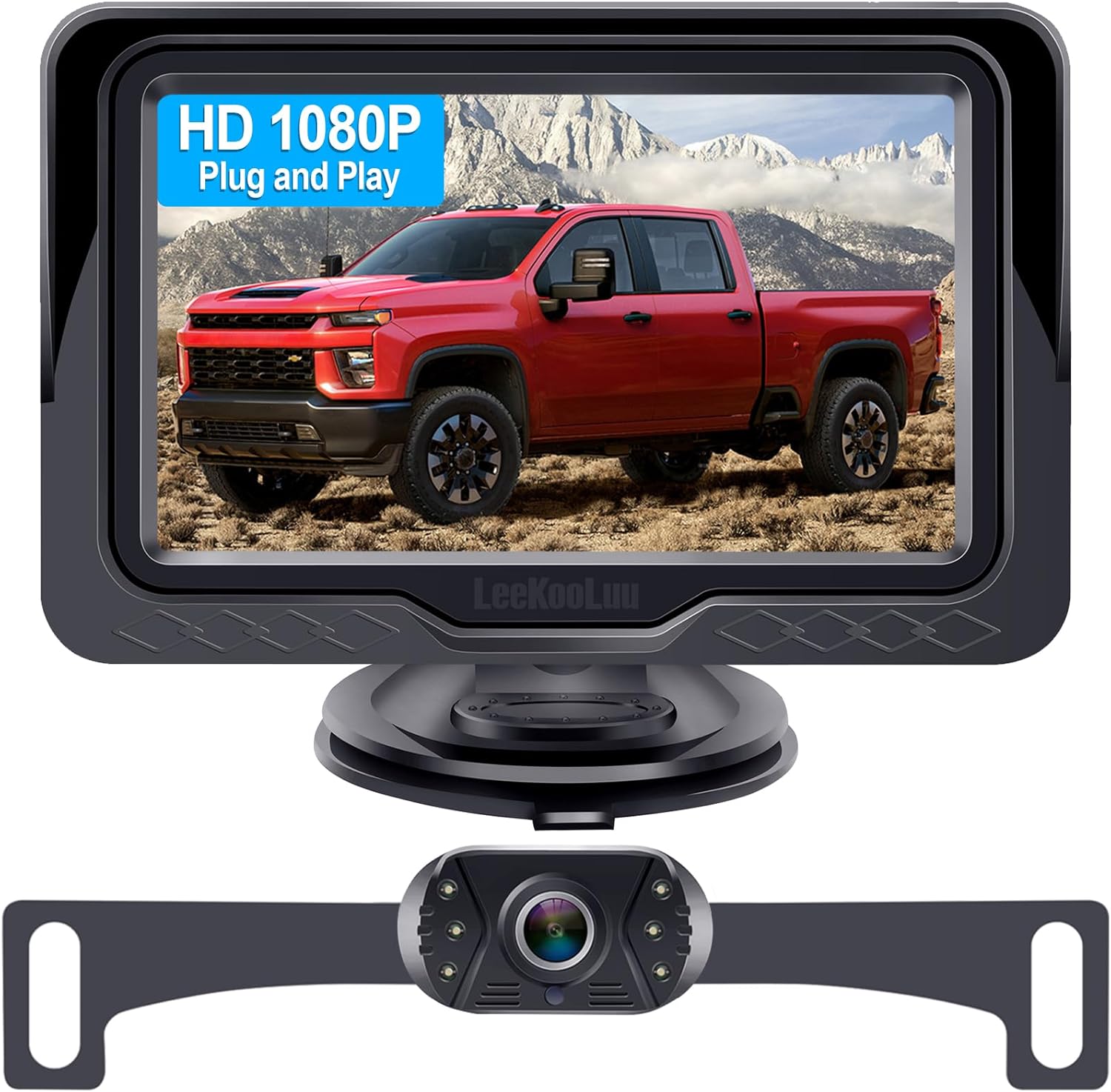
This plug-and-play backup camera system is designed for quick installation and dependable rear visibility on a wide range of vehicles. It delivers HD 1080P color images with stable signal transmission, clear night vision, and an adjustable 4.3-inch monitor for safer reversing in day or night conditions. With a waterproof all-weather design, customizable parking grid lines, and wide-angle viewing, it helps reduce blind spots and makes parking and maneuvering easier.

Application: When you want to install an aftermarket android head unit, this reverse camera adapter can get original backup camera's video signal to the aftermarket stereo. So this rearview camera adapter can help you retain the original backup reverse rear view camera function.
Troubleshooting Supra Backup Camera Guidance Lines
Start with the symptom you see. A working image with no lines usually points to a view or display setting. A gray image can indicate that the camera is deactivated. Frozen pathway lines, flickering video, or a line position that changed after body work may require professional diagnosis.
[Products Worth Considering]

Back Up Camera With Movable Guideline---Applying new chip, our back up camera can show trajectory guide line without extra device, its guide line automatically changes according to the car’s moving direction.

Car Rear View Camera,Vehicle Backup Cameras,Back Up Parking Camera,License Plate Light Lamp Camera.
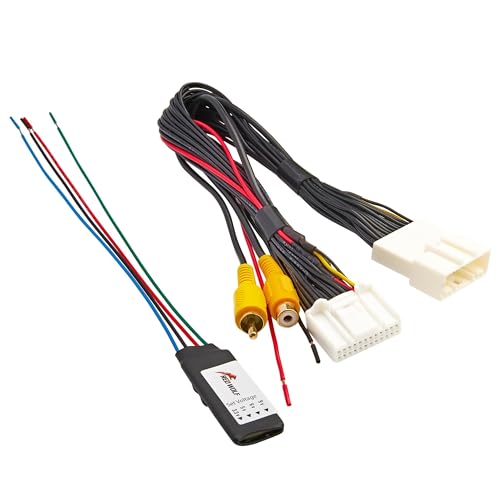
Note: This product features a 24-pin connector; Please be sure to check the compatibility of the connection plug on your vehicle before purchasing to avoid any mistakes; Note: Check reverse gear for 12V prior to installation. If no power, ensure the 24-PIN plug is fully seated and the reverse trigger wire is properly connected to the reverse light positive or matched trigger input
Guidelines Are Missing but the Camera Image Works
- Move the controller to the right while the rearview camera is active.
- Select Camera image, then select Parking aid lines.
- Confirm that the screen is showing the rearview camera rather than a Parking Sensor-only view.
- Close the trunk fully and restart the vehicle normally.
- Have the system checked if the menu setting is enabled but the lines do not return.
Green Pathway Lines Do Not Move With Steering
- Confirm that Parking aid lines are selected, not only obstacle markings.
- Turn the steering wheel farther. A red turning-radius line may appear only after the wheel passes a certain angle.
- Stop using the overlay if the green path remains frozen or points in an obviously incorrect direction.
- Have the camera display, steering-angle data, software, and related connections inspected by a Toyota dealer or qualified technician.
Camera Image Is Blurry, Dark, or Flickering
- Clean the lens with a clean, soft microfiber cloth. Use water if needed and avoid abrasive material.
- Check for condensation, mud, snow, wax, road film, or an object blocking the license-plate-area camera.
- With the camera active, move the controller to the left if needed, select Camera image, and check the Brightness and Contrast settings.
- Inspect the camera housing if the problem began after rear trim, license plate, trunk, bumper, or body work.
- Have the wiring checked if the image flickers, cuts out, becomes distorted, or displays an error.
Early 2020 Supra recall note: Certain 2020 Supras produced from early March through early September 2019 were covered by NHTSA recall 19V-684. The issue involved extreme rear-camera brightness and contrast settings that could affect the next backing image. Check your 17-digit VIN through Toyota’s official recall lookup rather than assuming every 2020 Supra is affected.
Note: Have the system inspected if the camera, camera mount, rear bodywork, trunk area, or related wiring was disturbed, or if the guideline position changed after collision repair. Do not bend the mount, twist the housing, or attempt to aim the camera by force.
Settings, Toggles, and When You Can Disable Guidance
With the rearview camera active, move the Toyota Supra Command controller to the right if needed, choose Camera image, and select Parking aid lines. This setting displays the pathway and turning-radius lines. A separate Obstacle marking option may be available when the vehicle has compatible Parking Sensors.
You may be able to hide the parking aid lines from the same camera menu. Leaving them enabled is usually the clearest setup because the green path shows steering movement and the red line helps establish the initial turning arc. Whether the lines are on or off, you remain responsible for checking the full area around the vehicle.
Aftercare: Cleaning, Inspection, and When to Call Service
The Supra’s rear camera lens is located near the license-plate-light area. Clean it whenever dirt, water spots, snow, road salt, or wax begins to reduce image quality. A clean, soft microfiber cloth is normally enough for routine care.
- Clean the lens when the image becomes hazy or streaked. Do not scrub it with abrasive material.
- Keep the camera area unobstructed. Check that temporary plates, plate frames, cargo, and accessories are not blocking the view.
- Check the image before a tight maneuver. Do not begin backing if the display is gray, severely distorted, frozen, or unavailable.
- Call for service if the image fails repeatedly, the green pathway does not respond to steering, the lines are visibly misaligned, or the camera was disturbed during repair work.
Frequently Asked Questions
How do you use the guide lines on a Toyota Supra reverse camera?
Hold the brake and shift into reverse. Position the car so the red turning-radius line leads within the parking space, then turn the steering wheel until the green pathway line covers the corresponding red line. Reverse slowly while checking the mirrors and surrounding area.
How do you turn on parking aid lines on a Toyota Supra?
With the rearview camera active, move the Toyota Supra Command controller to the right if needed. Select Camera image, then select Parking aid lines. The green pathway and red turning-radius lines should appear.
What do the red and green lines mean on a Toyota Supra backup camera?
The green pathway lines move with the steering angle and show the projected reversing path. The red turning-radius lines show the smallest possible turning arc on level ground. Separate green, yellow, and red shaded areas can be Parking Sensor obstacle warnings when equipped.
Why did my Supra backup camera lines disappear?
The Parking aid lines setting may be off, the display may be showing another parking view, or the trunk may not be fully closed. With the camera active, move the controller to the right, choose Camera image, and select Parking aid lines. Schedule service if the setting is enabled but the lines remain missing.
Can I rely only on the Supra backup camera when reversing?
No. The rearview camera, parking aid lines, and Parking Sensors are driver aids. They may miss low, high, narrow, protruding, or out-of-view hazards. Use the screen, mirrors, direct visual checks, and slow brake control together.
Why is my Toyota Supra backup camera image blurry or dark?
Clean the lens near the license-plate-light area and check the camera brightness and contrast settings. Early-production 2020 Supras may also need the software remedy for NHTSA recall 19V-684, so check the VIN through Toyota’s official recall lookup.
Conclusion
Use the Supra’s red turning-radius line to establish the reverse arc and the green pathway line to follow the steering path. Treat Parking Sensor markings and tones as separate obstacle warnings, not as proof that every part of the path is clear. Keep the lens clean, enable the lines through the Camera image menu when needed, and arrange service if the image fails or the pathway no longer responds correctly to steering.
Sources
- Toyota 2026 Supra Owner’s Manual — official manual access for U.S.-market 2026 Supra operating information
- Toyota Supra Owner’s Manual PDF — parking aid lines, pathway lines, turning-radius lines, camera settings, and system limits
- 49 CFR § 571.111, Rear Visibility — U.S. requirements for rear-visibility systems
- NHTSA Recall 19V-684 / Toyota 19TA19 — certain early-production 2020 Supra rear-camera brightness and contrast software remedy
- Toyota Recall Lookup — official VIN-specific recall and service-campaign check