If the maintenance required light is still showing on your 2022 Toyota Tacoma after an oil change or routine service, you can reset it from the multi-information display using the steering wheel controls. The reset only takes a minute, but it should be done after the required maintenance is complete so the next reminder stays accurate.
Quick Answer
To reset the maintenance required light on a 2022 Toyota Tacoma, turn the ignition on, use the steering wheel controls to open the settings menu, choose the maintenance or scheduled maintenance reset option, then confirm “Yes.” Do this only after completing the service shown in Toyota’s maintenance schedule.
Key Takeaways
- The Tacoma maintenance required light is a service reminder, not the same thing as a check engine warning.
- Toyota recommends scheduled maintenance every 5,000 miles or six months, whichever comes first, for the 2022 Tacoma.
- Reset the light after maintenance, not before, so the next service reminder stays on schedule.
- If the light will not reset, check that the ignition is fully on, repeat the menu steps slowly, and consult the owner’s manual or a Toyota technician if it still remains on.
At a Glance
| Time Required | About 1–2 minutes |
| Difficulty | Easy |
| Tools Needed | None |
| Cost | $0 |
What You Need to Know About the Maintenance Light on Your Tacoma

When you start your 2022 Toyota Tacoma, the maintenance required light or “Oil Maintenance Required” message may appear on the dashboard. This light is designed to remind you that scheduled maintenance is due. Toyota’s official 2022 Tacoma Warranty & Maintenance Guide recommends scheduled maintenance every 5,000 miles or six months, whichever comes first.
The light does not mean the truck has detected a mechanical failure. It is different from the check engine light, which can point to a diagnostic trouble code. The maintenance reminder is mainly there to keep oil service, tire rotations, fluid checks, brake inspections, and other routine items on schedule.
Warning: Do not reset the maintenance light just to clear the dashboard. If maintenance is overdue, complete the required service first. Resetting early can throw off the next reminder and make it harder to track service intervals.
Before You Reset the Light
Before clearing the maintenance reminder, confirm that the scheduled service has been completed. For a 2022 Tacoma, the 5,000-mile maintenance visit commonly includes tire rotation, fluid level inspection, wiper blade inspection, brake visual checks, and other items listed in Toyota’s maintenance log. Oil and filter replacement may be due at different intervals depending on oil type and driving conditions.
If your Tacoma is used for towing, heavy loads, dusty roads, off-road driving, repeated short trips in freezing temperatures, or extended idling, Toyota lists additional maintenance items for special operating conditions. In those cases, engine oil and filter service may be needed more often than in normal driving.
Note: The exact menu wording can vary slightly by trim and display setup. You may see “Maintenance Reset,” “Scheduled Maintenance,” or “Oil Maintenance.” The goal is the same: reset the service reminder after the maintenance has been performed.
Step-by-Step Guide to Resetting the Maintenance Light
Use the steering wheel controls and the multi-information display to reset the maintenance required light on a 2022 Toyota Tacoma.
- Park safely. Put the Tacoma in Park, set the parking brake, and keep the vehicle stationary.
- Turn the ignition on. Press the Start button twice without pressing the brake pedal, or turn the key to the “On” position. The engine does not need to be running.
- Open the settings menu. Use the steering wheel arrow buttons to move through the multi-information display until you reach the gear icon or settings screen.
- Select the maintenance option. Scroll to the maintenance reset, vehicle settings, scheduled maintenance, or oil maintenance option, depending on the wording shown on your Tacoma.
- Choose reset. Press the center button or “OK” button to select the reset option.
- Confirm “Yes.” When the display asks for confirmation, highlight “Yes” and press the center button again.
- Check the display. Look for the confirmation message, then cycle the ignition off and back on to make sure the maintenance light has cleared.
Pro Tip: Write down the date, mileage, and service performed right after the reset. Toyota recommends keeping service records because they help document maintenance history and can support warranty or resale questions later.
[Products Worth Considering]

Eliminates Start/Stop: This product eliminates the start/stop feature on compatible 2024 2025 2026 Toyota Tacoma models, allowing the engine to run continuously without interruption.

𝗩𝗲𝗵𝗶𝗰𝗹𝗲 𝗰𝗼𝗺𝗽𝗮𝘁𝗶𝗯𝗶𝗹𝗶𝘁𝘆: Toyota Tacoma (2016, 2017, 2018, 2019) trucks equipped with push-to-start ignition.
Avoid These Common Mistakes When Resetting the Light
Resetting the maintenance light on your Tacoma is simple, but a few common mistakes can make the light stay on or cause the reminder schedule to become inaccurate.
Ignoring Screen Navigation Steps
The most common issue is being in the wrong display menu. Make sure you are on the settings or gear icon screen before looking for the reset option. Use slow, deliberate button presses and avoid backing out of the menu before the final confirmation appears.
Confusing Reset Confirmation Options
When the confirmation prompt appears, select “Yes”. Accidentally choosing “No,” pressing the back button, or turning the ignition off too early will cancel the reset. Wait until the screen confirms that the reset is complete.
Neglecting Maintenance Schedule Awareness
Clearing the reminder does not perform the maintenance. If you reset the light without doing the required work, you may miss oil service, tire rotations, brake inspections, or fluid checks. Toyota’s maintenance guide also notes that poor or incomplete maintenance can affect warranty coverage if a failure is caused by neglect or improper service.
Troubleshooting: What to Do If the Light Remains On
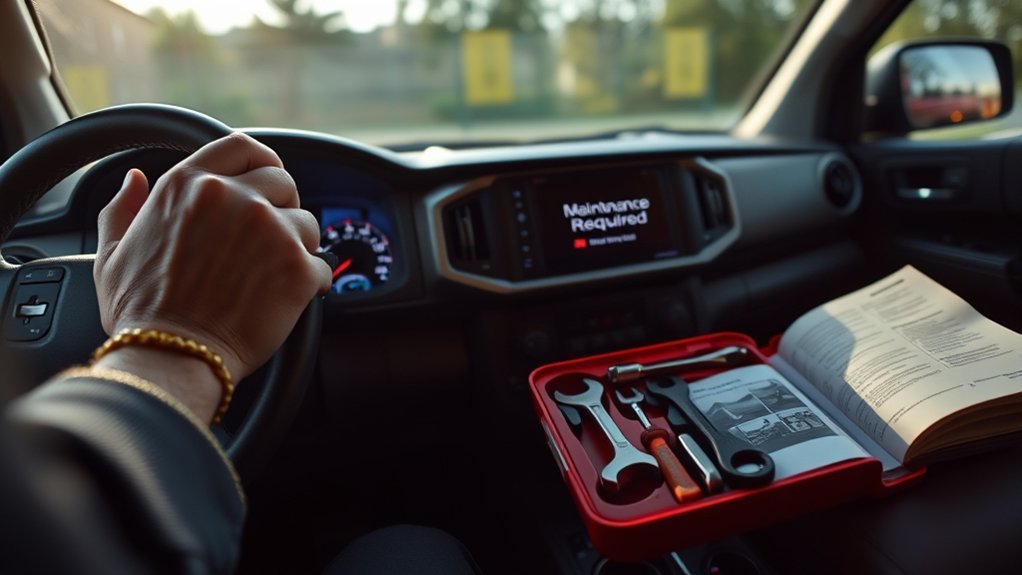
If the maintenance light stays on after the reset, start with the basics. Confirm that the ignition was fully in the “On” position, the engine was not running during the reset, and you selected the correct maintenance reset option. Then repeat the process slowly from the beginning.
If the message clears but comes back soon after, check whether the correct reminder was reset. Some vehicles can show different maintenance messages, and one reset may not clear every service-related notification. Review the Toyota Owners manuals page for the 2022 Tacoma if the menu wording on your truck does not match the steps above.
If the maintenance reminder appears together with the check engine light, low oil pressure warning, brake warning, or another warning symbol, do not treat it as a simple reset issue. The truck may need inspection or diagnostic scanning.
Warning: Never disconnect the battery as your first reset method. It can erase learned settings and may not fix the underlying issue. Use the dashboard reset menu first, then seek professional help if the light or other warnings remain.
The Importance of Regular Vehicle Maintenance
Regular vehicle maintenance helps keep your Tacoma safe, reliable, and easier to diagnose when something does go wrong. Toyota’s maintenance schedule is built around mileage and time because some service items depend on use, while others depend on age and driving conditions.
Benefits of Routine Inspections
Routine inspections can catch worn brake components, uneven tire wear, low fluid levels, damaged wiper blades, loose hardware, and leaks before they become larger problems. The 2022 Tacoma maintenance log includes recurring checks for fluid levels, wiper blades, tire rotation, brake components, and other safety-related items.
Enhancing Vehicle Lifespan
Keeping up with scheduled maintenance can help the engine, driveline, brakes, tires, and suspension last longer. Use this simple guide as a quick reference, but always follow the official maintenance schedule for your exact model, engine, drivetrain, and driving conditions.
| Maintenance Task | Typical 2022 Tacoma Schedule | Why It Matters |
|---|---|---|
| Scheduled maintenance visit | Every 5,000 miles or 6 months | Keeps inspections and service reminders on track |
| Tire rotation | Listed at regular 5,000-mile maintenance intervals | Helps promote even tire wear and stable handling |
| Engine oil and filter | Depends on oil used and driving conditions | Protects the engine from wear and contamination |
| Brake and fluid checks | Included in scheduled inspections | Helps identify wear, leaks, and low fluid levels early |
Improving Reliability and Record Keeping
A reset reminder is most useful when it matches real maintenance. Keep receipts, mileage notes, and service records whether the work is done at a Toyota dealer, an independent shop, or by you. The Federal Trade Commission explains that warranty coverage cannot be denied simply because routine maintenance was performed somewhere other than the dealership, but clear records make maintenance history easier to verify.
When to Seek Professional Help for Your Maintenance Light Issues
Seek professional help if the maintenance light will not reset after repeated attempts, if it returns immediately after a proper reset, or if it appears with other warning lights. A Toyota dealer or qualified technician can check whether the issue is a menu-reset problem, a sensor-related issue, or a separate fault that needs diagnosis.
You should also get help if your Tacoma has unusual engine noise, oil leaks, low oil pressure warnings, brake warnings, overheating, rough running, or performance problems. In those cases, clearing the maintenance reminder will not address the real problem.
Frequently Asked Questions
How do I clear the maintenance required light on a 2022 Toyota Tacoma?
Turn the ignition on without starting the engine, open the settings menu on the multi-information display, select the maintenance or scheduled maintenance reset option, then confirm “Yes.” Cycle the ignition off and back on to verify the light is gone.
Is the maintenance required light the same as the check engine light?
No. The maintenance required light is a scheduled service reminder. The check engine light usually means the vehicle’s computer has detected a fault that may need diagnostic scanning.
How often does a 2022 Tacoma need scheduled maintenance?
Toyota recommends scheduled maintenance for the 2022 Tacoma every 5,000 miles or six months, whichever comes first. Some services vary based on oil type, driving conditions, engine, and drivetrain.
Can I reset the Tacoma maintenance light without tools?
Yes. For the 2022 Tacoma, the reset is done through the multi-information display using the steering wheel controls. You do not need a scan tool for a normal maintenance reminder reset.
Why did the light stay on after I changed the oil?
The Tacoma does not automatically know that maintenance was completed. After the oil change or service, you still need to reset the reminder through the dashboard settings menu.
Conclusion
Resetting the maintenance required light on a 2022 Toyota Tacoma is quick once you know where to find the maintenance reset menu. Turn the ignition on, open the settings screen, choose the maintenance reset option, and confirm the reset. The most important part is timing: reset the light only after the required maintenance is complete so your next reminder stays accurate.
Use the light as a helpful reminder, not just a dashboard nuisance. Staying current with Toyota’s maintenance schedule, keeping records, and addressing warning lights promptly will help keep your Tacoma dependable for years of driving.
Sources
- Toyota Owners: 2022 Tacoma Manuals and Warranties — official owner resources and manuals for the 2022 Tacoma.
- Toyota 2022 Tacoma Warranty & Maintenance Guide — maintenance intervals, maintenance log, special operating conditions, and reminder reset guidance.
- Toyota 2022 Tacoma Quick Reference Guide — overview of vehicle controls and multi-information display features.
- Federal Trade Commission Auto Warranty Guidance — warranty and routine maintenance record guidance for consumers.