Disconnect the negative terminal first, then the positive, and loosen clamps just enough to remove them. Scrub posts and clamp interiors with a wire brush and neutralize corrosion using a baking-soda paste; rinse and dry thoroughly. Inspect for cracks or pitting and replace damaged clamps. Coat posts or clamps lightly with dielectric grease or a corrosion spray, or use marine grease in harsh environments, and retighten securely. Follow this routine regularly and you’ll find practical tips and troubleshooting if problems persist.
Quick Steps: Safely Disconnect and Clean Camry Battery Terminals
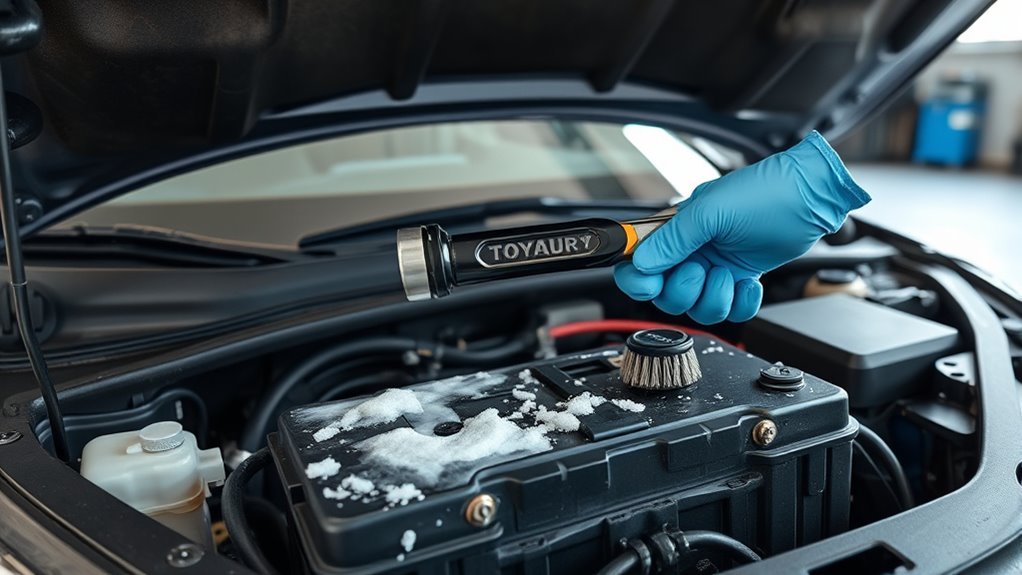
Start by disconnecting the negative terminal first, then the positive, to reduce short‑circuit risk; loosen clamps just enough to remove them without prying the battery. You’ll follow a tight sequence: remove negative, then positive; clean both terminal posts and clamp interiors with a wire brush or terminal cleaner to restore conductivity. Mix a baking soda paste and apply to corrosion, let it neutralize acid, then rinse and dry completely.
Inspect posts and clamps for cracking or pitting; replace damaged parts to maintain reliable electrical contact. Reapply protective compound to inhibit future buildup, then reconnect positive first, then negative, and torque clamps snugly without overcompressing the battery case. Establish a cleaning frequency based on driving conditions — heavier use or corrosive environments mean shorter intervals — and log each terminal maintenance event. This method frees you from unexpected failures and keeps your Camry’s electrical system resilient and under your control.
Tools & Supplies for Camry Battery Terminal Cleaning
A compact kit of the right tools makes terminal cleaning quick and effective: you’ll want a focused set that supports efficient cleaning techniques and lets you control maintenance frequency without hassle. Assemble these items and keep them accessible so you can act when inspection shows buildup.
- Wire brush or battery terminal cleaner with internal brush — removes corrosion from terminals and clamps.
- Baking soda and water (to make paste) — neutralizes acid buildup and arrests further corrosion.
- Old toothbrush — reaches tight spots and gives controlled application of the paste.
- Dielectric grease — applied to mating surfaces after cleaning to protect against future corrosion.
With these supplies, you’ll perform targeted, repeatable actions that preserve electrical conductivity and prevent starting issues. Pack them compactly; regular inspection and a consistent maintenance frequency empower you to liberate yourself from roadside battery failures. Follow practical cleaning techniques and keep replacements ready if clamps or terminals are compromised.
Before You Start: Signs, Risks, and Safety Tips
Noticing white, powdery deposits or dark discoloration around your Camry’s battery terminals usually signals corrosion that can impede electrical flow; check every few months—more often in wet or salty conditions—to catch problems early. You’ll spot corrosion causes like moisture, road salt, and stray current. If you ignore it, you risk hard starts, electrical failures, and accelerated battery/charging-system wear. Before you start: disconnect both terminals (negative first), wear gloves and eye protection, and keep baking soda or cleaners out of the cell vents to avoid internal damage.
| Sign | Risk |
|---|---|
| White powder | Poor starting |
| Dark discoloration | Electrical faults |
| Visible buildup | Increased load on alternator |
| Moisture on battery | Faster degradation |
| Loose clamp | Intermittent connection |
Set a maintenance frequency based on conditions: quarterly in normal climates, monthly in corrosive environments. Work methodically, protect yourself, and reclaim control of your vehicle’s reliability.
Prevent Corrosion on Camry Battery Terminals (Sprays, Greases, Seals)

When you’ve cleaned the terminals and reinstalled the clamps, treat them with a corrosion protection spray and a thin layer of dielectric grease to block moisture and acidic vapors; for extra defense in harsh environments, coat the exposed posts with marine or axle grease and plan to reapply a dedicated corrosion sealant every two years. You’ll establish a reliable corrosion prevention routine that keeps electrical contact strong and maintenance intervals predictable. Use sprays formulated for batteries, apply dielectric grease only to mating surfaces, and wipe excess before reassembly.
- Use corrosion protection spray immediately after installation to form a sacrificial barrier.
- Apply dielectric grease sparingly on clamp surfaces to seal out moisture and improve conductivity.
- For coastal or winter exposure, add marine or axle grease over posts for added environmental resistance.
- Mark your calendar: reapply a corrosion sealant every 24 months as a core maintenance tip.
Stay disciplined; these practical steps free you from frequent service and extend battery life.
Troubleshooting: When to Replace Clamps or the Battery
If your Camry keeps struggling to start or you see repeated electrical faults, don’t assume cleaning will fix it—inspect the clamps and battery voltage immediately. You should look for clamp corrosion, rust, cracks, or loose fit. If clamps don’t tighten securely after cleaning, replace them to restore conductivity. Check battery health with a voltmeter: below 12.4 V combined with poor clamp condition usually means the battery’s failing and needs replacement. Significant recurring corrosion despite maintenance also points to a dying battery.
| Symptom | Likely Cause | Action |
|---|---|---|
| Loose clamp after cleaning | Worn or deformed clamp | Replace clamp |
| Visible clamp corrosion | Electrolyte damage | Replace clamp |
| Voltage < 12.4 V | Weak battery | Test and likely replace battery |
| Recurrent terminal corrosion | Internal battery leak | Replace battery |
| Electrical faults persist | Mixed clamp/battery failure | Replace defective parts |
Act decisively: replace compromised clamps or battery to reclaim reliable operation and freedom from roadside dependence.
Frequently Asked Questions
How to Clean Battery Terminals on a Toyota Camry?
Disconnect both terminals, scrub with a baking soda paste and wire brush, rinse, dry, apply dielectric grease, reconnect; you’ll master battery maintenance tips and corrosion prevention, empowering you to keep your Camry reliable and free from buildup.
Why Do Toyota Battery Terminals Corrode?
Like rust on old iron, Toyota battery terminals corrode because acidic gases, moisture, dirt and road salt create electrochemical reactions that eat contacts. You’ll learn corrosion causes and prevention tips to reclaim reliable, liberated power.
Conclusion
Like a clean circuit restoring full power, keeping your Camry’s battery terminals free of corrosion keeps starts reliable and electronics happy. Follow safety steps, disconnect negative first, scrub terminals and clamps with a baking soda solution, rinse, dry, and reattach tight. Apply a thin layer of dielectric grease or a corrosion inhibitor and boot the terminals. If clamps stay pitted or the battery shows repeated failure, replace the affected parts to prevent future problems.