
Last updated: July 15, 2026
Toyota Camry Connected Services can add remote app controls, emergency assistance, maintenance alerts, cloud navigation, music streaming, and an in-car Wi-Fi hotspot. Your exact features depend on the Camry’s model year, trim, multimedia system, region, trial or subscription status, cellular coverage, GPS signal, and Toyota app enrollment. Add the VIN to the Toyota app or My Toyota account before paying for a plan because Toyota’s current bundled plans apply only to select vehicles, while older Camrys may use different service names and terms.
Quick Answer
Toyota Camry Connected Services can include Remote Connect, Safety Connect, Service Connect, Drive Connect, Integrated Streaming, and Wi-Fi Connect. Depending on the vehicle, they support remote start and door controls, emergency help, maintenance alerts, cloud navigation, music streaming, and a Wi-Fi hotspot. Confirm availability by VIN because features and trial lengths vary by model year, trim, multimedia system, and region.
Key Takeaways
- Remote Connect is the feature most owners notice first because it supports app-based controls such as remote start, lock/unlock, vehicle status, guest driver alerts, and last parked location on equipped vehicles.
- Safety Connect focuses on urgent help, including the SOS button, Automatic Collision Notification, Enhanced Roadside Assistance, and Stolen Vehicle Locator.
- Service Connect can send vehicle health reports, maintenance reminders, alerts, recalls, and service campaign information.
- Drive Connect adds cloud navigation, live-agent Destination Assist, real-time traffic elements, and Intelligent Assistant on compatible vehicles.
- For the 2026 Camry, Toyota lists five-year minimum Safety Connect and Service Connect trials, a one-year Remote Connect trial, and a Wi-Fi trial lasting 30 days or up to 3 GB. Drive Connect trial access depends on the multimedia system.
- Toyota’s U.S. plan page, checked July 15, 2026, lists Music Lover and Go Anywhere at $15/month, Premium at $25/month, and Wi-Fi Connect as a $25/month optional add-on. Pricing and eligibility can change.
- Toyota’s current official pages conflict on Wi-Fi device capacity: the main Connected Services page says up to five devices, while the privacy notice says up to ten. Confirm the limit shown for your VIN and AT&T plan.
What Are Toyota Connected Services?
Toyota Connected Services are available trials and subscriptions that connect your Camry to Toyota’s app, response center, cloud navigation tools, entertainment services, and vehicle health systems. They are designed to make ownership easier, not to replace safe driving, routine maintenance, or checking the owner’s manual for your exact vehicle.
The main services include Remote Connect, Safety Connect, Service Connect, Drive Connect, Integrated Streaming, and Wi-Fi Connect. Not every Camry has every feature. Toyota’s current Music Lover, Go Anywhere, and Premium bundles are listed for select 2022 and later Toyota vehicles. Earlier Camrys may still support connected features through older multimedia and subscription structures, so use the VIN-specific app view rather than assuming the newest package names apply.
Note: If you bought a used Camry, do not assume the previous owner’s connected services transferred to you. Add the VIN to your own Toyota app account and check the active trial, subscription, and consent settings there.
Toyota Camry Connected Services at a Glance
| Service | What It Does | Best For |
|---|---|---|
| Remote Connect | Remote start, lock/unlock, status checks, last parked location, alerts, and select remote vehicle controls. | Daily convenience and peace of mind. |
| Safety Connect | SOS emergency help, Automatic Collision Notification, Enhanced Roadside Assistance, and Stolen Vehicle Locator. | Emergency support and theft recovery assistance. |
| Service Connect | Vehicle health reports, warnings, alerts, recalls, service campaigns, and maintenance reminders. | Maintenance tracking. |
| Drive Connect | Cloud Navigation, Destination Assist, Intelligent Assistant, live agents, and real-time traffic elements. | Navigation and travel support. |
| Integrated Streaming | Uses the vehicle connection to access compatible Apple Music and Amazon Music accounts. | Music without relying only on phone mirroring. |
| Wi-Fi Connect | AT&T-powered in-vehicle Wi-Fi. Toyota’s current official pages conflict between up to five and up to ten compatible devices, so verify the limit for your vehicle and plan. | Passengers, laptops, tablets, and road trips. |
What Connected Services Does the 2026 Camry Include?
Toyota’s 2026 feature-applicability chart gives a useful model-year example. It lists Safety Connect and Service Connect with five-year minimum trials across the 2026 Camry configurations shown, plus a one-year Remote Connect trial and a Wi-Fi Connect trial of 30 days or up to 3 GB.
| 2026 Camry Multimedia Setup | Drive Connect Status | Other Listed Trials |
|---|---|---|
| 8-inch Toyota Audio Multimedia on LE, SE, and Nightshade | Available with a paid subscription | Safety and Service: five-year minimum; Remote: one year; Wi-Fi: 30 days or up to 3 GB |
| 12.3-inch Toyota Audio Multimedia on XLE and XSE, and available on SE and Nightshade | One-year trial | Safety and Service: five-year minimum; Remote: one year; Wi-Fi: 30 days or up to 3 GB |
Trials normally begin on the original purchase or lease date of a new vehicle, except the Wi-Fi trial. A used 2026 Camry may have little or no trial time left. Check the Toyota app for the actual remaining term before subscribing.
[Products Worth Considering]

These wireless LED strobe lights provide bright, attention-grabbing warning and anti-collision visibility for cars, motorcycles, drones, bikes, boats, and more. With remote-controlled color and mode changes, USB rechargeable power, and waterproof construction, they offer a versatile safety lighting solution for day or night use.

This keyless entry remote replacement is designed for a wide range of Toyota, Scion, and Lexus-compatible vehicles, offering a convenient way to restore remote locking and unlocking functions. Each fob is pre-tested, comes with the battery and electronics already installed, and is ready to be programmed for supported standard-key vehicles. It is a practical replacement choice for drivers who need a reliable, compatible remote for everyday use.

ANCEL BS200 is a permanently connected super capacitor jump starter that delivers fast starting assistance for vehicles with heavy cranking demands, including trucks, classics, and start/stop systems. Once installed, it stays ready without charging or maintenance and automatically helps every engine start while supporting battery health. A smart app adds real-time monitoring, alerts, and jump history so you can stay ahead of battery issues in any climate.
Key Features of Remote Connect
Remote Connect is often the most useful Toyota Camry Connected Service for everyday driving because it gives you app-based access to common vehicle functions. On equipped vehicles, Toyota lists features such as remote start, remote climate, remote headlights, remote hazard lights, lock/unlock, vehicle status alerts, guest driver alerts, and last parked location.
| Feature | What It Means | Why It Helps |
|---|---|---|
| Remote Start | Start the engine from the Toyota app on eligible vehicles. | Warm up or cool down the cabin before you get in. |
| Remote Climate | Activate compatible climate settings remotely. | More comfort before a commute or road trip. |
| Lock and Unlock | Lock or unlock doors from a compatible phone or smartwatch. | Useful when you forget whether the car is locked. |
| Vehicle Status Alerts | Check select status items such as doors, windows, hood, trunk, odometer, fuel range, and more where supported. | Helps you spot small issues before leaving the car. |
| Last Parked Location | Shows the last reported parked location. | Helpful in large lots, garages, and unfamiliar areas. |
| Guest Driver Alerts | Set certain alerts for another driver’s use of the vehicle where supported. | Helpful for teen drivers, valet use, or shared vehicles. |
Is Digital Key the Same as Remote Connect?
No. Remote Connect sends commands through the Toyota app, while Digital Key can let a compatible phone act more like a vehicle key on equipped Camrys. Toyota’s 2026 chart lists Digital Key capability with an available package on certain XLE and XSE configurations and says an active Remote Connect subscription is required. Digital Key availability still depends on the vehicle, package, phone, account setup, and region.
Warning: Only use remote start when it is legal and safe. Do not remotely start a gas engine vehicle in an enclosed space, such as a closed garage, and do not use remote start if a child, pet, or person who needs assistance is inside the vehicle.
How to Activate Toyota Connected Services
You can usually manage Toyota Camry Connected Services through the Toyota app. Toyota says you can activate Connected Services by signing in with your My Toyota credentials or creating an account, then adding your vehicle.
At a Glance
| Time Required | About 10–20 minutes if your account, VIN, phone, and vehicle are ready |
| Difficulty | Easy to moderate |
| Tools Needed | Toyota app, My Toyota account, your Camry’s VIN, phone access, and the vehicle’s multimedia screen |
| Cost | Free during eligible trials; paid subscription may be required after trial or for certain services |
- Download the Toyota app from the Apple App Store or Google Play.
- Sign in or create a My Toyota account using the email address you want tied to the vehicle.
- Add your Camry by entering or scanning the VIN.
- Review available Connected Services shown for your exact vehicle.
- Accept the required terms and consent settings if you want to enroll.
- Activate Remote Connect if prompted. Toyota’s support page says Remote Connect enrollment may send a six-digit authorization code that must be entered through the vehicle’s multimedia system.
- Confirm the app works by checking vehicle status first, then testing non-urgent commands such as lock/unlock where safe.
Pro Tip: Check the Monroney window sticker, Toyota app, My Toyota account, or dealer paperwork before paying for a plan. Trial length and feature eligibility can vary by model year, trim, package, and purchase date.
What’s Great About Safety Connect?
Safety Connect is built around urgent assistance. Toyota lists four core Safety Connect features: Emergency Assistance Button, Enhanced Roadside Assistance, Automatic Collision Notification, and Stolen Vehicle Locator. On equipped vehicles, pressing the SOS button can connect you with a 24/7 response center agent who can request emergency services to your vehicle’s location.
24/7 Emergency Assistance Access
When emergencies happen, speed and location matter. The in-vehicle SOS button is designed to connect you with a response center agent for medical, safety, or urgent assistance. Automatic Collision Notification can also alert Toyota’s response center after certain collision events, helping start the emergency response process even when the driver may not be able to call.
Enhanced Roadside Assistance
Enhanced Roadside Assistance can help during common roadside problems such as a breakdown, flat tire, dead battery, or lockout, depending on your plan, vehicle, and situation. It is not a replacement for safe roadside behavior, so pull over as far from traffic as possible, turn on hazard lights, and stay aware of your surroundings.
Stolen Vehicle Recovery Support
If your Camry is stolen, Safety Connect’s Stolen Vehicle Locator can assist law enforcement with locating the vehicle using GPS technology. Toyota says you should file a police report first, then notify the response center so agents can help authorities. Some vehicles may also support remote immobilization under law-enforcement direction and Toyota verification.
Service Connect: Vehicle Health Monitoring Made Simple
Service Connect helps you stay ahead of maintenance by sending vehicle health information to the Toyota app, email, My Toyota account, and, if you opt in, your preferred dealer. It can include vehicle health reports, vehicle warnings and alerts, applicable recalls, service campaigns, and routine maintenance reminders.
This is useful because many maintenance issues start small. A reminder about oil life, battery condition, diagnostic trouble codes, or a service campaign can help you schedule service before a minor warning turns into a larger repair.
Service Connect is helpful, but it should not replace your owner’s manual maintenance schedule, dashboard warning lights, or professional diagnosis from a qualified Toyota technician.
For safety recalls, you can also use the official NHTSA recall lookup tool to search by VIN and see whether a specific vehicle has an open safety recall.
[Products Worth Considering]

Veepeak OBDCheck BLE+ is a Bluetooth OBD-II scanner designed to help drivers read and clear check engine codes, view freeze frame data, check readiness monitors, and monitor live sensor data. It works with compatible third-party apps on iOS and Android, making it a versatile tool for standard vehicle diagnostics and routine car health checks. Advanced features may be available through supported apps on select vehicles, but special service functions are not supported.

This auxiliary jack adapter restores a broken or missing AUX connection so you can stream audio from your device through your Toyota stereo system. It is designed for compatible Toyota models and uses an 8-pin connector for a direct plug-and-play replacement. Built for reliable audio transmission, it helps bring back clear in-car sound without complicated installation.

This wireless CarPlay screen adds modern smartphone connectivity to almost any vehicle with easy plug-and-play installation. It supports Apple CarPlay and Android Auto, online maps, voice control, phone mirroring, and multiple audio output options for safer, more convenient driving. The included night vision backup camera and OTA updates help improve visibility, compatibility, and long-term performance.
Drive Connect: Navigation, Live Agents, and Voice Help
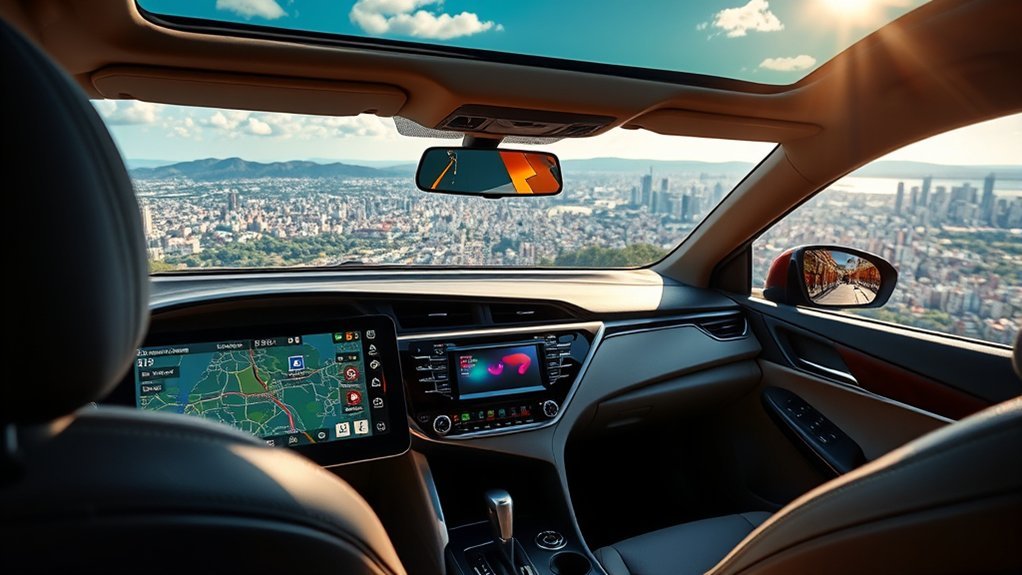
Drive Connect is Toyota’s connected navigation and assistant package for compatible vehicles. Toyota describes it as a cloud-based set of features that can include Cloud Navigation, Destination Assist, and Intelligent Assistant.
Real-Time Traffic Updates
Drive Connect can provide real-time traffic elements and cloud-based route information, helping you adjust to congestion, construction, and route changes. Toyota notes that map information can be available even in situations with limited connectivity, although Drive Connect is not available in every city or on every roadway.
| Feature | Benefit | Why It Matters |
|---|---|---|
| Cloud Navigation | Provides cloud-based routing and map support. | Helps keep directions current. |
| Destination Assist | Connects you with a live agent for directions. | Useful when voice search or manual entry is inconvenient. |
| Intelligent Assistant | Supports voice commands on compatible vehicles. | Helps reduce screen tapping while driving. |
Voice Command Navigation
Voice commands can make navigation easier because you can ask for directions, search for destinations, and make certain requests without typing on the screen. This works best when your Toyota app account, vehicle profile, data connection, and microphone settings are all active.
- Search for destinations with less manual input.
- Get route guidance to restaurants, hotels, fuel stations, and other points of interest.
- Use live-agent support through Destination Assist where available.
- Use Apple CarPlay or Android Auto separately when you prefer phone-based navigation apps.
Wi-Fi Connect: Stay Connected on the Go

Wi-Fi Connect is an AT&T-powered paid hotspot service for eligible Toyota vehicles. Toyota’s current main Connected Services page says it can connect up to five devices at 4G LTE speeds, while Toyota’s current Connected Services Privacy Notice says Wi-Fi connectivity may support up to ten compatible devices. Because the two official pages conflict, confirm the device limit shown in your Toyota app, vehicle setup screen, or AT&T plan terms. Integrated Streaming also requires a supported third-party music subscription.
| Feature | Details |
|---|---|
| Provider | AT&T |
| Device Support | [VERIFY] Toyota’s current official pages conflict between up to five and up to ten compatible devices |
| Activation Options | Toyota app, vehicle settings, or AT&T setup flow where available |
| Current Listed Price | $25/month as an optional add-on on Toyota’s U.S. plan page, checked July 15, 2026 |
| Best Use | Passenger devices, tablets, laptops, streaming, and road-trip connectivity |
Wi-Fi Connect can be useful for families, rideshare drivers, business travelers, and anyone who carries multiple devices. Coverage and speed still depend on the wireless network, signal quality, location, and plan terms.
Choosing the Right Subscription Plan for You
Toyota’s U.S. Connected Services plan page, checked July 15, 2026, lists three main packages plus Wi-Fi Connect as an optional add-on. These bundled plan names are available on select 2022 and later vehicles. Prices and eligibility can change, so use the Toyota app to confirm the options tied to your Camry’s VIN.
| Plan | Listed U.S. Price Checked July 15, 2026 |
Included Features | Best For |
|---|---|---|---|
| Music Lover | $15/month | Integrated Streaming plus Remote Connect | Drivers who mostly want music and app-based vehicle controls. |
| Go Anywhere | $15/month | Drive Connect plus Remote Connect | Drivers who want cloud navigation and live-agent support. |
| Premium | $25/month | Drive Connect, Integrated Streaming, and Remote Connect | Drivers who want both navigation and streaming features. |
| Wi-Fi Connect | $25/month | AT&T-powered in-vehicle Wi-Fi for compatible devices | Families, passengers, remote work, and long trips. |
If you only want remote start and app controls, choose the lowest plan that includes Remote Connect for your vehicle. If you rely on built-in navigation, the Go Anywhere or Premium plan makes more sense. If passengers need a vehicle hotspot, add Wi-Fi Connect only after checking AT&T coverage in the places you drive most.
[Products Worth Considering]

This compact adapter upgrades compatible factory wired CarPlay or Android Auto systems to wireless convenience for both iPhone and Android users. It uses WiFi 6 and Bluetooth 5.4 for fast, stable connections with quick auto-connect startup and reliable voice, navigation, and music performance. Its mini plug-in design helps keep the dashboard tidy while supporting easy setup and broad vehicle compatibility.

This portable carplay screen brings wireless CarPlay and Android Auto to compatible vehicles, giving you easy access to navigation, calls, music, and messages without needing to plug in your phone every time. Its 7-inch HD touchscreen, mirror link support, and voice control make driving more convenient, while multiple audio output options and simple plug-and-play setup add everyday flexibility.

This compact adapter converts factory-wired CarPlay and Android Auto systems to wireless for a cleaner, more convenient driving experience. It offers fast auto-connect, stable performance, and plug-and-play setup so you can enjoy navigation, music, calls, and voice control without extra cables. The included USB-to-USB-C converter helps it fit a wide range of vehicle ports.
Privacy and Data to Know Before You Enroll
Connected Services work by collecting and using vehicle and account data. Toyota’s Connected Services Privacy Notice says equipped vehicles may collect data such as vehicle location, vehicle health data, driving data, remote status data, profile data, device data, account information, and voice recordings depending on the service used.
Examples include:
- Remote Connect: may use location, vehicle status, and remote data to provide vehicle finder, status updates, lock/unlock, alerts, and related features.
- Safety Connect: may use location, vehicle information, voice recordings, vehicle health data, and account information for emergency and roadside support.
- Service Connect: may use vehicle health data such as odometer readings, fuel level, oil life, battery health, key fob battery status, and diagnostic trouble codes.
- Drive Connect: may use location, profile data, favorites, search history, and account information for navigation and destination features.
- Wi-Fi Connect: may use device data, account information, vehicle information, location data, and provider-related information.
Toyota says the Privacy Portal in the Toyota app lets you see data transmission information, review how Toyota uses vehicle data, and manage certain data transmission preferences. You can also opt out of Connected Services or request deactivation of data transmission, but doing so can disable or limit connected features.
How Long Does Toyota Keep Connected Services Data?
Toyota’s current U.S. privacy notice lists different retention periods by data type. It says identifiable location data may be stored for up to seven years, driving data and vehicle health data for up to 15 years, Response Center voice recordings for up to two years, and Remote Connect data for four years. These are maximum periods in Toyota’s notice, not a promise that every data point is kept for the full period.
How to Access and Manage Connected Services via the Toyota App
To access and manage Toyota Camry Connected Services, download the Toyota app, sign in with your My Toyota credentials, and add your vehicle by VIN. Once your Camry is linked, the app can show available trials, subscriptions, remote commands, vehicle health information, account settings, and privacy controls. Toyota directs users to the person icon, then Account → Data Privacy Portal → vehicle to review data transmission settings.
Inside the Toyota app, you may be able to:
- Start or stop the engine remotely on equipped vehicles.
- Lock or unlock doors.
- Check vehicle status and last parked location.
- View maintenance alerts and vehicle health information.
- Review connected-services trial and subscription status.
- Manage payment and renewal options where supported.
- Open the Data Privacy Portal and review data preferences.
Common Problems and Troubleshooting
If Toyota Connected Services are not working on your Camry, the problem is usually related to setup, subscription status, vehicle compatibility, network signal, or app permissions. Start with the simple checks before assuming the vehicle has a hardware issue.
| Problem | Likely Cause | What to Try |
|---|---|---|
| Remote start fails | Vehicle not equipped, expired trial, weak signal, open hood or door, low fuel, warning condition, or another remote-start requirement not met. | Check app status, close all doors and hood, confirm subscription, move to better signal area, and review owner’s manual limits. |
| Vehicle shows offline | Weak cellular/GPS signal, inactive telematics device, account issue, or data transmission disabled. | Drive to an open area, refresh the app, confirm privacy settings, and contact Toyota support if it stays offline. |
| Activation code does not work | Expired or mistyped six-digit Remote Connect authorization code. | Request a new code through the Toyota app and enter it carefully on the multimedia screen. |
| Wi-Fi is slow | Network congestion, weak AT&T coverage, too many connected devices, or data-plan limits. | Reduce connected devices, check coverage, restart the vehicle Wi-Fi connection, and review your AT&T plan. |
| App does not show a feature | Your Camry may not be equipped, or the feature may not be available in your trim, region, or plan. | Check the VIN in the Toyota app, review the window sticker, or ask a Toyota dealer to verify connected-services equipment. |
Frequently Asked Questions
What is included in Toyota Connected Services?
Toyota Connected Services can include Remote Connect, Safety Connect, Service Connect, Drive Connect, Integrated Streaming, and Wi-Fi Connect, depending on your vehicle. Features may include app-based vehicle controls, emergency assistance, vehicle health reports, maintenance reminders, cloud navigation, live-agent support, music streaming, and in-vehicle Wi-Fi.
What data does Toyota Connected Services collect?
Toyota’s Connected Services Privacy Notice says equipped vehicles may collect and use data such as vehicle location, vehicle health, driving data, remote status data, profile data, device data, account information, and voice recordings, depending on the service. You can review and manage certain data settings in the Toyota app’s Privacy Portal.
Do you have to pay to use Toyota Connect?
Many Toyota vehicles include complimentary trials, but paid subscriptions may be required after a trial ends or for certain services. Toyota’s U.S. plan page, checked July 15, 2026, lists Music Lover and Go Anywhere at $15/month, Premium at $25/month, and Wi-Fi Connect as a $25/month optional add-on. Check your Toyota app for pricing tied to your vehicle.
How do I decline Toyota Connected Services?
You can decline, cancel, opt out, or request deactivation through Toyota’s account and privacy tools, the Toyota app, the SOS button in the vehicle, or Toyota Customer Care, depending on the request. Toyota says opting out or deactivating data transmission can disable or limit connected features such as remote commands, vehicle location, emergency services, and maintenance alerts.
Is Remote Connect available on every Toyota Camry?
No. Remote Connect availability depends on your Camry’s model year, trim, multimedia system, region, connected-services hardware, and active subscription or trial. The Toyota app, My Toyota account, window sticker, dealer, or Toyota support can confirm whether your specific VIN supports it.
Can Toyota track my Camry’s location?
Connected features such as navigation, Safety Connect, Remote Connect vehicle finder, stolen vehicle support, and Wi-Fi may use location data. Toyota’s privacy notice says location data is used to deliver Connected Services and can be managed through Toyota’s privacy tools, although turning off data transmission may limit or disable connected features.
How many devices can connect to Toyota Wi-Fi Connect?
Toyota’s current official pages conflict. The main Connected Services page says up to five devices, while the Connected Services Privacy Notice says up to ten compatible devices. Confirm the limit in your Toyota app, vehicle setup screen, or AT&T plan terms. Performance still depends on coverage, signal strength, and device load.
Is Toyota Digital Key included with Remote Connect?
Digital Key is a separate capability on equipped vehicles, not a standard feature on every Camry with Remote Connect. Toyota’s 2026 applicability chart says Digital Key capability requires an active Remote Connect subscription and is available only with certain vehicle equipment and packages.
Do Toyota Connected Services trials transfer to a used Camry?
Do not assume a full trial restarts for a used Camry. Toyota says most new-vehicle Connected Services trials begin on the original purchase or lease date, except the Wi-Fi trial. Add the VIN to your Toyota app account to see any remaining trial time and enrollment requirements.
Conclusion
Toyota Camry Connected Services can add useful remote controls, emergency help, maintenance alerts, navigation, streaming, and hotspot access, but the VIN-specific details matter more than the service name. Add your Camry to the Toyota app, check the remaining trial time, review the Privacy Portal, and compare the plan against how you drive. Remote Connect may cover basic convenience. Drive Connect makes more sense when you use Toyota’s built-in navigation, while Wi-Fi Connect is most useful when passengers regularly need a hotspot.
Sources
- Toyota Connected Services — official overview of Safety Connect, Service Connect, Drive Connect, Remote Connect, and related features.
- Toyota Connected Services Plans — current U.S. plan names, prices, and included services.
- Toyota 2026 Audio Multimedia & Connected Services Feature Applicability — model-specific Camry equipment and trial details.
- Toyota Support: How do I enable Remote Connect? — Remote Connect activation steps and authorization-code information.
- Toyota Support: Wi-Fi Connect — Wi-Fi Connect provider, device support, and eligibility details.
- Toyota Connected Services Privacy Notice — official data collection, use, opt-out, and privacy-control information.
- NHTSA Recalls — official VIN recall lookup and safety recall information.





[…] Use Service History as an index of your Camry’s maintenance records. It can help you review available Toyota service, add qualifying independent-shop or DIY work, and compare your history against the maintenance schedule in the Warranty & Maintenance Guide. For a broader explanation of subscription-dependent app functions, see the Camry Connected Services guide. […]