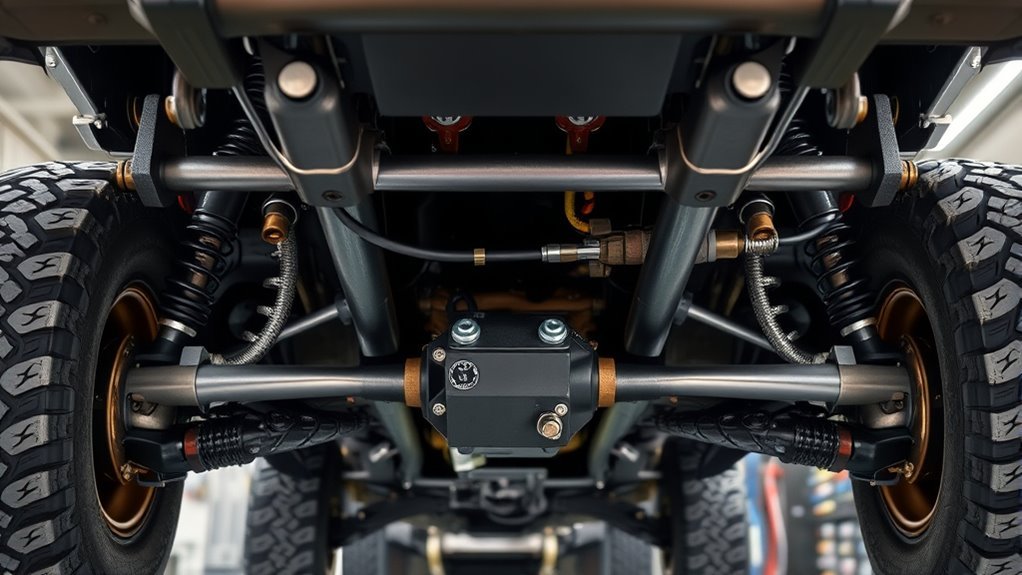
Multi-Terrain Select on the Toyota Land Cruiser is an off-road traction system that helps the vehicle match throttle, brake, and traction-control behavior to the surface under the tires. Use it before a difficult section, choose the terrain mode that best matches the ground, drive smoothly, and let the system support traction while you focus on steering, speed, and line choice.
Quick Answer
Land Cruiser Multi-Terrain Select helps improve off-road drivability by adjusting drive force, braking, and traction control for rough surfaces. On current U.S. Land Cruiser models, availability and mode names vary by trim and model year, so confirm your owner’s manual before using MTS on mud, sand, dirt, rock, or deep snow.
Key Takeaways
- Multi-Terrain Select is for rough, low-traction driving, not normal dry pavement.
- Use the mode that matches the surface: Auto, Dirt, Sand, Mud, Rock, or Deep Snow when your Land Cruiser is equipped with those settings.
- Use H4 for higher-speed loose surfaces and L4 for slow, high-torque work such as steep climbs, rocks, deep mud, or recovery-style crawling.
- Crawl Control and locking differentials are separate tools that can help in tougher sections, but they should be used only when conditions call for them.
- If warning lights appear, stop safely, reduce system load, and follow the owner’s manual or have the vehicle inspected by Toyota service.
At a Glance
| Time Required | 30 seconds to select a mode; longer for pre-trip checks |
| Difficulty | Easy to select; moderate skill needed off-road |
| Tools Needed | Owner’s manual, tire-pressure gauge, basic recovery gear |
| Cost | No cost if your trim is equipped with Multi-Terrain Select |
What Multi-Terrain Select Does on the Land Cruiser
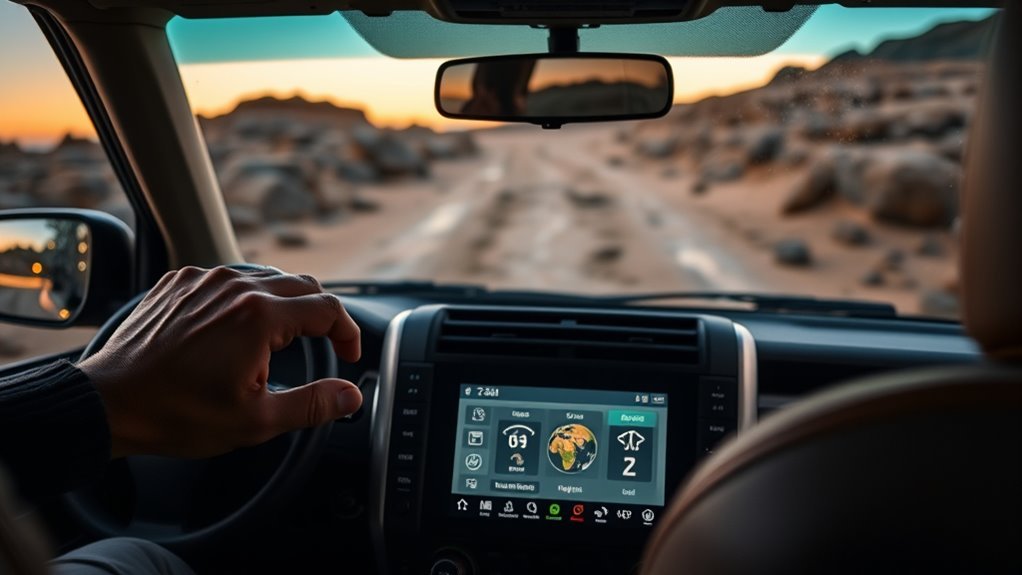
Toyota describes Land Cruiser Multi-Terrain Select as an available system that helps the vehicle navigate varying landscapes with improved traction at different speeds. In plain language, it changes how the Land Cruiser responds when the ground is loose, slippery, uneven, or steep.
Depending on the model year, market, and trim, MTS can adjust drive force, brake control, and traction-control behavior so the vehicle is less likely to dig into soft ground, spin tires too aggressively, or lurch over uneven obstacles. It does not drive the trail for you. You still need to choose a safe line, manage speed, avoid sudden steering, and stop if the vehicle feels unstable.
MTS also works alongside other Land Cruiser off-road systems. Crawl Control can automatically modulate throttle and brakes at low speed, while the center and rear locking differentials can help when traction is uneven. Think of MTS as the surface-matching tool, Crawl Control as the low-speed pace tool, and the differential locks as traction tools for specific stuck or split-grip situations.
Note: Toyota feature names, mode labels, and availability can vary by model year, country, and trim. This guide focuses on the current Land Cruiser setup, but your owner’s manual is the final authority for your vehicle.
Before You Use MTS: Confirm Your Model, Trim, and Manual
Before you depend on Multi-Terrain Select, confirm that your Land Cruiser is actually equipped with it. For the current U.S. Land Cruiser lineup, Toyota lists two main trims: Land Cruiser 1958 and Land Cruiser. Toyota also describes MTS as an available feature, so do not assume every vehicle has the same off-road controls.
Check three things before the trail:
- Your trim and equipment: Look for the MTS switch and the available mode list on the multi-information display.
- Your owner’s manual: It explains which modes work in H4, which work in L4, and when the system cancels automatically.
- Your terrain: Choose a mode because it matches the ground, not because it sounds more aggressive.
How to Activate Multi-Terrain Select
Activating Multi-Terrain Select is simple, but it should be done before you are already stuck. Slow down, assess the surface, and decide whether you need H4 or L4 before selecting a mode.
- Slow or stop in a safe place. Avoid changing settings while bouncing over obstacles or sliding on loose ground.
- Select the correct transfer range. Use H4 for normal-speed loose surfaces and L4 for slow, high-torque off-road driving such as steep grades, rocks, deep mud, or difficult sand.
- Press the MTS switch. Use the switch or on-screen selector to choose the terrain mode closest to the surface.
- Confirm the display. Make sure the mode appears on the multi-information display before entering the obstacle.
- Drive smoothly. Use steady throttle, gentle steering, and controlled braking. MTS works best when you avoid sudden inputs.
Warning: Do not treat Multi-Terrain Select as a rescue system. If the vehicle is sliding, leaning, overheating, or showing warning messages, stop in a safe place and reassess before continuing.
[Products Worth Considering]

Create an elite Hot Wheels collection with a Hot Wheels Premium Car Culture vehicle.

Compatible with Land Cruiser 80 1990-2001, Land Cruiser 105 1998-2007

Multi-Terrain Select Modes and When to Use Them
Current Land Cruiser materials list Multi-Terrain Select modes such as Auto, Dirt, Sand, Mud, Rock, and Deep Snow when equipped. Do not confuse these with normal drive modes such as Eco, Normal, and Sport, which are meant for everyday throttle and efficiency behavior.
| Mode | Best For | Driver Tip |
|---|---|---|
| Auto | Mixed rough surfaces when conditions change often | Use when the trail changes quickly, but switch manually if Auto does not match the surface well. |
| Dirt | Hard-packed dirt, loose dirt roads, dry ruts, and some gravel-like surfaces | Keep inputs smooth and avoid sharp throttle that can start wheel hop. |
| Sand | Loose sand, dunes, beaches where permitted, and soft sandy washes | Maintain momentum without flooring the throttle; avoid stopping uphill in soft sand. |
| Mud | Wet soil, muddy ruts, and slick low-speed sections | Use steady throttle and avoid sawing the steering wheel, which can dig the tires deeper. |
| Rock | Rocky climbs, ledges, uneven trails, and slow technical crawling | Use L4, slow speed, and careful tire placement. Crawl Control can help hold pace. |
| Deep Snow | Unpacked snow deep enough to bog the vehicle down | Keep momentum gentle and avoid spinning through to ice or hardpack below. |
Pro Tip: If you are unsure which mode to use, start with the least aggressive setting that matches the surface, drive a short distance, then adjust if the tires spin, dig, or feel too restricted.
H4 vs. L4: Which Range to Use With Multi-Terrain Select
The current Land Cruiser uses full-time 4WD with a 2-speed transfer case. That means you are not choosing between 2WD and 4WD for normal driving; you are choosing between high range and low range when conditions require it.
- Use H4 for higher-speed rough or slippery surfaces where you still need normal driving speeds, such as dirt roads, snowy roads, or loose gravel-like surfaces.
- Use L4 when you need more torque and slower control, such as steep climbs, steep descents, rock crawling, deep mud, difficult sand, or careful recovery from a stuck position.
Follow the shift procedure in your owner’s manual when moving between H4 and L4. In many Toyota 4WD systems, this involves stopping, shifting the transmission to Neutral, selecting L4, and waiting for the indicator to confirm engagement.
[Products Worth Considering]

1:14 Scale High-Speed RC Car:This 1:14 scale remote control (RC) car is designed for speed enthusiasts, featuring all-terrain tires and a powerful RC390 motor. It can reach speeds of up to 40 km/h, providing excellent performance in drag racing. The fully proportional throttle control allows for smooth acceleration and precise speed adjustments, giving you the edge in any race.
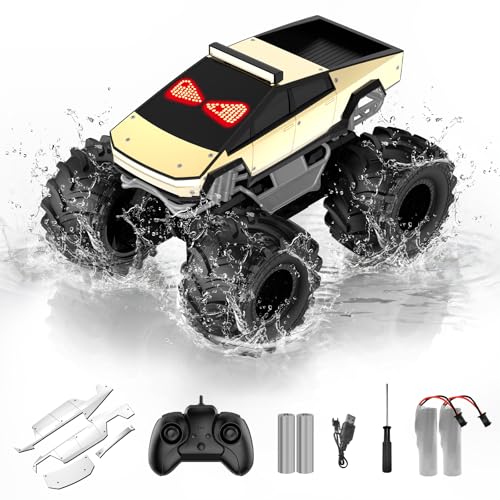
2.4 GHz Remote Control Car with LED Eyes- 1:18 scale cool design, waterproof RC truck toys made of premium material and sturdy, with cool red LED Eyes& LED lights, one-click demo, 4WD all-terrain 360°rotation, 2.4GHz wireless remote control is responsive, long-distance anti -interference No Chaos, easy to operate, allows multiple cars to race simultaneously. Great gifts for kids, enjoy a fun and relaxing racing activity with their family & friends

Modular 2 x 7.4V 1300mAh powerful lithium battery: The battery is equipped with a safe, powerful and high-capacity management system to prevent overcharge, overdischarge and short circuit, which greatly improves safety. The housing is made of strong engineering materials, which greatly increases the safety of the battery and makes it easier to disassemble. 50 minutes of play on 2 batteries. (Depending on operation).
Prepare Your Land Cruiser Before Using Multi-Terrain Select
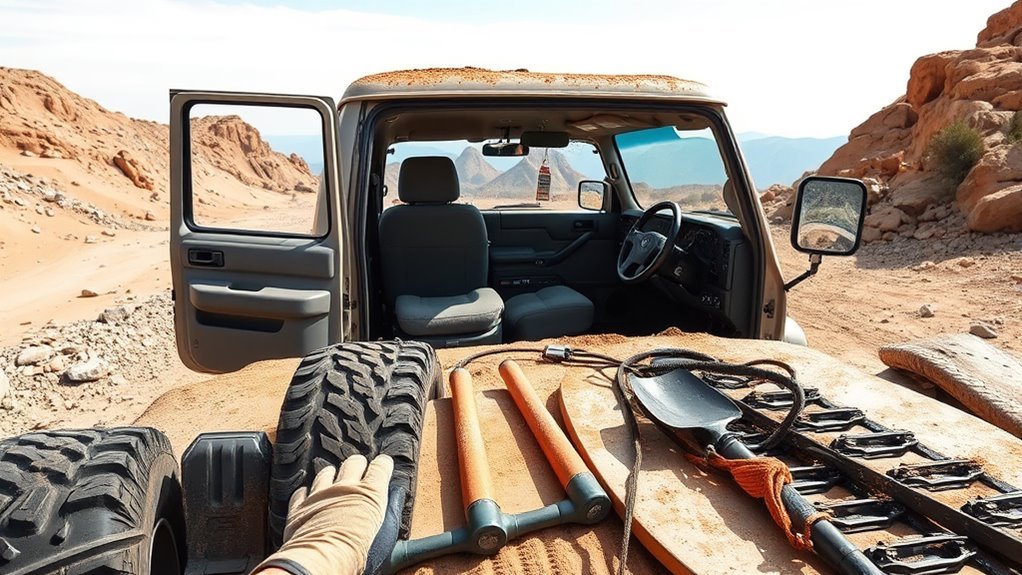
Before engaging Multi-Terrain Select, run a quick off-road check. MTS can help manage traction, but it cannot make up for damaged tires, loose gear, poor visibility, or the wrong tire pressure.
- Check tires: Inspect tread, sidewalls, and pressure. Airing down can help on some surfaces, but only do it when you have a way to reinflate safely.
- Inspect the underside: Look for hanging trim, lodged debris, fluid leaks, or damaged skid plates.
- Secure the cabin: Loose recovery gear, water bottles, and tools can become hazards on steep or uneven terrain.
- Plan the line: Walk technical obstacles when safe. Look for rocks, holes, ruts, ledges, and exit points.
- Keep recovery gear accessible: Carry rated recovery points, a shovel, traction boards, gloves, and communication equipment when driving remote trails.
Note: Multi-Terrain Select is not a replacement for appropriate tires. Tire type, tread depth, load, and pressure often matter more than the selected mode.
Use Multi-Terrain Select With Crawl Control, Center Differential Lock, and 4WD Low
Multi-Terrain Select is only one part of the Land Cruiser’s off-road toolkit. For hard sections, you may also use Crawl Control, the center differential lock, the rear differential lock, and L4.
[Products Worth Considering]

🚗🚗 Applicable Models 🚗🚗 (2024 2025 2026) Toyota Land Cruiser 250 1958 Prado LC250, please check if your model is the same as the product before buying the product in case you buy the wrong product.

[Custom Design for Tacoma/4Runner]: Our tow hooks are uniquely designed to perfectly fit and enhance the front of your Tacoma 2024-2026/4Runner 2025-2026//Land Cruiser 250 2024-2026. This custom design ensures seamless integration for a personalized and sophisticated look.

🚗🚗 Applicable Models 🚗🚗 (2024 2025 2026) Toyota Land Cruiser 250 1958 Prado LC250 J250, please check if your model is the same as the product before buying the product in case you buy the wrong product.
Crawl Control Integration
Crawl Control works like low-speed off-road cruise control. Toyota says it automatically modulates throttle and brakes so you can focus on steering. Use it when the trail is steep, rocky, rutted, or uneven enough that holding a steady pedal input is difficult.
To use it well, select the MTS mode that matches the surface, engage L4 when the terrain requires low-speed torque, then choose a Crawl Control speed that lets the suspension and tires work without bouncing. Keep your feet ready, keep both hands on the wheel, and cancel the system if the vehicle is not following the line you want.
Warning: Continuous Crawl Control use can heat the brake or drivetrain systems. If the vehicle displays a warning, sounds a buzzer, or cancels the system, stop safely and let the vehicle cool as directed by the owner’s manual.
Center Differential Lock Usage
The center differential lock helps distribute torque more firmly between the front and rear axles when traction is uneven. Use it when one axle may lose grip, such as a diagonal rut, loose climb, or split-traction surface.
Do not leave differential locks engaged longer than necessary. Once the vehicle clears the obstacle and traction is consistent again, unlock the differential according to the manual. This helps protect driveline components and preserves steering behavior.
Rear Differential Lock Usage
The rear differential lock is more aggressive than normal traction control because it forces both rear wheels to turn together. It can help when one rear wheel is unloaded or spinning, but it also reduces turning smoothness and should be used only at low speed in appropriate off-road conditions.
Use this order when possible: choose the right MTS mode first, use L4 if needed, add Crawl Control for steady pace, then use the center or rear differential lock only when traction still is not enough.
4WD Low Techniques
L4 gives the Land Cruiser more low-speed control and torque multiplication. It is useful for rocks, steep grades, deep mud, difficult sand, and careful descents. Once in L4, avoid rushing. Let the vehicle crawl, keep the tires pointed where you want to go, and avoid throttle spikes that can break traction.
- Choose the correct MTS mode for the surface.
- Engage L4 when the obstacle requires slow, controlled torque.
- Add Crawl Control if steady speed matters more than pedal control.
- Lock the center or rear differential only when traction is still not enough.
- Return to the normal setting after the obstacle.
Driving Techniques to Maximize Multi-Terrain Select Performance
MTS works best with calm driving. Sudden throttle, hard braking, and sharp steering can overload the tires faster than the system can help.
- Look ahead: Pick the smoothest line before the front tires reach the obstacle.
- Use steady throttle: Build momentum gradually in sand, mud, and deep snow.
- Keep speed low on rocks: Let tire placement and suspension travel do the work.
- Avoid unnecessary wheelspin: Spinning tires can dig holes, polish rocks, or damage the trail.
- Do not fight the system: If MTS is reducing wheelspin, use smaller inputs instead of more throttle.
- Stop early: If the vehicle is bogging down, stop before it is buried to the frame.
The best MTS setting is not always the most aggressive one. The right setting is the one that keeps the tires moving, the vehicle stable, and your steering predictable.
What Multi-Terrain Select Does Not Do
Multi-Terrain Select is helpful, but it has limits. It does not raise ground clearance, change tire tread, improve approach angles, replace recovery gear, or make an unsafe trail safe. It also cannot know everything about the surface under the tires.
Use extra caution on ice, wet rock, side slopes, floodwater, deep ruts, and snow that may hide obstacles. If you cannot see the bottom, do not assume MTS can get you through it.
Troubleshooting Common Multi-Terrain Select Warnings and Faults

If Multi-Terrain Select does not engage, will not switch modes, or shows a warning, stop in a safe place before troubleshooting. Do not keep driving deeper into a trail while guessing.
| Symptom | Likely Cause | What To Do |
|---|---|---|
| Mode will not engage | Wrong transfer range, vehicle not in the required state, or system condition not met | Check H4/L4, transmission position, speed, and owner’s manual steps. |
| Mode indicator does not illuminate | System fault, switch issue, or display/vehicle condition problem | Stop using the system and have the vehicle inspected if the indicator will not show correctly. |
| Slip indicator flashes | Brake or traction control is actively working | Reduce throttle, keep steering smooth, and reassess traction. |
| Crawl Control cancels or warns | Possible heat buildup from continuous use | Stop safely and let the system cool before continuing. |
| Differential lock light keeps blinking | Lock/unlock action has not completed | Follow the manual; gentle steering movement may help complete the change when safe. |
Post-Trip Checklist: Switching Back to Normal and Vehicle Checks
After the rough section, return the Land Cruiser to normal driving settings before pavement or higher-speed travel. Turn off Multi-Terrain Select when it is no longer needed, disengage differential locks, and shift from L4 back to H4 according to your manual.
- Return settings: Turn MTS off or back to the normal/default setting and confirm the display.
- Unlock differentials: Disengage center and rear locks when the obstacle is cleared.
- Shift back to H4: Use the owner’s manual procedure before resuming normal speeds.
- Inspect tires: Look for sidewall cuts, missing chunks, punctures, and bead damage.
- Check underneath: Remove debris from skid plates, brakes, suspension, and radiator areas.
- Check fluids and temperature: Look for leaks and let the vehicle cool after hard low-speed work.
- Reinflate tires: If you aired down, return to the correct road pressure before highway driving.
Land Cruiser Models and Trims That Include Multi-Terrain Select
Do not rely on a generic trim label when checking for Multi-Terrain Select. Toyota’s current U.S. Land Cruiser lineup includes the Land Cruiser 1958 and Land Cruiser grades, and Toyota describes MTS as an available off-road feature. Equipment can also differ by country, package, and model year.
The safest way to verify your vehicle is to check the window sticker, Toyota build page, physical MTS controls, and the owner’s manual for your VIN. If you are shopping used, confirm the feature in person because online listings often confuse Multi-Terrain Select, Multi-Terrain Monitor, Crawl Control, and normal drive modes.
Frequently Asked Questions
Does Multi-Terrain Select affect fuel economy?
Yes. Toyota’s owner information notes that Multi-Terrain Select is designed to maximize drive force and improve drivability on rough roads, and fuel efficiency may diminish compared with normal mode. For everyday driving, use the normal road setting.
Can Multi-Terrain Select be used on public roads?
Use it only when road and surface conditions justify it, such as loose dirt, deep snow, sand, or mud where legal. Do not use off-road settings or locked differentials unnecessarily on dry, high-traction pavement.
Does using Multi-Terrain Select void my warranty?
Normal use of a factory system should not void a warranty by itself. Damage from misuse, impacts, water intrusion, improper recovery, or ignoring warnings may not be covered. Keep service records and follow the owner’s manual.
Is there scheduled maintenance for the Multi-Terrain Select system?
There usually is not a separate routine “MTS service” like an oil change, but the related brakes, sensors, 4WD components, tires, suspension, and electrical systems should be inspected during normal maintenance and after hard off-road use.
Can aftermarket tires affect Multi-Terrain Select performance?
Yes. Tire size, tread pattern, load rating, pressure, and traction rating can change how the vehicle behaves. Large size changes may also affect sensors, gearing feel, braking, and stability systems. Choose tires that match your terrain and vehicle requirements.
Is Multi-Terrain Select the same as Crawl Control?
No. Multi-Terrain Select changes vehicle behavior for the surface. Crawl Control manages low-speed throttle and braking so you can focus on steering. They can work together, but they are different tools.
What mode should I use for gravel?
If your Land Cruiser does not show a specific Gravel mode, use the closest available mode for the surface, often Dirt for loose dirt or gravel-like roads. Keep speed reasonable and avoid abrupt steering or braking.
Conclusion
Multi-Terrain Select makes the Land Cruiser easier to manage off-road, but it works best when you use it deliberately. Confirm your trim, pick the mode that matches the surface, use H4 or L4 correctly, and add Crawl Control or differential locks only when the terrain demands them. After the obstacle, return the vehicle to normal settings and inspect it before driving home.
Sources
- Toyota 2026 Land Cruiser Overview — MTS, Crawl Control, full-time 4WD, powertrain, and trim context.
- Toyota USA Newsroom: 2026 Land Cruiser — 2026 off-road features, full-time 4WD, locking differentials, Crawl Control, and MTS information.
- Toyota Owners: Multi-terrain Select — owner-manual operation notes and system cautions.
- Toyota Owners: Crawl Control — Crawl Control operation and overheating/cancellation warnings.
- Toyota Owners: Rear Differential Lock System — differential lock operation and unlocking guidance.
- FuelEconomy.gov: 2026 Toyota Land Cruiser — official EPA vehicle fuel-economy listing.