Hill Start Assist on a Toyota Tundra is designed to help you move away from a stop on an uphill grade without rolling backward. The key is simple: stop fully, keep firm pressure on the brake, make sure the truck is in Drive or Reverse as needed, release the brake, and apply smooth throttle before the short hold times out.
Quick Answer
To use Hill Start Assist on a Toyota Tundra, stop completely on an uphill incline, keep the brake pedal firmly pressed, select Drive or Reverse, make sure the parking brake is off, then release the brake and apply steady throttle. The system can hold brake pressure for up to about two seconds.
Key Takeaways
- Hill Start Assist works automatically when the right conditions are met; there is no special launch button to press.
- The Tundra must be stopped, in a driving gear, with the accelerator released and the parking brake not engaged.
- The hold is brief, so move from brake to accelerator smoothly and be ready to brake again if the truck moves.
- Do not use Hill Start Assist as a parking brake or rely on it heavily on ice, loose gravel, or very steep grades.
At a Glance
| Time Required | A few seconds once stopped on a hill |
| Difficulty | Easy, but timing matters |
| Tools Needed | None; use your owner’s manual for model-specific checks |
| Cost | $0 unless diagnosis or brake service is needed |
Quick: How to Use Hill Start Assist on a Tundra
When you are stopped on an uphill incline in your Toyota Tundra, Hill Start Assist helps reduce backward movement as you move your foot from the brake pedal to the accelerator. It does this by briefly maintaining brake pressure after you release the brake.
For the cleanest start, keep the truck fully stopped, hold the brake firmly, confirm the transmission is in the correct driving gear, and apply throttle smoothly. The system is a short assist, not a long hold. If the truck begins to move or the hold expires, press the brake again and restart the launch.
For model-specific details, Toyota’s Tundra driving-assist manual section should be your final authority because features, displays, and warnings can vary by model year and trim.
Warning: Hill Start Assist is not a parking brake. Do not use it to hold the Tundra on a hill for more than a moment. Keep your foot ready to brake, especially on ice, loose dirt, wet pavement, or very steep grades.
Before You Start: Conditions Hill Start Assist Needs
Hill Start Assist is automatic, but it still needs the right conditions. In plain terms, the truck should be stopped on an uphill grade, the transmission should be in a driving position, and you should not be pressing the accelerator yet.
- Come to a full stop. A rolling stop may prevent the system from helping.
- Keep the brake pedal firmly pressed. Light or uneven brake pressure can make the launch less predictable.
- Select the correct gear. Use Drive to move forward uphill or Reverse if you need to back uphill.
- Make sure the parking brake is not engaged. Hill Start Assist is meant for a short start, while the parking brake is for holding the truck stationary.
- Keep the accelerator released until you are ready to move. Pressing the accelerator is one of the actions that ends the hold.
Note: Do not depend on a dedicated Hill Start Assist indicator unless your exact owner’s manual says your model has one. Many Tundra warnings and indicators relate to ABS, TRAC, VSC, Trailer Sway Control, or brake-system status rather than a separate HSA confirmation light.
Step-by-Step Hill Start Assist on an Incline
Use this sequence when you are stopped at a hill, driveway, ramp, boat launch, trail climb, or hilly traffic light.
- Stop completely. Hold the brake pedal firmly and keep the steering straight when possible.
- Select Drive or Reverse. Use the gear that matches the direction you need to travel uphill.
- Release the parking brake if it is engaged. Hill Start Assist is not designed to operate as a long parking hold.
- Lift off the brake smoothly. The system can briefly maintain brake pressure to reduce rollback.
- Apply steady throttle. Do not stab the accelerator. Add enough power to move the Tundra without a lurch.
- Brake again if needed. If the truck rolls, traction breaks loose, or the hold times out, press the brake and reset.
Apply Brake Hold
Start by pressing the brake pedal firmly while the Tundra is fully stopped on an uphill incline. Keep your foot steady until you are ready to move. This gives the system the cleanest chance to recognize that you are stopped on a grade and preparing to start.
When you lift off the brake, Hill Start Assist can hold brake pressure briefly. Use that short window to move your foot to the accelerator and begin a controlled launch.
Release the Parking Brake Correctly
If the parking brake is engaged, release it before relying on Hill Start Assist. The parking brake and HSA do different jobs: the parking brake holds the truck for parking or longer stops, while Hill Start Assist only helps with the moment between brake release and throttle application.
- Use the parking brake when you need to stay stopped for more than a moment.
- Release the parking brake before starting uphill with HSA.
- If the Tundra is loaded or towing, keep your foot on the brake until you are fully ready to move.
- If the truck rolls, reapply the brake immediately instead of trying to save the launch with extra throttle.
Smooth Throttle Transition
The best hill start is calm and quick. Do not pause after releasing the brake, but do not slam the accelerator either. Feed in throttle until the truck begins to pull against the grade, then continue smoothly.
On a steep or uneven surface, use a lower selectable gear range, Tow/Haul mode, 4WD settings, or off-road systems only as recommended for your model. The goal is controlled torque, not wheelspin.
Pro Tip: Practice on a mild hill with no traffic behind you. Stop, launch, and stop again until you learn how quickly your Tundra transitions from brake hold to throttle pull.
How Hill Start Assist Works in the Tundra
Hill Start Assist is part of the Tundra’s driving-support systems. It uses vehicle sensors and the brake system to help reduce backward movement when you start on an uphill grade. When the system conditions are met, it briefly holds hydraulic brake pressure after you release the brake pedal.
That short hold gives you time to move your foot to the accelerator. Once you press the accelerator, shift to Park or Neutral, engage the parking brake, or wait too long after brake release, the hold ends.
- It is automatic: there is no normal HSA launch button to press.
- It is brief: expect up to about two seconds of help, not a long stop.
- It is supplemental: you remain responsible for braking and throttle control.
- It depends on traction: worn tires, ice, gravel, mud, or a very steep grade can reduce effectiveness.
Hill Start Assist gives you a short launch window; it does not replace the brake pedal, parking brake, proper tires, or careful throttle control.
When Hill Start Assist Activates and What to Expect
Hill Start Assist is most useful when the Tundra is stopped on a noticeable uphill incline and you need to start moving without rolling backward. You may notice a brief pause where the truck does not immediately roll as your foot leaves the brake pedal. That is the short brake-pressure hold doing its job.
You may also hear normal brake or motor sounds from the brake-assist, ABS, TRAC, VSC, Trailer Sway Control, or related systems. A slight pedal feel change or vibration can also be normal when these systems operate. If a warning light stays on, a brake warning appears, or the truck behaves abnormally, stop safely and have the system checked.
What Cancels the Hill Start Hold
The hold is not meant to last. It can end when any of these happens:
- You press the accelerator.
- You shift to Park or Neutral.
- You engage the parking brake.
- About two seconds pass after you release the brake pedal.
- The truck detects conditions where the system cannot assist effectively.
This is why timing matters. If you release the brake and hesitate, the Tundra may begin to roll. Press the brake again, wait until the truck is fully stopped, and restart the step-by-step process.
When Not to Rely on Hill Start Assist
Hill Start Assist helps, but it has limits. Use extra caution in any situation where traction, weight, or slope angle makes the truck harder to control.
- Icy or snow-covered roads: braking and acceleration grip may be limited.
- Loose dirt, gravel, or mud: the tires may slip as soon as throttle is applied.
- Very steep grades: the hold may not be enough to prevent movement.
- Towing or heavy payloads: extra weight can increase rollback risk and stopping distance.
- Brake or tire problems: worn tires, low brake fluid, or brake faults can affect driver-assist systems.
NHTSA’s winter driving guidance reminds drivers that slick surfaces make it harder to control or stop a vehicle, so always leave more room and reduce speed in poor conditions.
Towing, Heavy Loads, and Off-Road Starts
When towing or carrying a heavy load, Hill Start Assist can still be helpful, but you should treat it as backup support rather than your main holding method. Use controlled brake pressure, avoid sudden throttle, and keep the trailer straight before starting uphill.
- Use Tow/Haul mode when appropriate for your Tundra and load.
- Use the integrated trailer brake controller only as instructed in your owner’s manual.
- On off-road climbs, avoid spinning the tires; slow, steady throttle is usually better.
- For steep descents, use the correct downhill system instead of Hill Start Assist.
Toyota notes that available off-road systems such as Crawl Control and Downhill Assist Control are separate from Hill Start Assist. On equipped models, Downhill Assist Control helps manage speed during descents, while Hill Start Assist is for starting from a stop on an uphill grade.
[Products Worth Considering]

Fitment: The tailgate lift assist is compatible with 2007 2008 2009 2010 2011 2012 2013 2014 2015 2016 2017 2018 2019 2020 2021 Toyota Tundra 2WD/4WD, including SR, SR5, Limited, TRD Off-Road, TRD Pro and TRD Sport. Designed for driver-side only. It mounts with the original bolts, no drilling or paint damage.
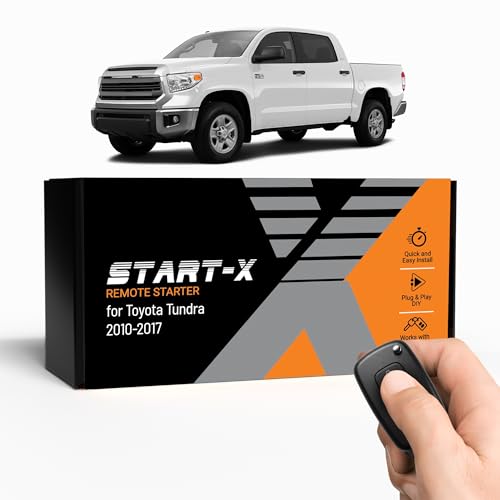
𝗗𝗜𝗬 𝗿𝗲𝗺𝗼𝘁𝗲 𝘀𝘁𝗮𝗿𝘁 𝗸𝗶𝘁: Add remote start functionality to your vehicle for a fraction of the cost. Enjoy a comfortable driving experience from the start by pre-heating and defrosting your windshield in the winter or cooling down your vehicle before entering in the summer.
Hill Start Assist vs. Parking Brake, Brake Hold, DAC, and Crawl Control
| Feature | What It Does | When to Use It |
|---|---|---|
| Hill Start Assist | Briefly helps reduce rollback when starting uphill. | Short uphill starts from a stop. |
| Parking Brake | Holds the vehicle stationary for parking or longer stops. | Parking, loading, or waiting on a grade. |
| Brake Hold | If equipped, keeps the brakes applied during certain stops after activation. | Traffic stops, not a replacement for the parking brake. |
| Downhill Assist Control | If equipped, helps limit speed on descents. | Steep downhill off-road driving. |
| Crawl Control | If equipped, manages low-speed throttle and braking off-road. | Technical off-road terrain at low speeds. |
[Products Worth Considering]
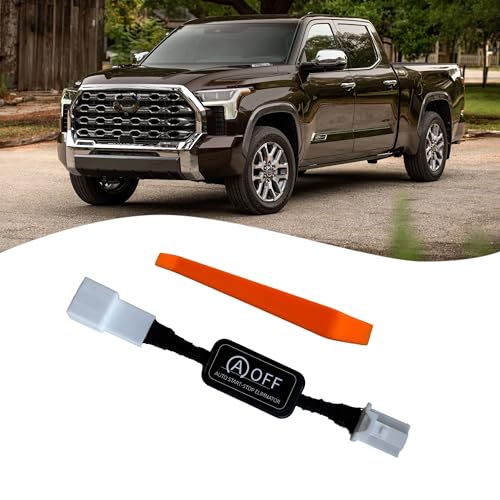
【Precise Fit for Tundra 2022-2025 & GR Corolla2023-2024】 Designed specifically for the Toyota Tundra (2022-2025) and GR Corolla iMT (2023-2024), this eliminator guarantees a perfect plug-and-play connection. It seamlessly integrates with your vehicle's system without triggering error codes and preserves all factory functions, including remote start.

WHAT'S INCLUDED - Complete remote start system compatible with Toyota Tundra 2010-2017. Includes an all-in-one remote starter data interface module and T-Harness. Firmware preloaded for your vehicle. All components required for installation are included. Automatic Transmission ONLY
Troubleshooting: If Hill Start Assist Doesn’t Engage
If Hill Start Assist does not seem to engage, do not keep adding throttle. Hold the brake, make sure the area is clear, and check the basics first.
- Confirm the truck is fully stopped. HSA may not help from a rolling stop.
- Check the gear position. The transmission should be in a driving gear, not Park or Neutral.
- Release the parking brake. An engaged parking brake can prevent or cancel HSA operation.
- Keep off the accelerator until launch. Pressing the accelerator ends the hold.
- Use enough brake pressure. A soft or partial brake press can make the start feel inconsistent.
- Look for warning lights or messages. ABS, traction, stability, brake, or parking-brake warnings may point to a system issue.
- Inspect obvious brake concerns. Low brake fluid, a spongy pedal, worn brake parts, or recent brake work can affect braking performance.
- Check tires and traction. Mismatched, worn, underinflated, or low-grip tires can reduce the effectiveness of driver-assist systems.
If the problem repeats, check your exact model-year manual through Toyota Owners Manuals and Warranties or schedule diagnosis with a Toyota dealer. You can also use the NHTSA recall lookup to check whether your Tundra has an open safety recall.
[Products Worth Considering]

The exact Original Equipment Manufacturer fluid that your vehicle came with; developed for brake and hydraulic clutch systems to reduce vapor lock by providing a higher boiling point

[Perfect Fitment-1] For "Front Side": Compatible with Toyota Tacoma 2005-2011 (Base 4WD Model; Pre Runner Model), Tacoma 2012-2015 (with 4 Piston Calipers, with 6 Lugs), Tacoma 2016-2020, Tundra 2000-2006, 4Runner 1996-2002, Sequoia 2001-2007; For "Rear Side": Compatible with Tercel 1991-1999, Paseo 1992-1999

【Compatible with Toyota】 Brake Fluid Cap compatible with Toyota 4Runner (1996-2001), Avalon (1995-2012), Camry (1992-2011), Celica (1994-1999), Corolla (1993-2013), Highlander (2003-2007), MR2 (1994-1995), RAV EV (1998-2003), Sienna (1998-2004), Solara (1999-2008), T100 (1994-1998), Tacoma (1995-2001); compatible with Scion tC (2005-2010) Brake Master Cylinder Reservoir Cap
Practical Tips for Safer Hill Starts
Use Hill Start Assist whenever you are stopped on an uphill grade and need a clean start, especially in stop-and-go traffic, on steep driveways, when towing, or on narrow roads where rollback would be risky.
When To Use
- Starting from a stop sign or traffic light on a hill.
- Pulling out of a steep driveway or parking-lot ramp.
- Backing a trailer uphill slowly and carefully.
- Restarting after a pause on a trail climb.
- Moving in heavy traffic where a small rollback could create a hazard.
Practical Techniques
Keep your right foot movements smooth. The Tundra’s engine and transmission can apply a lot of torque, so abrupt throttle can cause a lurch or wheelspin. A steady squeeze of the accelerator is safer than a quick jab.
On steep paved grades, keep extra following distance and avoid stopping too close to the vehicle ahead. On dirt, gravel, snow, or wet ramps, reduce throttle and let the tires build grip gradually. If the Tundra starts to slide or roll, brake first and reassess the surface.
Frequently Asked Questions
How do you activate Hill Start Assist on a Toyota Tundra?
Stop completely on an uphill incline, hold the brake pedal firmly, select Drive or Reverse, keep the accelerator released, and make sure the parking brake is not engaged. When you release the brake, Hill Start Assist can briefly hold brake pressure while you move to the accelerator.
Does the Toyota Tundra have a Hill Start Assist button?
In normal use, Hill Start Assist works automatically when the required conditions are met. It is different from selectable features such as Brake Hold, Downhill Assist Control, Crawl Control, or traction-control settings.
Why did my Tundra roll back even with Hill Start Assist?
The hold may have timed out, the grade or traction may have exceeded what the system can handle, the parking brake may have been engaged, the truck may not have been fully stopped, or throttle may not have been applied soon enough. Press the brake and restart the launch.
Can I use Hill Start Assist while towing?
Yes, it can help during a towing start on an uphill grade, but do not rely on it as the main holding method. Keep firm brake control, use Tow/Haul mode when appropriate, apply smooth throttle, and follow the towing instructions in your owner’s manual.
Is Hill Start Assist the same as Downhill Assist Control?
No. Hill Start Assist helps reduce rollback during an uphill start. Downhill Assist Control, when equipped, helps manage vehicle speed during steep descents. Use the system designed for the direction and terrain you are driving.
Will Hill Start Assist work on ice?
It may not work effectively on ice or other low-traction surfaces. Use slower inputs, leave extra space, avoid sudden throttle, and be ready to brake manually. Tires and road grip matter more than any assist feature.
Conclusion
To use Hill Start Assist on a Toyota Tundra, keep the process simple: stop fully on the hill, press the brake firmly, select the correct driving gear, release the parking brake, move from brake to throttle without hesitation, and stay ready to brake again. The system gives you a short buffer against rollback, but your timing, traction, tires, and judgment still decide how controlled the start feels.
Practice on mild slopes before relying on the system in traffic, while towing, or off-road. Hill Start Assist is helpful technology, but safe hill starts still come from smooth pedal control and disciplined driving.
Sources
- Toyota Owners: 2025 Tundra Driving Assist Systems — backs Hill Start Assist limitations, driver-assist warnings, and owner-manual guidance.
- Toyota Owners: 2026 Tundra Manuals and Warranties — source for checking the manual for a specific model year and trim.
- Toyota Pressroom: 2026 Toyota Tundra Product Information — backs current Tundra automatic transmission and off-road system references.
- NHTSA Recalls Lookup — backs recall-check recommendation when warning lights or safety issues appear.
- NHTSA Winter Driving Tips — backs caution about slick roads, reduced control, and increased stopping distance.
- MyCarDoesWhat: Hill Start Assist — backs the general explanation of how hill-start assist holds brake pressure while the driver moves to the accelerator.