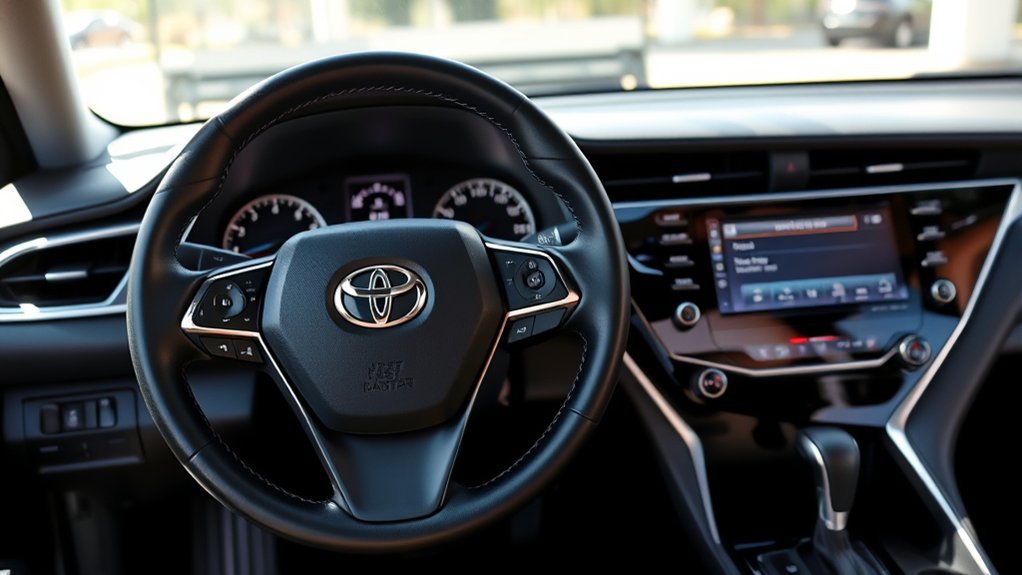
If your Camry’s maintenance light won’t reset, first verify your ignition is in the correct position. Check for unresolved fault codes that might keep the light active. Follow the specific reset procedure in your owner’s manual carefully. If the light still shows, using an OBD-II scanner can help diagnose issues. Regular maintenance is key to peak performance, so if problems persist, you might want to explore further solutions for a hassle-free experience.
Understanding the Maintenance Light on Your Camry

The maintenance light on your Camry activates when you reach 5,000 miles, signaling that it’s time for scheduled service. This light serves vital functions, acting as your vehicle’s service interval reminder. It keeps you informed about necessary maintenance, ensuring your Camry remains in superior condition.
Regularly resetting the maintenance light after completing service tasks is important for accurate tracking of your vehicle’s maintenance history. You can reset it via the settings menu or by using the trip reset button in conjunction with the odometer display. Always consult your owner’s manual for specific reset instructions, as procedures may differ by model year and trim.
Ignoring the maintenance light can lead to missed service opportunities, which can negatively impact your vehicle’s performance and longevity. By understanding these maintenance light functions, you empower yourself to maintain your Camry effectively, promoting a more liberated driving experience.
Reasons Your Maintenance Light Won’t Reset
If you find that your maintenance light won’t reset, several factors could be at play. First, verify your ignition’s on and the vehicle’s in the correct mode for the reset process. If the reset button has issues or the odometer display isn’t functioning properly, your attempts may fail. Additionally, unresolved fault codes within your vehicle’s computer system can keep the maintenance light active, regardless of how many times you try to reset it. It’s also crucial to note that the reset procedure can vary by model and year, so consult your owner’s manual for precise instructions. If you’ve tried multiple times without success, using an OBD-II scanner might be necessary. This tool can clear error codes that hinder the reset process, helping you regain control over your maintenance light.
Step-by-Step Guide to Resetting Your Maintenance Light
To reset your maintenance light on a Toyota Camry, start by turning the ignition to the “on” position without starting the engine. Next, use the right arrow button to navigate to the settings menu. Select “Vehicle Settings” with the down button. From there, choose “Scheduled Maintenance” and confirm your selection to reset. A prompt will appear asking for confirmation; select “yes” to complete the reset process.
This action guarantees that your maintenance schedule aligns with your vehicle’s needs, helping you stay on top of any necessary service. After resetting, turn off the vehicle and restart it to confirm that the warning indicators are no longer displayed. Following these steps keeps your Camry’s maintenance light in check, allowing for a smoother driving experience and peace of mind on the road.
Troubleshooting: Steps If the Light Still Shows

If the maintenance light still shows after your reset attempt, double-check that you followed the reset procedure accurately. Use an OBD-II scanner to check for any diagnostic trouble codes, as unresolved issues can keep the light activated. If you’re still having trouble, consulting a professional mechanic can provide valuable insights.
Verify Reset Procedure Accuracy
How can you guarantee the maintenance light reset procedure is accurate? Start by following the owner’s manual, usually found on page 375, to avoid common errors. If the light persists after your attempts, confirm your vehicle is in the correct mode and settings were navigated properly. Here’s a quick guide to verify your procedure:
| Step | Action |
|---|---|
| Step 1 | Hold the trip reset button for 20 seconds. |
| Step 2 | Press the odometer button for 2-3 seconds. |
| Step 3 | Repeat until the light turns off. |
If manual methods fail, consider using an OBD-II scanner. If issues continue, consult a certified auto shop for professional assistance.
Check OBD-II Scanner Status
Even after verifying the reset procedure, the maintenance light might still be on, signaling potential underlying issues. Start by conducting OBD II compatibility checks; confirm your scanner is properly connected to the vehicle’s diagnostic port, typically located under the dashboard near the steering column. Once connected, run a scan to identify any fault codes. If codes appear, note them, then use the scanner’s reset function to clear them and see if that resolves the maintenance light issue. Regular scanner usage can help monitor vehicle health, allowing you to catch problems early. If the maintenance light persists despite these steps, it may be time to evaluate professional assistance for a more thorough diagnostic.
Consult Professional Mechanic Advice
When the maintenance light remains illuminated despite following the reset procedure, seeking professional mechanic advice is a prudent step. First, double-check your navigation through the vehicle settings and confirm you’re validating the reset prompt correctly. Make sure the vehicle’s engine is in the proper mode—some models require it to be off or in the “on” position without starting. If the light still persists, using diagnostic tools like an OBD-II scanner can reveal underlying issues causing the alert. A certified mechanic can provide professional insight and check for potential faults in the maintenance system or related components. Regularly reviewing your owner’s manual for model-specific maintenance schedules can help you avoid future confusion.
What to Do If the Reset Fails?
If the maintenance light reset fails, it’s important to revisit the procedure in your owner’s manual, as specific steps can vary by model and year. Make sure your vehicle is in the proper mode; typically, this means the ignition should be on but the engine off. If you’re using reset techniques involving the trip reset button, confirm that both the trip reset and odometer functions are operational, as malfunctioning buttons can hinder the process.
If the light still won’t reset, consider connecting an OBD-II scanner. This tool can diagnose underlying issues and clear any error codes that may be preventing the reset. If you’ve tried everything and it’s still unsuccessful, don’t hesitate to seek professional assistance from a certified auto shop. Their expertise can help identify and resolve potential issues that might be stalling your reset efforts, ensuring your maintenance light is effectively managed.
Importance of Regular Maintenance for Your Vehicle
Successfully resetting your maintenance light is just one part of vehicle upkeep. Regular maintenance, typically every 5,000 to 7,500 miles, is essential for guaranteeing peak performance and enhancing your vehicle’s longevity. By addressing potential issues early, you can prevent them from escalating into costly repairs. Routine checks like oil changes and tire rotations not only maintain safety but also boost fuel efficiency, potentially saving you up to 10% on gas costs over time.
Keeping a detailed maintenance record is crucial; it tracks your vehicle’s condition and can greatly increase its resale value. Prospective buyers often prefer well-maintained vehicles, making your commitment to maintenance a smart financial decision. Following manufacturer recommendations guarantees your car operates at its best and remains under warranty. Embracing these maintenance benefits empowers you to drive confidently, knowing you’ve taken the necessary steps to protect your investment.
Use OBD-II Scanners to Reset Issues

To effectively reset your maintenance light, using an OBD-II scanner is a reliable method that connects directly to your vehicle’s onboard computer. This tool allows you to read and reset diagnostic trouble codes, including those pesky maintenance notifications. If you’re unsure about the reset process, many auto shops offer access to OBD-II scanners for your convenience.
Once you connect the scanner to your vehicle’s diagnostic port, simply follow the device’s prompts to reset the maintenance light. Keep in mind, however, the importance of ensuring OBD-II compatibility. Incompatible scanners might lead to OBD II compatibility issues, preventing effective resets. Regularly using an OBD-II scanner not only helps reset maintenance lights but also aids in monitoring vehicle health, allowing you to catch issues before they escalate. If you encounter problems, refer to scanner troubleshooting tips for guidance and resolution.
Camry Owner Tips for Resetting Your Maintenance Light
Resetting your Camry’s maintenance light involves a few common techniques you can easily follow. If you encounter issues, troubleshooting steps can help guarantee the reset is successful. Keeping accurate records of your maintenance will also aid in tracking when to reset the light next.
Common Reset Techniques
When you need to reset the maintenance light on your Toyota Camry, knowing a few common techniques can make the process smoother. First, access the vehicle settings by pressing the right arrow button and directing to the scheduled maintenance options. Hold the trip reset button for 20 seconds, then press the odometer button for 2-3 seconds to turn off the maintenance light. Alternatively, using an OBD-II scanner connects to your vehicle’s computer system for a straightforward reset. Make sure to confirm the reset by selecting “yes” when prompted to reset data. Familiarizing yourself with your vehicle’s menu layout can expedite these resetting techniques, ensuring you follow the correct steps with confidence.
Troubleshooting Reset Issues
Sometimes, despite following the common reset techniques, the maintenance light on your Toyota Camry may still refuse to turn off. To troubleshoot these reset issues, check the following:
| Step | Action |
|---|---|
| Confirm Correct Mode | Confirm the ignition is “On” without starting. |
| Trip Reset Button | Hold for 20 seconds if applicable to your model. |
| Consult Owner’s Manual | Verify specific resetting procedures for your year. |
| Use OBD-II Scanner | Check for faults and reset the light if needed. |
| Review Maintenance Reminders | Stay updated on your vehicle’s service schedule. |
Maintaining Accurate Records
Maintaining accurate records of your Toyota Camry’s maintenance activities is essential for effective vehicle management. Regularly document your oil changes, tire rotations, and other services in your maintenance logs to track service intervals. Familiarize yourself with the owner’s manual, especially the maintenance reset section, for your model year. Use the trip reset button method: hold it for 20 seconds while pressing the odometer button to reset the maintenance light. Always confirm the reset by ensuring the maintenance required message disappears upon restarting the vehicle. Additionally, keep a log of reset dates and mileage to anticipate future maintenance needs and avoid premature alerts. This systematic record keeping empowers you to manage your Camry efficiently and proactively.
When to Call a Mechanic for Help
If the maintenance light stays on after you’ve followed the reset procedure in your owner’s manual, it’s time to contemplate calling a mechanic. Ignoring this warning can lead to bigger issues down the road. Here are some signs it’s best to seek professional help:
- The light doesn’t turn off after the reset.
- You notice unusual noises or smells.
- The vehicle’s performance seems off.
- You’re unsure about the reset procedure.
- You want insights on maintenance scheduling.
Engaging in clear mechanic communication can prevent complications and guarantee your vehicle receives the attention it needs. A qualified mechanic can diagnose potential problems, explain maintenance requirements specific to your model, and help you create an effective maintenance schedule. Regular consultations not only enhance your car’s longevity but also optimize its performance. Don’t hesitate—getting help early can save you time and money.
Frequently Asked Questions
Why Won’t My Maintenance Light Reset?
Your maintenance light might not reset due to common issues like incorrect reset procedures or overdue maintenance. Double-check your vehicle’s settings, follow the manual’s instructions, and confirm all maintenance tasks are up to date.
Conclusion
If your Camry’s maintenance light won’t reset, don’t let it loom like a storm cloud over your driving experience. Follow the steps outlined, but remember, regular maintenance is key to a smooth ride. If issues persist, consider using an OBD-II scanner or reach out to a mechanic. Staying proactive can keep your car running like a well-oiled machine, ensuring you enjoy every journey without the nagging reminder of that stubborn light.