What’s in This Article
- Identifying Backup Camera Malfunctions
- Common Causes of Backup Camera Failure
- How to Enter Service Mode in Your Toyota Camry
- Steps to Adjust the Steering Angle Correctly
- Why Calibration Matters for Your Backup Camera
- Final Steps to Calibrate Your Toyota Backup Camera
- Common Backup Camera Problems and Solutions
- How to Clean Your Backup Camera Lens
- When to Call a Professional
- Maintaining Your Backup Camera
- Frequently Asked Questions
Your Toyota Camry’s backup camera goes dark, and suddenly reversing feels like a guessing game. A flashing triangle on your display, missing grid lines, or a blank screen are all signs the system needs attention — and in most cases, you can fix it yourself without a dealer visit. This guide walks you through every troubleshooting step, from recalibration to knowing when the problem is beyond a DIY fix.
Quick Answer
A Toyota Camry backup camera that shows a flashing triangle or no grid lines usually needs recalibration rather than replacement. You can fix it by entering service mode (press and hold the audio button while cycling the headlights three times in park), then adjusting the steering angle fully left and right until you hear a confirmation beep. If grid lines still don’t appear after calibration, consult a Toyota technician to check for wiring or sensor faults.
Key Takeaways
- A flashing triangle on your display means the rear camera is unavailable and likely needs recalibration.
- Service mode lets you access and reset camera settings without special tools — but the exact steps vary by model year and trim, so confirm your steps in the owner’s manual.
- Proper steering angle calibration restores accurate grid lines and keeps parking guidance reliable.
- Clean the camera lens regularly, since dirt and moisture are the most overlooked causes of poor image quality.
- Persistent failures after recalibration signal a wiring fault or damaged sensor that needs professional diagnosis.
Identifying Backup Camera Malfunctions
A flashing triangle on your display when you shift into reverse is the clearest sign your rear camera is unavailable. This indicator appears in Toyota vehicles when the camera system detects a fault it can’t self-correct. If grid lines don’t appear at all, the backup camera system isn’t functioning correctly.
Start troubleshooting by checking the steering wheel’s position. Improper calibration affects camera performance and causes inconsistent grid lines. Recalibrating the camera settings is the first and most effective step — it restores accurate guidelines and costs nothing to attempt.
Catching these symptoms early prevents them from becoming bigger problems. Address the flashing triangle before it leads to a parking accident you could have avoided.
Common Causes of Backup Camera Failure
Before you start recalibrating, it helps to know why backup cameras fail in the first place. The most common causes fall into a few clear categories:
- Steering angle miscalibration: The camera’s grid lines sync with the steering system. Any major alignment service or steering repair can throw off this calibration.
- Dirty or obstructed lens: Road grime, mud, or condensation on the rear lens produces a blurry or completely blocked image.
- Loose or damaged wiring: Vibration over time can loosen the camera’s connector, cutting off power or signal.
- Software or system reset needed: Occasionally the infotainment system develops a glitch that a full power cycle or recalibration clears.
- Physical damage to the camera: A minor impact to the rear bumper can crack the housing or knock the camera out of alignment.
How to Enter Service Mode in Your Toyota Camry
Service mode gives you access to camera settings so you can recalibrate the system. Start by shifting your vehicle into park. Then press and hold the audio button, and while holding it, turn the headlights on and off three times. This sequence opens the camera settings within service mode.
Warning: Only enter service mode when the vehicle is parked and stationary — never attempt calibration steps while moving.
Follow these steps without interruption. Any break in the sequence may block access to the camera settings. Once you’re in service mode, you can adjust parameters and restore your backup camera to full function.
Note: Service mode entry steps vary by Camry model year and trim level. If this sequence doesn’t work on your vehicle, check your owner’s manual or the Toyota owner resources portal for the correct procedure.
Steps to Adjust the Steering Angle Correctly
Correct steering angle adjustment ensures your backup camera delivers accurate guidance. Follow these steps in order:
- Center the steering wheel and note that position.
- Turn the steering wheel fully to the left.
- Turn the steering wheel fully to the right.
- Listen for a confirmation beep — this signals a successful adjustment.
- Return the steering wheel to the center position.
Memorize the center position after calibration. Keeping the wheel centered maintains accurate grid lines over time. A well-calibrated steering angle lets the camera track your vehicle’s movements precisely, which makes parking in tight spaces much safer.
Pro tip: If you don’t hear a confirmation beep after the full left-to-right turn, repeat the sequence once — sometimes the steering needs a full lock-to-lock rotation to register.
Why Calibration Matters for Your Backup Camera

Calibration matters because it controls whether grid lines display accurately. Without it, distance markers shift and you misjudge how close objects are behind you. Regular calibration keeps your camera reliable and prevents those small misalignments from turning into accidents.
Accurate Grid Lines
Accurate grid lines give you essential visual guidance when parking and maneuvering. When grid lines fall out of calibration, distance misjudgments increase collision risk — especially in tight parking lots. Regular calibration ensures:
- Precise grid line positioning for accurate parking.
- Better visual clarity in confined spaces.
- Fewer camera faults caused by steering wheel misalignment.
- Consistent performance from your parking assistance features.
Enhanced Driving Safety
A properly calibrated backup camera gives you accurate distance information and reduces the risk of accidents while reversing. Inaccurate camera readings cause misjudgments that damage your vehicle and put pedestrians at risk. Regular recalibration is especially critical in crowded parking areas where small errors carry big consequences.
Final Steps to Calibrate Your Toyota Backup Camera

Once you’ve adjusted the steering angle, confirm the wheel is centered and test the camera. These final checks verify that calibration actually worked before you drive.
Confirm Steering Position Accuracy
Confirming the steering position locks in the calibration. Follow this checklist:
- Set the steering wheel to center and memorize that position.
- Turn the wheel fully left, then fully right.
- Listen for the confirmation beep.
- Return the wheel to center to finalize calibration.
- Exit camera settings and turn off the vehicle to reset all systems.
After restarting, check that grid lines appear and respond to your steering inputs. This confirms the camera is calibrated and ready for use.
Test Camera Functionality After Calibration
Turn off the vehicle to reset all systems, then restart it. Shift into reverse and watch for grid lines on the display. The guidelines should move in response to your steering — that’s your confirmation the calibration worked. If lines don’t appear or the camera still shows nothing, repeat the calibration steps. Persistent failure after two attempts means the system needs professional inspection.
Common Backup Camera Problems and Solutions
Most Toyota Camry backup camera issues fall into a short list of known problems. Here’s what each symptom means and how to address it:
- Flashing triangle indicator: The rear camera is unavailable. Check all connections first, then attempt recalibration.
- No grid lines on reverse: A likely calibration fault. Recalibrate using the service mode steps above.
- Blurry or distorted image: Clean the camera lens and check for cracks or moisture in the housing.
- Camera shows only a black screen: Check the camera’s power connection and fuse. A blown fuse cuts power to the camera entirely.
- Grid lines appear but don’t move with steering: The steering angle sensor connection may be loose. Recalibrate first; if it persists, have the sensor inspected.
How to Clean Your Backup Camera Lens
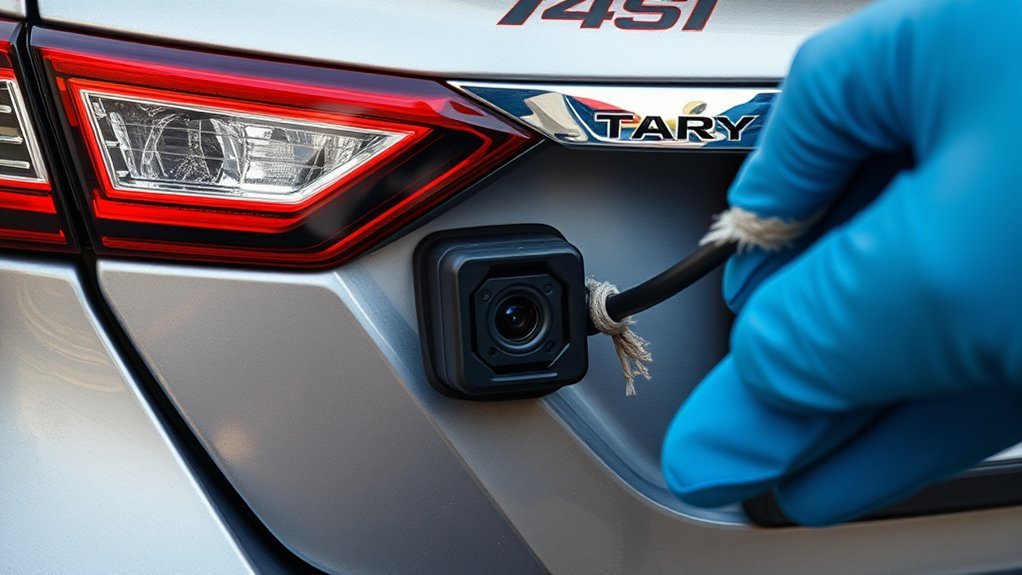
A dirty lens is the most overlooked cause of backup camera problems. Road grime, mud splatter, and condensation build up on the small camera housing mounted near your rear license plate. Cleaning it takes less than a minute and costs nothing.
- Use a soft microfiber cloth dampened with water or a mild glass cleaner.
- Wipe the lens gently in a circular motion — don’t scrub, as this scratches the housing.
- Check for moisture or fogging inside the lens housing. Condensation inside the camera means the seal has failed and water is getting in — that needs professional repair.
- Inspect the housing for cracks after any rear-end impact, however minor.
When to Call a Professional for Backup Camera Issues
Basic troubleshooting resolves most backup camera problems. But some situations require a technician’s diagnosis. Seek professional help when:
- The flashing triangle returns consistently even after recalibration.
- Grid lines never appear despite following all calibration steps correctly.
- You find moisture or condensation inside the camera housing.
- The camera screen stays completely black with no image at all.
- You suspect wiring damage after a rear-end impact.
A technician can identify wiring faults or sensor damage that visual inspection misses. Catching these problems early costs far less than repairing a parking accident that a functioning camera would have prevented.
Maintaining Your Backup Camera
Regular maintenance keeps your backup camera working and prevents the most common faults. Build these habits into your routine:
- Inspect for obstructions: Check the rear camera housing for dirt or debris that blocks the lens.
- Calibrate after steering service: Any alignment or steering repair may throw off your camera calibration. Recalibrate immediately after such service.
- Watch for malfunction alerts: A flashing triangle is your early warning sign. Don’t ignore it.
- Update software: Keep your vehicle’s infotainment firmware current. Software updates often fix known camera and display bugs.
- Check connections annually: During routine service, ask your technician to inspect the camera’s wiring connectors.
Frequently Asked Questions
What does the flashing triangle on my Toyota Camry display mean?
The flashing triangle signals that the rear camera is temporarily unavailable. It usually means the camera system lost calibration or detected a fault. Start by recalibrating through service mode. If the triangle keeps flashing after calibration, have a technician check the camera’s wiring and sensor.
Will recalibrating the backup camera erase any vehicle settings?
No. The service mode calibration process only adjusts the camera’s steering angle reference point. It doesn’t reset audio presets, navigation data, or any other vehicle settings.
How often should I recalibrate my Toyota Camry’s backup camera?
You don’t need to recalibrate on a set schedule. Recalibrate whenever you notice missing grid lines, a flashing triangle indicator, or after any steering or alignment service. Routine checks every six months catch issues before they become driving hazards.
Can a backup camera problem affect Toyota Safety Sense features?
The backup camera and Toyota Safety Sense (TSS) run on separate systems, so a camera fault typically doesn’t disable TSS functions like pre-collision braking or lane departure alert. That said, some model years integrate rear camera data into parking assist features — check your owner’s manual to confirm how your specific Camry handles this.
What does it cost to replace a Toyota Camry backup camera professionally?
Replacement costs vary significantly by model year and whether you use OEM or aftermarket parts. As a general range, expect to pay between $200 and $600 for parts and labor at an independent shop, or more at a Toyota dealership. Get at least two quotes before committing to a replacement, since recalibration often solves what looks like a hardware failure.
Your backup camera is one of the safest features on your Camry. A flashing triangle or missing grid lines are your signal to act — and in most cases, a quick recalibration through service mode is all it takes to get back to confident, clear reverse visibility. If calibration doesn’t solve it, don’t delay professional diagnosis. A working camera is worth every minute you invest in keeping it that way.