The Toyota Camry’s Road Sign Assist (RSA) is a driver-assistance feature that helps you notice certain posted road signs by showing them on the instrument cluster or Multi-Information Display. It can be useful on unfamiliar roads, but it is not a substitute for reading signs yourself. RSA performance depends on your Camry’s model year, region, equipment, camera visibility, navigation data, and weather conditions.
Quick Answer
Toyota Camry Road Sign Assist uses the forward-facing camera and, on some models, navigation data to detect selected signs such as speed limit, stop, yield, Do Not Enter, No U-turn, warning, and No Turn On Red signs. It displays sign information to help driver awareness, but all driving decisions remain the driver’s responsibility.
Key Takeaways
- RSA is an awareness aid, not an automated driving feature.
- Supported signs vary by model year, market, and vehicle equipment.
- A dirty windshield, blocked front camera, damaged glass, bad weather, or outdated map data can reduce accuracy.
- You can usually turn RSA on or off and adjust some settings from the Multi-Information Display menu.
- If an RSA malfunction message appears or the camera area was impacted, have the vehicle inspected by a Toyota dealer.
At a Glance
| Time Required | 2–5 minutes to check settings; longer if service is needed |
| Difficulty | Easy for settings and cleaning; dealer-level for camera calibration or faults |
| Tools Needed | Owner’s Manual, steering-wheel controls, clean microfiber cloth, windshield defogger if needed |
| Cost | Usually free for settings and basic cleaning; inspection or calibration costs vary |
Understanding Road Sign Assist

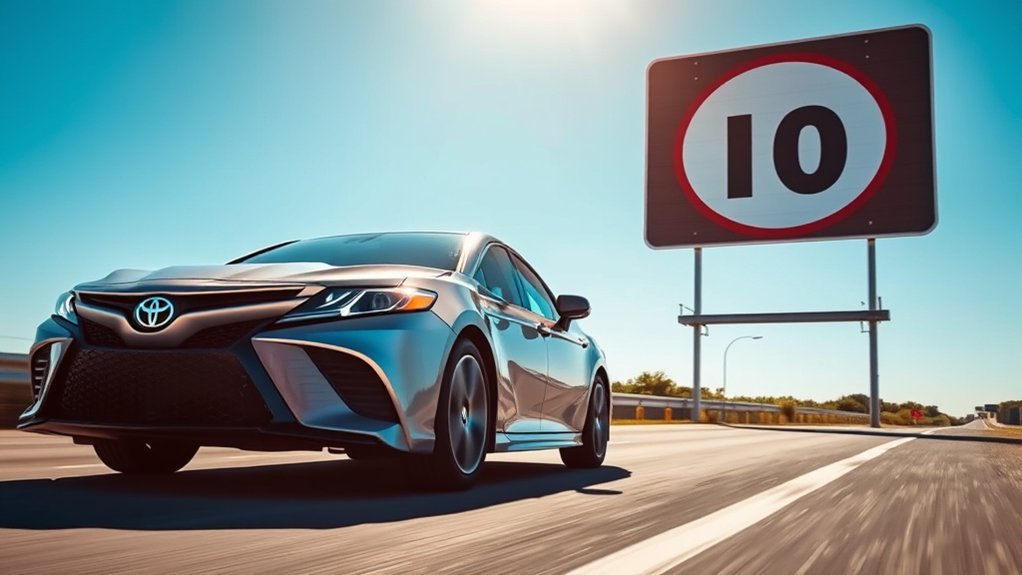
Road Sign Assist is designed to give the driver extra awareness of certain road signs. On current Toyota systems, RSA uses the forward-facing camera and, when equipped and available, navigation information to detect selected signs and display them in the instrument cluster or Multi-Information Display. Toyota’s Quick Reference Guide notes that supported signs can include speed limit, stop, yield, Do Not Enter, No U-turn, warning, and No Turn On Red signs, depending on the vehicle specification.
In simple terms, RSA watches for certain signs and puts a reminder where you can see it without hunting for the last sign you passed. That can help when speed limits change quickly, when you are driving in a new area, or when road signs are easy to miss in traffic.
Warning: Do not rely only on Road Sign Assist. Toyota states that vehicle actions must be driver-initiated and not automated. Always read posted signs, follow local traffic laws, and use your own judgment, especially in construction zones, school zones, temporary detours, and bad weather.
For model-specific details, check the official Toyota Owner’s Manual and warranty manual library, because menus, supported signs, and warnings can differ between Camry model years and markets.
Key Features of the Toyota Camry’s Road Sign Assist
When equipped, the Camry’s RSA system supports safer awareness by keeping certain road-sign information visible on the display. The feature is part of Toyota’s broader driver-assistance technology suite, and Toyota describes Road Sign Assist as a system that uses a forward-facing camera to recognize specific road signs and provide sign information through the Multi-Information Display.
- Sign display: RSA can show detected road-sign information in the instrument cluster or Multi-Information Display.
- Supported sign types: Depending on the Camry’s model year and equipment, supported signs may include speed limit, stop, yield, Do Not Enter, No U-turn, No Turn On Red, and warning signs.
- Driver alerts: Some versions can provide visual and/or buzzer alerts when the system judges that the vehicle is exceeding a displayed speed limit or entering a restricted area.
- Navigation support: On equipped vehicles, navigation data may help provide speed-limit information when available.
- Custom settings: Many Camry models allow RSA to be turned on or off and offer additional RSA settings through the Multi-Information Display.
Note: The original article mentioned Toyota Safety Sense 2.0, but many newer Camry models use Toyota Safety Sense 3.0. Older Camry model years may use a different Toyota Safety Sense version, so the owner’s manual for your exact year is the best source.
What Signs Can Road Sign Assist Recognize?
The exact list depends on your Camry’s model year, market, and trim. Toyota’s 2025 Camry Quick Reference Guide lists these sign types for RSA:
| Sign Type | What RSA Does |
|---|---|
| Speed limit | Displays the detected or available posted speed limit. |
| Stop | Shows a stop-sign reminder when the system recognizes the sign. |
| Yield | Displays a yield-sign icon when detected. |
| Do Not Enter | Can warn the driver if the system judges that the vehicle is entering a restricted area. |
| No U-turn | Shows a No U-turn sign where supported. |
| No Turn On Red | Shows a No Turn On Red sign where supported. |
| Warning | Displays certain warning-sign information where supported. |
RSA is best treated as a helpful reminder, not as proof that the displayed sign is the current legal instruction for the road you are on.
How to Customize Road Sign Assist Notifications
Customizing Road Sign Assist notifications in your Toyota Camry is usually straightforward. The exact icons and menu wording may vary, but Toyota’s 2025 Camry Quick Reference Guide describes the basic process through the Multi-Information Display controls.
- Use the steering-wheel display controls. Press the left/right or up/down switches to move through the Multi-Information Display menu.
- Select the vehicle settings menu. Look for the settings or gear icon on the display.
- Find RSA. Scroll until you see RSA or the Road Sign Assist icon.
- Turn RSA on or off. Press the OK/select button to toggle the system.
- Open additional RSA settings. On many models, press and hold OK/select while RSA is highlighted to open the setting screen.
- Adjust available options. Choose the available warning, display, or notification settings shown for your vehicle.
- Back out of the menu. Use the return button to leave the settings screen.
Pro Tip: Make settings changes while parked, not while driving. If you recently bought the car used, reset or review RSA settings because a previous driver may have turned alerts off.
Some Camry versions may let you choose whether alerts are visual only, buzzer-based, or disabled. Some may also allow speed-limit notification thresholds. If you do not see the same options described in a video or forum post, do not assume your system is broken; your model year, region, software version, or trim may simply have different settings.
Factors Affecting Sign Recognition
Road Sign Assist depends on what the forward-facing camera can see and what data is available to the system. Several normal driving conditions can reduce sign recognition accuracy.
Camera Alignment Issues
The front camera is mounted near the top of the windshield. If the windshield was replaced, the mirror area was worked on, the camera was bumped, or the vehicle was involved in a front-end impact, the camera may need inspection or calibration. Toyota cautions owners not to change the position or orientation of the front camera and to contact a Toyota dealer if the lens is dirty, damaged, or affected by windshield work.
Environmental Conditions Impact
Weather and lighting matter. Heavy rain, fog, snow, glare, deep shadows, tunnels, poor lighting, dirty signs, faded signs, and temporary construction signs can all make recognition harder. Navigation-based speed-limit information can also be wrong if the map data is outdated or if the road has recently changed.
Obstructions on Windshield
Obstructions on your windshield can severely hinder the Toyota Camry’s Road Sign Assist system from recognizing crucial road signs. To maintain better performance, check these areas regularly:
- Dirt and Grime: Clean the windshield area in front of the camera.
- Snow, Ice, or Fog: Use the defogger and clear snow or ice before driving.
- Stickers, Tint, or Accessories: Do not place stickers, tint, dash accessories, or mounted items where they can block the camera’s view.
- Damaged Windshield: Cracks or chips near the camera area may affect operation and may require dealer inspection after glass replacement.
What to Do When Road Sign Assist Isn’t Working?
When your Toyota Camry’s Road Sign Assist isn’t functioning properly, start with the simple checks before assuming the system has failed. Use this troubleshooting table as a practical first step:
| Step | Action | Outcome |
|---|---|---|
| Check RSA Settings | Open the Multi-Information Display settings and confirm RSA is turned on. | Restores display if the system was disabled. |
| Clear the Windshield | Remove dirt, snow, ice, fog, or stickers near the camera area. | Improves camera visibility. |
| Assess Weather and Lighting | Consider rain, fog, snow, glare, tunnels, or dark roads. | Helps identify temporary performance limits. |
| Check Navigation Data | Update available map or software data if your vehicle supports it. | May improve speed-limit information where navigation data is used. |
| Review Recent Repairs | Think about windshield replacement, mirror work, front-end repairs, or impacts. | Identifies cases where camera calibration may be needed. |
| Visit a Toyota Dealer | Schedule service if a malfunction message appears or the camera area may be damaged. | Allows proper diagnosis, calibration, or repair. |
If the system displays a message such as “RSA Malfunction Visit Your Dealer”, do not try to recalibrate the camera yourself. A dealer or qualified technician should inspect the camera, windshield area, software status, and related diagnostic codes.
Warning: Never test Road Sign Assist by intentionally ignoring posted signs or driving into restricted areas. RSA may miss signs, display old information, or react too late for the situation.
Why Understanding Your Vehicle’s Safety Features Matters
Understanding your vehicle’s safety features, like Road Sign Assist in your Toyota Camry, goes beyond just knowing they exist. It helps you use the system correctly, avoid overconfidence, and recognize when the feature may not be reliable.
The National Highway Traffic Safety Administration explains that driver-assistance technologies still require the driver to remain fully engaged and responsible for driving. That idea applies directly to RSA: it can support awareness, but it does not steer, brake, accelerate, or decide which traffic law applies.
- Better Awareness: RSA can remind you of certain road signs you may have passed.
- Safer Habits: Speed-limit reminders can encourage more consistent speed checks.
- Smarter Troubleshooting: Knowing the limits helps you spot windshield, camera, or weather-related issues.
- Better Ownership: Reading the owner’s manual helps you understand which Toyota Safety Sense version your Camry has.
Common Mistakes to Avoid With Road Sign Assist
- Assuming every sign will be detected: Temporary, damaged, hidden, or non-standard signs may not display.
- Trusting old speed data: Navigation-based speed limits may lag behind new road changes.
- Blocking the camera: Stickers, dash cameras, windshield tint, and hanging items can interfere with the forward-facing camera.
- Ignoring local differences: RSA behavior and supported signs can vary by country, region, and model year.
- Confusing RSA with Roadside Assistance: RSA is a road-sign display feature; Toyota Roadside Assistance is an ownership support service for emergencies such as towing or jump-start help.
Frequently Asked Questions
What is the Road Sign Assist warning on a Toyota?
A Road Sign Assist warning is a visual and, on some models, audible alert tied to a sign the system has detected or speed-limit information it has displayed. Depending on equipment, the system may alert you when it judges that you are exceeding a displayed speed limit or entering a restricted area.
Does Toyota Camry Road Sign Assist read every road sign?
No. RSA is designed to detect selected road signs only. Supported signs vary by model year and equipment, and the system may miss signs because of weather, glare, obstructions, poor sign condition, road changes, or camera visibility problems.
Can I turn Road Sign Assist off?
Yes, on many Camry models you can turn RSA on or off from the Multi-Information Display settings menu. Select the vehicle settings menu, find RSA, and press the OK/select button. The exact menu path can vary, so check the owner’s manual for your model year.
Why does my Camry show the wrong speed limit?
The system may show outdated or incorrect information if it missed a sign, read a sign from a nearby road, used outdated navigation data, or encountered temporary construction-zone signage. Always follow the actual posted sign and local traffic law over the display.
What should I do after replacing the windshield?
Because the forward-facing camera is mounted near the windshield, windshield replacement can require camera recalibration. Use a qualified repair facility and have the camera area inspected or calibrated according to Toyota procedures.
How does Toyota Roadside Assistance work?
Toyota Roadside Assistance is separate from Road Sign Assist. Coverage depends on the program, model year, and region. ToyotaCare commonly includes roadside assistance for 2 years with unlimited miles in the continental U.S. and Alaska, while Toyota’s Roadside Assistance support page lists separate program terms. Check your Toyota account, warranty booklet, or dealer for your exact coverage.
Conclusion
Toyota Camry Road Sign Assist is a useful co-pilot for awareness, especially when speed limits change or signs are easy to miss. The key is to use it the right way: keep the windshield camera area clean, understand your Camry’s specific RSA settings, update available navigation data, and treat every display as a reminder rather than a command. When RSA works well, it can make driving feel calmer and more informed; when conditions are poor, your eyes and judgment still matter most.
Sources
- Toyota 2025 Camry Quick Reference Guide — RSA overview, supported signs, and settings menu guidance.
- Toyota Owners 2025 Camry Digital Manual: RSA — model-specific Road Sign Assist operation and limitations.
- Toyota Safety Sense — official description of Road Sign Assist and Toyota driver-assistance features.
- Toyota Manuals and Warranties — official source for checking the owner’s manual for a specific Camry model year.
- ToyotaCare Support — official ToyotaCare maintenance and roadside assistance coverage details.
- NHTSA Driver Assistance Technologies — driver responsibility and limitations of driver-assistance systems.