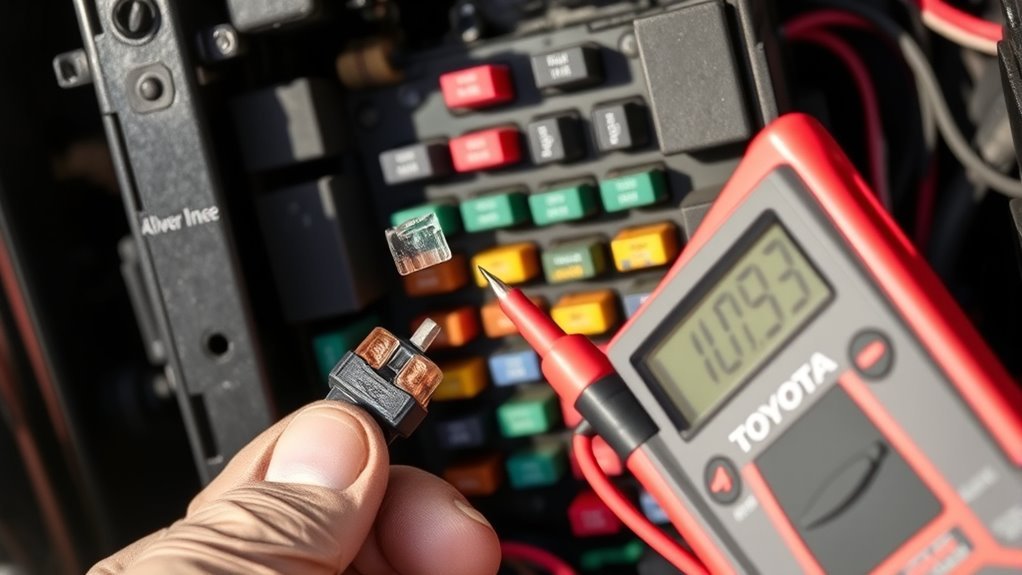
The MAINT light on your 4Runner is a mileage‑based reminder, not an oil‑quality sensor; it kicks on every 5,000 miles, flashes six times at startup, then stays lit until you reset it after service. It tracks distance since the last reset, so if you change the oil without resetting, it’ll come back. Follow the owner’s reset steps precisely—timing matters—and check tires and brakes while you’re at it. Keep reading to learn reset nuances and troubleshooting tips.
What the 4Runner MAINT Light Means

Although it can look like a warning about oil quality, the 4Runner’s MAINT light simply tells you that routine service is due based on mileage intervals rather than the actual condition of the oil. You’ll notice it flashes six times at startup and then stays on until you complete the scheduled maintenance and reset the system. That behavior is deliberate: the indicator tracks distance since the last reset, not oil chemistry. Recognize this to cut through maintenance myths and end light confusion. You’ll follow a specific reset procedure—outlined in the owner’s manual—that requires shifting key positions in sequence; skip steps and the lamp won’t clear. Community feedback shows drivers who understand the logic manage service timelines better and extend vehicle life. Treat the MAINT light as a mileage-based prompt: act when it illuminates, perform the prescribed service, then reset correctly so the system can start a new mileage count and free you from guesswork.
Quick Answer: How to Reset the MAINT Light Now
To reset the MAINT light now, park with the engine switch OFF, display trip meter A, then turn the engine to ON while holding the display change button until the trip reads “000000.” Follow the owner’s manual (page 345) step-for-step; skipping details defeats the reset. You’ll see the MAINT light flash six times at startup if it’s due, and it’ll remain illuminated until you complete this reset after service. Remember: the indicator is mileage-based, not a live diagnostic of oil health—this avoids maintenance myths and oil misconceptions that tempt you to ignore proper procedures. After an oil change, perform the reset immediately so the lamp won’t stay on permanently and distract you. You’re reclaiming control: execute the sequence exactly, confirm the trip shows six zeros, and verify the light extinguishes. If it doesn’t, repeat the steps or consult the manual; persistent illumination signals an incomplete reset, not necessarily an engine failure.
How the MAINT Light Decides Service (Mileage vs. Oil Condition)
When you drive your 4Runner, the MAINT light is triggered by a mileage counter set to 5,000-mile intervals, not by real-time oil condition; the engine computer records temperature and load but that data doesn’t influence the reminder. You should treat the MAINT light as a mileage-tracking alarm, not a judgment of oil quality. That distinction frees you to maintain clear records and act deliberately.
- The light resets every 5,000 miles based on the odometer-derived counter, so accurate mileage tracking is essential.
- The engine computer logs operating temperature and load for diagnostics, but those metrics don’t change the MAINT trigger.
- If you change your oil and don’t reset the light, it can illuminate shortly afterward because the interval still counts from the prior reset.
- Use the MAINT light as a prompt to inspect oil quality and other services; it’s a reminder system, not a sensor-driven condition monitor.
Own the process: log miles, reset after service, and reclaim control of maintenance.
What the Light’s Behavior Means (Six Flashes, Steady On, Timing)
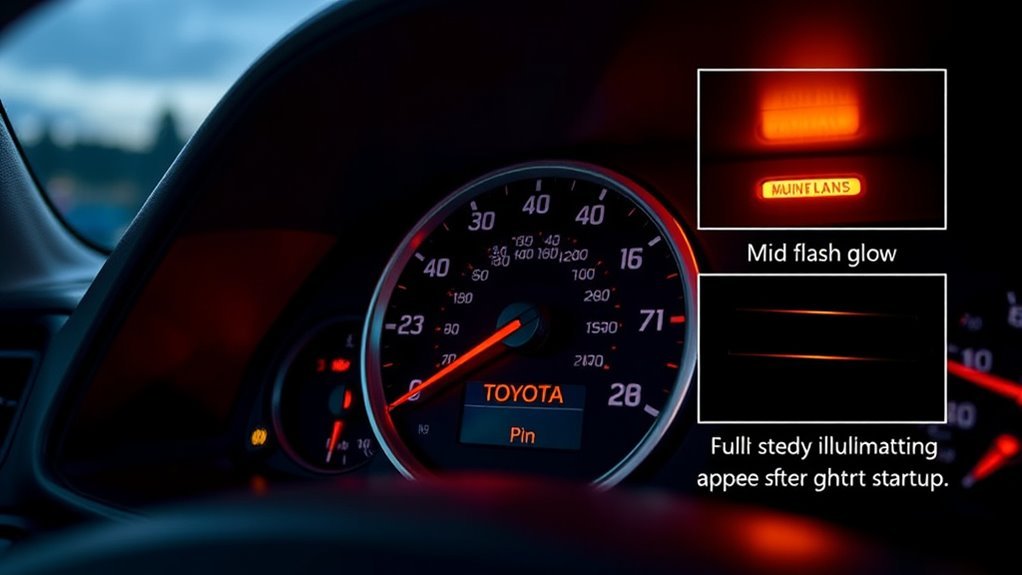
Now that you know the MAINT light is driven by a mileage counter rather than real-time oil condition, understand what the light’s patterns actually mean so you can interpret it correctly. When the instrument cluster flashes the MAINT light six times at startup, it’s a clear mileage-based alert: your 4Runner has reached the interval for an oil change. That six-flash sequence signals the system’s logic, not oil quality.
After flashing, the light returns steady on until you perform the service and execute the prescribed reset. This steady illumination enforces accountability; it won’t self-correct because light functionality is tied to the counter, not sensors. If the lamp stays on after service, you probably missed the reset procedure—follow the owner’s manual steps promptly. Appreciating this reset importance liberates you from confusion and unnecessary worry, letting you manage maintenance on your terms with precision and control.
When the MAINT Light Indicates Immediate Service (What to Watch For)
When the MAINT light comes on at a scheduled interval, treat it as a prompt to check for items that might need immediate attention—most commonly an oil change or tire and brake issues. You should prioritize an oil change if you’re at or past the 5,000-mile mark, and inspect tires and brakes for uneven wear, low pressure, or unusual noises that can compromise safety. Also watch for atypical warning-light behavior (persistent illumination or failure to reset) because that can indicate either a missed reset or an underlying system concern that needs prompt diagnosis.
Immediate Oil Change Needed
A flashing MAINT light that blinks six times at startup and then goes out is your 4Runner’s timed reminder that routine service—most often an oil change—is due soon, and you should schedule it rather than ignore the signal. You’ll act with intent: this light is mileage-based, not a sensor of oil quality, so don’t confuse oil change frequency with oil condition or maintenance myths.
- Confirm last service mileage and compare to the 5,000–7,500 mile guideline.
- If the light stays on after a service, verify the MAINT light reset procedure was completed.
- If it reactivates soon after service, reassess your maintenance records and service quality.
- Schedule the oil change promptly to protect engine longevity and preserve your freedom to drive confidently.
Tire And Brake Concerns
If your MAINT light comes on and suggests immediate service, inspect tires and brakes promptly to avoid compromised handling or a safety issue. You should check tire tread depth, look for uneven tire wear, and verify proper inflation; rotating tires every 7,000–10,000 miles prevents irregular wear and preserves control. Perform a thorough brake inspection: examine pads, rotors, and brake fluid level for contamination or low volume. The MAINT reminder may adapt to prior service history, so address any irregularities now to prevent escalation. Monitor tire pressure regularly—underinflation alters handling and economy—and schedule rotations or pad replacements when measurements fall outside specifications. Act decisively; maintaining tires and brakes protects your freedom to drive safely and confidently.
Warning Light Behavior
Because the MAINT light ties to scheduled service intervals rather than real-time oil condition, you’ll see it flash six times at startup to signal an oil-change interval and then stay illuminated until the service is done and the reminder is reset. You should treat that warning light as a disciplined prompt: it tracks mileage or maintenance history (commonly 5,000-mile intervals) and enforces your maintenance schedule.
- Check odometer versus service record immediately when the light appears.
- Verify an oil change was performed and the reset procedure completed if the light persists.
- Schedule required routine tasks promptly to protect engine performance and longevity.
- If the light activates unexpectedly, confirm mileage triggers before assuming a fault.
You’ll gain freedom by owning your schedule and responding decisively to alerts.
How to Reset the 4Runner MAINT Light (Step‑by‑Step)
Start with the engine switch off and the trip meter set to A, then perform the reset by pressing and holding the display change button while turning the engine to the ON position until the trip reads “000000.” You’ll follow a strict sequence: confirm trip A is displayed, press and hold the display change button, turn the key to ON (do not start), and keep holding until the digits roll to zeros. Key position changes matter—if you skip or mistime a step the reset won’t register. The owner’s manual (see page 345) documents the same sequence; consult it if you need confirmation.
Understand the reset importance: it prevents the MAINT light from remaining on after an oil change. Use these maintenance tips to make the procedure routine and reliable—perform the reset immediately after service and verify the trip shows 000000 before driving. This gives you control and keeps the system accurate.
Reset Differences: Smart‑Key vs. Standard‑Key 4Runners

Having just covered the button sequence for resetting the MAINT light, you’ll now compare how that routine differs between smart‑key and standard‑key 4Runners. You’ll find the goal is identical — force the trip meter to “000000” — but the entry procedures differ, so follow the correct path to free yourself from a stubborn indicator.
- For a smart key reset: with the engine switch off and trip A displayed, press and hold the display change button while turning the engine switch to ON; keep holding until the display reads 000000.
- For a standard key reset: consult the owner’s manual for exact key positions; you’ll typically turn to specific positions while holding the display button.
- Both systems require steady pressure on the display change button; release only after 000000 appears to guarantee the MAINT light clears.
- If you skip the model‑specific steps, the light can remain on despite performed maintenance.
Execute the proper smart key reset or standard key reset to regain control and move on.
DIY Oil‑Change Tips That Keep the MAINT System Accurate
Keep your 4Runner’s MAINT system accurate by doing clean, consistent oil changes and resetting the indicator immediately afterward; use a FUMOTO valve or similar quick‑drain fitting to reduce mess and speed the job, record the vehicle mileage and date of each service, and always install OEM or high‑quality synthetic oil and filters to protect engine health and guarantee the maintenance reminders reflect true service intervals. You’ll save money and guarantee the MAINT message matches reality.
| Task | Benefit |
|---|---|
| Install FUMOTO valve | Faster, cleaner drain |
| Use OEM/high‑quality oil | Engine longevity |
| Reset MAINT light | Accurate reminders |
| Log mileage/date | Track service history |
Follow the owner’s manual to reset the MAINT indicator precisely after each oil change. Choose synthetic oil and reputable filters to reduce wear. Keep a dated mileage log so you control your vehicle’s schedule. These maintenance tips free you from guesswork and keep the MAINT system honest.
Troubleshooting: MAINT Light Won’t Reset or Comes Back Quickly
Although the MAINT light is designed to be straightforward, it can stick or reappear if the reset sequence wasn’t executed exactly or if the system’s mileage count was logged incorrectly; follow the owner’s manual key-position steps precisely and verify the odometer entry after service. If the lamp won’t reset or comes back quickly, act methodically: confirm you completed the correct key-position sequence, recheck the odometer programmed mileage, and repeat the reset exactly as described.
- Verify procedure: follow the manual’s key positions; partial steps cause reset challenges.
- Confirm mileage entry: wrong odometer values trigger immediate relights; correct them.
- Understand system logic: the computer uses mileage, temperature, and load—not oil appearance—so a relight can reflect logged data, not failure.
- Leverage community: consult user experiences for exact button timing and common pitfalls.
You’ll gain control by replicating precise steps, validating entries, and using shared user experiences to overcome reset challenges.
Best Practices: Service Records, Scheduling, and Parts to Avoid Surprises
If the MAINT light keeps behaving unpredictably, the next step is to lock down your paperwork and schedule so you won’t be surprised by missed services. Maintain detailed maintenance logs that record every oil change, tire rotation, and inspection at the recommended 5,000-mile service intervals. Use those logs to schedule routine maintenance based on mileage and past dates; adjust intervals if you drive unusually hard or tow frequently. Document alerts and reminders in the vehicle manual and your digital calendar so no notification slips through. Stick to OEM parts for oil filters and drain plug gaskets to reduce leak risk and protect engine performance. Regularly review records to confirm compliance with the 30K maintenance schedule, which includes items beyond oil and tires. This disciplined approach liberates you from uncertainty: consistent paperwork, predictable scheduling, and correct parts prevent surprise returns of the MAINT light and keep your 4Runner reliable.
Frequently Asked Questions
Why Does My 4runner Say Maintenance Required?
Your 4Runner says “maintenance required” because it reached scheduled service intervals; you need an oil change or routine service per the maintenance schedule. Reset dashboard indicators after service so you regain confident vehicle control.
Can I Still Drive With the Maintenance Required Light On?
Yes—you can drive briefly with the Maintenance Required light on, but prioritize driving safety: schedule routine service soon. Ignoring it risks maintenance consequences, reduced reliability, and higher repair costs; take control and act promptly.
Conclusion
The MAINT light warns you the 4Runner needs scheduled maintenance—most often an oil change—and it’s not just a nag: Toyota estimates proper maintenance can extend vehicle life by up to 30%. Resetting depends on key type, and the system uses mileage and oil-condition data, so accurate service records matter. If the lamp won’t reset or returns quickly, verify oil type, filter, and reset steps before visiting a dealer to avoid unnecessary expense and downtime.