
Toyota Camry Rough Idle Causes and Fixes
A Toyota Camry rough idle usually comes from an air leak, ignition misfire, fuel-delivery fault, throttle or sensor problem, PCV leak, or a vibration that is being transmitted through a worn engine mount. Start with an OBD-II scan before cleaning or replacing parts. Save the codes and freeze-frame data, then inspect the intake duct, vacuum and PCV hoses, throttle body, spark plugs, ignition coils, fuel trims, fuel delivery, MAF data, and EVAP purge operation in a logical order.
For a Camry Hybrid, first confirm that the gasoline engine is actually running. The hybrid system can remain READY while the engine cycles off normally. U.S.-market 2025 and 2026 Camrys are hybrid-only, so engine sound alone cannot confirm a stall or rough idle.
By Daxon Steele · Last updated: July 31, 2026
Editorial method: This guide was rechecked against current Toyota Camry and Toyota hybrid information, federal OBD requirements, EPA PCV training material, and current throttle-body-cleaner instructions. It does not assume that one idle-relearn or throttle-service procedure applies to every Camry year and engine.
Quick Answer
Scan the Camry first and save stored, pending, permanent, and freeze-frame data. Then match the symptom to the test: inspect the intake boot, vacuum and PCV hoses for unmetered air; use misfire data to check plugs, coils, injectors, and compression; inspect visible throttle-body deposits; review MAF readings and fuel trims; and test EVAP purge operation if the symptom follows refueling. On a Camry Hybrid, do not confuse normal gasoline-engine cycling with a stall. Clean the throttle body only when deposits are visible or model-specific diagnosis supports it.
Key Takeaways
- Identify the model year, engine, and hybrid or non-hybrid powertrain before following a cleaning or relearn procedure.
- Scan before clearing codes or disconnecting the battery so you do not erase useful diagnostic evidence.
- Throttle-body cleaning may help when deposits interfere with airflow, but it will not repair a vacuum leak, misfire, failed sensor, worn mount, or fuel-pressure problem.
- If the engine runs smoothly but the cabin shakes, inspect engine mounts, transmission mounts, and exhaust contact before assuming the air-fuel mixture is wrong.
- Stop driving if the check engine light flashes, the car repeatedly stalls in traffic, raw fuel is present, or a critical oil-pressure, temperature, charging, or hybrid warning appears.
What You’ll Learn
At a Glance
| Time Required | About 30–60 minutes for basic inspection and light cleaning, depending on access; smoke testing and fault diagnosis can take longer |
| Difficulty | Easy visual checks to advanced diagnosis, depending on the symptom and model year |
| Tools Needed | OBD-II scanner, flashlight, gloves, eye protection, basic intake-clamp tools, lint-free cloths, throttle-body cleaner, and optional vacuum gauge or smoke machine |
| Cost | Depends on the verified fault, scanner access, diagnostic labor, and replacement parts; test first so you do not buy unnecessary components |
Warning: Throttle-body cleaner is highly flammable. Work on a cool engine in a ventilated area, keep sparks and flames away, and wear eye protection and gloves. Keep the cleaner away from the MAF sensor, hot exhaust, alternator, belts, open electrical connectors, and painted surfaces. Read the product label and do not apply it to plastic parts unless the cleaner specifically states that it is safe for that material.
[Products Worth Considering]

This plug-and-play OBD2 scanner helps drivers quickly read and clear engine error codes while providing live data, freeze frame information, I/M readiness, and MIL status for more confident troubleshooting. It adds a built-in voltage test and clear status indicators to support electrical checks and faster diagnostics, making it a practical choice for home users, car enthusiasts, and repair professionals. Compatible with most OBDII vehicles since 1996 and designed with an easy-to-use interface, it offers broad coverage and simple operation in one compact tool.

This PCV valve and hose kit is designed as a direct replacement for select Toyota, Scion, and Lexus applications, helping restore proper crankcase ventilation and engine performance. Built with durable NBR rubber and made for straightforward installation, it offers a reliable fit for compatible 2.4L models. It is a practical maintenance part for addressing worn or failing PCV components while supporting smoother engine operation.

The FOXWELL NT301 is a plug-and-play OBD2 code reader designed to help drivers and home mechanics diagnose check engine light issues with ease. It reads fault codes, clears emissions-related warnings, displays live sensor data in graph form, and shows I/M readiness so you can quickly check vehicle status before an emissions test. With broad compatibility across many OBD2 vehicles and a clear color screen, it offers a practical, user-friendly way to monitor and troubleshoot engine performance.
Is Your Camry’s Idle Actually Abnormal?
Before diagnosing a fault, separate normal operating behavior from an uneven-running engine. A cold gasoline engine may idle faster and then slow as it warms. A Camry Hybrid may show READY while its gasoline engine is stopped. Neither condition alone proves that something is wrong. A real rough idle usually involves uneven combustion, repeated RPM fluctuation, abnormal shaking, stalling, warning lights, misfire data, or fuel-trim readings that remain outside the expected pattern for that vehicle.
| What You Notice | What It May Mean | What to Check |
|---|---|---|
| High but smooth idle just after a cold start | Normal cold-engine idle-up may be occurring | Confirm that the idle decreases as the engine warms and no warning or misfire appears |
| Gasoline engine stops while READY remains illuminated | Normal hybrid operation may be occurring | Use the READY indicator and warning messages, not engine sound alone, to judge hybrid-system status |
| Engine sounds smooth but the seat, wheel, or body shakes in Drive | Engine mount, transmission mount, or exhaust contact may be transmitting vibration | Check RPM stability, misfire data, mount condition, and visible powertrain movement |
| Uneven exhaust beat, RPM drop, stumble, or rising misfire count | Combustion, ignition, fuel, air-leak, or mechanical fault | Scan codes and test the affected cylinder or system |
| Rough idle begins immediately after recent service | A hose, clamp, gasket, connector, or learned value may have been disturbed | Recheck everything that was moved before testing unrelated parts |
How Do You Diagnose a Toyota Camry Rough Idle?
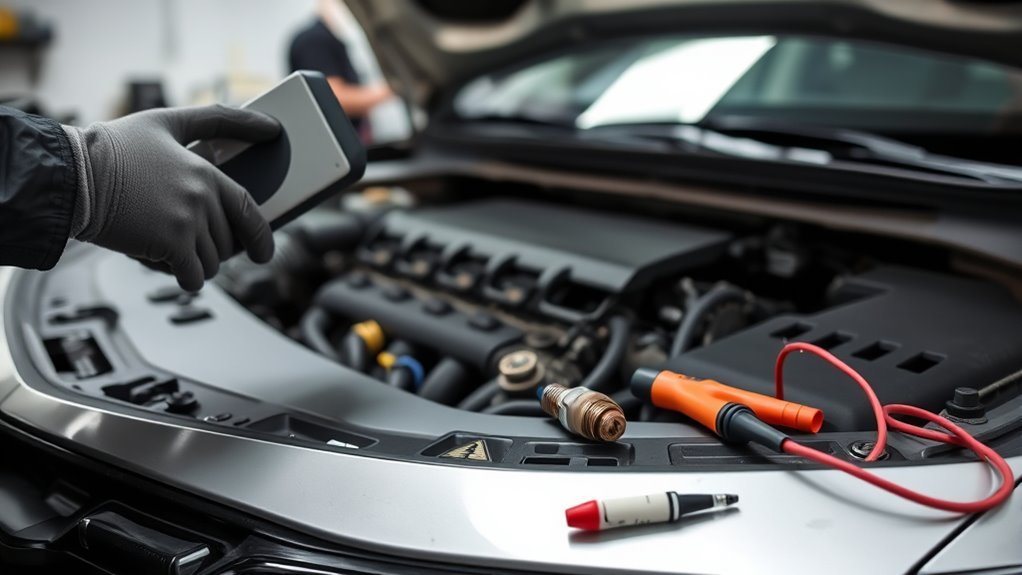
Use this order before cleaning or replacing anything. It separates a dirty throttle body from a vacuum leak, ignition misfire, fuel issue, PCV problem, sensor fault, normal hybrid behavior, or vibration from an engine mount. Work from scan data and visible evidence instead of replacing the parts that appear most often in generic rough-idle lists.
- Identify the exact Camry. Record the model year, engine, hybrid or non-hybrid powertrain, and market. Older Camrys may use an idle air control valve, while later models generally use electronic throttle control. Current hybrid models also require a different interpretation of engine starting and stopping.
- Confirm the symptom. Note whether the engine runs rough only when cold, only when warm, only in Drive, with the air conditioning on, after refueling, after a battery disconnect, or immediately after intake or throttle-body service.
- Confirm that the engine itself is rough. Watch RPM and misfire data and listen to the exhaust rhythm. If the engine remains smooth but vibration enters the cabin, inspect Camry engine and transmission mounts and check for exhaust contact.
- Scan for codes first. Record stored, pending, and permanent OBD-II codes, freeze-frame data, live fuel trims, and available misfire counters before clearing anything. A code identifies a system or failed test, not automatically the part that must be replaced.
- Inspect the air intake path. Check the air-filter box, intake duct, clamps, throttle-body boot, and every small vacuum or breather hose. A split or loose duct after the MAF sensor can admit unmetered air and create a lean, unstable idle.
- Inspect the throttle body. Look for a dark carbon ring, varnish, gum, oil film, or sticky residue around the throttle plate and bore. Clean only when deposits are present or model-specific diagnosis supports cleaning.
- Check the PCV system. Inspect the PCV valve, grommet, breather hose, and related crankcase-ventilation connections for cracks, clogging, oil sludge, loose fittings, or incorrect parts. See the dedicated Camry PCV system guide for deeper testing.
- Look for vacuum leaks. Inspect PCV hoses, the brake-booster hose, intake-manifold gasket areas, vacuum fittings, and purge-valve hoses. A smoke test avoids spraying flammable diagnostic chemicals around a running engine.
- Verify spark, fuel, and mechanical condition. If codes or symptoms suggest a misfire, inspect plugs and coils, test injector operation and fuel pressure, and check compression or leak-down results when simpler tests do not identify the cause.
- Check sensors and emissions valves. Incorrect MAF readings, a purge valve that does not seal, a coolant-temperature input error, an applicable older EGR fault, or an electronic-throttle problem can imitate a dirty throttle body.
Note: Camry procedures vary by year and engine. Use Toyota service information for the exact vehicle before moving an electronic throttle plate, unplugging throttle components, commanding an EVAP valve, or performing an idle relearn. Avoid universal pedal-timing or battery-disconnect procedures that are not documented for your Camry.
[Products Worth Considering]

This 4-piece automotive electrical disconnect pliers set helps safely remove stubborn push-tab connectors from mass air flow sensors, fuel injectors, and ignition coils without damaging delicate tabs. It includes straight and 60-degree angled pliers, a hose clamp plier, and a dual-ended terminal pin remover to handle a wide range of under-hood wiring tasks. Organized in a rugged storage case, it is built for mechanics and DIYers who need reliable access to tight engine bay spaces.

FOXWELL NT201 is an easy-to-use OBD2 scanner designed to help drivers quickly read and clear check engine codes, view live engine data, and check emissions readiness. Its color screen, one-key I/M readiness test, and broad compatibility with most gasoline vehicles since 1996 make it a practical tool for everyday diagnostics and maintenance. With plug-and-play operation and lifetime free updates, it offers a simple way to understand vehicle issues without expensive shop visits.

This set of four ignition coils is designed to restore smooth engine performance and reliable starting for compatible Toyota, Scion, and Lexus applications. Built to meet or exceed OE specifications, these coil packs help reduce misfires, hesitation, and check engine light issues while supporting stronger ignition output. The direct-fit design makes installation straightforward, and the package includes a warranty for added peace of mind.
How Do You Clean a Camry Throttle Body Safely?
If inspection shows varnish, soot, gum, or a sticky carbon ring on the throttle lip, careful cleaning may improve idle airflow and low-speed response. The goal is not to make every surface shiny. Remove only the buildup that interferes with normal throttle-plate airflow or movement, and do not use cleaning as a substitute for testing a misfire, vacuum leak, fuel fault, or electronic-throttle code.
[Products Worth Considering]

The BLCKTEC 440 Bluetooth OBD2 scanner helps drivers and DIY mechanics quickly read and clear trouble codes, monitor live data, and check emissions readiness with confidence. Its color display, graphing capabilities, and battery and charging system testing make it a versatile diagnostic tool for OBD-compliant vehicles. Designed for plug-and-play convenience, it runs directly from your vehicle and includes support for report sharing and ongoing updates.

This replacement gas cap is designed to restore a tight fuel-tank seal, helping reduce vapor leaks, prevent check engine light issues, and maintain proper fuel system performance. Built in OE-style form for a wide range of Toyota and Lexus vehicles, it offers a direct DIY fix with durable materials for reliable, long-lasting use.

AutoLine Pro HyperSmoke is a professional automotive smoke tester designed to quickly find EVAP, vacuum, intake, boost, exhaust, and other leak sources with thick visible smoke. It features adjustable pressure, built-in air compressor motor, instant warmup, and OEM approved smoke fluid for safe, accurate diagnostics across a wide range of vehicles and systems. The kit includes essential accessories and is backed by a full coverage warranty for dependable shop or garage use.
Tools and Supplies
- Throttle-body and air-intake cleaner labeled for gasoline fuel-injection systems
- Lint-free cloths or shop towels
- Soft nylon brush or cotton swabs
- Socket, screwdriver, or nut driver that correctly fits the intake clamps on your Camry
- Nitrile gloves and safety glasses
- Flashlight
- New throttle-body gasket if the throttle body is removed from the intake manifold
- Toyota service information for the exact model year and engine
Cleaning Steps
- Park safely and let the engine cool. Shift to Park, set the parking brake, shut down the engine or hybrid system, and work in a well-ventilated area.
- Scan and record codes first. Save fault codes, freeze-frame data, and relevant live data before disconnecting the battery or unplugging a component.
- Remove or loosen the intake duct. Use the correct tool for the clamps and move the duct only as far as needed. Note the position of each hose and connector before disturbing it.
- Protect nearby parts. Keep cleaner away from the MAF sensor, wiring connectors, alternator, belts, painted surfaces, and plastics not approved by the cleaner manufacturer. Put a rag under the throttle body to collect runoff.
- Inspect before spraying. If the bore and plate edge are already clean, stop. Continue diagnosis with scan data, intake-leak testing, ignition checks, fuel tests, and PCV inspection.
- Clean lightly. Apply cleaner to a cloth or use only the amount and method allowed by the product label and service information. Wipe the plate edge and bore. Use a soft brush only for deposits that do not wipe away easily.
- Do not force the plate. Never pry against a resistant electronic throttle plate. If safe movement is not confirmed by the model-specific procedure, clean only the accessible area or have a qualified technician service it.
- Service the MAF separately. Use only cleaner specifically labeled for MAF sensors, and only when contamination or diagnosis supports cleaning. Do not use throttle-body, brake, or carburetor cleaner on the MAF sensing element.
- Let the solvent evaporate. Follow the product-label drying instructions before reassembly and startup.
- Reassemble carefully. Fully seat the intake duct, tighten clamps correctly, reconnect every hose and connector, and remove all cloths and tools from the engine bay.
- Start and verify. Start the engine or hybrid system without pressing the accelerator unless the model-specific procedure says otherwise. Watch RPM, warning lights, fuel trims, and misfire data. For a hybrid, do not confuse an automatic gasoline-engine stop with a stall.
When the idle changes after cleaning or battery service, use the dedicated Camry throttle-body relearn guide for model-year cautions. A relearn cannot repair a loose intake duct, failed throttle body, weak battery, incorrect MAF reading, or vacuum leak.
Stop: Shut the vehicle off if the engine races, the check engine light flashes, a throttle or hybrid warning appears, visible smoke persists, or the idle remains unstable after every disturbed hose, clamp, gasket, and connector has been rechecked.
Fast Post-Service Rule: When rough idle starts immediately after battery, air-filter, intake, PCV, MAF, or throttle-body work, inspect everything that was moved before replacing an unrelated part. A loose duct after the MAF sensor can create a larger idle problem than the original deposit.
Post-Cleaning Startup Checklist: Signs, Smoke, and When to Stop
A brief change in idle may occur after throttle-body service, but do not treat visible smoke as an expected result. Shut the engine or hybrid system off if smoke persists, becomes heavy, smells strongly of raw fuel, or appears with a warning light. Do not repeatedly crank the engine or add more cleaner because the idle has not stabilized.
Initial Idle Behavior
Start the vehicle without pressing the accelerator unless the exact service procedure requires another method. Turn off unnecessary accessories and check that the intake duct is seated. Watch the tachometer and scan data, listen for an uneven exhaust beat, and verify that no hose or connector was left loose. On a hybrid, use the READY indicator and warning messages to judge whether the system remains active.
Smoke and Starter Limits
Use short, controlled start attempts and pause between them. Repeated long cranking can discharge the 12-volt battery and overheat a conventional starter. Stop and inspect for another fault if a non-hybrid engine will not start after a few controlled attempts, a warning appears, or smoke continues. On a hybrid, follow Toyota’s starting and warning guidance rather than repeatedly cycling the power switch.
| After-Cleaning Symptom | Possible Explanation | Next Step |
|---|---|---|
| Brief idle change that steadily improves | Temporary airflow adaptation or a small amount of remaining cleaner | Continue observing only if there are no warnings, smoke, fuel odor, or misfires |
| High idle or repeated surging | Loose intake duct, vacuum leak, disturbed connector or gasket, or throttle-adaptation issue | Recheck all disturbed parts, scan codes, and use the correct model-year procedure |
| Persistent misfire or flashing check engine light | Ignition, injector, compression, air-fuel, or mechanical problem | Stop driving and diagnose immediately |
| Blue, black, or persistent heavy white smoke | Oil burning, rich operation, coolant entry, or excessive chemical ingestion | Shut the vehicle off and inspect before another start |
Why Can Carbon Buildup or PCV Problems Make a Camry Stall?
Carbon, varnish, or gum around the throttle plate can alter the small amount of airflow used when a gasoline engine is idling. The engine computer may then struggle to maintain a stable speed during cold starts, stops, or accessory-load changes. Deposits are only one possibility, so visible buildup and scan evidence should guide cleaning.
The positive crankcase ventilation system routes blow-by gases from the crankcase into the intake so they can be burned. The PCV valve regulates this flow as engine vacuum and operating conditions change. A leaking hose or valve can act like an air leak, while a restricted system can contribute to crankcase pressure, contamination, and oil-related symptoms.
| Effect | Source | Result |
|---|---|---|
| Restricted or altered idle airflow | Carbon, varnish, or gum on the throttle plate edge | Low idle, hunting, roughness, or stalling |
| Unmetered air | Vacuum leak, cracked duct, loose hose, or PCV leak | Lean operation, surging, or positive fuel trims |
| Oil-vapor contamination | Normal PCV flow, excessive blow-by, restriction, or oil carryover | Faster deposit formation and possible oil-consumption clues |
Treat the symptom as an engine-control problem rather than automatically as a cleaning problem. The engine needs measured air, correct fuel delivery, reliable spark, adequate compression, and accurate sensor inputs. If cleaning does not materially change the symptom, move to vacuum testing, fuel trims, misfire counters, ignition checks, MAF readings, purge testing, fuel-pressure testing, and mechanical tests.
A rough idle is a symptom, not a diagnosis. Confirm that the gasoline engine is running, save scan evidence, inspect for air leaks, clean only visible deposits, and verify the repair with stable data and operation.
Fast Diagnostic Rules
If fuel trims are strongly positive at idle and move closer to normal as RPM rises, unmetered air or a PCV-related leak becomes a useful lead, but the pattern is not proof by itself.
If misfire counters rise mainly on one cylinder, check that cylinder’s plug, coil, injector, wiring, and compression before cleaning the throttle body again.
If RPM and misfire data remain stable but the cabin shakes, inspect mounts and exhaust contact.
If rough running or hard starting repeatedly follows refueling, test purge operation and review EVAP codes instead of replacing the fuel cap or purge valve without confirmation.
How Can You Prevent Camry Rough Idle From Coming Back?
Prevention works best when the intake, ignition, PCV system, oil condition, and service workmanship are treated as one system. The goal is to limit avoidable deposits and air leaks without masking a failed component or mechanical problem.
- Follow the model-specific maintenance schedule. Use the specified oil, replace filters when required, service spark plugs at the correct interval, and retain maintenance records.
- Inspect PCV parts when symptoms justify it. Replace a clogged, leaking, cracked, oil-soaked, or incorrect PCV valve, hose, or grommet after confirming the condition.
- Allow normal warm operation. Repeated very short trips can prevent complete warm-up and may increase moisture or fuel dilution in the oil.
- Keep the intake sealed after service. Confirm the air box, duct, clamps, breather hoses, vacuum lines, and connectors before closing the hood.
- Clean only when needed. Inspection is useful; repeated solvent cleaning without evidence is not preventive maintenance.
- Repair misfires promptly. Continuing to operate an engine with an active misfire can overheat or contaminate the catalytic converter.
- Be cautious with oil catch cans. A catch can is not a factory repair for a failed PCV valve, excessive blow-by, worn rings, crankcase-pressure problems, or rough idle. Confirm emissions, inspection, and warranty implications before altering the factory system.
Note: Heavy oil consumption, repeated throttle-body fouling, oil collecting in the intake duct, smoke, or pressure pushing oil past seals requires PCV and engine-condition diagnosis before accessories are added.
When Should You Get Professional Help for Camry Rough Idle?
Get professional diagnosis when the rough idle continues after basic checks, the vehicle stalls in traffic, or you do not have the tools to review fuel trims, smoke-test the intake, verify fuel pressure, or test ignition and mechanical condition. A qualified shop can use an enhanced scan tool, smoke machine, pressure gauges, compression or leak-down equipment, and waveform testing to separate air leaks, combustion faults, sensors, wiring, and mechanical problems.
On a Camry Hybrid, ask whether the shop can scan the engine, hybrid-control, battery, inverter, and related modules instead of reading only generic emissions codes. A basic reader may not display every fault that can affect hybrid-system operation.
Check Engine Codes
When the check engine light appears with rough idle, connect a scanner before clearing anything. Record the numbers, descriptions, freeze-frame data, readiness status, and whether each code is stored, pending, or permanent. The Camry OBD-II code guide explains how to preserve this evidence before repairs.
- Use codes to choose a test plan, not to select a replacement part automatically.
- Compare the results with Toyota service information for the exact model year and engine.
- Review MAF readings, fuel trims, coolant temperature, misfire counters, and injector behavior when lean or misfire codes repeat.
- Stop driving if the check engine light flashes because a severe misfire can damage the Camry catalytic converter.
Inspect for Vacuum Leaks
Inspect for vacuum and unmetered-air leaks after saving scan evidence. Useful clues include unstable RPM, hissing, a high idle, lean codes, or fuel trims that change with engine speed. Focus on the intake boot, PCV hoses, brake-booster hose, intake-manifold gasket area, EVAP purge hoses, and any connection disturbed during recent service.
A smoke test is the preferred way to locate many small leaks without spraying flammable cleaner around a running engine. A vacuum gauge may also help identify an unstable manifold-vacuum pattern, although its interpretation requires experience and must be combined with scan and mechanical evidence.
What If the Idle Is Still Rough After Cleaning?
If cleaning did not change the rough idle, do not keep cleaning the same part. Use the exact symptom pattern to select the next test.
| Pattern | Possible Area | Best Next Test |
|---|---|---|
| Rough only when cold | Vacuum leak, weak cold ignition, coolant-temperature input, injector issue, or deposits | Record cold-start data and inspect intake and PCV hoses before warm-up changes the evidence |
| Rough only when warm | Fuel-control issue, heat-related coil fault, purge leak, injector problem, or applicable older EGR fault | Check warm fuel trims, misfire counters, purge command, and sensor data |
| Rough in Drive but smoother in Park | Misfire under load, low idle control, mount failure, or exhaust contact | Compare RPM and misfire data in Park and Drive, then inspect mounts if engine operation stays stable |
| Rough or hard starting after refueling | Purge valve or vapor-management fault | Test purge sealing and command response and review EVAP codes |
| Rough with fuel smell or black smoke | Rich operation, injector leakage, pressure-control issue, or incorrect sensor input | Stop if raw fuel is present, then check fuel trims, pressure, injector leakage, and sensor data |
| Gasoline engine stops while Camry Hybrid remains READY | Normal hybrid engine cycling may be occurring | Check READY status and warnings; diagnose only if the engine runs unevenly when it starts or the hybrid system shows a fault |
| Rough after intake, battery, PCV, or throttle service | Loose duct, pinched hose, unplugged connector, disturbed gasket, or adaptation issue | Recheck every disturbed item and scan before performing a relearn or buying parts |
A Camry that repeatedly stalls at stops needs more urgent attention than a mild vibration with stable engine operation. See the dedicated Camry stalling-at-stops guide when the engine or hybrid system shuts down unexpectedly in traffic.
Frequently Asked Questions
Why is my Toyota Camry shaking while idling?
A Camry can shake because the engine is running unevenly or because a mount is transmitting normal engine vibration into the body. Check RPM stability, misfire data, and exhaust rhythm first. Misfires can come from plugs, coils, injectors, air leaks, fuel faults, or compression problems. If the engine sounds smooth and scan data is stable, inspect the engine mounts, transmission mounts, and exhaust clearance.
Can a dirty throttle body make a Camry stall?
Yes. Deposits can alter the small airflow needed by a gasoline engine at idle and may contribute to low idle, hunting, or stalling. However, a vacuum leak, weak ignition, incorrect MAF reading, purge fault, fuel-pressure issue, electronic-throttle problem, or mechanical fault can produce the same symptom. Inspect and scan before cleaning.
Should I clean the MAF sensor when I clean the throttle body?
Clean the MAF sensor only when contamination or scan data supports it. Use cleaner specifically labeled for MAF sensors and let it dry as directed before reconnecting it. Do not use throttle-body, brake, or carburetor cleaner on the sensing element, and do not touch the element with a cloth or tool.
Why is my Camry idle high or unstable after throttle-body cleaning?
First recheck the intake duct, clamps, vacuum and PCV hoses, electrical connectors, and any gasket that was disturbed. Excess cleaner or changed airflow adaptation may also affect the first startup, but a high or unstable idle that does not settle should be scanned and diagnosed. Use only the relearn procedure that applies to the exact model year and engine.
Is a high idle normal when a Camry is cold?
A smooth increase in idle speed immediately after a cold start can be normal, and it should decrease as the engine warms. Diagnose the vehicle if the idle remains excessively high, repeatedly surges, becomes uneven, sets a code, or is accompanied by smoke, fuel odor, overheating, or another warning.
Is it normal for a 2025 or 2026 Camry engine to stop at idle?
Yes, it can be normal. U.S.-market 2025 and 2026 Camrys use hybrid powertrains, and the gasoline engine can cycle off while the hybrid system remains READY. Engine silence at a stop is not a stall by itself. Diagnose the vehicle if the engine shakes or misfires when running, READY turns off unexpectedly, or a check-engine or hybrid-system warning appears.
Is an oil catch can worth it on a Toyota Camry?
A catch can may collect some oil mist, but it is not the first repair for rough idle. Diagnose the PCV valve and hoses, vacuum leaks, oil consumption, blow-by, and engine condition first. Confirm local emissions, inspection, and warranty implications before modifying the factory crankcase-ventilation system.
When should I stop driving a Camry with rough idle?
Stop driving if the check engine light flashes, the vehicle stalls repeatedly in traffic, raw fuel is present, the engine overheats, the oil-pressure warning appears, smoke is heavy or persistent, or the idle is unstable enough that the car may lurch or die. A Camry Hybrid also needs prompt diagnosis when READY turns off unexpectedly or a serious hybrid warning appears.
Conclusion
A rough-idling Camry needs a symptom-based diagnosis, not repeated cleaning or parts replacement. First identify the model year and powertrain and confirm that the gasoline engine is actually running. Save the scan evidence, inspect the intake and PCV system, separate engine roughness from mount-transmitted vibration, and clean the throttle body only when deposits or model-specific diagnosis justify it. If the check engine light flashes, the vehicle stalls in traffic, raw fuel or persistent smoke is present, or a serious engine or hybrid warning appears, stop driving and arrange professional testing.
Sources
- Toyota USA Newsroom: 2025 Camry Hybrid Powertrain — confirms that the U.S.-market 2025 Camry moved to an exclusively hybrid lineup.
- Toyota: 2026 Camry — confirms the current Camry’s all-hybrid powertrain and available configurations.
- Toyota 2025 Camry Hybrid Owner’s Manual: Warning Lights and Indicators — supports READY-indicator and hybrid warning interpretation.
- Toyota: Why Is My Car Doing This? — supports normal cold-start idle-up and load-related idle changes.
- Toyota Technical Information System — provides model-specific repair manuals, service bulletins, wiring information, and diagnostic procedures.
- eCFR 40 CFR §86.1806-17 Onboard Diagnostics — supports OBD fault detection, trouble-code storage, operator alerts, and freeze-frame information.
- CRC Throttle Body & Air-Intake Cleaner — supports carbon, varnish, and gum removal, current application guidance, material cautions, and extreme flammability.
- U.S. EPA Positive Crankcase Ventilation Training Material — explains PCV routing of blow-by gases into the intake and the valve’s role in regulating crankcase airflow.




[…] exhaust contact, transmission mount, torque strut, or CV axle can imitate a mount problem. Read the Camry rough-idle diagnosis guide if RPM is unstable, the exhaust note is uneven, power is reduced, or misfire codes are present. Use […]
[…] engine sounds uneven, a warning light is on, or diagnostic trouble codes are stored, start with the Toyota Camry rough-idle diagnosis before approving mount […]