
Open the Toyota app, go to My Garage, and use the Maintenance Log to record dealer and third‑party work, oil changes, brakes, and inspections so your Camry’s history stays centralized and accurate. Tap Add Service to enter date, mileage, parts, labor, shop info and notes, set reminders, and choose your preferred dealership and service advisor. Export or share the log for resale or backup, request shuttle or loaner transport, and confirm appointments—keep going for step‑by‑step guidance.
Access the Camry Maintenance Log in the Toyota App
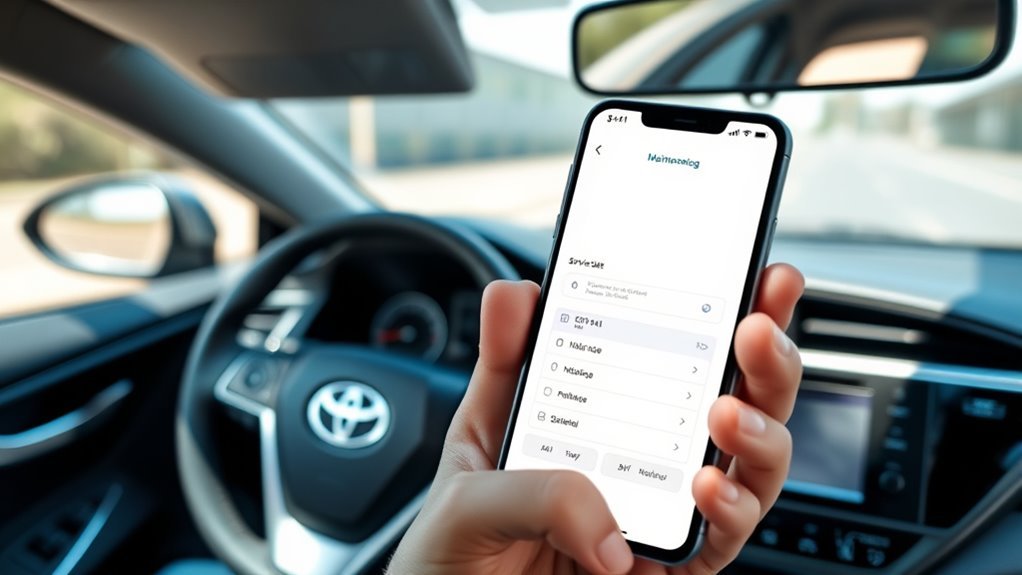
Wondering where to find your Camry’s maintenance history? Open the Toyota App and go to the “my garage” section on the dashboard — that’s your central hub. There you’ll access the Camry Maintenance Log, view service history, and see upcoming maintenance needs in one place. Use this streamlined layout to scan past repairs, mileage entries, and scheduled items without digging through papers.
You’ll also maintain a complete record by manually adding service records for work done at non-Toyota shops; enter specific service details and dates into the designated fields for accuracy. These Camry features put control in your hands, so you can track oil changes, brake work, and inspections with clarity. Follow these maintenance tips: review entries after each service, confirm dates and odometer readings, and reference past activities before authorizing future work. That simple routine frees you from uncertainty and keeps your Camry reliable and ready.
Add a New Service Record to My Garage
Now that you know where to find your Camry’s maintenance history in My Garage, you can manually add service records for work done outside Toyota dealerships. Open the Toyota app, go to the dashboard’s service history, and tap the option to add a service record. You’ll enter specific details: service type, date, and any notes about parts or procedures. Complete every required field accurately so your log stays reliable.
Save the record to guarantee it’s available for future reference and to keep automated service reminders aligned with actual work performed. Accurate entries help the app calculate maintenance intervals correctly and prevent unnecessary or missed services. By owning this process, you control your vehicle’s history and free yourself from dependence on single providers. Be precise, concise, and consistent each time you add a record—your Camry’s longevity and your peace of mind depend on it.
Log Non‑Toyota Service: Date, Mileage, and Details
When you log non‑Toyota service in the Toyota app, open My Garage, select Service History, and tap Add Service Record; then enter the service date, the mileage at the time of service, and a concise but specific description of the work performed. Do this for every third‑party oil change, tire rotation, or repair so your record stays complete and actionable. Enter the date and mileage precisely — that anchors future service reminders and documents actual maintenance frequency. In the details field, note parts used, labor performed, shop name, and any warranties or recommendations. Save each entry immediately to avoid data loss. You can add multiple records manually to build an auditable history that supports warranty claims and strengthens resale leverage. Keeping this log lets you control your vehicle’s narrative, monitor patterns, and assert independence from dealer‑only histories. Be disciplined: accurate entries equal clarity when you need proof of consistent care.
Use the Camry Maintenance Log to Track Past and Upcoming Service
After you’ve logged non‑Toyota work, use the Camry Maintenance Log in My Garage to keep a single, searchable record of past services and upcoming needs. You’ll centralize entries so the vehicle’s history is clear, accurate, and actionable. That record accuracy frees you from guesswork and empowers precise conversations with service advisors.
- Enter dates, mileage, and service types for each job — the app stores specifics so you can retrieve maintenance tips and timelines quickly.
- Review upcoming recommended services and set reminders; staying current protects performance and extends the car’s lifespan.
- Use notes to capture parts used, warranty details, and shop contact info so future decisions aren’t constrained by missing facts.
You’re in control: the log eliminates scattered receipts, supports confident planning, and reinforces maintenance discipline. Treat it as a living document that guarantees transparency, reduces surprises, and preserves your freedom to maintain the Camry on your terms.
Export Maintenance Records for Resale or Backup
You can export your Camry’s service history from the Toyota app’s “my garage” section to create a downloadable file for resale or backup. Manually add any non-dealer services before exporting so the record is complete and transferable. Regularly backing up those exports prevents data loss and gives you a verified maintenance history to show prospective buyers.
Exporting Records Easily
Although the Toyota app stores your Camry’s service history in the “my garage” dashboard, you’ll want to select and export specific, up-to-date records for resale or backup to guarantee completeness. You’ll take control: review entries for accuracy, include manually added non-Toyota services, and prioritize record organization to present a clean history that proves stewardship. Use the app’s share feature to send chosen files to email or cloud storage, protecting evidence of maintenance while preserving data security.
- Select: pick only current, relevant service entries and any manual records for a full narrative.
- Share: use the app’s export/share tool to email or upload immediately.
- Verify: confirm files arrived intact before closing the session.
Backup And Transfer
When preparing to back up or transfer your Camry’s service history, use the Toyota app’s “my garage” to gather and verify each entry—add any non‑Toyota services manually, confirm dates and mileage, then export the selected records via the app’s share or download features so you have a single, accurate file for resale or personal backup. You’ll reinforce record security by keeping a digital copy in cloud storage and an offline copy on an encrypted drive. Use screenshots or convert exports to PDF for easy sharing with buyers. Review all entries against receipts and set service reminders so future work is logged immediately. This disciplined approach frees you from paperwork chaos, maximizes resale value, and gives you control over your vehicle’s documented history.
Schedule a Service Appointment From the Log
Looking to book a service quickly? Use the Toyota app to turn service reminders into action and keep your maintenance history working for you. Open “my garage,” confirm upcoming needs, then tap the Toyota service tile and select “schedule maintenance.” Be decisive—this streamlines care and frees you from future uncertainty.
- Choose services from the recommended list, pick a service advisor, and note any transportation assistance you need.
- Confirm appointment date and time, review the full details, and finalize the booking so your log reflects the commitment.
- Check the dashboard for updated appointment information and let the app keep your maintenance history current.
You’ll stay autonomous: the process lets you control timing, services, and support without delay. The app converts reminders into concrete appointments, so you don’t defer necessary care. Follow these steps and you’ll maintain freedom of movement while preserving your Camry’s value.
Choose or Change Your Preferred Dealership
Want to switch dealerships? You can change your preferred dealership anytime in the Toyota app to make certain service matches your needs. Open the dealer information section, review available locations and contact details on the dashboard, then select the new preferred dealership — it’s immediate and keeps your records current.
Keeping this updated grants dealership benefits: timely notifications, personalized service recommendations, and easier access to contact and location info. If a dealer isn’t participating in the app, you can still schedule with them, but you’ll need to call directly; the app will show their phone number and address so you can take action without guesswork.
Be deliberate: check hours, services offered, and proximity before switching. Updating your preferred dealership preserves continuity in your maintenance log and guarantees future reminders and suggestions reflect the shop you trust. Change whenever you need liberation from poor service or limited options.
Pick a Service Advisor and Request Transportation Assistance

When you schedule service in the Toyota app, pick a service advisor from the list so you’ve got a single point of contact for your Camry. Indicate whether you need transportation assistance and choose pickup/dropoff or alternate travel options to match your schedule. Review the appointment summary to confirm your advisor, transportation selection, and pickup/dropoff details before you hit confirm.
Choosing A Service Advisor
Before you finalize your appointment in the Toyota app, pick a service advisor from the provided list and indicate whether you need transportation assistance so the dealership can prepare a shuttle or loaner if available. Choosing a service advisor activates service advisor benefits and makes selecting expertise intentional — you control who handles your Camry and how communication flows. Review options, note specialties, and confirm your pick before submission. Your dashboard will show the advisor and any transport choices for accountability.
- Match advisor specialties to the service tasks you need.
- Prioritize clear communication and documented expectations.
- Confirm selections on the appointment summary to guarantee readiness.
This process gives you streamlined autonomy and reliable care.
Requesting Transportation Assistance
If you’d like a shuttle or loaner, select the transportation option while picking your service advisor so the dealership can confirm availability and make arrangements tied to your appointment. When you choose a service advisor in the Toyota app, mark the transportation options needed—shuttle or loaner—and state any timing or accessibility requirements. That selection triggers service advisor communication so staff can reserve vehicles and coordinate logistics. You can edit the request any time from the app dashboard before your appointment; confirm details 24–48 hours ahead to avoid last-minute changes. Be clear and assertive about your needs so the dealership honors your autonomy and keeps you moving. Keep records of confirmations in the app for accountability.
Scheduling Pickup And Dropoff
Wondering how to arrange pickup and drop-off with guaranteed transportation? You’ll use the Toyota app: open the service tile, tap “schedule maintenance,” then pick a date and time. Choose a service advisor from the list so a single contact manages your Camry. Indicate transportation assistance and record your pickup preferences and dropoff options during confirmation.
- Select date/time, choose a service advisor, and specify pickup preferences so logistics match your freedom needs.
- Mark transportation assistance and confirm dropoff options to secure a return plan and avoid surprises.
- Review all details—advisor, times, pickup/dropoff choices—then confirm. You’ll have clear ownership of the process and liberation from hassle.
Review and Confirm Your Appointment in the App
When you open the Toyota app dashboard, you’ll see your scheduled appointment details at a glance. You’ll verify date, time, service type and advisor, then confirm. Select a service advisor from the list so communication’s clear. Indicate if you need transportation assistance to secure a ride. Choose an alternate date or time if it fits your schedule better. Review every field carefully before you confirm.
| Field | Action | Note |
|---|---|---|
| Date & Time | Verify | Pick what frees your day |
| Service Advisor | Select | Guarantees ownership of work |
| Transportation | Indicate | Request shuttle or loaner |
| Appointment Reminders | Enable | Get timely alerts |
| Service Feedback | Expect | Leave notes post-service |
After confirming, the app schedules appointment reminders and locks details so the shop can prepare. You’ll retain control; edits stay possible until cutoff. Confirm only when every entry is accurate to avoid delays and protect your autonomy.
Troubleshooting and Tips for Accurate Maintenance Records
Make sure you enter the correct service date immediately after work is done so your timeline stays reliable. Describe each service clearly—parts replaced, mileage, and any notes on symptoms or follow-up needs—so future troubleshooting is straightforward. Update your log regularly and cross-check entries with dealer invoices or appointment confirmations in the app to resolve any discrepancies.
Accurate Date Entry
How do you guarantee each service date in your Toyota Camry maintenance log is precise and reliable? You demand date accuracy and service consistency: enter the exact service date immediately after work finishes, and confirm it against the invoice or digital receipt. Use the Toyota app‘s “my garage” to access and edit records on the go, so entries never sit incomplete. For non‑Toyota shops, double‑check dates and details before saving.
- Record the exact date from the service invoice and update the log right away.
- Use “my garage” to edit entries, set reminders, and maintain service consistency.
- For third‑party services, verify dates, then sync or note them to avoid gaps.
Stay proactive; accurate dates liberate you from missed maintenance.
Clear Service Descriptions
1 clear, specific service description saves you time and prevents confusion later — label entries with exact terms like “oil change (5W-30, filter replaced)” or “front brake pad replacement, rotor turned” so anyone reviewing the log (you, a buyer, or a technician) knows precisely what was done, when, and at what mileage. Use consistent service terminology across entries to eliminate guesswork: date, mileage, service type, parts used, and shop name. If a non-Toyota dealer services your Camry, manually enter full details into the Toyota app’s my garage so history stays intact. Clear descriptions deliver maintenance benefits: accurate tracking, easier troubleshooting, stronger resale value, and the freedom to manage your vehicle confidently without relying solely on others.
Regular Record Updates
Now that your entries use precise service descriptions, keep that clarity moving forward by updating your maintenance log regularly. You’ll safeguard reliability and freedom on the road by recording dates, mileage, services performed, and parts replaced. Use the Toyota app’s “my garage” for centralized access, and manually add non-dealer work so nothing slips through.
- Log dates and mileage immediately after service to enable pattern detection and timely maintenance reminders.
- Enter specific parts and service notes; clear record organization boosts resale value and proves your stewardship.
- Review the log monthly, reconcile receipts, and set digital maintenance reminders to prevent deferred repairs.
Stay disciplined: accurate, current records give you control, transparency, and leverage when you sell or service your Camry.
Frequently Asked Questions
How to Figure Out What Maintenance Is Required on a Toyota?
Check your owner’s manual and the Toyota app for the maintenance schedule and service intervals; inspect fluids, tires, brakes, and dashboard warnings regularly, log past services, and follow reminders so you stay empowered and vehicle-ready.
Conclusion
You’ve now got the tools to keep your Camry’s maintenance record complete and useful. Don’t let paperwork pile up — a stitch in time saves nine — so add every service, whether dealer or independent, and confirm appointments in the app. Export records before selling, pick a preferred dealer and advisor, and request transport when needed. Stay consistent with dates and mileage, and you’ll preserve value and avoid surprises down the road.