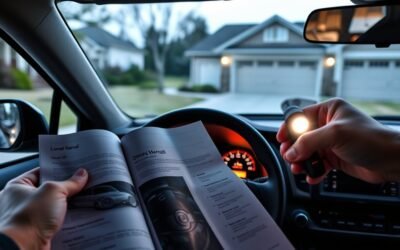
Use AWD Lock when low‑speed traction’s poor—deep snow, mud, sand, or rough off‑road—to force a near‑even front/rear torque split and keep you moving. You engage it with the chassis‑symbol button; it’s meant for slow maneuvers and auto‑disengages above ~25 mph or when braking to prevent drivetrain binding. Don’t use it on dry pavement or for long, slow climbs to avoid clutch overheating. Keep going and you’ll find details on power flow, lights, and limits.
Quick Answer: When and How to Use AWD Lock on RAV4

Wondering when to use AWD Lock on your RAV4? You engage AWD Lock when traction’s compromised—mud, deep snow, or rough, rocky terrain—so power’s distributed evenly to all four wheels and you regain control. AWD Lock benefits include improved stability and torque delivery at low speeds, letting you free the vehicle from soft surfaces or crawl over obstacles with confidence. Use it under 25 mph; the system’s designed to disengage above that to prevent overheating. AWD Lock limitations are clear: don’t run it on dry pavement, because drivetrain binding can occur and lead to costly repairs. Activate only in low-traction scenarios and monitor speed and conditions; letting it auto-disengage or switching off manually keeps components safe. You’re aiming for liberation from being stuck, not unnecessary wear. Apply AWD Lock judiciously—it’s a targeted tool for specific challenges, not a default driving mode.
How to Engage and Disengage AWD Lock on Your RAV4
Locate the chassis-symbol button near the steering wheel to engage AWD Lock; press it until the indicator lights on the instrument cluster. AWD Lock evenly splits power front-to-rear for speeds under 25 mph, so use it for mud, snow, or rough terrain only. To disengage, press the same button again—or let it auto-cancel when you exceed 25 mph or apply the brakes.
Locate The Lock Button
Although it can vary slightly by model year, you’ll typically find the AWD Lock button near the steering wheel—often on the lower left dash or center console—and marked with a chassis-like symbol. Check button placement first so you can reach it without taking your eyes off the road. The button sits flush or slightly raised; feel its contour to confirm. When pressed, an indicator light illuminates on the instrument cluster to confirm engagement. Note the control logic: it’s intended for low-speed traction scenarios, and the system will auto-disengage above roughly 25 mph or when you press the button again. Avoid using AWD Lock on dry pavement to prevent drivetrain stress and overheating. Locate the control now so you’re prepared when conditions demand it.
Activating AWD Lock
When you need extra traction, press the AWD Lock button (chassis symbol) near the steering wheel to engage the center differential and send power evenly to all wheels; an indicator light will illuminate on the instrument cluster to confirm activation. Use AWD Lock primarily below 25 mph in low-traction conditions like mud or snow to gain AWD Lock benefits: improved traction, controlled progress, and confidence to move forward. Note AWD Lock limitations: it auto-deactivates if you exceed 25 mph or apply the brakes and shouldn’t be used on dry pavement to avoid drivetrain stress. To disengage, press the button again and watch the indicator go off, restoring normal operation.
- Tires digging through slush
- Slow crawl over rutted mud
- Snow-packed driveway ascent
- Liberating steady grip on slick roads
Auto And Manual Disengage
Now that you know how and when to use AWD Lock, you’ll also need to understand how it disengages both automatically and manually. You engage AWD Lock by pressing the chassis-symbol button near the steering wheel; an indicator lights on the cluster. The system auto-disengages above 25 mph to protect the drivetrain, so monitor speed and driving conditions—mud and snow are appropriate; dry pavement is not. To manually disengage, press the same button again; the indicator goes out and the vehicle returns to standard AWD. Treat the control as tactical: use it selectively to gain traction, then disengage when conditions normalize. Follow maintenance tips—keep tires matched and service the AWD system—to preserve freedom of movement and avoid mechanical limits.
When to Use AWD Lock: Mud, Snow, Sand, and Low‑Speed Off‑Road
If you’re heading into mud, snow, sand, or slow off‑road sections, engage AWD Lock to evenly distribute torque to all four wheels and reduce wheel slip. Use it when traction is limited and you need consistent forward motion and control. It shines under 25 mph for low speed control and prevents single‑wheel spin during mud driving or snow traction scenarios. Don’t leave it on dry pavement — it’s temporary for low‑traction liberation.
- Slogging through deep mud, tires churning but forward momentum steady.
- Creeping over icy ruts, each wheel contributing to steady snow traction.
- Powering across soft dunes, measured throttle for confident sand navigation.
- Picking a line over rocky, uneven trails where low speed control keeps you free.
Activate AWD Lock before the trouble starts; it’ll automatically disengage above 25 mph or by pressing the button. Use it deliberately: engage for brief sections, disengage on pavement to protect the drivetrain and keep moving toward open roads.
How AWD Lock Changes Power Flow (Center Diff, 55/45 Split)
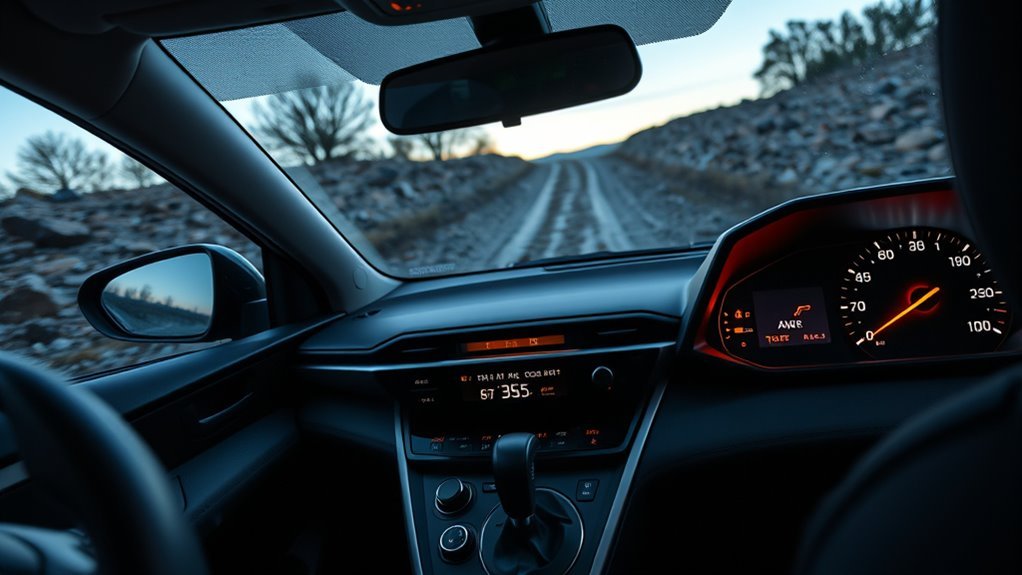
Because AWD Lock engages the center differential, it forces a near-even split of torque between front and rear axles so you get predictable traction at low speeds. You gain controlled power distribution that resists wheelspin when surfaces betray you. In many RAV4 models AWD Lock targets an approximate 50/50 balance, but the 2011 4×4 Lock biases 55/45 front-to-rear to favor stability under load. That bias keeps the nose tracking straight while the rear still carries meaningful torque. Use it when you need traction control to maintain momentum in snow, mud, or uneven terrain. The system locks the center diff so torque flow is fixed, ensuring at least one wheel group has drive even if others lose grip. Don’t expect it to operate relentlessly at higher speeds; it’s optimized for low-speed scenarios and drivetrain protection.
| Mode | Front % | Rear % |
|---|---|---|
| Default AWD | 50 | 50 |
| 2011 4×4 Lock | 55 | 45 |
| Slip-prone start | 55 | 45 |
| Stability focus | 55 | 45 |
Speed Limits & Automatic Disengagement : Why 25 MPH Matters
You should keep AWD Lock engaged only under about 25 mph because the system’s gearing and clutch packs are sized for low-speed torque transfer, not sustained high-speed rotation. Above that threshold the control unit commands automatic disengagement to relieve torque bias and prevent drivetrain binding or overheating. Next, we’ll look at how the ECU monitors speed and clutch temperature to trigger that disengage and what happens mechanically when it does.
Why 25 MPH?
Why does the RAV4’s AWD Lock cut out at 25 mph? You rely on that limit to prevent drivetrain overheating and avoid binding that damages gears when the torque-split is forced at higher speeds. The system is tuned for low-speed, low-traction scenarios; above 25 mph it restores normal AWD so traction control and the rolling dynamics can manage stability without stress.
- You’re crawling through slush, wheels gripping unevenly.
- You’re inching over rutted terrain where lock keeps momentum.
- You feel the drivetrain working hard, heat rising under load.
- You shift to open road where differential action and traction control take over.
Respecting 25 mph frees you from mechanical risk while keeping mobility where it matters.
Auto Disengage Mechanics
Having explained the limits, let’s look at how the AWD Lock actually disengages: the system monitors speed and drivetrain load, and once you exceed 25 mph it automatically releases the lock to prevent overheating and gear binding. You’ll notice the system reverts to standard AWD, shifting power distribution to suit normal driving and varied road grip. That 25 mph threshold is a protective ceiling: it keeps AWD Lock confined to low-speed traction scenarios like mud or deep snow, preserving drivetrain safety. Use the lock for short, slow maneuvers; prolonged use below 20 mph still risks heat and wear. By trusting the auto-disengage, you free yourself from micromanaging traction while protecting mechanicals.
Risks of Misuse: Dry Pavement, Overheating, and Drivetrain Damage
When used on dry pavement, AWD Lock can bind the drivetrain and create stress that leads to accelerated wear or catastrophic component failure. You need to respect AWD Misuse Consequences: using AWD Lock on stable surfaces defeats its design, reduces handling precision, and concentrates forces in the transfer components. Drivetrain Damage Risks increase with prolonged low-speed operation; clutch packs heat under continuous load and can overheat below 20–25 mph, risking system failure.
You’re responsible for disengaging AWD Lock when traction is normal and for letting the system auto-disengage above about 25 mph. If you ignore that, you’ll wear gears, seals, and bearings faster and may face expensive repairs.
- Locked AWD trying to turn on dry tarmac, axle binding like a seized hinge
- Hot clutch packs smoking after long, slow climbs in mud-like drag
- Warped gears and torn seals from chronic torque fight
- Sudden loss of control when assumed grip vanishes due to component failure
Use AWD Lock selectively; freedom comes with knowing limits.
How AWD Lock Interacts With TRAC, VSC, and TRAC OFF
Though AWD Lock forces the center differential to share torque front-to-rear for extra grip, TRAC and VSC remain active to modulate wheelspin and stability—so you’ll get locked torque with electronic intervention to prevent uncontrolled slipping or yaw. You’ll notice AWD Lock benefits immediately in mud or snow: more balanced drive torque reduces bogging and improves forward motion. TRAC effects are subtle but essential—braking or torque reduction at slipping wheels preserves momentum without letting a wheel scream uselessly.
VSC interaction keeps your path true during turns or lateral slips, stepping in to brake individual wheels and counter yaw while AWD Lock maintains traction enhancement. If you need deliberate wheelspin to escape deep ruts, temporarily hit TRAC OFF; that lets wheels spin freer while AWD Lock still shares torque until 25 mph, after which AWD Lock disengages to protect the drivetrain. Use these controls deliberately so you stay free, safe, and in command.
Troubleshooting Dashboard Lights and Common Issues
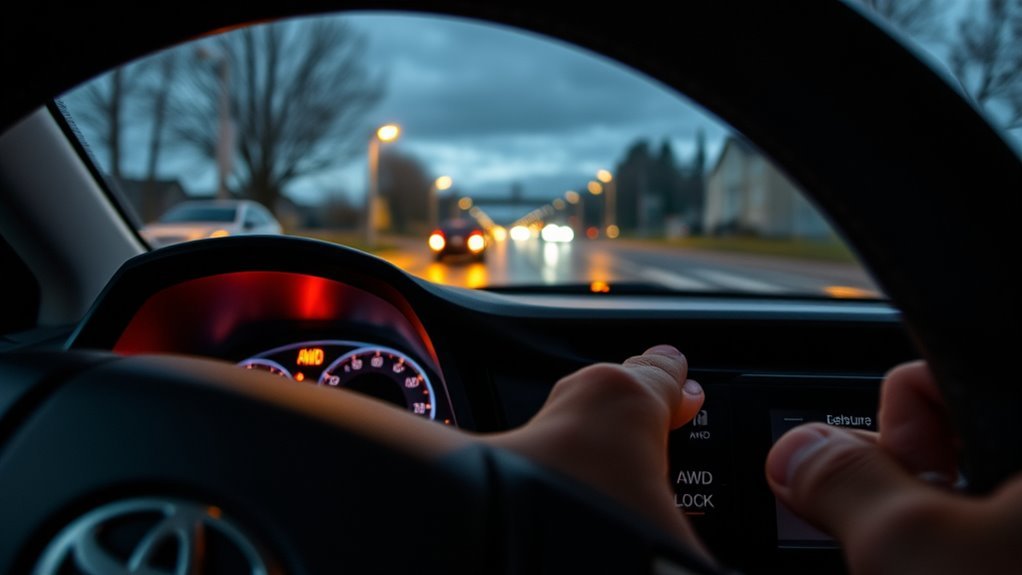
When the AWD lock or related warning lights come on, you’ll want to identify each symbol and its meaning before proceeding. Check for common faults like a stuck button, wiring issue, or persistent light after 25 mph, and note any accompanying check engine warnings. If symptoms persist, try basic resets (cycle ignition, disconnect battery briefly per manual) and arrange professional diagnostics or software updates if the fault returns.
Warning Light Meanings
If your AWD Lock light comes on, it tells you the system’s active and sending torque to all four wheels for better traction; a flashing AWD Lock usually means a fault or that you’ve exceeded the 25 mph lock limit. You’ll watch dashboard indicators to know when to act. A warning light for drivetrain or low fluid demands prompt attention to avoid damage. The TRAC OFF signal shows traction control is disabled — useful in deep snow or mud, risky at speed. Monitor lights regularly to stay free of surprises and keep the system ready.
- A steady AWD Lock: locked torque distribution engaged.
- Flashing AWD Lock: fault or speed-limit disengage.
- TRAC OFF: traction control disabled; expect different handling.
- Drivetrain/warning light: check fluid and service immediately.
Common System Faults
After watching your dashboard cues, you’ll want to address common AWD system faults promptly to prevent damage and restore safe handling. If the AWD lock light stays on while driving, stop and verify the system isn’t still engaged above 25 mph — prolonged engagement can overheat components and risk drivetrain damage. If TRAC OFF illuminates, know traction control is disabled; reduce speed and seek repair to maintain stability in slick conditions. Listen for unusual noises or vibrations when engaging/disengaging AWD lock; those signals often mean mechanical wear or failing actuators. Perform routine AWD maintenance tips: inspect fluid, mounts, and connectors. Run periodic system performance checks and address warnings quickly so you keep freedom to drive without restraint.
Reset And Recovery
Because dashboard warnings often signal driveability or safety issues, you should treat an illuminated AWD lock light as a prompt for a targeted reset and diagnostic routine. Start by consulting the manual for reset steps and system maintenance intervals. If the light stays on when AWD isn’t engaged, don’t ignore it: that suggests a malfunction needing assessment. Verify vehicle speed is under 25 mph before attempting engage/disengage checks. Prioritize fluid checks in differentials and inspect the solenoid for faults. If basic resets fail, capture fault codes with a scanner and plan repair or professional diagnostic.
- A cool driveway, you cycling the lock toggle to reproduce the fault
- A dipstick showing low differential fluid
- A scanner reporting a solenoid error code
- A technician replacing a failed component and clearing codes
AWD Lock vs Normal AWD and vs Full 4WD : What’s Different
When you switch the RAV4’s AWD Lock on, the system forces a roughly 50/50 front/rear torque split to hold traction at low speeds in mud, snow, or loose surfaces, unlike normal AWD which runs primarily front-wheel drive and only redistributes torque automatically as slippage is detected. That 50/50 bias gives you clear AWD advantages when you need predictable traction for Off road strategies like crawling ruts or exiting soft snow.
You’ll use normal AWD for everyday driving: it favors front-wheel drive for fuel efficiency and only shifts torque as sensors demand, so it’s seamless and passive. AWD Lock must be engaged manually and is limited to low speeds to avoid overheating the drivetrain. Full 4WD, by contrast, provides mechanical low-range gearing and often selectable lockers for extreme terrain—features the RAV4 doesn’t have. Know the limits: AWD Lock stabilizes low-speed, low-traction scenarios; full 4WD enables serious off-roading. Use each mode to maximize mobility and personal freedom without overstressing systems.
Practical Low‑Traction Recovery Steps and What to Ask at the Dealer
You’ve learned how AWD Lock biases torque for low‑speed traction; now let’s cover practical steps for getting unstuck and what to verify with the dealer. Engage AWD Lock below 25 mph by pressing the button near the wheel when mud or snow traps you. Rock the vehicle gently using short throttle pulses, avoid spinning tires hard, and stop as soon as you’re free. Turn AWD Lock off once unstuck or if speed climbs above 25 mph to prevent drivetrain stress.
Ask the dealer for clear demonstrations and dealer recommendations so you can practice activation, deactivation, and limits. Confirm when the automatic AWD is preferable and when to use AWD Lock.
- Visualize pressing the AWD Lock button and feeling steady forward pull.
- Picture gentle rocking on soft snow without redlining the engine.
- Imagine the dealer showing live demonstrations in a parking lot.
- Envision switching back to automatic AWD as you accelerate onto pavement.
Frequently Asked Questions
When to Use All-Wheel Drive Lock?
Use AWD Lock when you’re tackling off road conditions, slippery surfaces, snow driving, steep inclines or rugged terrain; it boosts vehicle handling and towing capabilities though it’ll reduce fuel efficiency, so don’t use it on dry pavement.
Conclusion
Think of AWD Lock like a temporary compass in whiteout—use it for low‑speed, low‑traction situations where you need steady torque front to rear. Engage below about 25 mph, disengage on pavement or at higher speeds, and expect a roughly 55/45 split with stability systems still active. If lights or behavior worry you, follow the recovery steps and check with the dealer. Use it deliberately, then return to normal AWD when conditions improve.